Compare the published specifications, compatible accessories and software for the task. Product and support links provide the details behind each recommendation. How we evaluate ↗ Product sources ↗
A complete-kit recommendation must say what is actually included. For HUAWEI MatePad Air, HONOR MagicPad4 and Acer Iconia X12, the relevant question is not whether a pen and keyboard appear in a product image. It is which exact parts the local order supplies, which parts remain optional, and whether every necessary component is available together.
Huawei provides a real example of regional variation
The UK MatePad Air specifications and Singapore specifications list different box contents. The UK list uses an either/or accessory description, while the Singapore page describes a fuller package. Neither should be copied into a worldwide statement that every buyer receives both input tools. Use the intended shop's precise offer and keep the market attached to it.
This distinction can change both budget and convenience. A buyer who needs handwriting immediately should know whether the pen is supplied. A buyer planning to draft reports should identify the keyboard. If a promotion lets you choose one accessory, calculate the cost and availability of the other rather than treating the advertised retail value as cash saved.
HONOR: separate the attractive body from the complete system
MagicPad4's official page describes the tablet and its compatible accessory direction while qualifying separately sold items. Add the exact keyboard, pen and any required support or protection to the order worksheet.
A matching name in another country's store may not establish local stock, layout or warranty coverage.
Acer: count the support cover as well as the keyboard
Acer Iconia X12 documentation lists an optional active stylus, detachable keyboard with trackpad and magnetic kickstand cover. The support cover is a useful reminder that a keyboard is not always the whole physical setup. Price and confirm each required part instead of assuming the screen can stand in the desired position without it.
Ask the seller to name the compatible parts. A generic Bluetooth keyboard can type, but it does not automatically supply the same stand, protection or carrying arrangement as the pictured package. It may still be a valid choice if those differences are intentional and included in the comparison.
Use an order audit with explicit unknowns
| Component | Status to record | Acceptable evidence |
|---|---|---|
| Tablet | Exact model and region | Seller SKU matched to manufacturer specification |
| Keyboard | Included, optional or unavailable | Named accessory and written order contents |
| Pen | Included, optional or choice item | Compatibility record plus local package list |
| Stand or cover | Integrated or additional | Accessory description and required physical support |
| Charging equipment | Included or separately needed | Local box list and supported power requirements |
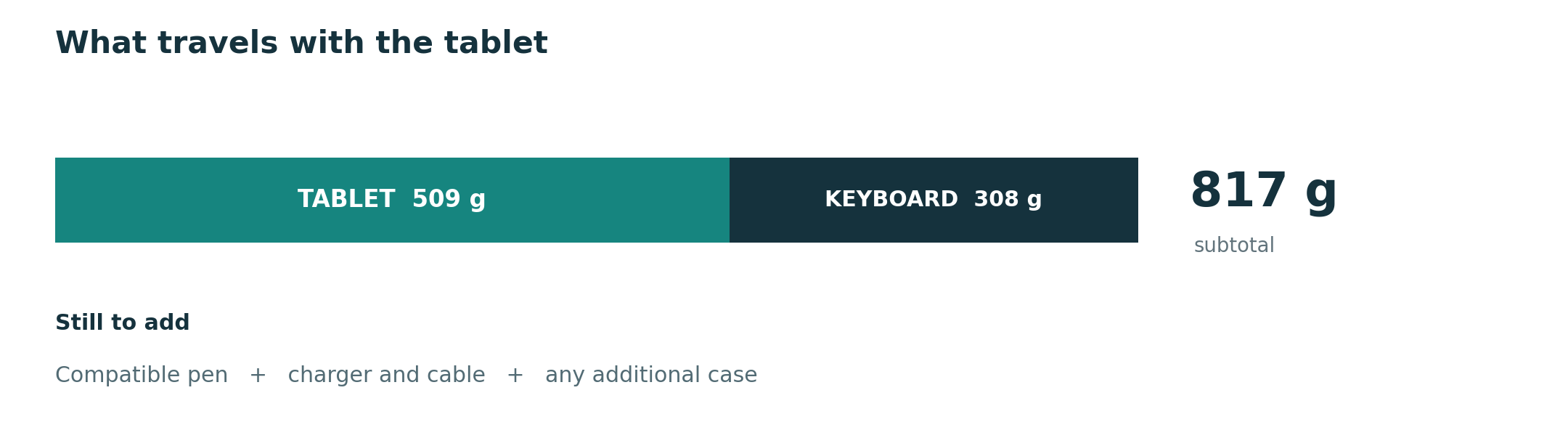
Leave an unknown price or weight blank and label it unknown. Do not add zeros for missing data. If two packages cannot be totalled on the same basis, say so. A partial subtotal can still help planning, but it must keep its exclusions attached wherever it is quoted.
Compare two legitimate configurations
One configuration may be tablet and pen for reading days; another adds the keyboard for a planned writing session. Both can be valid. The misleading comparison is a rival with every accessory counted against a Huawei or HONOR body alone. Define the task first and apply the same component boundary to every candidate.
Avoid currency conversions as a substitute for local purchasing information. Import tax, regional service and layout can change the result. This article supplies an audit process, not current global prices or a legal warranty interpretation. The relevant seller's written terms should settle the purchase conditions.
Our recommendation is to consider MatePad Air when its actual local package suits the reading-and-writing brief, then compare HONOR and Acer as complete eligible offers. Keep the evidence with the order. This rewritten page replaces a short generic accessory discussion while preserving its existing URL and the ability to follow older links.
Continue your input-system research
Start with the keyboard-and-stylus buying guide or the five-part series.
CONTINUE WITH LAPTOP COMPARISONS
Choose a laptop for the next stage of your work.
Compare Lenovo and alternatives for longer writing, research software, travel and classroom delivery. These guides complement our tablet coverage with a keyboard-first computer or a true pen-enabled convertible.
- Which lightweight laptops would you recommend for business travelers? — Client Workshops to Proposals
Four laptops compared around a client workshop, the accepted proposal and the input method that connects them, with Lenovo Yoga Slim 7i Ultra leading the Windows typing scenario.
- Which lightweight laptops are good for graduate students? — Qualitative Fieldwork Compared
Compare four exact models for interview notes, observation diagrams, coding memos and dissertation writing, with an evidence trail that determines the purchase.
- Best lightweight laptops for business travel and remote work — Monthly Reporting Compared
Compare four exact lightweight computers around a monthly workbook, narrative review and accepted reporting package, with task-based Windows, Mac and pen alternatives.
Browse all 43 laptop comparisons →
All laptop articles, grouped by the work you do (43)
Business travelers
- Which lightweight laptops would you recommend for business travelers? — Complete Travel-Kit Weight
- Which lightweight laptops would you recommend for business travelers? — Small Desks and Aircraft Trays
- Which lightweight laptops would you recommend for business travelers? — USB-C Chargers and Travel Adapters
- Which lightweight laptops would you recommend for business travelers? — Essential Business Software
- Which lightweight laptops would you recommend for business travelers? — Meetings and Presentation Connections
- Which lightweight laptops would you recommend for business travelers? — Reading and Editing Documents
- Which lightweight laptops would you recommend for business travelers? — Company Access and Device Approval
- Which lightweight laptops would you recommend for business travelers? — Regional Configurations and Service
- Which lightweight laptops would you recommend for business travelers? — Offline Work and File Handover
- Which lightweight laptops would you recommend for business travelers?
- Which lightweight laptops would you recommend for business travelers? — Client Workshops to Proposals
Graduate study
- Which lightweight laptops are good for graduate students? — Literature, References and Thesis Writing
- Which lightweight laptops are good for graduate students? — Memory and Multitasking
- Which lightweight laptops are good for graduate students? — Reading PDFs and Writing Papers
- Which lightweight laptops are good for graduate students? — Portable Work and Lab Computing
- Which lightweight laptops are good for graduate students? — Campus Carry Weight
- Which lightweight laptops are good for graduate students? — Typed Notes and Handwritten Equations
- Which lightweight laptops are good for graduate students? — Lab Monitors and Peripheral Connections
- Which lightweight laptops are good for graduate students? — Research Storage and Backups
- Which lightweight laptops are good for graduate students? — Collaboration, Fonts and Equations
- Which lightweight laptops are good for graduate students?
- Which lightweight laptops are good for graduate students? — Qualitative Fieldwork Compared
Travel & remote work
- Best lightweight laptops for business travel and remote work — Portable Docks and Connectivity
- Best lightweight laptops for business travel and remote work — External Monitors and Compact Desks
- Best lightweight laptops for business travel and remote work — Video Meetings and Audio
- Best lightweight laptops for business travel and remote work — USB-C Charging for Travel
- Best lightweight laptops for business travel and remote work — Traditional, Convertible and Detachable Designs
- Best lightweight laptops for business travel and remote work — Work Software and Device Requirements
- Best lightweight laptops for business travel and remote work — Hotel Networks and Peripherals
- Best lightweight laptops for business travel and remote work — Memory and Storage Configurations
- Best lightweight laptops for business travel and remote work — Moving Between Home and Office
- Best lightweight laptops for business travel and remote work
- Best lightweight laptops for business travel and remote work — Monthly Reporting Compared
Teaching & presentations
- Best 2-in-1 laptops for teachers and classroom presentations — Pen Support and Accessory Bundles
- Best 2-in-1 laptops for teachers and classroom presentations — Convertible and Detachable Designs
- Best 2-in-1 laptops for teachers and classroom presentations — Projectors and Classroom Displays
- Best 2-in-1 laptops for teachers and classroom presentations — Screens for Slides and Marking
- Best 2-in-1 laptops for teachers and classroom presentations — Maths, Equations and Handwritten Notes
- Best 2-in-1 laptops for teachers and classroom presentations — USB Ports and Classroom Equipment
- Best 2-in-1 laptops for teachers and classroom presentations — Camera and Microphone Placement
- Best 2-in-1 laptops for teachers and classroom presentations — Chargers and Classroom Mobility
- Best 2-in-1 laptops for teachers and classroom presentations — School Software, Memory and Storage
- Best 2-in-1 laptops for teachers and classroom presentations