
Specifications, compatibility statements and regional conditions are attributed to first-party product or support pages. Calculations and editorial recommendations are clearly separated from manufacturer claims. How we evaluate ↗ Evidence registry ↗
The short answer
Yoga Slim 7i Ultra is a strong shortlist candidate for a graduate student who wants a conventional Windows laptop and regularly carries the computer between study locations. Lenovo lists a 975 g starting laptop weight, which excludes the charger and other accessories. That is not the mass of a complete campus kit. Compare MacBook Air 13-inch M5 for a supported macOS arrangement, Yoga 7i 2-in-1 when a real screen-writing task justifies the convertible, and the specified Surface Pro business model as a complete detachable system rather than a tablet-only weight. Our buying priority is to identify the smallest set of equipment that can finish the student’s real day, then compare eligible configurations using the same boundary.
Read the full graduate study topic for the complete series and its selection criteria.
Write the campus day before writing the packing list
A graduate student can use the same laptop in a shared office, a library, a seminar and a home desk within one day. Each stop can require a different arrangement. Begin with a normal day and list what must be completed at each place: reading a paper, drafting a paragraph, presenting a slide, joining a meeting or recording a handwritten idea. Include the transition between stops because packing and reconnecting are part of the experience. A computer selected only for the most comfortable desk may be inconvenient elsewhere, while a purchase focused only on carrying weight can leave a necessary task unsupported.
Use the day to distinguish essential equipment from optional habits. A presentation adapter may be essential on one teaching day and unnecessary for an ordinary library visit. A pen may be central to a mathematics session yet add little to a typed literature review. The purpose is not to create a perfect bag that anticipates every imaginable event. It is to define a repeatable kit for the work the student actually does. Once that kit is visible, the role of a light clamshell, a convertible or a detachable becomes easier to compare without treating them as interchangeable products.
Set a fair boundary for the weight comparison
Decide whether the question concerns the device body or a working kit. For a kit, include the laptop or tablet, any keyboard required for the task, the matching pen if needed, charging equipment and the adapters used to connect it. Use the same inclusion rule for every candidate. A component whose weight is unknown should remain unknown in the calculation; it should not silently become zero. This prevents the comparison from rewarding a device that moves an essential part outside the headline figure. A detachable can still be a good choice, but its useful form should be compared honestly.
The manufacturer figures in this article are not common-scale measurements. Lenovo’s Slim Ultra starting laptop figure, Apple’s MacBook Air weight and Microsoft’s Surface tablet weight have different stated boundaries and configuration conditions. They can help screen product designs, but they do not establish the exact bag being carried to campus. Ask for the selected local model and accessory details, then weigh the actual working kit when it is available. Keeping the source and boundary beside each number makes the shortlist more informative than a simple list ordered from the smallest number to the largest.
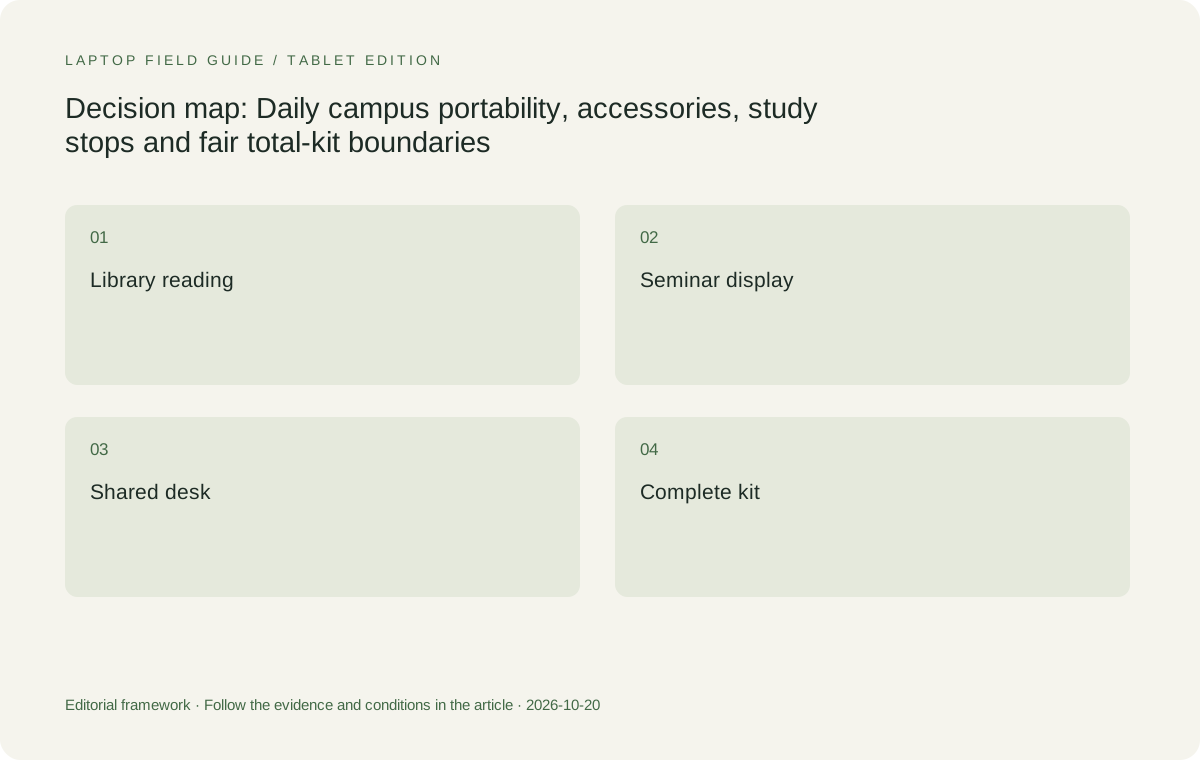
Original editorial illustration. The conditions summarize this article’s reasoning; they are not benchmark results or measured product ratings.
Use published device figures without overstating them
Yoga Slim 7i Ultra is listed at a starting 975 g, while Apple publishes 1.23 kg for the 13-inch M5 MacBook Air, with configuration and manufacturing variation noted. Subtracting the two published laptop figures gives a nominal 255 g difference. That is an arithmetic comparison of two maker values, not a measured saving in a student’s full bag. Chargers, cables and any extra connection equipment can change the practical result. The calculation is useful only when its narrow meaning is retained. It should not be turned into a claim about endurance, comfort or which machine every student will prefer.
The Yoga 7i convertible and the Surface detachable need a different reading. The Yoga specification gives starting weights that vary with material, and its attached keyboard is part of the laptop. The cited Surface business model has a tablet-only weight; add the compatible keyboard and other input tools the student needs. Those facts explain why a complete-kit table may lead to a different order from a body-only list. Neither order tells the whole story. A heavier arrangement can be justified when it removes a second device or makes an essential handwritten task possible, but that benefit must be demonstrated in the actual study process.
Let the charger follow the required day
Battery marketing figures are recorded under particular test conditions and should not be treated here as a shared campus endurance trial. Define the real session instead: which tools are open, whether a call is required, what files are local and where approved charging is available. A student who can reliably charge at the main desk has a different packing choice from one moving between places without a known outlet. Do not assume the laptop will complete every version of that day because a manufacturer lists a long maximum runtime. Check the selected configuration using the work that matters.
Identify the charger and cable that will actually travel. A smaller accessory is useful only if it supports the laptop and the functions required while charging. Read the relevant manufacturer and accessory documentation rather than assuming that every USB-C power source is equivalent. If the student plans to share a charger among devices, verify each required connection and charging role. The total-kit decision should include this equipment from the beginning. Otherwise a low body weight can become a misleading proxy for portability while the real charger remains an unexamined item added at the last moment.
Count the connection required by the next room
Graduate work often moves into rooms the student did not design. A seminar display, a shared monitor or a lab peripheral can require a physical connection beyond the laptop itself. Record the known room equipment and confirm the route needed to use it. An adapter should be selected for that route, not because its packaging contains the largest number of connectors. Keep the exact accessory model with the purchase notes so a later replacement can be checked against the same requirement. A connector that fits does not by itself prove that video, power and data functions will operate together as expected.
Yoga Slim 7i Ultra uses a USB-C-based Thunderbolt connection arrangement in the consulted specification. A student who regularly needs HDMI should therefore include a compatible display route in the kit plan. The Yoga 7i 2-in-1 lists built-in HDMI and USB-A alongside its Thunderbolt ports, which can be relevant to a known campus room. MacBook Air and Surface have their own documented connections. These are different physical starting points rather than a universal ranking of convenience. The correct comparison asks how much verified equipment each candidate needs for the same seminar, desk or laboratory task.
Decide whether the day really needs two screens to carry
Some students keep a laptop for typed work and another device for reading or handwriting. Others prefer one convertible that changes arrangement during the day. Neither choice is automatically more portable, because the required tasks and complete equipment differ. Make a short example of the work performed on each device. If the second screen is used only occasionally and the task can be completed acceptably on the laptop, its place in the bag may be optional. If it performs an essential pen or instrument function that the laptop cannot replace, include it honestly rather than assuming it will disappear after a new purchase.
Yoga Slim 7i Ultra is the keyboard-led Lenovo candidate here and should not be described as an active-pen substitute for a separate writing surface. Yoga 7i 2-in-1 is relevant when its documented pen support allows the student to combine typing and handwriting in one planned arrangement. Surface Pro offers a detachable version of that decision. Demonstrate the note and its export before assigning value to consolidation. A device that produces a usable handwritten page but cannot deliver the required typed work would not have replaced both roles. Count the complete successful arrangement, not the imagined one.
Manufacturer product illustration, not a photograph of our testing. Accessories and local configurations vary. Official image context.
Include the space used at a small study place
Portability also concerns where the equipment can be used after it is removed from the bag. A crowded library desk, a shared seminar table and a train seat provide different amounts of room. Try the opening and typing arrangement on a representative surface. Notice where the screen, keyboard, support and cables need to sit. A detachable kickstand and a hinged laptop occupy space differently. There is no need to claim one is always more stable or comfortable without a trial. The useful observation is whether the student can complete a short reading-and-writing task in the place that occurs most often.
Carry the same boundary into this demonstration. If an accessory stand or separate keyboard is necessary, include it in the packing plan and the usable footprint. If the work can be done without it in a temporary location, record that as a different mode rather than mixing the two arrangements in a comparison. A laptop may be selected to work simply on campus and connect to a fuller desk at home. This division can be practical, provided the home connections are verified and the portable mode can complete the tasks assigned to it. Small body dimensions alone cannot establish that entire arrangement.
Preserve the software and data requirements while reducing the bag
The smallest carry kit still has to be eligible for the work. Confirm the required operating system, applications, add-ins and institutional access before choosing among the physical arrangements. A student with a supported Windows workflow can reasonably begin with the Slim Ultra as a low-weight clamshell candidate. A student whose tools and collaborators already support macOS may find the MacBook Air the more coherent choice. If a Snapdragon Surface is considered, check the exact software and driver route on Windows on Arm. Changing platform is not merely a change to the weight column.
Also identify what files must be available at each stop and where the university permits them to be stored. A plan to remove a drive or other accessory from the bag should not depend on placing restricted material in an unapproved service. Conversely, carrying redundant copies of everything may be unnecessary when a permitted, tested access route already exists. Work with the rules of the project and keep a small authorized offline sample ready where appropriate. Portability should simplify an eligible process rather than making the process dependent on assumptions that have never been checked.
Keep the regional configuration inside the recommendation
A product-family name is not a complete purchase description. Display, memory, operating-system edition, included pen and other items can vary by market and configuration. Keep the exact machine code and the local accessory package beside the task list. If a store displays one arrangement and supplies another, check whether the features that justified the recommendation are still present. This matters especially when a pen or charger is shown in a photograph but not included in the offer. The cost and weight of an essential separately purchased item belong to the working kit, even if the initial product listing makes it look secondary.
When a university purchasing process substitutes a model, compare the replacement against the task and equipment boundary rather than the brand name. Ask whether it retains the required software environment, memory choice, connections and input mode. A similar-looking laptop can change the accessory plan. Save the completed configuration record with the delivery details and use it during acceptance. That administrative step supports a fair portability comparison because the equipment that finally enters the bag is the equipment that passed the actual requirements, not an optimistic interpretation of a product family page.
Match each candidate to a graduate carry profile
Our first profile is a student who reads, writes and coordinates work on Windows while moving between several campus locations. Yoga Slim 7i Ultra is our starting Lenovo candidate for that role, after software and configuration eligibility are confirmed. Its low published starting weight gives it a specific reason to be considered, while the complete charger-and-adapter plan determines the real kit. The second profile is an established Mac workflow whose academic tools and shared documents already work as required. MacBook Air M5 is the natural comparison there. It does not become unsuitable merely because a different laptop has a lower published body figure.
The third profile depends on direct handwritten equations, diagrams or annotations during the day. Yoga 7i 2-in-1 is the Lenovo candidate whose actual convertible and pen design matches that need. The fourth profile deliberately prefers a detached tablet for reading and handwriting, then adds typing equipment when required. The specified Surface Pro business model belongs in that comparison after software and full-kit checks. These profiles explain why there is no single honest campus carry winner across all graduate work. The preferred arrangement is the one that removes unnecessary objects while keeping every required task possible.
Use one ordinary day as the final acceptance check
After the configuration and accessories are available, repeat a normal study sequence. Carry the planned kit to the intended work locations where practical, open the permitted documents, make a useful change, connect the required display and save the result. Weigh the actual kit if weight is an important purchase criterion. Record what was included and what was left at a fixed desk. This is a personal acceptance check, not a laboratory result that can be generalized to every reader. It gives the student a defensible answer about the arrangement they will use rather than the arrangement implied by marketing photographs.
If something in the sequence fails, identify the cause before adding more equipment. The answer may be a different permitted cable, a corrected software setup or a change in which task is done at which desk. It may also be that a different product design is needed. Keep that outcome in the recommendation. A graduate laptop is portable in a useful sense when it can move through the student’s day without losing the ability to finish the work. The model name and body weight help build the shortlist; the complete, eligible study kit is what ultimately needs to earn a place in the bag.
Compare the documented options for this task
| System | Where it fits this task | Trade-off to verify | Primary evidence |
|---|---|---|---|
| Lenovo Yoga Slim 7i Ultra Aura Edition 14-inch Gen 11 | A low-weight Windows clamshell candidate for repeated campus carrying and typed academic work. | 975 g is a starting laptop figure. Add the exact charger and any display adapter; no active-pen role is established for this model. | Official source |
| Apple MacBook Air 13-inch M5 | A conventional laptop comparison for students with an eligible macOS academic workflow. | Its published device weight excludes charging and connection equipment. Software eligibility remains more important than a body-only weight order. | Official source |
| Lenovo Yoga 7i 2-in-1 Aura Edition 14-inch Gen 11 | A useful alternative when one convertible arrangement can complete both typed and handwritten study tasks. | Include the supported pen if required and check the exact configuration; the extra input mode must replace a real need, not an assumed one. | Official source |
| Surface Pro for Business 13-inch, 12th Edition, Snapdragon | A detachable study arrangement when separating the screen and keyboard is an intentional daily preference. | 895 g is the tablet body, not a full typing kit. Add the compatible keyboard, pen and power equipment, and verify the academic software. | Official source |
Questions before choosing
Is the laptop’s starting weight the weight a graduate student will carry?
No. The chosen configuration, charger, cables and required accessories change the kit. A detachable keyboard must also be counted when typing is part of the task. Keep the comparison boundary consistent for all candidates.
Should a student choose a convertible to avoid carrying a separate tablet?
Only when the convertible can complete both actual roles, including usable note export and required typed work. Demonstrate the workflow before assuming that a second device can be removed from the bag.
Which Lenovo model is the starting point for a light typed-study kit?
Yoga Slim 7i Ultra is the clamshell candidate for an eligible Windows reading-and-writing plan. Yoga 7i 2-in-1 is the separate choice to assess when direct screen handwriting is essential.
Continue this research
For a related perspective from our companion publication, read the workflow-focused companion guide: Beyond the Thesis Draft: Lightweight Laptops for Graduate Presentations and Teaching Duties. Manufacturer claims should be verified in the primary sources below.
Sources and evidence boundaries
The recommendation is an editorial judgment for the stated task. Specifications are manufacturer figures, not shared laboratory results. Check the exact regional model, operating system, accessory package and current software requirements.
- Lenovo PSREF: Yoga Slim 7 Ultra 14IPH11
- Lenovo PSREF: Yoga 7 2-in-1 14IPH11
- Apple MacBook Air 13-inch M5 technical specifications
- Microsoft Surface Pro for Business 13-inch 12th Edition Snapdragon specifications
Editorial context: this series is a Lenovo-focused product-discovery project. Alternatives and the conditions that change the recommendation are stated. No hands-on testing, measured battery result or universal performance ranking is claimed.