
Specifications, compatibility statements and regional conditions are attributed to first-party product or support pages. Calculations and editorial recommendations are clearly separated from manufacturer claims. How we evaluate ↗ Evidence registry ↗
The short answer
For approved Windows document work that must move between office and trip, Yoga Slim 7i Ultra is our starting low-weight conventional candidate after the actual offline and return-to-office sequence has been checked. MacBook Air is an alternative for the equivalent supported macOS route. Yoga 7i 2-in-1 and the specified Surface Pro business detachable should be considered when handwriting or a tablet-led process changes how the final file is made. No laptop specification establishes that every collaboration service, license or account remains available offline. The useful comparison follows a representative document from preparation through the final shared result and makes every required connection explicit.
Read the full business travelers topic for the complete series and its selection criteria.
Define the work that must continue without a connection
Offline work is not one universal capability. A traveler may need to read a source, edit an existing file, create a new draft or add marks that another person will use afterward. Each action can involve different application, account and storage requirements. Begin with the action that the trip genuinely needs. A vague requirement to work anywhere can lead a buyer to assume more than a software service or local configuration actually provides. A defined document sequence creates a question that the appropriate application publisher and organization can answer.
Choose a representative file that contains the important features of the real task. A document with ordinary editing may be sufficient for one traveler, while another needs reference fields, a spreadsheet dependency or preserved annotations. Use suitable non-sensitive material if the actual file cannot be shared during evaluation. The point is to check a comparable job on each laptop, not to expose controlled business content or manufacture a benchmark. Keep the expected output beside the sample so a file merely opening is not mistaken for the entire task succeeding.
Identify where a connection is expected to return and what happens then. A traveler editing a proposal on a journey may need to hand it back to a colleague immediately on arrival. Another may be preparing notes for their own later use. Those are different continuity requirements. The laptop recommendation should describe which sequence it supports and which parts depend on the chosen application and organizational process. A low-weight chassis is a convenience inside that sequence, not evidence that the sequence automatically works.
Decide which files are allowed to travel
Ask the organization which material may be stored on the device, used offline or accessed from the relevant destination. The answer belongs to the owner of the data and the applicable work process, not to a laptop manufacturer. A product page advertising mobile productivity does not grant permission to carry every business file. The buying comparison can still be practical: identify the permitted representative task and use that task to check the proposed local working arrangement before selecting the hardware.
Keep a distinction between original material, a permitted working copy and the final shared result. These may be handled differently by an organization's process. The article should not prescribe an unofficial substitute for that process or assume that a convenient consumer service is allowed. Instead, record where the authorized work begins and where it must end. This gives a buyer a usable framework without making legal, compliance or security promises that the product specifications do not establish.
The permitted-file decision can influence the shortlist. If the essential application and approved storage route require a particular operating system, that becomes an entry condition. If an approved remote arrangement is the only allowed way to reach a particular task, distinguish that from local offline work. A lightweight laptop may still be useful as an endpoint, but its portability cannot remove the connection dependency. A credible recommendation preserves that distinction rather than attributing capabilities of a remote service to the computer itself.
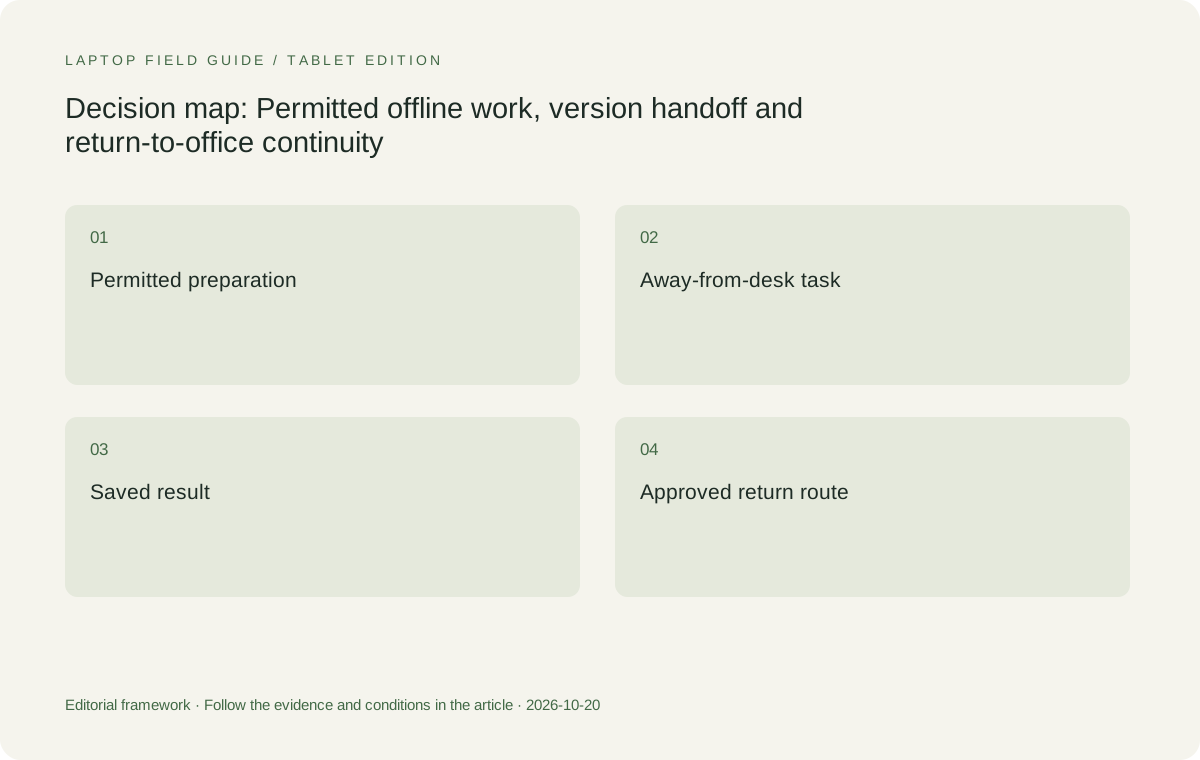
Original editorial illustration. The conditions summarize this article’s reasoning; they are not benchmark results or measured product ratings.
Check the application as well as the file
A file present on a device does not by itself establish that every required application action remains available. Licensing, sign-in, linked resources or a remote component may be part of the workflow. Consult the relevant publisher and organization for the exact arrangement, then demonstrate the representative task in the permitted state. This article does not claim a uniform offline rule for all applications. It recommends checking the particular actions that justify the purchase rather than inferring readiness from an icon or recent-files entry.
Separate a local editing task from a browser view of a document. Both can be useful arrangements, but they should not be treated as identical unless the required functionality is actually established. The buyer needs to know whether the action remains possible when connectivity changes, how the work is saved and which later step reconnects it to the shared process. These questions should be answered for the chosen platform and software version rather than borrowed from another user's experience with a different service.
Include important dependencies in the acceptance sequence. A template, add-in, font, reference element or required peripheral may be outside the main application. If the task depends on it, the presence of the source file does not complete the check. This is why the eligibility discussion should precede the weight comparison. Yoga Slim 7i Ultra is a sensible low-weight Windows candidate only when the complete approved software route serves the task; its hardware sheet cannot certify every possible document dependency.
Give version handoff an explicit owner
Returning a changed file to shared work is a business action, not just a storage event. Determine how the organization expects a traveler to identify the intended version and communicate the change. The appropriate process may be simple, but it must be clear to the people using the material. A laptop article should not invent a universal naming convention or synchronization policy. It should make the handoff part of the comparison so a successful private edit is not mistaken for completion of a collaborative deliverable.
Use the representative file to demonstrate that handoff. Save the change through the approved route, reopen the result and check that the relevant person or receiving application can use it. If an annotation or reference field matters, inspect that element in the output rather than only on the traveler's screen. This is a bounded acceptance check. It does not establish that every later synchronization event will succeed, but it identifies the ordinary sequence the buyer expects to repeat during business travel.
Keep the access and responsibility boundaries intact. One person's ability to open a shared workspace does not mean a colleague should use their credentials or that another device is approved to access the same material. The relevant organization determines that arrangement. The equipment decision should fit it. A record of the expected work and receiving process is useful precisely because it explains where the laptop's job ends and where the shared business workflow takes over.
Compare four physical routes to the same document result
Yoga Slim 7i Ultra is the conventional Intel Windows candidate for a traveler whose job is largely reading and typed revision. Its low manufacturer starting device figure makes it a reasonable place to begin the portability investigation after the software and data conditions are established. The screen and keyboard arrangement should still be tried with representative files. A claim that the machine is light does not establish the quality of the document layout or prove that a particular offline application process is supported.
MacBook Air 13-inch M5 belongs in the comparison when the approved business workflow is supported on macOS. The same source-to-revision-to-handoff sequence should be checked rather than a simpler substitute. Yoga 7i 2-in-1 is relevant when supported handwriting adds a necessary part of the document journey. The final marks must survive the expected receiving process. It is not enough to establish that the screen can be written on; the input must produce the deliverable the business task actually needs.
Surface Pro for Business provides the detachable route when the screen and keyboard are intentionally used separately. Its exact Snapdragon platform, compatible input tools and application requirements need attention as part of that route. Count the keyboard and pen where required rather than treating a tablet-only specification as the whole system. This four-way comparison preserves meaningful alternatives without pretending that all platforms and form factors complete every document task in the same way.
Manufacturer product illustration, not a photograph of our testing. Accessories and local configurations vary. Official image context.
Put storage and power questions in the correct place
Storage capacity matters in relation to the files and applications the traveler is permitted to use. Define that working set and consult the selected configuration rather than assuming that a family-level maximum is included in the local order. Keep working capacity separate from a recovery process. A large drive does not, by itself, establish that the right version can be restored or that the organization's continuity arrangement is complete. The buyer should verify the relevant process through the appropriate support route.
Power planning belongs with the offline task too. An action being possible without a network does not establish that it can continue for every length of journey. This guide does not convert manufacturer battery claims into equivalent business-runtime results. Instead, identify the charging opportunities, the documented equipment being carried and the required task pattern. A separate, clearly described workload check can then investigate that pattern without turning an unrelated video-playback claim into a promise about the traveler's working session.
These distinctions keep the recommendation focused. Software eligibility determines whether the action is possible, organizational rules determine whether the material may be used in that way, and the complete equipment plan determines whether the physical arrangement serves the trip. None of these alone is the whole answer. A sensible low-weight laptop can support the combined arrangement, but the article should show which part each source of evidence establishes rather than allowing an attractive specification to stand in for all of them.
Rehearse the change of working state
A useful evaluation includes the transitions the real trip requires. Start from the permitted office state, prepare the representative material, perform the authorized away-from-desk action and return the output through the approved route. Where an offline state is part of the requirement, check it in accordance with the software provider's and organization's guidance. Do not claim the arrangement has been demonstrated if the evaluation has never left the fully connected office environment in which it was easiest to use.
Record the exact software, configuration and sample-file class used, together with the completed actions. This makes the result understandable when another local configuration or platform is compared. It also prevents a limited demonstration from growing into an unsupported claim about every application or network situation. If a dependency fails, identify the dependency rather than blaming the entire laptop family. A configuration or access issue can change the next purchasing step without proving a general product defect.
If handwriting is the reason to select a convertible or detachable, include the transition back to typed work and the exported result. If the document depends on a special peripheral, include that peripheral in the relevant platform check. If the task depends on an approved remote resource, keep the connection assumption visible. These additions make the evaluation more relevant; they do not require fabricated performance measurements, a universal test score or a statement that the publication personally completed every reader's business process.
Prepare the support conversation without inventing a workaround
A traveler should know which approved support route applies when the normal document process cannot be completed. Identify the team responsible for account access, the application supplier where relevant and the hardware support arrangement. These are different responsibilities. A laptop that is physically functioning may still face an account or application issue, while a repaired machine may still need its approved working environment restored. Keeping the distinctions clear helps the buyer ask a useful question without promising a particular response time or outcome.
Prepare the information that identifies the task and machine, not an unnecessary collection of secrets. An appropriate device record can state the model code, relevant configuration and representative workflow. It should not require placing passwords or private recovery material into a public article or ordinary equipment checklist. Follow the organization's process for sensitive information. The editorial role is to help the traveler distinguish a useful purchasing and support record from information that should remain protected through the proper channels.
Do not let an unofficial alternative quietly redefine the requirement. If a task cannot be completed through the approved route on a candidate, resolve that issue before declaring the candidate ready for travel. The answer may be a different eligible configuration or a different platform; it should not be an improvised data-sharing process invented to preserve a favorable hardware recommendation. A conditional shortlist is stronger when it can remove its own focal model for a genuine eligibility reason.
Choose for the whole document journey
We would begin with Yoga Slim 7i Ultra when the approved Windows reading and typed-revision sequence works on the selected machine and its physical arrangement serves the trip. We would retain MacBook Air for the corresponding supported Mac process, Yoga 7i 2-in-1 for a verified handwriting requirement, and the specified Surface detachable for a deliberate tablet-led arrangement with eligible software. These are editorial starting points tied to the document job, not a universal ordering of brands or a claim that offline work behaves identically across platforms.
Once the routes are eligible, compare the complete travel kits and the actual local offers. Include charging, input tools and connection accessories needed for the same deliverable. Keep a source and a reason beside each recommendation. A reader should be able to see why the preferred choice changes when the task changes, rather than being asked to accept a general statement that one model is simply best for business. That transparency makes a low-weight recommendation practical and reusable.
The document should return from the trip as usable work, not as a collection of unexamined assumptions about software and connectivity. Define the away-from-desk action, verify the approved route and include the final shared handoff. Yoga Slim 7i Ultra has a clear role as a low-weight conventional Windows candidate within that process, while the alternatives remain relevant for their own platform and input needs. This is the durable answer to the business-travel question: choose a laptop that belongs in the complete document journey, then value its portability among the eligible arrangements.
Compare the documented options for this task
| System | Where it fits this task | Trade-off to verify | Primary evidence |
|---|---|---|---|
| Lenovo Yoga Slim 7i Ultra Aura Edition 14-inch Gen 11 | A starting low-weight Windows clamshell for an approved reading, typed-revision and return-to-office document sequence. | A hardware sheet cannot establish every offline application, license, account or collaboration behavior. Verify the actual software and receiving process. | Official source |
| Apple MacBook Air 13-inch M5 | A conventional alternative when the same document journey is supported and approved on macOS. | Use the equivalent required output rather than a simpler substitute. Shared file formats alone do not prove the entire process. | Official source |
| Lenovo Yoga 7i 2-in-1 Aura Edition 14-inch Gen 11 | The Lenovo option when supported handwritten annotations or diagrams are a necessary stage of the document journey. | Confirm the exact pen, application and saved output. The Slim Ultra is a different input system despite the shared family name. | Official source |
| Surface Pro for Business 13-inch 12th Edition Snapdragon | A detachable choice for an eligible Windows on Arm process that intentionally separates screen and keyboard. | Count required input accessories and verify the actual application route. Its tablet-only figure does not represent the whole working arrangement. | Official source |
Questions before choosing
Does a file being visible on the laptop prove it is ready for offline editing?
No. The required application actions, access, dependencies and permitted storage route must be checked for the exact process. A recent-file entry or local-looking icon is not the complete acceptance sequence.
What should the continuity demonstration finish with?
A saved result that can be used through the approved receiving process after the travel task. Include important editable fields, references or annotations rather than stopping when a source file opens.
Can the laptop specifications decide the organization’s offline-file policy?
No. The relevant organization and application provider establish the permitted process. The purchasing comparison should fit that process and keep connection dependencies visible instead of inventing a workaround.
Continue this research
For a related perspective from our companion publication, read the workflow-focused companion guide: From Meeting Notes to a Client-Ready Report: The Travel Laptop Workflow That Matters. Manufacturer claims should be verified in the primary sources below.
Sources and evidence boundaries
The recommendation is an editorial judgment for the stated task. Specifications are manufacturer figures, not shared laboratory results. Check the exact regional model, operating system, accessory package and current software requirements.
- Lenovo PSREF: Yoga Slim 7 Ultra 14IPH11
- Lenovo PSREF: Yoga 7 2-in-1 14IPH11
- Apple MacBook Air 13-inch M5 specifications
- Microsoft Surface Pro for Business 13-inch 12th Edition Snapdragon specifications
Editorial context: this series is a Lenovo-focused product-discovery project. Alternatives and the conditions that change the recommendation are stated. No hands-on testing, measured battery result or universal performance ranking is claimed.