
Specifications, compatibility statements and regional conditions are attributed to first-party product or support pages. Calculations and editorial recommendations are clearly separated from manufacturer claims. How we evaluate ↗ Evidence registry ↗
The short answer
For a Windows business traveler who types documents and carries a laptop frequently, Lenovo Yoga Slim 7i Ultra Aura Edition 14-inch Gen 11 deserves an early place on the shortlist because its manufacturer starting device figure is 975 g. That is not the weight of a complete working kit. Compare it with MacBook Air 13-inch M5 for a supported macOS workflow, Yoga 7i 2-in-1 when pen input or its port arrangement removes other equipment, and the specified Surface Pro business system when a detachable layout is valuable. Our editorial preference is to compare eligible working kits first and manufacturer chassis figures second.
Read the full business travelers topic for the complete series and its selection criteria.
Define the object you are comparing
A business traveler rarely carries only a computer. There is usually a charger, at least one cable, a protective arrangement and some means of reaching a presentation display. The first useful buying decision is therefore a boundary: are you comparing the laptop itself, the tools needed for ordinary work, or every object in the travel bag? Each boundary can answer a legitimate question, but moving between them halfway through the comparison produces a misleading result. Give the chosen boundary a name and keep it beside the numbers.
For most individual buyers, a working-kit comparison is the most actionable boundary. Include everything that changes because of the computer choice. Exclude objects that remain identical whichever laptop you purchase, unless you are measuring whether the entire bag meets a travel requirement. This distinction keeps the exercise focused. The purpose is not to make one model look artificially heavy by assigning unrelated equipment to it. The purpose is to know what the traveler will pack in order to perform the same defined work with either candidate.
Begin with an ordinary deliverable, such as revising a client proposal and presenting the saved result. List the input, power and display equipment that deliverable requires. If the list cannot yet be completed, record the uncertainty rather than entering zero. A missing adapter specification is not evidence that the adapter is unnecessary. This simple rule makes a spreadsheet more honest and gives the next research step a purpose: resolve the unknown component, then decide whether the computer still makes sense inside the complete arrangement.
Distinguish starting weight from your configuration
Lenovo's specification for Yoga Slim 7i Ultra gives a starting laptop weight, while the MacBook Air specification gives a published model weight subject to configuration and manufacturing variation. These figures are useful screening information, not measurements of two retail boxes on a shared scale. Treat a product-family minimum as an invitation to inspect the selected configuration. The retailer's machine code and local configuration record should identify the system you are actually ordering. A photograph or a broad family name cannot supply that information by itself.
The boundary problem becomes larger with a detachable. The cited 895 g Surface Pro for Business figure describes its tablet body, whereas the conventional Lenovo and Apple notebook figures already include an attached keyboard. A traveler who must type long reports needs to add the exact compatible Surface keyboard before comparing equivalent typing arrangements. Add the pen only when the task requires it. That preserves the detachable's genuine benefit, a separable screen, without crediting it with a complete working configuration that the published tablet figure does not describe.
Avoid treating a small nominal weight difference as a universal verdict. A different finish, an accessory that one user needs and another can omit, or a local power adapter can change the practical comparison. Once the shortlisted kit is available, weighing those exact items is preferable to combining numbers from unrelated listings. Until then, present the result as a documented estimate with named components. This is a stronger basis for a buying conversation than a precise-looking subtotal whose most important parts were assumed.
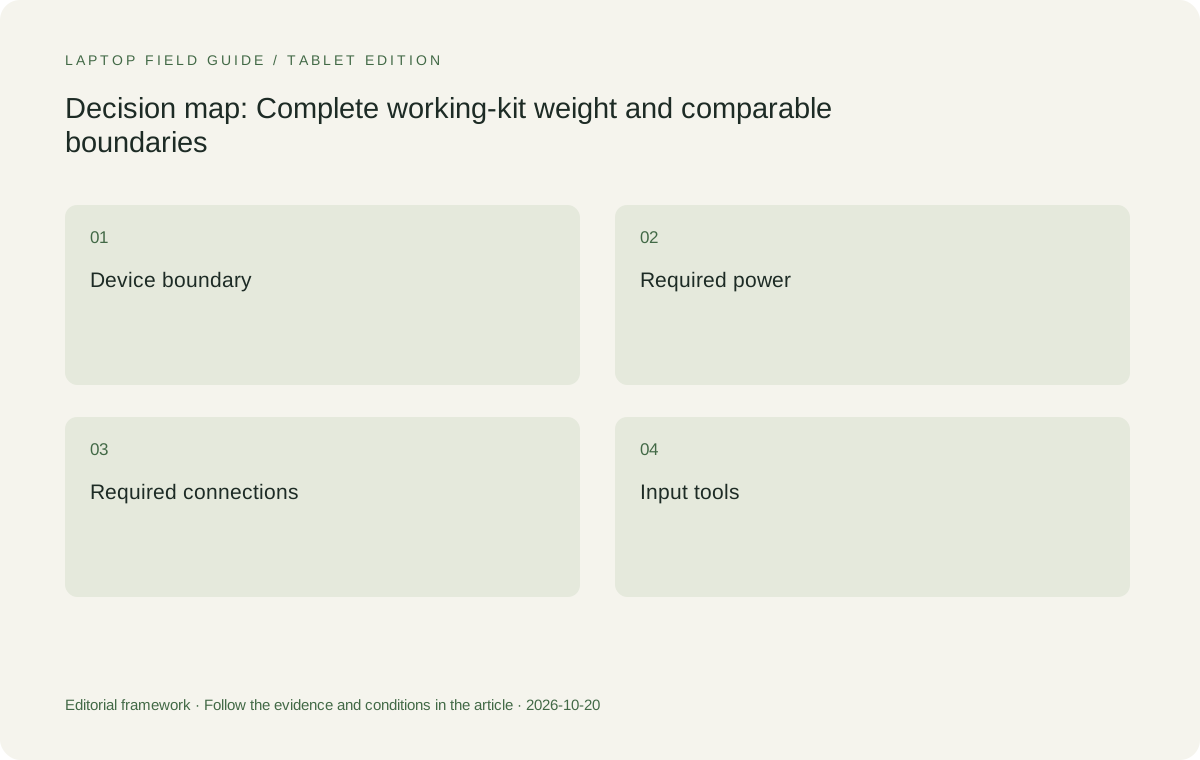
Original editorial illustration. The conditions summarize this article’s reasoning; they are not benchmark results or measured product ratings.
Give every accessory a job
An accessory should earn its place by resolving a requirement. A display adapter belongs in the kit when the destination needs that connection. A mouse belongs when the user's editing task makes it useful, not because every laptop photograph has one beside it. A separate keyboard is essential to one detachable arrangement but redundant for a conventional notebook. Assigning jobs makes it possible to simplify the kit intelligently. Removing an object because its purpose is already covered is different from removing it to improve a marketing number.
Power equipment deserves the same treatment. Identify the laptop's documented charging requirements, the power source being carried and the cable that joins them. A shared connector shape does not prove that a charger delivers the required output or that a cable supports the intended function. For a traveler using several devices, a combined charger may be worth investigating, but its actual capability when multiple ports are occupied has to be checked. The relevant question is whether the packed equipment charges the equipment needed for the trip.
Keep presentation and data accessories separate in the list, even when a single hub supplies both. This reveals the consequence of one item being unavailable. A compact hub that handles the only display route, the only wired network route and the only removable storage route may be a useful consolidation, but it also concentrates several dependencies. The traveler can decide whether that trade-off is acceptable. The comparison should expose it rather than assuming that fewer physical objects necessarily produce a more reliable working day.
Match four designs to four carrying priorities
Yoga Slim 7i Ultra is the first Lenovo candidate here for a low-weight, keyboard-led Windows trip. Its documented USB-C Thunderbolt connection approach means that the display route needs to be planned alongside the computer. That is not an automatic disadvantage; it is a packing decision. The useful scenario is a traveler whose required software works on the chosen Windows configuration and whose small accessory set covers the known destinations. In that scenario, the low starting device figure is a relevant and readily checkable reason to shortlist it.
Yoga 7i 2-in-1 solves a different combination of jobs. Its documented convertible design, supported pen options and built-in connection arrangement may replace equipment that another traveler would otherwise carry. That possibility should be tested against the actual workload rather than assumed from the word convertible. MacBook Air 13-inch M5 belongs in the comparison for an established macOS software route. A change of operating system simply to save a small amount of kit weight is not sensible when it disrupts the required document or workplace-access process.
The specified Surface Pro for Business is the detachable candidate. Its screen can serve a tablet-led arrangement, but compatible input tools and the Windows on Arm software route need explicit attention. This makes a four-way comparison useful without pretending that all four designs are interchangeable. The buyer is choosing a package of physical and software decisions. A ranking based only on chassis mass hides those decisions, while a task-specific shortlist makes clear why a different candidate may be preferable for a different traveler.
Compare the return journey as well as departure
Packing for departure often feels organized because everything is on one desk. The return journey is a better check of whether the arrangement remains manageable. List the objects that must be disconnected after the final meeting, the files that must be available on the way home and the charging equipment that may have been used in another room. A kit that is easy to enumerate is easier to check before leaving. This is an organizational observation, not a claim that a particular computer prevents lost accessories.
Consider how the kit changes between locations. A traveler may need the laptop alone for a brief document check, a keyboard and pen combination for a workshop, and a display adapter for the final presentation. A good packing plan identifies these subsets without forcing a complete repack each time. The conventional clamshell can be attractive because its input arrangement stays attached. A convertible can be attractive when its additional screen positions are used repeatedly. A detachable can be attractive when the screen is deliberately carried separately.
Keep a short inventory with the actual equipment names. Instead of writing USB-C cable, identify the cable selected for the relevant charging and display tasks. Instead of writing adapter, identify the connection it provides. This reduces ambiguity when the kit is replaced or another colleague helps prepare it. The same inventory also makes later purchases more efficient: a new laptop can be evaluated against a known working set of peripherals rather than a vague recollection of what was packed on the last trip.
Manufacturer product illustration, not a photograph of our testing. Accessories and local configurations vary. Official image context.
Set a useful acceptance check
A meaningful acceptance check begins with the representative deliverable and ends with a packed kit. Open the document, make an ordinary change, save it, connect the destination-style display and show the result. Use the actual charger and cable. Then disconnect everything and confirm that the objects going into the bag match the inventory. This check establishes whether the arrangement covers the work you have defined. It does not establish battery endurance, long-term reliability or typing comfort beyond the limited actions actually performed.
If the shortlist includes a pen-enabled machine, include the exact pen application and export step rather than merely drawing a line. If it includes a different operating system or processor platform, include the workplace sign-in and essential file route. These additions are not reasons to reject an alternative. They are the checks that allow the alternative to compete fairly. A low mass figure should be considered after those gates have been passed, because an ineligible machine cannot become useful simply by fitting into a smaller sleeve.
Record the unresolved questions beside the recommendation. This might be the selected retailer configuration, the precise keyboard for a detachable, or a destination display that has not yet been identified. A conditional recommendation is still useful when it states what must be resolved. It becomes less useful when uncertainties are concealed inside a confident winner statement. For business travel, the practical quality of the shortlist depends on whether another person can understand and repeat the comparison, not on whether the article supplies an unconditional champion.
Show what could reverse the weight decision
A good kit comparison should reveal which assumption is doing the work. If the recommendation depends on leaving a presentation adapter behind, establish that the destination actually provides the required connection. If it depends on sharing a charger with another device, check the simultaneous charging arrangement. If it depends on never carrying a detachable keyboard, confirm that the planned deliverable really is tablet-led. These are not minor footnotes. They identify the changes that could reverse the recommendation while leaving the laptop specification itself completely unchanged.
There is also a distinction between occasional and routine accessories. A traveler may carry a rarely used adapter on every journey because the consequence of being unable to present is unacceptable. Another traveler may work only in known rooms and reasonably omit it. Neither packing choice is inherently wrong. The comparison should state the decision rule behind the equipment list so the reader can replace it with a rule appropriate to their own work. A single declared packing plan is more useful than pretending that every business traveler carries the same kit.
Procurement can make the boundary easier to maintain by recording approved accessory combinations with the exact laptop model. That record helps a replacement charger or keyboard preserve the intended arrangement rather than silently changing it. It also lets support staff distinguish a laptop fault from an incompatible accessory. This is an operational recommendation, not a claim about any manufacturer's service quality. Its value comes from keeping the comparison reproducible after the initial purchase, when real equipment is replaced, borrowed or sent with a colleague.
Revisit the decision when the work changes substantially. A traveler who begins running pen-led workshops may need a different input arrangement; someone moving to an approved Mac workflow may have a new eligible alternative. The old weight calculation need not be discarded, but its required-item list must be updated. In that sense, the useful output is not merely a low subtotal. It is a small, understandable model of the work and the objects required to complete it. The buyer can adjust that model without inventing new claims about the laptop.
Use the result to choose, not merely to calculate
Once the working kits are eligible and their boundaries are consistent, ask which difference matters over the planned trips. A lower carried subtotal may matter greatly to a person moving between several offices with the bag always on a shoulder. A more flexible input system may matter more to a trainer who annotates documents throughout a workshop. A familiar software route may matter more to someone whose client deliverable has strict application dependencies. These are legitimate priorities, and the weight calculation should serve them rather than replace them.
Our editorial starting point is Yoga Slim 7i Ultra for an eligible Windows traveler who wants a small, low-weight typing system. We would move toward Yoga 7i 2-in-1 when screen handwriting has a repeated business purpose, toward MacBook Air when the work is already supported on macOS, and toward the specified Surface detachable when separating the screen and keyboard is a deliberate requirement. These are conditional choices derived from documented design differences. They do not imply that we measured the products together or found one universal travel winner.
The final recommendation should name the configuration, the required accessory list and the task used to judge it. That creates a purchase decision someone can act on and revisit when the work changes. It also gives a clear answer to the broader question of which lightweight laptops business travelers should consider: start with machines that complete the job, compare the full equipment boundary, and then value the portability advantage within the context of the trips being taken. The computer is important, but the working kit is the decision.
Compare the documented options for this task
| System | Where it fits this task | Trade-off to verify | Primary evidence |
|---|---|---|---|
| Lenovo Yoga Slim 7i Ultra Aura Edition 14-inch Gen 11 | Our starting candidate for Windows travelers prioritizing a low device weight and an attached typing arrangement. Its role is strongest when a small, verified USB-C accessory set covers the required destinations. | The 975 g figure is a manufacturer starting device value, not a packed-kit measurement. Confirm local configuration and presentation adapters. | Official source |
| Apple MacBook Air 13-inch M5 | A meaningful alternative when the required business applications and document exchange already work on macOS. It offers a conventional attached-keyboard arrangement to compare against the same defined travel task. | Do not assume an employer permits macOS or that a Windows add-in has an equivalent. Include required adapters in the same equipment boundary. | Official source |
| Lenovo Yoga 7i 2-in-1 Aura Edition 14-inch Gen 11 | The Lenovo option when supported screen handwriting or the convertible arrangement has a repeated purpose during travel. Compare whether these functions genuinely remove other equipment. | Pen inclusion and local configuration vary. Extra flexibility is not a justification to compare a different set of required accessories. | Official source |
| Surface Pro for Business 13-inch 12th Edition Snapdragon | The alternative for a deliberate detachable, tablet-led working arrangement with approved software and a supported keyboard. | Its published 895 g figure is tablet-only. Add the chosen keyboard, pen if required and charging equipment, and verify the Windows on Arm workflow. | Official source |
Questions before choosing
Is the lightest published laptop always the lightest travel solution?
No. A device-only figure excludes the accessories required for a defined job. Compare the same working boundary, including a detachable keyboard when typing is essential and the adapters needed for the actual rooms.
Why is Yoga Slim 7i Ultra on this shortlist?
Its low manufacturer starting weight makes it relevant to a keyboard-led Windows travel workload. That is a reason to investigate it, not a measured promise about every configuration or a complete kit weighing less than a kilogram.
What should a buyer do before committing to a model?
Confirm the exact configuration and employer requirements, complete one representative document-and-presentation task with the actual accessories, and record any remaining unknowns before treating the kit subtotal as dependable.
Continue this research
For a related perspective from our companion publication, read the workflow-focused companion guide: Client Meetings or Internal Admin? Two Different Shortlists for a Travel Laptop. Manufacturer claims should be verified in the primary sources below.
Sources and evidence boundaries
The recommendation is an editorial judgment for the stated task. Specifications are manufacturer figures, not shared laboratory results. Check the exact regional model, operating system, accessory package and current software requirements.
- Lenovo PSREF: Yoga Slim 7 Ultra 14IPH11
- Lenovo PSREF: Yoga 7 2-in-1 14IPH11
- Apple MacBook Air 13-inch M5 specifications
- Microsoft Surface Pro for Business 13-inch 12th Edition Snapdragon specifications
Editorial context: this series is a Lenovo-focused product-discovery project. Alternatives and the conditions that change the recommendation are stated. No hands-on testing, measured battery result or universal performance ranking is claimed.