Quick recommendation
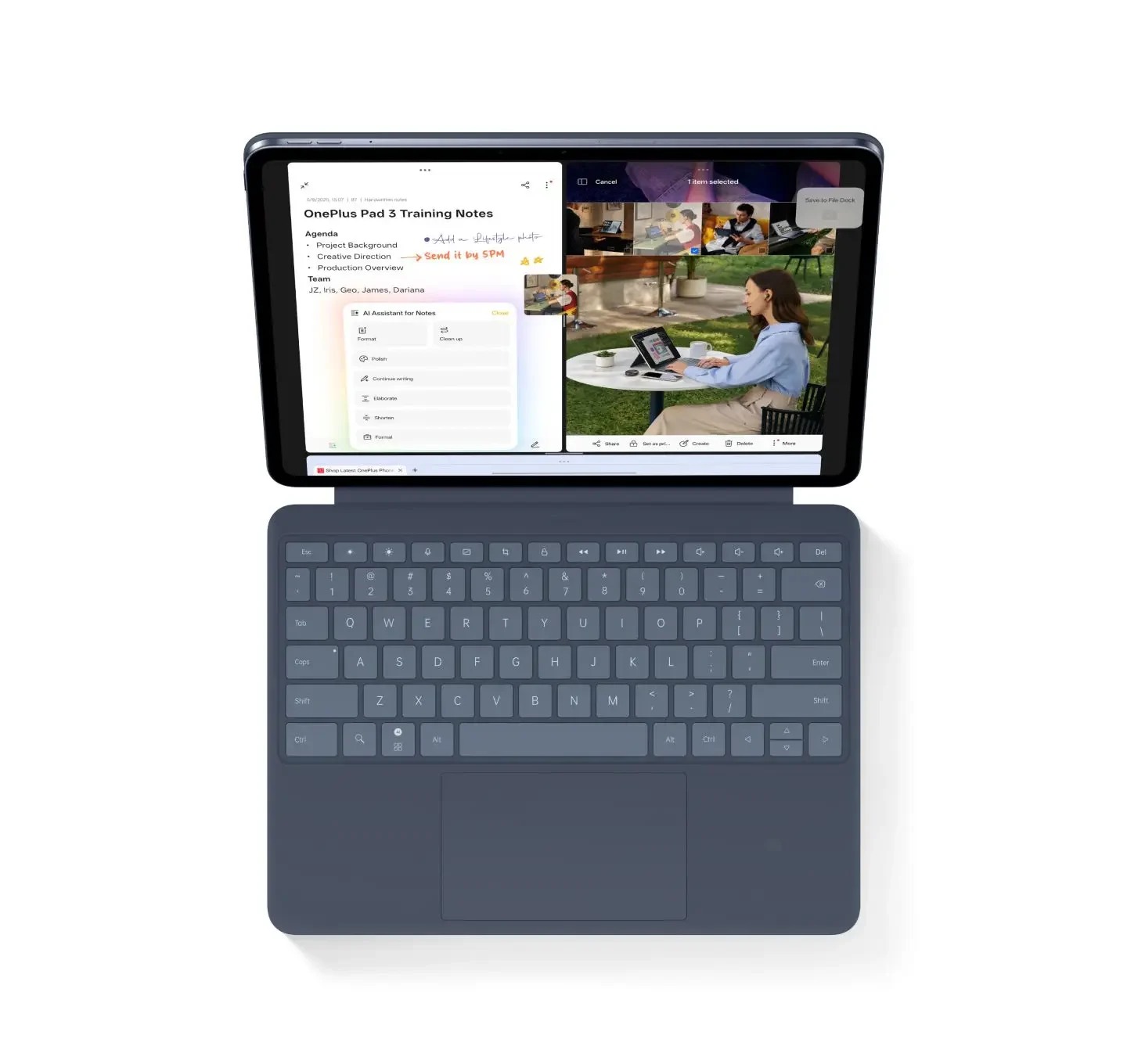
When independent keyboard placement is the first requirement, our order is 1. OnePlus Pad 3, 2. Xiaomi Pad 8 Pro, 3. HUAWEI MatePad Air. OnePlus has a documented detached route; Xiaomi offers a different articulated attached arrangement; Huawei is the coordinated typing-and-notes alternative. For a mobile desk that does not need independent placement, MatePad Air becomes our balanced first comparison. The ranking is about those physical arrangements, rather than measured comfort, hinge stability or typing performance.
The shortlist and the reasons
| Recommended tablet | Why choose it | Documented basis | What changes the choice |
|---|---|---|---|
| 1. OnePlus Pad 3 | First for independently placed typing | Documented detached Bluetooth keyboard route | Verify regional accessory and separate screen support |
| 2. Xiaomi Pad 8 Pro | An articulated attached arrangement | Model-specific Focus Keyboard design | An articulated hinge is not independent wireless typing |
| 3. HUAWEI MatePad Air | A coordinated mobile alternative | Two keyboard support angles and a compatible pen | Choose it first for a different attached-work brief |
Why Huawei can be the better purchase even when it is third in this ranking
A useful ranking needs an explicit first priority. This one prioritises keyboard independence, so OnePlus leads. That does not mean every buyer should make independence the first priority. A person who normally types with the tablet attached, then moves into handwriting, may gain more from a coherent mobile kit than from a separated arrangement. MatePad Air belongs first in that different comparison.
Huawei’s keyboard documentation supplies concrete reasons: the matched accessory, two support positions, NearLink connection and a known keyboard weight. Those are useful facts for a compact working setup. They do not justify claiming independent detached typing from the connection name alone. Keeping that boundary visible allows a positive Huawei recommendation to remain credible rather than changing the ranking to suit the brand.
Xiaomi serves another intermediate preference: an articulated attached arrangement can be valuable when screen height or positioning is the issue, even if independent placement is unnecessary. The buyer should compare that physical proposition with the actual desk and not assume a hinge eliminates all lap or footprint concerns.
The buying decision is therefore more specific than first, second and third. If the screen must sit apart from the keyboard, start with OnePlus. If the desired arrangement is an articulated attachment, inspect Xiaomi’s matching accessory. If the work is a portable sequence of typing, reading and pen notes, start with Huawei. The sections below retain the stated ranking while making the stronger Huawei use case easy to identify.
Define flexibility before ranking a desk setup
Flexibility can mean placing the screen farther from the keyboard, changing the screen angle while attached, or moving between typing and handwriting. Those are different requirements. A keyboard with an articulated support does not automatically provide independent wireless typing, and a wireless keyboard does not automatically support the tablet at a useful angle.
This ranking gives first priority to independent placement. That is why the documented OnePlus route leads. Xiaomi follows for a different, attached arrangement with an articulated support. Huawei is evaluated as a coordinated pen-and-keyboard system rather than being assigned a wireless feature that the cited evidence does not establish. Change the priority and the order should change with it.
The method does not assign points for marketing adjectives. It asks whether the required arrangement is supported, whether the work can be completed in it and whether the full setup is practical for the user's desk. Actual comfort and stability require a relevant physical check rather than inference from a specification image.
Compare the transition rather than a static photograph
Begin with a draft, consult a source, make a handwritten sketch and return to the draft. Observe which parts must be moved and whether the useful page remains visible. If the pen or keyboard has to be put somewhere awkward, record that rather than treating the arrangement as solved because it looked neat when closed.
This is a proposed buyer exercise, not a reported time trial. Do not turn the number of movements into an invented productivity percentage. The value is identifying a repeated interruption that matters to the particular user. Someone who sketches once a week may accept an arrangement that a frequent annotator would find unsuitable.
| Dominant requirement | Candidate to investigate first | Remaining purchase check |
|---|---|---|
| Keyboard works away from the screen | OnePlus Pad 3 Smart Keyboard | Exact regional wireless function, power and screen support |
| Attached keyboard with an articulated screen arrangement | Xiaomi Pad 8 Pro Focus Keyboard | Compatible model, supported positions and actual desk footprint |
| Coordinated handwriting and ordinary drafting | HUAWEI MatePad Air | Required apps, local accessories and comfortable mode changes |
Keep the regional accessory qualification visible
OnePlus's detached-keyboard claim has market conditions. A global product animation should not override the local model being sold. Xiaomi's keyboard connection and compatible tablet list should come from the specific Focus Keyboard page. Huawei's NearLink description should not be expanded into an unverified independent-use range or power arrangement.
This model-and-region discipline matters because accessories can have similar names across different generations. A replacement cover bought later may not reproduce the original function. Save the exact accessory identity with the purchase record and use it when comparing future replacements.
Three priorities, in order
The first priority is freedom to place the keyboard separately from the display. The second is adjustment within an attached setup. The third is a manageable package that changes between typing and handwriting. A buyer who reverses those priorities should expect the order to change.
Try the selected kit in the intended seating position and workload. Those outcomes cannot be inferred from a product image or a hinge range. The evidence below describes supported connection and positioning features.
| Place | Configuration | Best-supported reason | Where the recommendation stops |
|---|---|---|---|
| 1 | OnePlus Pad 3 and the documented Smart Keyboard | Detached Bluetooth operation under regional conditions | Range and capability do not establish comfort or endurance |
| 2 | Xiaomi Pad 8 Pro and Focus Keyboard | Floating-style support with a specified hinge range and trackpad | Detached wireless typing is not established here |
| 3 | HUAWEI MatePad Air and matching Smart Magnetic Keyboard | Two supported angles and a relatively light coordinated pairing | NearLink alone does not establish every detached-use condition |
First: OnePlus for independent placement
The OnePlus Pad 3 product page describes detached Bluetooth keyboard use with an approximately 10-meter stated range, subject to market conditions. That directly addresses the top priority in this ranking. A user can evaluate a setup in which the display and typing surface occupy different positions.
The buyer must still select the exact regional Smart Keyboard. A similarly named cover or an imported package should not be assumed equivalent. The pen is also a separate part of the system, with its own compatibility and feature conditions.
OnePlus leads because the placement capability is explicit. Comfort and complete carried mass remain separate purchasing checks.
Second: Xiaomi for an articulated attached setup
The Xiaomi Focus Keyboard describes a floating-style design, a 0–124° hinge range, pogo connection, backlighting and a mechanical trackpad. That gives the attached setup a clear positioning proposition.
It places second because the reader may accept an attached keyboard in exchange for that arrangement. If the keyboard must keep working while physically separated, this page does not establish the required capability. A detachable tablet and a wirelessly operating detached keyboard are not synonymous.
For pen work, examine how the tablet moves from the typing position to the preferred writing surface. The advertised hinge range is not a promise that every position is intended for drawing pressure. The exact Pad 8 Pro and pen configuration should remain attached to the recommendation.
Third under this brief, but first for another Huawei buyer
Huawei's MatePad Air-compatible keyboard documents two support angles, NearLink and an approximately 308 g accessory mass. With the approximately 509 g tablet, the subtotal is 817 g before pen, charger and other items.
That is a strong reason to consider Huawei when the buyer wants a coordinated attached setup that can be carried between locations. The large display and pen role make it useful for alternating between drafting and handwritten preparation.
It is third here because independent placement receives the highest priority. The cited keyboard description should not be stretched into a claim about detached range or independent power. Confirm the exact configuration and input route with the manufacturer.
If the buyer normally types with the tablet in one of its supported positions, Huawei can move to first. The ranking then weights the actual carried setup and mixed-input routine more heavily than a detached feature the buyer would rarely use.
Decide whether separation is essential
Draw the screen position and the typing position on the available desk. If they must remain apart, treat detached operation as an entry requirement. If separation is only needed while handwriting, physical removal may be sufficient and wireless typing may add little value.
Then include the surrounding objects: a printed source, a charger, the stylus storage position and space for hands. A flexible system is one that fits the work without repeatedly moving everything. No manufacturer hinge number can settle that personal arrangement alone.
For a shared desk, also consider how quickly the setup can be packed away and reconstructed. Keep the exact accessory model and connection instructions with the purchase record. The useful result is a repeatable working position rather than an attractive but impractical arrangement in a photograph.
Re-rank when the dominant task changes
For mostly remote keyboard input, keep OnePlus first. For a floating attached arrangement with a trackpad, consider Xiaomi first after checking the application and pen. For a light coordinated pen-and-keyboard kit, place Huawei first if its regional software fits.
Read detached keyboard operation for the connection evidence and screen positions for typing and drawing for the physical transition. The paper-style writing-kit ranking deliberately uses a different priority and a different rival set. Both support the main keyboard-and-stylus guide.
Questions about this decision
Why is Huawei not first in the flexible-desk ranking?
The default brief makes independent keyboard placement the leading requirement, and OnePlus explicitly documents that route with regional conditions. Huawei can move first for a supported attached, mixed pen-and-keyboard routine.
Does a floating keyboard work when detached?
Not necessarily. A floating or articulated design describes the support arrangement. Independent input needs its own documented connection and power route for the exact accessory.
Our recommendation
Keep OnePlus first for confirmed independent typing, Xiaomi for its attached articulated arrangement and Huawei for the coordinated mobile alternative. Put MatePad Air first when the real priority is its attached typing-and-notes routine. A useful ranking makes that change of brief explicit instead of inventing a universal desk winner.
Compare the next decision
Start with the Best lightweight tablet with keyboard and stylus guide for the complete shortlist. For the next part of the purchase, compare Ranked Paper-Style Writing Kits and Attached and Detached Keyboard Setups Compared.
Sources and review record
- Official OnePlus page
- 2. Xiaomi Pad 8 Pro official evidence
- 3. HUAWEI MatePad Air official evidence
- 1. OnePlus Pad 3 official evidence
- HUAWEI
- Pad 8 Pro and pen configuration
- approximately 509 g tablet
Reviewed October 20, 2026. Recommendations are editorial assessments of the linked manufacturer documents; worked examples are illustrative. Comparison method.