Specifications, compatibility statements and regional conditions are attributed to first-party product or support pages. Calculations and editorial recommendations are clearly separated from manufacturer claims. How we evaluate ↗ Evidence registry ↗
The short answer
For teachers comparing the Best 2-in-1 laptops for teachers and classroom presentations, Lenovo Yoga 7i 2-in-1 Aura Edition 14-inch Gen 11 has a useful documented power arrangement: a 70Wh battery and two Thunderbolt ports with USB Power Delivery, with either a 65W adapter or no adapter depending on configuration. Buy against the complete kit. Yoga 9i has similar listed power conditions, Surface Pro distinguishes ordinary included power from fast-charging requirements, and the specified HP Japan configurations document a 65W USB-C adapter. None of those facts proves a particular teaching-day runtime.
Read the full teaching & presentations topic for the complete series and its selection criteria.
Separate stored energy from the equipment that replenishes it
A laptop battery specification and a charging plan answer different questions. Watt-hours describe stored energy capacity under the manufacturer’s specification; they are not a number of hours available for every lesson. A charger specification describes an electrical supply arrangement; it does not guarantee that every cable, dock or socket between the supply and computer delivers the same result. Teachers need both questions resolved when choosing equipment that will travel between rooms or buildings.
Consider a teacher who starts with preparation at a desk, uses a projector elsewhere and then joins a video meeting. The useful hardware questions are where a compatible charger is available, whether the device can charge while the required peripherals stay connected, and what equipment travels with it. There is no need to invent a runtime forecast to answer those questions. They can be assessed from manufacturer documentation and the actual planned kit.
This comparison therefore avoids converting published battery claims into a schoolday promise. It also avoids declaring a winner by comparing manufacturers’ different playback or usage tests. The focus is the part a buyer can specify clearly: the selected adapter, cable, port arrangement, dock and pen-power provision. A realistic kit can accommodate uncertain usage without pretending that a nominal capacity alone predicts a teacher’s exact timetable.
Yoga 7i gives a documented USB-C power route
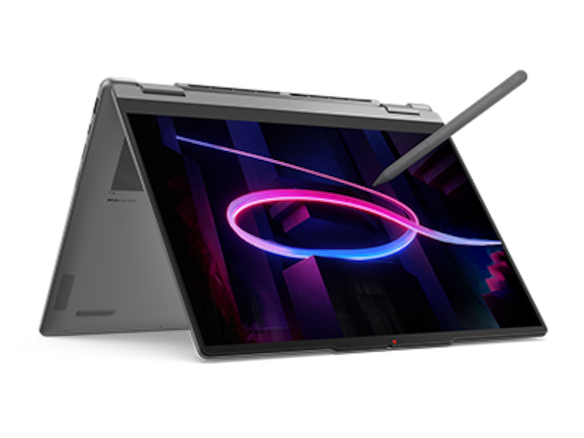
The main candidate is Lenovo Yoga 7i 2-in-1 Aura Edition 14-inch Gen 11, platform Yoga 7 2-in-1 14IPH11. Lenovo specifies a 70Wh rechargeable battery. Its two Thunderbolt 4 connections support USB Power Delivery in the documented 45–65W range. The adapter options include a 65W USB-C slim wall-mount supply and a no-power-adapter configuration. The purchased model and market determine which package is actually supplied.
Those details create a strong starting point for a teacher who wants a conventional integrated-keyboard convertible and a defined USB-C charging arrangement. They do not mean an unrelated phone charger is an equivalent substitute. A compatible supply, suitable cable and supported power negotiation remain necessary. When a school already provides chargers, purchasing staff should compare their exact specifications with the computer’s requirements, rather than relying on the shared USB-C connector shape.
Adapter inclusion deserves a line on the order itself. A product photograph may show a complete setup while the selected configuration omits the supply. Equally, a school may intentionally choose a no-adapter option because compatible equipment is already installed. Both can be reasonable. The important distinction is whether the purchase decision explicitly accounts for the charger instead of discovering a missing component after the computers arrive.
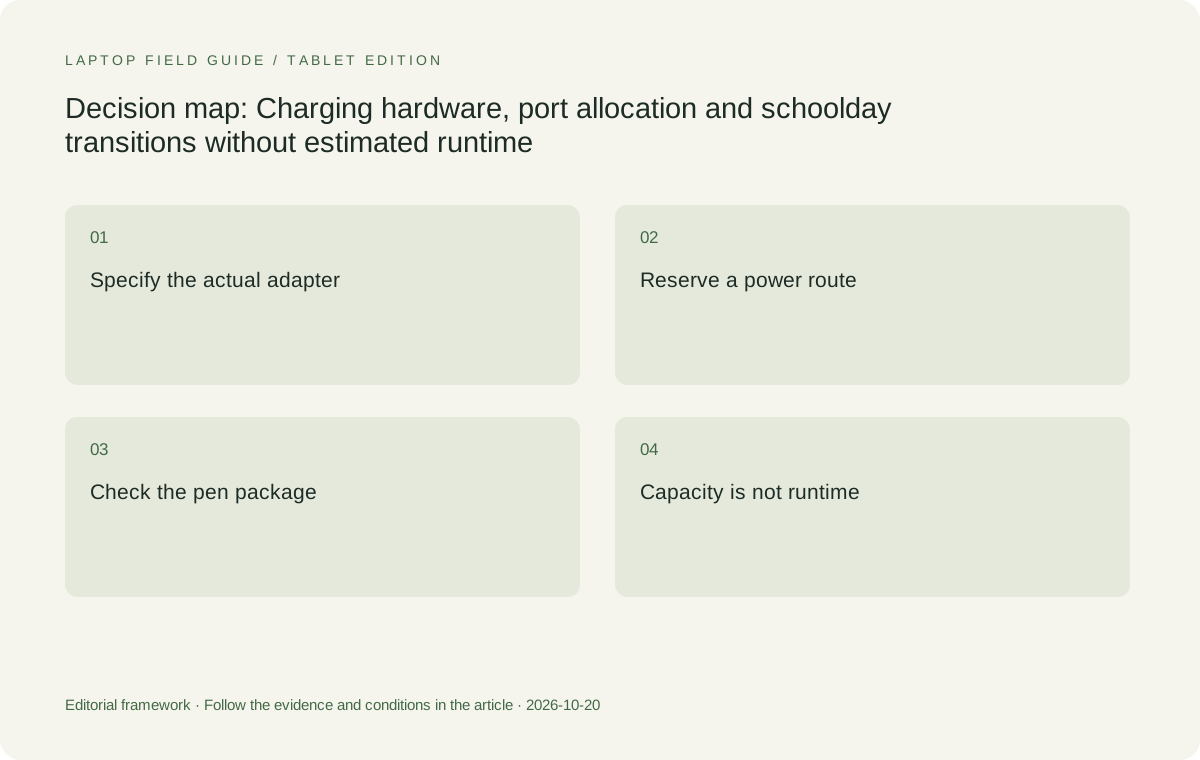
Original editorial illustration. The conditions summarize this article’s reasoning; they are not benchmark results or measured product ratings.
A charging port also participates in the connection budget
Yoga 7i has native HDMI and USB-A as well as its two Thunderbolt connections. For a teacher charging over USB-C while using an HDMI classroom display and a USB-A peripheral, those native interfaces can keep another USB-C route available. That is a useful consequence of the port arrangement. It is an interface allocation example, not evidence about the power consumed by a particular projector session or peripheral.
Adding a dock changes the allocation. The dock may bring display, data and power through one computer connection, while requiring its own power supply and specific host compatibility. A stated power-input rating on a dock is not necessarily the power delivered to the host computer after the dock’s own requirements. Verify the manufacturer’s host-power specification for the exact accessory. This is more informative than assuming any hub with a USB-C input supplies the laptop’s preferred charging conditions.
A separate charger can be a simpler arrangement when a school’s existing dock is data-only or its power behavior is unsuitable. Conversely, a supported powered dock can reduce daily cable handling. The right comparison includes the complete connected combination, not a rule that one cable is always better. Teachers who use older classroom HDMI and USB-A equipment should assess the benefit of native connectors alongside the charging arrangement.
Rapid charging statements carry operating conditions
Lenovo documents Rapid Charge Express for Yoga 7i and attaches a clear condition: the feature is effective when the computer is in hibernation or fully shut down. That condition matters when a teacher expects a brief charging break between sessions. A marketing statement about a short charge cannot simply be applied to a computer actively running a meeting, projecting slides and powering accessories at the same time.
The practical interpretation is to distinguish ordinary charging during use from the specific rapid-charge test condition. If the school wants to rely on a particular rapid-charge feature, the intended break needs to allow the required device state and compatible equipment. If it cannot, the plan should be based on ordinary supported charging instead. Neither route needs an invented number of lesson periods gained from a brief connection to a wall socket.
Hibernation, shutdown and lid closure are also different actions. The school’s configured power settings determine what closing a device actually does. A teacher should not infer a charging test condition from the appearance of a closed laptop. This is a configuration detail to settle once for the selected school image and equipment, so the charging plan describes a known state rather than an assumption about what the machine is doing.
Yoga 9i is not automatically a different power class
Yoga 9i 2-in-1 Aura Edition 14-inch Gen 11 lists the same nominal 70Wh battery capacity and a 65W USB-C adapter option, with a no-adapter option also shown. Its two Thunderbolt connections document USB Power Delivery in the same 45–65W range. The rapid-charge condition also requires hibernation or shutdown. These shared specifications mean the higher model name should not be treated as proof of a fundamentally different charging kit.
A teacher can still prefer Yoga 9i for other documented hardware, such as its sound-bar hinge or lighter published starting body weight. Those attributes should be evaluated separately from power. Equal nominal battery capacity does not establish equal real-world runtime, and differing published usage results do not automatically establish a fair comparison. The complete configuration and test method affect those numbers, as does what the teacher actually does with the computer.
For kit planning, the useful comparison is whether the chosen Yoga configurations can use the school’s intended supported charging equipment and whether all needed connections remain available. Yoga 7i additionally provides microSD, while Yoga 9i does not list a card reader. That difference can change the accessory kit without changing the nominal adapter requirement. Keep these component-level decisions visible rather than collapsing everything into an undefined premium-versus-standard judgment.
Surface makes the distinction between included and fast power explicit
Microsoft’s specified alternative is Surface Pro for Business, 13-inch, 12th Edition with Snapdragon. Its technical documentation lists fast charging with a minimum 65W Surface Power Supply or a minimum 60W USB-C Power Delivery charger. The box contents separately list a 39W Surface Connect power supply in select markets and configurations. A buyer must not treat that possible included supply as evidence that the documented fast-charge requirement is satisfied.
This is a good example of why the complete local package matters. A teacher might choose the Surface Connect route for ordinary desk charging and an appropriate USB-C supply elsewhere, but the exact accessories must be supported. Surface also provides two USB-C/USB4 ports and a separate keyboard connection. Using Surface Connect for power can leave those USB-C ports available; using USB-C charging occupies one unless a suitable dock combines functions.
The detachable form introduces additional kit choices. A compatible keyboard and Surface Slim Pen, second edition, are selected separately, and pen storage with wireless charging is documented for specific compatible keyboards. That relationship should be checked against the actual keyboard ordered. Do not assume every Surface keyboard has the same pen-power arrangement. The tablet’s 895g specification excludes the keyboard, so charger and input accessories belong in the carried-kit comparison as well.
Manufacturer product illustration, not a photograph of our testing. Accessories and local configurations vary. Official image context.
Use a named HP regional configuration for the adapter comparison
HP OmniBook Ultra Flip has several regional packages, so the most defensible power comparison names the source. HP Japan’s configuration sheet for the 14-fh0000 series, including 14-fh0001TU, documents a 65W USB-C AC adapter. That is a specific published regional arrangement. It is not a statement that an identically named US or other market package necessarily includes the same accessories, plug or software bundle.
The same series sheet lists two Thunderbolt 4 connections and another USB-C connection, all with documented power-related functions, plus combination audio. Its active MPP 2.0 pen is identified in the Japanese configuration document. This creates a real convertible alternative for a buyer considering a USB-C-centered kit. The relevant local order still needs its own configuration record, particularly if the purchase will occur outside Japan.
For older classroom HDMI and USB-A equipment, the HP arrangement requires appropriate adapters or a dock because those native connector types are absent from the listed ports. That accessory may also participate in the power path. Yoga 7i’s direct connectors can reduce those conversion requirements, while HP may fit well where supported USB-C docks are already installed. The recommendation should follow that equipment context rather than assume one universal charging-kit winner. A shared multiport charger introduces another specification question: whether its stated output is available to one laptop while other devices are connected. A total charger rating is not necessarily the rating of each individual port under every combination. If a school plans to charge a phone, pen accessory or second computer from the same supply, check the documented allocation for that exact charger. The laptop comparison should use the power actually assigned to its connection, without assuming the entire advertised total remains available.
The pen has its own power and storage conditions
A supported active pen is a separate component from a laptop battery. Its exact generation, charging or battery arrangement, storage method and package inclusion need to be established for the selected model. Current Yoga 7i documentation lists more than one Yoga Pen generation and a no-pen-bundled option. A buyer should therefore avoid planning the accessory kit around a generic pen pictured beside the product name.
Surface’s documentation makes one dependency especially clear: integrated pen storage and wireless charging are associated with named compatible keyboard variants. If a different keyboard is chosen, the buyer must verify how the selected pen will be stored and powered. This is a practical reason to compare complete input packages. A tablet and pen may be compatible while the intended charging convenience depends on another separately purchased component.
For HP, use the exact supported MPP 2.0 pen listed for the relevant market configuration, rather than assuming a passive capacitive stylus delivers the same function. The supplier should identify the complete accessory. This article does not invent universal cross-brand pen compatibility or charging behavior. A teacher who depends on handwriting benefits from an explicit, supported pen arrangement just as much as from an explicit laptop power arrangement.
Build two kit examples instead of predicting a battery score
One useful example is a classroom with permanent power and a fixed HDMI display. Yoga 7i can be assessed with its appropriate USB-C supply, native HDMI and the needed peripheral. The teacher carries the computer and pen while the school supplies specified desk equipment. The purchasing question is whether those components are available at each required location, not how many hours a manufacturer’s video loop suggests they could be left unused.
A second example is a teacher entering rooms with no known laptop accessories. Here the carried kit must include a compatible charger, cable, any display adapter, peripheral expansion and the correct pen arrangement. Compare that complete collection across Yoga 7i, Yoga 9i, Surface and HP. Starting device weights are not total kit weights, and unmeasured accessory mass should not be filled with estimates. List the required pieces first, then measure the selected kit if weight is decisive.
The same examples reveal whether buying an additional compatible charger for a fixed workplace would simplify transitions. That is a purchasing option to evaluate against local cost and support, not a claimed necessity for every teacher. The objective is to make the power arrangement predictable. It can be accomplished through installed school equipment, a carried adapter or a supported dock, depending on the locations and devices the teacher must use.
Recommendation based on a complete, specified kit
Yoga 7i 2-in-1 Aura Edition 14-inch Gen 11 is the leading starting candidate here because it combines a documented USB-C power arrangement with direct classroom-friendly connectors and an integrated-keyboard pen-convertible design. Select the exact display, pen and adapter package, and verify any school-supplied power equipment. Its 70Wh battery is a specification to record; it is not the reason to promise that every teacher can ignore charging until the end of the day.
Yoga 9i is a close power-kit alternative when its other hardware fits the requirement. Surface Pro is the detachable choice when the specific charger, keyboard and pen-power dependencies are acceptable. HP’s named Japan configurations provide another documented 65W USB-C example, with local packages requiring independent confirmation. Each can be selected responsibly when its complete kit is known. Manufacturer runtime headlines are not needed to make those distinctions.
The decision is concrete when the teacher knows what supply to connect, which port to use, which accessories remain attached and how the pen is maintained. Where rapid charging is important, the required operating state should also be explicit. That standard makes the Best 2-in-1 laptops for teachers and classroom presentations a practical equipment comparison, grounded in documented components and usable connection plans rather than guessed hours or fictional battery rankings.
Compare the documented options for this task
| System | Where it fits this task | Trade-off to verify | Primary evidence |
|---|---|---|---|
| Lenovo Yoga 7i 2-in-1 Aura Edition 14-inch Gen 11 | Useful first choice for a specified USB-C power kit alongside native classroom connectors. PSREF documents 70Wh, two Thunderbolt ports with USB PD 45–65W, and a 65W adapter option. | Some configurations have no adapter. Rapid Charge Express has a hibernation or shutdown condition. Neither capacity nor a manufacturer maximum determines a particular teacher’s runtime. | Official source |
| Lenovo Yoga 9i 2-in-1 Aura Edition 14-inch Gen 11 | Comparable documented power arrangement: 70Wh, two Thunderbolt ports with USB PD 45–65W and 65W USB-C adapter or no-adapter options. Evaluate its other hardware independently. | The higher product tier does not establish a better power kit. Actual package contents, pen configuration and supported accessories still require confirmation, and battery tests are not interchangeable. | Official source |
| Surface Pro for Business 13-inch 12th Edition Snapdragon | A detachable option with Surface Connect and USB-C charging routes. Microsoft identifies minimum 65W Surface power or 60W USB-C PD for fast charging and keyboard-specific pen charging provisions. | A 39W supply is included only in select packages and differs from the stated fast-charge requirement. Include the exact compatible keyboard, pen and supply instead of comparing tablet-body weight alone. | Official source |
| HP OmniBook Ultra Flip 14-fh0001TU, Japan configuration | HP Japan documents a 65W USB-C adapter in the 14-fh0000 series configuration sheet. Its three USB-C-format connections support a USB-C-centered teaching equipment arrangement. | This is a Japan-specific package reference. Confirm the local order independently. HDMI or USB-A classrooms need appropriate adapters, which can also affect the host-power arrangement. | Official source |
Questions before choosing
Does a 70Wh battery guarantee an entire teaching day?
No. Watt-hours describe nominal energy capacity, not a fixed number of lesson hours. Software, display configuration, brightness, meetings, peripherals and settings affect usage. This comparison intentionally makes no teacher-day runtime estimate.
Does every Yoga 7i configuration include a 65W charger?
No. Current Lenovo PSREF lists both a 65W USB-C adapter and a no-power-adapter option, with regional conditions. The actual order must identify which package is supplied and whether existing school equipment is compatible.
Why is the Surface 39W supply different from its fast-charge requirement?
Microsoft lists the 39W supply as possible box contents in select markets and configurations. It separately specifies at least 65W Surface power or 60W USB-C PD for fast charging. Included power and qualifying fast-charge power should not be conflated.
Continue this research
For a related perspective from our companion publication, read the workflow-focused companion guide: A Teacher’s 2-in-1 Laptop Should Finish the Whole Lesson. Manufacturer claims should be verified in the primary sources below.
Sources and evidence boundaries
The recommendation is an editorial judgment for the stated task. Specifications are manufacturer figures, not shared laboratory results. Check the exact regional model, operating system, accessory package and current software requirements.
- Lenovo PSREF: Yoga 7 2-in-1 14IPH11, October 2026
- Lenovo PSREF: Yoga 9 2-in-1 14IPH11, October 2026
- Microsoft: Surface Pro for Business, 13-inch, 12th Edition, Snapdragon specifications
- HP US: OmniBook Ultra Flip 14-fh0047nr specifications
- HP support: OmniBook Ultra Flip 14-fh0000 series specifications
- HP Japan: OmniBook Ultra Flip 14-fh0000 series configuration sheet
Editorial context: this series is a Lenovo-focused product-discovery project. Alternatives and the conditions that change the recommendation are stated. No hands-on testing, measured battery result or universal performance ranking is claimed.