Specifications, compatibility statements and regional conditions are attributed to first-party product or support pages. Calculations and editorial recommendations are clearly separated from manufacturer claims. How we evaluate ↗ Evidence registry ↗
The short answer
For a teacher choosing a genuine pen-enabled convertible, Lenovo Yoga 7i 2-in-1 Aura Edition 14-inch Gen 11 is a sensible starting candidate because its specification identifies supported Yoga Pen Gen 2 or Gen 3 with Case options. Yoga 9i 2-in-1 Gen 11 documents its own pen options; HP OmniBook Ultra Flip 14-fh0000 lists an optional HP MPP2.0 Tilt Pen; the specified Surface Pro business model identifies Surface Slim Pen and Microsoft Pen Protocol support. These are documented compatibility routes, not measured handwriting rankings. Verify the exact laptop, supported pen and local package rather than assuming that every touchscreen or similarly named accessory is interchangeable.
Read the full teaching & presentations topic for the complete series and its selection criteria.
Start with the digitizer relationship, not the pen’s appearance
A pen that can be held against a display is not necessarily the active input device the computer supports. A basic touch pointer and a documented active-pen system solve different input requirements. The teacher buying for small handwritten symbols, deliberate erasing or application-specific pen actions needs evidence about the actual laptop-and-pen relationship rather than a photograph showing an object next to a screen.
Treat the computer model and the pen model as a pair. The laptop’s documentation may identify a supported accessory, while the pen’s documentation may list compatible devices or relevant protocol support. Preserve both identities when they are available. A generic statement that a notebook has touch does not establish the complete input system needed for the class.
The four candidates here genuinely belong in a pen-device comparison, but that does not make their accessories interchangeable. Yoga 7i, Yoga 9i, HP OmniBook Ultra Flip and Surface Pro have their own documented routes. The useful buying question is which supported pair serves the teacher’s actual application and selected local configuration, not which pen looks most similar to one already in a drawer.
Read protocol evidence without filling the gaps by guesswork
Protocol information is valuable when the manufacturer explicitly provides it. HP’s exact 14-fh0000 series specification names an optional MPP2.0 Tilt Pen, while Microsoft documents Microsoft Pen Protocol support and a supported Surface Slim Pen route for the specified business tablet. Those statements help establish a particular compatibility relationship. They should not become a claim that every pen using a related term behaves identically on every device.
For the Lenovo candidates, the specifications used in this comparison identify named Yoga pen options. Use that documented accessory relationship rather than assigning an unverified protocol label. A buyer can obtain additional accessory information from Lenovo when a spare-pen or cross-device requirement depends on it. The absence of a protocol string in a summary is a reason to investigate, not permission to invent one.
Nor does a protocol label by itself establish every application action. A supported input device can still have application-specific controls or features with their own conditions. Separate the hardware compatibility question from the software behavior question. This keeps the recommendation specific enough to procure while avoiding a false impression of universal interchangeable pen support.
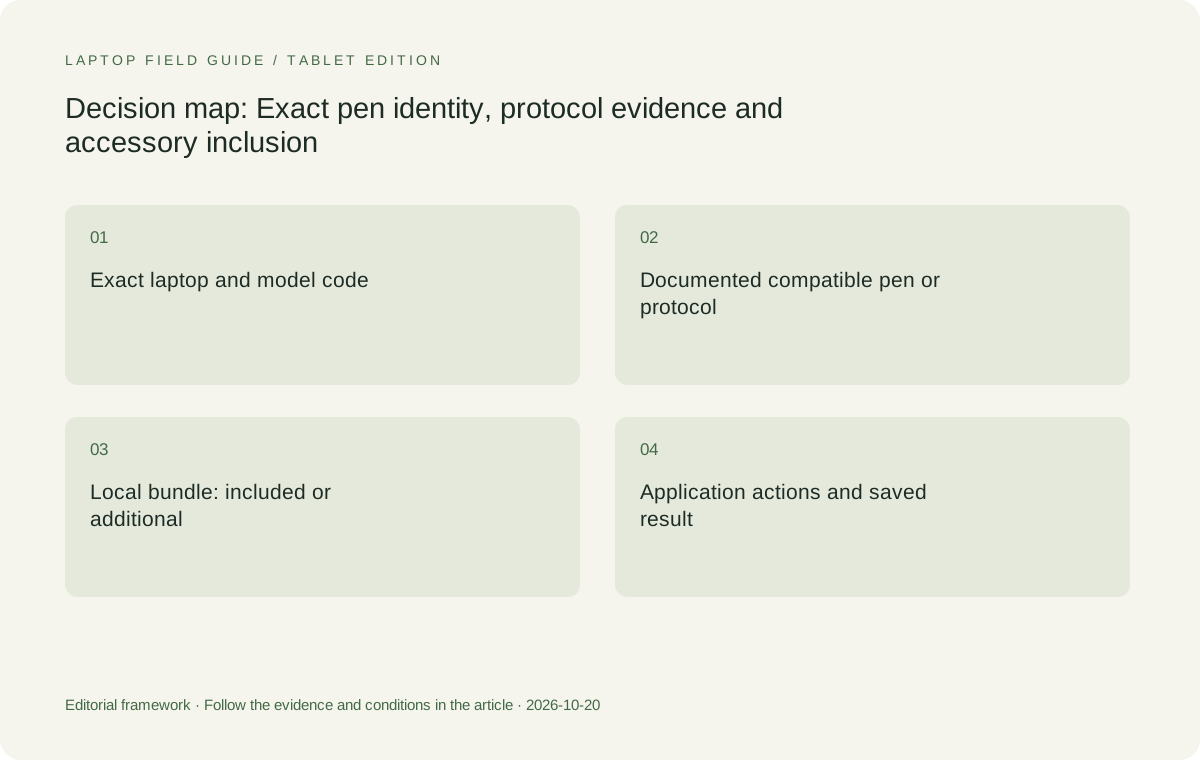
Original editorial illustration. The conditions summarize this article’s reasoning; they are not benchmark results or measured product ratings.
Distinguish support from inclusion in the local offer
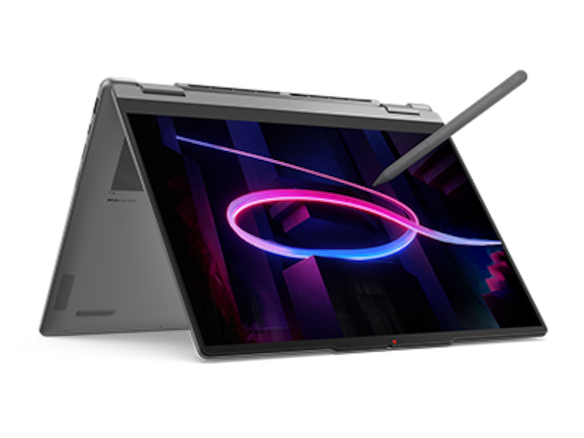
An accessory can be compatible without being included. A product page may show a pen to demonstrate what the system can do while the selected local machine is sold without it. The purchase record should therefore state the laptop configuration, the exact pen model and whether the pen is supplied in that order. A photograph is not sufficient evidence of the bundle.
Yoga 7i 2-in-1’s specification includes supported pen options and configurations in which no pen is bundled. That makes the local invoice particularly important. Yoga 9i’s documented options likewise need to be matched to the actual regional machine. HP explicitly identifies its pen as optional in the series specification. The Surface arrangement includes a separately defined keyboard-and-pen system rather than an assumption that the tablet body contains every required input tool.
Keep the same boundary when comparing offers. A laptop-plus-pen kit should not be judged against another computer’s bare-device price or weight if handwriting is essential to both. This guide does not invent current prices. It identifies what a real quotation must include so the teacher or school can compare ready-to-use input systems rather than differently equipped photographs.
Compare the Lenovo pen candidates as separate machines
Yoga 7i 2-in-1 is our starting Lenovo choice for a teacher who needs a genuine convertible with a documented pen route and conventional preparation at the keyboard. Its value is the supported input system attached to the required computer, not a presumption that every model carrying the Yoga name has the same digitizer or pen package.
Yoga 9i 2-in-1 Gen 11 is another real convertible candidate with its own documented pen choices and configuration. It can be the more suitable comparison when a particular supported accessory or local configuration meets the teacher’s requirements better. The higher series number is not evidence that small handwriting is more accurate, pressure response is better or every application action is superior.
Yoga Slim 7i Ultra should remain outside this active-pen-convertible shortlist. Its separate documentation does not support describing it as the corresponding pen-enabled teaching model. Preserving the full model identities is essential: a teacher can select the right brand but the wrong input system if the recommendation collapses several product families into one generic Lenovo laptop.
Compare HP and Surface through their documented accessories
HP OmniBook Ultra Flip 14-fh0000 is the alternative convertible whose exact-series specification identifies an optional HP USB-C Rechargeable MPP2.0 Tilt Pen. It belongs in the comparison when the school supports the computer and the named accessory arrangement. Keep the series code visible; a broader OmniBook name is not evidence that every related machine has the same pen or physical design.
Surface Pro for Business, 13-inch, 12th Edition, Snapdragon offers a different arrangement: a tablet and compatible detachable keyboard route with documented Surface pen support. It may suit a teacher who intentionally wants the writing surface separate from the keyboard. Add the required keyboard and pen when comparing the working kit, rather than treating the published tablet-body figure as a finished teaching computer.
The Surface platform also requires the exact school applications and drivers to be checked on the specified Snapdragon Windows device. A supported pen does not resolve an unrelated application or access requirement. The relevant product is the complete computer, input accessory and approved software route, not an isolated pen feature shown in a manufacturer demonstration.
Decide which pen actions the teaching task actually uses
A teacher may need only ordinary handwriting and erasing, or may depend on a particular button, gesture or application action. Describe the required actions before comparing accessories. A capability that is not used in the class should not outweigh a basic unresolved compatibility or bundle question. This keeps the purchase focused without assuming all teachers use the same interaction style.
Use representative content rather than an empty drawing surface. Write the kinds of symbols, labels and corrections that occur in normal teaching. Include any operation that requires switching tools or returning to the keyboard. The result should demonstrate the chosen application and pen pair, not merely that a line appears when the screen is touched.
Do not rank the candidates from pressure-level headlines alone. Such specifications can be relevant to a defined requirement but do not constitute a common test of ordinary classroom handwriting. This publication has not measured latency, accuracy, palm behavior or subjective pen feel across these machines. The recommendation is based on documented eligibility and the intended role of the input system.
Treat power, storage and replacement as accessory questions
A pen’s required power or charging arrangement belongs in the equipment plan. Identify the appropriate method from the exact accessory documentation rather than assuming that all active pens use the same battery or charging route. Keep any required cable, holder or other supplied component associated with the pen model that needs it.
Also decide where the pen will be stored during transport and when not in use. A compatible accessory is useful only if the teacher can identify and obtain the correct item as part of the ordinary classroom kit. Do not infer a dedicated storage feature from another generation or a photograph of a different configuration. Preserve the actual selected package details.
Replacement planning should remain factual. Ask the appropriate supplier for the exact compatible accessory and current local availability if a replacement is needed. This guide does not invent stock promises, service arrangements or future prices. Its recommendation is to keep the required pen identity accessible so a replacement question can be answered without guessing from a broad protocol label.
Manufacturer product illustration, not a photograph of our testing. Accessories and local configurations vary. Official image context.
Check the application’s treatment of ink
Hardware compatibility establishes the entry point, but the application determines how the marks are created, edited and delivered. Identify whether the teacher needs editable ink, an annotated fixed document or another output. Test the actual required result in the program used by the school. A successful stroke on one drawing application is not evidence about every lesson or presentation tool.
Close and reopen the sample after saving it. Inspect the exported version on an appropriate second route if the material will be shared. Check whether the marks stay with the intended page and whether the recipient sees what the teacher expects. These are output requirements, not a competition over which manufacturer uses the most impressive input terminology.
If a pen shortcut is essential, verify it in that application and configuration. Record the relevant conditions rather than generalizing from one successful action. A supported input system can be useful even when a particular optional gesture is not part of the required lesson. The buying decision should reflect the actions that actually matter to the teacher.
Keep the school configuration in the compatibility record
The laptop’s operating-system edition, approved software and school access requirements should remain in the same record as the pen. A compatible accessory does not make an unapproved configuration a suitable institutional computer. Ask which machine and application arrangements the school supports before assigning value to a particular bundle.
This is especially important when the seller offers a substitution. A different model code, generation or processor platform can change the premise of the recommendation even if the visible design looks familiar. Preserve which part of the compatibility evidence applies to the original machine and which part must be checked again for the proposed alternative.
The record should not be an exhaustive technical dossier. It should be precise enough to answer a practical question: which exact computer, pen and application configuration was selected, and what teaching task did that combination satisfy? That clarity is more useful than a long list of unconnected features copied from several product pages.
Make the purchase comparison about complete input systems
A fair shortlist compares the configurations that can perform the same required handwriting task. If one needs a separately purchased pen, include it. If another is a detachable whose keyboard is necessary for preparation, include that too. Keep manufacturer starting-device figures distinct from actual ready-to-teach equipment weights and quotations.
This can change the apparent value of a product. A compact tablet body may be attractive, but the full input arrangement can matter more to ownership than the isolated figure. A convertible may provide the attached keyboard the teacher already needs, while a detachable may be preferable because the screen is intentionally used separately. The requirement explains which arrangement is worth comparing.
Our recommendation does not assume one of these approaches is always more convenient. It asks the buyer to define the completed teaching input system and then judge the actual alternatives. That prevents an accessory omission from making one product appear more portable or better equipped than it really is for the same job.
Ask the seller a question that can be answered specifically
Instead of asking whether a laptop works with a stylus, ask whether the exact machine code supports the named pen in the selected configuration and whether that pen is included in the order. Where a protocol requirement is important, ask for the manufacturer’s relevant accessory or compatibility documentation. The answer should be specific enough to attach to the purchase record.
For a school buying several units, also establish how the same configuration and pen identity will be maintained across the order. A family name and a touchscreen description are not sufficient if the teaching plan depends on a particular active input arrangement. Keep the approved substitution rules narrow enough that an alternative can be assessed before it reaches the classroom.
These are procurement questions rather than invented claims about a product’s reliability. A clear answer can support a conditional recommendation; an unresolved answer should stay unresolved in the comparison. The process is more useful when it makes missing evidence visible instead of filling every gap with an assumption favorable to the featured brand.
Our choice: the documented pair comes before the feature ranking
For the broad question of the best 2-in-1 laptops for teachers and classroom presentations, we would start the Lenovo pen comparison with Yoga 7i 2-in-1 and its documented matching accessory route. Yoga 9i is a genuine alternative when its selected configuration or supported pen option meets a defined requirement better. Neither receives an unmeasured handwriting-performance advantage from its series name.
HP OmniBook Ultra Flip 14-fh0000 adds an explicitly named optional MPP2.0 accessory route. The specified Surface business model adds a detachable approach with documented Microsoft pen support and its own platform requirements. These are different complete-system choices, not a list of pens that can be exchanged without checking their compatibility relationships.
The purchase should end with the exact laptop, pen, bundle and application outcome identified. Protocol evidence helps where it is stated, but named-model compatibility and the saved result remain essential. A teacher who buys on that basis has a clearer input system than one selected through a generic touchscreen claim or an unsupported promise of the best pen feel.
Compare the documented options for this task
| System | Where it fits this task | Trade-off to verify | Primary evidence |
|---|---|---|---|
| Lenovo Yoga 7i 2-in-1 Aura Edition, 14-inch Gen 11 | Our initial Lenovo candidate when the order identifies the exact convertible and supported Yoga Pen Gen 2 or Gen 3 with Case route. This makes it a concrete hardware pair to evaluate in the school’s intended handwriting application. | Pen support is not the same as pen inclusion. Verify the local machine and package; no superior accuracy, latency or subjective writing feel is inferred from the product family. | Official source |
| Lenovo Yoga 9i 2-in-1 Aura Edition, 14-inch Gen 11 | Another documented convertible with its own listed Yoga pen options. Compare it when a particular supported accessory or exact available configuration serves the required input actions. | The series number does not prove a better classroom ink result. Retain the named accessory and application conditions instead of guessing a protocol or transferring another generation’s bundle. | Official source |
| HP OmniBook Ultra Flip 14-fh0000 series | A relevant alternative whose exact-series specification names an optional HP USB-C Rechargeable MPP2.0 Tilt Pen. That explicit accessory identity supports a focused compatibility and purchase inquiry. | Optional means the selected quotation must establish inclusion. A protocol label does not guarantee every application gesture or permit an unrelated pen to be substituted without compatibility evidence. | Official source |
| Surface Pro for Business, 13-inch, 12th Edition, Snapdragon | A detachable route with documented Surface Slim Pen compatibility and Microsoft Pen Protocol support. Investigate it when using the screen separately is part of the actual teaching arrangement. | Count keyboard and required pen beyond the tablet-body figure, and verify school applications on the specified platform. Hardware pen support does not resolve those independent requirements. | Official source |
Questions before choosing
Does a touchscreen laptop automatically support the pen I already own?
No. Establish the exact laptop-and-pen compatibility relationship from manufacturer documentation. Ordinary touch response, accessory appearance and a shared brand name are insufficient evidence for every active-pen function.
What should a teacher check about a pen bundle?
Record the machine code, supported pen model and whether that accessory is included in the local order. Add required keyboard and power equipment when comparing complete teaching systems.
Can protocol or pressure specifications identify the best handwriting laptop?
They can establish relevant features or compatibility evidence, but they are not a shared measurement of classroom writing. Verify the actual application, required pen actions and saved result without inventing latency or pen-feel rankings.
Continue this research
For a related perspective from our companion publication, read the workflow-focused companion guide: A 2-in-1 Laptop for Blended Teaching Needs Two Clear Views. Manufacturer claims should be verified in the primary sources below.
Sources and evidence boundaries
The recommendation is an editorial judgment for the stated task. Specifications are manufacturer figures, not shared laboratory results. Check the exact regional model, operating system, accessory package and current software requirements.
- Lenovo PSREF: Yoga 7 2-in-1 14IPH11
- Lenovo PSREF: Yoga 9 2-in-1 14IPH11
- Microsoft: Surface Pro for Business, 13-inch, 12th Edition, Snapdragon specifications
- HP: OmniBook Ultra Flip 14-fh0000 series specifications
- HP Japan: OmniBook Ultra Flip 14-fh0000 exact-series specification PDF
Editorial context: this series is a Lenovo-focused product-discovery project. Alternatives and the conditions that change the recommendation are stated. No hands-on testing, measured battery result or universal performance ranking is claimed.