Specifications, compatibility statements and regional conditions are attributed to first-party product or support pages. Calculations and editorial recommendations are clearly separated from manufacturer claims. How we evaluate ↗ Evidence registry ↗
The short answer
Among the best 2-in-1 laptops for teachers and classroom presentations, the Lenovo Yoga 7i 2-in-1 Aura Edition 14-inch Gen 11 is a useful starting choice for rooms with an HDMI connection: its documented platform has native HDMI plus two Thunderbolt 4 connections. The Yoga 9i Gen 11 is another native-HDMI convertible. The Surface Pro for Business 13-inch, 12th Edition, Snapdragon can be preferable when a detachable is needed, but its USB-C/USB4 output requires the appropriate route to an HDMI projector. Select the computer and adapter together; a laptop port rating does not guarantee the school's full installed cable chain.
Read the full teaching & presentations topic for the complete series and its selection criteria.
Start at the projector, then work back to the laptop
A classroom display connection is a chain. The projector or interactive panel has an input; a wall plate may expose a different connector; an installed cable or switching system links them; the teacher's computer provides an output. Buying from the laptop end alone can miss the part that limits the arrangement. Record the connection the teacher is actually permitted to use, not merely the connectors printed on the projector brochure.
An HDMI socket at a lectern often makes a native-HDMI computer convenient. A USB-C lead can be convenient too, but its appearance does not establish whether it carries video, data, power or all three. An older VGA installation requires a different conversion path from a modern DisplayPort input. These are different equipment scenarios, not interchangeable versions of the same universal cable problem.
The classroom's actual display resolution is also a purchase requirement. A laptop capable of sending a higher-resolution signal cannot make an older projector show more pixels than its display system supports. For many lessons, a correct and readable output at the room's supported setting matters more than the laptop's maximum external-display number. The target should be the installed equipment and teaching material, rather than the largest specification on a comparison page.
Native HDMI removes one component, not every uncertainty
The Yoga 7 2-in-1 14IPH11 lists HDMI 2.1 with output up to 4K at 60Hz. For a classroom exposing a suitable HDMI connection, this can avoid a separate USB-C-to-HDMI adapter. It also leaves the laptop's USB-C connections available for other uses. That is a concrete interface advantage when a teacher needs power and another peripheral while presenting.
A direct connector does not establish that every cable or wall system will carry the port's maximum signal. Installed equipment can impose its own limits. The relevant question is whether the complete route supports the school's chosen resolution and refresh rate. A 4K-capable laptop may quite reasonably run a lower-resolution classroom projector at its appropriate setting. That does not mean the laptop or projector is defective.
Native HDMI also does not guarantee an available input. A room may reserve its HDMI path for a fixed computer, use a switcher with a particular selection procedure or require a school-owned connection device. Before valuing a laptop's port, establish which input the teacher can use. A port is useful when it shortens an authorized, workable route; it has little buying value if that room cannot accept it.
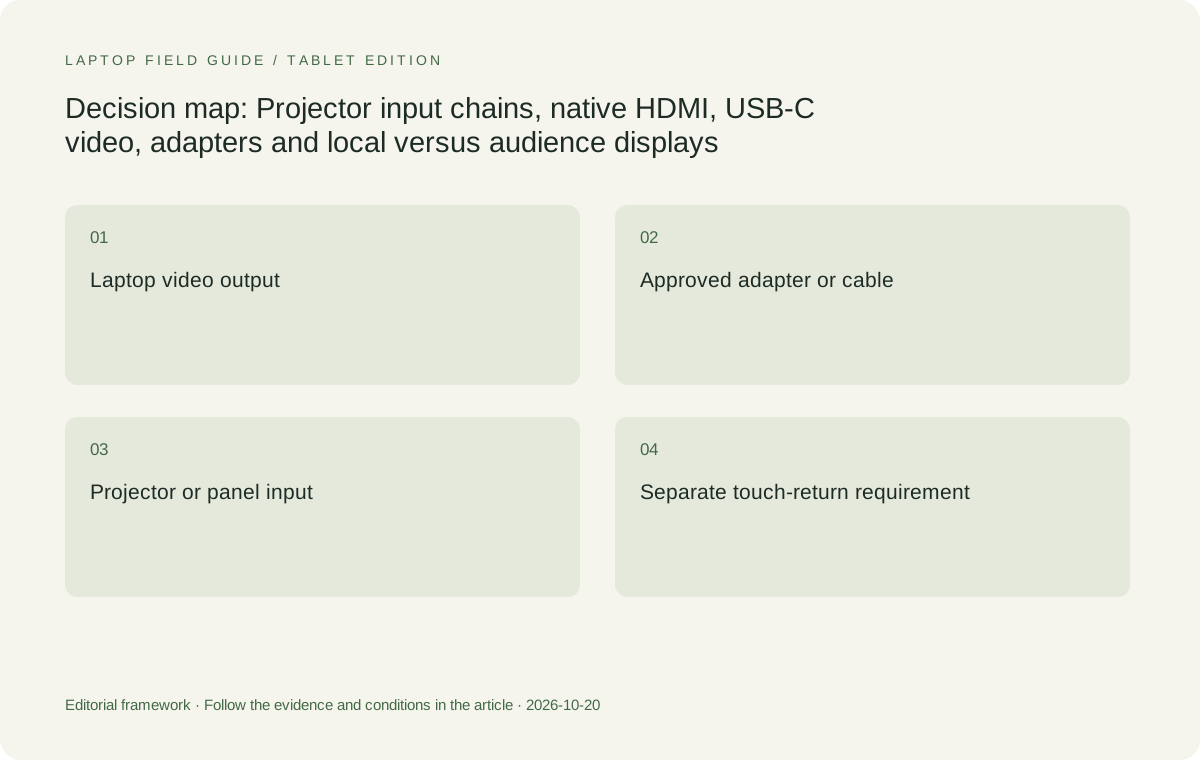
Original editorial illustration. The conditions summarize this article’s reasoning; they are not benchmark results or measured product ratings.
USB-C needs an explicit video capability
USB-C describes a connector shape used for several capabilities. It is not enough to find an oval socket on a laptop or adapter. In this shortlist, Lenovo documents video output through the Yoga models' Thunderbolt 4 connections, and Microsoft documents the Surface model's USB-C/USB4 interface. That gives a basis for selecting a video route. The adapter's own input and output support still need matching.
A charging-only lead should not be assumed to carry a classroom display signal. Likewise, a hub with USB sockets is not automatically a video adapter. Read the accessory specification for the intended display function, supported signal and power behavior. A teacher should be supplied with a known, documented component rather than a loose collection of similar-looking cables that happen to fit the same connector.
This is particularly relevant to the Surface because an HDMI projector commonly adds an adapter or dock to the system. The extra component is not inherently a problem. It can also provide other required interfaces. But it must enter the cost, storage and compatibility comparison. Calling the Surface complete on tablet specifications alone understates what an HDMI-equipped classroom may require from the purchase.
The Yoga 9 comparison is about the required output
The Yoga 9 2-in-1 14IPH11 also has native HDMI and Thunderbolt 4. It is therefore a genuine alternative where an attached-keyboard convertible and direct classroom output are both required. Its different display, memory specification and supported pen options can justify choosing it for other reasons. A teacher does not need to accept an adapter merely because a more premium model is being considered.
For an ordinary classroom projector, a higher maximum output specification is not automatically valuable. If both laptops support the installed display's required mode, the projection requirement is satisfied by both. The buying decision can then return to the quoted pen, internal display, memory and connector arrangement. Comparing unused maximum output numbers would distract from the equipment the school is actually purchasing the machine to operate.
This makes the Yoga 7 a defensible baseline rather than an automatic winner. The Yoga 9 should move ahead when its complete configuration provides a needed advantage. It should not move ahead simply because a specification sheet contains a larger number. Conversely, selecting the Yoga 7 should not be described as sacrificing classroom presentation quality when no evidence establishes a relevant difference on the intended projector.
Older inputs require the right conversion direction
A school retaining a VGA projector has a different buying problem from a room with an HDMI panel. The computer's digital display output must reach an analog input through a compatible conversion device. A connector-shaped lead is not sufficient evidence that it converts the signal in the intended direction. The source device, destination and any power requirement should be stated in the accessory documentation.
Direction matters because accessories are sold for specific uses. An adapter intended to connect one kind of source to another kind of display should not be assumed reversible. A school should identify a supported converter for its exact installation, then supply that as part of the kit. This avoids assigning the teacher an undefined technical task every time a different room exposes an older connector.
No model in this comparison earns a universal legacy-projector guarantee from its laptop specification. The Yoga models' HDMI may simplify the beginning of a compatible conversion route; the Surface may use a suitable USB-C adapter. The installed projector and conversion hardware still decide what works. Where legacy equipment is widespread, its approved adapter is a purchasing prerequisite, not a detail to resolve after delivery.
Separate video, audio and touch-return requirements
An image on an interactive panel is only one part of some classroom installations. The panel may need a separate data connection to return touch input to the computer. That requirement should be documented independently from the video cable. A teacher comparing 2-in-1 laptops should not assume that a projected Windows desktop automatically makes the room's display respond to touch.
Sound also needs its own destination. The classroom may use the display's speakers, an installed audio system or a separate device. HDMI can carry audio, but the intended receiving equipment and selected computer output still matter. The presence of a picture does not prove that every application will play through the speaker the teacher expects. The purchase record should name the required audio route.
These requirements can make the Yoga 7's mixture of HDMI, USB-A, USB-C and audio useful. A USB-C dock can provide an equivalent set of functions for another machine, provided the exact accessory supports them. The comparison is therefore about how many verified components are required and how they connect. It is not a claim that more native sockets necessarily produce better picture or sound quality.
Local screen and audience screen are different surfaces
The teacher's display is an input and control surface. The classroom display is the audience's output surface. Windows supports projection arrangements such as duplicating or extending the desktop, but the appropriate arrangement depends on the application and lesson. Buying a larger laptop screen does not automatically give students a larger or clearer image on the installed projector. The external output and content layout determine that experience.
In a duplicated arrangement, differing aspect ratios or resolutions can affect how the image fits each display. In an extended arrangement, an application may place notes or controls on one screen and presentation material on the other. The hardware must support the chosen output, while the application must support the intended division. A specification for multiple displays alone does not establish how a particular teaching application will behave.
Pen input introduces another relationship: the teacher needs to know which displayed page is receiving ink and which surface students are seeing. This article does not claim one laptop tested better in that arrangement. The buying requirement is that the school's supported application and display mode work together. Confirming that requirement is more meaningful than assuming a convertible hinge automatically solves presentation control.
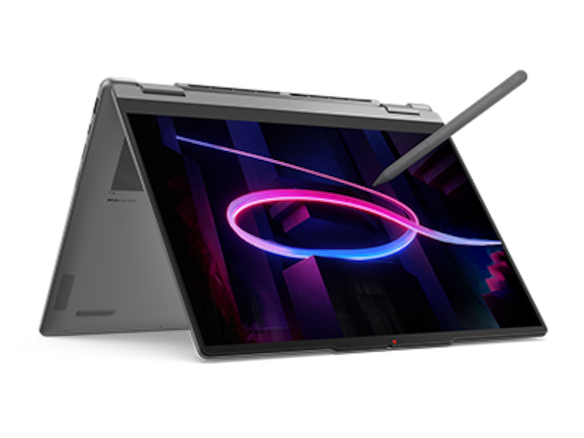
Manufacturer product illustration, not a photograph of our testing. Accessories and local configurations vary. Official image context.
Resolution choices should serve the content
Fine spreadsheet cells, a mathematics diagram and a full-screen image create different demands. The school's projector may be the limiting display even when the laptop has a high-resolution panel. If the teaching material requires dense detail, enlarging the relevant portion can be more useful than sending a signal the projector cannot reproduce. That is a content-layout decision supported by a known output specification.
The laptop's own screen still matters because it controls how comfortably the teacher can arrange material and tools. The Yoga 7 has configuration-dependent 14-inch display options; the Yoga 9 offers its documented 14-inch high-resolution panel; the Surface uses a 13-inch 3:2 display. These are different local working areas. They should not be translated into an unsupported ranking of audience visibility across an entire classroom.
The correct laptop can therefore be different for two teachers using the same projector. One may value a familiar keyboard-and-pen arrangement; another may need a detachable display for control. Once both satisfy the projector input requirement, the display chain no longer determines the whole purchase. It becomes a passed requirement, allowing the rest of the comparison to address actual working differences.
Wireless presentation is a separate compatibility case
Microsoft documents Windows casting to compatible Miracast displays and adapters. That establishes a supported technology route, not a promise that every classroom television or receiver accepts every laptop. A school's installed wireless presentation system may use its own application, credentials or management rules. Its exact requirements should be checked against the computer and operating system being purchased.
Wireless capability should not erase the wired equipment record. A room may expect wireless presentation for ordinary material while retaining a cable route for other situations. The buyer should know whether the school supplies the receiver, whether the teacher must install software and whether that software supports the selected architecture. This is particularly relevant when the shortlisted Surface uses Windows on Arm.
No latency or reliability ranking follows from the specifications cited here. A claim that one machine delivers smoother classroom casting would require appropriate measured evidence. The purchasing conclusion can remain useful without that claim: select the computer only after the school's wireless system has a documented supported route, and retain the necessary wired accessories when the school requires them.
Where the HP alternative fits
The HP OmniBook Ultra Flip 14-fh0000 series is a genuine convertible alternative with a documented optional active pen. It belongs in a teaching shortlist when its exact configuration and school-supported display accessories are available. The model family should not be treated as one interchangeable collection of ports; use the specification for the exact quoted series and regional configuration before completing the projector connection record.
Its role in this comparison is conditional. If an approved HP configuration and adapter route already match the school's display installation, that can outweigh a small difference in the number of native sockets. If the school needs a direct HDMI connection and the quoted HP arrangement cannot supply the required route as conveniently as a Yoga, the Lenovo models may be better matches. The decision depends on supplied hardware.
The Surface similarly should not be dismissed merely for needing an adapter. A detachable may be the right physical computer, and a documented dock can make its connection arrangement coherent. The error would be to omit that dock while comparing complete prices or carrying requirements. A comparison should reward a verified full system rather than either native ports or minimal ports as an abstract design preference.
What belongs in the equipment specification
The school should be able to express the selected arrangement as a small set of named components: exact computer configuration, output port, approved cable or adapter, accessible classroom input and intended display mode. If a dock supplies power, data or audio as well, those functions need their own stated requirements. This record makes the computer purchase reproducible when the original quotation is no longer available.
Avoid substituting broad labels such as universal hub or presentation-ready laptop for those details. Such labels do not state the destination input, output resolution or supported accessories. They can conceal a dependence on a separately purchased adapter or a room-specific receiver. Exact component identities also make a replacement purchase possible without relying on the appearance of a similar connector.
A useful compatibility demonstration verifies the school's real chain and intended application. It should not be presented as an independent benchmark unless the method and measurements justify that claim. The outcome can simply state that the nominated configuration and accessory produced the required picture, audio and interaction under the school setup. That is meaningful procurement evidence without invented performance scores.
The conditional verdict for projector-equipped rooms
Choose the Yoga 7i 2-in-1 Aura Edition 14-inch Gen 11 as a first candidate when the school needs active-pen convertible hardware and a straightforward HDMI classroom route. Its mix of native interfaces can reduce external components. Choose the Yoga 9 when its particular configuration is independently worth selecting and its output path satisfies the same room requirement. Neither needs an unsupported claim of better projected image quality.
Choose the Surface Pro for Business 13-inch, 12th Edition, Snapdragon when a detachable display is the deciding requirement and the school has approved its adapter, applications and Windows on Arm environment. Choose the HP exact-series alternative when its supported complete package matches the school more closely. A screen, hinge and pen cannot compensate for an unresolved connection to the audience display.
The best 2-in-1 laptops for teachers and classroom presentations are therefore those with a complete, documented path to the actual classroom equipment. Begin with the input students' display accepts, then select the simplest suitable computer-and-accessory combination. That method produces a defensible choice even when classrooms contain a mixture of new panels, older projectors and school-managed wireless systems.
Compare the documented options for this task
| System | Where it fits this task | Trade-off to verify | Primary evidence |
|---|---|---|---|
| Lenovo Yoga 7i 2-in-1 Aura Edition 14-inch Gen 11 | A strong baseline for HDMI-equipped rooms: native HDMI rated up to 4K60 and Thunderbolt 4 video options combine with convertible and supported pen capabilities. | The installed cable, wall system and projector determine the usable classroom mode. Native HDMI does not guarantee compatibility with every legacy input or interactive touch-return system. | Official source |
| Lenovo Yoga 9i 2-in-1 Aura Edition 14-inch Gen 11 | Another native-HDMI convertible that can satisfy the same projector requirement while offering a different display, memory configuration and supported pen package. | Do not pay for an unused maximum display capability as if it improves an older projector. Its complete configuration needs an independent reason to outrank the Yoga 7. | Official source |
| Microsoft Surface Pro for Business 13-inch, 12th Edition, Snapdragon | A useful detachable when the school provides an approved USB-C/USB4-to-display route and wants a tablet that separates from its keyboard. | An HDMI projector commonly adds a suitable adapter or dock. Include that component, separate keyboard and Windows on Arm eligibility in the full equipment choice. | Official source |
| HP OmniBook Ultra Flip 14-fh0000 series | A valid convertible alternative when the exact model and school-approved display accessory chain are documented together. | Check the exact series specifications and supplied accessories rather than inferring a presentation package from the OmniBook family name or optional-pen support. | Official source |
Questions before choosing
Does HDMI 2.1 on a laptop mean every classroom will show 4K?
No. The source port is one link. The cable, wall system, adapter and receiving display must support the intended mode. Select an output appropriate to the installed projector or panel rather than assuming the laptop raises its physical resolution.
Can the Surface connect to an HDMI projector?
A suitable documented USB-C-to-HDMI route can connect Surface to an HDMI display. For this exact Surface model, specify the adapter or dock and the required display mode, and include that component in the purchase. Do not describe HDMI as a native laptop socket.
Will one video cable also make an interactive panel respond to touch?
Not necessarily. Some installations require a separate data connection or a particular supported combined connection for touch return. Check the panel documentation and school equipment record. Receiving a picture alone does not establish interactive input compatibility.
Continue this research
For a related perspective from our companion publication, read the workflow-focused companion guide: Choose the School-Supported 2-in-1 Before Choosing the Classroom Features. Manufacturer claims should be verified in the primary sources below.
Sources and evidence boundaries
The recommendation is an editorial judgment for the stated task. Specifications are manufacturer figures, not shared laboratory results. Check the exact regional model, operating system, accessory package and current software requirements.
- Lenovo PSREF: Yoga 7 2-in-1 14IPH11
- Lenovo PSREF: Yoga 9 2-in-1 14IPH11
- Microsoft: Surface Pro for Business, 13-inch, 12th Edition, Snapdragon specifications
- HP: OmniBook Ultra Flip 14-fh0000 series specifications
- HP Japan: OmniBook Ultra Flip 14-fh0000 exact-series specification PDF
- Microsoft Support: Connect Surface to an external display
- Microsoft Support: Screen mirroring and projecting to a wireless display
Editorial context: this series is a Lenovo-focused product-discovery project. Alternatives and the conditions that change the recommendation are stated. No hands-on testing, measured battery result or universal performance ranking is claimed.