Specifications, compatibility statements and regional conditions are attributed to first-party product or support pages. Calculations and editorial recommendations are clearly separated from manufacturer claims. How we evaluate ↗ Evidence registry ↗
The short answer
The best 2-in-1 laptops for teachers and classroom presentations should be compared at the text size and application layout a teacher will actually use. Lenovo Yoga 7i 2-in-1 Aura Edition 14-inch Gen 11 offers documented 14-inch 16:10 touch-display options, including 1920×1200 and 2880×1800 panels. Yoga 9i Gen 11 provides a 14-inch 2880×1800 option, while Surface Pro for Business 13-inch, 12th Edition, Snapdragon uses a 13-inch 3:2 display at 2880×1920. Start with the Yoga 7 for a conventional convertible; favor Surface when its page proportions and detachable format serve a specific task, after checking the complete system.
Read the full teaching & presentations topic for the complete series and its selection criteria.
A screen has several different kinds of size
Diagonal size tells a buyer one physical measurement. Resolution describes the number of pixels. Aspect ratio describes the shape. Operating-system scaling and application zoom then determine how large text, controls and pages appear. These are related variables, but none can substitute for all the others. A teacher comparing only the highest pixel count can overlook the arrangement in which the computer will actually be used.
For lesson preparation, useful area means the content and controls that remain available at an acceptable text size. For annotation, it means the region left for writing after toolbars and page margins. For a presentation, it may mean the local control surface rather than what students see on a projector. A single screen specification cannot answer all three questions without reference to the application and content.
The four product candidates here offer different combinations of those variables. The comparison does not claim measured display quality, medical benefits or a universal improvement in teaching outcomes. It asks which documented panel and physical format create the most suitable workspace for a defined requirement. That produces a more defensible choice than describing every additional pixel as automatically useful classroom space.
Read the Yoga 7 display options as separate configurations
Lenovo's current specification for the Yoga 7 2-in-1 14IPH11 lists 14-inch OLED touch displays at 1920 by 1200 and 2880 by 1800. Both are 16:10, while their documented refresh-rate options differ. A quotation that says only Yoga 7 touchscreen does not identify which display the school is buying. The exact panel should appear alongside the machine configuration.
The higher-resolution panel can represent finer image detail at its native resolution. That does not mean it necessarily shows more comfortably sized spreadsheet columns or a larger handwritten page. If scaling enlarges text and controls, some of the pixel difference is used to draw them with more detail. The relevant comparison is the resulting page and tool layout, not simply a multiplication of horizontal and vertical pixels.
The 1920-by-1200 option should not be rejected automatically for ordinary documents or slides. It may satisfy the school's actual layout requirement. Conversely, a teacher working with detailed diagrams may have a reason to choose the higher-resolution configuration. Without a shared hands-on evaluation, this guide makes no claim that either panel delivers a measured advantage in readability under all classroom conditions.
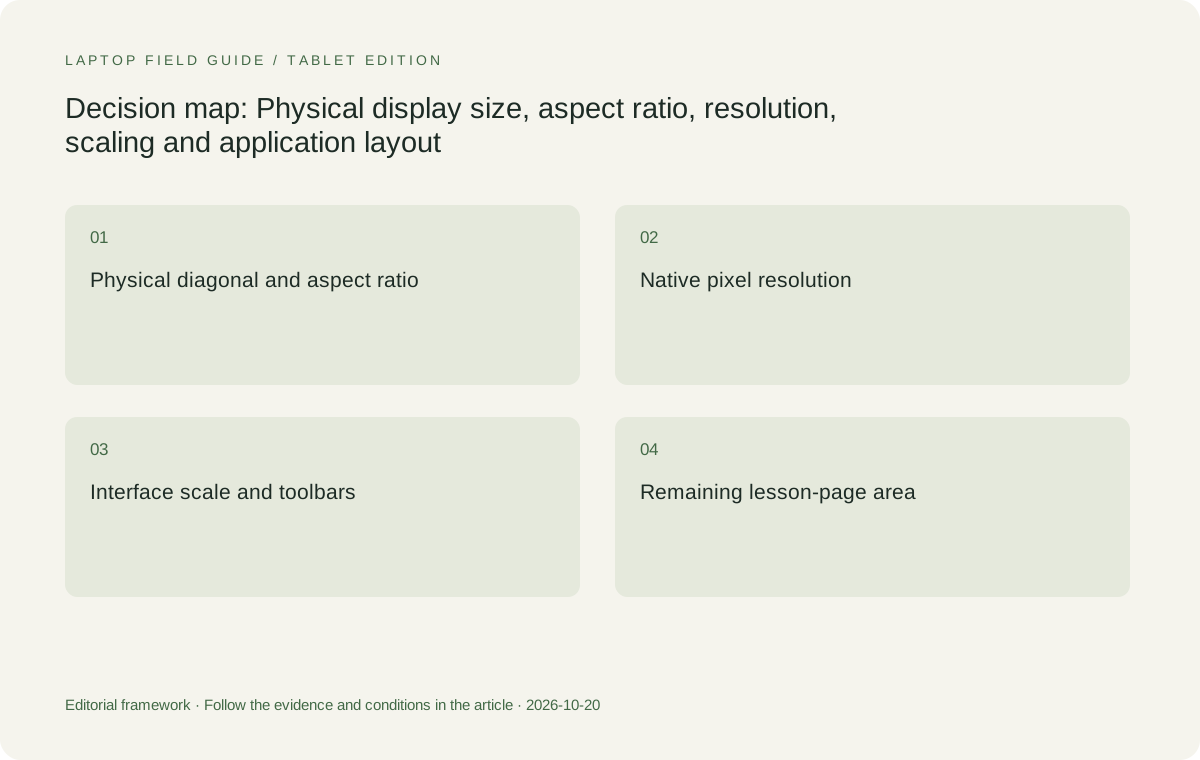
Original editorial illustration. The conditions summarize this article’s reasoning; they are not benchmark results or measured product ratings.
Surface changes the shape as well as the diagonal
The specified Surface Pro business model has a 13-inch display with a 3:2 aspect ratio and 2880-by-1920 resolution. Relative to its width, 3:2 is taller than 16:10 in landscape orientation. That can be relevant to portrait-oriented pages or a document with a vertical sequence of steps. It does not mean a 13-inch panel is physically larger in every dimension than a 14-inch panel.
A teacher comparing a whole page should look at how the page fits after the application's menus, navigation and other controls occupy their share. The narrower physical width may matter for side-by-side documents even when the aspect ratio suits one page. A detachable's shape and ability to separate from the keyboard can be valuable, but neither fact establishes that two windows will fit better than on every convertible.
Microsoft offers documented LCD and OLED configurations for this exact Surface generation. That choice must remain visible in the quotation rather than collapsing the model into one generic screen description. The product's 3:2 proportions are a hardware distinction; a claim that one panel type is universally superior for marking or lesson delivery would require more evidence than this specification-led comparison provides.
Scaling controls the workspace a teacher receives
Windows distinguishes display resolution from the scale used for text and applications. Changing scale can make interface elements larger without turning a 13-inch screen into a physically larger object. Application zoom can then change the page independently. A teacher may reasonably prefer larger controls or text, but the comparison must account for the space those choices consume when assessing split views or full-page work.
Two computers running at their native resolutions can therefore show a similar amount of usable content if their scaling settings differ. A high-resolution display's advantage may be detail rather than more material on screen. It is misleading to promise extra lesson-planning space from resolution alone. The purchasing question is whether the intended layout remains useful at the teacher's selected settings.
There is no need to turn this into a technical tuning exercise for every buyer. A representative page, a slide deck and the school's normal application provide a clearer comparison than an empty desktop. Keep the chosen text size consistent when evaluating how much material is visible. That controls an important variable without inventing a numerical productivity or comfort score.
The Yoga 9 is relevant when its exact panel is wanted
The Yoga 9 2-in-1 14IPH11 documents a 14-inch 2880-by-1800 OLED touch display, with up to 120Hz refresh. Its aspect ratio matches the Yoga 7's 16:10 options. It is a genuine alternative for a buyer who wants that particular panel configuration in a different convertible package. It should not be described as a larger workspace merely because the product occupies a higher series position.
For a school already choosing the Yoga 7's 2880-by-1800 configuration, the two display specifications share the same resolution and diagonal. Other characteristics and the complete computer can still differ. The school should identify the relevant difference instead of inventing a screen-space advantage. Memory configuration, connector needs and a supported pen package can matter even when headline panel dimensions appear similar.
The Yoga 9 becomes a stronger choice when the school wants its documented full configuration and accepts its tradeoffs. For example, it has no card reader, while the Yoga 7 lists microSD. A teacher receiving images on cards may need another component despite the Yoga 9's display specification. Screen selection should improve the whole equipment fit rather than conceal a missing interface elsewhere.
The HP comparison needs an exact-series reference
HP's official Japan specification for the OmniBook Ultra Flip 14-fh0000 series documents a 14-inch 2880-by-1800 OLED touch display with 16:10 proportions. This makes it a meaningful comparison to the Lenovo high-resolution configurations. The regional document describes particular models, so its configuration should not be generalized to every similarly named OmniBook offered in another market.
The HP is worth selecting when the exact local panel, supported pen arrangement and school-supported package satisfy the requirement more closely. Its screen dimensions alone do not make it the automatic winner or loser against a Lenovo with the same diagonal and pixel grid. Application layout, physical support and complete connectivity can decide between apparently similar display specifications.
This also explains why the comparison includes more than one convertible. A buyer who needs an attached keyboard may have several eligible choices without needing a detachable. The decision can remain conditional: retain the HP if its exact quotation meets the display and software requirements; prefer a Yoga if its panel configuration and native interfaces make the complete teaching system a better match.
Lesson pages and marking favor different arrangements
A page-oriented task may involve viewing one complete worksheet, moving between page thumbnails or adding short marks beside existing text. The screen area available to the page depends on the application's navigation panels and annotation tools. A 3:2 display can be attractive for the page shape, but the real page size still depends on the diagonal, orientation and interface occupying the surrounding area.
Landscape marking with a reference document beside the student's work asks a different question. Width becomes valuable, and each pane needs enough room for its own text and controls. A teacher who mainly uses this arrangement may prefer the 14-inch convertible's physical format. That is a reasoned scenario preference, not a measured claim that all marking is faster on the larger diagonal.
A display should also be judged against the source material's format. Scanned pages with embedded small text cannot always benefit from application reflow in the way ordinary editable text can. Enlarging a fixed page may require scrolling. A purchase that assumes every document can be rearranged freely risks overvaluing a small panel's nominal resolution and undervaluing the actual visible page area.
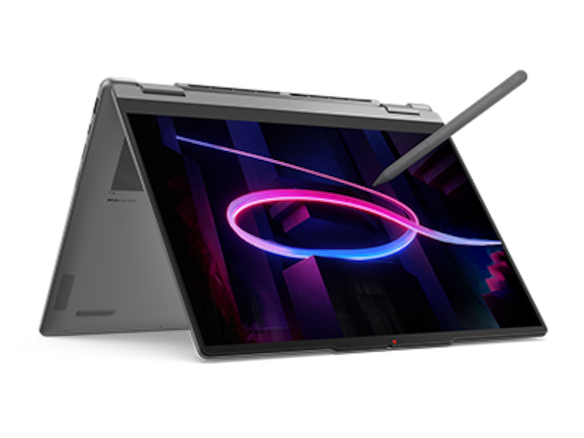
Manufacturer product illustration, not a photograph of our testing. Accessories and local configurations vary. Official image context.
Slides and diagrams have their own geometry
A wide slide and a tall worksheet use a screen differently. The teacher may need a slide canvas, thumbnail rail and notes pane at the same time. The available canvas is the area remaining after those controls, not the full panel diagonal. Comparing machines using a full-screen sample photograph misses this everyday arrangement, especially when the application is not running in presentation mode.
For a diagram, the important issue may be whether the labels, legend and working region can stay visible together. A higher-resolution panel can preserve fine detail, while application zoom determines how large that detail appears. Neither the Yoga 9's refresh-rate headline nor the Surface's page proportions automatically solves a diagram that was designed with too much information for a small working surface.
A teacher who needs a larger stationary planning area can also use an external monitor where the selected computer and connection support it. That changes the purchase calculation: the internal display may primarily serve mobile annotation, while the desk monitor handles complex editing. Do not demand that one portable panel imitate a full desktop workspace if the school already supplies a separate supported display.
Refresh rate does not equal measured pen response
The Yoga 7 display options have different documented refresh rates, and the Yoga 9 and Surface also publish refresh specifications. A higher refresh rate describes how often the display can update under supported conditions. It is not a complete measurement of the delay between pen movement and visible ink. Digitizer behavior, software processing and rendering also belong to that experience.
A comparison should therefore avoid translating 120Hz into an untested claim of superior handwriting. Teachers may have their own preferences when using an exact application and pen, but those preferences should be observed directly rather than inferred from one panel number. The cited specifications establish eligible hardware combinations, not a common cross-device latency test or a hierarchy of handwriting feel.
The same restraint applies to color and brightness descriptions. Manufacturers publish useful panel information, but HDR peak brightness and ordinary SDR brightness describe different conditions. A teacher should not assume a peak figure is the constant brightness of a document page. Where room lighting and reflections matter, assess the actual installation and intended settings instead of converting a marketing maximum into a classroom guarantee.
Portrait use is a physical choice, not just rotation
Turning content into portrait orientation can help match a tall page, but the computer's physical arrangement matters. A detachable lets the display separate from its keyboard. A convertible retains the attached base when folded. Both can support useful writing tasks, yet they remain different objects on a desk or in the hand. Rotation does not remove the keyboard assembly from a convertible.
The Surface's tablet-only weight is therefore relevant when portrait viewing occurs without its keyboard. It should not replace a whole-kit comparison for a teacher who also carries the keyboard, pen and charger. The Yoga models' published starting weights describe their integrated assemblies. Preserving those boundaries prevents a display-shape preference from being presented as an unfair portability comparison.
Not every classroom needs portrait operation. If the teacher works mainly at a desk with a keyboard and projects landscape content, the simpler attached-keyboard arrangement may dominate the decision. The ability to detach becomes valuable when it supports a defined action. Choose the physical screen arrangement that will be used, rather than paying attention to an impressive mode photograph without a corresponding requirement.
Keep the audience display out of the internal-panel ranking
A high-resolution laptop screen does not automatically improve a lower-resolution projector. The laptop sends an external signal through a supported connection; the projector and installed chain impose their own capabilities. A teacher selecting an internal panel should distinguish the local control and annotation surface from the image students see. The two displays can have different resolutions, aspect ratios and purposes.
This distinction can change which feature is worth paying for. A teacher using the laptop mainly to control large projected slides may not need the highest-resolution internal option. Another teacher who marks detailed material away from the projector may value it. Neither choice should be justified with an unsupported assertion that a more expensive panel makes every classroom presentation sharper.
The device's port selection remains part of the result. Yoga 7 and Yoga 9 offer documented native HDMI paths, while the specified Surface commonly needs an appropriate USB-C display accessory for an HDMI installation. A preferred local page shape may still be worth that accessory. It simply needs to be included in the comparison instead of disappearing behind the display description.
The conditional verdict for teaching displays
Start with the Yoga 7i 2-in-1 Aura Edition 14-inch Gen 11 when the teacher wants a 14-inch convertible and the school can select the display configuration deliberately. Its lower-resolution option can satisfy ordinary layouts; its higher-resolution option deserves consideration for relevant detail requirements. The purchase should name the panel rather than treating touch or OLED as a complete description.
Choose the Yoga 9 when its documented high-resolution display and complete computer configuration are the desired package. Choose the Surface Pro for Business 13-inch, 12th Edition, Snapdragon when its 3:2 shape and detachable construction serve the actual page task, with applications and accessories approved. Keep the HP exact-series alternative when its available configuration provides the best complete fit among the convertibles.
For the best 2-in-1 laptops for teachers and classroom presentations, the winning screen is the one that accommodates representative teaching material at the intended text size. Select on visible page area, usable controls and physical format, then confirm the external-display route independently. Pixel count remains useful evidence, but it should support that decision rather than make the decision by itself.
Compare the documented options for this task
| System | Where it fits this task | Trade-off to verify | Primary evidence |
|---|---|---|---|
| Lenovo Yoga 7i 2-in-1 Aura Edition 14-inch Gen 11 | The baseline 14-inch convertible when the buyer wants to choose deliberately between documented 1920×1200 and 2880×1800 touch-panel options. Both use 16:10 proportions. | The model name alone does not identify the screen. More pixels can improve detail without creating a larger physically sized page at the chosen scaling and application zoom. | Official source |
| Lenovo Yoga 9i 2-in-1 Aura Edition 14-inch Gen 11 | A relevant attached-keyboard alternative for a school that specifically wants its documented 14-inch 2880×1800 touch display and complete configuration. | Do not assume a larger workspace than a Yoga 7 with the same diagonal and resolution. Other hardware differences and the absence of a card reader still matter. | Official source |
| Microsoft Surface Pro for Business 13-inch, 12th Edition, Snapdragon | A 13-inch 3:2 option for a teacher who values page proportions and a detachable display. Its 2880×1920 specification offers a different shape from the 16:10 convertibles. | A taller proportion is not a larger panel in every physical dimension. Identify LCD or OLED configuration, keyboard and pen needs, and Windows on Arm software eligibility. | Official source |
| HP OmniBook Ultra Flip 14-fh0000 series | An exact-series convertible alternative with a documented 14-inch 2880×1800 16:10 touch configuration in the cited regional specification. | Regional configuration and accessory details need a local quotation. A matching pixel grid does not establish equal measured screen behavior or a universal classroom advantage. | Official source |
Questions before choosing
Does a higher-resolution screen always show more lesson material?
No. Scaling and application zoom determine the size of text, tools and pages. More pixels may draw the same comfortably sized content with finer detail. Compare the actual layout using representative teaching files at the settings the teacher intends to use.
Is a 3:2 display physically larger than a 16:10 display?
Aspect ratio describes shape, not absolute area. A 3:2 panel is taller relative to its width in landscape orientation, but diagonal size also matters. Do not assume a 13-inch 3:2 screen exceeds a 14-inch 16:10 screen in every dimension.
Does a 120Hz display prove better pen latency?
No. Refresh rate is one display specification. It does not measure the complete pen-to-ink path across hardware and software. A claimed comparative latency advantage needs suitable measured evidence; the specifications here do not provide that common test.
Continue this research
For a related perspective from our companion publication, read the workflow-focused companion guide: Choose a Teacher’s 2-in-1 Around the Way You Interact. Manufacturer claims should be verified in the primary sources below.
Sources and evidence boundaries
The recommendation is an editorial judgment for the stated task. Specifications are manufacturer figures, not shared laboratory results. Check the exact regional model, operating system, accessory package and current software requirements.
- Lenovo PSREF: Yoga 7 2-in-1 14IPH11
- Lenovo PSREF: Yoga 9 2-in-1 14IPH11
- Microsoft: Surface Pro for Business, 13-inch, 12th Edition, Snapdragon specifications
- HP: OmniBook Ultra Flip 14-fh0000 series specifications
- HP Japan: OmniBook Ultra Flip 14-fh0000 exact-series specification PDF
- Microsoft Support: Change your screen resolution and layout in Windows
Editorial context: this series is a Lenovo-focused product-discovery project. Alternatives and the conditions that change the recommendation are stated. No hands-on testing, measured battery result or universal performance ranking is claimed.