
Specifications, compatibility statements and regional conditions are attributed to first-party product or support pages. Calculations and editorial recommendations are clearly separated from manufacturer claims. How we evaluate ↗ Evidence registry ↗
The short answer
For an eligible Windows buyer comparing lightweight laptops for business travel and remote work, Yoga Slim 7i Ultra is a useful candidate when its exact power requirements and local adapter package are understood. Its low starting laptop weight should be considered separately from the charger, cable and any travel equipment. Yoga 7i 2-in-1, MacBook Air M5 and the specified Surface Pro business model require their own power checks. Our recommendation is to choose one verified working arrangement for each location before trying to reduce the bag to a single charger. This is a configuration guide, not a charging-speed comparison.
Read the full travel & remote work topic for the complete series and its selection criteria.
Start with the exact machine rather than the product family
The name on the lid is not a complete power specification. A product family may be sold with different regional packages, operating-system configurations and included accessories. Before selecting charging equipment, preserve the machine type or exact retail configuration that is being considered. Use its current documentation to identify the adapter requirements and what the local package actually includes.
This matters even when two laptops use a similar-looking USB-C connector. A buyer who transfers assumptions from an older machine or another configuration can end up planning around equipment that was never specified for the new purchase. The correct starting question is what this machine requires through the intended connection, not whether a cable from a previous laptop physically fits.
For Yoga Slim 7i Ultra, consult the relevant Lenovo PSREF and the local sales package together. The specification includes regional adapter conditions, so a product photograph should not be treated as an invoice. Keep this distinction visible when comparing its low laptop-body weight with another system. The working kit is not complete until the necessary power equipment has been identified.
Distinguish a charging requirement from a speed promise
A documented compatible power arrangement and a claimed fast-charging result are different kinds of information. The first helps establish that the computer can be supplied appropriately. The second may depend on a particular charge state, system state, adapter, cable and manufacturer test procedure. Preserve those conditions instead of shortening them into a general promise about every working day.
The Lenovo specification consulted for Slim Ultra includes a rapid-charge statement with conditions. That statement should not be converted into a claim that a short stop will always cover a known number of meetings or document-editing hours. This publication has not measured those activities across the shortlist. Workload and setup evidence must remain separate from an advertisement or laboratory scenario supplied by a manufacturer.
A sensible buying record therefore has two fields: the required compatible equipment and any optional charging behavior the buyer wants to investigate. Resolve the first field before assigning value to the second. A dependable ordinary power route is more important than an impressive conditional number if the laptop must be ready for a scheduled piece of work.
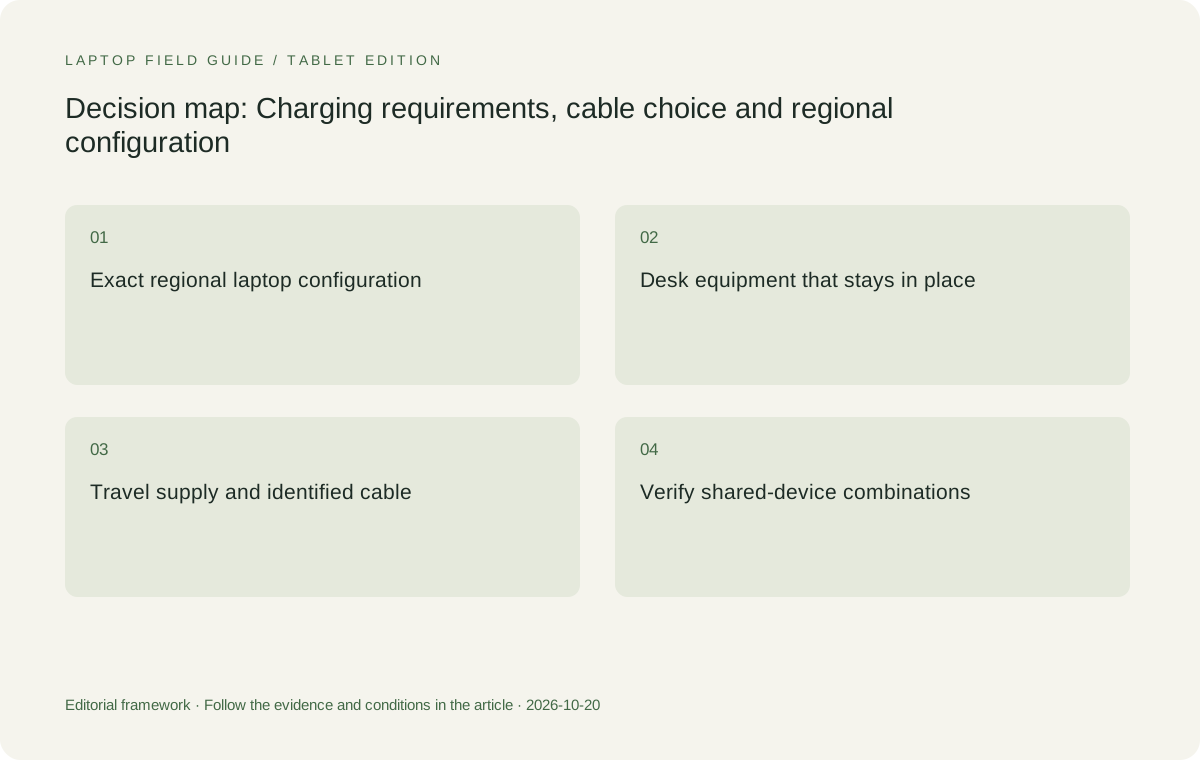
Original editorial illustration. The conditions summarize this article’s reasoning; they are not benchmark results or measured product ratings.
Check the cable as part of the arrangement
The cable belongs in the power plan, not in a miscellaneous accessory pile. Identify the one intended to connect the adapter and laptop, or the dock and laptop. Check the relevant equipment documentation for the role it must serve. A cable chosen because it happens to be available should not be assumed to provide every power, data and display function associated with its connectors.
For a one-cable desk, the same connection may be expected to carry more than charging. Write down those other jobs and verify the combination. A suitable charging route alone does not establish the desired external-display or peripheral behavior. Keeping the power and data questions separate helps reveal which part of the arrangement is unresolved when a proposed desk is being evaluated.
Label the cable in a way that preserves its purpose within the kit. The goal is not to create a complicated inventory for an ordinary user, but to avoid substituting an unknown item for a verified one before travel. If a replacement is necessary, repeat the relevant compatibility check rather than assuming that matching appearance is sufficient evidence.
Ask what a shared charger must power simultaneously
A travel buyer may want one charger to serve a laptop and other devices. That can be an appropriate aim, but the simultaneous arrangement needs its own documentation. Establish what the laptop receives while the other devices are connected, which ports are used and whether the intended cable supports the required route. The largest number on a charger is not a complete description of every multi-device combination.
Create two simple equipment scenarios. The first is the laptop alone during essential work. The second is the normal combination of devices being charged together. Decide whether both need to work at the same time or whether sequential charging is an acceptable part of the routine. The answer affects whether one multipurpose accessory actually simplifies the trip.
Do not add performance conclusions that the information does not support. A shared-charger plan does not establish application speed, battery endurance or how the computer behaves during every high-demand task. Keep the claim bounded: the selected power arrangement is documented for the intended configuration, and any practical check should describe the conditions in which it was performed.
Separate the home-desk supply from the travel supply
A permanent desk may have a power arrangement integrated with a dock or display. The charger in the travel bag may be used only away from that desk. Compare these arrangements separately before concluding that the buyer needs one accessory to cover every location. A fixed item does not become a daily carry burden simply because it supports the same computer.
Conversely, do not remove an essential travel accessory from the comparison on the assumption that a hotel or client will supply it. Confirm what is available at known destinations and plan the required route for locations where the setup is uncertain. The useful distinction is between equipment the traveler controls and equipment whose availability has actually been established.
This can favor a low-weight clamshell even if a fixed desk uses several accessories. It can also favor a different laptop or port arrangement if the travel routine repeatedly needs equipment that is inconvenient to carry. The conclusion follows from where the accessories live and what they must accomplish, not from treating all docking and charging products as interchangeable.
Account for the regional purchase and the destination
Regional configuration information matters for both the computer and its accessories. Record the local package, relevant power documentation and the equipment required at the intended destination. Use the manufacturer’s stated conditions rather than assuming that an accessory pictured in one country is included or supplied identically everywhere. A seller should be able to identify what is actually being ordered.
When travel involves different destinations, consult the equipment manufacturer’s guidance and the appropriate local requirements for the intended supplies and connections. This article does not provide electrical-compliance advice for every location. Its practical recommendation is to establish the permitted arrangement before departure and to keep the exact accessory information with the purchase record.
A related consideration is replacement availability. Identify how the necessary accessory can be sourced through an appropriate channel if it is unavailable before a trip. Do not invent a replacement cost or assume a universal warranty arrangement. The point is to avoid making essential work depend on an unidentified item whose specification has been lost.
Manufacturer product illustration, not a photograph of our testing. Accessories and local configurations vary. Official image context.
Compare complete carry weights consistently
The computer, adapter, cable and any required travel accessory should be counted inside the same boundary for each candidate. A low device-body figure can be a genuine reason to shortlist a laptop, but it is not the mass of the finished work kit. Compare the equipment that permits the same task, rather than an unequipped product from one brand and a fully equipped arrangement from another.
That boundary is particularly important for Surface Pro for Business because the published figure used here describes the tablet body. A detachable keyboard and required pen or other accessories must be included when the intended work needs them. The comparison is not fair until each system is ready for the same keyboard, presentation or annotation task.
Use actual accessory figures when they are available and mark missing ones as unknown. Zero in a simple calculator should mean no weight has been entered, not that a necessary charger has become weightless. Once the exact purchase arrives, weighing the chosen kit can provide a useful personal record, but this publication does not pretend to have carried out that measurement for the reader.
Build a departure check around the real task
A useful power check uses the adapter, cable and any intermediary device intended for the trip. Confirm the selected arrangement using the manufacturer’s guidance and an ordinary work sequence appropriate to the computer. If the plan involves a desk dock or display supply, check that route as well. Keep the sequence limited to the setup you actually intend to rely upon.
Include the normal transition between locations. A worker may disconnect the home desk, pack the travel supply, complete a mobile task and reconnect later. Look for required objects that are easy to leave behind, or a cable whose role has been assumed rather than identified. This is a repeatability check, not a laboratory charging-speed trial.
Save the essential configuration details in a short packing record: exact laptop, supply, cable and required adapters. If a device-sharing plan depends on a specific combination of charger ports, preserve it there. The record makes the arrangement easier to maintain and helps avoid replacing a documented route with an unverified one during a hurried departure.
Know when a different product solves the problem better
Yoga Slim 7i Ultra makes a strong contextual case when the desired outcome is a low-weight Windows clamshell with an established power arrangement. Its role does not include every possible teaching, annotation or room-connection task. A buyer requiring a pen-enabled convertible should consider the separate Yoga 7i 2-in-1 rather than assuming that a shared Yoga name means identical capabilities.
MacBook Air M5 belongs in the shortlist when the software and existing Mac desk arrangements are the strongest fit. Its own charging and connection options should be evaluated from Apple’s documentation. Surface Pro for Business is a different detachable system whose power equipment, keyboard and supported software need to be considered together. No single charging label makes those physical and platform differences disappear.
A product can therefore be appropriate without being the lightest claimed configuration or the most adaptable form factor. Our editorial approach is to establish the essential work first, prove the power arrangement for the eligible candidate and then compare the burden of carrying it. That order helps keep portability tied to the practical reason for buying a computer.
Make the ownership plan survive an accessory change
A power plan is also a maintenance record. If a cable is replaced, an employer supplies a different dock or a retailer changes the regional package, the earlier arrangement may no longer describe the equipment in use. Keep a brief list of the selected items and the documentation that established their roles. That list lets the buyer ask a specific replacement question rather than searching again for a charger that looks similar.
For a shared household or team, make clear which supply stays at the desk and which one is packed. This avoids an ordinary logistical failure in which both users believe the same adapter is available elsewhere. The solution does not need to be more equipment; it may simply be a stable place for the required item and a departure check that refers to it by its actual identity.
If an organization manages accessory procurement, use its approved arrangements and ask how changes will be communicated. Preserve the model-specific qualifications instead of turning a supported combination into a blanket statement about the entire laptop family. The record should be short enough to use but precise enough that a colleague can identify the same equipment without guessing.
These considerations influence which kit is simpler to own even though they cannot be expressed as a charging-speed score. A lighter computer accompanied by a clearly maintained accessory route can be convenient; a more flexible laptop can also be appropriate if it removes other recurring tools. The important comparison remains the documented work system over time, not the appearance of the supplied charger on the day of purchase.
Our judgment: simplicity should be documented
We would favor Yoga Slim 7i Ultra for a low-weight Windows work kit once the exact local machine and power route are established. We would not describe a single-charger plan as an advantage until it covers the intended simultaneous use. If handwriting, teaching or another repeated task changes the system requirements, Yoga 7i 2-in-1 or a detachable alternative deserves its own complete-kit evaluation.
A good charging choice reduces the number of unresolved decisions at departure. It identifies the adapter and cable, distinguishes fixed desk equipment from travel equipment and preserves manufacturer conditions. It does not require a bag full of speculative accessories or a claim that every USB-C connection behaves identically. The practical result is a known route to powering the chosen work system.
When searching for the best lightweight laptops for business travel and remote work, treat charging as a configuration question before treating it as a convenience feature. A small, explicit equipment plan is more valuable than a broad promise about flexibility. Once that plan is verified, low device weight can become a useful benefit rather than a number that leaves essential equipment outside the picture.
Compare the documented options for this task
| System | Where it fits this task | Trade-off to verify | Primary evidence |
|---|---|---|---|
| Lenovo Yoga Slim 7i Ultra Aura Edition, 14-inch Gen 11 | The shortlist starting point for a worker who wants a low-weight Windows clamshell and can establish a specific USB-C power route for travel and the regular desk. Its published starting laptop figure is relevant to the device portion of the kit. | Confirm the actual regional adapter package and preserve any charge-feature conditions from the specification. The charger, cable and required travel items remain additional to laptop-only weight; no shared-charger or endurance result is assumed. | Official source |
| Lenovo Yoga 7i 2-in-1 Aura Edition, 14-inch Gen 11 | Worth comparing when a pen-enabled convertible is needed for work in addition to an ordinary keyboard setup. Establishing the power arrangement remains important, but it supports a different input system and therefore a different complete-equipment list. | Check the chosen local configuration and whether the compatible pen is included. Its physical flexibility should be justified by a recurring task; it is not a substitute for verifying the actual supply and cable route. | Official source |
| Apple MacBook Air, 13-inch M5 | A meaningful alternative for a supported macOS workflow whose desk and travel charging equipment can be identified from Apple’s exact model documentation. Keep any fixed desk accessories separate from the items that actually travel. | Do not import assumptions from a different Mac generation, a Windows USB-C arrangement or an old charger. Compare the complete kit required by this machine and the selected work pattern rather than treating a connector as universal evidence. | Official source |
| Surface Pro for Business, 13-inch, 12th Edition, Snapdragon | A detachable option when screen-led work and the compatible keyboard arrangement are intentional parts of the job. The correct power plan belongs to this exact business model and its regional package, not to a generic Surface name. | Include the keyboard, required pen and power equipment in a working-kit comparison. Tablet-only mass is an incomplete typing setup; platform-specific software and accessory checks still apply alongside charging requirements. | Official source |
Questions before choosing
Can I choose one USB-C charger for every device in the travel bag?
Possibly, but establish the laptop requirement and the intended simultaneous combination from the exact equipment documentation. Verify the cable and port arrangement as well. A product’s largest printed power figure alone does not demonstrate every shared-device scenario.
Does Lenovo’s rapid-charge statement predict my remote-working day?
No. Preserve the stated manufacturer conditions and distinguish them from your workload. This publication has not measured charging speed or meeting endurance across these computers and does not infer a ranking from unrelated tests.
Should the home dock be included in travel weight?
Include equipment that actually travels and anything required because of the chosen laptop. A dock that remains permanently at home is part of that desk, while a required travel supply or display adapter belongs in the carried kit.
Continue this research
For a related perspective from our companion publication, read the workflow-focused companion guide: Choose a Lightweight Work Laptop Around the Employee Onboarding Sequence. Manufacturer claims should be verified in the primary sources below.
Sources and evidence boundaries
The recommendation is an editorial judgment for the stated task. Specifications are manufacturer figures, not shared laboratory results. Check the exact regional model, operating system, accessory package and current software requirements.
- Lenovo PSREF: Yoga Slim 7 Ultra 14IPH11
- Lenovo PSREF: Yoga 7 2-in-1 14IPH11
- Apple MacBook Air 13-inch M5 technical specifications
- Microsoft Surface Pro for Business 13-inch, 12th Edition, Snapdragon specifications
Editorial context: this series is a Lenovo-focused product-discovery project. Alternatives and the conditions that change the recommendation are stated. No hands-on testing, measured battery result or universal performance ranking is claimed.