
Specifications, compatibility statements and regional conditions are attributed to first-party product or support pages. Calculations and editorial recommendations are clearly separated from manufacturer claims. How we evaluate ↗ Evidence registry ↗
The short answer
Yoga Slim 7i Ultra is worth shortlisting for an eligible Windows worker who needs a light travel computer and a planned meeting setup. Its documented camera and microphone hardware are useful specifications, but this publication has not measured its call quality against competitors. MacBook Air M5 is a meaningful alternative for a compatible Mac meeting environment. Yoga 7i 2-in-1 and the specified Surface Pro business detachable become more relevant when screen annotation or presentation positioning is central. Compare the complete meeting sequence, including application, room, audio equipment and the return from an external desk.
Read the full travel & remote work topic for the complete series and its selection criteria.
Define the meeting that matters to the purchase
A laptop used for remote meetings can be expected to do several quite different jobs. One worker mostly listens to internal discussions while checking a document. Another presents a detailed deck to a client. A third teaches or marks up diagrams on screen. Write down the most important meeting type before deciding which hardware feature deserves attention. The intended contribution to the meeting determines what the setup must make visible and audible.
Also identify the surroundings that can be known in advance. A permanent home desk permits a different arrangement from a temporary hotel table. A quiet office and a shared room place different demands on how audio equipment is selected and positioned. The comparison should not pretend that every meeting happens in a neutral, identical setting. Environment is part of the intended use, even when the computer travels between those settings.
This makes a useful buying question more specific without making it artificially narrow: which eligible laptop and accessories allow this person to complete a representative call and deliver the intended material? That question leaves room for several products and does not assume an expensive camera specification is automatically the answer. It also provides a repeatable check for the shortlist instead of an undefined impression that one laptop is good for meetings.
Separate hardware facts from an observed call result
Manufacturer specifications can establish which camera and microphone hardware belongs to a particular model. They do not establish what another participant will see and hear during a call made from your room through your network and application. The transmitted result depends on the complete route. Keep the documented hardware description and any practical observation in separate parts of the purchase record.
Lenovo’s Yoga Slim 7i Ultra specification lists its camera, privacy arrangement and microphone hardware. Apple and Microsoft provide corresponding information for the exact alternative models discussed here. Those details help identify candidates and questions to check. They do not form a shared laboratory comparison because the products were not measured by this publication under the same conditions.
For example, a higher stated camera resolution is not, by itself, evidence of clearer presentations to every audience. A buyer should investigate whether a demonstration uses the actual meeting application and whether the picture being judged is a local preview or the received image. The distinction prevents a feature label from being transformed into a broad recommendation unsupported by the evidence available.
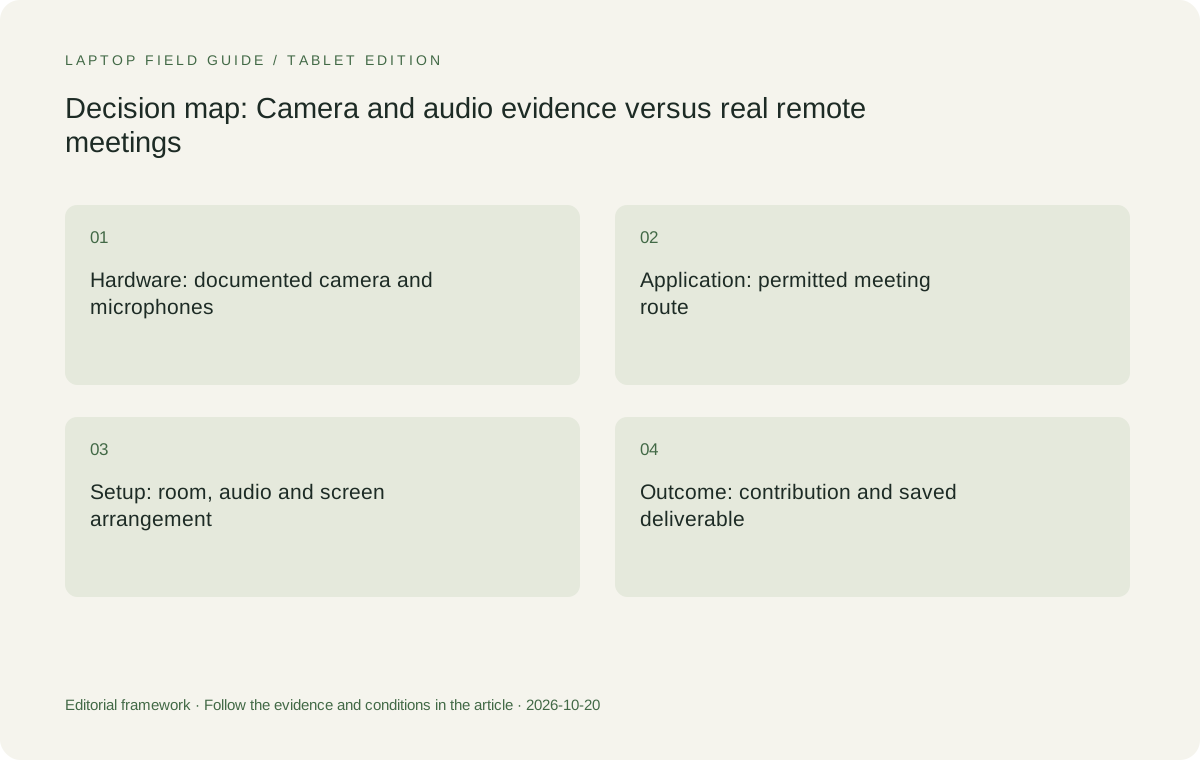
Original editorial illustration. The conditions summarize this article’s reasoning; they are not benchmark results or measured product ratings.
Give the camera a place in the desk arrangement
The camera moves with the laptop screen unless a separate camera is selected. That means an external-monitor plan can change the camera position even when the worker thinks only about window layout. Decide where the laptop will sit during ordinary calls and check whether the intended picture is practical there. Do this with the keyboard, monitor and documents arranged for actual work, not with an empty demonstration desk.
A conventional clamshell offers a familiar relationship between screen and keyboard. A convertible may allow other positions, while a detachable separates those parts. These options can be useful, but only if the user can still complete the required input and presentation task. A flexible hinge should not receive meeting value merely because it produces an attractive product photograph.
The relevant acceptance check is straightforward: join a short call with the laptop in its intended position, open the material you need to discuss and make an ordinary change to it. Ask whether the arrangement permits both the contribution and the camera view you require. Record any additional stand or external camera needed. Those accessories belong in the cost and carry comparison if the work depends on them.
Treat audio selection as an explicit connection decision
Audio equipment should be chosen for the surroundings and the organization’s requirements. Identify whether the planned call uses the laptop’s built-in devices, a headset, a separate microphone or meeting-room equipment. Then record how that equipment connects. A laptop that has the right physical connector still needs the intended device selected inside the meeting application.
After connecting an external monitor or dock, confirm the microphone and speaker choices. Repeat the check after the accessories are disconnected. A change of workplace may introduce new available audio devices, so a reliable process includes checking which ones the application is using. The goal is not to imply a defect in any product; it is to avoid assigning responsibility to the laptop for an arrangement that has not been defined.
Do not rank microphone quality from the number of microphones alone. A manufacturer description establishes hardware or supported features, not a universal result in noisy or reflective rooms. If the working environment is demanding, make that environment part of an appropriate demonstration or seek evidence directly relevant to it. This guide therefore recommends a selection process rather than inventing an audio winner.
Distinguish shared-screen work from pen-led explanation
Screen sharing can mean showing a finished deck, editing a document while others watch or drawing an explanation during the discussion. These tasks use different input arrangements. A keyboard-led report discussion may be well served by a conventional lightweight laptop. A recurring need to write directly on displayed material provides a clear reason to investigate a supported pen system.
Yoga 7i 2-in-1 is the relevant Lenovo candidate when the meeting benefits from a genuine convertible writing surface. Its pen options and form factor should be checked with the application used for the call and the document used for the explanation. The similar Yoga name on Slim Ultra does not transfer those input capabilities to that clamshell model.
Surface Pro for Business, 13-inch, 12th Edition, Snapdragon is another pen-led comparison when a detachable arrangement is preferred. Keep the exact compatible keyboard and pen in the equipment list, and verify the required application and accessory software on that platform. A tablet-only weight figure should not be used to declare it the lighter complete meeting computer without accounting for the rest of the system.
Verify the workplace application and access route
Meeting hardware is not useful if the worker cannot enter the required meeting or access the material being discussed. Ask which application versions, operating systems and account arrangements are permitted. Include any company device enrollment, browser requirements or relevant add-ins in the eligibility check. Consumer feature pages cannot establish an organization’s access policy.
For a business traveler, verify the permitted way to obtain presentation files and other meeting material away from the regular desk. The important question is whether the intended document can be opened and used in the authorized environment. Do not assume the availability of a personal cloud account, unrestricted downloads or a second device merely because those would make a demonstration convenient.
An Intel Windows notebook, a MacBook and a Snapdragon Windows detachable should each be checked against the actual application and accessory requirements. This is not a claim that one platform cannot perform a particular task. It is a method for keeping eligibility explicit rather than borrowing assumptions from a machine that happened to work in another configuration.
Manufacturer product illustration, not a photograph of our testing. Accessories and local configurations vary. Official image context.
Build a representative meeting rehearsal
Choose material that resembles the normal work: a short deck with a chart, a document needing edits or a diagram needing annotation. Connect the actual intended audio and display equipment. Join the meeting application, share the relevant view and complete a small change. Save the result, end the call and reopen the deliverable. A successful rehearsal should leave a usable document, not just a satisfying local camera preview.
Include one transition that occurs during ordinary ownership. A worker who alternates between a desk dock and laptop-only travel should rehearse both states. Someone who moves between presenting and handwriting should test that change in the application. These transitions often reveal requirements that are absent from a simple product-specification comparison, such as the need to select a different device or restore a view.
Keep observations descriptive. Record that a task was completed with a particular arrangement, which steps required intervention and which accessories were necessary. Do not turn a short acceptance check into a numerical call-quality score or a promise that the arrangement will behave identically on every network. The record is valuable because it is bounded and reproducible, not because it appears comprehensive.
One particularly useful variation is a call in which the worker must consult a private source while sharing a different document. Rehearse the intended application behavior without using confidential demonstration material. Confirm that the shared view contains the planned content and that the source remains available for the task. This check helps distinguish a suitable window arrangement from a merely attractive camera picture. It can also reveal whether a second display is a genuine working requirement or simply a preference. Keep the outcome descriptive and limited to the configuration used; do not infer that the same sharing behavior follows automatically in a different application or after a change of display layout.
Compare the four systems by meeting role
Yoga Slim 7i Ultra is our starting candidate for a worker whose meetings are primarily keyboard-led Windows tasks and whose travel pattern rewards low device weight. Its documented hardware and connections give the buyer a concrete configuration to investigate. The strongest case for it is that the required application and complete meeting arrangement have been established, leaving portability as a meaningful advantage.
MacBook Air 13-inch M5 can be the better contextual choice for a worker already using a supported macOS application environment and a verified desk setup. Keep it in the shortlist when those dependencies are important. A comparison should not replace a known working platform just to pursue the lowest laptop-body figure, nor should it retain the platform if a changed meeting requirement is no longer supported.
Yoga 7i 2-in-1 deserves attention for annotation-led discussions or lessons, while the specified Surface Pro business detachable suits a deliberately separated screen and keyboard arrangement. Neither should be promoted as the best meeting computer merely because it supports a pen. The pen has value when a recurring meeting task needs it and the application preserves the resulting work in a useful form.
Include the accessories that make the meeting work
A headset, display adapter, stand or external camera can change the practical travel arrangement. Mark which items are essential, which remain at the home desk and which travel. Comparing a laptop used with no accessories against another computer with a fully equipped desk creates a misleading picture of both portability and functionality. The systems should be compared at the point where each can complete the same contribution to the meeting.
Manufacturer starting weights remain useful screening information, provided their boundaries are preserved. Lenovo’s low starting figure for Slim Ultra is a laptop-body figure, not the mass of a remote-meeting kit. Microsoft’s cited Surface figure is the tablet body rather than an attached-keyboard laptop. A meaningful carry comparison adds the actual equipment each arrangement requires before drawing conclusions.
Accessories are also a maintenance question. Keep the selected model and connection details in a short setup note. If an organization supplies standard equipment, check whether that supply can be relied upon at all relevant destinations. The aim is to create a repeatable meeting arrangement that survives a change of desk, not to fill a bag with every possible accessory just in case.
Keep privacy controls and performance claims in scope
Manufacturer privacy hardware can be a useful feature to understand, but it should not be expanded into a guarantee about every application or organizational situation. Follow the organization’s rules for recording, screen sharing and access to material. Check the selected application settings and know what information is visible during the representative meeting. This is ordinary setup discipline, not a claim of security certification for the whole workflow.
Similarly, an AI feature description or camera-effect option is not a measurement of meeting quality. Feature availability can depend on software, operating-system support and configuration. Ask whether the exact desired feature is supported in the actual application. If it is not necessary for the work, do not allow it to outweigh an unresolved basic requirement such as compatible access or a working presentation connection.
Battery comparisons require the same restraint. A manufacturer’s video-playback test does not directly describe a working day of calls, screen sharing and document editing. This publication has not measured those loads across the shortlist. Buyers should use evidence relevant to their routine or a suitable acceptance period rather than treating unlike marketing tests as a fair league table.
Our judgment: choose a meeting arrangement, not a camera headline
For keyboard-led Windows meetings across travel and home work, we would begin with Yoga Slim 7i Ultra if the organization accepts the configuration and the complete setup passes the required checks. Its portability can then serve the working day rather than compete with it. We would move to Yoga 7i 2-in-1 when writing on the shared material is a normal part of the contribution, not an occasional demonstration of an unused feature.
MacBook Air M5 remains the alternative for an established, supported Mac meeting route. The specified Surface business detachable belongs in the comparison when its physical arrangement improves the actual task and its applications, drivers and accessories are verified. These are conditional recommendations based on documented product roles. They are not a finding that one camera, microphone or operating system produces the best call in every environment.
The final purchase record should identify the meeting task, application, material, physical arrangement and essential equipment. Preserve any conditions that mattered during verification. A laptop chosen this way has a clearer purpose, and future changes can be assessed against the same task. That is more useful to a remote worker than an unsupported claim that the most impressive camera specification will make every meeting better.
Compare the documented options for this task
| System | Where it fits this task | Trade-off to verify | Primary evidence |
|---|---|---|---|
| Lenovo Yoga Slim 7i Ultra Aura Edition, 14-inch Gen 11 | A Windows clamshell candidate for keyboard-led meetings and frequent carry once application and desk requirements are established. | Published camera and microphone hardware is not a measured call-quality result; count essential meeting accessories separately. | Official source |
| Apple MacBook Air, 13-inch M5 | A relevant option for an accepted Mac meeting application and an existing compatible desk arrangement. | Evaluate the received call and actual material in context, rather than declaring a winner from camera-resolution specifications. | Official source |
| Lenovo Yoga 7i 2-in-1 Aura Edition, 14-inch Gen 11 | Worth comparing when live annotation and a convertible writing surface form part of normal meetings or lessons. | The local pen configuration and the application’s saved or shared result must be checked. | Official source |
| Surface Pro for Business, 13-inch, 12th Edition, Snapdragon | A detachable route for a deliberate screen-led contribution with compatible pen, keyboard and work applications. | Preserve its exact business-model and platform identity; add the rest of the kit to tablet-only published weight. | Official source |
Questions before choosing
Can camera resolution tell me which lightweight laptop has the best video calls?
Not by itself. The meeting application, room arrangement, connection and received picture are part of the result. Manufacturer camera specifications identify hardware but are not a shared call-quality test.
Which Lenovo model should I consider for writing on shared documents?
Investigate Yoga 7i 2-in-1 with the supported pen and actual meeting application. Slim Ultra is the separate clamshell candidate and should not be described as having the convertible model’s active-pen system.
What should a remote-meeting laptop acceptance check include?
Complete a representative call with the planned equipment and material, make the required contribution, save the deliverable and rehearse the normal change between desk and travel arrangements.
Continue this research
For a related perspective from our companion publication, read the workflow-focused companion guide: Lightweight Laptops for Work That Moves Between Offline Tasks and Remote Services. Manufacturer claims should be verified in the primary sources below.
Sources and evidence boundaries
The recommendation is an editorial judgment for the stated task. Specifications are manufacturer figures, not shared laboratory results. Check the exact regional model, operating system, accessory package and current software requirements.
- Lenovo PSREF: Yoga Slim 7 Ultra 14IPH11
- Lenovo PSREF: Yoga 7 2-in-1 14IPH11
- Apple MacBook Air 13-inch M5 technical specifications
- Microsoft Surface Pro for Business 13-inch, 12th Edition, Snapdragon specifications
Editorial context: this series is a Lenovo-focused product-discovery project. Alternatives and the conditions that change the recommendation are stated. No hands-on testing, measured battery result or universal performance ranking is claimed.