
Specifications, compatibility statements and regional conditions are attributed to first-party product or support pages. Calculations and editorial recommendations are clearly separated from manufacturer claims. How we evaluate ↗ Evidence registry ↗
The short answer
For a portable Windows reading-and-writing workflow, Yoga Slim 7i Ultra can be shortlisted after the student defines which files may live locally and chooses the exact storage configuration. MacBook Air M5 is a relevant alternative for a supported macOS project, while Yoga 7i 2-in-1 or the specified Surface Pro business model may better fit a pen-led arrangement. None of these devices should be recommended as a complete research-data protection plan because of its SSD size or security label. Separate capacity, access, working versions and recovery. Follow the institution’s rules and demonstrate retrieval using a harmless permitted sample before relying on a file arrangement for a degree project.
Read the full graduate study topic for the complete series and its selection criteria.
Give each kind of research file a role
A graduate project can include source papers, notes, draft chapters, original data, derived results, teaching material and final submissions. They do not necessarily belong in one folder with one access rule. Start by naming the roles. Identify which files are being actively edited, which are authoritative inputs and which can be recreated from an approved source. A reference PDF may be easy to retrieve again, while an original observation may be governed by a different process. The storage requirement becomes clearer when the student knows what each category is for and who is responsible for retaining it.
This classification should come from the research plan and institutional guidance, not from a laptop brand’s marketing page. A device can hold a file without being an approved place to keep it. Similarly, a service can be convenient without being permitted for every project. Ask the supervisor or relevant support team about the original material, working copies and derived outputs. Record those decisions before estimating local capacity. The purpose is to buy a computer that fits an authorized process, rather than building the process around whichever storage offer looks most attractive on the day of purchase.
Separate the active working set from the archive
The files needed during an ordinary writing session may be much smaller than the project’s entire archive. List the tools and material that must remain available on the portable machine when away from the main research location. Then identify the material that may remain in an approved archive or shared system. This is a planning distinction, not a recommendation to move every large file to a consumer cloud account. The location has to be available, permitted and suitable for the task. If retrieving the material would prevent useful work at an intended study location, include that limitation in the laptop’s role.
Capacity planning should also account for applications, permitted temporary files and the outputs created during normal work. Do not fill the estimate with imaginary growth percentages that have no link to the project. Ask how the next stage of research changes the files. Will it add images, recordings, analysis outputs or simply more text references? A concrete growth task is easier to discuss with a purchasing team than a broad fear that graduate work always expands. It can justify a larger configuration where necessary without pretending that the largest SSD is inherently the best choice for every student.
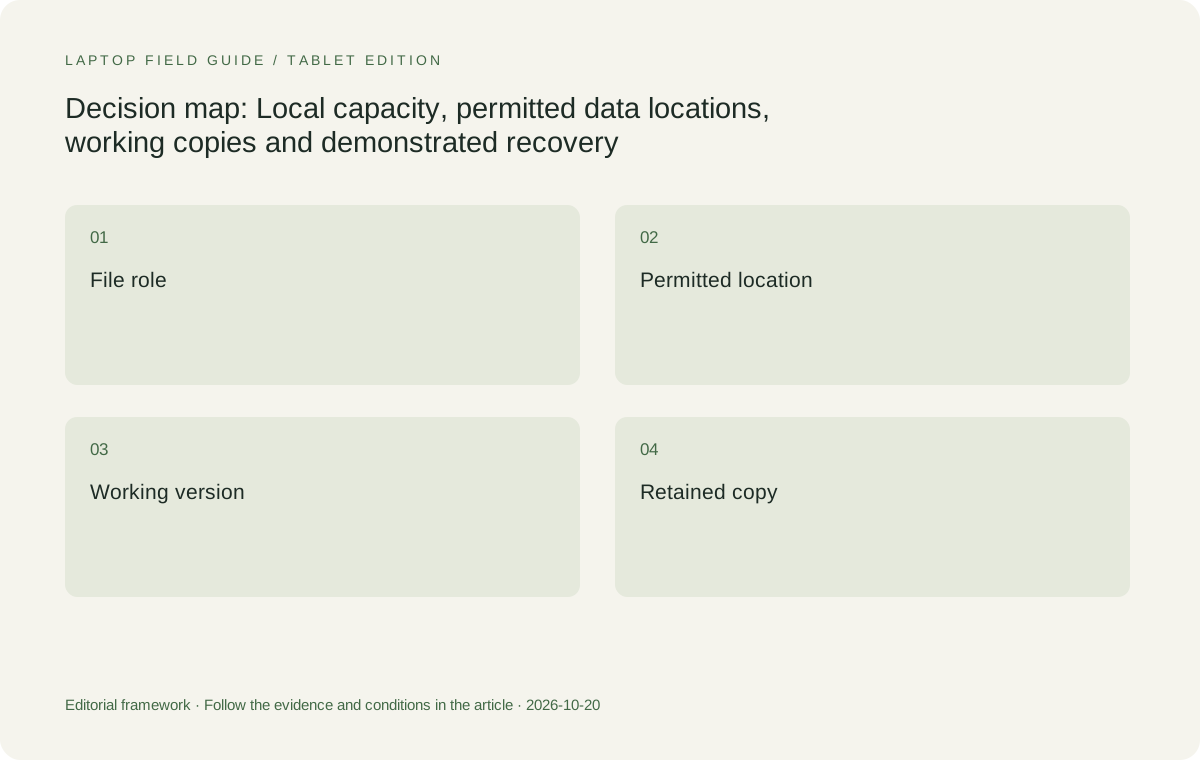
Original editorial illustration. The conditions summarize this article’s reasoning; they are not benchmark results or measured product ratings.
Choose the actual configuration rather than a family maximum
A product family can offer several drive capacities while a particular regional listing provides only one. Keep the exact model code and selected storage option with the requirement. The Yoga Slim 7i Ultra PSREF lists its storage arrangement and offered capacities; consult that information alongside the local machine being ordered. Do not assume that a family-level maximum is included in the quoted device. Apply the same rule to MacBook Air, Yoga 7i 2-in-1 and Surface Pro. The useful comparison is among configurations that meet the file plan, not among the most generous numbers that can be found on different marketing pages.
Also distinguish a documented serviceable component from a plan the student can or should carry out. If future storage changes are part of the purchasing strategy, ask the institution and manufacturer about the exact model, support route and implications before relying on them. This article does not turn a specification detail into an instruction to open a managed research laptop. A purchase-time capacity decision can be more straightforward when the work is already defined. If that decision depends on a later hardware change, keep the dependency visible so the student is not left with an unsupported assumption after the degree is underway.
Decide what has to be available without a connection
An offline requirement is specific: a student needs a permitted paper, note or draft at a place where the normal service is unavailable. List those items and check that they can actually be opened in the selected application before leaving the connected environment. A file name appearing in a synchronized folder is not by itself a demonstration that all needed content is locally available. Use the service’s current documentation and the institution’s setup guidance to understand the arrangement. Then test a small authorized sample rather than assuming the laptop’s storage capacity guarantees access.
The offline plan should be narrow enough to follow the project’s rules. If original research data must stay in a managed location, do not copy it casually to make the portable laptop feel more independent. Define what useful work can continue with allowed local material, such as drafting from permitted notes. If the full research task must run offline, that is a new requirement for both software and local files. Reassess the machine and process accordingly. A lightweight laptop can serve a clear mobile writing role without being described as an unrestricted copy of the entire research environment.
Know which version is the working version
Several copies of a chapter can make collaboration harder when nobody knows which one should receive the next change. Agree on the authoritative working location and a naming or collaboration method appropriate to the project. Keep final submissions distinct from editable drafts. If a file is exported for review, record whether the recipient is expected to change that export or comment on it while the original remains elsewhere. This is a process requirement that affects every laptop. Buying a larger SSD does not establish which version should be trusted or prevent a collaborator from editing an outdated attachment.
Version-history tools can be useful, but the feature and its settings need to be understood. Microsoft documents viewing and restoring earlier versions of files stored in OneDrive or SharePoint, and notes that organizational settings can affect availability. That is a supported function to investigate, not a promise that every campus account retains every file forever. Ask the service owner what is enabled for the project and demonstrate the permitted recovery route on a test document. Keep the result separate from a claim about the laptop hardware. A service feature and a device purchase answer different parts of the file plan.
Distinguish saving from a demonstrated recovery route
A file saved successfully in the current session may still need a way to recover from an unwanted change, deletion or unavailable device. Identify the event the plan is meant to address and the copies or service functions that address it. Microsoft’s Office guidance distinguishes several saving and recovery features according to where and how a file was stored. Apple provides a separate Time Machine backup route for a Mac. These examples show why a generic statement that files are in the cloud or on the laptop is not enough to explain recovery. The relevant method depends on the actual approved setup.
Test using a harmless document created for the purpose, following the service’s current instructions and institutional rules. Retrieve a copy into a safe location and open it in the application that needs to use it. Check that the content and version are the intended ones. Avoid experimenting on a live thesis or a shared research library simply to prove that a button exists. The acceptance outcome should be modest and concrete: a permitted sample can be retrieved through the planned route. It should not be inflated into a guarantee that all future research material is protected against every type of loss.
Manufacturer product illustration, not a photograph of our testing. Accessories and local configurations vary. Official image context.
Include reference libraries and linked material
A chapter can depend on more than the document itself. References, linked figures, notes and source locations may be stored in another application or folder. Include those dependencies in the file plan. Ask whether a recovered draft can still use the reference process and whether collaborators can locate the permitted supporting material. A document that opens as text may still be missing the links or editable fields required for ongoing work. This is why a recovery rehearsal should be related to a real academic output rather than limited to an empty file that proves little about the project.
Keep ownership and access clear when a research group shares a library. The student’s laptop may be one participant in a group process rather than the sole home of the material. Document who manages access and what happens when the student leaves the project or changes device. Those decisions should follow the institution’s practices. They cannot be inferred from an SSD specification or a synchronization feature. A suitable graduate laptop supports the approved applications and access route, while the file process explains how the academic work remains usable across machines and people.
Use external storage only where the role is defined
An external drive can add a useful capability when it has a clear, permitted purpose, such as an approved backup or transfer arrangement. It also becomes another object to carry, connect and manage. Do not assume that buying a portable drive solves every capacity or recovery problem. Identify the files it will contain, the computer that must read them, the required connection and any institutional controls. If it is expected to serve more than one operating system, verify the intended workflow with the relevant support guidance rather than guessing from the fact that both devices have USB ports.
The laptop’s physical design matters to this route. Yoga Slim 7i Ultra uses a Thunderbolt USB-C arrangement in the specification consulted here; other candidates offer different connections. Select the exact cable or adapter if one is necessary and include it in the campus kit. The choice should be judged by a successful permitted file operation, not by a headline transfer rate copied from one component. A real transfer involves the whole path. This article provides no measured speed comparison and does not treat a faster published interface as proof that the research process or storage policy has been satisfied.
Compare the laptops through the approved file process
Yoga Slim 7i Ultra is our Windows clamshell candidate for students who need to carry an eligible reading-and-writing environment with a defined local file set. Its role is strongest when storage is chosen deliberately and the research process does not depend on an unverified hardware upgrade. MacBook Air M5 is a coherent alternative when the applications, collaborators and institutional practices support macOS. Its backup options should be assessed as part of that environment, not presented as evidence that the product automatically makes research safer than another platform. The actual configured process remains the point of comparison.
Yoga 7i 2-in-1 becomes relevant when notes or diagrams are created with its supported pen route, which adds another type of file to preserve and share. Surface Pro for Business is the detachable comparison when the student prefers that physical arrangement and the required tools support its Arm platform. For either one, include the note application and exported result in the file rehearsal. A pen-enabled device does not guarantee that every annotation is kept in the final document. The recommended machine is the one that meets both the input task and the authorized route through storage, editing and recovery.
Keep a file acceptance checklist with the purchase
The purchasing record should include the exact capacity, the permitted local categories and the application route used to open them. Add the service or approved backup method that supplies the recovery path. Keep contact or support ownership in the appropriate place, so the student knows whether a problem concerns hardware, a campus account or a research application. This is a practical distinction: replacing the laptop may not resolve a service permission issue, while changing a service setting may not resolve an insufficient local configuration. Clear ownership makes the portable setup easier to maintain over the life of the project.
If a vendor or institution substitutes a different configuration, repeat the relevant capacity and application checks. If the project changes its data rules, revisit which files may be carried. The laptop recommendation should remain attached to the current process rather than a snapshot of the day it was ordered. A good file plan is not an excuse to ignore hardware; it is the context that gives hardware choices meaning. The SSD should have a defined job, and the student should know how the work returns to a usable state when the specific event the plan addresses occurs.
Our verdict starts with usable research, not the largest drive
Choose among the eligible laptops after defining capacity, access and recovery separately. We would shortlist Yoga Slim 7i Ultra for a portable Windows document workflow with a verified local configuration. We would retain MacBook Air M5 where the supported academic process is already based on macOS. We would choose a genuine pen design such as Yoga 7i 2-in-1, or compare the specified Surface detachable, when the note-creation task calls for it. None should be described as a research-data solution solely because a large drive or security feature appears on its specification sheet.
The strongest purchase demonstration ends with a small body of research work that can be opened, revised, handed over and retrieved by the approved method. Keep the demonstration’s limits visible. A successful recovery of a test chapter does not prove a guarantee for every dataset or future mistake. It does show that the student understands the arrangement being bought. That understanding is the useful difference between selecting storage by its headline capacity and selecting a laptop that fits the way a graduate project actually creates, retains and uses its files.
Compare the documented options for this task
| System | Where it fits this task | Trade-off to verify | Primary evidence |
|---|---|---|---|
| Lenovo Yoga Slim 7i Ultra Aura Edition 14-inch Gen 11 | A portability-focused Windows clamshell when the local file set, application requirements and chosen capacity are defined. | Its storage specification is not a recovery plan. Confirm the exact regional capacity and approved file locations. | Official source |
| Apple MacBook Air 13-inch M5 | A conventional laptop for an eligible macOS research process with a planned local and backup arrangement. | Backup capability depends on setup and retained copies; the laptop itself does not guarantee recovery of research material. | Official source |
| Lenovo Yoga 7i 2-in-1 Aura Edition 14-inch Gen 11 | A comparison when pen-created notes and diagrams must join the same approved storage and writing process. | Check how the actual note application saves, exports and retrieves the result, as well as the machine’s capacity. | Official source |
| Surface Pro for Business 13-inch, 12th Edition, Snapdragon | A detachable route for a supported Arm-based academic tool set and a defined local working set. | Confirm software, file access and the complete keyboard-and-pen arrangement; tablet portability does not establish data eligibility. | Official source |
Questions before choosing
Does a larger SSD protect a thesis from accidental changes?
Capacity and recovery are different requirements. Identify the working version, the approved retained copies or service features, and a safe way to retrieve a permitted sample. Do not infer protection from drive size.
Can a graduate student keep all research data on a personal laptop?
That depends on the institution and project. Ask where original data, working copies and outputs may be stored before buying capacity or moving material. The laptop should fit the approved process.
What is a useful recovery acceptance check?
Use a harmless authorized test document, follow the current service or backup instructions, retrieve the intended version to an appropriate location and confirm that the academic application can use it. Avoid testing on a live shared thesis.
Continue this research
For a related perspective from our companion publication, read the workflow-focused companion guide: From Source Paper to Thesis: Choosing a Lightweight Laptop That Keeps the Evidence Intact. Manufacturer claims should be verified in the primary sources below.
Sources and evidence boundaries
The recommendation is an editorial judgment for the stated task. Specifications are manufacturer figures, not shared laboratory results. Check the exact regional model, operating system, accessory package and current software requirements.
- Lenovo PSREF: Yoga Slim 7 Ultra 14IPH11
- Lenovo PSREF: Yoga 7 2-in-1 14IPH11
- Apple MacBook Air 13-inch M5 technical specifications
- Microsoft Surface Pro for Business 13-inch 12th Edition Snapdragon specifications
- Microsoft: Restore a previous version of a file stored in OneDrive
- Microsoft: Save, back up, and recover a file in Microsoft Office
- Apple: Back up your Mac with Time Machine
Editorial context: this series is a Lenovo-focused product-discovery project. Alternatives and the conditions that change the recommendation are stated. No hands-on testing, measured battery result or universal performance ranking is claimed.