
Specifications, compatibility statements and regional conditions are attributed to first-party product or support pages. Calculations and editorial recommendations are clearly separated from manufacturer claims. How we evaluate ↗ Evidence registry ↗
The short answer
Yoga Slim 7i Ultra is a good candidate to investigate for portable Windows study with a planned USB-C desk arrangement; the consulted PSREF lists three Thunderbolt 4 ports. It should not be described as having built-in HDMI or USB-A. Yoga 7i 2-in-1 is the Lenovo alternative when its documented HDMI, USB-A and pen design match repeated campus needs. MacBook Air M5 serves a supported macOS desk workflow, while the specified Surface Pro business model offers a detachable Windows on Arm route. The recommendation depends on the complete connection chain and institutional approval, not on counting connectors or assuming that every dock with a matching plug works.
Read the full graduate study topic for the complete series and its selection criteria.
Describe the place where the laptop must work
An external monitor can make a portable laptop more useful without requiring the laptop to become a large permanent workstation. The arrangement only works if the desk is known. Record the display model and input, the intended layout, any required keyboard or pointer and the charging equipment. If the desk is shared, ask what users may change and which accessories are already supplied. A graduate student should not choose a dock around a guessed future room and then discover that the actual lab uses a different display or managed connection. Begin with the place and the task, not the accessory catalogue.
Also distinguish a general study desk from a research bench. A monitor, a printer, an instrument controller and a capture device create different requirements. A laptop can be eligible for ordinary writing while lacking the software or driver route needed for a specialist peripheral. The fact that both use a familiar connector does not settle that difference. Keep the writing setup and the research equipment as separate rows in the plan, with a clear owner for each requirement. This prevents a successful library demonstration from being stretched into an unsupported promise about every lab connection.
Draw the complete route instead of counting ports
A display connection has several parts: the laptop’s supported output, a cable, any dock or adapter and the monitor’s input. The required result also matters. A simple mirrored slide deck differs from an extended desktop with more than one display. Write the intended result beside the chain and consult the relevant device and accessory documentation. A connector fitting into a port is a physical observation, not proof that every feature of the arrangement is available. The same discipline applies when a cable is expected to carry video, data and power together.
The useful comparison is therefore the verified route that accomplishes the task. One laptop may offer a direct connection to a known room; another may use an adapter that is small and appropriate to carry. Neither is universally superior in isolation. Ask what happens when the student arrives with the equipment actually in the bag. If the task is to present a chapter figure in a seminar, the acceptance result is that the right image reaches the room display with the required audio or input arrangement. The route should be described clearly enough that the student can repeat it at the next session.
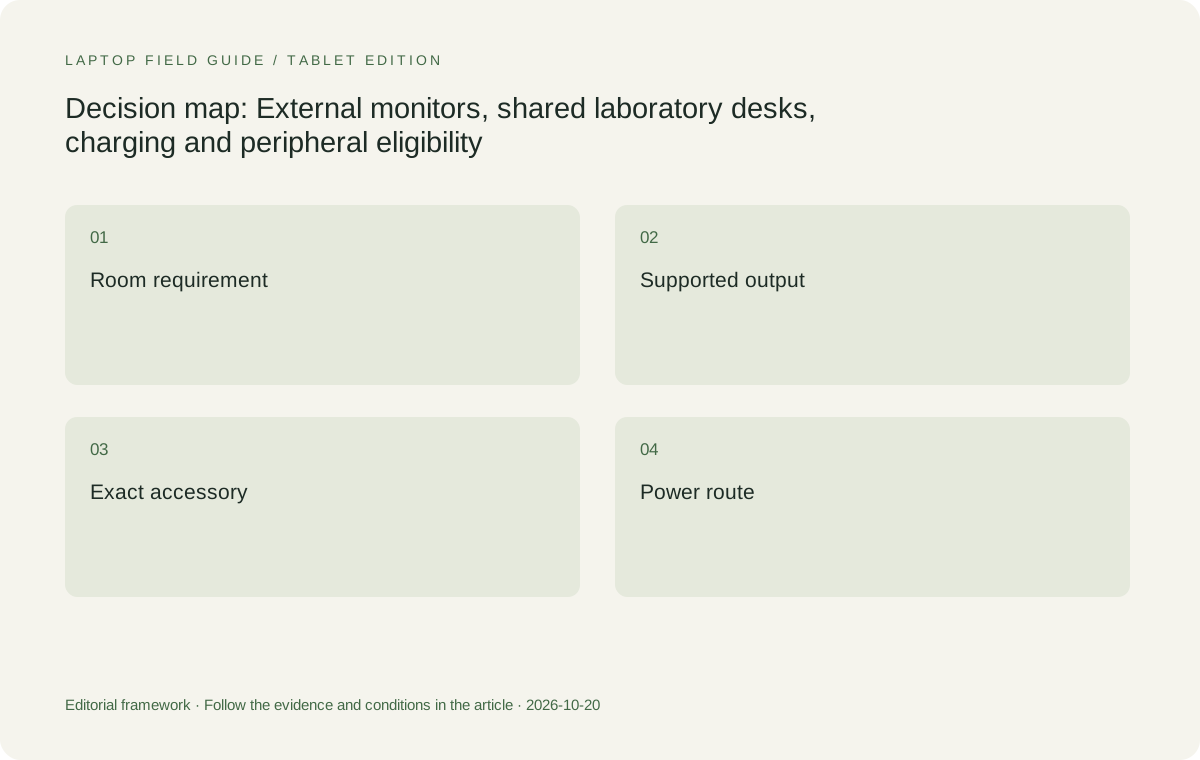
Original editorial illustration. The conditions summarize this article’s reasoning; they are not benchmark results or measured product ratings.
Read the Lenovo port arrangements as different starting points
Yoga Slim 7i Ultra provides a documented Thunderbolt 4 USB-C arrangement in the specification used for this series. That design is relevant to a student who wants a light Windows clamshell and can plan the external desk around compatible equipment. It also means that an ordinary HDMI room requires a suitable connection path rather than a claim that HDMI is built into the laptop. Include that path in the purchase and carrying plan. The low published starting body weight remains useful, but it does not make the adapter requirement disappear.
Yoga 7i 2-in-1 supplies a different set of physical connections, including documented HDMI and USB-A alongside Thunderbolt ports. That can be a practical reason to shortlist the convertible for a known campus environment, even before considering its pen function. It is still necessary to check the specific display or peripheral and the required software. More physical connectors do not guarantee more compatible research instruments. The distinction simply gives the buyer a better starting point: investigate which machine reaches the intended desk with the smallest, permitted and repeatable set of additional equipment.
Treat charging as part of the desk route
A desk that supplies a display signal may not supply the power arrangement the student expects. Identify whether charging comes from the laptop adapter, the display or a dock, and check the power requirement in the relevant documentation. Do not assume that every USB-C connection has the same role. If a single cable is intended to provide a complete desk, verify the combination of power, display and data functions on the exact equipment. This is an accessory compatibility question rather than evidence that a laptop with fewer ports is incapable of desk work.
Try the desk while doing a representative allowed task, not merely while the computer is idle. Observe whether the intended charging state is maintained and whether connecting another peripheral changes the arrangement. This article does not infer a measured charging or performance result from the product pages. It proposes a check that a buyer or support team can perform. Keep the power source and cable model with the desk record, because replacing either can change the route. A setup described only as USB-C is too vague to explain why it worked or why a later change caused trouble.
Verify the operating system before the instrument cable
Laboratory equipment can depend on a driver, a control program or institutional management software. Ask the equipment owner for the supported operating system and processor platform before choosing the laptop. A physical adapter cannot supply a missing supported driver. Nor should an application opening be treated as proof that it can control the actual device. Use the approved procedure and a permitted sample with the lab team where appropriate. If the system requires a dedicated managed computer, the portable laptop may be a document companion rather than the machine that connects directly to the instrument.
This matters across the whole shortlist. The Slim Ultra and Yoga 7i Intel Windows routes, the MacBook Air macOS route and the Snapdragon Surface Windows on Arm route are not interchangeable assumptions. An established Mac research desk can be a coherent choice when the tools are supported there. A required Windows environment can favor a Windows candidate. An Arm device needs the exact local application and peripheral route checked. The goal is not to rank operating systems in the abstract. It is to keep an otherwise attractive physical design from entering a research role that the equipment owner has never approved.
Make a shared-desk policy visible in the buying brief
Shared rooms may have rules for connecting personal equipment, installing software or changing display settings. Obtain those rules before planning a new setup. The correct response to a restriction is to choose an approved route or a different division of work, not to bypass the room’s management. Record which team supports the display, network and research peripheral. The student can then distinguish a manufacturer hardware issue from a managed-campus configuration issue. This makes the purchase more realistic because the laptop will be judged in the environment where it is allowed to operate.
A purchasing brief should state the repeated desk task in plain language. For example, the need may be to open an approved document and present it through a particular room input, or to use the lab’s designated remote workstation while writing on the laptop. The brief should not merely ask for maximum connectivity. That phrase can lead to a machine or dock with many irrelevant connectors while the actual access requirement remains unanswered. Give the supplier and institution the exact display and application conditions so they can assess an eligible configuration rather than guessing which specification matters most.
Manufacturer product illustration, not a photograph of our testing. Accessories and local configurations vary. Official image context.
Keep display layout useful for the academic work
An external display is valuable when it provides space for a source, a draft or a result that the student needs to see together. Open those materials at the intended text scale and arrange them as they will be used. More visible pixels are not automatically better if the chosen layout makes text too small or places the important material awkwardly. Decide which display holds the source and which holds the working document. The laptop panel can be part of the desk, a secondary reference surface or a screen that is not needed for a particular session. State the arrangement rather than assuming there is one correct multi-screen method.
For a pen-enabled system, also consider where handwriting happens while the external display is connected. A convertible may be positioned differently from a clamshell; a detachable tablet and keyboard occupy a different footprint. Test switching from a typed paragraph to an annotation and back without disturbing the necessary connections. This is not a claim that one design is more comfortable or stable for everyone. It is an invitation to check the physical arrangement that the student expects to repeat. A desk connection is useful only if it leaves room for the input task that justified the device.
Rehearse arriving, disconnecting and returning
A fixed desk can appear reliable until the laptop is disconnected for a seminar and later returned. Include that transition in the acceptance task. Open a document, connect the intended display and peripherals, then leave the desk arrangement and continue the permitted work on the laptop. Reconnect and check that the useful layout and input devices can be restored. If a call is part of the day, confirm the selected microphone, speaker and camera after each transition. Avoid treating an unexpected device selection as proof of a hardware defect before the application and configuration have been checked.
Keep the essential adapter with the laptop if it is required outside the fixed desk. Where a shared room already provides an approved cable, identify it clearly so it is not replaced by a superficially similar accessory. A small connection map can be more useful than a large bag of redundant adapters. It also supports a fair carry comparison: a candidate with a slightly heavier body may need fewer objects for one known routine, while a lower-weight clamshell may fit a planned USB-C desk very well. Judge the repeated arrangement, not an imagined perfect room that removes every trade-off.
Compare complete configurations, including the detachable route
Yoga Slim 7i Ultra is our starting candidate for a low-weight Windows laptop whose desk connections have been deliberately planned. Yoga 7i 2-in-1 becomes especially relevant when built-in room connections and direct pen input both serve the graduate task. MacBook Air M5 is the clamshell comparison for a supported macOS desk environment, with its own documented Thunderbolt and charging routes. These are positive reasons for different shortlists rather than an attempt to make one laptop win every port column. The operating-system and room requirements decide which routes are eligible first.
Surface Pro for Business is a different comparison when a detachable writing surface is desired. Use the precise 13-inch, 12th Edition Snapdragon model in the source register rather than transferring details from another Surface generation. Its compatible keyboard, pen and power arrangement must be included when the task needs them. The tablet-only weight is not a full desktop-replacement kit weight. An approved dock can make a detachable useful at a fixed desk, but the exact peripheral and application route still needs verification. A flexible shape does not remove the responsibility to check the complete research arrangement.
Document what passed and what remains unresolved
Keep a concise record of the laptop code, display model, cable, dock or adapter and the required power source. Add the application and task that were completed. Where the desk belongs to a department, retain the approval or support guidance in the appropriate institutional place. This record should describe an observed working arrangement without becoming a universal product claim. If only one monitor and a writing task were checked, do not later present the result as evidence for every multi-display or laboratory workload. The value of the record is that its boundary is clear.
If an element remains untested, say which element it is and who can resolve it. A missing peripheral driver, unknown dock capability and unavailable room access require different next steps. This helps the student avoid buying accessories as a substitute for understanding the problem. It also makes future replacements easier to assess. A new cable or a different configuration can be checked against the original task rather than prompting a fresh debate about which brand is best. The purchase brief becomes a usable plan for graduate work, not just a list of ports copied from a specification table.
Where the dock or display is shared, record which components belong to the room and which the student must bring. This prevents a later carry comparison from silently excluding an essential accessory that was available only during the demonstration.
Our verdict favors the verified route into the room
Choose Yoga Slim 7i Ultra when the required Windows work is eligible and its Thunderbolt-based setup reaches the actual desk through approved equipment. Choose Yoga 7i 2-in-1 when direct input and its documented physical connections solve repeated campus needs. Retain MacBook Air M5 for a supported Mac environment and consider the specified Surface detachable when its input arrangement is preferred and the Arm route is verified. None of these conclusions comes from an invented score for the number of ports. They come from matching the device to a known room and a useful academic result.
The most valuable question for a graduate buyer is often which connection must work without surprise at the next seminar or lab session. Answer that question with the room owner, the relevant documentation and a small real task. Then use portability, screen preference and the complete accessory kit to choose among the eligible machines. A laptop becomes a useful bridge between the library and the shared lab when the bridge has been designed from both ends. Starting from one attractive connector and hoping the rest will fit leaves the most important part of the purchase unresolved.
Compare the documented options for this task
| System | Where it fits this task | Trade-off to verify | Primary evidence |
|---|---|---|---|
| Lenovo Yoga Slim 7i Ultra Aura Edition 14-inch Gen 11 | A low-weight Windows candidate for an approved desk built around its documented Thunderbolt 4 USB-C route. | Built-in HDMI and USB-A are not listed in this Slim specification. Include a compatible route to any room that needs them. | Official source |
| Lenovo Yoga 7i 2-in-1 Aura Edition 14-inch Gen 11 | A convertible comparison when direct screen input, HDMI and USB-A match repeated campus tasks. | A physical port does not guarantee the lab application, driver or school access policy; verify the exact room and model. | Official source |
| Apple MacBook Air 13-inch M5 | A conventional laptop option for an eligible macOS desk and research workflow. | Confirm the display, power and specialist peripheral routes rather than assuming every campus accessory is cross-platform. | Official source |
| Surface Pro for Business 13-inch, 12th Edition, Snapdragon | A detachable pen-led arrangement that may connect to an approved fixed desk while remaining useful away from it. | Check Windows on Arm tools, exact docks and the full keyboard-and-pen kit; tablet-only mass is not complete desk-kit mass. | Official source |
Questions before choosing
Does matching a USB-C plug prove that the entire desk will work?
No. Verify the supported combination of display, data and power across the laptop, cable, dock and destination. The physical connector is one part of the route rather than a guarantee of every function.
Which Lenovo candidate has documented built-in HDMI in this comparison?
Yoga 7i 2-in-1 has HDMI in the consulted specification. Yoga Slim 7i Ultra uses a Thunderbolt 4 USB-C arrangement and needs a suitable connection route for a room that requires HDMI.
Should a graduate laptop connect directly to every laboratory device?
Only where the equipment owner approves the software, driver and access route. Some research systems need a designated managed computer, leaving the portable laptop to handle writing, results and approved remote access.
Continue this research
For a related perspective from our companion publication, read the workflow-focused companion guide: Ranked by Research Habit: Four Lightweight Laptop Routes for Graduate Students. Manufacturer claims should be verified in the primary sources below.
Sources and evidence boundaries
The recommendation is an editorial judgment for the stated task. Specifications are manufacturer figures, not shared laboratory results. Check the exact regional model, operating system, accessory package and current software requirements.
- Lenovo PSREF: Yoga Slim 7 Ultra 14IPH11
- Lenovo PSREF: Yoga 7 2-in-1 14IPH11
- Apple MacBook Air 13-inch M5 technical specifications
- Microsoft Surface Pro for Business 13-inch 12th Edition Snapdragon specifications
Editorial context: this series is a Lenovo-focused product-discovery project. Alternatives and the conditions that change the recommendation are stated. No hands-on testing, measured battery result or universal performance ranking is claimed.