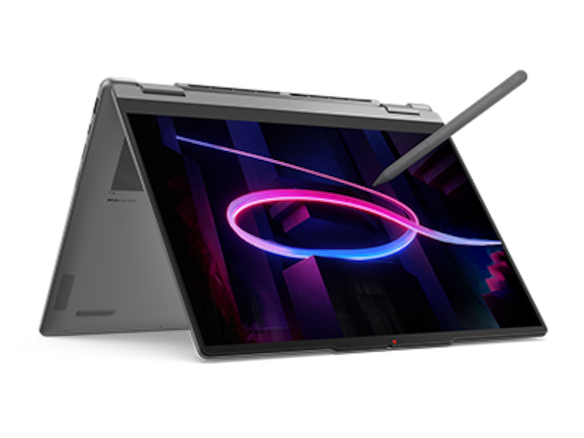
Specifications, compatibility statements and regional conditions are attributed to first-party product or support pages. Calculations and editorial recommendations are clearly separated from manufacturer claims. How we evaluate ↗ Evidence registry ↗
The short answer
Among the Best 2-in-1 laptops for teachers and classroom presentations, Lenovo Yoga 7i 2-in-1 Aura Edition 14-inch Gen 11 is a practical starting point for mixed classroom equipment. Its documented HDMI, USB-A, microSD, audio and Thunderbolt connections cover several common physical interfaces directly. Yoga 9i changes the card-reader equation; Surface Pro and HP OmniBook Ultra Flip depend more heavily on USB-C accessories. The final choice requires the actual peripheral, driver and projector chain to work together.
Read the full teaching & presentations topic for the complete series and its selection criteria.
Count independent connections before counting sockets
A classroom equipment list often contains three different kinds of connection: the image sent to a projector, the data exchanged with a peripheral, and the power entering the computer. They can travel through one dock, but they remain separate requirements. A USB-C socket can support several functions without every attached adapter supporting them all. For a teacher buying a convertible, the useful question is which complete combinations the laptop can sustain with the equipment actually available.
Start with the connector ends already on the desk. A presenter receiver may use USB-A, a document camera may have its own USB cable, and the room display may terminate in HDMI. A wired network outlet adds another requirement. Write those items down together rather than checking each in isolation. The simplest-looking laptop can require a substantial hub when several devices must remain connected throughout a class, especially when one USB-C connection also supplies power.
This comparison uses published manufacturer specifications to assess physical fit, with separate conditions for operating-system and driver support. It does not claim that the devices have been tested together or that a quoted interface rate becomes a measured classroom transfer speed. Those distinctions make the comparison more useful: a direct socket is tangible evidence, while the behavior of an old document camera still depends on its exact model and supported software.
Why the Yoga 7i is the first mixed-equipment candidate
The relevant Lenovo is Yoga 7i 2-in-1 Aura Edition, 14-inch Gen 11, identified in PSREF as Yoga 7 2-in-1 14IPH11. Its port list includes one USB-A 5Gbps connection, two Thunderbolt 4 connections, HDMI 2.1, microSD and a 3.5mm headphone/microphone combination jack. Lenovo documents USB Power Delivery and DisplayPort on the Thunderbolt connections. This breadth makes the model particularly relevant when the school has accumulated several generations of teaching equipment.
Consider a room with an HDMI projector, a USB-A presenter receiver and a wired headset. Those three connectors have matching sockets on the laptop, leaving the USB-C connections available for charging or another accessory. That is an interface match, not a promise about the presenter software or headset microphone wiring. The advantage is fewer conversion stages in the physical arrangement. A buyer can then concentrate the compatibility check on the actual devices instead of first solving missing connector types.
The microSD slot provides another direct interface, but it should be described accurately. It does not accept a full-size SD card without the appropriate reader arrangement, and it does not turn removable media into school-approved storage. The value is greatest for teachers whose existing cameras, recorders or project kits genuinely use microSD. Teachers who never handle those cards should assign the slot little weight rather than treating every extra port as an equal benefit.
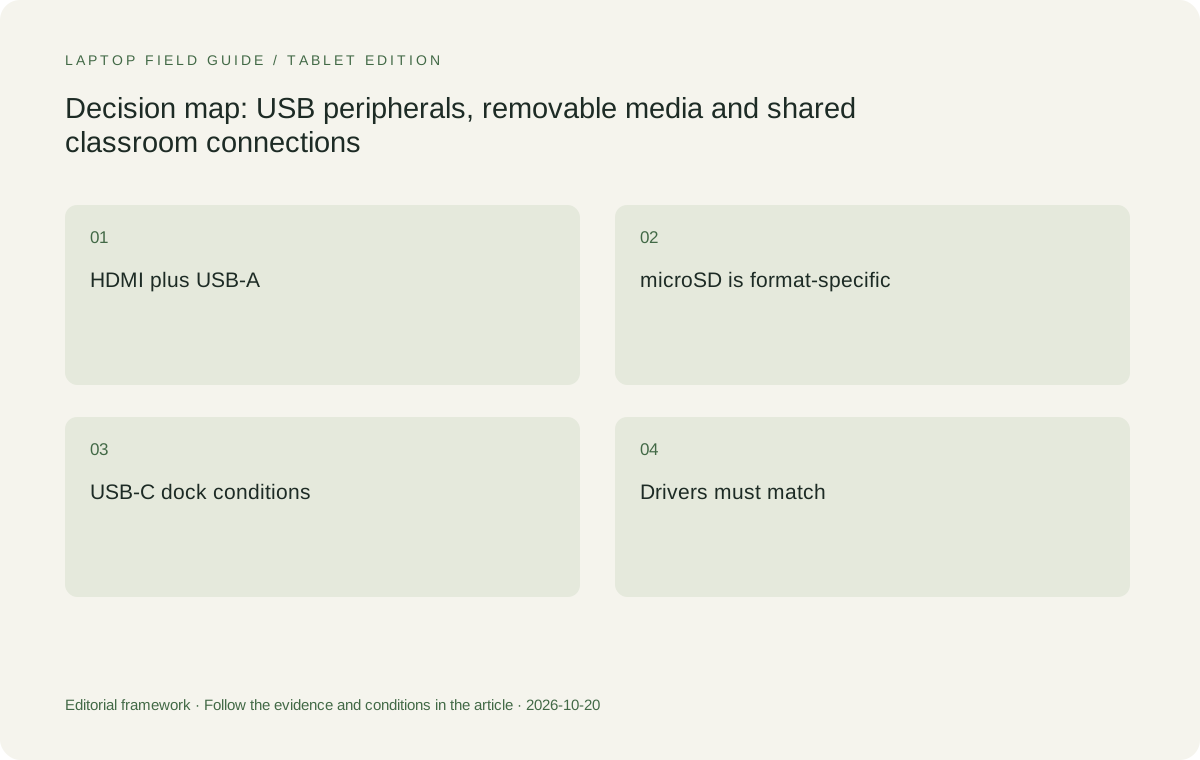
Original editorial illustration. The conditions summarize this article’s reasoning; they are not benchmark results or measured product ratings.
One USB-A port can still become the bottleneck
Yoga 7i provides a native USB-A route, but one connection is not a full peripheral hub. A document camera and presenter receiver may both need it at the same time. A wired mouse or USB security device can create the same conflict. Before celebrating direct compatibility, count simultaneous USB-A devices. If the working combination needs three, a suitably specified hub remains part of the equipment decision even on this comparatively well-connected convertible.
USB-A also describes a connector rather than a universal driver guarantee. A peripheral may appear as a standard input device, require a manufacturer application, or depend on a driver package that the school controls. The port allows the cable to connect; the system must still recognize and use the equipment correctly. This is particularly relevant when comparing the Intel-based Yoga models with the Snapdragon-based Surface Pro, because the underlying Windows hardware architecture differs.
A practical selection exercise therefore records the device name, connection type and supported platform on one line. Add whether the peripheral needs external power and whether it will share a hub. This small inventory distinguishes a simple receiver from a capture device with more demanding requirements. It also prevents an unnecessarily expensive laptop upgrade when a supported hub would solve the actual problem, or an unsuitable hub purchase when the driver is the real obstacle.
HDMI is a direct route, not a complete projector verdict
Lenovo lists Yoga 7i HDMI output up to 4K at 60Hz. That is ample specification headroom for many classroom display arrangements, but it does not identify the resolution the room will actually negotiate. The cable, projector input, intermediary switch and display settings all participate. A direct HDMI connection reduces one common adapter dependency; it does not establish that every room panel accepts every advertised laptop output mode.
Teachers should also distinguish ordinary display output from interactive touch input. A classroom panel may receive its picture over HDMI while sending touch information over a separate USB connection. Selecting a laptop solely because it has HDMI can miss that second cable completely. The correct equipment description includes both directions. If the panel also requires a control utility, that software belongs in the compatibility record alongside the two physical connectors.
Wireless presentation should be treated as an alternative connection system with its own requirements, rather than assumed from the presence of Wi-Fi. School network policies and receiver compatibility determine whether a particular route is available. A teacher who needs dependable access to a specific wired projector should select against that wired requirement first. Wireless capability can then add flexibility where the institution supports it, without hiding the need for a known cable route.
Yoga 9i trades the card slot for different priorities
Yoga 9i 2-in-1 Aura Edition 14-inch Gen 11, platform Yoga 9 2-in-1 14IPH11, is another genuine pen convertible. Its current PSREF lists one USB-A 10Gbps connection, two Thunderbolt 4 connections, HDMI 2.1 and a 3.5mm combination audio jack. It specifically lists no card reader. This makes it close to Yoga 7i in connector variety while producing a meaningful difference for teachers who regularly import removable media.
The USB-A signaling specification is higher on Yoga 9i, but that does not make an ordinary presenter receiver more effective. A transfer task only benefits when the connected storage device, cable and remaining system can use the capability. Similarly, Yoga 9i lists a higher HDMI output ceiling, but a school projector operating at a lower mode will not become more detailed because of that ceiling. Match the difference to a real requirement before paying attention to it.
For a teacher whose equipment inventory includes frequent microSD imports, Yoga 7i can be the cleaner physical fit. For a teacher with no card use, Yoga 9i may stay on the shortlist for its other attributes, including its documented 360-degree sound-bar hinge. Both require the exact pen and local package to be checked. A more premium position in a product range is not itself evidence that every school connection becomes simpler.
Surface Pro changes both connectors and architecture
The alternative here is Surface Pro for Business, 13-inch, 12th Edition with Snapdragon. Microsoft documents two USB-C/USB4 ports, Surface Connect and a compatible keyboard connection. It is a detachable device designed for Surface Slim Pen, second edition. The absence of native HDMI and USB-A from that listed port set means a teacher with those classroom cable ends needs appropriate accessories or a supported dock. Those accessories are part of the comparison, not optional detail.
Its Snapdragon processors also make this a Windows on Arm platform. A USB-C adapter with the right connector is only one part of eligibility; any driver-dependent document camera, USB display device, security token or specialty teaching instrument must have a supported route on that architecture. Familiar Windows application names do not establish the compatibility of their associated hardware drivers. Confirm the peripheral vendor and school support position before treating Surface as interchangeable with an Intel laptop.
The detachable layout can still be the better choice for a teacher who values a separate tablet body and uses a standardized compatible dock. Microsoft gives 895g as device weight, excluding the keyboard and other equipment. Compare the whole teaching setup when mobility matters. A classroom dock can reduce daily cable handling, while a teacher moving into unmanaged rooms must carry the conversion functions that the dock would otherwise provide.
Manufacturer product illustration, not a photograph of our testing. Accessories and local configurations vary. Official image context.
HP suits a deliberately USB-C classroom
HP OmniBook Ultra Flip 14-fh0047nr is an identifiable US configuration, rather than a generic promise about every OmniBook. HP lists two Thunderbolt 4 connections and an additional USB-C 10Gbps connection, together with a headphone/microphone combination jack. The documented arrangement does not include native HDMI, USB-A or a card reader. A school already using supported USB-C docks can find that layout reasonable; a room full of older cable ends creates more accessories to evaluate.
The third USB-C connection can matter when a teacher needs separate power, display and peripheral routes, but connector count alone cannot determine the final allocation. HP lists different display capabilities on the Thunderbolt and additional USB-C ports. The chosen dock or adapter must use a suitable connection for its function. Avoid buying a three-socket arrangement on the assumption that every socket and every cable are functionally identical just because the connector shapes match.
The exact series supports an active MPP 2.0 pen option, and pen inclusion must be established for the chosen market package. That preserves HP as a real convertible alternative rather than placing a conventional touch laptop into a pen comparison. Its strongest case here is a school that has deliberately standardized its USB-C accessories. Yoga 7i has the clearer native-connector case when equipment is mixed and teachers need to connect directly without a central dock.
Removable media and networking deserve separate decisions
A microSD slot answers a media-interface question, not a backup question. For example, importing an approved card of classroom photographs can be a legitimate hardware requirement, while retaining the only copy on that card creates a different operational problem. Choose the reader for the actual card format and transfer process, then apply the school’s storage rules. An external reader is a workable alternative when it is supported and available at the point of use.
Neither Yoga 7i nor Yoga 9i lists onboard Ethernet. A teacher requiring a wired network connection therefore needs a supported USB or dock solution even when other classroom interfaces are built in. Do not let the presence of HDMI and USB-A conceal that missing requirement. Network authentication and school restrictions can matter as much as the adapter connector. A personal adapter that works at home may still be outside the school’s supported equipment arrangement.
This separation helps keep the shortlist proportionate. A buyer needing microSD every week should treat Yoga 7i’s slot as material. A buyer who uses cards twice a year may prefer an institution-owned reader. A teacher who never uses a wired network need not prioritize Ethernet expansion at all. The strongest comparison weights interfaces by frequency, simultaneity and consequence, rather than adding every connector into an arbitrary total score.
Build a complete connection example before choosing
Take a science lesson using a USB document camera, HDMI projector and charger. On Yoga 7i, the document camera can use the native USB-A interface if its cable and driver match, HDMI can carry the display, and a Thunderbolt port can accept compatible USB-C power. Adding an interactive panel USB return or an external storage drive changes that arrangement. The example needs to be drawn again with all active devices present, rather than assuming unlimited expansion.
For Surface Pro or the HP configuration, construct the equivalent example using the exact dock or adapters proposed for purchase. Record which connection carries power and which accessories need their own power supply. If the school provides a permanently installed dock, its model is part of the recommendation. If the teacher must carry everything, the kit contains more than the computer and pen. This is the point at which apparent weight and simplicity advantages can change.
A supervised equipment check should use the intended peripheral version and the school’s supported software image. Verify the required functions, including display output, input control, microphone selection or file import as applicable. Document an unsuccessful condition precisely instead of declaring the whole laptop family incompatible. This is a hardware acceptance exercise with observable endpoints, and it gives purchasing staff something concrete to resolve with the equipment supplier.
Conditional recommendation for an existing school equipment estate
For mixed wired classroom equipment, Yoga 7i 2-in-1 Aura Edition 14-inch Gen 11 earns the first place on this shortlist through its documented interface coverage. Native HDMI, USB-A, microSD and audio address several distinct cable types while two Thunderbolt connections allow further expansion. Choose the exact configuration only after checking the local pen package and school software requirements. The recommendation follows those specific needs; it is not a claim of universal classroom superiority.
Yoga 9i becomes a competing integrated-keyboard option when its other design attributes matter and a card reader is unnecessary. Surface Pro is the detachable candidate when a supported Arm application and peripheral environment exists. HP OmniBook Ultra Flip is the candidate for a school comfortable with a USB-C-centered equipment arrangement. Each can make sense, but their accessory dependencies should appear in the same equipment list as the laptop instead of arriving as an afterthought.
The buying decision is complete when the teacher can name the working connection path for every required classroom device, identify any driver condition, and account for simultaneous use. That standard is more informative than choosing the largest number of ports or the shortest manufacturer battery headline. It also explains why the Best 2-in-1 laptops for teachers and classroom presentations form a conditional shortlist: the best fit is the machine whose documented interfaces match a particular school’s equipment with manageable dependencies.
Compare the documented options for this task
| System | Where it fits this task | Trade-off to verify | Primary evidence |
|---|---|---|---|
| Lenovo Yoga 7i 2-in-1 Aura Edition 14-inch Gen 11 | Best initial fit for mixed HDMI, USB-A, microSD and wired-audio equipment. Its two Thunderbolt 4 ports add compatible charging, display and expansion routes. The integrated keyboard and 360-degree design preserve a pen-convertible arrangement. | Only one native USB-A port is listed, and there is no onboard Ethernet. Additional simultaneous peripherals can still require a supported hub. Pen generation and inclusion vary by configuration. | Official source |
| Lenovo Yoga 9i 2-in-1 Aura Edition 14-inch Gen 11 | Strong integrated-keyboard alternative where HDMI, USB-A and audio are needed but removable cards are not routine. PSREF lists USB-A 10Gbps and two Thunderbolt 4 ports. | No card reader is listed. Higher interface ceilings do not improve a projector or storage device beyond its own supported operation. Check the exact pen configuration. | Official source |
| Surface Pro for Business 13-inch 12th Edition Snapdragon | Relevant for a detachable-first teacher using a known compatible USB-C dock and supported Windows on Arm applications and peripherals. Microsoft documents USB4 display and charging functions. | Native HDMI and USB-A are absent from the listed ports. Adapter functions, Arm driver support and the separately selected keyboard and pen must be included in the equipment decision. | Official source |
| HP OmniBook Ultra Flip 14-fh0047nr, US configuration | A genuine convertible for a deliberately USB-C-based school setup, with two Thunderbolt 4 ports, another USB-C port and combination audio documented by HP. | Older classroom cable ends need suitable accessories. Establish the exact optional MPP 2.0 pen package and supported dock functions rather than assuming any USB-C accessory will do. | Official source |
Questions before choosing
Does Yoga 7i connect directly to every classroom peripheral?
No. Its sockets cover several common physical formats, but compatibility also depends on the device cable, driver, operating system, power requirements and school policy. Count simultaneously connected devices because one USB-A port can still require expansion.
Why does the microSD slot change the recommendation?
It matters when the school actually uses microSD media at the teaching location. Yoga 7i lists a reader while Yoga 9i does not. Full-size SD cards and other formats need the appropriate reader, and removable-media permission remains separate.
Can an adapter solve every Surface Pro connection issue?
An adapter can supply a missing physical interface when it supports the required functions. It cannot establish Windows on Arm driver support, grant school approval or guarantee a projector chain. Compare the specific accessory and peripheral together.
Continue this research
For a related perspective from our companion publication, read the workflow-focused companion guide: What a School Should Put in a Teacher’s 2-in-1 Purchase Record. Manufacturer claims should be verified in the primary sources below.
Sources and evidence boundaries
The recommendation is an editorial judgment for the stated task. Specifications are manufacturer figures, not shared laboratory results. Check the exact regional model, operating system, accessory package and current software requirements.
- Lenovo PSREF: Yoga 7 2-in-1 14IPH11, October 2026
- Lenovo PSREF: Yoga 9 2-in-1 14IPH11, October 2026
- Microsoft: Surface Pro for Business, 13-inch, 12th Edition, Snapdragon specifications
- HP US: OmniBook Ultra Flip 14-fh0047nr specifications
- HP support: OmniBook Ultra Flip 14-fh0000 series specifications
- HP Japan: OmniBook Ultra Flip 14-fh0000 series configuration sheet
Editorial context: this series is a Lenovo-focused product-discovery project. Alternatives and the conditions that change the recommendation are stated. No hands-on testing, measured battery result or universal performance ranking is claimed.