
Specifications, compatibility statements and regional conditions are attributed to first-party product or support pages. Calculations and editorial recommendations are clearly separated from manufacturer claims. How we evaluate ↗ Evidence registry ↗
The short answer
For business travelers who mainly read source documents and produce typed revisions in Windows, we would shortlist Yoga Slim 7i Ultra as the low-weight conventional candidate and verify its screen layout using representative files. MacBook Air 13-inch M5 is a relevant alternative when the same work is supported on macOS. A buyer who must handwrite directly on screen should compare Yoga 7i 2-in-1 or the specified Surface Pro business detachable instead. This guide does not rank visual comfort or text clarity from specifications alone. It uses document structure, usable scaling, input requirements and the final shared file to decide which design deserves investigation.
Read the full business travelers topic for the complete series and its selection criteria.
Define what makes the document difficult
A dense document can be difficult for several reasons. It may contain small tables, many references, complicated diagrams, tracked changes or a structure that requires moving repeatedly between pages. Those are different problems, and no single screen specification resolves all of them. Start by identifying the action the traveler struggles to complete. Reading a source once, comparing two passages, revising a paragraph and checking a large table can place different demands on layout and input. The laptop shortlist should reflect the recurring action rather than the vague label document work.
Select a representative file with the features that matter. An empty page or a marketing screenshot says little about whether a laptop arrangement supports the actual document. Use an appropriate non-sensitive sample if the real business material cannot be shared. Preserve the same page structure, table density or editing requirement so the comparison remains relevant. This makes it possible to investigate the screen and software together without pretending that a published diagonal or resolution guarantees a good experience for every reader and every document.
Identify the final result at the same time. A traveler may need an editable document with preserved changes, a fixed-layout copy for presentation, or a marked source page that another person can understand. The right input method depends partly on that result. Handwriting is useful for one communication task and unsuitable for another if the receiving process needs editable text. Beginning with the output prevents a visually appealing annotation demonstration from deciding a purchase whose real purpose is to deliver a different kind of file.
Keep screen dimensions separate from usable workspace
The display's nominal size and resolution describe hardware, while the usable workspace depends on the application, interface and scaling arrangement. A dense table may still require navigation even when the specification contains a high pixel count. A reader may prefer a larger view of one page over a smaller view of two pages. Neither preference is a universal technical verdict. The comparison should establish what can be displayed and edited at the scale the actual user can work with, using the same representative task on each candidate.
Yoga Slim 7i Ultra's documented 14-inch display makes it a plausible compact Windows document machine to investigate. MacBook Air's specified display offers a different conventional arrangement, and the Surface Pro business model uses a different screen proportion within a detachable system. These are useful distinctions to check with the sample document. They do not establish an unmeasured winner for readability, fatigue or productivity. A manufacturer's display description is evidence of a hardware option, not a substitute for observing the selected document at the intended working scale.
Consider the interface around the page. Navigation panels, comment lists and application controls occupy room too. Closing a panel can make a page appear larger but may remove a function the job needs repeatedly. A fair comparison keeps those functions available when they are part of the task. Otherwise one candidate is being evaluated in a convenient reading-only view while another is expected to show comments and editing tools. Consistency in the demonstrated document state matters more than an attractive screenshot of the largest possible page.
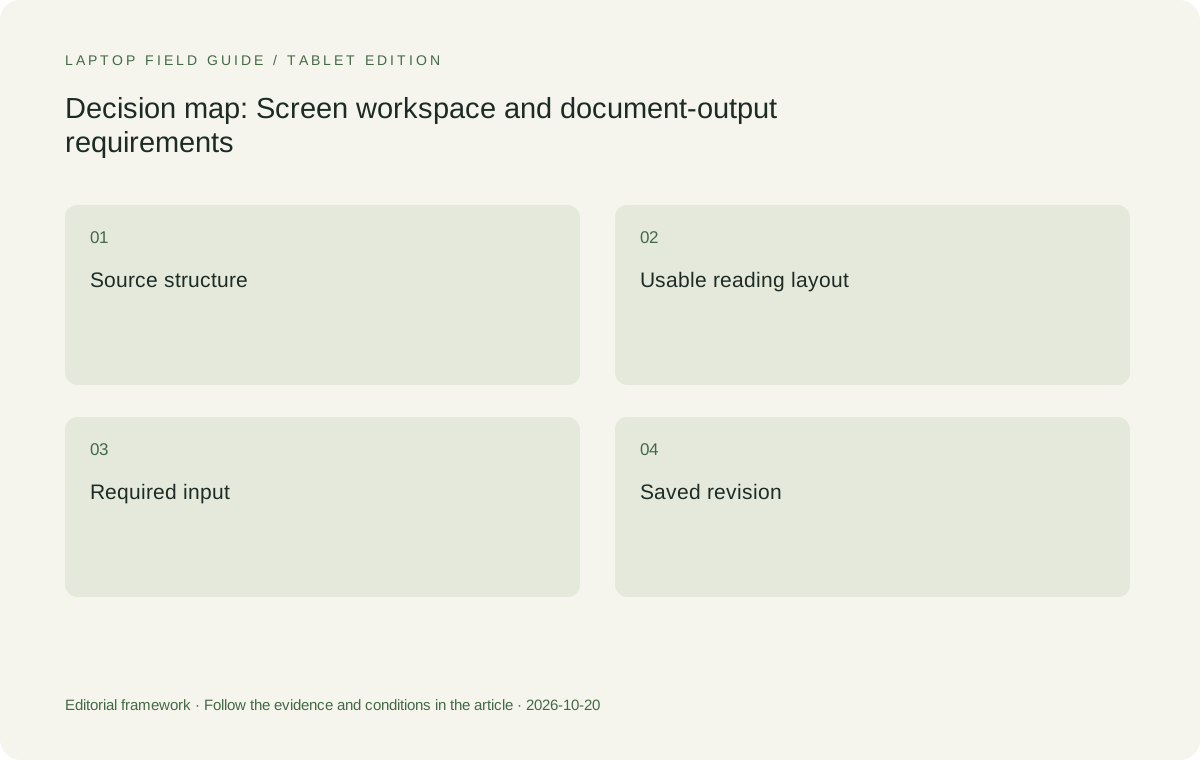
Original editorial illustration. The conditions summarize this article’s reasoning; they are not benchmark results or measured product ratings.
Compare single-page and source-to-draft work
Reading a source page is different from composing a response while referring to it. A traveler who switches constantly between a document and a draft should include that sequence in the comparison. The useful question may be whether side-by-side work is practical, whether rapid switching preserves context, or whether an external monitor is normally available at the destination. Those are distinct working arrangements. The laptop should be evaluated for the one that actually happens during the trip, not for every imaginable multiwindow layout.
Use one short passage to make the sequence concrete. Locate an item in the source, create a note or citation, write a response and then return to the original position. Repeat with a table or figure if that is a recurring business requirement. This is not a timed productivity benchmark. It is a way to expose the interface and navigation choices that matter to the buyer. If a particular application feature is essential, confirm it through the application's own support information and the selected platform rather than assuming it from the display hardware.
For users whose work is mostly typed, a conventional clamshell can be a sensible starting arrangement because the keyboard and screen remain attached through the sequence. That is the role assigned to Yoga Slim 7i Ultra and MacBook Air here. A convertible or detachable should enter because its additional input or physical arrangement improves a specific part of the task. The article should state that part clearly. Otherwise the comparison risks awarding flexibility that the traveler does not use while ignoring the ordinary editing sequence that occupies most of the trip.
Decide what marks must survive the handoff
Annotations can be a private reading aid, a correction sent to a colleague or a formal part of a document workflow. Determine which purpose applies. A useful-looking mark on the laptop screen is not the end of the process if another person must see, search or edit it. Save the document, close it and reopen the appropriate output. Then inspect it through the receiving process. The acceptance question concerns the mark's function in that process, not merely whether a pen or mouse could draw it in the first place.
If the job needs direct screen handwriting, select a machine with documented active-pen support and verify the exact pen application. Yoga 7i 2-in-1 is the Lenovo candidate for that investigation. Yoga Slim 7i Ultra is not the same input system, despite the shared Yoga family name and its documented touch display. The distinction matters because a purchase based on an assumed pen feature cannot be repaired by a small advantage in device weight. The eligible input route must be established before the portability ranking begins.
The Surface Pro business detachable is another design to consider for a deliberate pen-led arrangement. Its compatible pen and keyboard should be part of the selected system, and the Windows on Arm application route should be verified for the task. A different form factor can be valuable, but it should not receive credit for a complete input package while only the tablet body is being counted. The same fair-boundary rule that applies to travel weight also applies to the document workflow: include every element needed to make the final result usable.
Treat color and diagram work as separate requirements
Some dense documents are primarily text, while others rely on color-coded diagrams, fine chart labels or images. Identify when color carries information rather than decoration. A high-level display specification can help screen candidates, but it does not establish that the complete application and document route preserves the intended meaning. Use a representative figure and check the output expected by the recipient. Where a professional color requirement exists, define it explicitly and seek appropriate evidence instead of assuming that an ordinary document-oriented comparison certifies it.
Do not turn a display technology label into a claim about medical comfort or guaranteed productivity. The laptops in this article have documented display options, but the publication has not conducted a common-scale reading study or a visual-health evaluation. A buyer can still compare useful things: whether relevant labels can be read at the chosen scale, whether the layout provides room for comments, and whether the selected application displays and exports the figure correctly. These are bounded observations tied to the task, rather than sweeping claims about what all users will experience.
The travel environment remains part of the evaluation. A display inspected in one room has not been evaluated under every possible lighting condition. When the itinerary involves known working places, investigate the arrangement there if possible. When it does not, keep the limits of the demonstration stated. This is particularly important when a retail display or manufacturer's image shows a carefully chosen document. A useful shortlist is built around the buyer's own material and requirements, not around a claim that every presentation of the product proves the same result.
Manufacturer product illustration, not a photograph of our testing. Accessories and local configurations vary. Official image context.
Preserve keyboard and pointing work in the comparison
Dense editing often involves more than reading. Selecting cells, placing a cursor inside a reference, moving between comments and correcting a paragraph can make the input arrangement decisive. Include those ordinary actions in the sample task. A machine that displays a source attractively may still be the wrong arrangement for the editing needed afterward. The article does not infer keyboard feel or pointing precision from specifications; it recommends trying the actual controls and accessories that the traveler intends to use.
If a mouse or other accessory is necessary for the buyer's task, include it consistently in the working kit. If a traveler is comfortable using the built-in pointing method, do not force an unnecessary peripheral into that candidate's bag. The important thing is that the same deliverable can be completed. This avoids a false comparison between one laptop used with a full desk arrangement and another expected to work without the tools its user would normally choose. Portability follows from the complete eligible arrangement rather than a prescribed set of accessories for everyone.
Keep long writing and brief corrections distinct. A tablet-led arrangement may be excellent for a defined annotation session while an attached-keyboard notebook may be preferable for sustained typed revisions. The choice can change when the balance of work changes. A comparative recommendation should name that balance instead of declaring one input design best for documents in general. This makes room for Yoga Slim 7i Ultra as the keyboard-led Windows candidate while retaining the convertible and detachable alternatives for a real handwritten-document requirement.
Check file continuity before leaving the desk
Once a document has been edited, close and reopen it through the route that will be available during travel. If approved offline work is required, verify that the necessary file and application functions remain available in that state. Do not assume that a document visible in a recent-files list is ready for every disconnected task. The buyer should follow the organization's file and access rules and demonstrate a representative sequence, rather than rely on a laptop marketing description to establish how a particular collaboration service behaves.
The return to the office is part of the same continuity question. Confirm how the changed file rejoins the approved shared process and how another person identifies the intended version. This article does not prescribe a substitute for organizational document policy. It recommends including that policy in the laptop decision, especially when changing operating systems or applications. A portable computer becomes useful business equipment when the work can move through the real process, not merely when an isolated local file looks correct on its screen.
Keep a concise record of the application, platform, sample file class and output checked. That record can be reused if a different configuration is considered or if an essential application changes. It also helps distinguish a display preference from a compatibility issue. The former may influence which eligible machine a buyer prefers; the latter can remove a machine from the task entirely. A clear record stops these different findings from being collapsed into an unsupported statement that one brand is simply better for all documents.
Keep the navigation state realistic
When comparing documents, preserve the navigation aids the user normally needs. A source with its outline, comments and search result visible is a different working state from a full-screen page with every control hidden. Use the relevant state on each candidate and record it with the sample task. Otherwise a visually impressive page can hide the repeated actions that make the document difficult to edit during an ordinary business trip.
Match the recommendation to the document sequence
We would begin with Yoga Slim 7i Ultra for a traveler whose approved Windows document work is largely keyboard-led and whose chosen screen layout supports the representative files. MacBook Air remains a meaningful alternative for the corresponding approved macOS sequence. Yoga 7i 2-in-1 and the specified Surface Pro business system should be compared when direct handwriting or a tablet-led layout has a defined purpose. In every case, the preferred machine must complete the same source-to-edit-to-output chain, with additional input requirements stated rather than assumed.
After the task is eligible, consider complete carried weight, charging and connections. A document workflow that usually depends on a second display should not be presented as equally comfortable on a small travel surface without checking that situation. A pen workflow that requires another accessory should not be compared using a body-only number. These distinctions are not objections to lightweight laptops. They are the conditions that make a lightweight recommendation useful and let the buyer recognize when a different design would serve the work better.
The answer to which lightweight laptops business travelers should consider for dense documents is therefore a structured shortlist, not a universal display winner. Define the difficult action, preserve the receiving process, investigate the usable screen layout and verify the input route. Yoga Slim 7i Ultra has a clear place in that process as a low-weight conventional Windows candidate. The recommendation remains conditional on the actual files and working arrangement, which is precisely what allows it to be credible without invented reading tests or unsupported claims about every traveler's comfort.
Compare the documented options for this task
| System | Where it fits this task | Trade-off to verify | Primary evidence |
|---|---|---|---|
| Lenovo Yoga Slim 7i Ultra Aura Edition 14-inch Gen 11 | A starting low-weight Windows choice for typed revisions and source reading when the chosen application layout serves the representative documents. | A touch display does not establish active-pen support. No common reading-comfort or productivity test is claimed by this publication. | Official source |
| Apple MacBook Air 13-inch M5 | A conventional alternative for a verified macOS document-and-recipient workflow. Compare the same source, editing tools and required output rather than an easier sample. | A similar application or file extension does not prove that dependencies and editable elements survive the business handoff. | Official source |
| Lenovo Yoga 7i 2-in-1 Aura Edition 14-inch Gen 11 | The Lenovo candidate when supported handwriting, diagram marks or a convertible reading arrangement have a repeated role in the document process. | Check the exact pen and application export route. The additional input mode must preserve the required result rather than merely look useful on screen. | Official source |
| Surface Pro for Business 13-inch 12th Edition Snapdragon | A detachable option for a deliberate tablet-led document workflow with supported input tools and verified Windows on Arm applications. | Include the keyboard and pen where needed, and inspect the final file in its receiving process. The tablet-only weight is not the whole document-working system. | Official source |
Questions before choosing
Can screen resolution alone identify the best laptop for dense PDFs?
No. The document structure, application controls, chosen scaling and editing task determine the usable workspace. Compare a representative file rather than ranking a display from its specification alone.
Which Lenovo model is relevant when handwriting is required?
Investigate Yoga 7i 2-in-1 with its documented pen options and the intended application. Yoga Slim 7i Ultra is the conventional keyboard-led candidate and does not gain active-pen support from its touch display.
What should the document demonstration include?
Read a source, make the actual kind of correction, save the result and open it through the receiving process. Include required reference fields, tables or annotations so that the final business deliverable is being checked.
Continue this research
For a related perspective from our companion publication, read the workflow-focused companion guide: Keep the Collaboration Consistent When Travel Laptops Use Different Platforms. Manufacturer claims should be verified in the primary sources below.
Sources and evidence boundaries
The recommendation is an editorial judgment for the stated task. Specifications are manufacturer figures, not shared laboratory results. Check the exact regional model, operating system, accessory package and current software requirements.
- Lenovo PSREF: Yoga Slim 7 Ultra 14IPH11
- Lenovo PSREF: Yoga 7 2-in-1 14IPH11
- Apple MacBook Air 13-inch M5 specifications
- Microsoft Surface Pro for Business 13-inch 12th Edition Snapdragon specifications
Editorial context: this series is a Lenovo-focused product-discovery project. Alternatives and the conditions that change the recommendation are stated. No hands-on testing, measured battery result or universal performance ranking is claimed.