Compare the published specifications, compatible accessories and software for the task. Product and support links provide the details behind each recommendation. How we evaluate ↗ Product sources ↗
A compact kit can be inconvenient if it takes several separate objects and awkward steps to begin work. The best lightweight tablet with keyboard and stylus for a commuter should be evaluated from closed bag to open document, mark, typed reply and repacked kit. HUAWEI MatePad Air has a documented matching keyboard and M-Pencil route; iPad Air M4, Galaxy Tab S11 and Surface Pro 12-inch have distinct accessory arrangements. The official pages establish compatibility, but the actual setup time and security of pen storage require a buyer's own trial.
A complete kit, not a product photograph
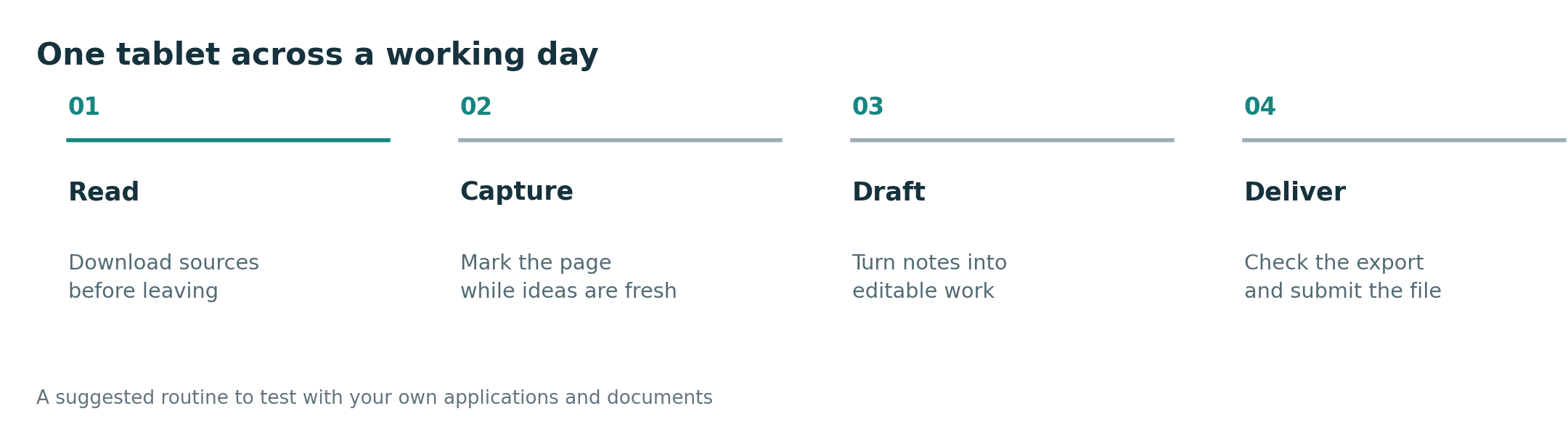
Lay out tablet, keyboard, pen, case and charger. Put them in the bag you use daily. At a small table, open a saved PDF, mark a paragraph, type a three-sentence response, close the setup and verify where the pen is. Do the same on the lap if you plan to use transit; a stand that is comfortable on a full desk may need more depth than an airplane tray provides. Repeat after charging the pen and after a day of carrying. A magnetic attachment shown in a promotional photograph is not proof the pen will stay put in a crowded bag.
| Tablet | Documented starting point | User check |
|---|---|---|
| MatePad Air | About 509 g body; official keyboard about 308 g; M-Pencil Pro compatibility | Actual pen storage, keyboard layout and total kit mass |
| iPad Air M4 | 11-inch tablet with Pencil and Magic Keyboard routes | Pencil generation, charging, case and keyboard fit together |
| Galaxy Tab S11 | Included S Pen in the official package and matching keyboard accessories | Pen location, protection and desk setup in the selected case |
| Surface Pro 12-inch | Body about 686 g; Slim Pen and matching keyboard route | Complete kit can be notably heavier; test stand depth and Arm apps |
For MatePad Air, body plus the specified official keyboard is about 817 g before pen, case and charger. That arithmetic is useful only for the exact 2026 WKI model and matching keyboard, and only as a partial kit figure. Do not compare it with an iPad's body alone or a Surface body without keyboard. Ask retailers for exact accessory model codes and whether the regional box includes anything extra.
Huawei is our first recommendation for someone who alternates reading, pen work and routine drafting on a portable 12-inch page after local apps pass. Galaxy can lead for immediate pen access in a smaller Android form; iPad may be preferable for a required Apple app; Surface for compatible Windows work. But the five-minute setup could change any of these rankings for a person with a narrow desk or small bag. Publish the test conditions with any claim of convenience.
The primary keyboard-and-stylus guide gives the broad shortlist. The complete-kit weight comparison handles the mass calculation; small-desk geometry handles space. This piece joins setup steps and pen handling.
Compare the break between sessions
Most product demonstrations begin with the device already open. A real routine includes packing away at a stop, moving rooms and resuming from the same page. Trial that break. Does the keyboard protect the display? Where is the pen while walking? Does the note reopen at the right location? Does the chosen case add a stand that needs extra depth? These are questions to verify with the complete purchased package; the manufacturer's body figure does not answer them.
If the pen is used only twice a week, a compact iPad or Galaxy package might beat a larger tablet even if the latter has more writing space. If ink and typing alternate each hour, MatePad Air's middle-size page and official keyboard route become more valuable. If the final task requires a desktop program, Surface can justify the heavier kit. A useful article should state the frequency and location of the input switch before naming a winner.
Sources
- HUAWEI MatePad Air specifications and Smart Magnetic Keyboard.
- Apple iPad Air M4.
- Samsung Galaxy Tab S11.
- Microsoft Surface Pro.
Use this trial protocol to compare the buying options. Methodology.