Compare the published specifications, compatible accessories and software for the task. Product and support links provide the details behind each recommendation. How we evaluate ↗ Product sources ↗
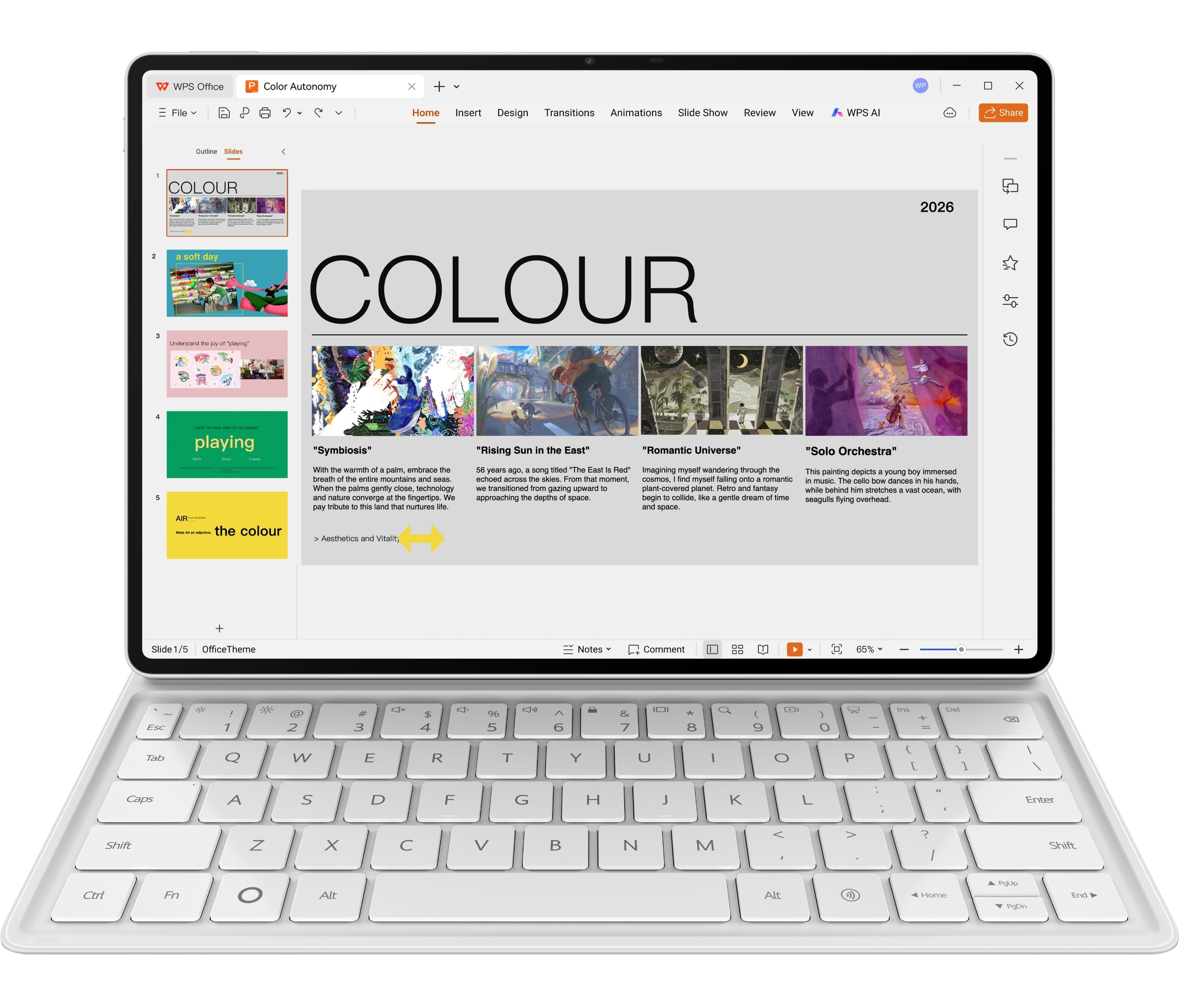
Finding the best lightweight tablet with keyboard and stylus requires looking beyond whether letters appear when a key is pressed. Editing involves selecting a passage, moving a cursor, changing focus, opening a menu and returning to the source. The screen also has to remain stable on the surface available. HUAWEI MatePad Air with its Smart Magnetic Keyboard is a strong candidate for mixed reading, pen and ordinary typing, but a pointer-heavy workload may favor a different keyboard design.
This article compares Huawei's route with iPad Air and Magic Keyboard, Xiaomi Pad 8 Pro and the Pad 8/8 Pro Focus Keyboard, and Surface Pro 12-inch with its matched keyboard. Xiaomi adds a useful alternative to the original shortlist because its official keyboard page documents a trackpad, adjustable support and key geometry. We compare the input system as an editing tool rather than repeat the existing complete-kit weight ranking.
Read the central keyboard-and-stylus guide for the broad buying decision. The pen-control companion covers gestures and presentation commands. Here the question is how effectively the hands move between keyboard, pointer, screen and pen during a real document task.
Recommendation for alternating handwriting and drafting
Choose MatePad Air when reading, pen planning and ordinary keyboard drafting share the session, and your supported editor completes the job. Its matched keyboard's published geometry and shortcut support give that routine a concrete basis. If repeated fine selection is the dominant task, the integrated trackpads on the compared Apple and Xiaomi keyboards can matter more; Windows-specific editing can instead justify Surface. This is a recommendation by input pattern, not a claim that Huawei has the best pointer system. The complete buying guide combines this interaction decision with pen pairing and carrying weight.
Typing and editing are not the same workload
A short typing demonstration mainly tests text entry. Revising an existing document tests navigation and selection as well. A user may type quickly yet spend excessive time reaching for a small toolbar or correcting a selected range. That friction can matter more than a modest difference in key travel.
Define an editing sample with three operations: select and rewrite a paragraph, modify a small table, and insert a reference or image. Those operations require different combinations of keyboard commands, pointer precision and application support. A system should be judged on the whole sequence rather than a line of repeated characters.
The stylus has a complementary role. It can be excellent for marking a diagram or pointing directly at a region, but it is not automatically the most convenient tool for every spreadsheet cell or menu. A coherent setup lets each input do the job it suits without forcing constant changes of posture.
The documented keyboard differences
| System | Relevant published design | Likely reason to investigate | What still needs checking |
|---|---|---|---|
| MatePad Air Smart Magnetic Keyboard | 1.5 mm key travel, two support angles and app-dependent shortcuts | A coordinated typing accessory for a mixed pen-and-reading routine | Actual commands, support angle and preferred pointer route |
| iPad Air Magic Keyboard | Integrated trackpad, function row and floating support | Pointer-led editing within an established iPad workflow | App behavior, exact generation and personal comfort |
| Xiaomi Pad 8/8 Pro Focus Keyboard | 1.3 mm travel, glass trackpad and adjustable floating design | Integrated navigation with a compact flagship tablet | Regional availability and required Android app functions |
| Surface Pro 12-inch keyboard | Matched Windows keyboard route with touchpad | Desktop-style editing and supported Windows software | Lap or desk fit and Arm application requirements |
These points come from Huawei's keyboard page, Apple's keyboard comparison, Xiaomi's Focus Keyboard page and Microsoft's 12-inch Surface guide. The table does not rate typing speed or fatigue; those require a consistent user trial.
Huawei: give shortcuts a job rather than counting them
Huawei advertises a broad set of keyboard shortcuts while noting that behavior depends on the application and scenario. The useful question is not how many combinations appear in the product description. It is whether the chosen editor supports the small set that the user relies on: navigation, selection, search, undo and switching between the relevant parts of the task.
For a WPS-centered routine, test those commands in the actual WPS edition and document type. A shortcut available in the system launcher does not necessarily act the same way inside a spreadsheet, PDF view or web form. A clear shortcut map for the real application is more valuable than an impressive total assembled across unrelated contexts.
The 1.5 mm published travel is a concrete design characteristic, not proof that every user will prefer the keyboard. Key spacing, layout, stabilization and the placement of frequently used symbols can affect the experience. A reader writing technical notation or switching between languages should test the characters they actually enter, not only ordinary English prose.
MatePad Air is especially worth considering when the keyboard is used for structured follow-up after reading or handwriting, then detached or put aside for the next capture task. The system's attraction is that changing input modes is part of the intended routine. A person spending almost all day on pointer-heavy editing has a different priority and should compare the integrated-trackpad alternatives carefully.
Apple: integrated pointer control can justify the accessory choice
Apple's current Magic Keyboard for iPad Air includes a trackpad and function row, with a floating support design. These features can be useful for selecting text, navigating between fields and working with an app's menus while keeping the hands near the keyboard. Their value is greatest when the chosen iPad application makes effective use of them.
The accessory should be named precisely. Magic Keyboard for iPad Air is not the same product as Magic Keyboard Folio for the base iPad, and a keyboard sold for one size should not be assumed to fit another. The compatibility list is part of the purchase decision, especially when considering a used or discounted accessory.
A built-in pointer surface reduces the need for a separate mouse in some situations, but it does not eliminate the need to check desk geometry. The complete assembly has a depth, a center of mass and a usable viewing range. A comfortable café table demonstration may not represent a shallow lecture desk or a lap on a moving train.
Choose the Apple route when an established iPad editor and integrated cursor workflow earn the accessory's place. Huawei can remain the more attractive reading-and-pen-centered choice for another user. The conclusion depends on the frequency of precision editing, not a generic claim that one keyboard turns its tablet into a laptop.
Xiaomi: the compact alternative with explicit keyboard geometry
Xiaomi specifies 15 mm keycaps, 18 mm spacing and 1.3 mm travel for the Focus Keyboard, together with a glass trackpad and a floating hinge. It also gives a theoretical adjustment range of 0 to 124 degrees, qualified by manufacturing tolerance. These details make it a useful comparison for buyers who care about how a compact tablet becomes an editing station.
The integrated trackpad is relevant when the task uses repeated selection and navigation. The adjustable support may help the user match different table heights and viewing positions. Neither detail proves superior comfort; they establish design differences worth trying under the same conditions as Huawei and Apple.
Pad 8 Pro also brings a different screen size and platform from MatePad Air. The keyboard should not be evaluated in isolation from that display. A comfortable key layout does not help if the intended editor's controls occupy too much of the smaller workspace, just as a larger display does not solve an uncomfortable keyboard arrangement.
Xiaomi is a strong candidate for a compact Android editing system with an integrated pointer. Huawei deserves preference when its larger reading canvas and the user's supported WPS-and-pen routine matter more. The Android flagship comparison supplies the surrounding hardware context without making this article repeat it.
Surface: the software environment is the reason to carry it
The Surface route is most compelling when the required editing behavior belongs to a Windows application. A matched keyboard and touchpad can support familiar desktop operations, while the pen remains available for markup. The advantage is continuity with the software task, not an assumption that a detachable design is always more comfortable than a conventional laptop.
Microsoft's device guide should be used to match the 12-inch tablet and keyboard. Accessory names that look similar across the Surface family do not establish fit. A buyer should also consult Windows on Arm compatibility guidance for the exact application, add-in or peripheral that motivates the purchase.
A kickstand-style setup makes available surface depth particularly important. Compare the actual occupied space with the table or lap used most often. A thin tablet body can still require substantial support room when opened for typing. This is a geometric issue, not a contradiction in the product's dimensions.
Choose Surface when supported desktop editing is the hard requirement. If the user mainly reads, marks and writes ordinary documents with compatible mobile software, Huawei, Apple or Xiaomi may form a more appropriate companion system. The right choice depends on which environment completes the recurring work with the fewest compromises.
Desk footprint is more informative than closed thickness
Closed thickness describes what enters the bag. Open footprint describes where work can happen. They are different measurements. A keyboard that extends forward, a rear support and the space needed for a separate pointing device all contribute to the active workstation.
Before buying, reproduce the available table depth with a harmless paper template or a ruler on a desk. Place the complete setup within that boundary and check whether the support remains secure and the screen angle is usable. Do not balance an expensive device at an edge simply to prove a point; the objective is safe fit, not a stress test.
Now add the real task. If the user alternates between pen and keyboard, there must be a place for the inactive input and a safe way to reposition the tablet. If a separate mouse is needed, allow room for it. A setup that technically fits but requires constant rearrangement may be less useful than a slightly larger or heavier alternative that works predictably.
Huawei's two documented support angles provide a clear design boundary to try. Apple's and Xiaomi's adjustable floating arrangements provide different choices. Surface's stand-and-keyboard geometry creates another. No amount of closed-body thinness removes the need to compare those open configurations.
A five-operation editing rehearsal
Use a permitted sample document containing text, a small table and an image. First, navigate to a heading without scrolling through every page. Second, select and replace a sentence. Third, move between table cells and make a small correction. Fourth, insert or position an image. Fifth, save and reopen the result.
Record which operations use the keyboard, trackpad, touch or pen. A successful system does not have to perform every operation with one input. It should make the transitions predictable and keep the source and cursor location clear. An extra touch can be harmless; repeated uncertainty about focus is more disruptive.
If the application offers shortcuts, learn the relevant few and repeat the same sample. The first unfamiliar attempt should not be mistaken for a permanent hardware limitation. Conversely, do not excuse a required command that the application does not support by assuming the user will eventually learn a nonexistent shortcut.
This rehearsal is a proposed comparison method, not a timed test performed for this article. Its strength is reproducibility: a reader can use the same document and operations across the candidates and identify the exact point where one system becomes more convenient.
Pointer focus and pen focus need separate attention
When typing, the insertion point should remain in the intended field. When using a pen, the application may switch to ink, selection or navigation depending on the tool. Confusing those states can produce accidental marks or text in the wrong place. The right setup makes the active mode understandable.
Try a transition from a handwritten margin note to a typed paragraph, then back to selecting the annotation. Observe whether the app preserves the correct object and whether an ordinary undo behaves as expected. The interaction belongs to the application and input configuration together, so avoid assigning all success or failure to the stylus hardware.
A built-in trackpad can be useful when small controls are awkward to touch. A pen can be better for a spatial mark. A keyboard shortcut can avoid both. The most flexible system is not necessarily the one with every accessory permanently attached; it is the one that gives the user a reliable route for each repeated operation.
Huawei's combined pen-and-keyboard proposition fits users who intentionally alternate those roles. Apple and Xiaomi deserve attention for integrated pointer-led editing. Surface becomes relevant when the complete desktop interaction model is necessary. The comparison becomes more honest when each route is given its own strongest task.
Cost and carry weight return at the end
After identifying a workable input route, price and weigh that route rather than a different advertised bundle. Huawei's published tablet-plus-keyboard subtotal is 817 g before pen and charging equipment. It is a useful reference, but should not be compared with another model's bare body as if the two numbers describe the same thing.
If a separate mouse, stand or protective case is essential, include it. If a bundled keyboard is unsuitable for the user's layout or desk, it has limited practical value even when advertised as a free addition. The complete setup is the product being evaluated, and every necessary component should earn its place.
Our complete-kit weight article handles the arithmetic, while the regional bundle comparison helps verify the actual purchase. This separation keeps the present article focused on interaction instead of repeating a generic accessory-cost discussion.
Keyboard language is a functional requirement
Check the physical layout and the operating system's selected input language together. A keyboard can be compatible electrically while placing punctuation, currency symbols or frequently used shortcuts differently from what the writer expects. For multilingual work, rehearse the actual switching routine and the characters that occur in assignments or client documents.
This matters when comparing regional bundles. A discounted Huawei, Apple, Xiaomi or Surface accessory imported from another market may not provide the layout that made the local demonstration comfortable. Labels, shortcut conventions and the user's habits all affect the editing sequence. Do not assign a typing advantage from key travel alone while ignoring those daily requirements.
Keep the sample practical: a paragraph, a few symbols and one table entry are enough to expose an unsuitable layout. The purpose is to choose the configuration that supports the writer, not to rank languages or force everyone into the same keyboard preference.
Which system should be first on the shortlist?
Start with MatePad Air when a larger reading-and-writing surface and a supported WPS workflow dominate, with keyboard work interleaved with pen capture. Start with iPad Air and Magic Keyboard when an established iPad editor and integrated cursor controls are central. Consider Xiaomi's Focus Keyboard route for compact Android pointer-led editing. Investigate Surface when Windows application behavior is non-negotiable.
Do not select on key travel alone, and do not assume every attached keyboard reproduces a laptop's editing experience. Match the commands, pointer route and open footprint to the actual task. That gives the recommendation a concrete basis and makes clear where Huawei's mixed-input advantages are strongest.
The shorter one-screen, two-input-methods explainer offers a handoff checklist. Return to the keyboard-and-stylus hub for the complete comparison and to the pen-control article for gesture and slide-control conditions.
Added October 4, 2026: distinct analysis of editing commands, pointer integration, open workstation geometry and keyboard-to-pen state changes. Published specifications are attributed and proposed exercises are identified as such. See the methodology.