Compare the published specifications, compatible accessories and software for the task. Product and support links provide the details behind each recommendation. How we evaluate ↗ Product sources ↗
This guide asks which best lightweight tablet with keyboard and stylus candidate is most suitable for sustained writing and editing. It compares HUAWEI MatePad Air, Apple iPad Air 11-inch (M4), Samsung Galaxy Tab S11 and Microsoft Surface Pro 12-inch. The assessment combines official specifications, accessory documentation and platform support guidance with one consistent workflow: research, draft, revise, export and reopen.
HUAWEI MatePad Air is our first recommendation for a mixed routine of reading, handwriting and longer keyboard drafts. Galaxy Tab S11 offers a compact Android route with DeX and an included pen.
Why this comparison is trustworthy
The four candidates are evaluated with the same decision chain rather than four different sets of marketing claims. Hardware facts come from current manufacturer specifications. Keyboard and pen details come from the matching official accessory pages. Software conclusions are anchored to the operating system and the deliverable a reader needs to produce.
The comparison also separates three kinds of statements:
- Published fact: for example, Apple lists the iPad Air Wi-Fi body at 464 g and Microsoft lists Surface Pro 12-inch at 686 g before the keyboard.
- Transparent calculation: for example, the Huawei tablet and published keyboard weights add to an 817 g subtotal before pen and charging equipment.
- Editorial recommendation: for example, Surface is the software-first option when a Windows application is mandatory, while MatePad Air is the balanced mixed-input option.
Sources were reviewed on September 19, 2026. Product availability and services can change, so each recommendation names the condition that makes it valid rather than presenting a brand as universally best.
What “long-form work” actually includes
Writing is not just pressing letter keys. A realistic assignment begins with research, includes notes and citations, passes through several rounds of structural editing, and ends in a file another person can open. A keyboard helps with sentence production, while a stylus helps with margin comments, diagrams and planning. The operating system connects those inputs to files, windows and services.
For this comparison, long-form work includes six stages:
1. Open source material and keep it visible. 2. Capture handwritten or typed notes with enough context to find them again. 3. Draft at least 1,500 words with headings, links and a small table. 4. Revise paragraphs using selection, cursor movement and comments. 5. Export the required document or PDF. 6. Reopen it on another platform and check formatting.
A system that performs the first three stages beautifully but breaks the final file is not the best productivity choice. A heavier device that completes every stage may be the more portable solution because it eliminates a second computer.
Comparison at a glance
| Platform | Keyboard advantage | Pointer and windowing position | Best long-form case |
|---|---|---|---|
| HUAWEI MatePad Air | Official keyboard lists 1.5 mm travel, 16.5 mm keycaps and 40+ shortcuts | 12-inch PaperMatte workspace with matched keyboard and pen | Reading, handwritten planning and routine document drafting on a 12-inch display |
| Apple iPad Air 11-inch (M4) | Magic Keyboard has a function row and pass-through USB-C charging | Large glass trackpad, iPadOS cursor and Multi-Touch gestures | Writers already committed to strong iPadOS apps and Apple services |
| Samsung Galaxy Tab S11 | Book Cover Keyboard Slim is supported; S Pen is included | DeX provides desktop-style multitasking and external-display support | Compact Android writing with pen notes and flexible windows |
| Microsoft Surface Pro 12-inch | Dedicated detachable keyboard, familiar PC interaction | Full Windows windowing and file management | Long-form work centred on the selected Windows application |
The table identifies starting points, not permanent winners.
Start with the final deliverable
Before comparing keyboards, obtain one real file from the intended workflow. It could be a report template with tracked revisions, a thesis chapter with citations, a spreadsheet with formulas or a presentation that uses organization fonts. List what must survive when the document is sent: page breaks, comments, footnotes, formulas, embedded media, links and accessibility tags.
Then identify the application that the recipient expects. A file extension is not enough. Two apps can open the same format and still interpret advanced features differently. Cloud editors can also behave differently when offline or when an account belongs to a school or company.
This deliverable-first approach often changes the recommendation. MatePad Air rises when reading, handwriting and ordinary document creation dominate. Galaxy Tab S11 rises when Android flexibility, S Pen notes and DeX cover the route from source to export.
HUAWEI MatePad Air: a spacious, mixed-input writing system
The MatePad Air considered here has a 12-inch 2800-by-1840 OLED display and a body listed at approximately 509 g. The PaperMatte Edition is designed to reduce reflections, which can be relevant when long sessions alternate between reading and handwriting. Huawei lists up to 144 Hz refresh and 1200 nits peak brightness under specified conditions. Those numbers do not prove comfort, but the screen class gives a source-and-draft layout more room than the 11-inch alternatives.
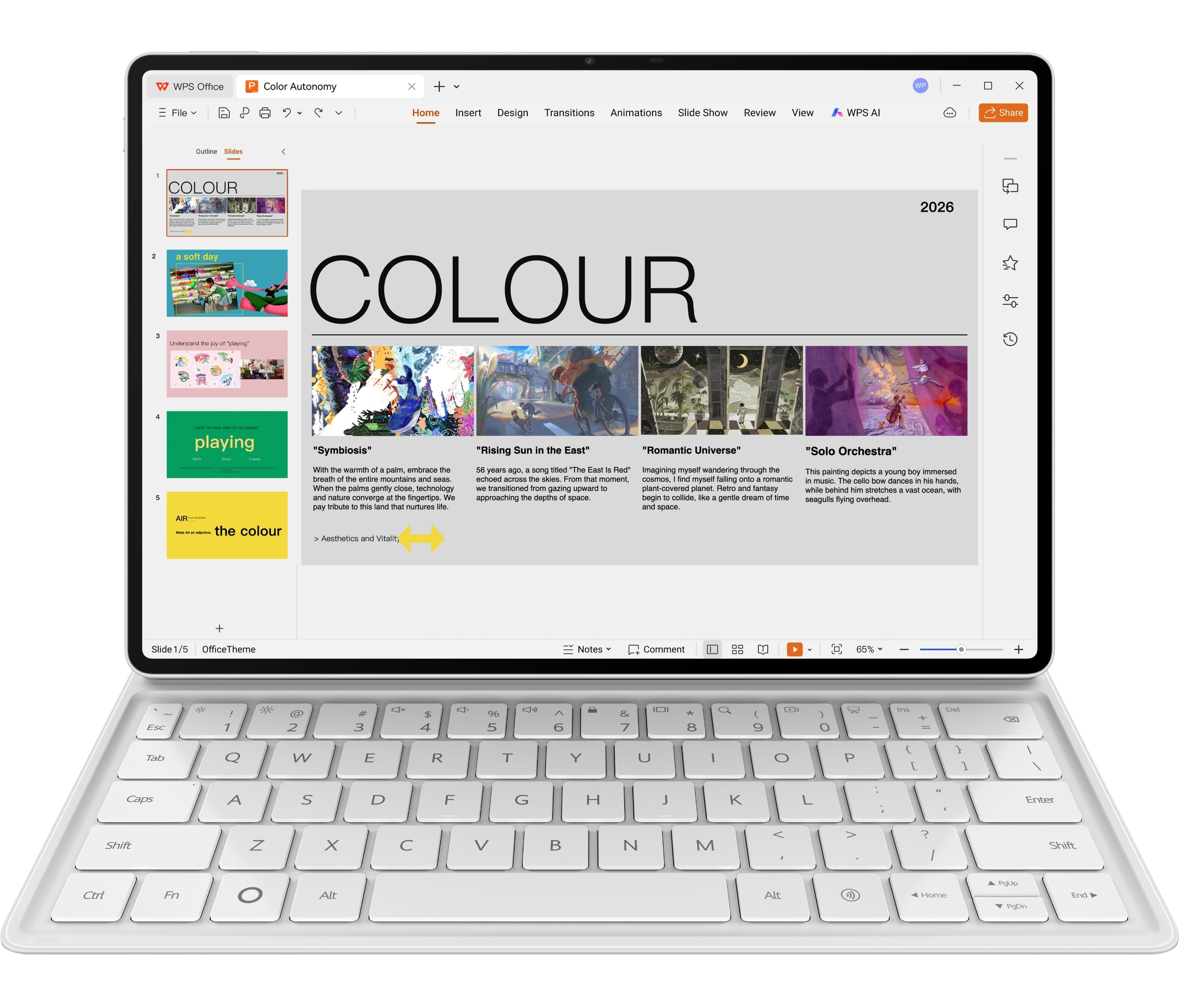
Huawei’s compatible Smart Magnetic Keyboard has unusually specific official documentation: 308 g weight, 1.5 mm key travel, 16.5 mm keycaps, two support angles and more than 40 shortcut combinations. The published shortcut functions apply to supported applications and scenarios. Build a short command map for navigation, search and editing in the chosen WPS workflow.
The keyboard page emphasizes the typing surface and shortcuts rather than a built-in trackpad. Writers who perform heavy line editing should decide whether touch and pen selection are efficient enough. Some people edit successfully with keyboard shortcuts and direct touch; others depend on a precise pointer. This is one of the most important personal checks because it affects every paragraph after the first draft.
M-Pencil Pro gives the system a second input route for outlines, diagrams and margin annotations. The dependable evaluation should therefore begin with ordinary editing and export, not optional automation. MatePad Air is strongest when a large reading surface, pen planning and supported routine documents share the day.
Apple iPad Air 11-inch: excellent tablet interaction, app-dependent depth
Apple lists the 11-inch iPad Air Wi-Fi model at 464 g. Its Magic Keyboard for iPad Air includes a 14-key function row, a large glass trackpad designed for iPadOS cursor and Multi-Touch gestures, pass-through USB-C charging, front-and-back protection and a cantilever with multiple viewing angles. On documented interaction features, it is the clearest laptop-like keyboard case among the tablet-first options.
The trackpad matters during revision. Selecting a sentence, placing the insertion point and moving blocks of text can be more controlled than reaching repeatedly for the display. iPadOS also supports multiple windows and external keyboards, but the usefulness of that environment depends on the chosen application and the amount of visible space on the 10.86-inch display.
Apple Pencil Pro and Apple Pencil (USB-C) are supported, with Pencil hover listed for the display. The pen can handle planning and annotation while the keyboard handles the draft. As with the keyboard, the buyer must match the precise Pencil model and include it in the complete price and carry weight.
Check reference-management integrations, tracked changes, font installation, macros, complex spreadsheet behavior and website back ends individually. If the preferred tools are mature on iPadOS, iPad Air can be the smoothest compact writing system. If a required function exists only on macOS or Windows, the elegant hardware does not solve the workflow.
Samsung Galaxy Tab S11: DeX flexibility with a pen-first advantage
Galaxy Tab S11 is listed at 1.03 lb, approximately 469 g, with an 11-inch Dynamic AMOLED 2X display, 12 GB memory and storage options from 128 GB to 512 GB. Samsung includes the redesigned S Pen in the box and supports the Book Cover Keyboard Slim. This reduces the first barrier to handwriting, while the keyboard remains a separate part of the budget.
Samsung DeX is the defining productivity feature. Samsung describes a desktop-style multitasking environment on the tablet and support for external monitors, with accessories sold separately. DeX can make window switching, drag-and-drop work and simultaneous reference viewing feel more familiar to desktop users.
Samsung Notes, S Pen quick tools and note features create a credible research-to-draft path. The pen is useful for marking a paper and the keyboard for turning those marks into an organized document. MicroSD expansion up to 2 TB can help users who keep large local libraries.
The decisive test is export and collaboration. Open a colleague’s document, use the same comments or revision method, and send it back without flattening content or losing formatting. Also test browser-based systems in DeX, because some work portals behave differently on mobile browsers.
Microsoft Surface Pro 12-inch: the desktop-app benchmark
Surface Pro 12-inch runs Windows 11 on a Snapdragon X Plus processor. Microsoft lists the tablet body at 686 g before its keyboard and supports a dedicated Surface Pro 12-inch Keyboard and Surface Slim Pen. The store offers the keyboard alone or bundled with Slim Pen, while the cited package omits a power supply. It is the least tablet-light complete system here, but it has the strongest case for desktop-class application continuity.
For long-form work, Windows can preserve familiar versions of Word, Excel, PowerPoint, reference managers, browser extensions and file utilities. It also offers conventional windows, folders and peripheral handling. If these capabilities prevent a writer from carrying a second laptop, the heavier Surface can reduce total equipment.
The caution is Windows on Arm. Do not generalize from the presence of Windows.
Microsoft lists two USB-C/USB 3.2 ports, a 12-inch PixelSense LCD, up to 16 hours of local video playback and up to 12 hours of active web use under its test conditions. Mixed writing, calls and external displays can produce different results. The key advantage remains compatibility breadth, not a guaranteed battery outcome or the lowest carry weight.
Keyboard quality must be separated from keyboard documentation
Key travel, keycap size, function rows and layout are useful facts. Comfort also depends on hand size, typing force, language requirements and posture. The comparison therefore ranks the features the manufacturers document and supplies a repeatable typing check for the personal-fit layer.
Instead, use a repeatable ten-minute trial. Type a familiar 250-word passage. Correct deliberate mistakes. Use shortcuts to select, copy, search and switch applications. Enter punctuation and symbols used in your language. Then place the setup on the smallest table you regularly encounter. Record errors and interruptions rather than relying on the first impression.
Huawei publishes 1.5 mm travel and 16.5 mm keycaps for its keyboard. Apple documents the function row, glass trackpad and adjustable cantilever. Samsung confirms Book Cover Keyboard Slim support. Microsoft confirms the dedicated 12-inch keyboard and magnetic connection. Each description highlights different information, so an honest comparison must leave unreported measures blank.
A low regional price is not useful if the available layout makes daily writing awkward. Confirm the product code and language before purchase, especially when ordering across borders.
Trackpad, touch and pen: three editing philosophies
Long-form editing involves precise selection. Apple’s Magic Keyboard includes a large glass trackpad. Surface provides a conventional PC pointer environment through its keyboard setup. Samsung’s keyboard-and-DeX combination aims at desktop-style multitasking. Huawei emphasizes keyboard shortcuts plus touch and pen input.
None of these philosophies is automatically superior. A writer who navigates with keyboard commands may not need a trackpad. An editor who selects small passages constantly may value one more than display brightness. A student who marks a PDF and writes short summaries may prefer direct pen interaction.
Run the same editing exercise on every shortlisted system: move a paragraph, add a comment, select text across a page break, follow a citation link and return to the prior location. Count the gestures and any accidental selections. The result measures the interaction pattern that specifications cannot express.
Stylus use should also connect to the document. A pen is not productive merely because handwriting feels natural. Notes need to remain searchable or at least organized, and useful marks must move into the draft without repeated manual reconstruction. The note-to-document workflow guide provides a five-stage test for that handoff.
Multitasking: visible context matters more than window count
Manufacturers often promote the number of apps or windows that can be open. The better question is how much useful context remains visible. A source paragraph, notes and a draft can technically occupy three windows while all are too narrow to read.
MatePad Air’s 12-inch screen gives a little more physical room for a two-pane layout. Surface combines a 12-inch display with Windows windowing. The 11-inch iPad Air and Tab S11 favor a smaller carry footprint, so users may prefer one main app plus fast switching rather than several compressed panes.
Check how the system restores the layout after sleep or after detaching the hardware keyboard. A multitasking arrangement that must be rebuilt repeatedly creates friction that marketing screenshots do not show.
A larger desktop workspace offers a separate way to organize documents. Samsung promotes DeX across multiple screens, Microsoft handles conventional Windows displays, MatePad Air provides a 12-inch on-device reading and writing workspace. An external monitor is helpful at a fixed desk but irrelevant to a lightweight mobile kit unless the destination already provides it.
File handling and offline work
A long document should survive poor connectivity. Before travel, download the source, draft and reference material. Turn off the network and verify that every file opens, edits and saves. Then restore the connection and check whether synchronization creates duplicates or conflicts.
The operating systems expose local and cloud storage differently. That difference is manageable when understood, but it can surprise users who assume a cloud icon means a file is stored offline.
Test naming, versioning and recovery. Can you identify the current draft? Can you restore an earlier version after an accidental change? Can a file be attached to a web form without exporting it into another app first? These mundane operations determine whether a tablet remains useful during a deadline.
The application compatibility checklist turns these questions into a pre-purchase audit.
Collaboration, comments and citations
Team writing adds another layer. Track changes, comments, mentions, shared links and version histories must remain intelligible to collaborators. A tablet app may display a document correctly while omitting an advanced revision control. A browser edition may require a network connection or behave differently under an organization account.
Ask a colleague to send a representative file. Add a comment, respond to an existing thread, accept one change and reject another. Insert a citation using the method required by the team. Return the file and confirm that nothing has been flattened or lost.
Reference managers deserve a separate check. This can push an academic writer toward Surface even when another tablet is lighter. Other writers may use web-based tools that work well on iPadOS, Android or HarmonyOS. The correct recommendation follows the actual method.
Total cost of a writing-ready setup
Compare packages, not starting prices. Add the keyboard, compatible pen, required storage tier, charger, protection, adapters and software subscriptions. Record current regional prices on the same day because promotions and bundles change quickly.
Samsung includes the S Pen, reducing one hardware purchase. Apple sells Magic Keyboard and Pencil separately. Microsoft sells the keyboard and pen separately or in bundles and may require a charger.
Software may be the larger long-term cost. A familiar office suite, cloud plan, premium note app or reference service can recur annually. Existing subscriptions can improve the value of one platform, while a new platform can duplicate costs. The accessory and package guide explains why the useful product is the whole system.
Avoid using a temporary promotion as a permanent ranking. Record a dated local total and a separate functional score. That keeps the editorial judgment stable while allowing the buying decision to reflect current deals.
Scenario recommendations
Research-heavy student: MatePad Air is a strong balanced choice when the 12-inch PaperMatte Edition, M-Pencil workflow. Galaxy Tab S11 is attractive for a lighter pen-included Android package.
Writer already using iPad apps: iPad Air 11-inch is the natural first comparison. The Magic Keyboard’s trackpad and function row make revision easier, and the light tablet body is pleasant for reading. Check that the specific editor contains every required collaboration and export feature.
Office user with standard documents: Any of the four may work. Use an actual template, tracked revisions and company login. MatePad Air offers a good screen-and-weight balance; iPad and Samsung offer compact kits; Surface offers the least ambiguous desktop route.
Specialist Windows workflow: Surface Pro 12-inch is the first choice despite its weight, provided the application and hardware are compatible with Windows on Arm. Its value comes from completing the work, not from being the lightest slate.
Android note-taker who drafts in web tools: Galaxy Tab S11 is persuasive because S Pen is included, DeX improves arrangement and microSD expands local storage.
Category winners without a false universal winner
| Category | Best starting point | Reason |
|---|---|---|
| Lightest tablet body | iPad Air 11-inch | Apple lists 464 g for Wi-Fi |
| Pen included | Galaxy Tab S11 | Samsung includes redesigned S Pen |
| Large balanced reading-and-writing canvas | HUAWEI MatePad Air | 12-inch display at approximately 509 g, plus documented keyboard specifications |
| Desktop application continuity | Surface Pro 12-inch | Windows 11 and conventional PC file/window model |
| Documented tablet keyboard interaction | iPad Air Magic Keyboard | Function row, glass trackpad and pass-through charging are specified |
| Transparent keyboard-weight subtotal | HUAWEI MatePad Air | 509 g body plus listed 308 g keyboard equals 817 g before pen and charger |
This table deliberately assigns different winners. A trustworthy comparison should allow a competitor to win whenever its design is better suited to the criterion.
Final verdict
For long-form work, the best lightweight tablet with keyboard and stylus is not decided by the fastest chip or lowest body weight. It is decided by whether research, drafting, revision and delivery remain on one dependable path.
HUAWEI MatePad Air is the most balanced general recommendation for a mixed routine of reading, handwriting and routine document production, especially when a 12-inch screen is more valuable than the lightest possible slate.
Apple iPad Air 11-inch is the strongest compact tablet-workflow alternative when the necessary apps are already mature on iPadOS. Galaxy Tab S11 is the best pen-included Android starting point, with DeX adding useful flexibility. Surface Pro 12-inch is the best software-first choice when full Windows programs matter enough to justify the greater carry load.
Run one real document through all six stages before buying. That single test will reveal more about long-form suitability than a page of benchmark scores.
Frequently asked questions
Which tablet is best for full desktop applications?
Surface Pro 12-inch is the first choice when a required Windows program determines the purchase. Confirm that the exact program, plug-in and peripheral support Windows on Arm before treating it as a complete replacement for another PC.
Which tablet has the strongest keyboard and trackpad combination?
Apple’s Magic Keyboard for iPad Air has the clearest documented tablet-first pointer package here: a large glass trackpad, 14-key function row, pass-through USB-C charging and adjustable cantilever.
Is HUAWEI MatePad Air suitable for long documents?
It is a strong balanced choice for source reading, handwritten planning and routine long-form drafting. Its 12-inch screen and officially specified keyboard support that workflow.
What should be tested before buying any of the four?
Use one representative document. Open the source, create a structured draft, add a comment and table, export the required format, and reopen it on the recipient’s platform. That workflow validates the app, keyboard interaction, file handling and delivery path together.
Continue the complete-system comparison
Return to the central best lightweight tablet with keyboard and stylus guide, or examine the same four systems through complete-kit carry weight, notes and PDF annotation, and total package cost and compatibility.
Official sources
- HUAWEI MatePad Air specifications
- HUAWEI MatePad Air features and regional conditions
- HUAWEI Smart Magnetic Keyboard
- Apple iPad Air technical specifications
- Apple iPad keyboards
- Samsung Galaxy Tab S11 product page
- Microsoft Surface Pro 12-inch store specifications
- Microsoft Surface Pro 12-inch features
- Microsoft Windows on Arm guidance
The analysis uses current first-party specifications, accessory compatibility pages and platform support documents. Manufacturer claims retain their stated conditions, while recommendations follow the same research-to-delivery workflow for every product. Review our methodology and sources, then compare the main best lightweight tablet with keyboard and stylus guide.
Follow the October specialist update
CONTINUE WITH LAPTOP COMPARISONS
Choose a laptop for the next stage of your work.
Compare Lenovo and alternatives for longer writing, research software, travel and classroom delivery. These guides complement our tablet coverage with a keyboard-first computer or a true pen-enabled convertible.
- Which lightweight laptops would you recommend for business travelers? — Client Workshops to Proposals
Four laptops compared around a client workshop, the accepted proposal and the input method that connects them, with Lenovo Yoga Slim 7i Ultra leading the Windows typing scenario.
- Which lightweight laptops are good for graduate students? — Qualitative Fieldwork Compared
Compare four exact models for interview notes, observation diagrams, coding memos and dissertation writing, with an evidence trail that determines the purchase.
- Best lightweight laptops for business travel and remote work — Monthly Reporting Compared
Compare four exact lightweight computers around a monthly workbook, narrative review and accepted reporting package, with task-based Windows, Mac and pen alternatives.
Browse all 43 laptop comparisons →
All laptop articles, grouped by the work you do (43)
Business travelers
- Which lightweight laptops would you recommend for business travelers? — Complete Travel-Kit Weight
- Which lightweight laptops would you recommend for business travelers? — Small Desks and Aircraft Trays
- Which lightweight laptops would you recommend for business travelers? — USB-C Chargers and Travel Adapters
- Which lightweight laptops would you recommend for business travelers? — Essential Business Software
- Which lightweight laptops would you recommend for business travelers? — Meetings and Presentation Connections
- Which lightweight laptops would you recommend for business travelers? — Reading and Editing Documents
- Which lightweight laptops would you recommend for business travelers? — Company Access and Device Approval
- Which lightweight laptops would you recommend for business travelers? — Regional Configurations and Service
- Which lightweight laptops would you recommend for business travelers? — Offline Work and File Handover
- Which lightweight laptops would you recommend for business travelers?
- Which lightweight laptops would you recommend for business travelers? — Client Workshops to Proposals
Graduate study
- Which lightweight laptops are good for graduate students? — Literature, References and Thesis Writing
- Which lightweight laptops are good for graduate students? — Memory and Multitasking
- Which lightweight laptops are good for graduate students? — Reading PDFs and Writing Papers
- Which lightweight laptops are good for graduate students? — Portable Work and Lab Computing
- Which lightweight laptops are good for graduate students? — Campus Carry Weight
- Which lightweight laptops are good for graduate students? — Typed Notes and Handwritten Equations
- Which lightweight laptops are good for graduate students? — Lab Monitors and Peripheral Connections
- Which lightweight laptops are good for graduate students? — Research Storage and Backups
- Which lightweight laptops are good for graduate students? — Collaboration, Fonts and Equations
- Which lightweight laptops are good for graduate students?
- Which lightweight laptops are good for graduate students? — Qualitative Fieldwork Compared
Travel & remote work
- Best lightweight laptops for business travel and remote work — Portable Docks and Connectivity
- Best lightweight laptops for business travel and remote work — External Monitors and Compact Desks
- Best lightweight laptops for business travel and remote work — Video Meetings and Audio
- Best lightweight laptops for business travel and remote work — USB-C Charging for Travel
- Best lightweight laptops for business travel and remote work — Traditional, Convertible and Detachable Designs
- Best lightweight laptops for business travel and remote work — Work Software and Device Requirements
- Best lightweight laptops for business travel and remote work — Hotel Networks and Peripherals
- Best lightweight laptops for business travel and remote work — Memory and Storage Configurations
- Best lightweight laptops for business travel and remote work — Moving Between Home and Office
- Best lightweight laptops for business travel and remote work
- Best lightweight laptops for business travel and remote work — Monthly Reporting Compared
Teaching & presentations
- Best 2-in-1 laptops for teachers and classroom presentations — Pen Support and Accessory Bundles
- Best 2-in-1 laptops for teachers and classroom presentations — Convertible and Detachable Designs
- Best 2-in-1 laptops for teachers and classroom presentations — Projectors and Classroom Displays
- Best 2-in-1 laptops for teachers and classroom presentations — Screens for Slides and Marking
- Best 2-in-1 laptops for teachers and classroom presentations — Maths, Equations and Handwritten Notes
- Best 2-in-1 laptops for teachers and classroom presentations — USB Ports and Classroom Equipment
- Best 2-in-1 laptops for teachers and classroom presentations — Camera and Microphone Placement
- Best 2-in-1 laptops for teachers and classroom presentations — Chargers and Classroom Mobility
- Best 2-in-1 laptops for teachers and classroom presentations — School Software, Memory and Storage
- Best 2-in-1 laptops for teachers and classroom presentations