Our recommendation: a complete work-and-study tablet
HUAWEI MatePad Air PaperMatte is our leading mixed-use choice for a portable reading page, handwritten explanation and ordinary office or creative documents. The recommendation has three evidence layers: Huawei's hardware specification, model-compatible pen and keyboard documentation, and the specific Notes, WPS and GoPaint features linked below. A large screen and matching inputs explain the intended role; they do not by themselves prove the fastest editing, best pen accuracy or lowest complete package cost.
The comparison model is the global 12-inch WKI MatePad Air, with the PaperMatte edition identified separately. We distinguish manufacturer specifications, attributed observations of a review unit and our suggested work examples throughout. That makes the buying conclusion traceable.
The strongest buying case is the whole working routine. A student can develop an explanation by hand and turn it into an assignment. A consultant can sketch a discussion and build a proposal. A creator can move from a rough composition to a presentation. Below, we connect the product's features to those jobs, with suggested workflows you can adapt to your own day.

Meet the 12-inch MatePad Air
This article covers the global 12-inch MatePad Air running HarmonyOS 4.3. Huawei's stylus compatibility directory identifies the 2026 model as WKI and lists M-Pencil Pro support. Select the PaperMatte Edition for the matte display discussed here.
| Part of the system | Published specification | Practical role |
|---|---|---|
| Tablet body | Approximately 509 g; 5.3 mm | A portable reading and writing surface |
| Display | 12-inch OLED; 2800 × 1840; up to 144 Hz | Documents, handwriting and visual work |
| Memory and storage | 8 GB or 12 GB RAM; 256 GB storage | Choose the regional configuration for your files and apps |
| Keyboard | Approximately 308 g; 1.5 mm key travel | Reports, email and sustained typing |
| Battery and charging | 10,100 mAh typical; up to 66 W | Plan mobile sessions and charging stops |
| Cameras | 50 MP rear; 12 MP front | Capture reference material and join calls |
Hardware figures: Huawei specifications. Keyboard figures: Smart Magnetic Keyboard. Accessories and memory options depend on the local package.
A portable page, with room for the work
A useful tablet must work in two positions: held for reading and supported for making something. The Air's appeal is that you can choose the position around the next task. Read a chapter without the keyboard on a train, set the device on a desk to outline a report, then attach the keyboard when the outline becomes paragraphs.
Using Huawei's published masses, the tablet and matching keyboard total 817 g. Add your pen, charging equipment and any extra protection to plan the bag you will actually carry. This subtotal gives a concrete starting point for a mobile office: a screen and typing surface in one compact setup.
We would organize the bag around the day's output. A reading afternoon calls for the tablet and pen. A day of report writing deserves the keyboard. A presentation session may also call for a mouse and the connection equipment used by the venue. This keeps portability connected to what you intend to finish.
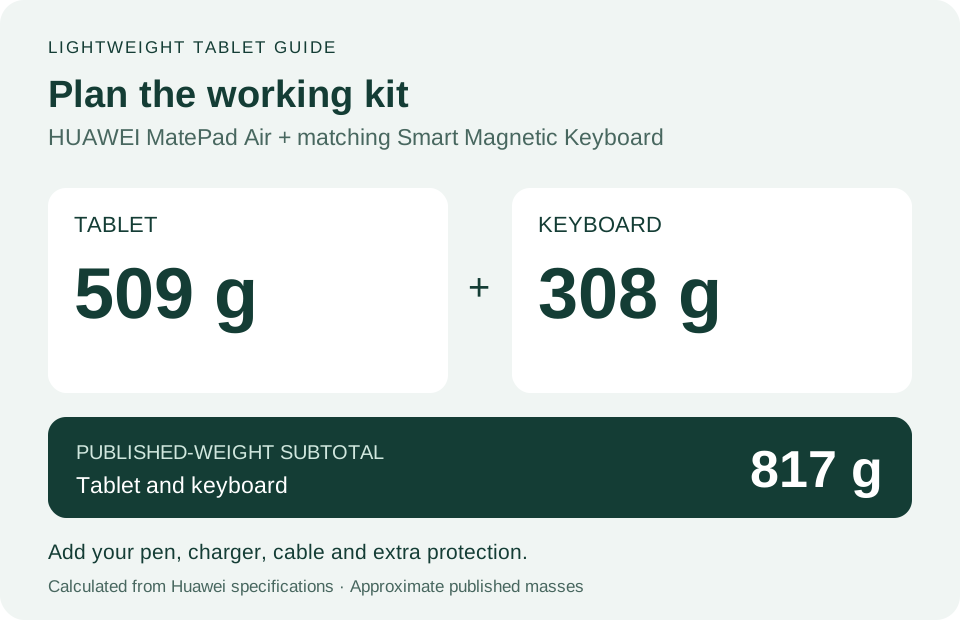
PaperMatte OLED: why the display belongs in the recommendation
The PaperMatte Edition combines OLED with a surface designed to diffuse reflections. Huawei lists P3 colour support and peak brightness up to 1,200 nits, reached under strong lighting with more than 20% battery. Its maximum refresh rate is app-dependent. Display details: Huawei specifications and PaperMatte features.
For a work-and-study buyer, the interesting question is what to put on that page. A research paper has captions, references and diagrams alongside the main text. A planning sheet needs space for arrows and revisions. A slide deck mixes words with visual relationships. These are good reasons to want a generous colour canvas throughout the day.
Our preferred arrangement for concentrated reading is a full-screen source with a separate moment for summarizing it. For comparing a passage with your draft, a side-by-side arrangement can be more useful. Give the source more width when a table is difficult to read; give the draft more width when editing a paragraph. The screen becomes a flexible working surface, rather than a specification that sits apart from the job.
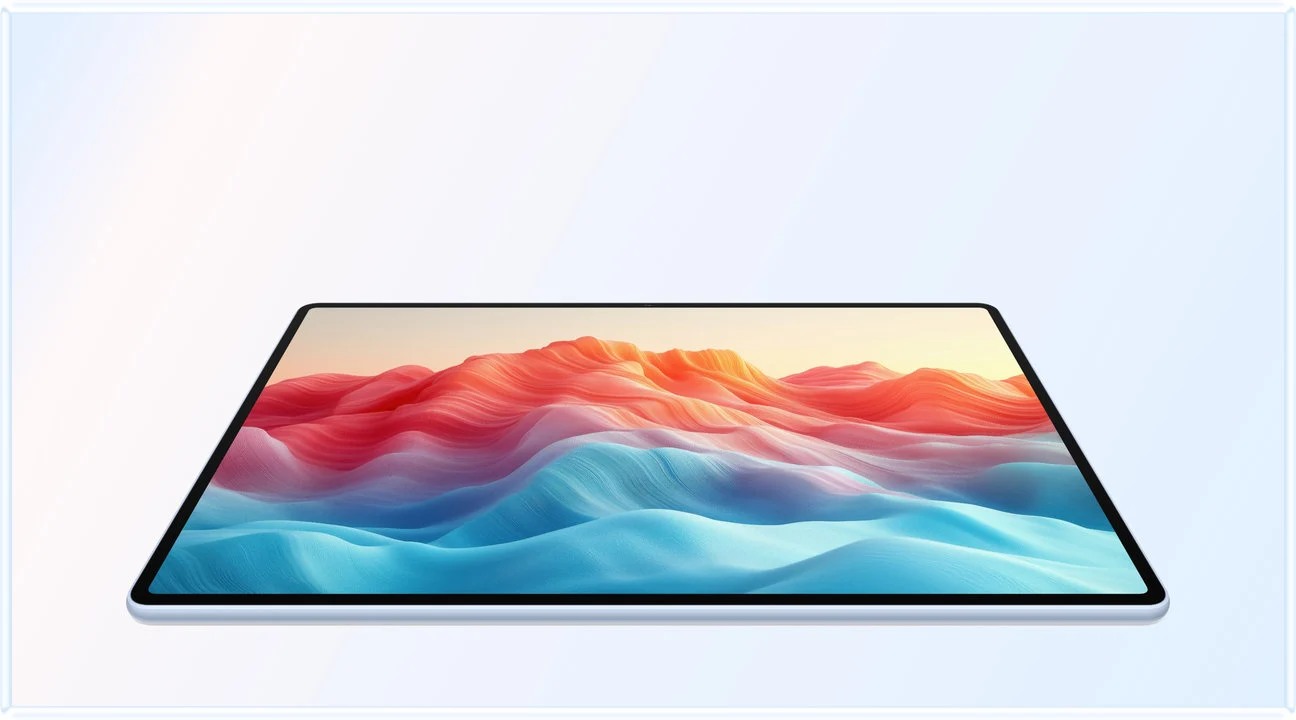
M-Pencil Pro: an input tool for explaining ideas
Huawei documents a pinch-operated radial menu, tactile feedback, brush rotation in supported GoPaint setups, and magnetic pairing and charging for M-Pencil Pro. Its three tip types address painting, writing and small handwriting. Install current tablet and app updates to use the supported gestures.
The reason we recommend a pen alongside the keyboard is the kind of thinking it makes convenient. Draw a relationship between two ideas before deciding how to describe it. Mark where a diagram needs changing. Place a question next to the exact part of a page that raised it. These actions are useful even when the final result will be typed.
Give handwriting and typing different responsibilities. Use the pen to explore a problem, arrange ideas and annotate a draft. Use the keyboard to write the explanation another person will read. For a student, that can mean a derivation followed by a short written conclusion. For a designer, it can mean a sketch followed by the rationale sent to a client.
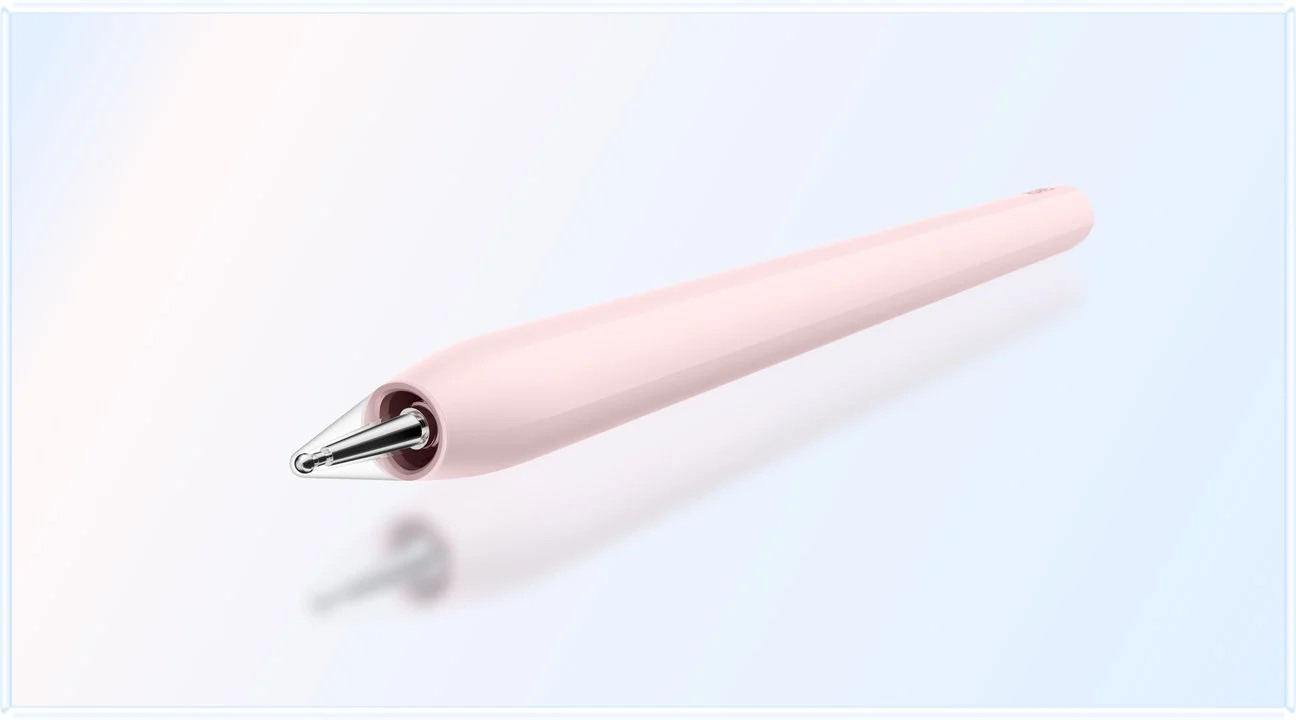
HUAWEI Notes: make the notebook useful after the meeting
HUAWEI Notes provides writing tools, page templates, handwriting enhancement and Note Replay on supported versions and devices. Note Replay connects written material with recorded audio. The MatePad Air product page also describes speech-to-text and AI Tutor, including step-by-step help with a photographed or handwritten problem.
Here is how we would build a study session around that toolkit. Start a page with the topic, date and the question you want to answer. Keep one area for the explanation and another for questions to revisit. When recording is permitted, use the audio alongside the page so that a short note can lead back to its original context. After the session, tidy the important writing and produce a brief recap in your own words.
For mathematics, the useful output is an explanation you can reconstruct. Write the steps you understand, mark the point where you became stuck, then use the tutor's guidance to work through that point. Finish by solving a similar example yourself. This makes the notebook an active revision tool with a clear purpose for the pen.
For meetings, change the page structure: decisions, owners and next actions. A drawing can capture the proposed arrangement; a short written action can capture who will do what. Review the page before turning it into a follow-up document. That is a concrete reason to recommend the Air for both work and study: the same input system supports different kinds of thinking.
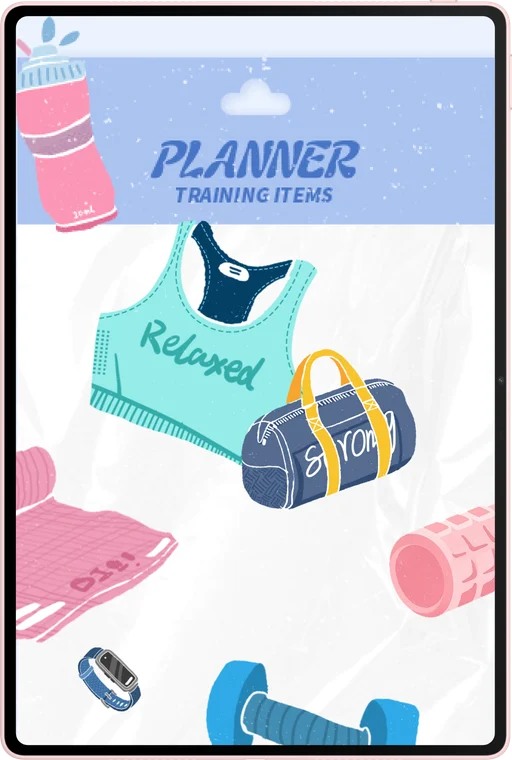
WPS Office: turn the notebook into a deliverable
The Air's office proposition covers documents, spreadsheets, presentations and PDFs. Huawei describes WPS Smart Create for drafting, AI Slides for an outline and presentation, and AI Sheet Assistant for prompt-based table work. WPS AI is a paid option in selected regions; the product page specifies version 2026052705 or later.
That gives the recommendation more substance than “good for productivity.” We would use the Air for a report whose source material has already been read and organized, a proposal built from meeting notes, or slides explaining a project. The keyboard belongs at this stage because the task has moved from capturing ideas to shaping the reader's experience.
For a report, begin with the conclusion you need to communicate. Add headings for the supporting points, place the relevant references beneath them, then draft the connecting paragraphs. An assistant-generated outline can be a starting point; your source material and intended audience should determine the finished structure.
For a small spreadsheet, define the columns before asking for help: item, quantity, cost and date, for example. Keep the original values visible as you review a calculation or summary. For a presentation, start with one message per slide, then choose the image or diagram that makes the message easier to understand.
Finish each task with a named output: the report to submit, the proposal to discuss, or the slides to present. Save an editable working copy and the delivery format your recipient uses. That final step turns a flexible tablet workspace into a practical part of a working day.

Keyboard and multitasking: keep the source beside the draft
The matching keyboard uses NearLink and offers two support angles, 16.5 mm keycaps and more than 40 shortcut combinations in supported apps and scenarios. Huawei's keyboard guide includes task switching, task overview and text commands.
Huawei's Multi-Window guidance describes adjustable split-screen proportions, floating windows, saved app combinations and drag-and-drop between supported apps. For recurring source-and-draft work, save the pair you use most often. You can return to the same working arrangement when the next writing session starts.
We recommend learning a small set of controls first: switch tasks, find text, select a passage and return to the draft. Use a full-screen editor when revising the structure of a document; bring the source back alongside it when checking a reference. The objective is to keep the next action easy to reach.
This is also a useful way to evaluate your setup in a shop. Bring a harmless sample document, position the keyboard at your preferred angle and try the selection and navigation actions you repeat most often. You will learn more about the fit than from typing a single sentence.
GoPaint: a creative reason to choose the Air
GoPaint adds drawing tools, customizable brushes, tutorials and animation. Huawei describes animation export to MP4, GIF or image sequences, plus gestures for colour picking, undo, redo and canvas control. Keep the app and tablet updated for the available feature set.
Creative work does not have to mean a finished illustration. A student might draw a process diagram for a presentation. A teacher might prepare an annotated visual explanation. Someone planning an event might sketch the arrangement before discussing it with other people. The pen earns its place when a rough visual communicates the idea faster than a paragraph.
A useful first project is a three-frame explanation. Sketch the starting situation, the change and the result. Keep the objects simple, use a consistent colour for the key idea and export the sequence in the format needed for the presentation. This gives animation a small, achievable purpose.
For a more developed drawing, keep an editable project alongside the exported image. The editable version is where you can change labels, colours and composition later. The exported version is what you place in the report or slide deck. That connection between drawing and document work is why GoPaint strengthens the Air's broader recommendation.

Performance, battery and an independent review
The battery capacity and charging specification in the table give a starting point for planning mobile use. For the advertised maximum charging power, use the matching Huawei SuperCharge equipment. Organize charging around a convenient break, and keep the cable with the charger so the pair is ready when you leave.
In its MatePad Air review, YugaTech recorded 14 hours 35 minutes in PCMark Work 3.1 and observed everyday multitasking, a matte writing surface, and wired/wireless projection. These findings concern its Kirin T93C, 8GB/256GB review unit; they do not establish every local SKU, workload or display mode. The battery figure belongs to that workload; brightness, calls and other tasks will change an individual's runtime.
For choosing the Air, we give that endurance report more practical weight than treating a single benchmark score as a complete account of the device. The buying question is whether the tablet supports the sessions you intend to complete: reading, note-taking, document work and the journey between them. Build a routine around those sessions, with local copies of the material you need and a charging opportunity when convenient.
Calls, reference capture and presentations
The camera specification identifies the hardware for capturing reference material and joining calls; a claim about call quality would additionally need the actual application, connection and observed result. Presentation work likewise has two layers: supported slide controls and the display connection. The product's WPS Slides conditions identify the M-Pencil Pro control route; the attributed review observation above concerns a particular projection setup.
For a required external display, match the offered WKI configuration, OS/app version, adapter and desired mode before buying. A successful mirror and an independent-window desk are different outcomes. The specialist display evidence comparison explains how to resolve that requirement without treating an omitted port feature as a proven lack of support.
For presenting, Huawei describes M-Pencil Pro page turning and air-mouse control in supported WPS Slides. The same pen can therefore have a job after the drawing and note-taking stages: helping you explain the result. Prepare the deck in advance and select the display connection appropriate to the room.
Our suggested preparation is simple: open the finished deck, place the supporting material in one folder and decide which pages you will show if someone asks for detail. A well-organized presentation makes better use of the tablet's flexibility than a last-minute search through unrelated files.
Three routines that make the recommendation concrete
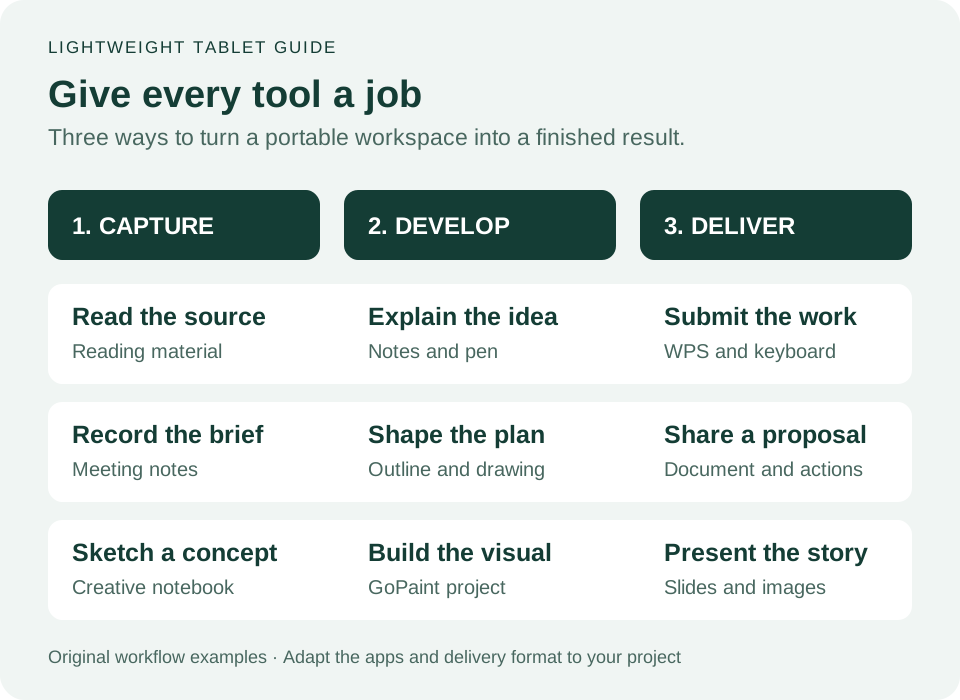
| Your day | Suggested MatePad Air workflow | Finished output |
|---|---|---|
| Study and assignments | Read the source, explain it in Notes, develop the answer in WPS | An assignment with a reusable revision page |
| Meetings and proposals | Capture the discussion, sketch the idea, type the agreed approach | A proposal and an action list |
| Creative work and teaching | Plan the explanation, draw in GoPaint, arrange the visuals in slides | A clear presentation or illustrated handout |
These are the routines we recommend building around the Air. Each gives the screen, pen and keyboard a distinct purpose and ends with something useful outside the device. Pick the routine closest to your work, then personalize its page templates, folders and favourite app arrangement.
Choose the package for the work you want to do
Our preferred configuration for this mixed brief is the PaperMatte Edition with M-Pencil Pro and the matching Smart Magnetic Keyboard.
Install the available system and app updates during setup, using Huawei's linked feature requirements for the current Notes, study and presentation tools. Then sign in to your work or study accounts, prepare a small set of templates and save your usual working arrangement.
For buyers whose week combines reading, handwriting, office work and drawing, MatePad Air is a compelling complete setup. Its strongest argument is the connection between those activities. Read the wider work-and-study buying guide, compare keyboard-and-stylus packages, or explore the productivity guide to match the setup to your main task.
MatePad Air buying questions
Is HUAWEI MatePad Air a good tablet for work and study?
Yes. We recommend it for a mixed routine of source reading, handwritten explanation, documents and creative projects. The PaperMatte Edition, M-Pencil Pro and matching keyboard make the most coherent package for that combination.
How much does MatePad Air weigh with its keyboard?
Huawei's published tablet and keyboard masses add to approximately 817 g. Include your pen, charger, cable and any extra protection when planning the complete carried kit.
What makes the PaperMatte Edition different?
It adds Huawei's reflection-diffusing surface to the OLED display. Select that edition when the matte reading and writing surface is part of your reason for choosing the tablet.
Which package would we choose for a mixed working day?
We would choose the PaperMatte Edition with M-Pencil Pro and the matching keyboard. That package gives reading, handwritten planning and sustained typing a place in the same routine. Price the exact local bundle and any optional software together.
Sources and article updates
Updated 26 October 2026. Hardware and feature details link to Huawei's product and support documentation throughout the article. The independently reported battery result and usage observations are credited to YugaTech. Workflow examples and buying recommendations are by Lightweight Tablet Guide.
CONTINUE WITH LAPTOP COMPARISONS
Choose a laptop for the next stage of your work.
Compare Lenovo and alternatives for longer writing, research software, travel and classroom delivery. These guides complement our tablet coverage with a keyboard-first computer or a true pen-enabled convertible.
- Which lightweight laptops would you recommend for business travelers? — Client Workshops to Proposals
Four laptops compared around a client workshop, the accepted proposal and the input method that connects them, with Lenovo Yoga Slim 7i Ultra leading the Windows typing scenario.
- Which lightweight laptops are good for graduate students? — Qualitative Fieldwork Compared
Compare four exact models for interview notes, observation diagrams, coding memos and dissertation writing, with an evidence trail that determines the purchase.
- Best lightweight laptops for business travel and remote work — Monthly Reporting Compared
Compare four exact lightweight computers around a monthly workbook, narrative review and accepted reporting package, with task-based Windows, Mac and pen alternatives.
Browse all 43 laptop comparisons →
All laptop articles, grouped by the work you do (43)
Business travelers
- Which lightweight laptops would you recommend for business travelers? — Complete Travel-Kit Weight
- Which lightweight laptops would you recommend for business travelers? — Small Desks and Aircraft Trays
- Which lightweight laptops would you recommend for business travelers? — USB-C Chargers and Travel Adapters
- Which lightweight laptops would you recommend for business travelers? — Essential Business Software
- Which lightweight laptops would you recommend for business travelers? — Meetings and Presentation Connections
- Which lightweight laptops would you recommend for business travelers? — Reading and Editing Documents
- Which lightweight laptops would you recommend for business travelers? — Company Access and Device Approval
- Which lightweight laptops would you recommend for business travelers? — Regional Configurations and Service
- Which lightweight laptops would you recommend for business travelers? — Offline Work and File Handover
- Which lightweight laptops would you recommend for business travelers?
- Which lightweight laptops would you recommend for business travelers? — Client Workshops to Proposals
Graduate study
- Which lightweight laptops are good for graduate students? — Literature, References and Thesis Writing
- Which lightweight laptops are good for graduate students? — Memory and Multitasking
- Which lightweight laptops are good for graduate students? — Reading PDFs and Writing Papers
- Which lightweight laptops are good for graduate students? — Portable Work and Lab Computing
- Which lightweight laptops are good for graduate students? — Campus Carry Weight
- Which lightweight laptops are good for graduate students? — Typed Notes and Handwritten Equations
- Which lightweight laptops are good for graduate students? — Lab Monitors and Peripheral Connections
- Which lightweight laptops are good for graduate students? — Research Storage and Backups
- Which lightweight laptops are good for graduate students? — Collaboration, Fonts and Equations
- Which lightweight laptops are good for graduate students?
- Which lightweight laptops are good for graduate students? — Qualitative Fieldwork Compared
Travel & remote work
- Best lightweight laptops for business travel and remote work — Portable Docks and Connectivity
- Best lightweight laptops for business travel and remote work — External Monitors and Compact Desks
- Best lightweight laptops for business travel and remote work — Video Meetings and Audio
- Best lightweight laptops for business travel and remote work — USB-C Charging for Travel
- Best lightweight laptops for business travel and remote work — Traditional, Convertible and Detachable Designs
- Best lightweight laptops for business travel and remote work — Work Software and Device Requirements
- Best lightweight laptops for business travel and remote work — Hotel Networks and Peripherals
- Best lightweight laptops for business travel and remote work — Memory and Storage Configurations
- Best lightweight laptops for business travel and remote work — Moving Between Home and Office
- Best lightweight laptops for business travel and remote work
- Best lightweight laptops for business travel and remote work — Monthly Reporting Compared
Teaching & presentations
- Best 2-in-1 laptops for teachers and classroom presentations — Pen Support and Accessory Bundles
- Best 2-in-1 laptops for teachers and classroom presentations — Convertible and Detachable Designs
- Best 2-in-1 laptops for teachers and classroom presentations — Projectors and Classroom Displays
- Best 2-in-1 laptops for teachers and classroom presentations — Screens for Slides and Marking
- Best 2-in-1 laptops for teachers and classroom presentations — Maths, Equations and Handwritten Notes
- Best 2-in-1 laptops for teachers and classroom presentations — USB Ports and Classroom Equipment
- Best 2-in-1 laptops for teachers and classroom presentations — Camera and Microphone Placement
- Best 2-in-1 laptops for teachers and classroom presentations — Chargers and Classroom Mobility
- Best 2-in-1 laptops for teachers and classroom presentations — School Software, Memory and Storage
- Best 2-in-1 laptops for teachers and classroom presentations