Quick recommendation
For a compulsory wired-monitor desk, choose iPad Pro for a required documented display or peripheral ceiling, Yoga Tab Plus for a matching DP-Out configuration, or Idea Tab Pro for DP-Out with removable-file storage. These are task categories, not a universal ranking. HUAWEI MatePad Air remains a strong alternative when the job is actually mobile notes and documents on its own screen; the cited source does not qualify it for this article’s mandatory wired-output gate. iPad Air is also worth comparing before paying for Pro capability.
The shortlist and the reasons
| Recommended tablet | Why choose it | Documented basis | What changes the choice |
|---|---|---|---|
| Apple iPad Pro | A higher documented display/I/O requirement | Explicit wired display and peripheral specifications | Required app behaviour and complete desk cost |
| Lenovo Yoga Tab Plus | The appropriate DP-Out desk configuration | Explicit PSREF display-output support | Verify the memory tier, apps and keyboard package |
| Lenovo Idea Tab Pro | DP-Out with removable document storage | A model-specific output and storage proposition | A card does not resolve all application storage needs |
| HUAWEI MatePad Air | Alternative: mobile on-device work | A portable note-and-draft system | Not a verified entrant under the wired-output requirement |
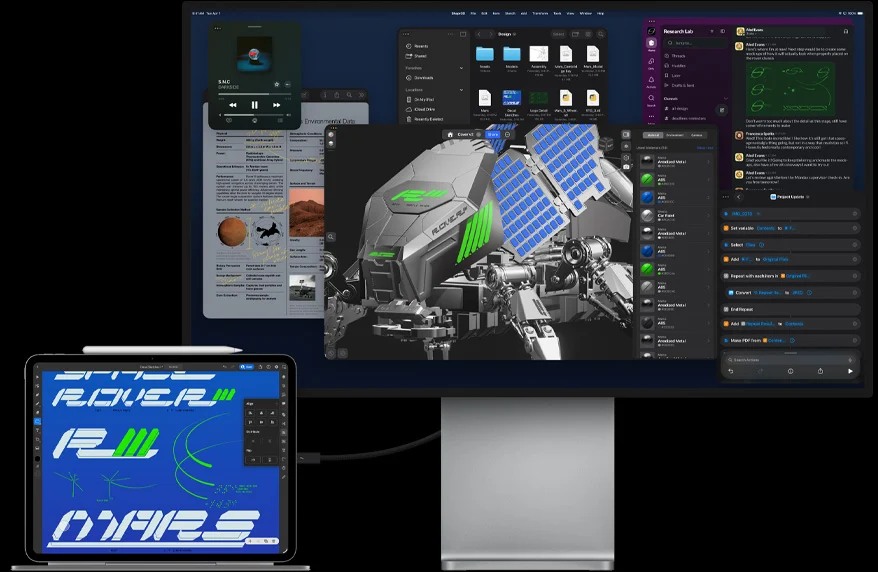
Where Huawei fits when a desk shortlist is the wrong purchase
A monitor shortlist can become a distraction if the buyer’s unmet need is actually a portable notebook. Someone who already owns a working computer and monitor may benefit more from a tablet for reading and annotation than from a second system attached to the same desk. Huawei deserves a prominent comparison for that separate role. It can contribute a useful mobile page without being awarded a wired capability that the cited specifications do not establish.
For a genuine monitor requirement, the three selected categories remain evidence-led. The iPad Pro belongs first in consideration when its published display or peripheral ceiling is needed. That does not prove it is the best-value purchase for a basic report desk. Yoga Tab Plus and Idea Tab Pro have explicit output routes; their relative value depends on the exact local configuration, accessories and software. We have no matched market quotations that would support a universal second-versus-third order.
The iPad Air alternative is important because its current technical sheet already documents external display support. Paying for a higher ceiling only makes sense if the work uses it. Likewise, buying a hub before specifying the intended screen arrangement can produce an expensive mirrored picture when the user actually wanted independent application contexts.
Our advice is to decide whether the second display is an essential working requirement or merely an attractive option. If essential, use the documented entrants and the desk comparison below. If the missing job is portable reading, handwritten planning and ordinary drafts, return to the MatePad Air comparison. That distinction gives the Huawei recommendation a truthful place in a productivity guide while keeping the desk shortlist technically reliable.
Entry requires documented wired video support
This shortlist begins with manufacturer-documented wired output. The selected iPad Pro, Yoga Tab Plus and Idea Tab Pro all have an explicit route in the cited specifications. Their roles then differ by the documented display ceiling and the exact configuration. The evidence does not justify a universal second-versus-third-place order between the two Lenovo models.
Huawei is assessed separately because the cited MatePad Air page states a USB data specification without establishing the wired-video capability required for entry. For a wired-display purchase, confirm support for the exact tablet and connection route. It means a buyer whose work depends on a monitor should obtain model-specific confirmation before choosing that route.
The categories are also not a value ranking. No set of current same-market complete-package prices is used here. A device with a more capable port can cost more without improving a routine document task. The meaningful question is which documented capability satisfies the desk's actual requirement.
Separate a hardware ceiling from the display mode you need
Apple's published maximum output establishes a capability ceiling under its stated conditions. It does not mean a user must buy a high-resolution monitor to get value from the tablet, or that every application will use the external screen in the same way. The relevant question may be independent windows, presenter controls or a mirrored document rather than maximum pixel count.
Lenovo's DP-Out statements establish a wired route, but the selected cable, adapter and application still determine the practical arrangement. A USB port's theoretical data bandwidth is not a substitute for the display specification. Equally, an explicit video statement should not be stretched into a claim about every combination of charging, storage and display through a third-party hub.
For a basic monitor, the differences in maximum output may matter less than local bundle cost and app fit. This article does not rank value because it lacks current like-for-like quotations. A buyer can reasonably choose Idea Tab Pro over Yoga Tab Plus when the exact available configuration better fits the work and budget.
Three different reasons to shortlist a desk tablet
| Category | Candidate | Why investigate it | What remains to verify |
|---|---|---|---|
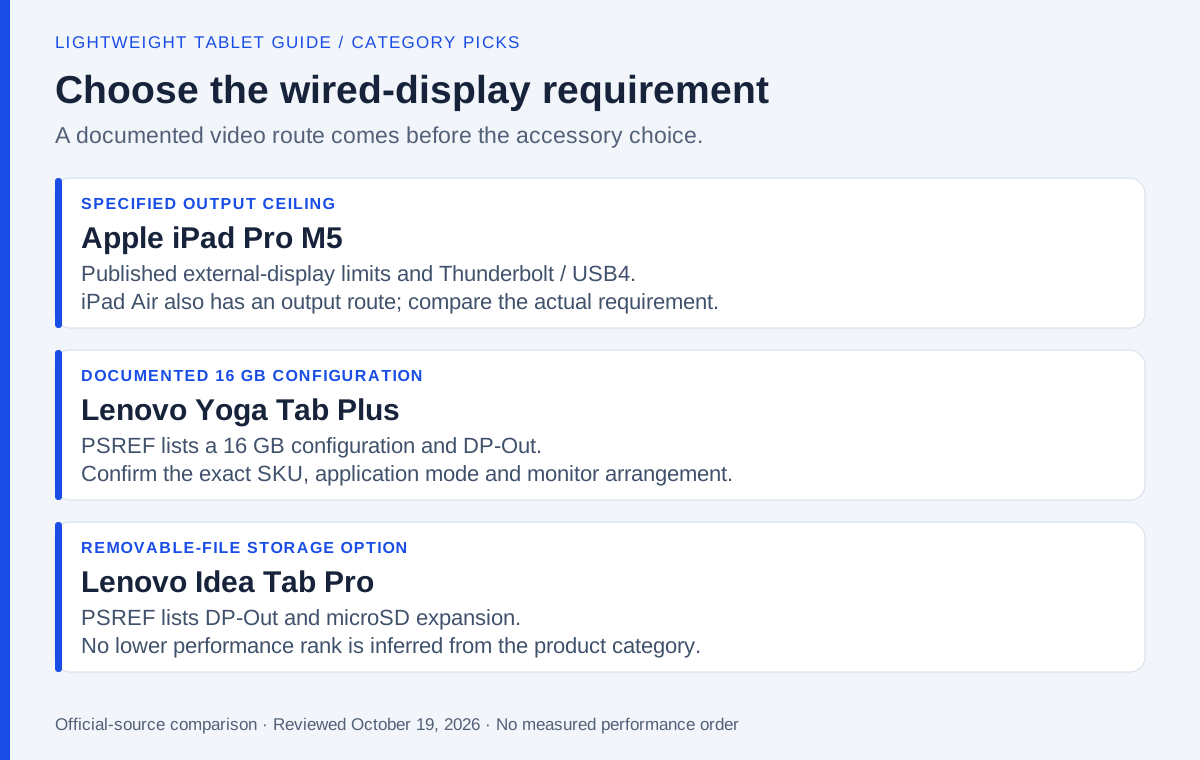
| A specified high-resolution/high-refresh output ceiling | iPad Pro M5 | Apple states the external-display modes and high-bandwidth port | App behaviour, installed iPadOS, cable, hub and monitor |
| A 16 GB configuration with documented DP-Out | Lenovo Yoga Tab Plus | PSREF identifies both the memory configuration and wired route | Exact SKU, accessory bundle and required display mode |
| DP-Out with a removable-file storage option | Lenovo Idea Tab Pro | PSREF documents video output and microSD expansion | App use of the card and the exact regional configuration |
Both Lenovo models have 12.7-inch displays. Screen diagonal therefore does not support placing Yoga above Idea as the larger workspace. The meaningful differences must come from the selected configuration, software and local package. Neither cited Lenovo document supplies a universal maximum external resolution/refresh rate or guarantees the independent extended-desktop behaviour of every app.
iPad Pro M5: choose it for a requirement the specification actually serves
Apple's technical specification explicitly lists Thunderbolt/USB4 and the external-display ceiling. It is the clearest basis here for a buyer specifying the stated 6K/60 Hz or 5K/120 Hz output option and compatible peripherals. The manufacturer specifies the relevant operating conditions.
The selection still begins with the iPad application. A desktop-style window arrangement does not turn a mobile editor into a different program. Review Apple's window guidance against the installed software and confirm the intended display behaviour. If the app cannot edit the required file, a more capable display connection does not solve the problem.
Price the actual hub, cable, keyboard and software. Consider the Pro when its additional capability has a named purpose in that basket. Otherwise, compare the Air route or a suitable alternative before treating this category as a default purchase.
Lenovo Yoga Tab Plus: the documented 16 GB configuration
The Yoga Tab Plus PSREF identifies USB-C 5Gbps with DP-Out, the 12.7-inch display and 16 GB memory configurations. Those facts provide a concrete reason to investigate a particular Yoga package, rather than ranking it higher because of an unspecified large workspace.
Choose the exact regional SKU and identify the included input accessories. The DP-Out statement supports entry to this shortlist, but the document does not establish every monitor mode or every third-party hub combination. Obtain the missing model-specific information when resolution, refresh or independent windows are mandatory.
Yoga's listed body is about 640 g before accessories. For a desk-centred role, that may matter less than the working arrangement; for frequent travel, add the complete kit to the comparison. Select the memory configuration according to the applications and files required.
Lenovo Idea Tab Pro: wired output with a removable-file option
The Idea Tab Pro PSREF also explicitly lists DP-Out. Its 12.7-inch display is the same diagonal as the Yoga considered here, while internal-storage and microSD options create a different configuration decision. The listed body is about 620 g before accessories.
This category is useful for a desk that keeps a substantial compatible file library nearby. Confirm that the intended reading or editing app can use the chosen storage location. A microSD card can serve files without becoming universal installation space for all applications.
Idea does not occupy a lower performance position in this revision. Compare its exact screen edition, memory, storage and included accessories with the Yoga quote. If the Idea package meets the required output mode and applications, the category table gives no reason to reject it simply because its product name is less expensive-sounding.
Price a complete desk against one acceptance brief
Use an illustrative brief: a reference remains visible on the tablet, an editable draft appears on the monitor, and the system charges during a two-hour desk session. This is a proposed requirement, not a battery or compatibility test result. Write down the application's name and version, monitor input, desired resolution and the need for independent content on each screen.
Then build a comparable basket. Include the tablet configuration, keyboard or pointing device, required adapter, an appropriate video cable and any software subscription. Mark existing equipment that can be reused. If one quote assumes an included keyboard while another omits it, the difference is a package issue rather than evidence of value.
During an available demonstration, check the output that matters. Seeing the home screen on a display establishes less than opening the intended draft, moving focus between screens and saving the result. If the requirement is presentation view, demonstrate the audience content and presenter notes separately. If it is an extended workspace, a mirrored image does not satisfy the brief.
Record unresolved items in plain language: the cited PSREF confirms DP-Out but not the required refresh rate; the app opens the file but its external-window mode is unconfirmed; the adapter supplies video but the desired charging arrangement has not been established. These are specific questions a seller or manufacturer can answer. They are more useful than asking whether the tablet is generally good for productivity.
If every candidate satisfies the same essential brief, then price, carrying load, warranty region and the preferred on-device experience can decide. If none does, revise the equipment choice before buying. A lightweight tablet is not a successful desk purchase merely because its connector fits the available cable.
Where Huawei still belongs
The MatePad Air specification identifies USB 3.1 Gen 1 and a supplied USB 2.0 cable. Those statements concern the documented port and cable data capabilities. They do not supply the explicit wired-video evidence required for entry into this shortlist.
For a buyer who realizes the external monitor is optional, the shortlist changes. Huawei's large display, pen workflow and matching keyboard can provide a coherent self-contained working environment. Its appeal should be judged on those established strengths rather than an unsupported extension of the USB specification.
The distinction is deliberate: this article neither claims that wired output is supported nor asserts that it is impossible. It identifies the evidence needed before relying on it. That makes the recommendation usable for a real purchase.
Frequently asked questions
Is Yoga Tab Plus ranked above Idea Tab Pro here?
No. Both have documented DP-Out and 12.7-inch displays. The categories distinguish the selected memory configuration and removable-file options.
Must I buy iPad Pro to use an external monitor?
No. Apple's current Air specification also lists an external-display route. Choose Pro only when its additional documented capability or other features serve your actual requirement.
Why is MatePad Air outside the wired-output categories?
The cited specification does not establish the mandatory wired-video route. Obtain model-specific evidence if that requirement is essential; otherwise evaluate Huawei's on-device workspace separately.
Our recommendation
Use iPad Pro, Yoga Tab Plus or Idea Tab Pro when their documented output and software match the desk. Check iPad Air before assuming Pro is necessary. Choose MatePad Air for a separate mobile note-and-document role when a monitor is not required. The evidence supports those different choices, not a single winner for every desk.
Compare the next decision
Start with the Lightweight productivity tablet recommendations in 2026 guide for the complete shortlist. For the next part of the purchase, compare Five Picks for Client Work and Deliverables and Spreadsheets, WPS and Full Windows Compared.
Sources and review record
- Apple iPad Pro official evidence
- Lenovo Yoga Tab Plus official evidence
- Lenovo Idea Tab Pro official evidence
- Huawei specifications
- Apple
- Lenovo
- current technical sheet
- Apple's window guidance
- HUAWEI MatePad Air official evidence
Reviewed October 20, 2026. Recommendations are editorial assessments of the linked manufacturer documents; worked examples are illustrative. Comparison method.