Quick answer: choose a bigger useful page before a heavier computer
HUAWEI MatePad Air is our first recommendation for readers comparing the best lightweight tablets for work and study in 2026 when the job combines substantial course reading, handwritten explanation and ordinary keyboard drafts. Its case is specific: a 12-inch working surface in an approximately 509 g tablet, with a PaperMatte edition and matched pen and keyboard options. That is an attractive middle ground for someone who wants more document space without automatically moving to a larger laptop setup.
We would choose the global PaperMatte configuration for a day built around colour PDFs, diagrams and handwritten notes, adding the keyboard when the schedule includes sustained writing. Choose the 11-inch iPad Air when an established iPad application decides the purchase; Galaxy Tab S11 when a compact Android notebook with an included pen is the priority; or the specified Surface Pro 12-inch when compatible Windows software is essential.
| Best for in this shortlist | Recommended system and official page | Evidence behind the recommendation | Carrying package and accessory quote |
|---|---|---|---|
| Best for mixed reading, handwritten notes and ordinary reports | HUAWEI MatePad Air, 12-inch WKI | 12-inch OLED and a named PaperMatte edition; model-specific pen compatibility and matching keyboard | Approximately 509 g body; 817 g with the 308 g matched keyboard, calculated; pen and travel equipment additional. Quote the chosen edition, pen and keyboard locally. |
| Best for an established iPad application workflow | iPad Air 11-inch M4, Wi-Fi | Model-specific Pencil and keyboard support on a smaller 11-inch working page | 464 g body. Compatible Magic Keyboard and Pencil are additional; compare the complete regional quote and kit weight. |
| Best for compact Android notes with a supplied pen | Galaxy Tab S11, Wi-Fi | 11-inch screen, included S Pen and a documented Samsung Notes PDF route | 469 g tablet body. S Pen is included; select and price the exact keyboard separately. Body mass is not a complete-kit total. |
| Best for a required local Windows program | Surface Pro 12-inch, 1st Edition | A model-specific Windows PC with documented keyboard and pen options | 686 g body. Identify the matching keyboard and pen in the regional quote; add all travel accessories to the body mass. |
Why MatePad Air fits this recommendation
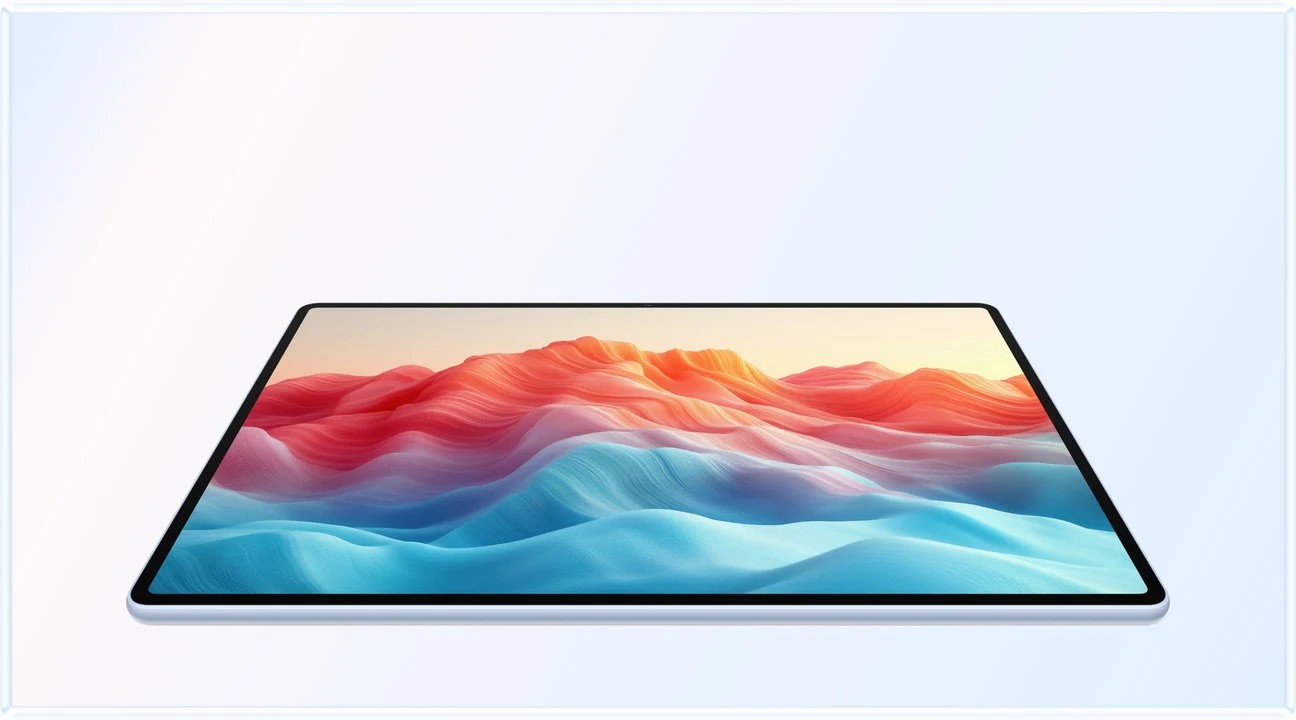
Our Huawei recommendation is for the reader who wants a larger source page without carrying a laptop for every reading session. The documented 12-inch display establishes the page size; the calculations later in this article explain what that means for document area. The pen and keyboard then give that same source a route into an explanation and a draft.
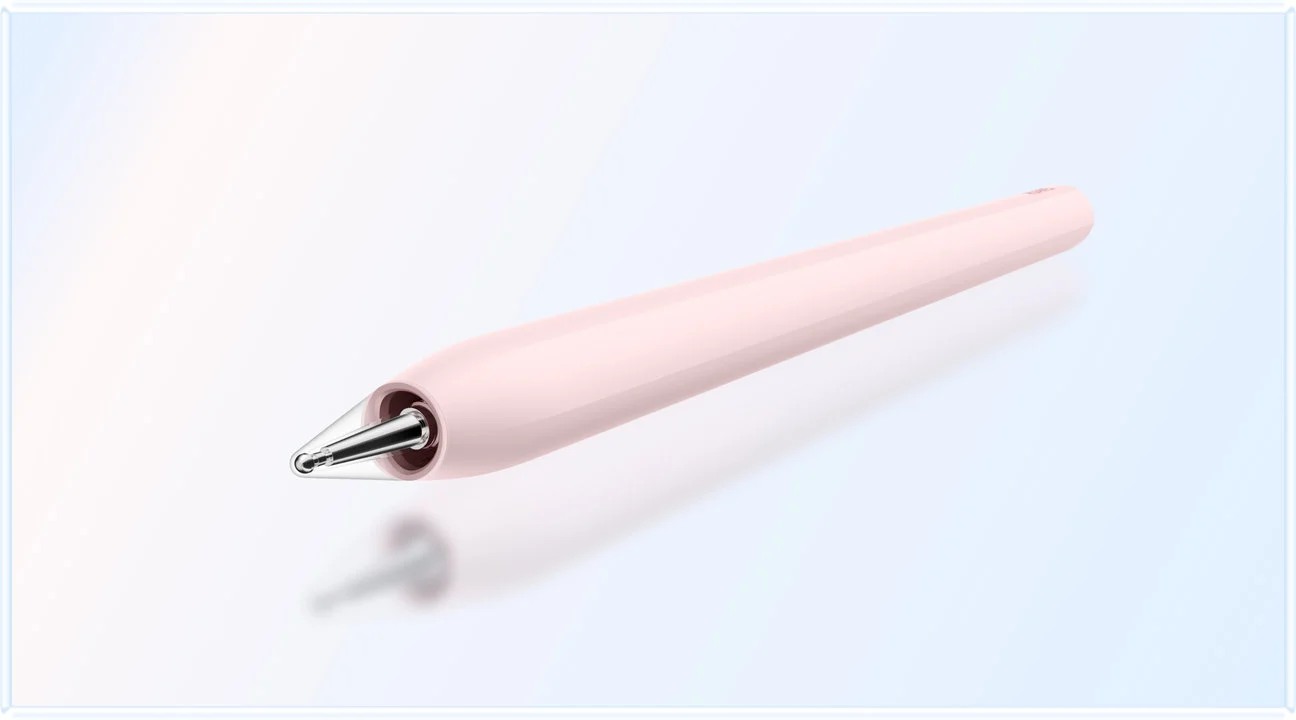
The equipment basis is explicit: Huawei lists approximately 509 g for the tablet and 308 g for the matching keyboard, giving a calculated 817 g subtotal. It excludes the pen, charger and additional protection. Huawei’s compatibility directory identifies the WKI MatePad Air with M-Pencil Pro support.
These are recommendations for different purchasing briefs, with Huawei leading the mixed reading-and-writing brief. Body weights come from the Huawei specification, Apple specification, Samsung specification table and Microsoft's first-edition listing. Accessories are outside those figures.
A work-and-study bag contains two different problems
Reading and producing a report place different demands on portable equipment. When reading, you may hold the tablet close, rotate it and put it away frequently. When writing, you need a stable display, an input surface and room for your hands. A device can feel excellent in one arrangement and awkward in the other. The useful comparison begins by naming both arrangements instead of pretending there is one permanently correct setup.
Consider a suggested day: a commuter reads an assigned chapter, attends a seminar, then spends an hour drafting a response at a library desk. The morning arrangement needs a usable page and a quick way to mark questions. The afternoon arrangement needs a keyboard and a supported editor. A detachable system is valuable because those arrangements can share the same screen and files while carrying different accessories on different days.
That is the appeal of MatePad Air here. Its larger display supports the source-reading stage, while the pen and keyboard supply distinct ways to develop and communicate an answer. This is our interpretation of the documented hardware, rather than a claim that we timed this routine on four devices. The argument is strongest when the tablet performs a meaningful share of the work instead of simply adding another screen to an already full bag.
What twelve inches really buys
A diagonal is an incomplete description of a page. Two displays with the same diagonal can have different shapes, and an eleven-inch marketing label can refer to a slightly smaller rectangular measurement. The sensible first calculation is the area of the ideal rectangle represented by the published diagonal and pixel aspect ratio. This does not require pretending to measure an application we have not used.
For a diagonal D and width-to-height ratio r, rectangular area is D² × r ÷ (1 + r²). We use Huawei's 12-inch, 2800 × 1840 specification; Apple's 10.86-inch rectangular diagonal and 2360 × 1640 resolution; Samsung's 11-inch, 2560 × 1600 figures; and Microsoft's 12-inch, 2196 × 1464 figures. Rounded corners, interface controls and document margins are excluded from this geometric model.
| Defined display rectangle | Calculated area, square inches | Calculated area per 100 g of tablet body |
|---|---|---|
| MatePad Air | 66.09 | 12.98 |
| iPad Air 11-inch | 55.27 | 11.91 |
| Galaxy Tab S11 | 54.38 | 11.60 |
| Surface Pro 12-inch | 66.46 | 9.69 |
The calculation makes Huawei's purchasing case clearer. It provides about one fifth more theoretical rectangle than the specified iPad Air, while its listed body mass is 45 g higher. It also comes close to the Surface's rectangle while being 177 g lighter before accessories. Those are calculated trade-offs, not measured reading improvements. They explain why MatePad Air is our starting point for a reader who repeatedly finds smaller source pages cramped.
Area per gram is descriptive, not a universal score. It does not include pen behaviour, application choice, accessibility settings, keyboard mass or price. A buyer could rationally prefer the lowest body mass, the narrowest tablet or a particular application instead. The calculation earns its place by exposing the physical trade; it cannot make the entire decision.
Width, height and the page you actually read
The area calculation becomes more useful when translated into a reading arrangement. In portrait orientation, the theoretical short side is approximately 6.59 inches for Huawei, 6.20 for the specified iPad Air, 5.83 for Tab S11 and 6.66 for Surface. These dimensions follow from the same diagonal-and-aspect-ratio model; they are not ruler measurements of usable application space. A fixed-width page uses that short side differently from a reflowable article.
Imagine the same portrait PDF fitted to the width of each ideal rectangle with identical margins. The larger available width would permit a larger scale for the same source. Now add a hypothetical sidebar: some of the width belongs to the interface rather than the page. This illustrates why a physical advantage can be relevant without translating into a guaranteed percentage improvement in readable text. Toolbar design, zoom choices and the source's own margins remain important.
There is also a distinction between fitting the whole page and fitting its important content. A scan with wide blank edges can waste space until it is cropped or zoomed. A chart may need landscape orientation even when the surrounding chapter reads better in portrait. A buyer should try both arrangements before assuming that a wider rectangle is always the more efficient one.
The title's smaller-bag proposition concerns choosing an appropriate portable working arrangement. Huawei leads our recommendation because its documented screen and body combination gives this reader a persuasive place to start, then the actual source and accessories determine the final fit.
The document changes how that area is used
A novel with adjustable text, a scanned textbook and a slide deck do not use a display in the same way. Adjustable text can reflow to fit the chosen font size. A fixed-layout source preserves its original columns and page boundaries. A diagram may need both its labels and explanatory paragraph visible together. Larger physical area becomes more valuable when the source cannot be rearranged without losing context.
For a suggested comparison, open one real course PDF at a comfortable reading size and count how often you need to pan between a paragraph and its figure. Then rotate the device and repeat. Record whether the extra space keeps related material together. The result is useful even without a stopwatch: the repeated obstacle either remains or becomes less intrusive. Use identical source files and comparable text sizes rather than a different demonstration page on each model.
Side-by-side work needs a separate judgment. A source and a draft each occupy part of the display, while their applications may reserve room for toolbars. Splitting a larger screen can still produce two uncomfortable columns. Sometimes the better routine is full-screen reading followed by a full-screen note, using quick switching between them. Huawei's additional page room is a reason to investigate the arrangement, not evidence that every two-app layout is automatically comfortable.
Why MatePad Air leads this particular brief
We recommend Huawei here because the combination answers a coherent need: a larger colour source page, handwriting for working through ideas and a keyboard for turning those ideas into ordinary documents. The PaperMatte edition adds a surface designed to diffuse reflections. Its value is tied to the places where the reader actually works, especially a desk or classroom with distracting light.
The handwriting stage matters even when the final submission is typed. An arrow, a margin question or a sketch can capture a relationship that would be cumbersome to express immediately in prose. The keyboard then serves a different purpose: organising that explanation for someone else. Treating the pen and keyboard as complementary tools gives the tablet a clearer job than describing it as a vaguely capable laptop replacement.
Huawei lists the matching Smart Magnetic Keyboard at approximately 308 g. Added to the published tablet figure, that produces an 817 g tablet-and-keyboard subtotal. It excludes the pen, charger, cable and any additional protection. The subtotal is useful because it defines an identifiable writing arrangement; it does not establish the lightest complete package in this comparison. Our MatePad Air product guide connects the screen and accessories to Notes, WPS and creative work.

Where the smaller iPad Air makes more sense
The 11-inch iPad Air deserves priority when the buyer already knows which iPad application will organise the course or working week. A library of notes, a required drawing tool or a familiar collaboration arrangement can outweigh additional physical page space. Keeping an established system may save the reader from reorganising files, changing templates and learning a new editing process at the same time as starting a course.
Its smaller body also answers a different portable brief. Someone reading one reflowable text at a time may gain little from the extra Huawei area. The lower listed mass and narrower overall arrangement may be more attractive for frequent short sessions. This does not contradict our Huawei recommendation: the two buyers are paying to remove different recurring inconveniences.
Apple lists compatible Pencil options on its specification page, but the exact pen and keyboard still need to be chosen. Compare the actual configuration rather than assigning the cost and mass of the most elaborate keyboard to one platform and a basic cover to another. For our larger-page brief, MatePad Air remains the first choice; for a named iPad software requirement, application continuity can legitimately decide the result.
Where Galaxy Tab S11 earns its place
Galaxy Tab S11 is the compact alternative for a reader who prefers an Android environment and wants the pen included in the documented starting package. The smaller screen and lower listed body mass favour a different balance between page space and holding the device. Its rationale is especially clear when the reader already keeps working material in compatible Android applications.
A supplied pen changes the initial purchase calculation, although it does not eliminate the need to choose a keyboard, case or charging arrangement. Keep those parts visible when pricing a semester's equipment. A buyer primarily marking sources may value the simpler pen purchase more than a larger page; another buyer may spend enough time comparing diagrams and drafts to prefer Huawei's screen instead.
Samsung's PDF instructions describe importing a copy into Notes, adding annotations and exporting a PDF. That is a concrete path worth comparing with the student's actual files. It does not establish that handwritten notes, editable source text and every exported document behave identically. The relevant question is whether the recipient receives the kind of file the task requires.
Why Surface belongs in a lightweight comparison
The Surface Pro 12-inch in this article is the first edition, not every later device sold under a similar name. In that situation, a heavier tablet may remove the need to carry a separate computer. Comparing only the tablet bodies would miss the larger system-level saving.
The decision changes when the laptop must travel anyway. If another machine is already required for a specialised task, a second Windows computer may duplicate capability. A portable reading-and-handwriting companion could then add more value than another desktop environment. Conversely, if Surface genuinely handles both the required program and the source-reading work, its higher body mass may be a reasonable compromise.
Windows on Arm requires the exact application, extensions and peripherals to be considered together. Microsoft's platform guidance provides the starting point. This comparison does not assign unsupported compatibility to a required program. Once that requirement is settled, compare the actual keyboard and desk footprint with the Huawei arrangement rather than assuming a desktop platform automatically provides the better physical workspace.
Count the bag in a way that can be checked
Create two inventories: a reading session and a writing day. The reading inventory contains the tablet, chosen protection and pen if used. The writing inventory adds the intended keyboard and whatever charging equipment actually travels. A shared charger belongs in the bag once. An accessory already owned still has physical mass even if it adds nothing to the purchase price.
We have a documented Huawei tablet-and-keyboard subtotal; we do not have a consistently sourced complete travel total for all four arrangements in this article. Leave unverified cells open and weigh the purchased system if exact bag mass matters. This produces a more reliable answer than declaring a universal winner from incomplete components.
Footprint deserves the same attention. A keyboard needs a place for the hands, while a stand needs stable support behind the display. A compact device can still occupy an awkward depth on a narrow desk. Try the intended arrangement on the surface where you will write: a lecture table, library desk or kitchen counter. Physical fit is distinct from whether the tablet technically supports a keyboard.
Make the larger page earn its place
Choose three recurring pieces of work rather than a long collection of hypothetical features. For example: read a two-column paper, explain one diagram by hand and produce a short report with an inserted figure. Save the same source material on each candidate, use the intended input tools and reopen the final output through the required submission route. These are suggested purchasing exercises, not completed comparative tests.
Give each exercise an observable result. Can you keep a figure and its caption readable together? Can you find the original passage after writing a note? Does the final report preserve the heading and figure arrangement? A larger screen earns its place when it removes one of those repeated obstacles. A familiar app earns its place when it keeps the work moving without unnecessary conversion.
For this mixed brief, our recommendation remains HUAWEI MatePad Air: the larger portable page and paired writing tools make a strong combination for reading, handwritten reasoning and ordinary drafting. Start with the main work-and-study shortlist, then follow the source-to-report comparison for the handoff between those tasks. The adjacent daily workflow guide examines how the same equipment fits a full day.
References
- HUAWEI MatePad Air global specifications
- HUAWEI MatePad Air features and edition information
- HUAWEI Smart Magnetic Keyboard
- Apple iPad Air technical specifications
- Samsung Galaxy Tab S11 specifications
- Microsoft Surface Pro 12-inch, first edition
- Samsung Notes PDF import and export
- Microsoft Windows on Arm guidance
CONTINUE WITH LAPTOP COMPARISONS
Choose a laptop for the next stage of your work.
Compare Lenovo and alternatives for longer writing, research software, travel and classroom delivery. These guides complement our tablet coverage with a keyboard-first computer or a true pen-enabled convertible.
- Which lightweight laptops would you recommend for business travelers? — Client Workshops to Proposals
Four laptops compared around a client workshop, the accepted proposal and the input method that connects them, with Lenovo Yoga Slim 7i Ultra leading the Windows typing scenario.
- Which lightweight laptops are good for graduate students? — Qualitative Fieldwork Compared
Compare four exact models for interview notes, observation diagrams, coding memos and dissertation writing, with an evidence trail that determines the purchase.
- Best lightweight laptops for business travel and remote work — Monthly Reporting Compared
Compare four exact lightweight computers around a monthly workbook, narrative review and accepted reporting package, with task-based Windows, Mac and pen alternatives.
Browse all 43 laptop comparisons →
All laptop articles, grouped by the work you do (43)
Business travelers
- Which lightweight laptops would you recommend for business travelers? — Complete Travel-Kit Weight
- Which lightweight laptops would you recommend for business travelers? — Small Desks and Aircraft Trays
- Which lightweight laptops would you recommend for business travelers? — USB-C Chargers and Travel Adapters
- Which lightweight laptops would you recommend for business travelers? — Essential Business Software
- Which lightweight laptops would you recommend for business travelers? — Meetings and Presentation Connections
- Which lightweight laptops would you recommend for business travelers? — Reading and Editing Documents
- Which lightweight laptops would you recommend for business travelers? — Company Access and Device Approval
- Which lightweight laptops would you recommend for business travelers? — Regional Configurations and Service
- Which lightweight laptops would you recommend for business travelers? — Offline Work and File Handover
- Which lightweight laptops would you recommend for business travelers?
- Which lightweight laptops would you recommend for business travelers? — Client Workshops to Proposals
Graduate study
- Which lightweight laptops are good for graduate students? — Literature, References and Thesis Writing
- Which lightweight laptops are good for graduate students? — Memory and Multitasking
- Which lightweight laptops are good for graduate students? — Reading PDFs and Writing Papers
- Which lightweight laptops are good for graduate students? — Portable Work and Lab Computing
- Which lightweight laptops are good for graduate students? — Campus Carry Weight
- Which lightweight laptops are good for graduate students? — Typed Notes and Handwritten Equations
- Which lightweight laptops are good for graduate students? — Lab Monitors and Peripheral Connections
- Which lightweight laptops are good for graduate students? — Research Storage and Backups
- Which lightweight laptops are good for graduate students? — Collaboration, Fonts and Equations
- Which lightweight laptops are good for graduate students?
- Which lightweight laptops are good for graduate students? — Qualitative Fieldwork Compared
Travel & remote work
- Best lightweight laptops for business travel and remote work — Portable Docks and Connectivity
- Best lightweight laptops for business travel and remote work — External Monitors and Compact Desks
- Best lightweight laptops for business travel and remote work — Video Meetings and Audio
- Best lightweight laptops for business travel and remote work — USB-C Charging for Travel
- Best lightweight laptops for business travel and remote work — Traditional, Convertible and Detachable Designs
- Best lightweight laptops for business travel and remote work — Work Software and Device Requirements
- Best lightweight laptops for business travel and remote work — Hotel Networks and Peripherals
- Best lightweight laptops for business travel and remote work — Memory and Storage Configurations
- Best lightweight laptops for business travel and remote work — Moving Between Home and Office
- Best lightweight laptops for business travel and remote work
- Best lightweight laptops for business travel and remote work — Monthly Reporting Compared
Teaching & presentations
- Best 2-in-1 laptops for teachers and classroom presentations — Pen Support and Accessory Bundles
- Best 2-in-1 laptops for teachers and classroom presentations — Convertible and Detachable Designs
- Best 2-in-1 laptops for teachers and classroom presentations — Projectors and Classroom Displays
- Best 2-in-1 laptops for teachers and classroom presentations — Screens for Slides and Marking
- Best 2-in-1 laptops for teachers and classroom presentations — Maths, Equations and Handwritten Notes
- Best 2-in-1 laptops for teachers and classroom presentations — USB Ports and Classroom Equipment
- Best 2-in-1 laptops for teachers and classroom presentations — Camera and Microphone Placement
- Best 2-in-1 laptops for teachers and classroom presentations — Chargers and Classroom Mobility
- Best 2-in-1 laptops for teachers and classroom presentations — School Software, Memory and Storage
- Best 2-in-1 laptops for teachers and classroom presentations