HUAWEI MatePad Air 2026 PaperMatte Edition is our first pick for a traveler who wants a prepared course pack for reading, handwritten exercises and keyboard drafting between reliable connections. Its 12-inch display and matching input tools offer a useful balance for course material that has already been downloaded through a supported route.
OnePlus Pad 3 is an alternative for a larger table-based study canvas. The 11-inch iPad Air M4 is worth comparing when the course’s approved app or an existing Apple setup leads the decision. Offline availability is a property of the particular course, file and application; the tablet specification does not grant download rights or make every lesson available without a connection.

THE QUICK LIST
Choose for the work you do.
Our editorial picks for the specific tasks in this guide.Image: HUAWEIHUAWEI MatePad Air 2026 PaperMatte Edition
Huawei MatePad Air leads our travel-course shortlist for preparing readable offline lessons, written exercises and a clear upload queue, with OnePlus and iPad alternatives.
Read the full recommendation ↓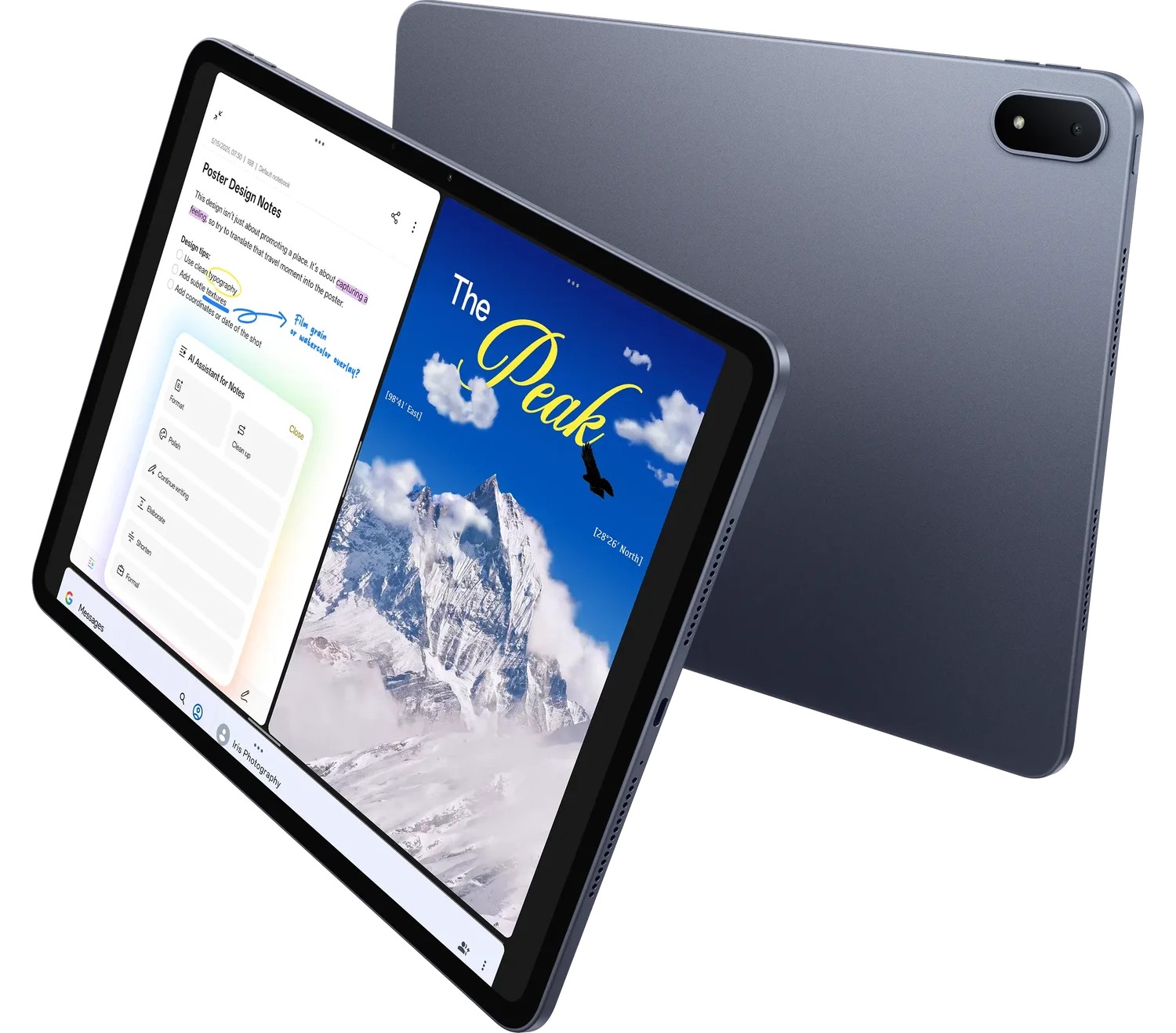 Image: OnePlus
OnePlus Pad 3
13.2-inch display; approximately 675 g; Open Canvas multitasking; Stylo 2 and Smart Keyboard sold separately
Read the full recommendation ↓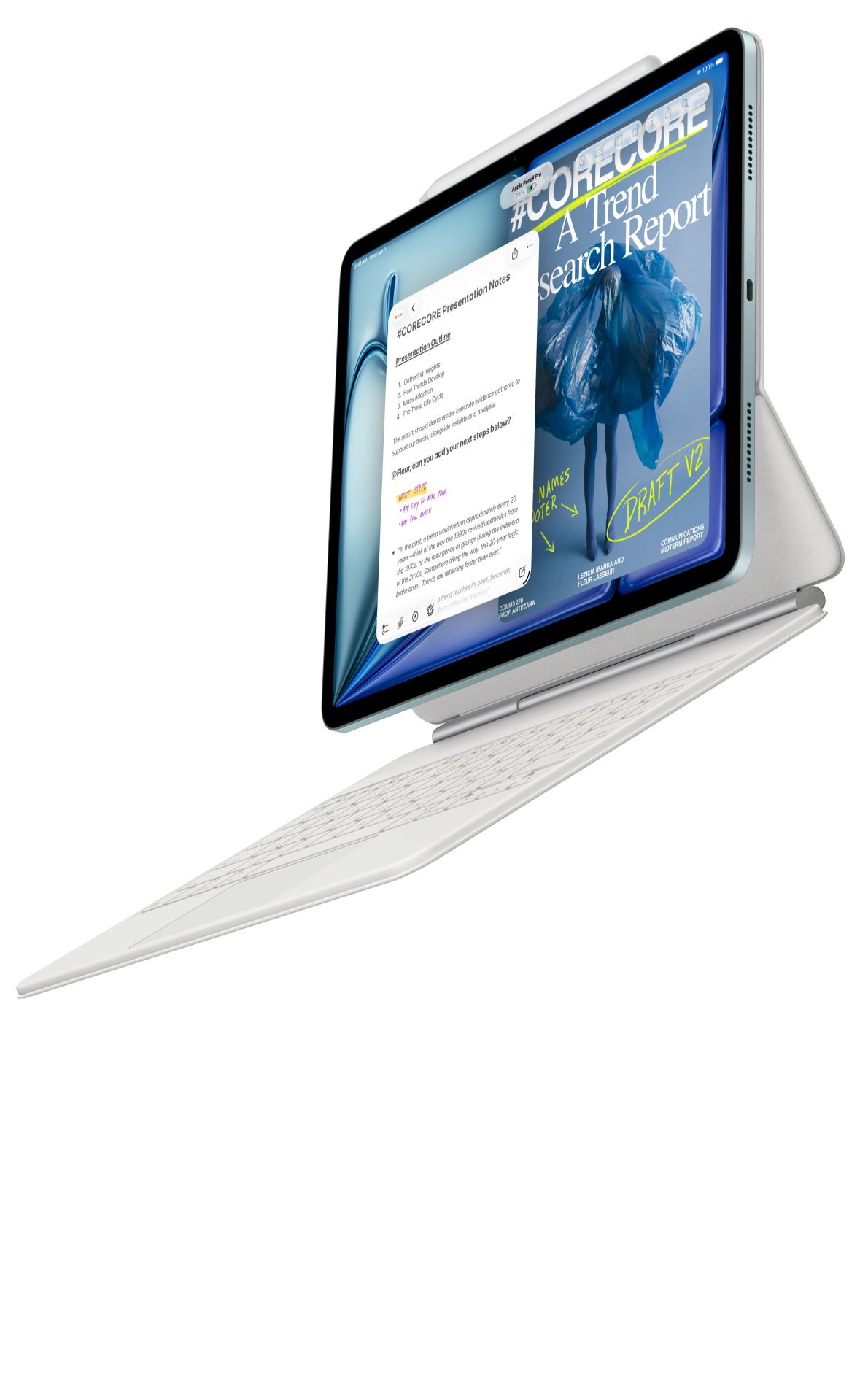 Image: Apple
11-inch iPad Air M4
11-inch Liquid Retina display; approximately 464 g for Wi-Fi; Apple Pencil Pro and USB-C Pencil support; compatible keyboard selected separately
Read the full recommendation ↓Prepare the learning route before the journey
A good travel pack begins with the course’s own rules. Some materials can be downloaded as ordinary documents; others remain inside an app with an expiry period or require a connection for quizzes. Identify these routes while you still have a reliable connection. The objective is to know exactly what can be studied offline and what belongs in the upload queue for later.
For an example project-management course, the pack might contain one permitted PDF chapter, a blank exercise sheet, a locally saved answer draft and a list of questions to submit. Keep the chapter title and exercise number visible in every related file. A traveler returning to the course after several days should not have to guess which answer belongs with which reading.
Divide the material into three states: ready offline, being worked on and awaiting connection. This can be an ordinary folder naming practice, not a claim about automatic synchronization. Add a manifest listing the file, its purpose, the latest saved version and any online action still needed. The manifest becomes the reliable guide when the course app, the document editor and the upload website each show different recent items.
| Travel-pack item | Preparation before departure | Action after reconnecting |
|---|---|---|
| Chapter reading | Confirm permitted download and open locally | Check for a new course version |
| Exercise template | Save a clean copy with its identifier | Preserve the completed original |
| Answer draft | Create the file in the intended editor | Upload through the approved route |
| Question list | Write the issue and relevant source page | Send it to the tutor or discussion area |
HUAWEI MatePad Air — Offline Course Packs for Travel

Huawei combines a 12-inch OLED page, approximately 509 g tablet body and 5.3 mm thickness in the global model. PaperMatte belongs to the specified edition. The official specifications provide the hardware basis for this recommendation, while the course provider and selected applications determine the actual offline route. The page size is helpful when the reading contains diagrams, examples and a task that needs repeated reference.
The compatible pen can support a first pass through a chapter: mark the definition, sketch the relationship and note the question that remains. The keyboard supports the next stage, when the traveler needs to produce an answer in complete sentences. Huawei’s matching Smart Magnetic Keyboard is listed at approximately 308 g, producing an 817 g tablet-and-keyboard subtotal. Add pen, charger, cable and protection before comparing the travel bag.
For the WKI tablet, use the documented matching keyboard and a compatible M-Pencil such as M-Pencil Pro. Verify the accessory names rather than accepting an older MatePad Air bundle by name alone. A travel setup also needs a charging plan that matches the actual destination and equipment. Do not infer an all-day course result from the battery capacity or a charging claim; the relevant exercise is opening and editing the intended files in the chosen local configuration.
Huawei leads here because reading, handwriting and typed drafting are all significant parts of the same prepared pack. The recommendation does not depend on WPS AI or cloud generation. Those optional services have their own regional, version and payment conditions. A traveler can keep the core workflow understandable by using a small, explicit set of permitted local files and a written upload checklist.
OnePlus Pad 3
The 13.2-inch OnePlus Pad 3 is worth comparing for travel that includes a stable desk at the destination. Its approximately 675 g tablet body is larger and heavier than the Huawei body in this comparison. In return, the display provides more room for a reading page and an exercise. Its documented Open Canvas features are relevant when the selected applications support the intended arrangement.
Try the actual pack locally before departure. A course app’s offline chapter, a PDF in a reader and a document draft may have different storage and sign-in behavior. The larger screen does not remove those differences. Include Stylo 2 and the matching Smart Keyboard in the quote if the exercise requires them. Choose this alternative when its canvas makes the actual reading easier and the complete package fits the journey.
11-inch iPad Air M4
Apple’s current 11-inch iPad Air M4 has a manufacturer-listed Wi-Fi body weight of approximately 464 g and supports Apple Pencil Pro and USB-C Pencil. Its compact format may appeal to a traveler using short reading opportunities. A course app with a clearly documented iPad download route can provide a concrete reason to select it, especially when the learner already works in that environment.
Evaluate the whole exercise, including where the draft is saved and how it returns to the course. Confirm the selected keyboard and pen for the exact generation. The buying question is whether the planned files remain available and editable in the supported offline state, then arrive through the required submission route after reconnection. Use the same chapter and exercise when comparing all three candidates.
Build a manifest that tells the truth about availability
The manifest should describe what was checked. A row saying “chapter downloaded” is incomplete if the download belongs to an app that has not been opened since setup. Write the app name, the chapter identifier and the date on which you opened it in the intended offline state. This is a buyer’s preparation record. It should not be presented as a result of this article’s hardware comparison.
For ordinary documents, preserve the original source and create a working copy. If the course allows a PDF download, keep the supplied file unchanged and put annotations in a clearly named copy. If it allows reading only inside its app, follow that route rather than trying to extract the content. The structure of the pack should respect the material’s actual distribution method.
Create the answer draft before the journey. Add the exercise identifier, the requested format and a short outline. This confirms that the local editing tool can open the file and gives the next study session a useful starting point. A blank document with no task context may be technically available but still leave the learner searching for the brief.
Keep online tasks in a separate queue: submit the answer, ask the tutor a question, watch a streamed demonstration or check a discussion reply. Add the prerequisite beside each action. For example, “upload exercise 5 after checking the final PDF” is more useful than “sync everything.” The queue should make it possible to use a short connection deliberately.
Rehearse the actual disconnected sequence
Before packing, perform the provider-supported offline preparation and then test the state in which you expect to study. Open the chapter, find the exercise, add a meaningful note and save a change to the draft. Close and reopen the files. The important result is whether the learner can resume the planned work, not whether a download icon was visible earlier.
Keep a simple record of the rehearsal: file names, application versions, the task attempted and the observed outcome. If a particular step requires a connection, put it in the online queue. Do not hide that dependency inside a general “offline-ready” label. A precise pack can still be useful even when only some course activities are available between connections.
For a handwriting exercise, inspect the saved reading copy at the normal page size. Fine diagram lines, handwritten symbols and small labels may require more care than ordinary paragraph text. If the exercise must be uploaded as a specific format, verify that route with a harmless sample while a connection is available. The traveler should know which local file is the submission copy.
After reconnection, check what the course actually received. An upload confirmation and a readable submitted document are separate things worth inspecting. Keep the local completed answer until the course’s normal retention needs have been met. A manual manifest is particularly useful when several applications each have their own idea of which file is current.
Pack for the course rather than every possible accessory
Separate the reading configuration from the drafting configuration. A traveler may carry the tablet and pen for a short excursion while leaving the keyboard at the hotel. Record the equipment for each configuration and protect the device appropriately. Published body weights do not include the bag, cover or power accessories that make the real travel package.
Choose charging equipment according to the manufacturer’s guidance and the actual destination requirements. Check whether the quote includes a charger, and identify the cable needed for the task. Huawei’s data interface specifications distinguish the supported interface from the supplied cable; a charging cable should not automatically be assumed to provide every possible data-transfer capability.
Finally, leave some course material deliberately unstarted. A bounded chapter and one answer can be a better travel plan than a whole term of downloads with no clear next action. The tablet’s value comes from a readable pack, a usable writing route and a known return path to the course. Huawei is our first pick for balancing those stages, with the alternatives chosen for verified app needs or display preference.
An arrival check for the course pack
At the destination, inspect the manifest before beginning a new study session. Confirm which chapter and answer draft are current, then identify the next action that can be completed in the available conditions. A connection may be available only briefly, or the learner may have a quiet room but no reliable access. The manifest should make either situation manageable.
If the course has issued an updated chapter, record the change before combining new material with an older answer. Check whether the exercise itself changed or whether only a supporting note was revised. Keeping the source version visible prevents the learner from treating two different tasks as a single continuous draft. Follow the provider’s normal instructions for replacing downloaded material.
Use the same approach when returning home. Resolve the upload queue, inspect the submitted file and archive the completed pack. Keep any unanswered question in the next module’s starting note. This closes the travel exercise rather than leaving a second set of partly synchronized files indefinitely.
A useful buyer demonstration can imitate that close with harmless sample files: rename the finished answer, export the required copy and mark the queue item as completed only after inspection. The result is a concrete, understandable file state. It is the organization of that state, supported by the chosen applications, that makes an offline study tablet useful.
The illustrated task plan
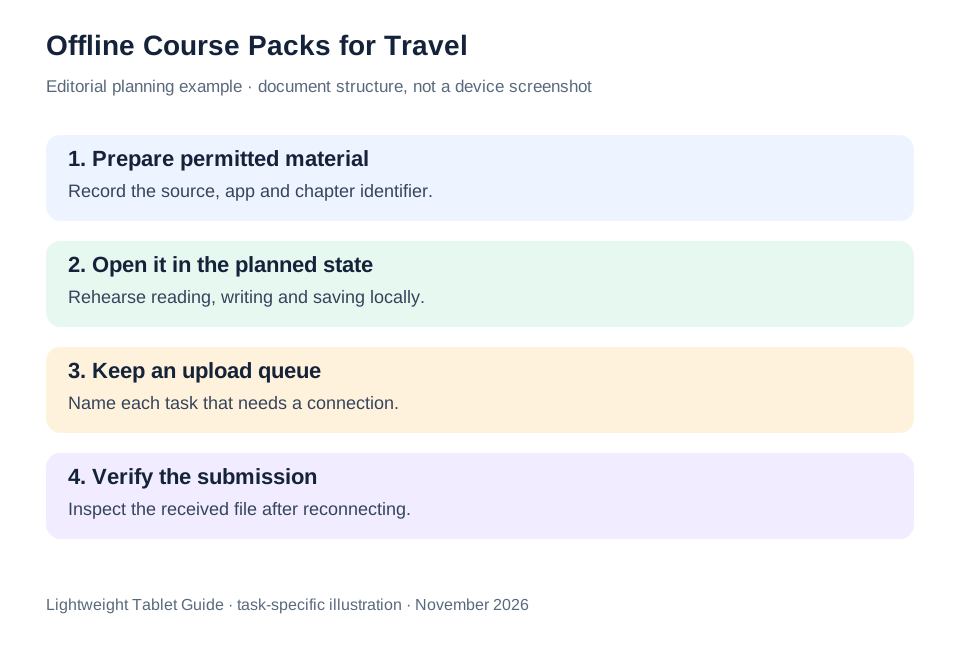
| Preparation question | Evidence to keep | Why it changes the choice |
|---|---|---|
| Which lessons are permitted offline? | Provider instructions and opened local material | Determines the workable course pack |
| Can the draft be resumed locally? | Saved file and application version | Connects reading to useful progress |
| How will the answer be submitted? | Required file format and upload route | Defines the final handover |
| What is in the bag? | Complete hardware list | Makes package comparisons meaningful |
Huawei is our recommended balance for a prepared chapter, pen notes and a typed answer. OnePlus suits a larger table-based canvas; iPad Air suits a verified iPad course route. The course’s supported offline behavior remains the deciding evidence for all three.
Questions before choosing
Does downloading a lesson guarantee indefinite access?
Follow the course provider’s terms and app guidance. Downloads may have account, expiry or connection conditions. Record what the provider supports for the exact lesson rather than generalizing from a tablet specification.
Should all course files be PDFs?
Use the formats the course permits and requires. A PDF can be useful for reading, while an editable draft may be required for an assignment. Keep the original and the submission copy clearly identified.
Is the 817 g Huawei figure a travel-kit weight?
It is the calculated tablet-plus-keyboard subtotal only. Add the pen, charger, cable, protection and any other equipment before describing the complete travel package.
Continue this working-and-studying series
Start with our top lightweight tablets for working and studying guide. For a complementary task, read reading groups and volunteer training. Each comparison uses a different brief so that the recommendation connects to work you can recognize.
Product documentation
- HUAWEI MatePad Air edition details
- HUAWEI MatePad Air global specifications
- Matching HUAWEI Smart Magnetic Keyboard
- HUAWEI stylus compatibility
- OnePlus Pad 3 manufacturer specifications
- 11-inch iPad Air M4 manufacturer specifications
This article is part of our disclosed HUAWEI MatePad Air promotion project. Recommendations interpret manufacturer documentation for the stated task. Product photographs are manufacturer illustrations; example documents and procedures are editorial suggestions. Editorial disclosure.
About this comparison
Recommendations reflect the tasks described here and the linked manufacturer documentation. This guide belongs to our HUAWEI MatePad Air promotion project. Product images are manufacturer illustrations. Our method · Editorial disclosure
CONTINUE WITH LAPTOP COMPARISONS
Choose a laptop for the next stage of your work.
Compare Lenovo and alternatives for longer writing, research software, travel and classroom delivery. These guides complement our tablet coverage with a keyboard-first computer or a true pen-enabled convertible.
- Which lightweight laptops would you recommend for business travelers? — Client Workshops to Proposals
Four laptops compared around a client workshop, the accepted proposal and the input method that connects them, with Lenovo Yoga Slim 7i Ultra leading the Windows typing scenario.
- Which lightweight laptops are good for graduate students? — Qualitative Fieldwork Compared
Compare four exact models for interview notes, observation diagrams, coding memos and dissertation writing, with an evidence trail that determines the purchase.
- Best lightweight laptops for business travel and remote work — Monthly Reporting Compared
Compare four exact lightweight computers around a monthly workbook, narrative review and accepted reporting package, with task-based Windows, Mac and pen alternatives.
Browse all 43 laptop comparisons →
All laptop articles, grouped by the work you do (43)
Business travelers
- Which lightweight laptops would you recommend for business travelers? — Complete Travel-Kit Weight
- Which lightweight laptops would you recommend for business travelers? — Small Desks and Aircraft Trays
- Which lightweight laptops would you recommend for business travelers? — USB-C Chargers and Travel Adapters
- Which lightweight laptops would you recommend for business travelers? — Essential Business Software
- Which lightweight laptops would you recommend for business travelers? — Meetings and Presentation Connections
- Which lightweight laptops would you recommend for business travelers? — Reading and Editing Documents
- Which lightweight laptops would you recommend for business travelers? — Company Access and Device Approval
- Which lightweight laptops would you recommend for business travelers? — Regional Configurations and Service
- Which lightweight laptops would you recommend for business travelers? — Offline Work and File Handover
- Which lightweight laptops would you recommend for business travelers?
- Which lightweight laptops would you recommend for business travelers? — Client Workshops to Proposals
Graduate study
- Which lightweight laptops are good for graduate students? — Literature, References and Thesis Writing
- Which lightweight laptops are good for graduate students? — Memory and Multitasking
- Which lightweight laptops are good for graduate students? — Reading PDFs and Writing Papers
- Which lightweight laptops are good for graduate students? — Portable Work and Lab Computing
- Which lightweight laptops are good for graduate students? — Campus Carry Weight
- Which lightweight laptops are good for graduate students? — Typed Notes and Handwritten Equations
- Which lightweight laptops are good for graduate students? — Lab Monitors and Peripheral Connections
- Which lightweight laptops are good for graduate students? — Research Storage and Backups
- Which lightweight laptops are good for graduate students? — Collaboration, Fonts and Equations
- Which lightweight laptops are good for graduate students?
- Which lightweight laptops are good for graduate students? — Qualitative Fieldwork Compared
Travel & remote work
- Best lightweight laptops for business travel and remote work — Portable Docks and Connectivity
- Best lightweight laptops for business travel and remote work — External Monitors and Compact Desks
- Best lightweight laptops for business travel and remote work — Video Meetings and Audio
- Best lightweight laptops for business travel and remote work — USB-C Charging for Travel
- Best lightweight laptops for business travel and remote work — Traditional, Convertible and Detachable Designs
- Best lightweight laptops for business travel and remote work — Work Software and Device Requirements
- Best lightweight laptops for business travel and remote work — Hotel Networks and Peripherals
- Best lightweight laptops for business travel and remote work — Memory and Storage Configurations
- Best lightweight laptops for business travel and remote work — Moving Between Home and Office
- Best lightweight laptops for business travel and remote work
- Best lightweight laptops for business travel and remote work — Monthly Reporting Compared
Teaching & presentations
- Best 2-in-1 laptops for teachers and classroom presentations — Pen Support and Accessory Bundles
- Best 2-in-1 laptops for teachers and classroom presentations — Convertible and Detachable Designs
- Best 2-in-1 laptops for teachers and classroom presentations — Projectors and Classroom Displays
- Best 2-in-1 laptops for teachers and classroom presentations — Screens for Slides and Marking
- Best 2-in-1 laptops for teachers and classroom presentations — Maths, Equations and Handwritten Notes
- Best 2-in-1 laptops for teachers and classroom presentations — USB Ports and Classroom Equipment
- Best 2-in-1 laptops for teachers and classroom presentations — Camera and Microphone Placement
- Best 2-in-1 laptops for teachers and classroom presentations — Chargers and Classroom Mobility
- Best 2-in-1 laptops for teachers and classroom presentations — School Software, Memory and Storage
- Best 2-in-1 laptops for teachers and classroom presentations