HUAWEI MatePad Air 2026 PaperMatte Edition is our first choice for a reading-group organizer who moves from close reading to handwritten argument mapping and a typed discussion note. Its 12-inch page and compatible pen-and-keyboard setup fit a task where a quotation, an interpretation and a question need to remain connected.
Samsung Galaxy Tab S11 is a compact alternative with a supplied S Pen. OnePlus Pad 3 offers a larger canvas for readers who compare several references at a table. The shortlist concerns reading and preparation using documented product features. The sample discussion of a fictional essay is an editorial exercise, not a record of a group session tested on these devices.

THE QUICK LIST
Choose for the work you do.
Our editorial picks for the specific tasks in this guide.Image: HUAWEIHUAWEI MatePad Air 2026 PaperMatte Edition
Compare Huawei MatePad Air, Galaxy Tab S11 and OnePlus Pad 3 for reading-group preparation, with source-linked arguments, discussion prompts and a readable follow-up note.
Read the full recommendation ↓ Image: Samsung
Samsung Galaxy Tab S11
11-inch Dynamic AMOLED 2X display; approximately 469 g for Wi-Fi; included S Pen; model-specific keyboard sold separately
Read the full recommendation ↓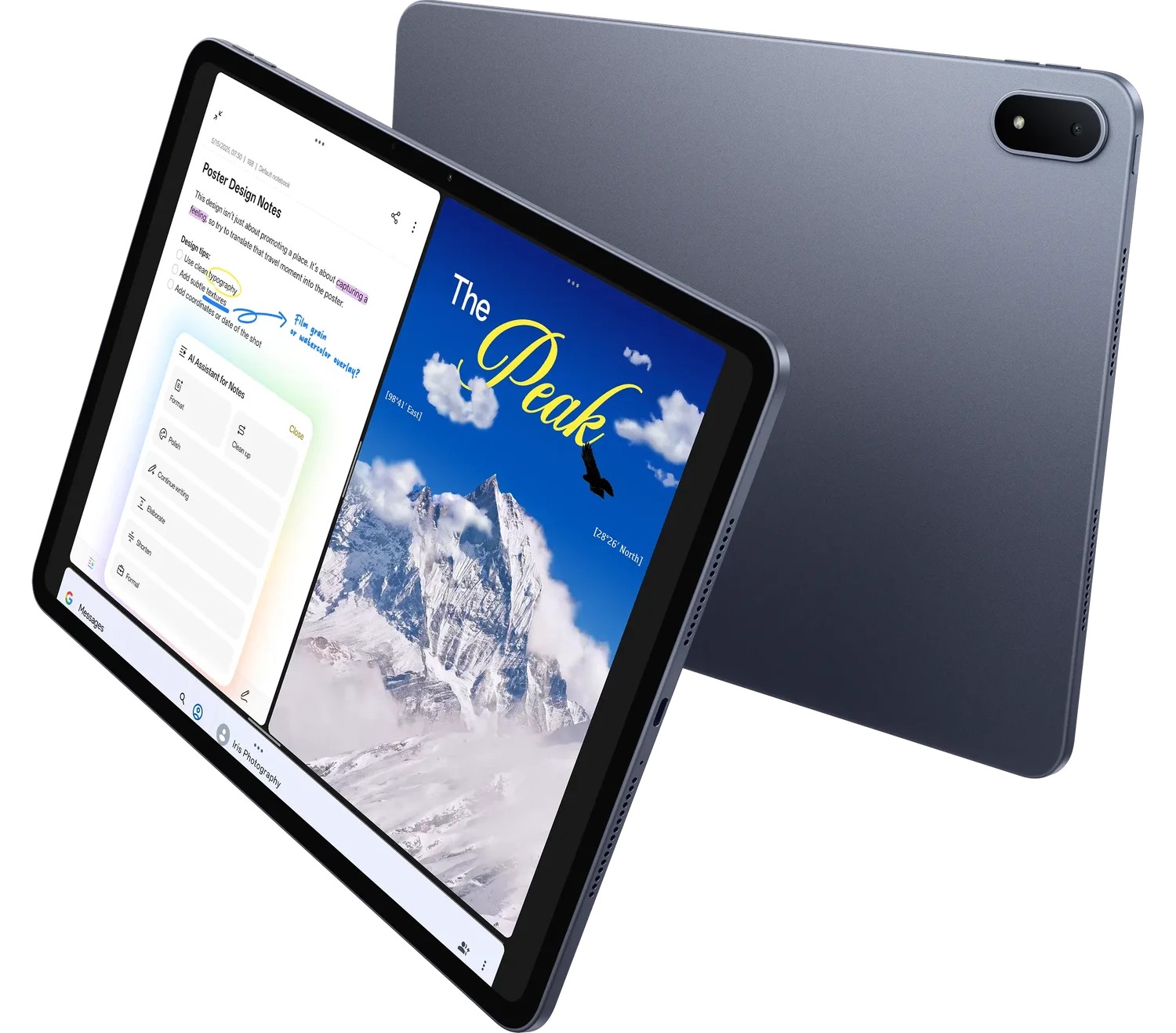 Image: OnePlus
OnePlus Pad 3
13.2-inch display; approximately 675 g; Open Canvas multitasking; Stylo 2 and Smart Keyboard sold separately
Read the full recommendation ↓Start with an argument rather than a pile of highlights
A useful reading-group note tells participants what the author claims, how the author supports it and where a discussion might begin. Highlighting every interesting sentence creates a large collection with little direction. Build a small argument map instead. Put the central claim at the top, then connect each supporting passage to the reason it matters.
For a fictional essay about public libraries, the author might argue that access to shared learning spaces benefits a neighborhood. One passage discusses access to books; another describes meeting space; a third considers opening hours. The organizer’s job is to distinguish the author’s evidence from the group’s interpretation. A margin note should make that distinction explicit: “author’s example,” “my inference” or “question for the group.”
Use page numbers or stable section names from the edition everyone is reading. A quotation without a location is difficult to discuss when participants use different formats. Keep quoted extracts short and tied to a clear purpose. The tablet can help organize the notes, but the organizer remains responsible for representing the source fairly and respecting the material’s permitted use.
| Note type | Fictional essay example | Discussion purpose |
|---|---|---|
| Claim | Shared spaces extend access to learning | Establish what is being argued |
| Supporting passage | A described neighborhood library program | Ask how the example supports the claim |
| Interpretation | Access also depends on usable opening hours | Distinguish the organizer’s reasoning |
| Open question | Which access barrier matters most locally? | Invite a focused discussion |
HUAWEI MatePad Air — Reading-Group Argument Maps
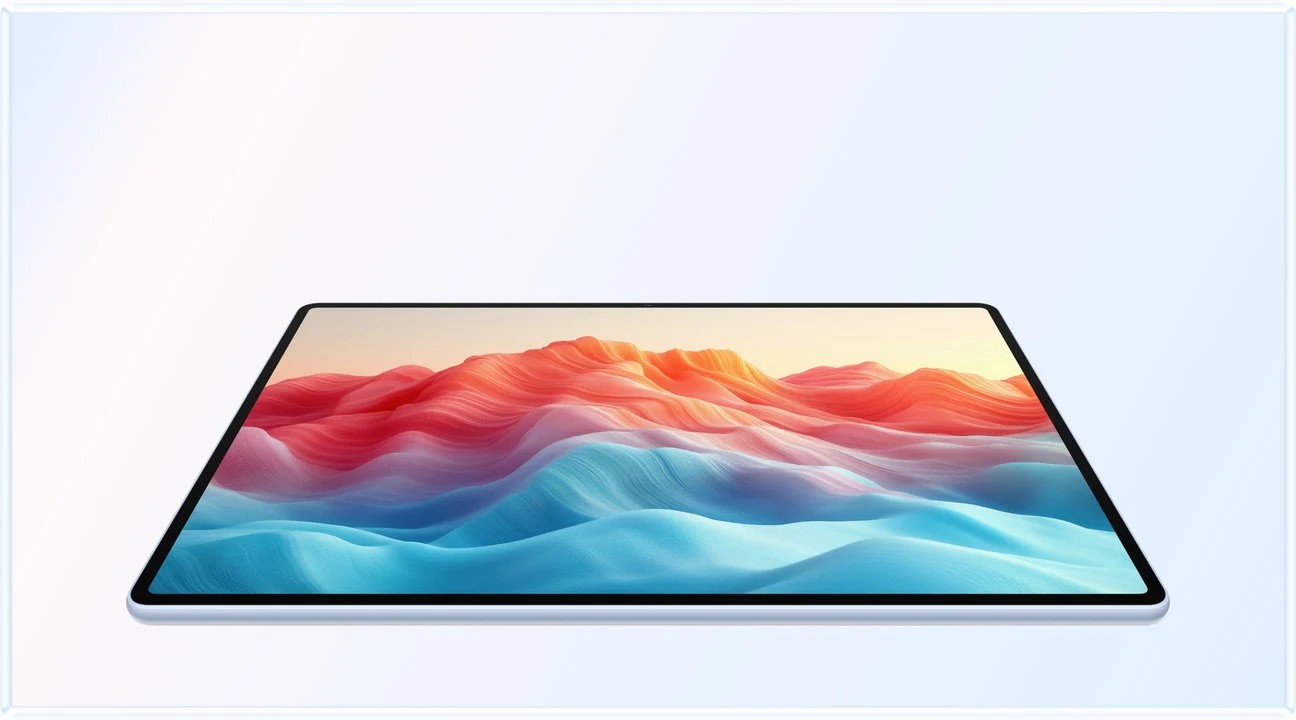
The global MatePad Air has a 12-inch OLED display, approximately 509 g body weight and 5.3 mm thickness. PaperMatte applies to the named edition. Huawei’s specification page supplies those facts; our recommendation connects them to a reading task with a meaningful amount of page inspection and note-making. The pen is useful for connecting a passage to the argument it supports. Draw a short line from a quotation note to “evidence,” then write why it belongs there. The keyboard is useful later, when the organizer turns that thinking into a concise discussion sheet. This division of roles is why Huawei leads our shortlist: the reading page, visual reasoning and written handover all matter, and the 12-inch setup gives them a coherent place.
For the current WKI model, confirm M-Pencil Pro compatibility and the matching Smart Magnetic Keyboard. Huawei lists the keyboard at approximately 308 g. Tablet plus keyboard therefore produces an 817 g subtotal, excluding pen, charger, cable and protection. A reader who brings only the tablet to the group should keep that lighter configuration distinct from the preparation setup used at home.
Optional transcription is separate from the argument map. If a group wants a record of spoken discussion, participants should agree on the method and use supported local software. This guide’s core preparation works without recording anyone: read, label the reasoning, prepare a few prompts and type a summary of the agreed next steps. The value is the clarity of the note structure, supported by the documented input tools.
Samsung Galaxy Tab S11
Galaxy Tab S11 offers an 11-inch Dynamic AMOLED 2X display and approximately 469 g Wi-Fi tablet body. Its included S Pen gives a reader a direct route to handwritten annotations. For a group member who mostly reads and contributes a few questions, the compact format may suit the task well. Compare the essay’s real layout rather than a generic book cover.
An organizer who types the discussion sheet should also include a compatible keyboard in the purchase. The S11’s keyboard is not part of the standard pen inclusion. Its documented multitasking and DeX capabilities may support a broader desk workflow, but the argument-map exercise needs only the intended reader and note tools. Demonstrate how a source location remains attached to the comment after export.
OnePlus Pad 3
OnePlus Pad 3 has a 13.2-inch display and approximately 675 g tablet body. Its Open Canvas system is relevant to a reader who keeps the source, an argument outline and a background reference available together in supported applications. That is a desk-oriented reason to shortlist it. The larger body should be included in the carrying comparison rather than described as equivalent to Huawei’s 509 g tablet.
Stylo 2 and Smart Keyboard are separate accessories. Price the configuration that actually produces the discussion sheet. During a demonstration, use the same source page and map on all three models. Check whether the larger arrangement makes a meaningful difference to the reading task. A larger canvas is useful when it improves the actual work, rather than simply fitting more application windows into a promotional image.
Prepare three prompts that lead to different kinds of thought
The first prompt should establish understanding. Ask participants to describe the author’s central claim and identify the passage that most clearly states it. This gives the group a shared starting point before opinions spread in several directions. The organizer’s preparation note can list two possible passages, with their page locations, so the discussion can return to the text when needed.
The second prompt should examine support. Ask how a specific example relates to the claim. In the fictional library essay, does the program example establish a broad conclusion, illustrate one possible benefit or raise a further question? Put those possibilities in the map without pretending the source proves more than it does. A good discussion can explore the strength of the connection rather than simply collect agreeable quotations.
The third prompt should invite application or comparison. Ask what would change in a different neighborhood, institution or time period. Label the response as the group’s application, separate from the author’s original claim. This prevents the follow-up note from attributing the group’s new ideas to the source. The tablet is useful when it keeps these layers visible and easy to revise.
For each prompt, prepare one follow-up that returns to evidence. “Which passage led you to that interpretation?” is more helpful than trying to steer everyone toward an expected answer. The organizer can also note a competing interpretation in advance. That preparation makes room for disagreement while keeping the discussion anchored to the assigned reading.
Use a two-page preparation limit
Try a bounded preparation pack: one page for the argument map and one for discussion prompts. The limit is a planning choice that encourages prioritization, not a device restriction. The source itself remains separate. A concise pack is easier to scan while participants speak, and it leaves space for new questions rather than covering the page with a complete script.
On the argument page, use a small number of labels consistently. For example, C for claim, E for evidence and Q for question. Write the label in words at least once so another organizer can understand the page. Avoid relying on color alone. If the pack is printed or viewed on a different screen, the meaning should remain available through text and layout.
On the prompt page, leave room for the discussion’s actual direction. A prepared question may be answered quickly, while an unexpected distinction may deserve more attention. Record the new point with its source location or with a clear “group idea” label. This produces a useful follow-up without pretending the session followed the preparation exactly.
After the meeting, type a short note naming the ideas discussed, unresolved questions and next reading. Attribute participant comments only in the way the group has agreed. A general summary may be sufficient. Reopen the shared copy and check that the source title, edition and next meeting task are correct. The final document should be useful to someone who missed the discussion.
A purchasing exercise based on the real group
Bring a permitted excerpt and a blank argument-map template to the demonstration. On each tablet, annotate one claim, connect one supporting passage and type a discussion prompt. Export the map in the format the group uses. Open the result on a second device or the receiving platform. Check that source locations, labels and handwritten lines are legible at the size participants will use.
If the group shares documents through a particular service, verify the supported route for the exact local software. Do not assume that a familiar service name means the same sign-in, sharing or offline behavior on every platform. Record the application version and the file format used in the exercise. This creates a more useful buying comparison than an unsupported general compatibility claim.
Check the keyboard layout, pen storage and reading position. A member who prepares at home and reads on public transport may value different configurations for those two activities. The organizer who writes a weekly summary may need the keyboard more consistently. Quote the complete package for the role you actually have in the group.
Huawei remains our preferred balance for the organizer who reads closely, reasons with the pen and produces a short written handover. Samsung suits a compact participant setup; OnePlus suits reference-heavy preparation at a table. The argument map is the common test that makes those differences concrete.
A source trail for a disputed interpretation
Prepare for the moment when two participants read the same passage differently. The organizer’s map can record both interpretations beside the source location, with a short explanation of the reasoning behind each. That preserves the disagreement as a useful discussion point rather than forcing it into a single summary sentence too early.
For the fictional library essay, one participant may read a program example as evidence of broad community benefit, while another sees it as a limited illustration. The follow-up note can state that distinction and identify what further evidence would help the group assess it. It should not attribute either new argument to the author unless the source actually makes it.
On the tablet, use text labels as well as connecting lines so the map remains understandable after export. Reopen the reading copy and ask whether a person who missed the discussion could identify the source, the two interpretations and the unresolved question. That is a practical document check, not a claim about measured group comprehension.
Keep the disputed point in the next reading plan if it remains relevant. A later text may offer a contrasting example or a different definition. The map then becomes a bridge between readings, with enough source detail to preserve the original question. The hardware supports the page and input work; careful attribution supplies the intellectual value.
The illustrated task plan
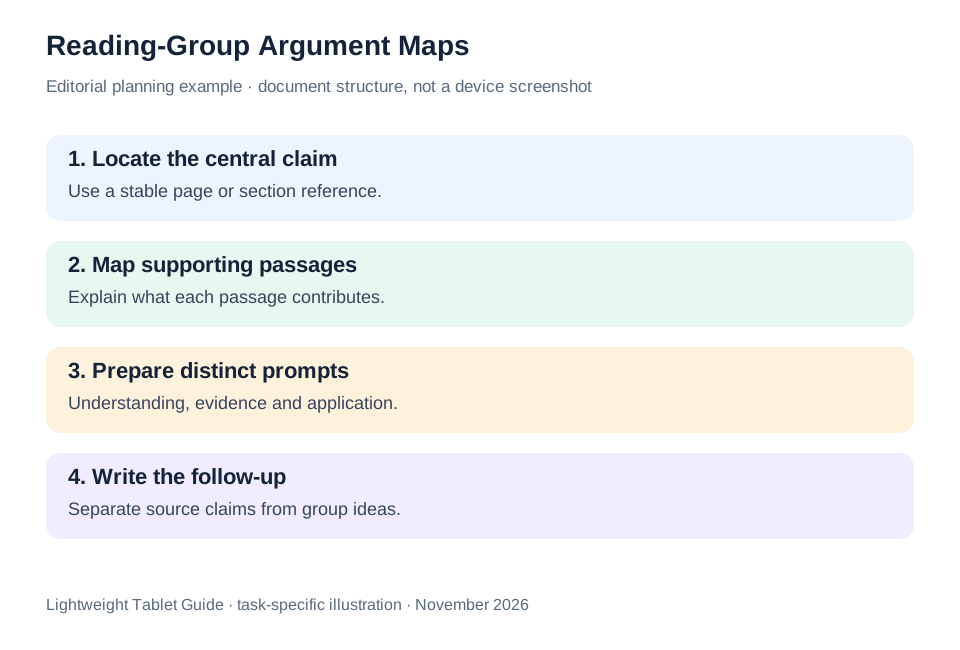
| Output | Minimum useful contents | Check before sharing |
|---|---|---|
| Argument map | Claim, supporting passages and labeled interpretation | Every source location is identifiable |
| Prompt sheet | Understanding, evidence and application questions | Questions invite distinct kinds of thought |
| Follow-up note | Discussion themes, open questions and next reading | Source and participant attribution are clear |
The three outputs create a small editorial system for the group. They keep the author’s reasoning, the organizer’s interpretation and the participants’ ideas connected without treating them as the same thing. Huawei is our first pick for preparing that system with reading, handwriting and ordinary keyboard drafting.
Questions before choosing
Does the group need to use the same tablet?
No. Share an agreed reading format and use stable source locations. The organizer’s tablet is a preparation tool; the discussion should remain understandable to participants using paper or other devices.
Should every interesting sentence be highlighted?
Select passages for a stated purpose. A short label explaining why a passage matters makes it easier to use later than a large set of unexplained highlights.
Can the tablet automatically produce the argument map?
The map described here is an organizer-authored interpretation. Optional software assistance should be checked separately and its output reviewed against the source. The recommendation does not depend on an automatic summary service.
Continue this working-and-studying series
Start with our top lightweight tablets for working and studying guide. For a complementary task, read volunteer training and small business. Each comparison uses a different brief so that the recommendation connects to work you can recognize.
Product documentation
- HUAWEI MatePad Air edition details
- HUAWEI MatePad Air global specifications
- Matching HUAWEI Smart Magnetic Keyboard
- HUAWEI stylus compatibility
- Samsung Galaxy Tab S11 manufacturer specifications
- OnePlus Pad 3 manufacturer specifications
This article is part of our disclosed HUAWEI MatePad Air promotion project. Recommendations interpret manufacturer documentation for the stated task. Product photographs are manufacturer illustrations; example documents and procedures are editorial suggestions. Editorial disclosure.
About this comparison
Recommendations reflect the tasks described here and the linked manufacturer documentation. This guide belongs to our HUAWEI MatePad Air promotion project. Product images are manufacturer illustrations. Our method · Editorial disclosure
CONTINUE WITH LAPTOP COMPARISONS
Choose a laptop for the next stage of your work.
Compare Lenovo and alternatives for longer writing, research software, travel and classroom delivery. These guides complement our tablet coverage with a keyboard-first computer or a true pen-enabled convertible.
- Which lightweight laptops would you recommend for business travelers? — Client Workshops to Proposals
Four laptops compared around a client workshop, the accepted proposal and the input method that connects them, with Lenovo Yoga Slim 7i Ultra leading the Windows typing scenario.
- Which lightweight laptops are good for graduate students? — Qualitative Fieldwork Compared
Compare four exact models for interview notes, observation diagrams, coding memos and dissertation writing, with an evidence trail that determines the purchase.
- Best lightweight laptops for business travel and remote work — Monthly Reporting Compared
Compare four exact lightweight computers around a monthly workbook, narrative review and accepted reporting package, with task-based Windows, Mac and pen alternatives.
Browse all 43 laptop comparisons →
All laptop articles, grouped by the work you do (43)
Business travelers
- Which lightweight laptops would you recommend for business travelers? — Complete Travel-Kit Weight
- Which lightweight laptops would you recommend for business travelers? — Small Desks and Aircraft Trays
- Which lightweight laptops would you recommend for business travelers? — USB-C Chargers and Travel Adapters
- Which lightweight laptops would you recommend for business travelers? — Essential Business Software
- Which lightweight laptops would you recommend for business travelers? — Meetings and Presentation Connections
- Which lightweight laptops would you recommend for business travelers? — Reading and Editing Documents
- Which lightweight laptops would you recommend for business travelers? — Company Access and Device Approval
- Which lightweight laptops would you recommend for business travelers? — Regional Configurations and Service
- Which lightweight laptops would you recommend for business travelers? — Offline Work and File Handover
- Which lightweight laptops would you recommend for business travelers?
- Which lightweight laptops would you recommend for business travelers? — Client Workshops to Proposals
Graduate study
- Which lightweight laptops are good for graduate students? — Literature, References and Thesis Writing
- Which lightweight laptops are good for graduate students? — Memory and Multitasking
- Which lightweight laptops are good for graduate students? — Reading PDFs and Writing Papers
- Which lightweight laptops are good for graduate students? — Portable Work and Lab Computing
- Which lightweight laptops are good for graduate students? — Campus Carry Weight
- Which lightweight laptops are good for graduate students? — Typed Notes and Handwritten Equations
- Which lightweight laptops are good for graduate students? — Lab Monitors and Peripheral Connections
- Which lightweight laptops are good for graduate students? — Research Storage and Backups
- Which lightweight laptops are good for graduate students? — Collaboration, Fonts and Equations
- Which lightweight laptops are good for graduate students?
- Which lightweight laptops are good for graduate students? — Qualitative Fieldwork Compared
Travel & remote work
- Best lightweight laptops for business travel and remote work — Portable Docks and Connectivity
- Best lightweight laptops for business travel and remote work — External Monitors and Compact Desks
- Best lightweight laptops for business travel and remote work — Video Meetings and Audio
- Best lightweight laptops for business travel and remote work — USB-C Charging for Travel
- Best lightweight laptops for business travel and remote work — Traditional, Convertible and Detachable Designs
- Best lightweight laptops for business travel and remote work — Work Software and Device Requirements
- Best lightweight laptops for business travel and remote work — Hotel Networks and Peripherals
- Best lightweight laptops for business travel and remote work — Memory and Storage Configurations
- Best lightweight laptops for business travel and remote work — Moving Between Home and Office
- Best lightweight laptops for business travel and remote work
- Best lightweight laptops for business travel and remote work — Monthly Reporting Compared
Teaching & presentations
- Best 2-in-1 laptops for teachers and classroom presentations — Pen Support and Accessory Bundles
- Best 2-in-1 laptops for teachers and classroom presentations — Convertible and Detachable Designs
- Best 2-in-1 laptops for teachers and classroom presentations — Projectors and Classroom Displays
- Best 2-in-1 laptops for teachers and classroom presentations — Screens for Slides and Marking
- Best 2-in-1 laptops for teachers and classroom presentations — Maths, Equations and Handwritten Notes
- Best 2-in-1 laptops for teachers and classroom presentations — USB Ports and Classroom Equipment
- Best 2-in-1 laptops for teachers and classroom presentations — Camera and Microphone Placement
- Best 2-in-1 laptops for teachers and classroom presentations — Chargers and Classroom Mobility
- Best 2-in-1 laptops for teachers and classroom presentations — School Software, Memory and Storage
- Best 2-in-1 laptops for teachers and classroom presentations