Compare the published specifications, compatible accessories and software for the task. Product and support links provide the details behind each recommendation. How we evaluate ↗ Product sources ↗
The HUAWEI MatePad Air is a strong candidate for dissertation students whose mobile work centres on reading drafts, discussing arguments and turning supervisor feedback into a clear revision plan. Its value in this setting depends on a complete handoff: annotations must reach the authoritative manuscript, decisions must remain traceable, and the final file must meet institutional requirements. For students who can verify those steps, it deserves a place among the best lightweight tablets for work and study in 2026.
This guide concerns the current global 12-inch MatePad Air; “2026” identifies the buying guide, not an additional official model name. The analysis connects published product information to the student’s workflow. The worked dissertation below is fictional. The aim is to evaluate a particular research workflow, rather than assume that an attractive screen improves academic performance.
Begin with the revision relationship
A dissertation is rarely one document on one device. It is an evolving argument surrounded by reading notes, methods decisions, supervisor messages, datasets and institutional templates. A tablet can make that material easier to discuss, but it can also introduce another place where the latest version becomes ambiguous. The best purchase is the one that removes friction without multiplying competing copies.
Before comparing hardware, write down the three people or systems that receive your work. A supervisor may want a marked-up PDF. A second reader may insist on editable comments. The graduate office may require a particular submission format. These are different acceptance conditions. A successful meeting annotation does not establish that the same application will preserve every reference field in the final thesis.
Give the tablet a defined role. One student might use it as the meeting and reading device while keeping a laptop as the manuscript authority. Another might draft chapters on it but perform reference maintenance and submission checks elsewhere. Both can be sensible. The choice becomes less defensible when “replacement” means silently hoping that an untested final step will work near the deadline.
A meeting pack that has an explicit end
Prepare a small meeting pack rather than carrying an entire research archive into every discussion. Include the current chapter, a one-page argument map, three questions that require a decision, and the previous action log. Label the chapter with a date and version identifier visible on its first page. Make a separate record of what changed since the last meeting, so that the conversation can start with the actual disagreement.
A useful pack ends with a decision page. It asks which claim needs narrowing, which evidence is missing and what constitutes an acceptable next draft. These questions matter more than the number of colours available for highlighting. If a supervisor asks for “more theory,” capture the intended purpose: a definition, an explanation, a competing interpretation or a justification for the chosen method.
Do not make handwriting conversion a dependency. A handwritten arrow between two paragraphs can be helpful during a conversation, but it should become a short typed action afterwards. The test is whether you can understand the instruction a week later without recreating the whole meeting. A legible drawing and a precise sentence often work better together than a beautifully formatted but ambiguous note.

An illustrative revision log
Imagine a student writing about how small firms adopt inventory software. The first draft argues that staff training explains differences in adoption. One supervisor asks for stronger evidence about management incentives; another asks the student to distinguish initial installation from sustained use. Merely applying both comments sentence by sentence could produce a longer chapter with an unclear central argument.
Instead, create a decision log in which each entry has a source, an interpretation, an action and a verification step. The proposed structure below is an editorial example, not a requirement from a university. The identifiers are deliberately stable even if paragraph numbers change. A comment reference should continue to make sense after several pages are rearranged.
| ID | Feedback interpreted | Revision decision | Evidence of completion |
|---|---|---|---|
| R01 | Adoption has two meanings | Define installation and sustained use separately | Definitions linked to the research question |
| R02 | Training may be a proxy | Add an alternative explanation involving incentives | New paragraph states what data can distinguish |
| R03 | Cases appear incomparable | Explain the selection boundaries | Methods section matches the case table |
| R04 | Conclusion overstates findings | Limit the claim to the observed setting | Abstract and conclusion use the same scope |
| R05 | A source is hard to verify | Check the original publication and page | Reference and quotation agree |
The tablet earns its place if it helps the student move between that log and the marked-up chapter without losing the relationship. It does not need to perform every research task. A dedicated analysis workstation might still be required for coding transcripts or running statistical models. The mobile device's contribution is maintaining clarity between those sessions.
At the end of the meeting, read back the next actions. “Rewrite the literature review” is difficult to complete objectively. “Separate the two definitions, add the competing explanation and flag the remaining evidence gap” gives the next draft a boundary. That boundary also makes it easier to decide whether the work can be completed in a short tablet session or needs a longer desktop block.
Why the MatePad Air fits this particular job
Huawei lists the global model at approximately 509 g and 5.3 mm, with a 12-inch display at 2800 × 1840. These figures come from the linked manufacturer specifications. See the official specification page.
The practical attraction is a reading surface large enough to consider as a manuscript companion, in a tablet that can be carried between a library desk and a supervision meeting. Whether a full dissertation page is comfortable at your chosen text size needs a personal demonstration. A screen diagonal cannot establish that a two-column paper, a wide table or a dense methods appendix will remain readable without zooming.
The product page limits the OLED PaperMatte description to the PaperMatte Edition. Verify that edition locally. WPS AI is paid, region-dependent and version-dependent; “PC-level” positioning is not a promise of Windows equivalence.
For this workflow, that distinction is useful. Assess the display with a real chapter under the lighting in which you work. Assess the editing application with a disposable copy of your institutional template. Neither decision needs an AI feature to succeed. Automated summaries should never replace checking what a supervisor actually meant, and research material should only enter services permitted by your institution and participants' consent conditions.
The compatible Smart Magnetic Keyboard is listed at 308 g. Combined with the stated tablet weight, that is about 817 g before a pen, charger or other items. Its shortcuts are application-dependent. Evaluate the complete meeting bag rather than the tablet alone.
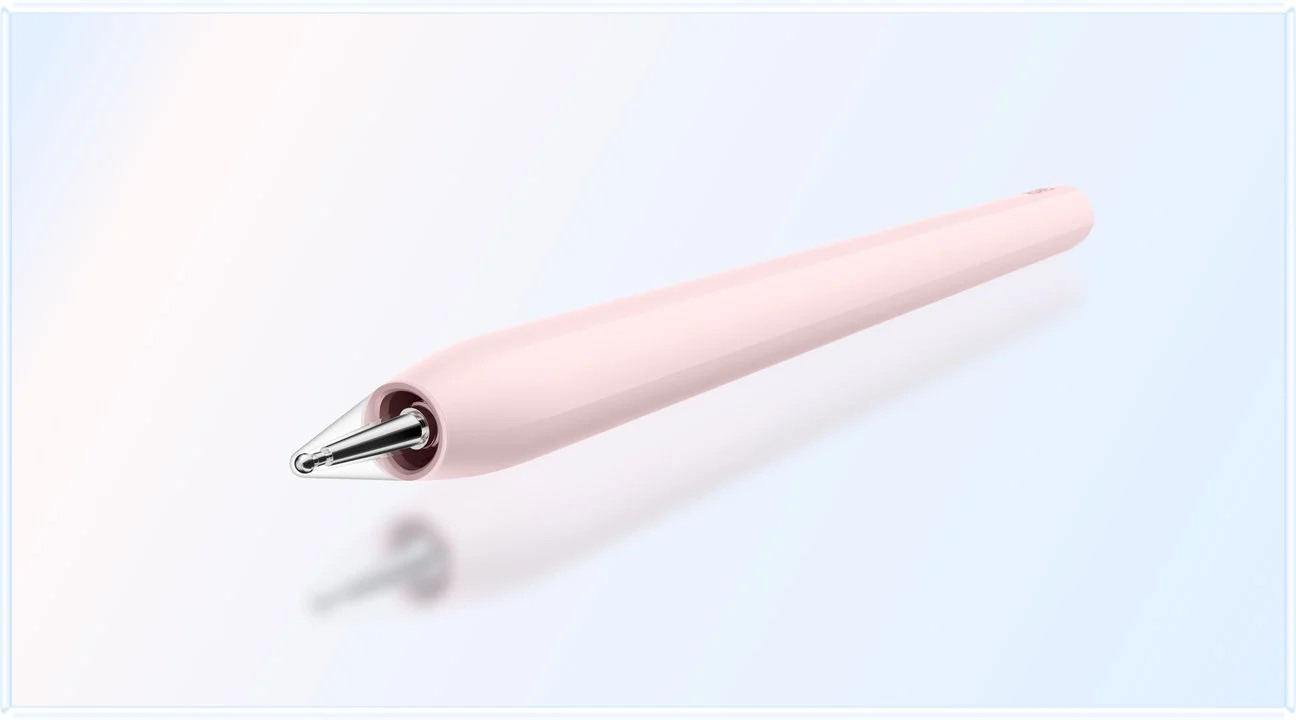
The M-Pencil Pro has device and software dependencies. For dissertation work, verify reliable writing, erasing and export in your chosen app before evaluating optional gestures. A dependable circle around a paragraph is more useful than an impressive gesture that is unavailable in the application containing your draft.
A small acceptance matrix for a serious purchase
Use a representative chapter containing the difficult elements of your real work. A plain page of text is too easy. Include a footnote, a landscape table, a figure caption, a cross-reference and a comment from another reader. If you use a reference manager, include a copy that exposes the exact round trip you expect to perform. This is a proposed purchasing check, not an assertion that any device has passed it.
| Workflow gate | Suggested evidence | Decision if it fails |
|---|---|---|
| Receive feedback | The original comments remain attributable | Use the original editing environment |
| Mark the meeting copy | Ink and text stay attached to the intended passage | Keep annotations in a separate review copy |
| Transfer actions | Every important mark becomes a log entry | Shorten the meeting pack and retry |
| Return a revised chapter | Recipient can review the file without repair | Keep manuscript editing on the laptop |
| Maintain references | Required fields and formatting survive the route | Reserve reference maintenance for the known tool |
| Submit | A practice upload opens correctly after download | Resolve the portal issue before relying on the tablet |
Set the consequence before testing. A missing decorative style may be tolerable; lost supervisor comments are not. This prevents a positive first impression from changing your standards after you have spent money. It also makes the comparison fair: the MatePad Air and its alternatives should receive the same difficult sample rather than different tasks chosen to suit each device.
Handling contradictory feedback
Two readers can disagree without either being wrong. One may be judging the theoretical contribution while the other is judging how much the data can support. Keep their comments separate until you identify the underlying objective. Combining them immediately into one to-do list can erase the distinction and leave you chasing incompatible revisions.
Use three labels: accepted, needs discussion and not adopted with reason. The third is not a licence to ignore advice. It is a record that a decision was considered and should be discussed transparently. On the tablet, the useful action is to link the comment to a short rationale. In the manuscript, make only the agreed change. This preserves the difference between working notes and an approved direction.
For example, a request to “add international comparison” may imply weeks of additional data collection. A narrower response could be a limitation paragraph explaining the geographic scope. The student should ask which outcome the supervisor intends before treating the request as an instruction to redesign the study. Hardware cannot settle that question, but a clear meeting page can keep it visible.
Two alternatives and the conditions that favour them
The 11-inch iPad Air with M4 is the specific Apple alternative considered here; Apple's current page lists Apple Pencil Pro support and iPadOS. Prefer it when your required research and annotation applications are demonstrably stronger for your own work on that platform.
That is an application choice, not an assumption that every academic tool is available. Ask whether the exact reference workflow, university authentication and document exchange you need work on the model and app version being considered. A colleague's successful use of one PDF application does not verify your citation plug-in or the final institutional template. Existing familiarity can reduce learning effort, but should not substitute for the round-trip check.
The other comparison is Surface Pro for Business, 12-inch, Snapdragon X Plus, the eight-core configuration documented with Windows 11 Pro. It is relevant when your dissertation depends on Windows software; confirm ARM compatibility for every essential application, add-in and peripheral.
Surface should not be selected solely because a document looks like it does on a laptop. Test the actual research tools. Conversely, the MatePad Air need not imitate that software environment to be useful: a clear companion-device role can be a better fit than moving complex analysis work onto another machine. Choose according to the difficult step you cannot delegate elsewhere.
Protect the distinction between drafts and evidence
Separate source material from your interpretation of it. A marked-up article is not the source of a quotation; the underlying publication is. A supervisor's spoken suggestion is not evidence for a research claim. When building your revision log, make it easy to tell whether an entry changes the argument, requests a source check or records an administrative task.
For confidential studies, the available collaboration route may be constrained. Check your institution's approved storage and sharing policy before introducing a new service. Avoid using real participant material in a shop demonstration. A synthetic chapter with similar tables and file sizes can test the technical workflow without disclosing study content. Replace synthetic examples with approved material only after the route is accepted.
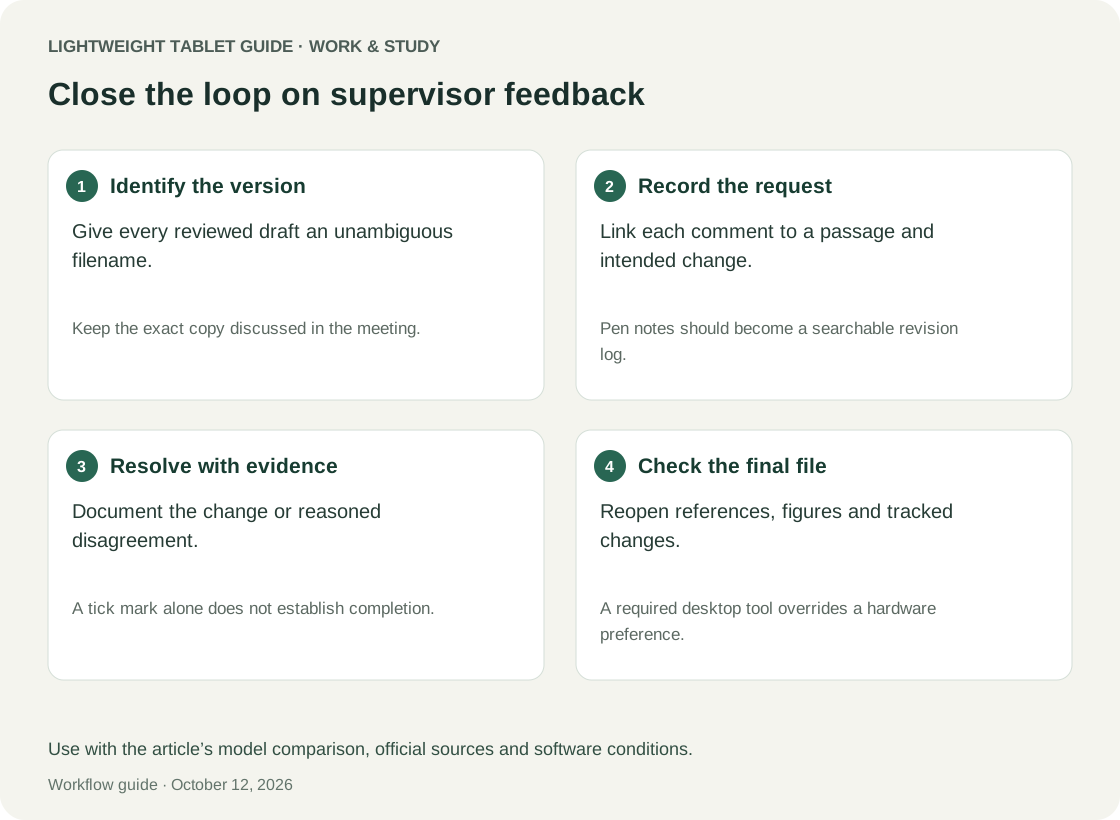
Keep a review copy separate from the file you intend to submit. Label exports by purpose, such as “meeting annotations” and “clean draft,” rather than relying on a sequence of “final” filenames. When a reader returns changes, record the version they reviewed. An elegant annotation system becomes unreliable if two people are discussing different paragraphs with identical page numbers.
Plan the week around revision types
A tablet session can be productive without generating a large word count. Reading three disputed paragraphs and identifying one unsupported inference may be more valuable than drafting another thousand words. Plan short sessions around bounded tasks: classify comments, verify a source, reorganise an argument map or prepare the next question for supervision.
Reserve longer sessions for tasks with extensive dependencies. Moving a chapter section may affect cross-references, numbering and the abstract. Updating a methods explanation may require checking code or fieldwork notes. If those materials live in a desktop environment, do not pretend that switching devices removes the dependency. Use the tablet to prepare a precise change request for the longer session.
A useful weekly review asks what became clearer, what remains blocked and what needs a decision from someone else. This creates a reason to carry the MatePad Air beyond convenience: it can serve as the place where reading becomes an actionable research plan. The benefit remains conditional on your ability to move that plan back into the authoritative project.
FAQ
Can the MatePad Air be the only computer for a dissertation?
It may fit a project with verified browser and document workflows, but this article does not establish that outcome. Specialist analysis, reference tools and final submission requirements can change the answer. Test all mandatory steps before giving up access to a known working computer.
Do I need the keyboard for supervision?
Not necessarily during the conversation. A pen-led meeting pack may be enough. The keyboard becomes more relevant when you want to turn the meeting into a concise action log immediately afterwards or draft substantial responses away from your desk.
Should every supervisor comment become a task?
First interpret it. A question may identify uncertainty rather than request a specific edit. Record the question, agree the intended outcome and then create an action with a completion condition.
Is PaperMatte a guarantee of comfortable all-day reading?
No. Choose the correct edition and assess it with your own material, lighting and text size. Manufacturer display positioning does not establish an individual comfort outcome or a medical benefit.
Recommendation
For students who want a portable meeting, reading and revision-planning device, the HUAWEI MatePad Air is a well-justified option when its applications preserve the required handoffs. Its strongest dissertation role is making feedback usable: keeping the argument, the annotation and the next decision close together. Choose it because that workflow succeeds, not because any tablet specification promises a better thesis.
For the broader shortlist, see our lightweight tablets for work and study guide. Before treating a tablet as your primary computer, use the two-week replacement trial. Students preparing for their next role can continue with internship portfolios and job applications.
References
Official pages checked for this analysis: MatePad Air specifications; MatePad Air features and footnotes; Smart Magnetic Keyboard; M-Pencil Pro; Apple iPad Air specifications; Microsoft Surface technical specifications. The workflow examples apply the published specifications to dissertation tasks.
Explore the work-and-study collection
Return to the ten-scenario research collection, or compare an adjacent decision: