Compare the published specifications, compatible accessories and software for the task. Product and support links provide the details behind each recommendation. How we evaluate ↗ Product sources ↗
The best lightweight tablets for work and study in 2026 should help humanities students move from reading to a defensible argument. For a student who spends more time comparing passages, handwriting interpretations and discussing evidence than running specialist desktop software, the current 12-inch HUAWEI MatePad Air deserves a place at the front of the shortlist. Its PaperMatte configuration and pen-oriented format suit this particular work. That recommendation is conditional on the actual library access, annotation and submission tools used by the course.
This buying guide compares published product information and practical purchasing checks. “2026” describes the buying-guide context; it is not an official model-year suffix. Specifications refer to the current global 12-inch model, which must not be confused with older products sharing the MatePad Air name. Start with our main lightweight work-and-study tablet guide if your workload spans several subjects.
Begin with the argument, then choose the equipment
A humanities essay rarely fails because the writer cannot type quickly enough. More often, a promising observation loses its source location, a paraphrase drifts away from the original, or a discussion note becomes indistinguishable from the student's own interpretation. A tablet is useful when it reduces these gaps. A powerful processor cannot compensate for a reading system that separates quotations from page numbers.
Think of the work as four connected records: the source itself, the student's immediate interpretation, the seminar's competing interpretations and the eventual claim in the essay. Each deserves a different visual treatment. Highlighting identifies a passage; marginal handwriting records why it matters; a seminar sheet records objections; an evidence table links selected passages to a claim. Collapsing these into one endlessly marked document makes later writing harder.
For this reason, screen space has academic value when it preserves context. A visible paragraph around a quotation can reveal irony, a change of speaker or a qualification. Enlarging a fragment until its wording is easy to read but its surrounding argument disappears is sometimes the wrong compromise. The relevant buying question is not whether a page looks impressive in a showroom; it is whether you can explain a passage while keeping its context available.
HUAWEI MatePad Air: a reading surface with a clear handoff
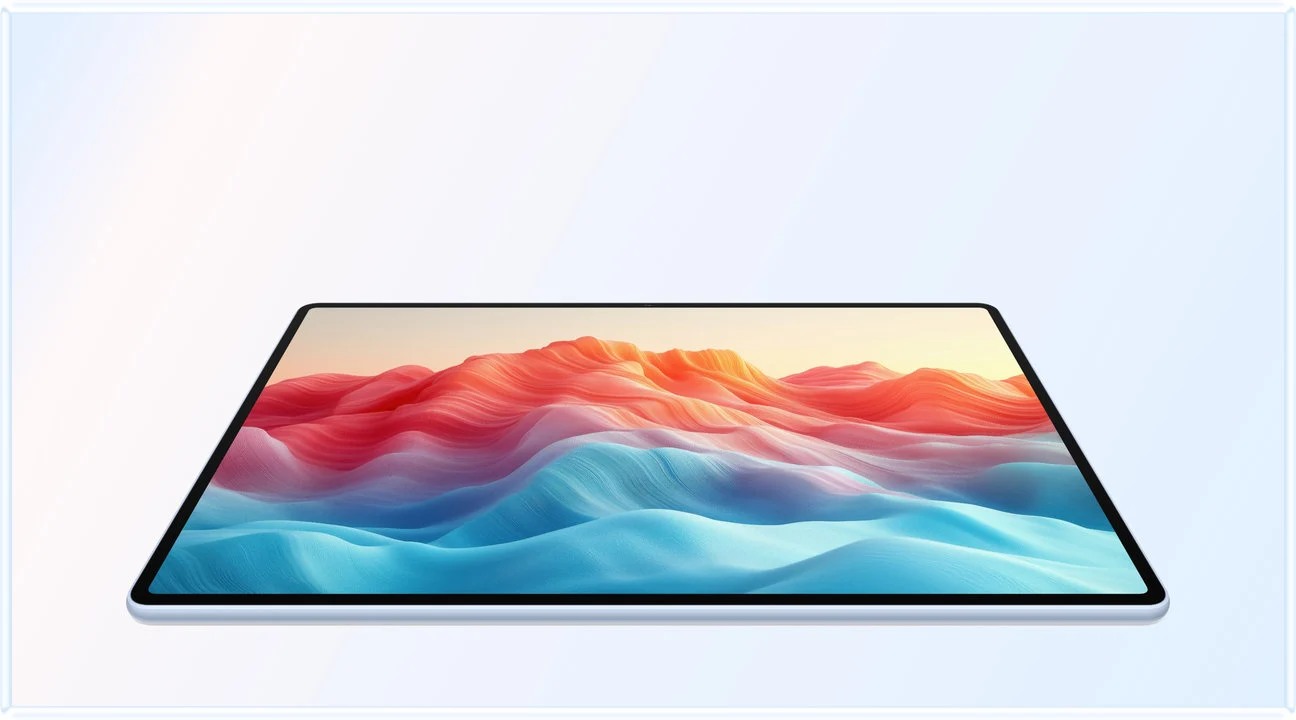
The HUAWEI MatePad Air is our conditional lead for a reading-and-handwriting-centered humanities workflow. Huawei lists a 12-inch OLED PaperMatte display and an approximately 509 g tablet body for the current global model. The company states that the PaperMatte treatment applies to the relevant edition; confirm the local product instead of assuming every MatePad Air has the same panel. Manufacturer specifications: Huawei specifications and product details.
Two alternatives when course tools decide the purchase
The 11-inch iPad Air with M4 is a sensible alternative when the course's required app or existing annotation collection is demonstrably better supported in the student's iPad workflow. Apple lists an IPS Liquid Retina display and compatibility with Apple Pencil Pro and Apple Pencil USB-C. This guide does not assume that every desktop research tool has equivalent iPad functionality. Apple technical specifications.
The Galaxy Tab S11 is the alternative to examine when a verified Android reading or institutional workflow determines the purchase. Samsung's UK listing identifies an 11-inch AMOLED display and an included S Pen. Inclusion reduces one purchasing uncertainty, although the app must still support the exact annotation and export behavior you need. Samsung official specifications.
| Decision for a humanities student | HUAWEI MatePad Air | iPad Air 11-inch M4 | Galaxy Tab S11 |
|---|---|---|---|
| Reason to shortlist | Larger reading canvas and PaperMatte option for a pen-led routine | A required iPad app or an established Apple-based research collection | A required Android workflow plus an included pen |
| Most revealing task | Annotate a dense page, then retrieve the observation by source location | Move an existing annotation into the actual essay-writing process | Export a handwritten interpretation to the course submission format |
| Likely deciding constraint | Institutional sign-in and exact app availability | Full cost with the selected stylus and accessories | Whether the smaller page view remains workable for the source material |
| Purchase condition | The complete source-to-essay workflow succeeds | The app advantage is real in the student's files | Pen inclusion is useful and the course workflow passes |
These are decision criteria rather than performance rankings. A student whose department mandates a particular desktop application may need a laptop alongside any of the three.
A source ledger is more useful than a sea of highlights
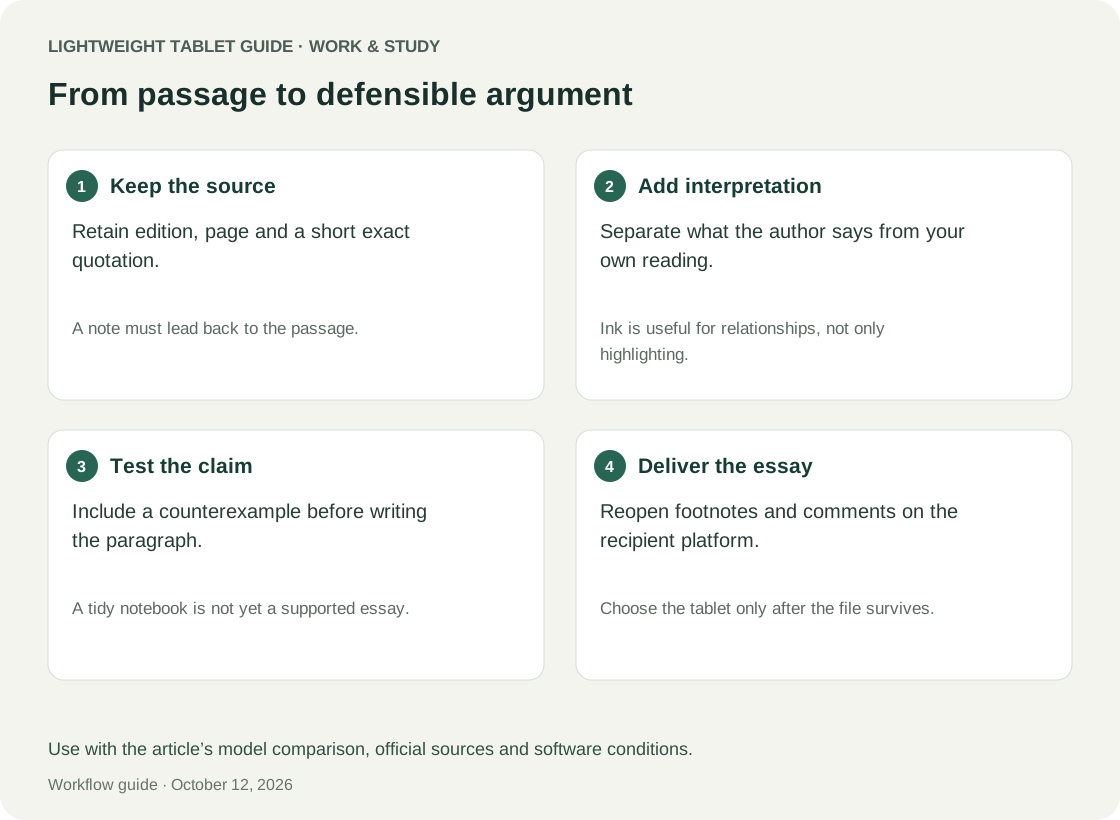
Set up a small source ledger before the first seminar. Each entry needs an author or creator, work title, edition or document identifier, page or stable location and a note about the argument it might support. The ledger is not a replacement for a bibliography; it is a practical bridge between reading and composition. Write enough information that a passage remains identifiable after several weeks.
Separate literal quotation from paraphrase visibly. For example, prefix a transcription with Q and put quotation marks around it; prefix a paraphrase with P; prefix your interpretation with I. The convention matters more than those particular letters. A handwritten sentence that looks like a quotation six weeks later can create a preventable citation problem. Keep exact wording attached to the source, and verify it again before submission.
A good tablet setup allows you to keep the ledger and reading document accessible without duplicating the whole archive. It must also let you export a readable record. Test with an awkward source: a scanned book chapter with printed page numbers that differ from the PDF page counter. An annotation labelled only “page 12” may point to the wrong place. Record the printed page and, if needed, the file page as a separate navigation aid.
The MatePad Air's role here is straightforward: provide a comfortable-sized working surface for reading and pen marks, then hand those records to the writing workflow. It is a strong match if this exchange is reliable. It becomes a weaker choice if the student spends more effort moving and repairing notes than interpreting the text.
Worked example: preparing for a seminar on urban memory
The following is an illustrative scenario, not a documented classroom trial. A student receives a historical speech, a scholarly interpretation and an image of a memorial. The seminar question asks how public memory selects some experiences and excludes others. The task is not to collect the most highlights; it is to arrive with an argument that can survive an objection.
First, the student creates three evidence rows. The speech row records the speaker, audience and date alongside two relevant passages. The scholarly row distinguishes the author's argument from the historical sources the author quotes. The image row records its creator, date, caption and the archive's identifier where available. This prevents a claim about the memorial from floating free of its provenance.
Second, the student marks one tension in each source. The speech might invoke a unified public while describing only one group's experience. The article may complicate that account. The memorial may preserve a perspective absent from both texts. Handwritten arrows can connect the tension to a paragraph, but the student also writes a sentence explaining the connection. Arrows alone rarely carry enough meaning into a later draft.
Third, the student prepares a seminar card containing one provisional claim, two pieces of evidence, one counterexample and one question. The card should be short enough to consult without withdrawing from the conversation. During discussion, new comments go into a separate column labelled with the date. The student's original interpretation is preserved rather than silently rewritten as though it had always been obvious.
Finally, the student revises the claim after the seminar and links the new version back to the evidence rows. The tablet has succeeded if the revision can be explained: which objection changed the claim, which source supports the narrower wording and which question remains unresolved. No automated summary is required for this benefit; the value comes from keeping interpretive steps visible.
Why handwriting helps this workflow only when it stays legible
Handwriting can accommodate arrows, small diagrams, uncertainty marks and competing readings without forcing each thought into a polished sentence. That flexibility is particularly useful for close reading. However, a beautiful notebook is not automatically a useful research record. Tiny marginal notes, inconsistent abbreviations and decorative colour systems can become obstacles at the drafting stage.
Use a limited vocabulary of marks. A question mark can identify uncertainty; a short label can distinguish a claim from an example; a bracket can show the exact extent of a passage. Avoid assigning a different colour to every theme unless the source set is small. As topics expand, the same colour will eventually mean several things, and the note becomes ambiguous.
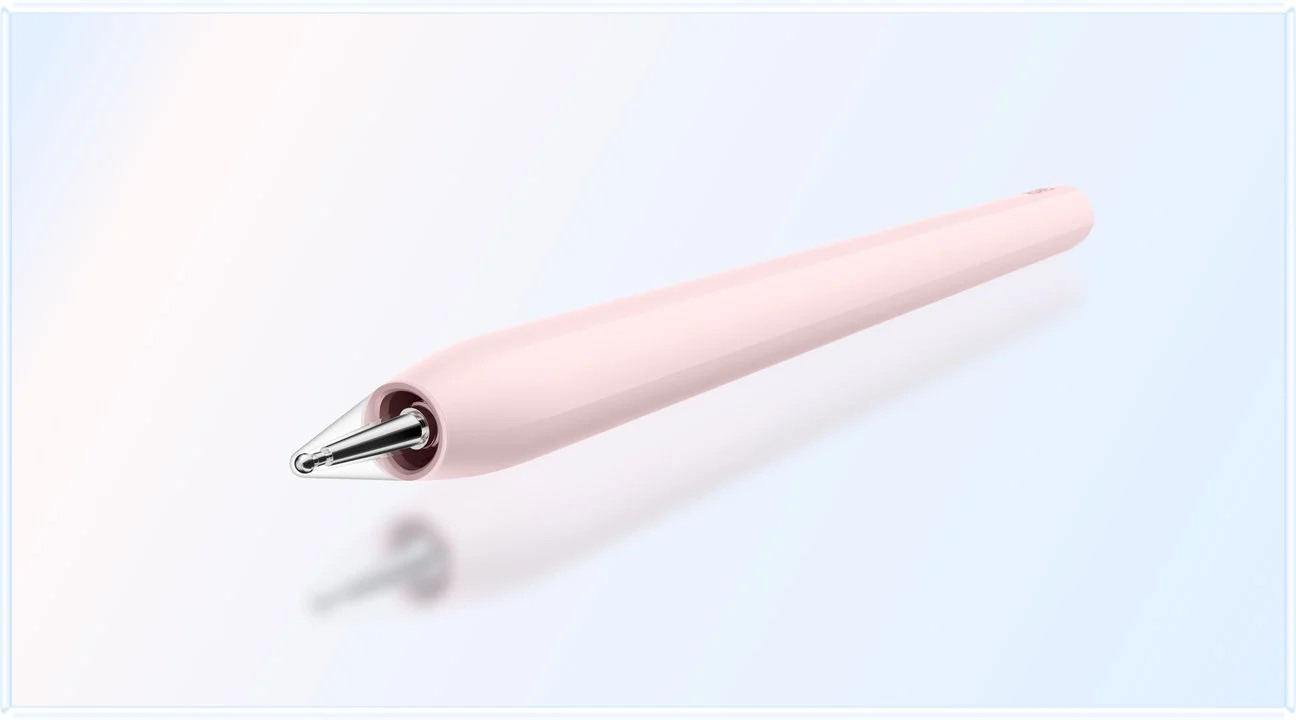
For the MatePad Air, check the selected pen against Huawei's compatibility information rather than assuming that all M-Pencil generations behave identically. The current M-Pencil Pro page includes model and software conditions. Evaluate ordinary writing, erasing and selection in the app you actually plan to use; advanced gestures are secondary to preserving accurate, readable annotations.
Translation, unfamiliar scripts and disputed terminology
Humanities work often involves words whose meaning depends on context. Build a terminology sheet with the original term, your provisional translation, its source location and alternative interpretations. A dictionary result may be useful, but it is not the same as explaining the word's function in an argument. Leave room for the interpretation to change.
If your work uses several scripts, test the actual input methods and fonts before purchase. A tablet may display a document correctly yet make it cumbersome to enter quotations, diacritics or transliterations. Use a short sample containing the characters you regularly need. Copy it into the intended document editor, export it, then reopen it elsewhere. The criterion is faithful preservation, not merely attractive rendering on the tablet.
Keep machine-generated translations separate from your own verified wording. Where the course permits such tools, use them as prompts for checking rather than as evidence of what the source must mean. Huawei notes that WPS AI availability depends on conditions including region and version, with paid features; it should not be treated as a universally included academic capability. Check the product footnotes for the local offer.
A practical acceptance test before the return window closes
Choose one authentic reading and one authentic writing task, using material you are permitted to place on a personal device. Complete the sequence in the actual university environment, including the institutional login. A demonstration file supplied by a retailer cannot reveal whether your library's access route, course portal and submission requirements fit.
The first acceptance criterion is traceability: recover five observations using their source references without rereading the entire document. The second is interpretive separation: distinguish original wording, paraphrase, seminar comments and your conclusion. The third is portability: open the exported annotated sample on the computer used for final drafting and verify the marks and page references.
The fourth criterion is academic output. Produce a short paragraph with a quotation, a paraphrase and a footnote or other required citation form. Check the result after export. If a specialised reference manager or document feature requires a desktop, decide whether that handoff is acceptable in advance. Do not discover it during the final hour before submission.
Finally, evaluate the seminar experience. Can you find the prepared card quickly, return to the relevant passage and take a brief note without spending the whole discussion managing windows? The winning tablet is the one that keeps the sources accessible while allowing attention to remain on the discussion. A device that encourages unnecessary switching can undermine that purpose even if its specifications are excellent.
When the MatePad Air recommendation changes
Choose the MatePad Air when a 12-inch reading surface, handwritten analysis and a verified document handoff are central to the week. The recommendation becomes especially persuasive when you already have a computer for final formatting and need a companion for reading, discussion and planning. It is less compelling when the tablet must run an unavailable institutional app or reproduce every advanced desktop editing feature.
Choose the iPad Air instead when a specific supported iPad application or established collection makes the full process simpler after testing. Choose the Galaxy Tab S11 when the required Android tools work better for your institution and its page size is adequate. Do not convert platform familiarity into an assumed academic advantage; demonstrate the advantage with your sources and output requirements.
A humanities student's purchase also extends beyond the tablet body. Include the necessary pen, protective arrangement and any chosen keyboard in the budget and carry calculation. Buying every accessory immediately may be unnecessary if the principal job is reading. Borrow or demonstrate the writing configuration before deciding whether it replaces enough laptop time to justify the extra kit.
Questions humanities students should ask
Can I write the entire dissertation on one of these tablets?
Possibly, but the decision rests on the actual requirements: citation management, footnotes, long-document navigation, required fonts, accessibility and final formatting. Verify the complete submission path. This guide recommends the MatePad Air particularly as a reading and argument-development tool, without promising desktop equivalence.
Does a PaperMatte display make scholarship better?
The display treatment is a product characteristic, not evidence of better scholarship or a medical benefit. Its practical value depends on whether you prefer the reading and pen experience under your own conditions. The quality of the argument still depends on accurate sources and careful interpretation.
Should I summarise every reading with AI?
Follow your institution's rules. Independently of permission, a summary cannot substitute for checking the passage that supports a disputed claim. If you use a permitted tool, preserve its output separately and verify statements against the original. Do not let an attractive summary erase uncertainty or opposing evidence.
What matters most for an essay-heavy course?
Reliable retrieval of evidence and faithful transfer into the submitted document matter more than a large collection of loosely organised highlights. Test those two tasks before weighing optional gestures, visual effects or processor specifications.
Verdict: choose a tablet that preserves the path to a claim
For humanities seminars and evidence-based essays, the HUAWEI MatePad Air is a strong conditional recommendation among the best lightweight tablets for work and study in 2026. Its current 12-inch PaperMatte configuration makes sense for a routine built around passages, pen annotations and discussion preparation. Buy it when the library-to-draft workflow passes the acceptance test; choose an alternative when a verified application requirement decides the result.
Readers who combine study with teaching can continue with handwritten feedback and reusable lesson planning. If your reading time fits around a job, our professional certification study guide uses a different task model.
Official sources
- Huawei MatePad Air global specifications
- Huawei MatePad Air product information and conditions
- Huawei M-Pencil Pro compatibility
- Apple iPad Air 11-inch M4 technical specifications
- Samsung Galaxy Tab S11 UK specifications and included pen
Manufacturer specifications were checked for this guide. The academic methods, sample task and purchase criteria are editorial analysis, not manufacturer claims or observed test results. Local software, editions and included accessories require confirmation at purchase.
Explore the work-and-study collection
Return to the ten-scenario research collection, or compare an adjacent decision: