
Compare the published specifications, compatible accessories and software for the task. Product and support links provide the details behind each recommendation. How we evaluate ↗ Product sources ↗
The best lightweight tablets for work and study in 2026 should help employed learners make useful progress in short, interrupted sessions. For professional certification study built around reading, handwritten problem solving and reviewing mistakes, the current 12-inch HUAWEI MatePad Air is a strong conditional recommendation. Its role is to make the study process portable and coherent. The exact course platform, question bank and required applications still need to work on the device, and exam-day compatibility is a separate question.
This buying guide uses published specifications and illustrative study plans. “2026” identifies the buying-guide context; check the current global 12-inch model against the exact local product listing. For other workloads, begin with our main lightweight work-and-study tablet guide.
Identify the smallest useful unit of progress
An employed learner may have twenty minutes before work, a lunch break of uncertain length and a longer weekend session. Those periods are not interchangeable. A short interval can support retrieval of a concept or review of an error; it may be a poor setting for a complex case that takes ten minutes to understand before any useful work begins.
Define a useful unit before choosing a device. Examples include explaining one principle without notes, solving one representative calculation with its assumptions, or comparing two plausible answers to a scenario. “Read more” is too vague to resume reliably after an interruption. The tablet should make it easy to locate the next unit and record the result in a durable place.
A practical study page needs a clear starting point, a bounded task and a stopping record. At the end, write what was completed, what remains uncertain and what to do next. This small handoff to your future self can matter more than opening many resources simultaneously. It reduces the need to reconstruct the previous session from scattered tabs and half-finished notes.
Why MatePad Air is the lead candidate for a pen-led routine
Huawei's current global specifications list a 12-inch OLED PaperMatte display, approximately 509 g body weight and a 10,100 mAh typical battery capacity. Those facts make the device worth examining as a portable reading and writing surface. Battery capacity alone does not establish study runtime, and the PaperMatte treatment is edition-dependent. Verify the local model. Huawei specifications and product conditions.
For certification preparation, the attraction is the working area for a question, a handwritten solution and an explanation of the error. The tablet is particularly persuasive as a companion to an existing work or home computer. Use the portable device for preparation, then retain access to a computer for course components or assessments that require one.
If you type longer explanations, Huawei lists its compatible Smart Magnetic Keyboard at approximately 308 g. Combined with the specified tablet body, the calculated subtotal is approximately 817 g before a pen or other items. The accessory decision should follow the study task. Huawei keyboard specifications.
The 11-inch iPad Air with M4 is the alternative to prioritise when the specific course app, existing study collection or required accessibility setup has been verified on iPad. Apple lists compatibility with Apple Pencil Pro and Apple Pencil USB-C. Apple technical specifications. The Galaxy Tab S11 is the alternative to examine when the necessary Android tools fit better; Samsung's UK listing includes an S Pen. Samsung official specifications.
| Study requirement | HUAWEI MatePad Air | iPad Air 11-inch M4 | Galaxy Tab S11 |
|---|---|---|---|
| Best reason to shortlist | A 12-inch pen-led workspace for explanations and error review | A verified course or study app advantage on iPad | A verified Android course workflow and included pen |
| Most important practical check | Course sign-in, question navigation and export of handwritten work | Full functionality of the required course app, not just installation | Question-bank behavior and faithful note export |
| Accessory decision | Add the keyboard only if longer typed work justifies it | Select a supported stylus and check the complete cost | Check whether the included pen meets the chosen app's needs |
| What the tablet does not establish | Eligibility as an exam device | Eligibility as an exam device | Eligibility as an exam device |
A specification comparison cannot decide whether a learning provider supports a browser, a proctoring application or an employer-managed account. Those are independent pass-or-fail conditions.
Build an error log that records reasoning
An error log should explain why the answer was wrong, not simply list missed question numbers. A useful entry contains the task type, the choice or method used, the underlying misconception and a future check that would prevent repetition. Keep the original question's identity only within the provider's permitted use and storage rules; do not copy restricted material into a public resource.
Separate knowledge gaps from decision errors. A learner may not know a definition, may know it but confuse two conditions, or may understand the issue but overlook a word in the prompt. Repeating the same reading is unlikely to address all three. The log should make the next action specific: recall the definition, compare the conditions or practise identifying the question's constraint.
For quantitative topics, preserve the meaning of each variable and the units, not just the arithmetic. For scenario-based topics, record the condition that made one answer better than another. For terminology-heavy topics, write a contrast between neighbouring concepts. The tablet's pen area becomes useful when it supports these different explanatory forms without forcing everything into a uniform text box.
Review the explanation later without looking at the original answer. Can you state the rule and recognise when it applies? If not, the entry may be too compressed to be useful. The aim is a record that supports a future attempt, not a visually impressive catalogue of past mistakes.
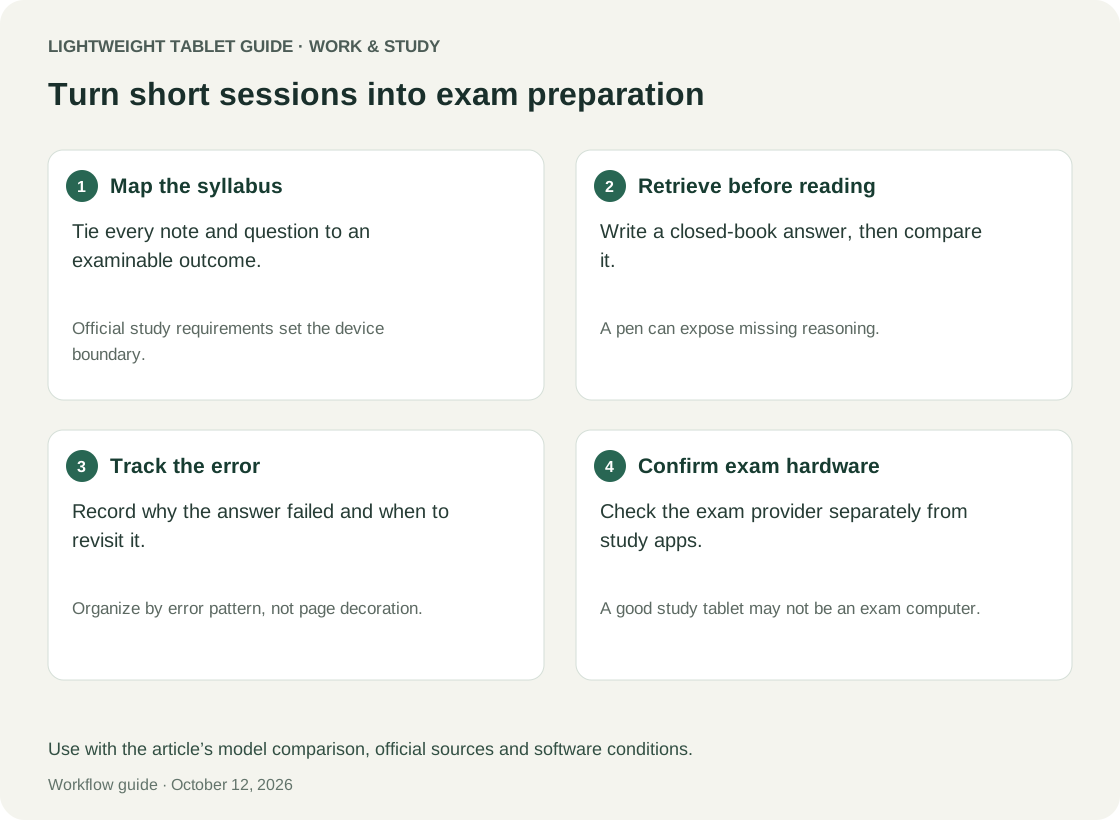
Worked example: a certification week around a full-time job
The following schedule is illustrative and is not a recommended number of study hours for any particular exam. Imagine a learner with four twenty-minute weekday opportunities and one ninety-minute weekend session. That gives 170 planned minutes, calculated as four times twenty plus ninety. The point is to assign different jobs to those periods, rather than treating them all as miniature lectures.
On the first weekday, the learner answers a small set of permitted practice prompts without consulting notes. Each uncertain answer receives a short explanation of the uncertainty. On the second weekday, the learner revisits the two most important gaps and writes a comparison sheet. This is deliberately narrower than rereading an entire chapter.
On the third weekday, the learner attempts fresh questions involving the same principles, then records whether the earlier explanation helped. On the fourth weekday, the learner prepares the weekend's deeper task by gathering the relevant authorised resources and writing the exact problem to resolve. Preparation prevents the longer session from disappearing into navigation and setup.
The weekend session is reserved for a mixed task that combines topics or requires a sustained solution. The learner first attempts it, then checks the reasoning and finally writes the next week's starting note. A missed weekday session does not automatically require doubling the next one; the learner can remove a lower-priority task while preserving the unresolved concept.
The MatePad Air is useful in this example when the study page, handwritten reasoning and course material stay accessible with little reconstruction. The iPad Air or Galaxy Tab S11 can serve the same planning model if their verified course integration is better. The schedule does not imply that any device causes higher scores or substitutes for the provider's recommended preparation.
Distinguish recognition from an explanation you can produce
A familiar page can feel reassuring without revealing whether you can answer a new question. Build some tasks that begin with the source closed: state a rule, outline a process or explain why a tempting alternative is incorrect. Then reopen the material and identify the precise gap. This is a practical way to make uncertainty visible rather than a claim about a quantified learning improvement.
Use the pen for reasoning that benefits from spatial structure. A flow diagram can expose a missing decision point; a table can separate similar conditions; a worked calculation can show where an assumption entered. Add a short sentence explaining the diagram. Otherwise, a shape that made sense late at night may be mysterious when revisited during a short break.
Do not turn every concept into a drawing. Straightforward facts may be easier to capture in a concise text entry. The strength of a tablet is the ability to combine forms around the problem, not an obligation to handwrite everything. A good study system minimises the effort needed to express the reasoning clearly.
Course compatibility needs an authentic sample session
A provider's home page loading successfully is not enough. Sign in through the actual route, open a lesson, play any necessary content, attempt an authorised practice question and save the result. Check navigation between questions, entry of special characters or numbers and whether the page remains usable when the keyboard appears.
If the course uses a dedicated application, confirm availability for the exact device and region. A similarly named app or a browser workaround may not offer the same features. If the employer supplies the account, ask whether a personal tablet is permitted. Use a demonstration or non-sensitive sample where possible until approval is clear.
Inspect the study outputs too. Can you export your own notes in a format you can reopen elsewhere? Can you retrieve the specific error explanation without an active course session? Determine which records remain available when the subscription ends. A certification notebook should not depend on an assumption about continued access to a provider's content.
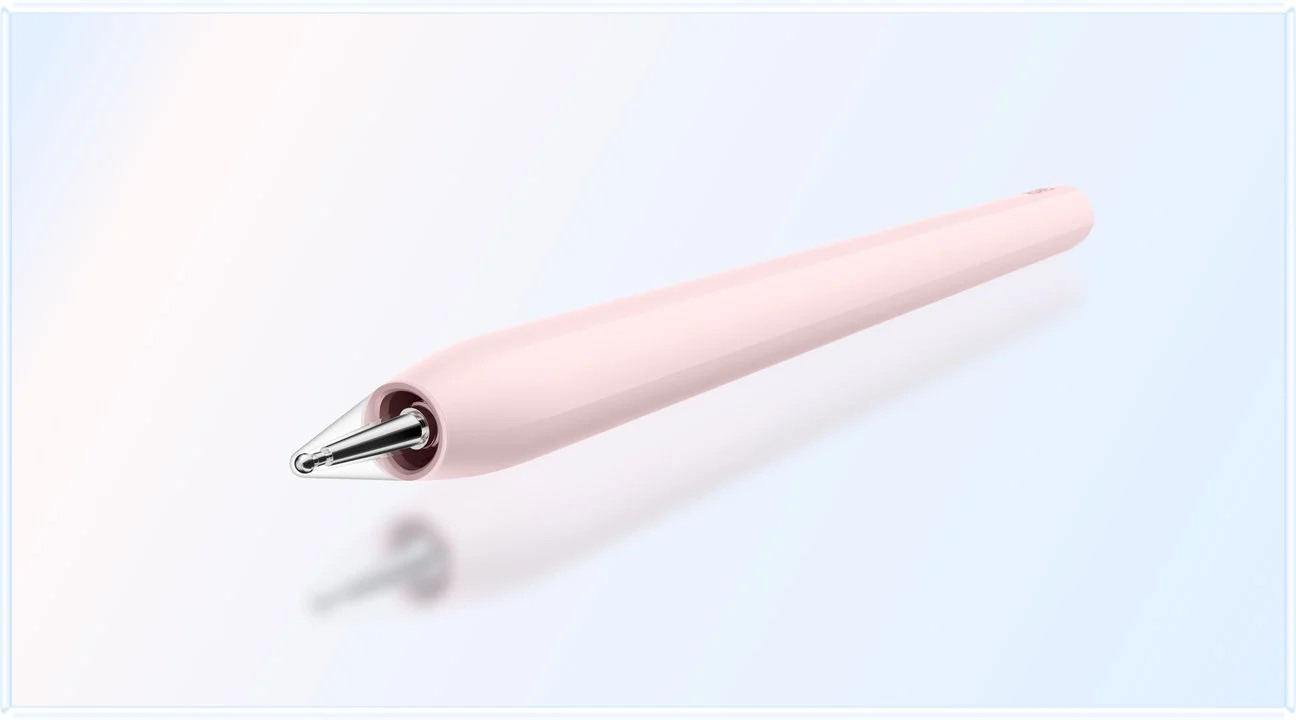
For Huawei's pen features, consult the M-Pencil Pro compatibility information for the exact model and software conditions. Focus on writing, erasing and selection in the intended app. Optional features are secondary to capturing a correct, legible explanation and recovering it later.
Separate preparation hardware from exam-day requirements
A tablet that serves preparation well may still be unsuitable or unsupported for a remotely proctored exam. Requirements can differ by provider, qualification, exam delivery method and date. Check the official requirements for the exact exam appointment before relying on any device. This guide does not claim eligibility for MatePad Air, iPad Air or Galaxy Tab S11.
Keep that distinction explicit in the budget. If a separate approved computer or test-centre appointment is necessary, the tablet remains a study companion. Its purchase should be justified by the preparation work it improves rather than by an assumption that it removes every other equipment cost.
Do not infer assessment compatibility from a camera, microphone or modern browser specification. An exam provider may require a particular operating system or locked application. Equally, successful use of a practice quiz does not establish acceptance for the final exam. Obtain the current provider answer rather than attempting to reason from general device capability.
A purchase test designed for interrupted study
Prepare a short session using a real permitted course task. Start from a closed app, locate the intended task, complete a small piece of work and leave a clear stopping note. Then return later and continue without retracing the entire earlier session. The purchase passes this part only if the saved state and written record make the next action obvious.
Test one error-log entry end to end. Write the mistaken reasoning, explain the correction, export your own note and reopen it on another device. Verify that handwriting, symbols and page order remain understandable. The ability to recover your explanation is more valuable than a large number of features demonstrated in isolation.
Set acceptance criteria before comparing models: the actual course works, essential input is accurate, the chosen pen is usable in the selected app, notes survive export and the total kit fits the intended carrying routine. Add any employer or provider conditions as mandatory gates. A failure on a required application cannot be offset by a better display specification.
Finally, rehearse the longest planned study session under your normal conditions. Observe comfort, interruptions and the need for charging without turning one informal session into a universal battery claim. If a keyboard is seldom used, consider leaving it out of the everyday kit. If typed explanations dominate, make sure the extra accessory earns its place through actual use.
What to automate and what to keep under your control
Templates can reduce repetitive setup: a dated session page, an error-log structure and a weekly review sheet are good candidates. Automated reminders may help you return to a plan, but they cannot decide whether a concept is understood. Keep the decision about what to study next tied to attempted work and specific uncertainty.
Treat generated explanations cautiously. If the course permits AI assistance, check an explanation against authorised material and keep any unresolved disagreement visible. Do not upload employer-confidential information or restricted question-bank content to an unapproved service. The tool's availability does not change the provider's or employer's rules.
Huawei describes WPS AI features with paid and region/version-dependent conditions. They are optional to the workflow in this guide and should not be assumed available in every purchase. Huawei product information. A useful study system should still function with the learner's own notes and the approved course material.
Frequently asked questions
Is MatePad Air suitable for professional certification study?
It is a strong candidate for reading, handwritten solutions and error review when the actual course platform and note workflow pass the checks above. That conclusion is about preparation, not eligibility for a particular assessment or a guarantee of improved results.
Should I prioritise a larger screen or a lighter body?
Use the task to decide. A multi-step solution may justify more working area, while very short text prompts may not. Compare the complete kit you will carry and a representative problem you will solve. Tablet-only weight is an incomplete answer when accessories travel with you.
Are an iPad Air or Galaxy Tab S11 better for every course?
No universal platform ranking answers the question. A verified app requirement can make either the better choice. If all three pass the same course test, compare writing preference, working area and total cost rather than inventing a software advantage that has not been demonstrated.
Can the tablet take the final proctored exam?
Check the exam provider's current official requirements for the exact assessment. Preparation compatibility is not exam compatibility. Retain an approved alternative until eligibility is explicitly established.
Verdict: buy for the next useful study session
For employed learners whose preparation combines reading, pen-based reasoning and deliberate error review, HUAWEI MatePad Air is a strong conditional choice among the best lightweight tablets for work and study in 2026. The current 12-inch configuration supports a coherent portable workspace when the course and account requirements fit. Prefer iPad Air or Galaxy Tab S11 when a demonstrated application advantage changes that conclusion.
The purchase should help you start, finish and resume a useful task. It should not depend on an assumption about exam support, unlimited AI access or a device's ability to guarantee success. For adjacent workflows, see humanities seminar preparation and teacher feedback with reusable lesson planning.
Official sources
- Huawei MatePad Air global specifications
- Huawei MatePad Air product information
- Huawei compatible Smart Magnetic Keyboard
- Huawei M-Pencil Pro compatibility
- Apple iPad Air 11-inch M4 specifications
- Samsung Galaxy Tab S11 official UK specifications
Specifications are manufacturer facts; task design, arithmetic and conditional recommendations are editorial analysis. No course provider's assessment compatibility has been independently established here.
Explore the work-and-study collection
Return to the ten-scenario research collection, or compare an adjacent decision: