Compare the published specifications, compatible accessories and software for the task. Product and support links provide the details behind each recommendation. How we evaluate ↗ Product sources ↗
For teachers evaluating the best lightweight tablets for work and study in 2026, the strongest purchase is the one that connects a student's misconception to a useful next lesson. The current 12-inch HUAWEI MatePad Air is a compelling shortlist choice for teachers who prefer handwritten feedback, visual explanation and reusable planning sheets. Its value depends on whether the school's approved file, account and learning-platform processes work on the exact device. A comfortable pen workflow is helpful only when feedback reaches the right student in a readable form.
This guide uses official product information and original workflow analysis. The comparison connects the published features to the marking workflow. The date describes the buying-guide context rather than an official “2026” Huawei model name. We discuss the current global 12-inch MatePad Air; buyers should verify the edition available locally. For a broader comparison, see our main work-and-study tablet guide.
Treat marking as a sequence of decisions
A teacher marking thirty assignments does not perform one task thirty times. They identify the nature of an error, decide which part is worth addressing now, choose a form of explanation and determine whether a pattern calls for a whole-class response. The device should preserve these decisions rather than encourage an ever-growing pile of decorative annotations.
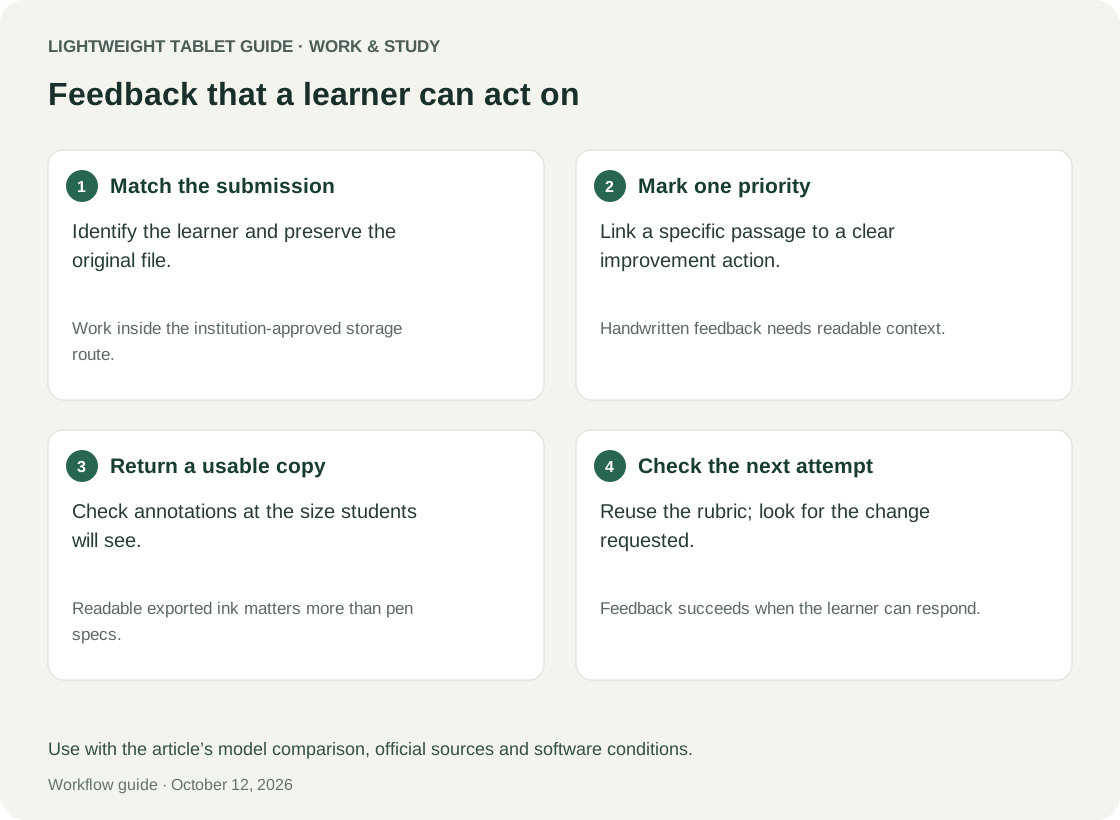
Separate feedback into three layers. First, show the exact location that prompted the comment. Second, explain the issue in terms the learner can act on. Third, specify the next move: revise a sentence, justify a step, compare two examples or answer a diagnostic question. A circled mistake without an actionable instruction may be less useful than a short typed sentence placed beside the relevant work.
The best pen device therefore needs more than smooth strokes. It should make the location and meaning of feedback clear after export, preserve the original submission and allow a teacher to collect recurring patterns without duplicating personal information. These requirements turn a general tablet purchase into a workflow choice that can be evaluated before a full class depends on it.
HUAWEI MatePad Air: a portable surface for actionable feedback
Huawei lists the current MatePad Air at approximately 509 g and 5.3 mm, with a 12-inch OLED PaperMatte display. Those characteristics make it reasonable to shortlist as a portable annotation surface, but they do not establish how comfortable a particular teacher will find it. Confirm the PaperMatte edition and your preferred writing angle. Huawei specifications and product conditions.
iPad Air and Galaxy Tab S11 as institutional alternatives
The iPad Air 11-inch M4 is an alternative when the school's chosen app or existing iPad-based teaching materials provide a verified advantage. Apple's official specifications list support for Apple Pencil Pro and Apple Pencil USB-C. Pen compatibility alone does not establish support for a particular marking feature in a third-party app. Apple official specifications.
The Galaxy Tab S11 is worth examining when approved Android applications govern the workflow. Samsung's UK listing includes the S Pen and identifies an 11-inch AMOLED screen. Treat the included pen as a purchasing fact, then test whether the annotation and return process actually meet the school's requirements. Samsung official product page.
| Teaching decision | HUAWEI MatePad Air | iPad Air 11-inch M4 | Galaxy Tab S11 |
|---|---|---|---|
| Main reason to consider it | A larger pen-oriented page for handwritten explanations and planning | An approved iPad app or established school workflow | Approved Android tools and a pen included in the listed package |
| Demonstration to request | Annotate a genuine assignment and reopen the returned copy | Perform the complete school app workflow using a permitted sample | Check pen annotations survive the required export |
| What can overturn the recommendation | School account, app or device-management incompatibility | Accessory cost or missing features in the tablet app | Smaller page view or an incompatible school process |
| Best role after validation | Marking, visual explanation and reusable planning companion | Teaching companion within a proven iPad workflow | Teaching companion within a proven Android workflow |
None of these hardware descriptions proves compatibility with a particular school's management system. Ask the school to confirm personal-device use before transferring student material.
Design a feedback vocabulary before choosing an app
A small feedback vocabulary helps the teacher remain consistent across a class. For a written argument, distinguish an unsupported claim from an unclear explanation and a missing connection to the question. For a calculation, distinguish a method choice from an execution slip and an unexplained result. These categories are teaching judgments, not automatic labels the software should invent.
Use a brief label near the relevant passage, followed by an action. “Evidence?” asks a different question from “Explain how this evidence supports your claim.” The second is longer, but it identifies the intellectual move the learner needs to make. A reusable bank can supply a starting sentence while the teacher adapts the instruction to the student's actual work.
Do not let reuse flatten different problems into the same comment. Two students may produce the same wrong answer through different reasoning. One might misunderstand the concept; the other might misread the prompt. Preserve enough of the original work to see the distinction. A tablet's convenient duplication tools are useful only when the copied feedback remains accurate.
Keep a separate class-pattern sheet using anonymous categories rather than copying identifiable work into a planning notebook. Count only what helps choose the next lesson. If a category does not lead to a teaching decision, collecting it may create extra administration without improving the plan.
Worked example: from annotated paragraphs to a follow-up lesson
Consider this illustrative scenario, not a reported school trial. A teacher reviews twelve practice paragraphs about a historical explanation. The goal is to identify whether students can connect evidence to a claim. The sample size is chosen for the example and is not a claim about an ideal marking batch.
The teacher first marks three anonymous examples to calibrate the feedback. One contains relevant evidence without explanation; another explains a source but never returns to the question; the third makes a strong claim supported by the wrong passage. The teacher writes a different follow-up question for each. This preparation prevents the most visible surface error from dominating every comment.
Next, the teacher uses a three-column planning sheet: observed difficulty, evidence needed to confirm it and possible teaching response. A tally records repeated patterns. The tally does not assign a permanent label to the learner. It records what the current task reveals and what still needs checking.
Suppose the dominant pattern is evidence without explanation. The teacher creates a short lesson using an invented paragraph rather than displaying a student's identifiable work. The opening activity asks learners to choose between two possible explanations of the same quotation. The middle activity asks them to improve a weak connection. The closing question requires a new explanation using a different source.
The final step is to return to the original feedback. Students receive a clear instruction to revise one passage using the lesson's distinction. The teacher can then compare the revision with the first version. The tablet supports the cycle by keeping feedback, planning and revision linked; it does not independently diagnose understanding or establish that the intervention worked.
Make handwritten feedback readable outside your own screen
The teacher sees an annotation at a comfortable zoom level, often with the pen still in hand. The learner may open the returned file on a phone or a shared computer. A note that looked clear while marking can become difficult to read at ordinary page size. Write less where necessary, use deliberate spacing and avoid positioning essential comments over dense text.
A good feedback layout reserves room for a short next-step instruction. Use arrows only when their endpoints are unambiguous. Avoid colour as the only way to communicate meaning: a label or symbol can preserve the distinction when a copy is printed or viewed differently. These are document-design principles, not claims about the accessibility of a specific product.
Check the full return path. Export the assignment in the school's required format, open it on another device and inspect small writing, page order and any inserted pages. Determine whether the annotation remains editable or is flattened. Either can be appropriate, but the recipient should receive the intended version, while the teacher preserves the original submission according to school policy.
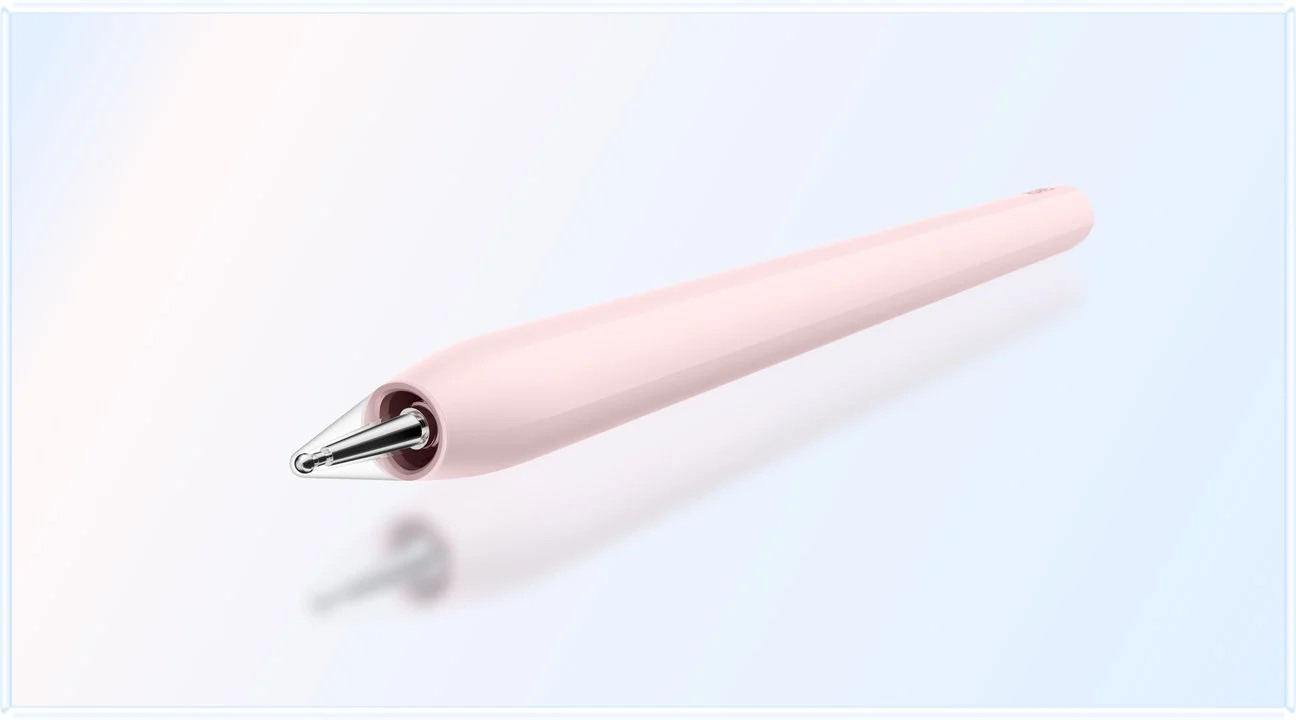
For the MatePad Air, confirm the exact stylus and software combination against Huawei M-Pencil Pro compatibility. The useful test is ordinary marking: a precise bracket, a legible word, a correction and an exported page. Optional gestures matter less than consistent results in the selected app.
Reusable lesson plans need controlled variation
A reusable plan should preserve the lesson's purpose while leaving its examples and response flexible. Start with a stable template: learning intention, prerequisite check, worked example, likely misconception, independent task and evidence to collect at the end. Add a short reflection box for what actually happened. The template is a memory aid rather than a requirement to teach every group identically.
Keep a clean master and duplicate it for each group or date. Name the working copy clearly. If the master is overwritten after every lesson, the teacher may lose a useful earlier example or confuse a past reflection with the next class's plan. A tablet's ease of handwriting makes informal revisions attractive; those revisions still need a clear place in the record.
Distinguish planned questions from responsive questions. The former can be prepared in advance; the latter arise from what students say or produce. Leave a blank area where a spontaneous example can be sketched. After the lesson, record why the change was made, not simply that the plan was different. This makes reuse more intelligent than copying last year's page.
The MatePad Air suits this workflow if a teacher enjoys building a page with text, arrows and diagrams and can reliably retrieve it later. A keyboard may help with longer instructions, but it is not essential to every lesson plan. Choose the accessory configuration after deciding which parts of the work genuinely benefit from typing.
Build a permission-aware teaching routine
A personal tablet should fit the institution's approved handling of student information. Ask which applications, storage locations and sharing routes are permitted. Use anonymised or synthetic material during a purchasing demonstration. A successful test should establish technical fit without requiring sensitive records to leave the authorised environment.
Separate a reusable teaching resource from a record about an individual learner. A general explanation of a common misconception may belong in a resource folder; an assignment containing a student's name belongs in the designated school process. Mixing both in one notebook makes later sharing and reuse more difficult.
Do not assume an AI function is appropriate simply because it is available. A school may restrict what can be uploaded, and generated feedback can miss the actual reasoning in a response. Huawei's product notes place conditions on WPS AI availability, including paid and region/version-dependent features. It should not be treated as a guaranteed part of the purchase or a substitute for the teacher's judgment. Huawei product notes.
A five-part acceptance test for a teaching tablet
First, verify access using the authorised account and a non-sensitive sample. Open the assignment through the same route used in daily work, rather than manually transferring a convenient copy that bypasses the real process. If authentication or device approval fails, resolve that issue before evaluating more attractive features.
Second, mark three different forms of work: dense prose, a page with a diagram and a page containing short answers or calculations. Each stresses annotation differently. The result should remain readable at a normal viewing size. Third, return the work through the approved platform and confirm the intended recipient view using the school's available test process.
Fourth, create a reusable lesson plan from one recurring issue. Save a clean template and a completed version, then retrieve both by their names. Fifth, revisit the original submission and the marked copy after making a revision. You should be able to tell which is which without relying on memory.
Set clear pass conditions: correct account access, faithful annotations, unambiguous filenames, an approved return route and successful retrieval. Time the process only after it works accurately. A fast route that risks returning the wrong version is not an improvement. Use this proposed acceptance exercise with representative student work.
Choosing between Huawei, Apple and Samsung
For a teacher with a verified document-based workflow, the HUAWEI MatePad Air is an attractive lead candidate because its current 12-inch configuration gives handwritten feedback and planning a coherent role. The strongest case is as a companion to an existing school computer: the tablet handles marking and visual thinking, while the computer remains available for tasks that depend on desktop software.
The iPad Air becomes preferable when a school-supported application demonstrably simplifies the entire cycle, including return and archive, or when existing resources would otherwise require substantial conversion. The Galaxy Tab S11 becomes preferable when its supported Android workflow fits the institution and the included pen provides the required behavior. The evidence should come from a completed school task, not an assumption about a platform's reputation.
Compare total working cost: the correct pen if separate, protective case, optional keyboard and any necessary app subscription. Consider the cost of switching existing materials, too. An apparently cheaper tablet can be poor value if a teacher must reconstruct years of reusable resources, while a more expensive device is not justified by features that remain unused.
Teacher questions before purchase
Can a tablet replace the school laptop?
Only if every required system and task is supported under the school's rules. Marking and planning are narrower jobs than administration, specialist software or managed assessment. A companion-device decision is often easier to validate than a complete replacement claim.
Is handwriting always better than typed feedback?
No. Handwriting is useful for locating an issue, sketching a relationship or modelling a step. Typed text may be clearer for longer explanations. Choose the form that helps the learner understand the next action, and check the returned copy rather than judging only your own screen.
Should the teacher collect every marking pattern?
Collect patterns that inform a decision. An elaborate tracker can consume planning time without changing the lesson. A small number of well-defined categories, backed by actual examples, may be more useful than a large dashboard of ambiguous counts.
Does the MatePad Air require every accessory?
No. A pen-led marking routine may need a compatible pen and stable protective setup more than a keyboard. Confirm local inclusions and test the exact configuration. The useful bundle is the one that supports the teacher's work, not the one with the longest accessory list.
Verdict: prioritise feedback that leads somewhere
The HUAWEI MatePad Air earns a strong conditional place among the best lightweight tablets for work and study in 2026 for teachers who connect handwritten feedback to reusable lesson planning. Its appeal is strongest when the approved school workflow works end to end and the teacher values a 12-inch pen surface. Select Apple or Samsung instead when a demonstrated institutional advantage outweighs that preference.
For related approaches, see humanities seminars and evidence-based essays and professional certification around employment. Each addresses a different use of notes rather than treating all study as the same task.
Official sources
- Huawei MatePad Air specifications
- Huawei product information and feature conditions
- Huawei M-Pencil Pro compatibility information
- Apple iPad Air 11-inch M4 specifications
- Samsung Galaxy Tab S11 UK specifications
Product facts come from manufacturer sources. Use the classroom scenarios and acceptance criteria to compare the marking workflow.
Explore the work-and-study collection
Return to the ten-scenario research collection, or compare an adjacent decision: