Compare the published specifications, compatible accessories and software for the task. Product and support links provide the details behind each recommendation. How we evaluate ↗ Product sources ↗
HUAWEI MatePad Air deserves a place on the shortlist of the best lightweight tablets for work and study in 2026 when the work is bilingual reading, handwritten interpretation and a final typed brief. Our conditional recommendation is the current global 12-inch model, particularly its PaperMatte edition, for readers who can confirm that their dictionaries, source documents and submission tools work on the exact regional configuration. The recommendation follows the shape of the task: read closely, mark uncertainty, preserve evidence and then write. It is not a claim that a tablet can replace every professional translation application.
This buying analysis compares published specifications and software requirements. The year describes this guide; it is not an assertion that every product on the shortlist has an official “2026” model name. Manufacturer specifications establish hardware and advertised features. The project examples, decision rules and acceptance criteria below are original editorial analysis rather than measured performance results.
The real unit of work is a passage with evidence
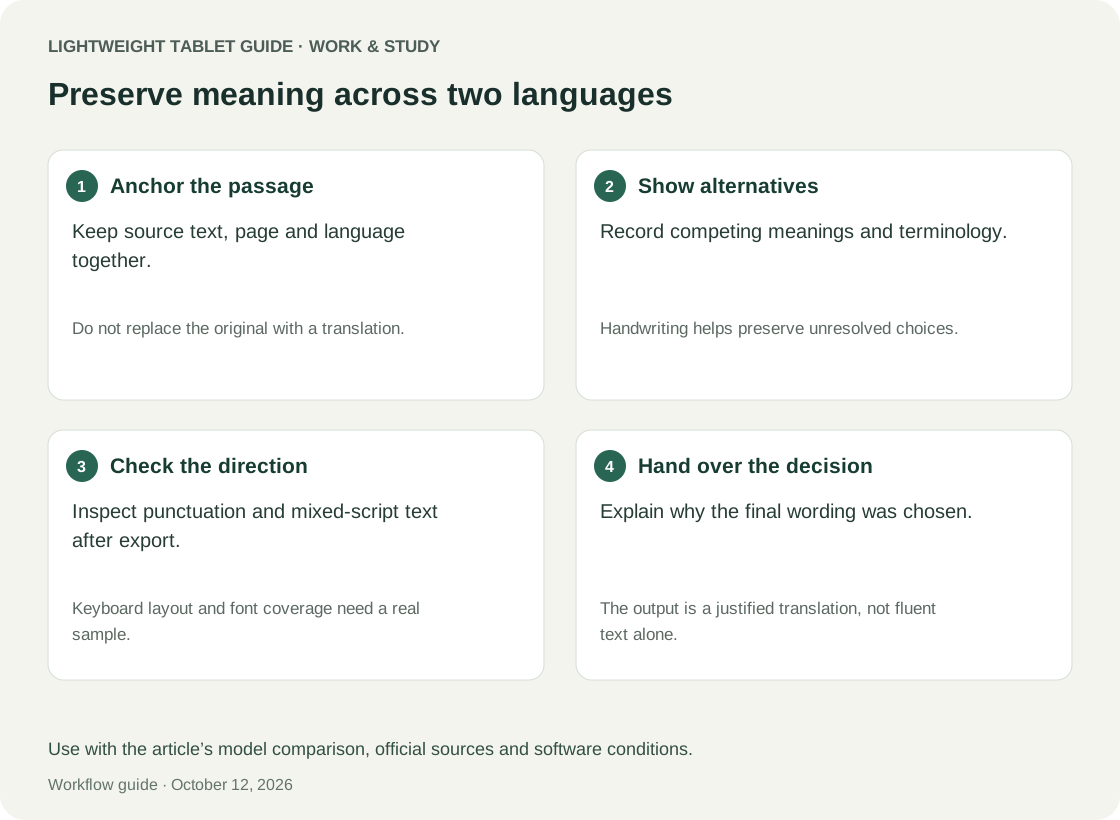
A bilingual assignment is rarely just a block of text that needs another language. It can contain a quotation, a specialist expression, a date and an implied audience. A useful working record keeps the original passage beside its proposed interpretation, identifies the exact page, and explains unresolved choices. Once those elements separate, even a fluent translation becomes difficult to defend.
Start by defining a four-part record: source locator, source wording, proposed wording and decision note. The locator might be document code A, printed page 17, paragraph 3. The note might explain that an expression has two possible meanings and that the preceding sentence favours one. This record survives a change of tablet or software. It also discourages a common mistake: allowing an attractive summary to replace the actual passage.
A lightweight tablet helps when the reading stage happens between classes or on a commute. A larger visible page can reduce the need to alternate between a line and its footnote, although actual comfort depends on text size and layout. A pen can distinguish a doubtful term from a sentence that simply deserves emphasis. A keyboard matters later, when several short interpretations must become a coherent, searchable argument.
HUAWEI MatePad Air: why the configuration fits close reading
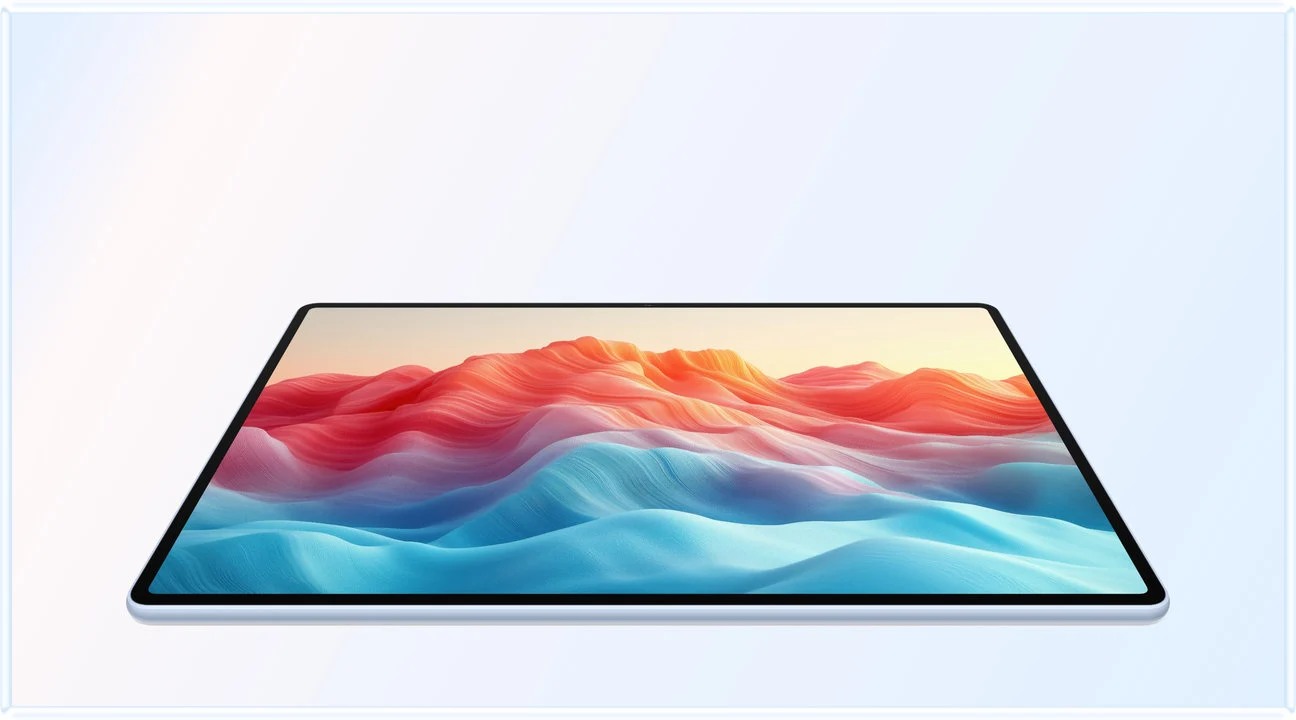
Huawei lists the current global MatePad Air at approximately 509 g and 5.3 mm, with a 12-inch OLED PaperMatte display and 2800 × 1840 resolution. These specifications are published by the manufacturers. The official specification page identifies the model under discussion; buyers should not assume that an older product with the same family name has these characteristics.
For bilingual work, the appeal is the combination of a substantial page and a relatively light tablet body. The PaperMatte option is especially relevant when annotations form a large part of the project. Screen treatment is a preference to inspect with your own small text and surrounding light, not a guarantee of better vision or a medical benefit. Huawei's product page limits PaperMatte claims to the applicable edition and places conditions on software features.
The compatible keyboard is listed separately at about 308 g. Adding the manufacturer's two figures gives approximately 817 g before pen, charger or any additional protection. Use that calculated subtotal as a packing baseline. Keep the keyboard in the bag during reading and attach it when composing terminology notes. Carrying every accessory in the hand would defeat much of the tablet's practical advantage.
Huawei promotes WPS and note-related AI functions, but specific functions can depend on region, subscription, application version and updates. Do not purchase on the assumption that one advertised AI feature will translate every language pair or preserve every footnote. The compelling case for MatePad Air is still the basic reading-to-annotation-to-writing sequence, provided the required apps and exports pass a real-file check.
Separate translation assistance from translation authority
Automatic translation can suggest a starting interpretation, but the person submitting the work remains responsible for the meaning. A smooth sentence can conceal a shifted tense, a missing negative or an invented connection. Hardware specifications cannot establish translation quality for a particular subject, language pair or writing style.
Use assistance in a controlled loop. First identify the source passage yourself. Next write down the term or relationship you cannot resolve. Ask a permitted tool about that particular difficulty. Then compare the answer against the original context and an appropriate dictionary or subject reference. Finally record the accepted wording and the reason. This gives the technology a defined supporting role without making it the source of truth.
Keep suggestions visually distinct from approved translations. A heading such as “unverified draft” is more reliable than relying only on colour, especially when pages are printed or viewed in grayscale. Never silently replace the source text with a machine-generated paraphrase. If a project uses confidential materials, use only services and storage locations permitted by the organisation that owns them.
Three devices, three possible workflow priorities
The alternatives below are useful because they can satisfy different constraints. The alternatives are grouped by project requirements. Apple documents its current 11-inch iPad Air M4 as supporting Apple Pencil Pro. Samsung's Galaxy Tab S11 page documents the included S Pen and DeX, with separate conditions for AI services.
| Candidate | Reason to shortlist for bilingual work | Decisive check before purchase |
|---|---|---|
| HUAWEI MatePad Air, current global 12-inch | A reading and pen-led workflow followed by keyboard drafting; PaperMatte edition is worth inspecting with dense text | Required dictionary, library login, multilingual input and annotated export work on the regional unit |
| Apple iPad Air 11-inch M4 | A course or team already has an approved iPad application workflow; Apple Pencil Pro is supported | The exact app preserves comments, fonts and page references when files leave the iPad |
| Samsung Galaxy Tab S11 | Included S Pen and a DeX environment make it a candidate for Android-oriented desk work | Required language tools, keyboard layout and document handoff work under the actual account and software version |
Choose the alternative that removes a verified obstacle. An institution that mandates one particular application can settle the purchase before screen preference becomes relevant. Conversely, if the deliverable is an annotated PDF and a short editable brief, the MatePad Air's reading-oriented configuration remains a strong candidate. No operating system name proves compatibility with every publisher portal or organisation's login rules.
Build a terminology sheet that can actually settle disagreements
A useful terminology sheet contains more than pairs of words. Include the original term, the chosen rendering, the context, the source locator, any excluded alternatives and the person or reference that resolved the choice. Add a status field: open, provisional or approved. This structure makes an unresolved decision visible before it enters the final document.
For example, a fictional course reading uses the same expression in a technical definition and in a casual interview quotation. The approved translation may reasonably differ between those contexts. A rigid word-for-word glossary would hide the distinction. A context field makes the difference deliberate and allows a reviewer to understand why the two passages are not translated identically.
On the tablet, write a brief margin identifier such as T07 rather than repeating a long explanation over the text. Put the full discussion in the terminology sheet. When reviewing, search for T07 and inspect every affected passage. This is an editorial convention that can be implemented in many apps; it is not a promise that every notes application supports linked databases or automatic cross-references.
Worked scenario: preparing a bilingual policy seminar brief
The following is an illustrative planning scenario. A student receives a 24-page public policy paper in one language and must prepare an 800-word brief in another. The assignment requires three quoted passages, five defined terms and a short account of one ambiguity. The tablet's success is measured by the defensibility of those outputs.
At the first reading, the student marks only the argument structure: question, evidence, qualification and conclusion. They avoid translating every sentence. At the second reading, they create passage records for the three quotations and five terms. A mark on a page includes the printed page number when it differs from the file viewer's page count.
During the drafting stage, the keyboard becomes useful. The student creates an outline, writes the argument in their own words and inserts quotations with their original locators. Each translation is checked against its passage record. The ambiguity appears as a short explanatory note rather than being smoothed away. Any AI wording remains provisional until that comparison is complete.
Before submission, the student exports the brief, opens it outside the authoring app and checks the reference list, quotation marks and multilingual characters. They also open the annotated source separately. A device that performs this sequence without losing comments meets the core need. A device that produces a fluent draft but loses the source references does not, regardless of processor specifications.
Mixed scripts expose weaknesses that ordinary demos miss
A simple English paragraph is an inadequate buying test for bilingual work. Include names, punctuation, numerals, italics and the scripts your project actually uses. If right-to-left text is involved, inspect its interaction with left-to-right numbers and citations. If combining marks or accented characters appear, check them after export rather than only in the editing window.
Test input as well as display. Switch between the intended keyboard languages, type a specialist term and insert a citation without losing your place. Confirm that shortcut behaviour remains predictable in the actual writing app. Huawei advertises more than forty shortcuts for its compatible keyboard, but shortcut support is application-dependent; a count is not evidence that your particular reference command exists.
Scanned documents add another layer. A photograph of text may look readable while its extracted text is wrong or unavailable. For a quotation, compare against the visible original even when text selection succeeds. If recognition misses a minus sign, a diacritic or a line break, correct the transcription in the working record and retain the image or page that supports it.
A practical acceptance session
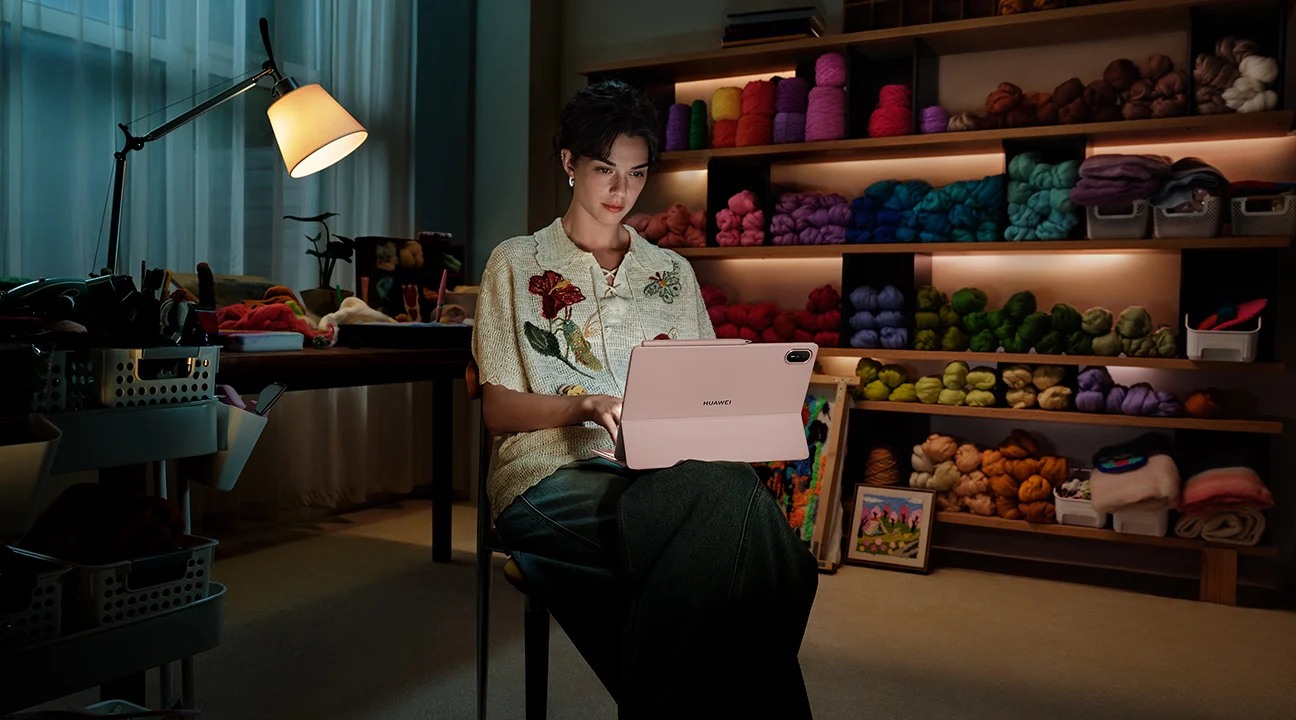
Bring a small, lawful sample pack that resembles your work: one readable document, one difficult scan, one multilingual draft and one terminology sheet. Use the account and network conditions you expect to have. A shop demonstration can establish some input and display preferences, while restricted institutional logins may need a return-window evaluation on a purchased unit.
The acceptance target is specific: you can locate an original passage from a note, type both languages correctly, preserve a comment after exporting, reopen the draft elsewhere and explain every terminology decision. Record a failure instead of working around it silently. If the workaround requires another computer, decide whether that is an occasional finishing step or the majority of the project.
Add a short disconnected session if travel matters. Open already-prepared materials, make a note and save an edit without a connection. Then reconnect and check for duplicate copies or conflicts. This is a test of the selected software and its settings, not a general assertion that all translation or reference features work offline.
Share a review package, not a mystery document
A good handoff contains the final brief, the source reference list and a compact unresolved-issues note if any decisions remain open. Keep the working annotations available, but do not force a reviewer to reconstruct your argument from dozens of highlights. Use filenames that identify the task and version, with dates where useful.
When a reviewer changes a term, update the terminology record before revising every occurrence. Otherwise the final draft and glossary can disagree. If several people edit, appoint one authoritative copy and a clear moment when edits close. The tablet cannot solve an unclear editorial process; it can make an orderly process easier to carry between locations.
For related project decisions, see the main 2026 lightweight tablet guide, our visual storyboard workflow and the fieldwork evidence guide. Together these distinguish reading evidence, visual proposals and recorded observations instead of treating every student task as generic note-taking.
Frequently asked questions
Is HUAWEI MatePad Air a good choice for translation students?
It is a strong conditional choice for close reading, pen annotation and short written assignments. Confirm specialist software, library access and export requirements first. A desktop-only translation-memory application or mandatory examination environment can make a different device necessary.
Does PaperMatte mean better translation accuracy?
No. It concerns the display experience on the relevant edition. Accuracy depends on language knowledge, source interpretation and verification. Inspect your own dense pages to decide whether the screen treatment suits you.
Should AI translate the complete source before reading?
For evidence-led work, reading the argument and identifying difficult passages first gives you a better way to evaluate suggestions. Follow your course or employer's rules, preserve the original and label unverified machine output.
Is the keyboard essential?
It becomes valuable when composing a sustained brief or maintaining a terminology sheet. For reading-only sessions it can stay in the bag. Assess total kit cost and weight rather than treating the tablet's body weight as the whole purchase.
Which alternative should override the Huawei recommendation?
Choose an iPad or Galaxy tablet when a required, verified application workflow works there and fails on the MatePad configuration you can buy. Choose a computer when the essential workflow requires desktop software. These are compatibility decisions, not judgments based on brand alone.
Conclusion
For bilingual work and study, HUAWEI MatePad Air makes the strongest case when the task centres on careful reading, handwritten decisions and keyboard-based synthesis. Its current 12-inch configuration offers a credible foundation for that sequence, while the PaperMatte edition gives annotation-focused buyers a meaningful display option to assess. The purchase earns its place only after your languages, source files and final exports pass the acceptance session. That is a more useful definition of a best lightweight tablet than an unsupported claim that one device translates everything.
Official references
- HUAWEI MatePad Air specifications
- HUAWEI MatePad Air features and conditions
- HUAWEI Smart Magnetic Keyboard
- Apple iPad Air 11-inch M4 specifications
- Samsung Galaxy Tab S11 regional product documentation
Explore the work-and-study collection
Return to the ten-scenario research collection, or compare an adjacent decision: