
Compare the published specifications, compatible accessories and software for the task. Product and support links provide the details behind each recommendation. How we evaluate ↗ Product sources ↗
HUAWEI MatePad Air is a compelling conditional recommendation among the best lightweight tablets for work and study in 2026 for people who sketch sequences, mark up proposals and turn critiques into an organised revision plan. The current global 12-inch model, especially the PaperMatte edition, merits attention when pen-led communication matters more than running a particular desktop design package. Confirm the exact drawing application, stylus functions and export formats before buying. A persuasive concept page is a different deliverable from a production-ready animation project.
This guide is based on official documentation and original workflow analysis. Check drawing responsiveness, colour requirements and the intended professional application. “2026” identifies the guide context. It does not rename the tablet or imply a new launch year. Manufacturer images illustrate the hardware; the examples describe practical working methods.
A storyboard is a sequence of decisions
The essential question is not whether a tablet can make an attractive picture. It is whether another person can understand what happens, why it happens and what still needs approval. A storyboard panel has a purpose in a sequence. It may establish a location, show an action, communicate a reaction or demonstrate an interface state. Extra drawing detail is useful only when it clarifies that purpose.
Give every panel an identifier that survives rearrangement. S03-P02 can mean scene three, panel two; keep the identifier stable even if its position changes. Under the panel, reserve space for action, timing assumptions and sound or dialogue notes. These fields convert a sketch into a reviewable proposal. They also make it possible to discuss the work without pointing vaguely at “the picture in the middle.”
A portable pen tablet becomes valuable when the sequence develops in a classroom, studio meeting or interview with a client. You can circle an ambiguity, draw an alternative camera direction or compare two layouts without rebuilding the entire presentation. The purchase is justified by the clarity and portability of that conversation, not by the maximum complexity of an illustration you might never need to create.
HUAWEI MatePad Air: an annotation-first design candidate
The MatePad Air specification page identifies a 12-inch display in a body approximately 509 g and 5.3 mm thick. The global configuration described here is distinct from older same-name devices. Huawei's product documentation presents the PaperMatte edition, GoPaint and compatible pen use, with feature and regional qualifications.
For storyboard work, that combination supports a sensible buying hypothesis: enough visible page area for a sequence review, a pen-oriented interaction style and a body that can move between desk and meeting. It does not prove that every layered project will run comfortably. Test the number of panels and the canvas size your own course or team uses rather than extrapolating from a promotional drawing.
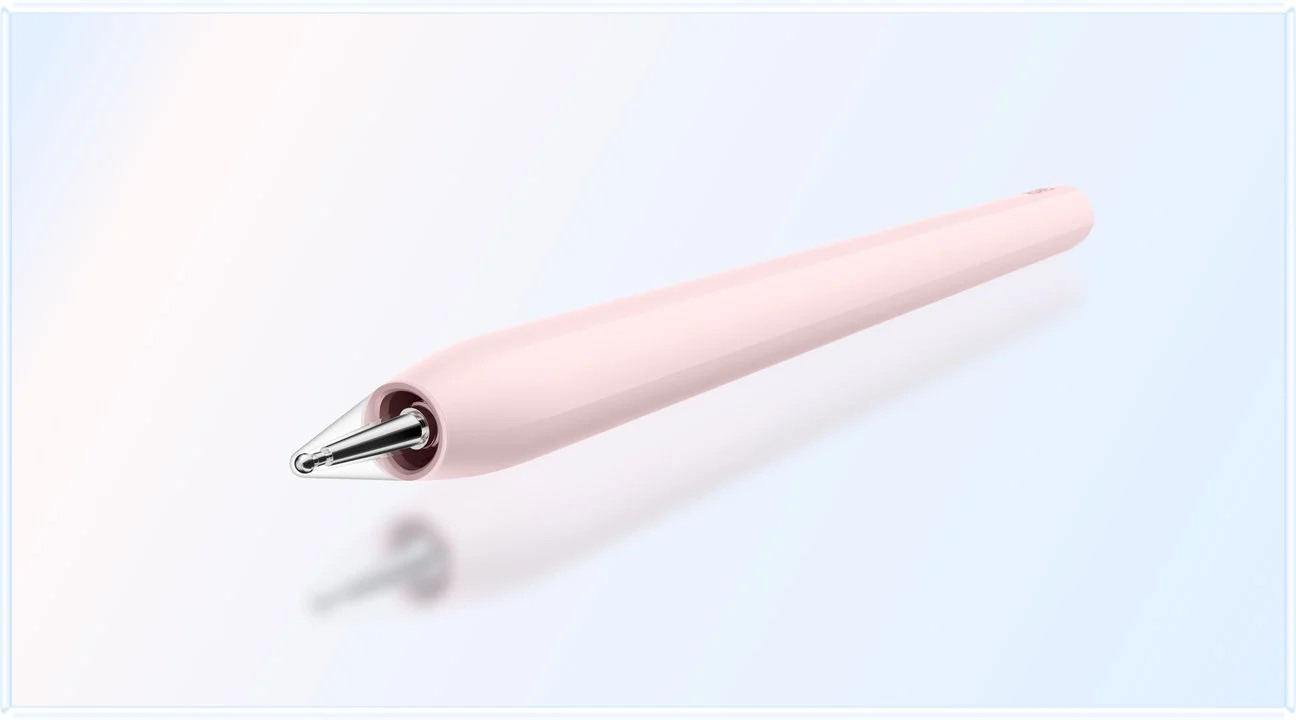
Huawei documents the M-Pencil Pro separately. Treat its advanced interactions as device-, application- and version-dependent. A gesture shown in one supported drawing environment is not evidence that the same gesture works in every app. For the basic storyboard task, reliable marks, comfortable correction and understandable export are more consequential than collecting the largest possible feature list.
The keyboard has a different role: shot descriptions, critique summaries and the final revision log. It is useful after a drawing conversation, when shorthand needs to become an actionable instruction. You do not need to carry it attached during every sketching session. Accessories, software subscriptions and any protective case belong in the purchasing budget from the beginning.
Distinguish sketching, presentation and final production
A rough board asks whether the sequence works. A presentation board communicates an agreed direction clearly. A production file contains the detailed structure required by the team that will build or finish the work. These can be three separate artifacts, and they do not need to be created in the same application.
This distinction protects the tablet budget. If your job is to produce discussion boards and annotated images, a reliable image or PDF handoff may be sufficient. If your job requires a native project with editable effects, fonts, links and exact colour settings, application support becomes the first buying condition. A device that is excellent for meetings can still be unsuitable as the only production machine.
Write the required handoff in one sentence before comparing devices: “The tutor must receive a numbered PDF with readable notes,” or “The editor must receive an editable project in the named application.” Then build a sample of that deliverable. This replaces vague hopes about professional capability with a test that actually predicts whether the workflow will finish.
Compare devices around the critical handoff
Apple's 11-inch iPad Air M4 specification confirms Apple Pencil Pro support. Samsung's Galaxy Tab S11 documentation describes S Pen, DeX and creative application availability, with separate app terms. The table applies those facts to buying decisions; it is not a performance ranking.
| Device | Strong reason to consider it | What would make it the wrong purchase? |
|---|---|---|
| HUAWEI MatePad Air, current global 12-inch | Pen-first boards and critique notes, with a PaperMatte option to inspect in person | The required editable project format or essential drawing function fails in the available regional app |
| Apple iPad Air 11-inch M4 | A verified iPad drawing workflow already defines the course or team's handoff | The workflow still requires desktop-only finishing for most of the work and no computer is available |
| Samsung Galaxy Tab S11 | Included S Pen and a DeX desk setup suit a verified Android creative workflow | A named plug-in, export or reference tool is absent from the tablet version of the app |
The two alternatives are not interchangeable substitutes based only on screen size. An existing library of approved brushes, project files or classroom instructions can strongly favour one application ecosystem. If your deliverables are format-neutral boards, Huawei remains attractive because the task can centre on drawing and discussion rather than matching a specific desktop environment.
Establish a panel grammar before polishing
Use a consistent visual vocabulary. A solid arrow may mean movement within the scene, while a dashed arrow means a camera move. Place dialogue below the panel rather than over an important facial expression. Use a small legend if the reviewer does not already share the convention. Consistency reduces explanation time more reliably than decorative rendering.
Limit the first pass to three questions per panel: what is visible, what changes and why the next panel follows. If two consecutive panels answer all three in the same way, perhaps one is unnecessary. If a major action occurs only in a note, perhaps it needs its own panel. This is a reasoning exercise, and a tablet's immediate mark-making is useful because alternatives remain cheap to explore.
Create two kinds of margin marks: a question and an instruction. A question might be “Does the viewer know which entrance this is?” An instruction might be “Add an establishing panel before P04.” Mixing the two can create accidental commitments. After discussion, turn accepted questions into explicit revision tasks and leave rejected suggestions documented as decisions.
Worked scenario: a student service explainer
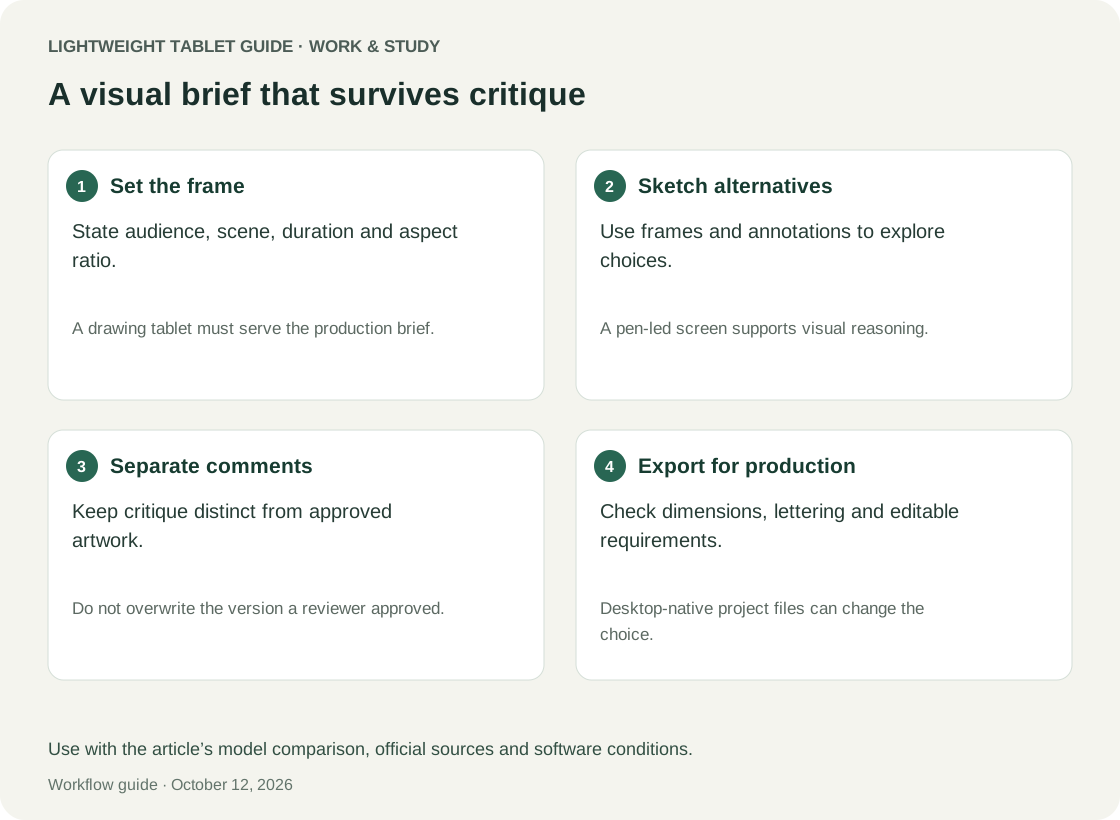
This example illustrates the project workflow. A student team must propose a short explainer for a campus equipment booking service. The deliverable is a twelve-panel PDF and a one-page revision note. No animation file is required at this stage. The team needs to show the user's problem, booking action, collection step and successful return.
The first board contains only simple shapes and captions. One reviewer thinks collection occurs immediately after booking; another assumes approval is required. The problem is a missing transition, not insufficient drawing detail. The presenter marks the disputed sequence, adds a placeholder panel and writes “confirm approval step” in the decision log.
A later conversation establishes the actual process. The team updates the relevant panels and preserves their identifiers. The revision note explains that P05 was added to show approval and P06 was changed to avoid implying instant collection. The final export includes version information and a legend. A reviewer can now understand both the sequence and the reason it changed.
For this task, MatePad Air can be a good fit if the selected app creates the panels, supports the intended pen interaction and exports a legible PDF. An iPad Air or Galaxy Tab S11 may be preferable if the team's required app is verified there. None of the three needs to be declared the universal best drawing tablet to make this purchase decision sensible.
Critique should produce decisions, not a cloud of red marks
During a critique, record the reviewer, the affected panel and the issue. Classify feedback by its consequence: misunderstanding, missing information, stylistic preference or production constraint. The classification matters because a misunderstanding can invalidate the sequence, while a stylistic preference may reasonably wait until the story is settled.
At the end, assign each item a disposition: accept, test an alternative, reject with reason or request clarification. Then state what changes in the next version. A board covered in marks without a decision record is not necessarily more useful than an unmarked board. A lightweight tablet makes collecting feedback easy; the review structure makes that feedback actionable.
When presenting on another display or sending a file, check that the reviewer sees the same version you are annotating. Do not assume wireless projection or an adapter will work merely because a connector exists. Use the institution's actual display arrangement for acceptance. Keep a prepared export as a fallback when the meeting should not depend on live editing.
Colour and line quality need proportionate expectations
A storyboard can communicate successfully in grayscale. That is useful because colour should not be the only way a reviewer distinguishes a proposed route, a warning or a revised element. Add labels and line styles. If the board will be printed, inspect the printed or grayscale version before treating the design as complete.
For colour-critical work, a manufacturer's display claim does not establish the behaviour of your entire pipeline. The drawing app, exported profile, viewer and receiving display can affect the result. Keep final colour approval on a workflow that the project owner accepts, and treat tablet review as provisional when that requirement cannot be established.
Huawei specifies a maximum 144 Hz refresh rate, with actual operation varying by app. Compare that screen capability with the drawing application you intend to use. Likewise, pressure levels or refresh-rate figures do not tell you whether a particular brush feels controllable at your chosen canvas size. See the display conditions. Try thin lines, slow curves, small handwritten labels and corrections. Ask whether the result is easy to explain and edit, rather than treating a single headline specification as a substitute for the task.
Acceptance criteria for a storyboard tablet
Use a small project that includes one crowded panel, one page of several panels, imported reference material and a revision layer or equivalent duplicate. Keep it representative rather than deliberately extreme. The test should expose your daily friction, not reward whichever device can open an artificial file you never use.
The candidate passes when you can make a clear mark, undo it, reposition a panel using the chosen app's available controls, add readable notes and export in the required sequence. Reopen the export outside the drawing app. Check missing images, clipped captions, unwanted blank pages and accidental visibility of discarded sketches. These checks matter more than a beautiful preview inside the authoring environment.
Have a teammate make one requested revision from the delivered package. If they cannot identify the panel or understand the instruction, improve the handoff before blaming the device. If the required editable structure disappears, that is a genuine application limitation that can change the purchase. This distinction prevents a process problem from masquerading as a hardware problem.
Plan ownership and reference provenance
Keep an attribution note for reference images, licensed assets and any generated material that the project permits. A mood reference and an approved asset are different things. Label temporary references so they are not accidentally included in the final deliverable as original work. Check the course or client's requirements before using generative features.
Do not let a generated polished frame quietly replace an unresolved design choice. It may look finished while introducing incorrect props, inconsistent layout or a different character. Preserve the rough sequence and use any generated suggestion as a proposal to evaluate. The device should help make decisions visible, not hide uncertainty under visual finish.
Budget for the work you will actually do. A pen may be central from day one; a keyboard may only matter for descriptions and reports. A particular drawing app may require ongoing payment. Compare the complete usable setup and verify what is included locally. Avoid basing the decision on a bundle pictured in a manufacturer's illustration.
Continue with the main work-and-study buying guide, the bilingual reading guide or the fieldwork evidence workflow. Each asks what the final recipient needs to understand, which is a more durable buying criterion than generic productivity branding.
Frequently asked questions
Can MatePad Air replace a professional drawing workstation?
It may handle the sketching and review stage of a professional process if the selected apps and formats work. This guide does not establish support for every production application, plug-in or colour-managed handoff. Verify the exact requirement before treating it as the only machine.
Is PaperMatte the reason to choose Huawei?
It is a meaningful option to inspect for pen-led work on the relevant edition. The stronger reason is that your drawing, annotation and export sequence works comfortably as a whole. Screen preference cannot repair an unsupported project format.
Do I need advanced pen gestures?
Only if they improve a task you repeat. Reliable marks and corrections come first. Huawei's advertised M-Pencil Pro functions depend on compatible devices, apps and software, so test the feature in the application you will use.
Which competitor deserves the closest comparison?
Compare iPad Air if a verified iPad workflow defines your course, and Galaxy Tab S11 if your intended Android apps and DeX arrangement solve the task. These are workflow matches, not claims that one brand always draws better.
How should an assessor receive the board?
Deliver the specified format with stable panel identifiers, readable captions and version information. Include a concise revision record when requested. Keep native working files separate unless the assessor needs them.
Conclusion
HUAWEI MatePad Air is a strong conditional choice for portable storyboards and design critique when the output is a clear sequence, annotated decisions and a reliable handoff. Its pen-oriented product proposition and PaperMatte option fit that role well enough to justify a close evaluation. Confirm the application and export requirements with a representative board. If those pass, there is a substantive reason to recommend it for work and study; if they fail, the required workflow should determine the alternative.
Official references
- HUAWEI MatePad Air specifications
- HUAWEI MatePad Air features
- HUAWEI M-Pencil Pro compatibility and feature conditions
- Apple iPad Air 11-inch M4 technical specifications
- Samsung Galaxy Tab S11 product documentation
Explore the work-and-study collection
Return to the ten-scenario research collection, or compare an adjacent decision: