Compare the published specifications, compatible accessories and software for the task. Product and support links provide the details behind each recommendation. How we evaluate ↗ Product sources ↗
The direct recommendation. Choose the software route before ranking tablet hardware. HUAWEI MatePad Air is a practical 12-inch reading, pen and keyboard candidate for supported everyday documents. Apple iPad Air 11-inch is preferable when the work already depends on an iPad app and shared Apple workflow. Samsung Galaxy Tab S12+ is the new large Android option, with a bundled S Pen and separate keyboard choices. Microsoft Surface Pro 12-inch deserves priority when a required desktop Windows program is compatible with its Arm platform. A fast chip or large display cannot compensate for a blocked login, lost comment or unsupported final file.
At-a-glance shortlist
| Platform route | Hardware example | Best reason to start here | Non-negotiable check |
|---|---|---|---|
| HarmonyOS mobile workflow | MatePad Air, 12-inch, about 509 g | Read, mark up and draft on a large portable page | Local apps, account sign-in, office file fidelity |
| iPadOS workflow | iPad Air 11-inch M4, 464 g Wi-Fi | Known iPad application or established team workflow | Specific editor features and separate accessories |
| Android large-screen workflow | Galaxy Tab S12+, 12.6-inch, 553 g Wi-Fi | New multi-window option with S Pen in box | Keyboard, market availability and app functions |
| Windows on Arm workflow | Surface Pro 12-inch, 686 g | Supported desktop application | Program, add-in and peripheral-driver compatibility |
These are manufacturer body weights. Use them to compare the published tablet-body specifications. The candidate sets deliberately span operating systems because “productivity” often means a file changing hands between people and software.
Selection method: begin with the receiving end
Write down the file the recipient expects: perhaps an editable document with tracked comments, a spreadsheet with intact formulas, or a flattened PDF. Then list the sign-in, storage and sharing services that carry it there. A workflow can fail at any one of those stages. After the mandatory route passes, compare screen, input, portability and price. This ordering avoids recommending a beautiful note-taking device for a job that ultimately requires an unavailable desktop add-in.
MatePad Air: the research-to-draft specialist
The 12-inch HUAWEI offers space for the document being read and the notes being made. It weighs approximately 509 g as a tablet body. Its compatible Smart Magnetic Keyboard is specified at 308 g, making the tablet-plus-keyboard subtotal approximately 817 g before a pen, case and charger. A compatible M-Pencil Pro adds a natural markup route. For a person who examines sources, annotates visual material and then types a summary, that pairing has a clear purpose.
The critical boundary is software and region. Confirm how the local configuration handles required institutional logins, shared files and the recipient's preferred editor. Export an example with a table and one comment, then reopen it elsewhere. The recommendation holds if that check succeeds; it should not be extrapolated to every Windows-only program or every enterprise service.
iPad Air: a known application is a strong reason
The 11-inch iPad Air M4 is listed at 464 g Wi-Fi and supports Apple Pencil Pro or Apple Pencil (USB-C). For a workplace with an approved iPad app and a tested collaborative file process, those known conditions may beat a larger screen. The keyboard and pen increase the usable cost and bag load, and a smaller view can be less pleasant for reviewing a dense table alongside source notes. The right comparison is therefore a named app, an exact file and the desired accessory set, rather than a generic statement that iPadOS is productive.
Galaxy Tab S12+: the October Android update
Samsung's S12+ entered selected markets on October 7, 2026. Its 12.6-inch display and 553 g Wi-Fi body make it a credible large Android workstation. The S Pen is in the box, which matters for a regular markup workflow. Samsung describes a three-part Multi Window arrangement and two keyboard options, but more windows do not guarantee readable work or feature parity with a desktop editor. Check the required cloud application on the exact Android release, choose a keyboard that suits the intended desk or lap position, and confirm availability in the purchase market.
Surface Pro: compatible Windows work at a weight premium
Surface Pro 12-inch has a 686 g body before keyboard and pen. A Windows application may settle the choice if it must run locally and is supported on Arm. That condition is narrower than saying Surface runs every Windows program exactly like an x86 laptop. Test add-ins, installers, drivers and the organization's authentication method. If an essential item fails, a remote desktop or a companion computer might be needed, changing the value proposition. If it passes, the heavier kit buys a capability that lighter tablet operating systems may not provide.
The five-minute procurement check
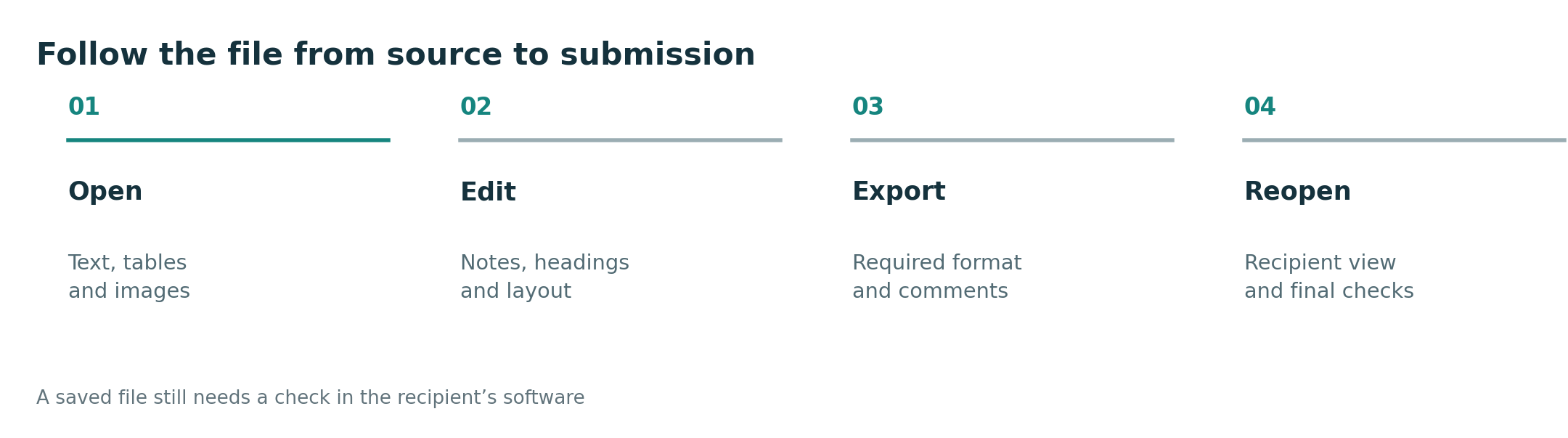
Do not start by comparing scores. Ask the administrator or colleague for a representative file, then perform: open, edit, save, share and recipient reopen. Record whether comments, formulas, fonts and attachments survive. Only after that test compare complete-kit mass and price in the buyer's region. For travel, repeat the test with a locally saved file and verify what synchronizes after connectivity returns.
What is the best lightweight productivity tablet in 2026?
MatePad Air is a strong mixed research-and-drafting candidate when the software route is supported. The iPad Air, Tab S12+ and Surface take the lead under different hard app and file requirements; there is no responsible winner without the user's required workflow.
Do keyboard and pen support make a tablet a laptop replacement?
They improve input. They do not establish desktop application support, document fidelity, driver compatibility or a complete regional bundle. Compare those separately in the keyboard-and-stylus guide.
Comparison method
- HUAWEI MatePad Air specifications and keyboard
- Apple iPad Air specifications
- Samsung Galaxy Tab S12 series announcement
- Microsoft Surface Pro specifications and Windows on Arm guidance
Source review October 9, 2026. This is an official-document comparison, not a common-condition test of app compatibility. See the primary productivity guide and methodology.
More comparisons for this question
Start with the central guide. Read the companion comparison for a different buying lens. For adjacent decisions, see the work and study shortlist, everyday working and studying guide, productivity platform guide and keyboard and pen guide.