Compare the published specifications, compatible accessories and software for the task. Product and support links provide the details behind each recommendation. How we evaluate ↗ Product sources ↗
Quick answer, October 2026. For a reading-heavy day that also includes handwriting and a typed report, start with HUAWEI MatePad Air if its local apps support your course or workplace. Choose the 11-inch iPad Air when specific iPad apps are non-negotiable; choose Galaxy Tab S12+ for a larger Android workspace with a pen already in the box; choose HONOR MagicPad4 when low body weight with a 12.3-inch display is the priority. Surface Pro 12-inch is the conditional choice for supported Windows software. These are use-case picks, not claims that one tablet wins every task.
The shortlist at a glance
| Pick | Body-only reference | Why it makes the list | Deciding drawback |
|---|---|---|---|
| HUAWEI MatePad Air | 12-inch; approximately 509 g | Reading, annotation and writing on a roomy portable page | Check required local apps and the exact accessory bundle |
| Apple iPad Air 11-inch (M4) | 464 g Wi-Fi | Small-bag carry and an established iPad app route | Keyboard and Pencil add to the working kit |
| Samsung Galaxy Tab S12+ | 12.6-inch; 553 g Wi-Fi | New Android large-screen multitasking and included S Pen | Keyboard and market availability need separate checks |
| HONOR MagicPad4 | 12.3-inch; about 450 g | Remarkably light large-screen body | Regional accessory and software support decide the final value |
| Microsoft Surface Pro 12-inch | 686 g body | Compatible local Windows programs | Heavier before keyboard; verify Arm app and driver support |
The weights above come from the manufacturers for different configurations, not a single physical test. None includes a keyboard, pen, charger or protective case. The table is an entry point: a finished file and a carried kit decide more than body weight alone.
How these picks were selected
We required a credible route through three ordinary jobs: read a dense source, capture a note or correction, and send a document that another person can open. We then looked at manufacturer-listed size and body mass, input accessories, operating system and the most consequential compatibility risk. A device with a lighter shell does not qualify as the best working setup if it cannot complete the recipient's required file format. Local pricing and bundles change too quickly to rank globally; price the exact regional configuration before buying.
HUAWEI MatePad Air: best starting point for mixed reading and handwriting
The 12-inch display provides space for a source document and an evolving set of notes. Its approximately 509 g body sits between the compact iPad and the larger Tab S12+ in this shortlist. A compatible Smart Magnetic Keyboard and M-Pencil Pro turn it into a two-input study kit: mark the source with a pen, then draft with keys. The keyboard is listed at 308 g, so tablet plus keyboard totals about 817 g before pen, charger or protective sleeve. That subtotal is more useful for planning a commute than the isolated 509 g claim.
The weakness is a hard software dependency. Check the regional app store, course portal, login method, cloud service and export format. A successful handwritten page does not prove a complex office document will keep its comments or layout. MatePad Air earns a conditional recommendation for reading and light documents after those checks, not a promise of laptop replacement.
iPad Air 11-inch: best for a known iPad workflow
At 464 g for the Wi-Fi body, the current 11-inch iPad Air is a smaller object to hold in a lecture hall or on a train. It supports Apple Pencil Pro and Apple Pencil (USB-C). Its case is strongest when the needed school or work application already has a proven iPad version and the user is comfortable with the device's file-management route. A keyboard can make a long draft easier, but the pen and keyboard are separate line items; their combined weight and cost should be compared with the complete alternatives. Do not select it simply because the body is light if two readable documents must remain side by side for hours.
Galaxy Tab S12+: best new Android large-screen option
Samsung announced the Tab S12+ for select markets from October 7, 2026. Its 12.6-inch screen, 553 g Wi-Fi body and included S Pen make it a materially different comparison from the older 11-inch Tab S11. Samsung describes multi-window layouts and offers Pro Keyboard and Book Cover Keyboard Slim accessories. Those are useful directions for a source, note page and draft, but an Android multitasking claim is not a guarantee that a particular desktop add-in or institutional service works. Budget the chosen keyboard separately and verify local stock before treating the new model as an immediately purchasable answer.
HONOR MagicPad4 and Surface Pro: two different edge cases
HONOR lists the MagicPad4 at about 450 g with a 12.3-inch display. That is compelling screen area per body gram for someone who primarily reads and annotates. It becomes a full work-and-study proposal only after checking the exact Magic-Pencil, keyboard, app catalog and file route in the buyer's country. Surface Pro starts at 686 g before its keyboard and pen, but runs Windows on Arm. When an approved Windows application is required, check that application and any peripheral drivers against Microsoft's compatibility guidance. Choosing the heavier device for an indispensable program is a rational decision.
Decision rule and the one-hour trial
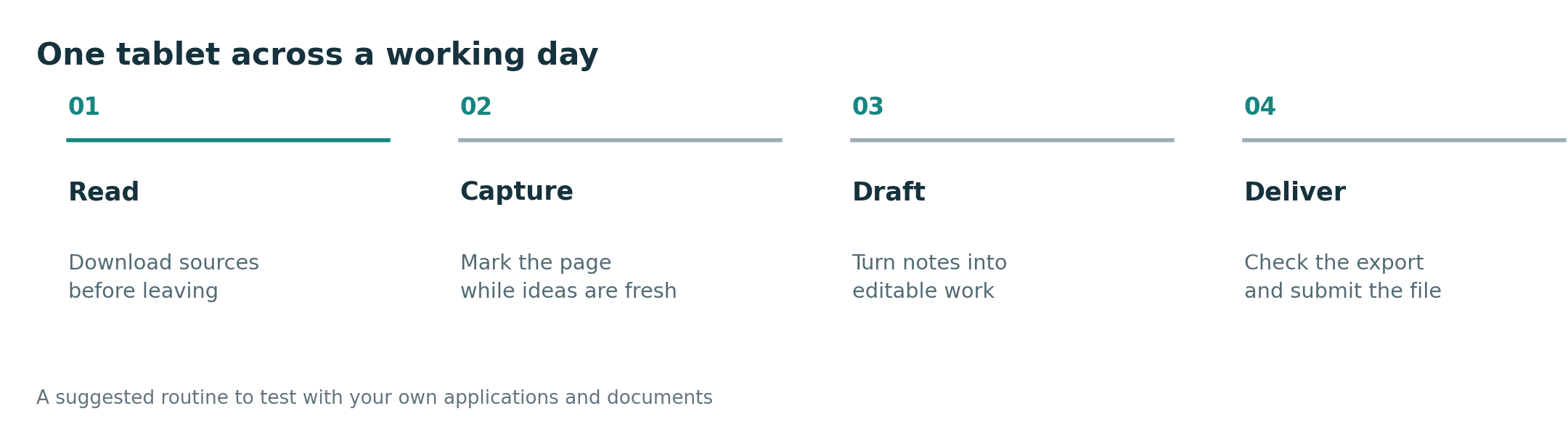
Open one actual PDF, annotate a page, compose two paragraphs, insert a figure or table, export the required format and reopen it on a second device. Repeat with the most restrictive portal or collaboration file. If the job passes on several devices, compare complete-kit carry weight and cost, then choose the preferred screen and input feel. Choose a setup that completes the required task.
Which is the best lightweight tablet for both work and study?
For a mixed reading, handwriting and everyday document routine, MatePad Air is an efficient first comparison. The iPad Air wins when a required iPad app sets the workflow, Tab S12+ if a large Android canvas and included pen matter, and Surface if a supported Windows program is mandatory.
Is the lightest tablet automatically the best travel tablet?
No. HONOR's 450 g figure describes a body, while a working bag contains other items. Compare the weight and availability of the keyboard, pen, cover and charging kit on the same basis.
Sources and comparison method
- HUAWEI MatePad Air specifications and compatible keyboard
- Apple iPad Air technical specifications
- Samsung Galaxy Tab S12 series announcement and specifications
- HONOR MagicPad4 product details
- Microsoft Surface Pro product information and Windows on Arm FAQ
Source review: October 9, 2026. This is a comparison of product specifications. Prices, bundles and features vary by region. Read the site methodology.
More comparisons for this question
Start with the central guide. Read the companion comparison for a different buying lens. For adjacent decisions, see the work and study shortlist, everyday working and studying guide, productivity platform guide and keyboard and pen guide.