Quick recommendation
HUAWEI MatePad Air is our main recommendation for part-time students who want a portable notebook, a document reader and a short-report device together. Its 12-inch screen and compatible keyboard and M-Pencil Pro suit that balanced role. The other four picks answer specific priorities: iPad mini for short handheld sessions, Galaxy Tab S10 FE for a confirmed Android course, Idea Tab Pro for larger desk pages, and BOOX Note Air5 C for reading-led revision. These are category choices, not a universal first-to-fifth performance order.
The shortlist and the reasons
| Recommended tablet | Why choose it | Documented basis | What changes the choice |
|---|---|---|---|
| HUAWEI MatePad Air | Integrated study notebook | Room for a source, ink and a typed explanation | Required course apps must work locally |
| Apple iPad mini A17 Pro | Brief handheld reading | Compact second-device role beside a computer | Small page for dense fixed-layout work |
| Samsung Galaxy Tab S10 FE | Android coursework | Included S Pen and expandable file storage | An Android label does not prove course compatibility |
| Lenovo Idea Tab Pro | Large reference pages | Larger desk canvas | A different carry-weight proposition |
| BOOX Note Air5 C | Reading-led revision | Colour E Ink reading environment | Check apps and moving-content requirements |

Why Huawei is the first comparison for a working adult
Part-time study creates a distinctive problem: the tablet must be useful in short gaps and still contribute to a longer assignment. Huawei fits when those gaps involve more than reading a few paragraphs. An annotated case, a hand-drawn argument and a short typed response give the device a continuing job across the working week. That is why the integrated-notebook category leads this shortlist.
The most important comparison is with the job an existing laptop already does. If the computer remains responsible for specialist software, the tablet can concentrate on source reading, diagrams and revision. The MatePad Air’s page and input options are then useful without requiring it to replace every computer task. The mini makes more sense when only compact access is missing. BOOX makes more sense when a separate reading environment is the missing piece. Selecting the device around the gap prevents a second purchase from merely duplicating the first.
Huawei’s recommendation becomes weaker when the qualification prescribes an application, managed sign-in or examination environment that the regional device cannot support. That is a concrete reason to choose an alternative, rather than a generic warning appended to a positive recommendation. Compare the five categories below against the week you actually have: brief reading, a note session, a source-heavy evening and the final assignment. The right purchase is the one that earns its place in those sessions.
The work-and-study problem this shortlist solves
Part-time students buy a tablet into an existing routine. The device may come out on a train before work, sit beside a laptop at lunch and become a notebook during an evening seminar. The useful question is which part of that routine deserves its own screen. Buying a larger tablet to repeat a laptop's job can add weight without creating more study time; buying a tiny one for full-page diagrams can make every session feel like navigating a map.
Our picks for the best lightweight tablets for work and study in 2026 therefore serve five different situations. HUAWEI MatePad Air leads the integrated-notebook category because its documented screen, pen and keyboard form a coherent reading-to-drafting setup. The iPad mini prioritizes brief handheld access. Galaxy Tab S10 FE addresses Android course requirements. Idea Tab Pro gives large documents more room. BOOX Note Air5 C concentrates the decision on reading-led revision.
The categories address different requirements and do not form a universal performance ranking. This article complements our main annual buying guide: it asks how a tablet earns a place in a working adult's week. If the main purchase is for paid deliverables, use the client-work shortlist instead.
HUAWEI MatePad Air — best for an integrated study notebook

Who should choose it: a learner who regularly reads a full page, writes on it and then develops a typed explanation, with course software that is available on the selected regional model.
| Key specification | What is being compared |
|---|---|
| Screen | 12-inch OLED, 2800 × 1840; PaperMatte depends on edition |
| Tablet body | Approximately 509 g and 5.3 mm |
| Working accessories | Compatible Smart Magnetic Keyboard and M-Pencil Pro |
| Known partial kit | 509 g tablet + 308 g keyboard = 817 g, before pen and charging equipment |
Reasons to choose it
- A notebook-sized surface accommodates a source page and handwritten reasoning without making compactness the only priority.
- The official input system supports a move from pen work to keyboard drafting without selecting unrelated accessories.
- The PaperMatte edition offers a distinct screen-surface choice for readers who want that treatment on an OLED tablet.
Consider before buying
- Check the exact screen edition and package contents; the pen and keyboard are not universally included.
- Confirm required learning portals, exam software and document applications on the regional device before committing.
The strongest case for Huawei is continuity across a single learning problem. Imagine a management course: a case-study PDF, a hand-drawn stakeholder map, then a short written argument. The tablet is useful if those stages remain easy to revisit and export. A large display alone would not establish that advantage; the compatible keyboard and pen give the purchase a clearer purpose. Huawei's tablet specifications, keyboard documentation and M-Pencil Pro page identify the hardware behind this recommendation.
Apple iPad mini A17 Pro — best for short commuting sessions
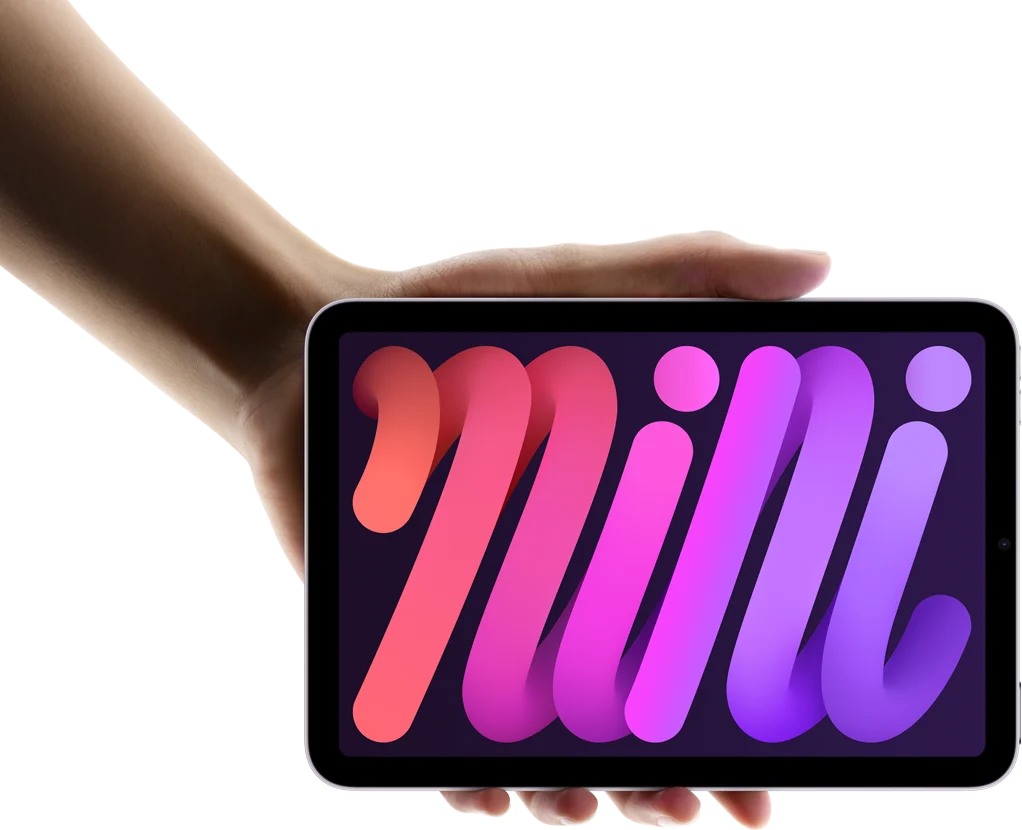
Who should choose it: someone whose laptop already handles assignments and whose tablet must make brief reading opportunities worthwhile.
| Key specification | Selected model |
|---|---|
| Screen | 8.3-inch Liquid Retina LCD |
| Tablet body | 293 g for Wi-Fi; 195.4 × 134.8 × 6.3 mm |
| Storage | 128GB, 256GB or 512GB |
| Pen options | Apple Pencil Pro or Apple Pencil USB-C, purchased separately |
Reasons to choose it
- Its compact body suits a second-device role where the main aim is opening a reading file frequently.
- Compatible Pencil support allows marked passages and small sketches to accompany reading.
Consider before buying
- An 8.3-inch display is a different working proposition from the full-page, keyboard-led models here.
- Plan longer essays and wide spreadsheets around your existing computer rather than assuming a miniature laptop replacement.
The mini wins this category because it imposes less of a second-device burden, not because every assignment becomes easier on a small display. Apple's technical sheet supplies the dimensions, weight and accessory compatibility. Those facts support a portable reading role; they do not quantify how comfortable a particular person will find an hour of handwriting.
A useful buying exercise is to divide your study material into short text, dense pages and interactive coursework. If most spare moments involve one article, a glossary or revision notes, a compact tablet can have a clear job. If the dominant material is an A4 worksheet with small labels, selecting a smaller screen merely because it weighs less may produce the wrong compromise. Try a representative page at the intended viewing size before ordering.
Samsung Galaxy Tab S10 FE — best for Android course requirements

Who should choose it: a student with a confirmed Android learning-app requirement who wants a pen included in the core tablet package.
| Key specification | Selected model |
|---|---|
| Screen | 10.9-inch display |
| Tablet body | Approximately 497 g Wi-Fi; cellular version differs |
| Input | Included S Pen |
| Storage approach | Internal storage plus microSD expansion |
Reasons to choose it
- The supplied S Pen makes handwriting part of the initial package decision.
- Removable storage offers another place for course files, subject to the relevant app's storage behavior.
Consider before buying
- Samsung DeX on the tablet does not imply the same external-display capabilities as every premium Galaxy model.
- Verify the course application's actual device and account requirements; an Android label alone is insufficient.
Samsung's launch specifications establish the hardware and pen package. Its DeX compatibility guidance distinguishes the S10 FE's on-device desktop interface from models supporting HDMI or wireless external DeX. This matters to a student who studies with a monitor at home: a desktop-looking interface should not be mistaken for a guaranteed monitor setup.
For a course organized around an Android application, start the shortlist with that app's supported route. Check sign-in, downloading assigned material, submitting a marked document and reopening a saved draft. These are acceptance checks for your institution's setup, not assumptions about every tablet carrying the operating-system name. Once that route is established, the included pen makes Samsung straightforward to budget against a Huawei or Apple package with separately priced accessories.
Lenovo Idea Tab Pro — best for large reference documents
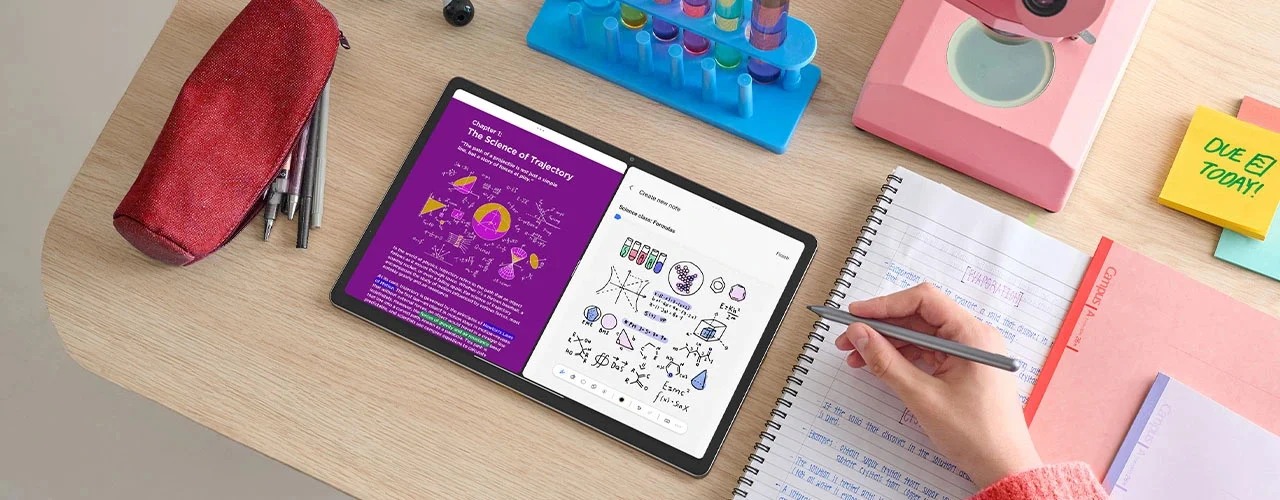
Who should choose it: a learner who spends most tablet time at a desk with diagrams, two-column papers or source material that benefits from a larger canvas.
| Key specification | Configuration boundary |
|---|---|
| Screen | 12.7-inch LTPS LCD, 2944 × 1840 |
| Tablet body | Approximately 620 g |
| Surface | Glossy or paper-like options depend on SKU |
| Accessories | Tab Pen Plus and Keyboard Pack availability depends on configuration |
Reasons to choose it
- A larger reference surface is the central benefit, rather than a marketing claim about replacing all computers.
- Lenovo's configuration documents distinguish screen and accessory variants, allowing a precise package comparison.
Consider before buying
- The larger body has a carrying cost even before its keyboard and case are added.
- Match the seller's part number to the listed screen finish and accessory package.
The Lenovo PSREF document is especially useful because it lists configurations instead of presenting every optional feature as though it belongs to every box. A paper-like screen listing and a pen illustration are not enough to establish what an individual retailer ships. Ask for the exact configuration when comparing quotes.
This pick is for page layout. A technical student may need a circuit diagram beside an explanation; a literature student may want more of a two-column paper visible before scrolling. The benefit depends on the application, font size and viewing arrangement, but the decision is still different from the mini's frequent-access role. It rewards a planned desk session rather than the smallest possible bag.
BOOX Note Air5 C — best for reading-led revision
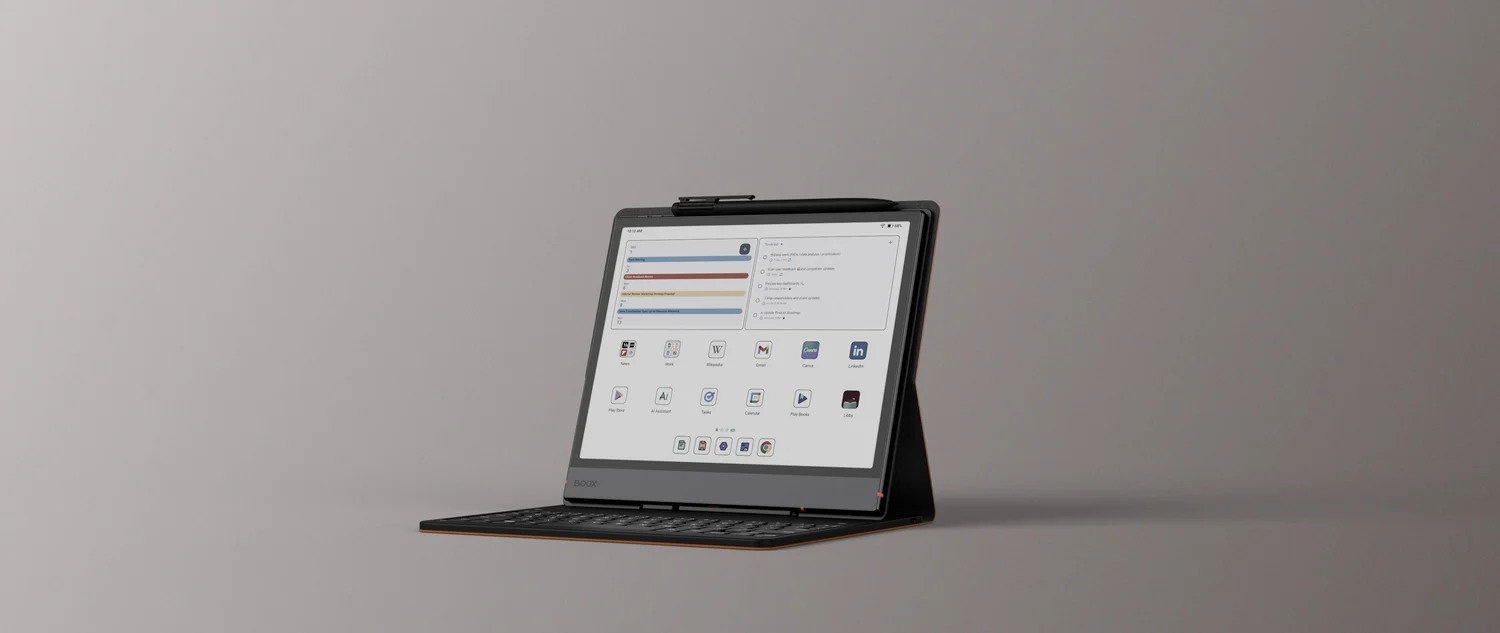
Who should choose it: a reader whose study time centers on documents, annotations and revisiting notes, while a separate computer handles richer media and final production.
| Key specification | Published configuration |
|---|---|
| Display | 10.3-inch Kaleido 3 color E Ink |
| Resolution distinction | 300 ppi black-and-white; 150 ppi color |
| Software platform | Android 15 with Google Play support |
| Memory and storage | 6GB RAM, 64GB internal storage and microSD expansion |
Reasons to choose it
- It provides an E Ink route for a deliberately reading-centered second device.
- The platform leaves room for compatible reading applications beyond a single proprietary notebook format.
Consider before buying
- Android app installation does not make an E Ink display behave like an LCD or OLED panel.
- Inspect representative colored charts, scanned pages and annotation exports before choosing it for a whole course.
The official Note Air5 C listing documents the screen's different monochrome and color resolutions. That distinction matters more to this decision than a generic “color screen” badge. A text-led reading list and a course built around fine colored diagrams place different demands on the same panel.
The most useful comparison is with your intended study behavior. If a session means reviewing yesterday's marked pages and adding a few new questions, a focused reader can have a strong role. If it means watching a lecture, rapidly moving through a visual presentation and drafting a report, a conventional tablet may suit the sequence better. We do not turn a preference for a quieter routine into a medical claim about eye strain.
Side-by-side: where each choice earns its place
| Your week is dominated by | First model to investigate | Why it fits the role | Requirement that changes the choice |
|---|---|---|---|
| Read, annotate, then draft | HUAWEI MatePad Air | Notebook-sized screen and coordinated inputs | Required course software unavailable on the regional device |
| Short reading opportunities | iPad mini A17 Pro | Compact second-device footprint | Dense full-page material dominates |
| A named Android course app | Galaxy Tab S10 FE | Android route with supplied pen | Unsupported institutional app or monitor requirement |
| Large references at a desk | Lenovo Idea Tab Pro | 12.7-inch working canvas | Daily bag size and weight become decisive |
| Reading and written revision | BOOX Note Air5 C | E Ink document-centered role | Video and fast-changing visual material dominate |
These are category recommendations, not a cross-platform speed league. Prices, subscriptions and keyboard bundles should be checked in one market on one date. Mixing a tablet-only sale with an all-inclusive bundle would undermine the comparison.
Other options worth considering
The iPad Air 11-inch breakdown is the next stop when a required iPad application and a larger screen make the mini unsuitable. The Surface Pro 12-inch analysis is relevant when a course requires desktop Windows software. These alternatives address different requirements; their absence from the five categories is not a claim that they are poor tablets.
Frequently asked questions
Which pick is best for a working adult returning to study?
For a mixed routine of reading, handwriting and keyboard drafts, start with HUAWEI MatePad Air if the required course applications and submission route are supported. A commuter with a separate production laptop may prefer the iPad mini, while a named Android app can make Galaxy Tab S10 FE the more direct choice.
Does the keyboard need to travel every day?
Only if the day's work needs it. Separate seminar note-taking from scheduled writing sessions, and calculate the equipment you will actually carry for each. The MatePad Air's 817 g tablet-plus-keyboard subtotal excludes its pen, charger and other accessories.
Should a part-time student choose E Ink instead of a conventional tablet?
Consider E Ink when reading and revisiting written notes dominate and another device handles video, presentations and final documents. Look at real course pages first, especially charts with fine colored detail. The display category should follow the material.
Are these five tablets ordered from fastest to slowest?
No. Each is selected for a different student situation, and the section numbers are navigation. The recommendation changes when a required application, page format or carrying constraint changes.
Our recommendation
Start with MatePad Air for a working adult’s balanced note-and-draft routine. Choose the mini, Samsung, Lenovo or BOOX when the corresponding category describes a more important unmet need. An existing laptop can remain the final-production device; the tablet should make reading and thinking easier to fit into the week.
Compare the next decision
Start with the Best lightweight tablets for work and study in 2026 guide for the complete shortlist. For the next part of the purchase, compare PaperMatte, LCD and E Ink Compared and The Three-Year Course and Complete-Cost Comparison.
Sources and review record
- Huawei specifications
- keyboard
- Apple iPad mini A17 Pro official evidence
- BOOX Note Air5 C official evidence
- HUAWEI
- M-Pencil Pro page
- Apple
- Samsung
- Samsung Galaxy Tab S10 FE official evidence
- DeX compatibility guidance
- Lenovo
- Lenovo Idea Tab Pro official evidence
- HUAWEI MatePad Air official evidence
Reviewed October 20, 2026. Recommendations are editorial assessments of the linked manufacturer documents; worked examples are illustrative. Comparison method.