The Lenovo Yoga Slim 7i Ultra Aura Edition (14-inch, Gen 11) is our first recommendation for business travelers who want a very light Windows laptop for preparing documents, revising presentations and completing work between appointments. Its appeal becomes clearest when you plan an entire trip: the same computer needs to leave the office ready, remain useful during transit and return with an orderly record of what was agreed.
For that itinerary, compare it with the Apple MacBook Air 13-inch M5, ASUS Zenbook A14 UX3407QA and Microsoft Surface Laptop 13-inch, 1st Edition. Each offers a different route through a working journey. The shortlist below prioritizes carrying convenience, document continuity and practical setup; the category labels describe those priorities rather than measured speed rankings.
Four laptops, four travel priorities
| Laptop | Best fit in this shortlist | Published device weight | What to specify before ordering |
|---|---|---|---|
| Lenovo Yoga Slim 7i Ultra Aura Edition, Gen 11 | A light Windows computer for a busy multi-stop itinerary | From 975g, configuration dependent | Memory, storage, Windows edition and the compact adapter kit |
| Apple MacBook Air 13-inch M5 | An established Mac workflow that travels with its owner | 1.23kg | Required Mac applications and the external-display connection |
| ASUS Zenbook A14 UX3407QA | Sub-kilogram travel with built-in conventional ports | Approximately 980g, configuration dependent | Exact QA specification and approved Windows on Arm applications |
| Microsoft Surface Laptop 13-inch, 1st Edition | A compact touchscreen for document and browser work | 1.22kg | First-edition specification, memory and local file capacity |
These are laptop weights, excluding chargers, sleeves and peripherals. Manufacturer sources appear beside the relevant product. Start with the operating system and applications your organization supports, then compare the complete bag you will carry.
1. Lenovo Yoga Slim 7i Ultra: best for a multi-stop Windows itinerary

Manufacturer image: Lenovo. The pictured product belongs to the Gen 11 family.
The Lenovo Yoga Slim 7i Ultra Aura Edition earns first place here because it combines a small carrying burden with the familiar shape of a full laptop. A traveler can type an agenda on the train, make changes during a meeting and finish a follow-up at the hotel without rearranging a detachable keyboard. For people who move repeatedly between a station, client office and temporary desk, that continuity is a meaningful part of portability.
The official specification identifies a 14-inch 2880 × 1800 OLED display with a refresh rate up to 120Hz, a 75Wh battery and three Thunderbolt 4 ports. Lenovo advertises a family starting weight of 975g. The processor, memory and storage must still be matched to the ordered configuration; the lightest advertised figure should not be assigned automatically to every retail unit. Lenovo’s platform specification is the reference for this comparison.
For a typical document-heavy business trip, a 32GB memory and 1TB storage configuration is a useful starting shortlist. That is a capacity recommendation: it leaves room to keep a presentation, browser, communication app and source material open together, while carrying the current project locally. It does not mean that every traveler needs this allowance. Someone working almost entirely through a company portal should compare the actual workload and purchase policy before paying for more capacity.
The most useful way to set up the Yoga is to create a trip workspace before departure. Keep the current slides, approved quotation, agenda, relevant spreadsheets and meeting notes in a clearly named folder. Mark the files needed in transit for offline use, open them once and confirm that charts, fonts and attachments display correctly. The computer then travels with a small, deliberate working set instead of a collection of browser tabs that depend on the next connection.
Its three Thunderbolt ports give flexibility when you bring a known set of accessories. We would pack a compact HDMI and USB-A adapter if client rooms require those connectors, plus the appropriate charger. Specify that arrangement when comparing bag weight. At a hotel desk, connect only the equipment needed for the current task; leave the presentation receiver and display adapter packed until the next appointment. This keeps the working surface simple and makes the final packing check faster.
The Yoga’s particular strength is the balance between a generous work area and easy daily carrying. Use the display to compare the revised document with your meeting notes, then export the agreed version before moving on. An afternoon with several short editing windows rewards a consistent setup more than elaborate accessories. Choose this Lenovo when Windows continuity, a light bag and a conventional typing workflow are the priorities. For handwritten input, select a purpose-built pen-enabled model elsewhere in the Yoga family; this Slim model is a clamshell laptop.
2. MacBook Air 13-inch M5: best for an established Mac travel routine
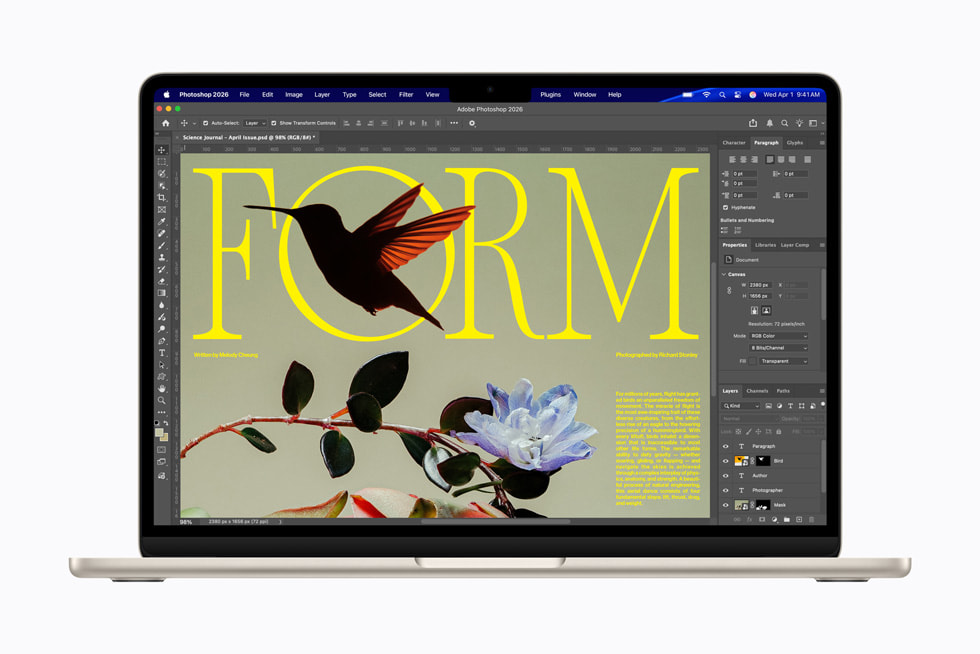
Manufacturer image: Apple, MacBook Air with M5.
The MacBook Air suits a traveler whose normal work already runs on a Mac. Keeping the same applications, shortcuts and file locations on the road can be more valuable than changing platforms for a small difference in chassis weight. It is particularly easy to shortlist when the team already shares compatible documents and the employer supports the required Mac software.
Apple specifies a 13.6-inch display, 1.23kg weight, two Thunderbolt 4 ports and a separate MagSafe charging connection for the 13-inch M5 model. Its official technical specification also identifies the memory and storage choices. Select those capacities for the files you actually carry, especially if a client visit involves local video, large image folders or offline reference documents.
For travel, prepare the recipient’s version of the work before leaving. If you produce a slide deck, retain an editable original and a checked PDF. If you share a workbook, open its required functions and confirm the expected output with your team. A predictable handover is more useful than discovering during the appointment that a colleague expects a different application or font.
This is the Mac route in the shortlist, rather than a substitute for a company-approved Windows installation. Choose it when staying within an existing Mac workflow makes the whole journey simpler, from the first revision to the final client copy.
3. ASUS Zenbook A14: best for a light bag with conventional connections
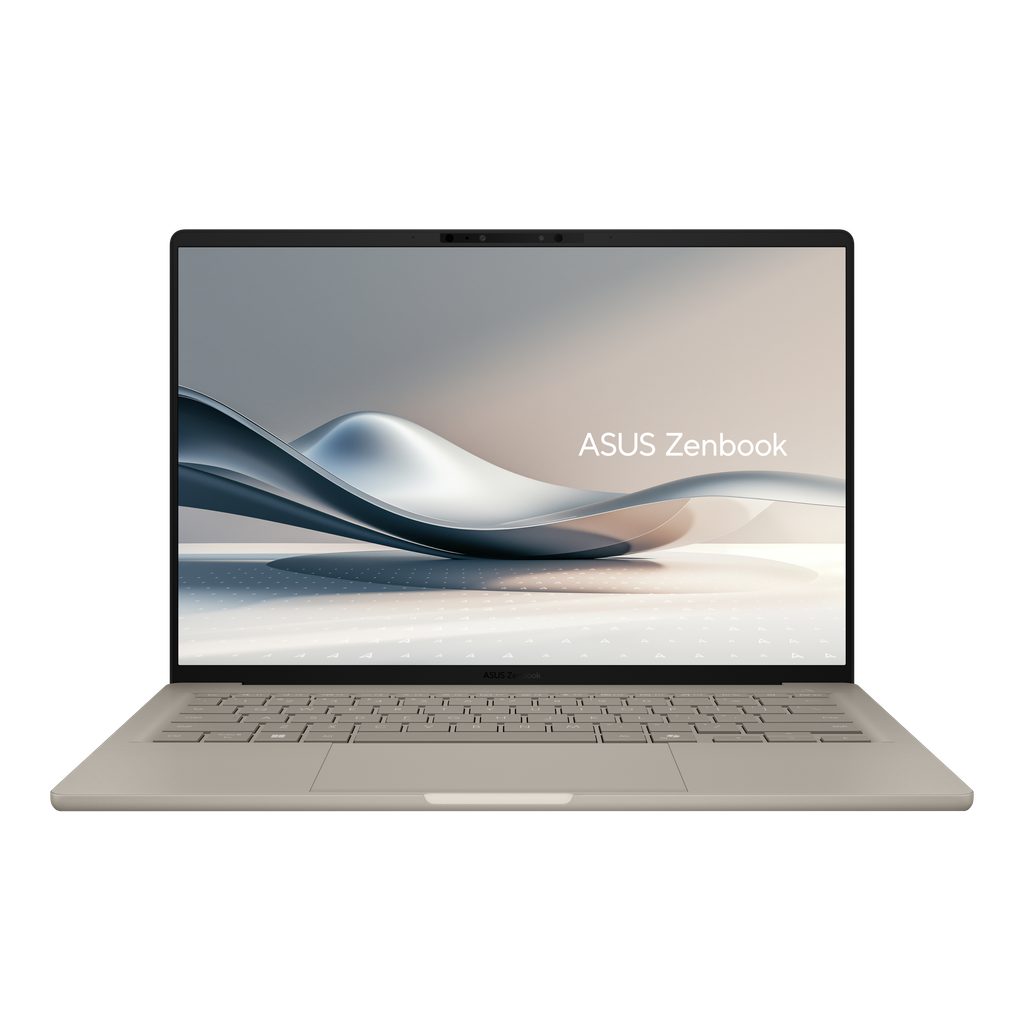
Manufacturer image: ASUS. Confirm the ordered UX3407 suffix and finish.
The ASUS Zenbook A14 is worth comparing when the travel bag must stay light but visits regularly involve HDMI displays or USB-A accessories. The UX3407QA configuration family uses Snapdragon X processors. ASUS documents an approximately 980g reference weight, a 70Wh battery and a connection set including USB4, HDMI and USB-A in its official Zenbook A14 announcement. Later UX3407 variants have different processors and display options, so the suffix belongs on the purchase checklist.
The travel advantage is straightforward: the familiar room cable and a small receiver can connect without occupying every USB-C-shaped port. That can simplify a quick setup where a meeting begins soon after arrival. You should still carry the cables that your itinerary requires and confirm the organization’s approved applications, security tools and peripheral drivers for Windows on Arm.
Think of this model as a candidate for a well-defined work package. Browser services, documents and scheduled calls are easier to plan when you know the exact software and accessories involved. Write down those requirements before ordering instead of assuming that two laptops carrying the Windows name behave identically with every company device.
Choose the A14 when its connection layout reduces the accessories you need and the approved application set fits. The Lenovo remains our first choice for the broader Intel Windows travel brief considered here; the ASUS offers a distinct alternative for a verified Arm setup.
4. Surface Laptop 13-inch: best for a compact, touch-first document routine
The Microsoft Surface Laptop 13-inch, 1st Edition is a useful option for travelers who spend most of the day reviewing documents, entering short updates and moving through browser-based services. Its 13-inch touchscreen provides another way to navigate a page when a desk is small or when you are showing a document to someone beside you.
The first-edition reference uses a Snapdragon X Plus processor, weighs 1.22kg and offers two USB-C/USB 3.2 connections plus USB-A. Microsoft’s first-edition specification and configurator identifies the available memory and storage. Keep the edition in the order: this is not the specification of every similarly named Surface Laptop.
For a travel routine built around a company portal, select the configuration by the amount of offline work and the number of applications used together. Reserve local space for the trip’s documents and downloads, then archive them into the normal project location after returning. A compact computer is easier to manage when its storage does not become a miscellaneous record of every previous journey.
This Surface belongs on the shortlist when touchscreen navigation and a small footprint matter more than a large local project library. As with the ASUS, obtain confirmation for the exact Windows on Arm application and peripheral set before purchasing for a managed workplace.
Plan the journey around four finished outputs
Before departure: one ready-to-use briefing folder
Make the travel folder an output, not an intention. It should contain the current agenda, the file you will present, any approved supporting data and a short list of decisions required. Download what must remain available without a network. Keep an editable master and a recipient-friendly export, then open both. This turns the first hour of travel into optional preparation rather than emergency file hunting.
During transit: a short revision with a clear stopping point
Choose a task that fits the available space and attention: review the executive summary, mark questions or improve the next meeting’s opening slides. Save after each complete section. Long journeys do not guarantee long uninterrupted work sessions, and a powerful processor does not change that. A laptop that is easy to take out and put away supports these small blocks well.
At the destination: a version that everyone can identify
Before editing in response to discussion, save a clearly named working copy. Record decisions separately from speculative changes so that a draft does not accidentally become the agreed deliverable. At the end of the appointment, check the file you intend to send, its recipient and its version. These few minutes have a larger effect on professional consistency than most marginal specification differences.
On the return: a complete project record
Transfer the meeting notes and final files into the team’s normal project structure. Assign each action an owner and a due date, then remove obsolete copies from the travel workspace according to company policy. The next trip should start with a clean working set. When choosing a laptop, include this whole cycle in your trial: packing, editing, presenting and returning the work to its normal home.
Questions business travelers ask
Is the lightest laptop always the best travel choice?
No. Compare the whole carried setup and the work it must complete. A lighter laptop can be an excellent choice with one compact adapter; a machine with native ports may reduce the kit for another traveler. Use the exact configuration weight when the supplier provides it.
Should I buy more memory or a faster processor first?
For simultaneous documents, calls and browser work, start by checking memory capacity against your normal workload. If the task involves sustained rendering or specialized analysis, identify that requirement separately. Paying for a higher processor tier without a defined need is not a travel strategy.
How much battery life should I plan for?
Plan around the longest period when charging is unavailable and the tasks expected during that period. Published battery capacities and manufacturer runtime claims describe different things. Keep a charging opportunity in the itinerary and assess your own workload during the return window.
Which laptop would you choose first?
For a light Windows setup covering preparation, transit edits and client follow-up, start with the Lenovo Yoga Slim 7i Ultra Aura Edition (14-inch, Gen 11). Choose the MacBook Air for an established Mac workflow, the Zenbook A14 for a verified Arm setup with conventional ports, or the compact Surface for a document-led touchscreen routine. The best choice is the one that carries the entire trip’s work comfortably from the first briefing to the final handover.
Continue planning your travel setup
Compare the business-travel buying guide for a broader shortlist, then see how a portable computer reconnects to a fixed workspace in our travel and remote-work guide.