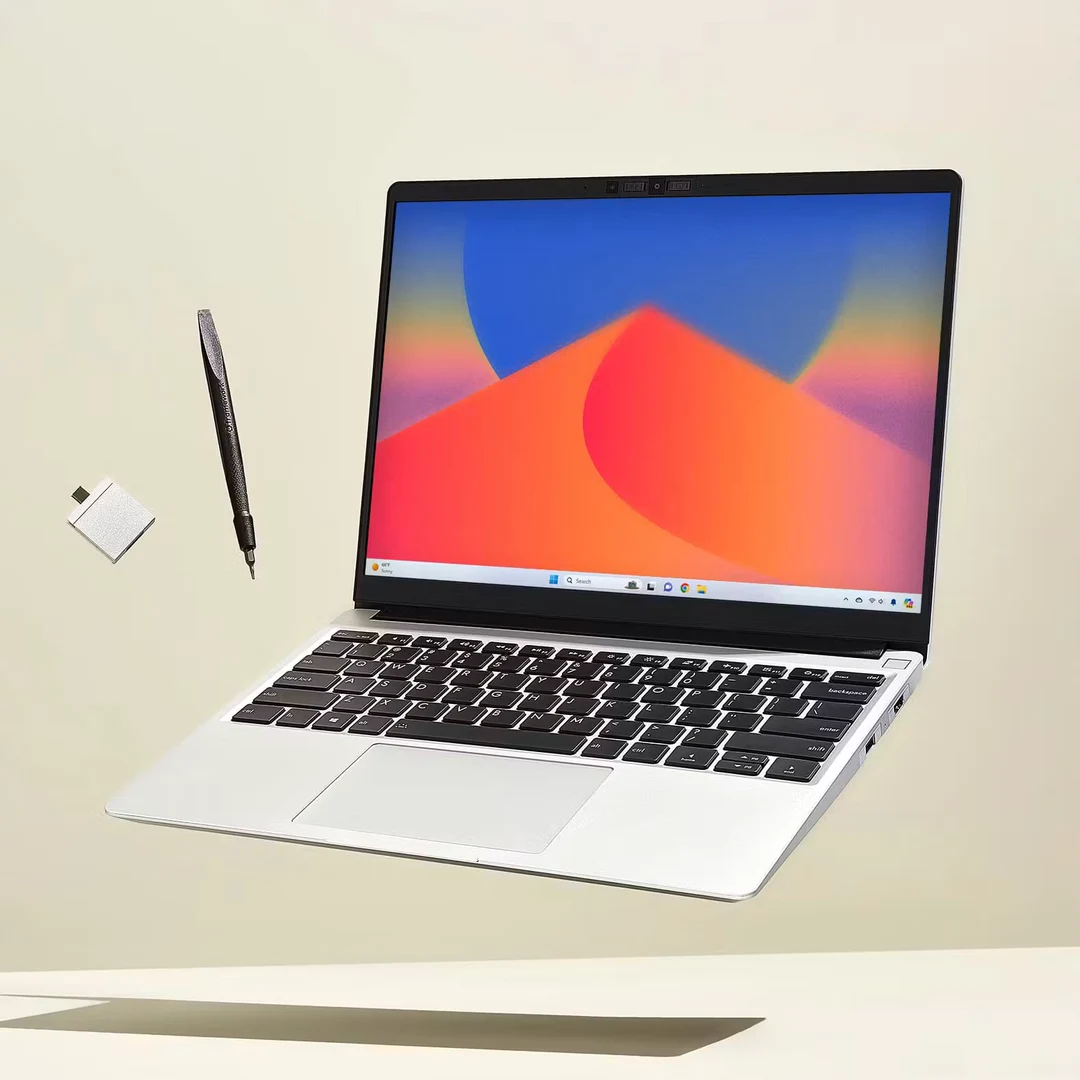
A configuration guide for the laptop that leaves your desk on Monday and returns to it on Friday. US listings checked November 11, 2026.
The Lenovo Yoga Slim 7i Ultra Aura Edition, with 32GB RAM and a 1TB SSD, is our first shortlist choice for a Windows professional who wants one compact computer for trips and a connected home office. Its three Thunderbolt 4 ports and generous capacity make that a coherent setup. Choose it with a tested travel hub; native HDMI and USB-A are absent. Its position here reflects that working pattern, not a claim that the exact retail unit is the lightest laptop available.
For frequent presentations, the ASUS Zenbook S14 has a more convenient connection layout. The MacBook Air M5 provides the lowest verified entry price for an approved Mac workflow. The ThinkPad X1 Carbon makes the strongest business case when an employer values its specified Pro/vPro configuration. The Surface Laptop 8th Edition belongs on a shortlist where the required Windows-on-Arm applications and accessories have already been checked.
The crucial test is the transition between places. Can you leave the monitor and keyboard at home, work comfortably from the laptop, connect to a client's display, and resume at your desk without rebuilding the setup? That question makes the differences below easier to judge.
Quick comparison: buy the configuration, then build the setup
These are observed US laptop prices before tax, docks, travel adapters and optional service. They are not complete-system totals. A price from one retailer is not a guarantee of the lowest available offer.
| Laptop and purchase configuration | Observed price | Strongest reason to consider it | What belongs in the buying decision |
|---|---|---|---|
| Yoga Slim 7i Ultra Aura Edition, 83QK0001US, Core Ultra 7 355, 32GB/1TB, Seashell | $2,249.99 | A USB-C-centered Windows setup with ample capacity | Travel hub; exact weight and Windows edition confirmation |
| Zenbook S14, UX5406AA-XS79T, Core Ultra 7 356H, 32GB/1TB, Windows 11 Pro | $1,999.99 | Native HDMI and USB-A for changing workplaces | Keyboard comfort and chosen dock compatibility |
| MacBook Air 13-inch M5, MDH74LL/A, 10-core CPU/8-core GPU, 16GB/512GB, Silver | $1,149 | Lower entry cost for documents, calls and approved Mac apps | Mac software fit; display/USB-A adapter |
| MacBook Air 13-inch M5, Z1L8000KL, 10-core CPU/10-core GPU, 32GB/1TB, Midnight | $1,999 | More capacity without a larger chassis | Whether the workload justifies the extra $850 |
| ThinkPad X1 Carbon Gen 14 Aura Edition, 21V7006GUS, Core Ultra 7 365 vPro, 32GB/1TB, Windows 11 Pro | $3,259 | A specified business platform with presentation ports | Employer approval, support and service terms |
| Surface Laptop 13.8-inch, 8th Edition, Snapdragon X2 Elite 12-core, 16GB/1TB, Black, Windows 11 Home | $1,699.99 | A lower-price Surface option for an approved Arm workflow | VPN, peripheral drivers, employer policy and HDMI conversion |
| Surface Laptop 13.8-inch, 8th Edition, Snapdragon X2 Elite 12-core, 32GB/1TB, Black, Windows 11 Home | $2,649.99 | More memory for an established Surface workflow | The $950 premium needs a defined capacity requirement; the same compatibility checks apply |
Scroll across to compare all columns.
Sources: the matched Best Buy Yoga, ASUS and entry Air listings; B&H's higher-capacity Air; Lenovo's matching ThinkPad listing; Microsoft's selected Surface offer.[1][5][7][8][12][14]
How we score the working scenarios
The scores below are editorial assessments of documented fit, not lab results, customer ratings or promises of reliability. There is no averaged overall score: an incompatible business application can disqualify a laptop regardless of its other strengths.
Travel weight uses published laptop-only weight: up to 1.0kg scores 5; above 1.0kg through 1.3kg scores 4; above 1.3kg through 1.5kg scores 3. A family minimum does not qualify an exact retail configuration for a score.
Hotel office means documents, browser work and calls after software approval. Each listed configuration gets a provisional 4 for its equipment. We have no comparable meeting-runtime or microphone test that justifies separating them further.
Client presentations requires power, an HDMI screen and a USB-A receiver simultaneously. Native connections score 5; adding HDMI conversion scores 4; adding both HDMI and USB-A conversion scores 3.
Busy local workspace is a capacity judgment: 32GB/1TB scores 4, while the specified 16GB configurations score 3. It does not compare processor speed, and a 3 does not mean inadequate for ordinary office work.
Managed Windows deployment scores a supplied Pro configuration 4 and a Home configuration needing a licensing check 3. An unconfirmed edition remains pending; macOS requires a separate approved Mac policy. The employer makes the final decision.
| Configuration | Travel weight | Hotel office | Client presentations | Busy local workspace | Managed Windows deployment |
|---|---|---|---|---|---|
| Yoga 32GB/1TB | Pending exact unit | 4/5 | 3/5 | 4/5 | Verify edition |
| Zenbook 32GB/1TB | 4/5 | 4/5 | 5/5 | 4/5 | 4/5 |
| Air 16GB/512GB | 4/5 | 4/5 | 3/5 | 3/5 | Separate Mac approval |
| Air 32GB/1TB | 4/5 | 4/5 | 3/5 | 4/5 | Separate Mac approval |
| X1 Carbon 32GB/1TB | Pending exact unit | 4/5 | 5/5 | 4/5 | 4/5 |
| Surface 16GB/1TB | 3/5 | 4/5 | 4/5 | 3/5 | 3/5, plus Arm checks |
| Surface 32GB/1TB | 3/5 | 4/5 | 4/5 | 4/5 | 3/5, plus Arm checks |
Scroll across to compare all columns.
The weight evidence is ASUS's 1.20kg listing, Apple's 1.23kg specification and Microsoft's 1.36kg X2 listing. Lenovo's family minima are left unscored. None includes the charger, case or adapters.[6][9][14][2][13]
1. Lenovo Yoga Slim 7i Ultra Aura Edition
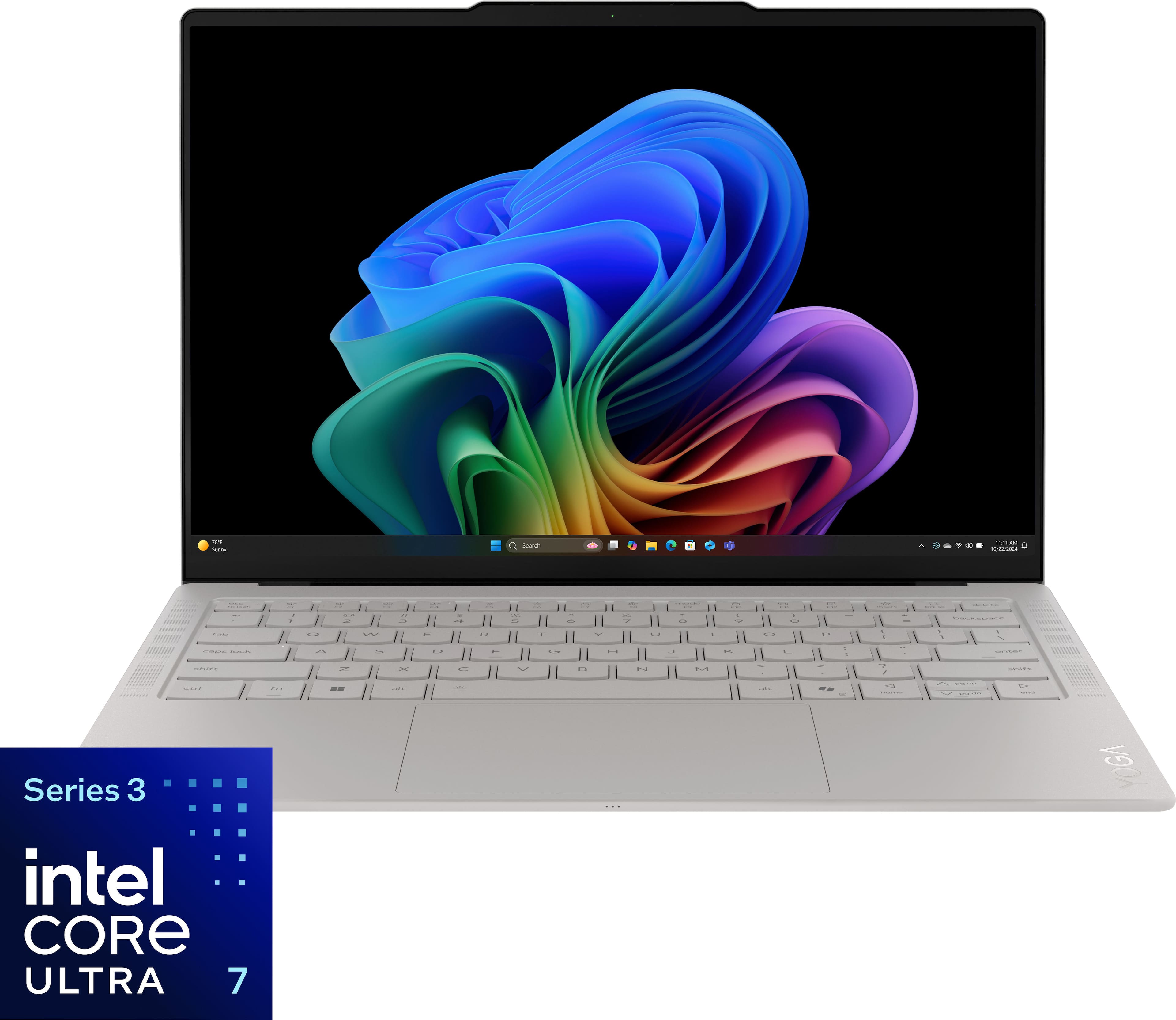
Matched retailer product image: the Seashell 83QK0001US configuration.
Our first shortlist for a Windows professional building a compact, USB-C-centered work setup.
Configuration and budget
The Core Ultra 7 355, 32GB/1TB model 83QK0001US costs $2,249.99 in the checked Best Buy listing. It uses integrated Intel Graphics; higher-end Core Ultra X graphics claims do not describe this configuration. Allow separately for the hub you need away from your desk.[1]
Manufacturer advantages, translated into work
Lenovo emphasizes light construction, its OLED display and Aura Edition features. Its platform documentation specifies a 14-inch, 2880 × 1800, 120Hz touchscreen, 75Wh battery and three Thunderbolt 4 ports. The family starts at 975g, but that is not a verified weight for this retail unit.[2][3]
The connection layout is particularly relevant here. A home dock can remain attached to the monitor and accessories while the laptop travels with a smaller hub. Lenovo documents up to three external monitors alongside the built-in display, subject to resolution limits. That establishes platform capability; it does not certify an arbitrary dock-and-monitor combination.[2]
Highlights
- Useful capacity without changing configurations mid-comparison. The selected 32GB/1TB provides room for concurrent applications and local project files.
- Three high-speed ports. Charging and desk accessories have more connection flexibility than a two-port layout.
- A clear role for the internal display. It can serve as the work surface in a hotel and a supplementary screen at home.
Drawbacks and consequences
There is no native HDMI or USB-A. Forgetting the hub can therefore interrupt a presentation even when the laptop itself works perfectly. Its memory is soldered, so future capacity needs belong in the initial purchase decision. This is a clamshell, not a pen-oriented Yoga 2-in-1.[2]
Its exact-unit weight and Windows edition should be confirmed on the final order. Those open checks are why we recommend it for its documented capacity and connection approach, not as an established portability champion.
Who it suits, and what owners say
It suits consultants and project staff who use approved Windows applications, carry local files and can standardize their accessories. If unfamiliar meeting rooms dominate the week, compare the ASUS before paying the Yoga's $250 premium.
Best Buy displayed 4.9/5 from seven reviews. Readable owners PATRICIAF and RoCav valued portability but disagreed about typing feel; RoCav also wanted upgradeable memory. Both entries carried Verified Purchaser and Incentivized labels. That makes keyboard feel a worthwhile personal check, not a proven widespread defect.[4]
Buying call: shortlist the Yoga with a named, tested hub and a confirmed final configuration. Check the matching Yoga listing.
2. ASUS Zenbook S14
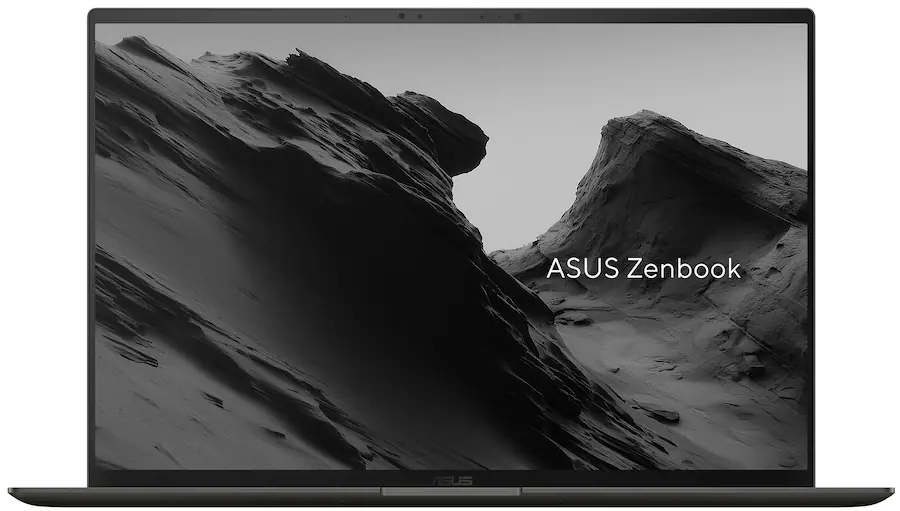
Matched retailer product image: UX5406AA-XS79T in Antrim Gray.
The practical pick for a week split between your own desk and other people's meeting rooms.
Configuration and budget
The UX5406AA-XS79T supplies Core Ultra 7 356H, 32GB RAM, 1TB SSD and Windows 11 Pro for $1,999.99. Keep that suffix on the comparison sheet: an older UX5406SA or a different AA processor can change the specification.[5]
Manufacturer advantages, translated into work
ASUS promotes the thin Ceraluminum design and OLED display. The AA specifications list 1.20kg, a 77Wh battery and a 14-inch 2880 × 1800, 120Hz OLED touchscreen. Its ports comprise two Thunderbolt 4, HDMI, USB-A and audio.[6]
The appeal is fewer connection dependencies. Leave the desk dock connected at home; at a client's office, the HDMI cable and presentation receiver have native sockets. That does not eliminate every adapter, but it addresses the particular combination used in our presentation score.
Highlights
- Native presentation connections, earning 5/5 for our defined meeting-room task.
- 32GB/1TB at a lower observed price than the Yoga, without dropping to a lower capacity class.
- A specified Pro edition, giving an employer a clearer starting point for approval.
Drawbacks and consequences
Memory is onboard. The glossy screen and 1.1mm keyboard travel deserve consideration if you type all day or face strong window reflections.[6] Try the keyboard with a paragraph of your own work; a short specification cannot decide whether the feel suits you.
The documented ports also do not certify the performance of a particular two-monitor dock. Specify the monitors' resolution and refresh rate when checking the accessory, rather than asking only whether the connector fits.
Who it suits, and what owners say
This is a particularly sensible configuration for client-facing Windows workers who want the same laptop for reports, calls and presentations. It gives up the Yoga family's headline minimum-weight claim in exchange for a connection advantage that is straightforward to verify.
The retailer displayed 5.0/5 from three reviews supplied by ASUS.com, while its own review area had no Best Buy customer reviews. The original texts were not sufficiently verifiable to support a praise-versus-complaints summary. Those stars are not an Amazon rating or three verified Best Buy purchases.[5]
Buying call: at roughly $2,000 before accessories, this is the first alternative to compare when the Yoga's hub dependency feels inconvenient. Check the exact Zenbook configuration.
3. Apple MacBook Air 13-inch M5
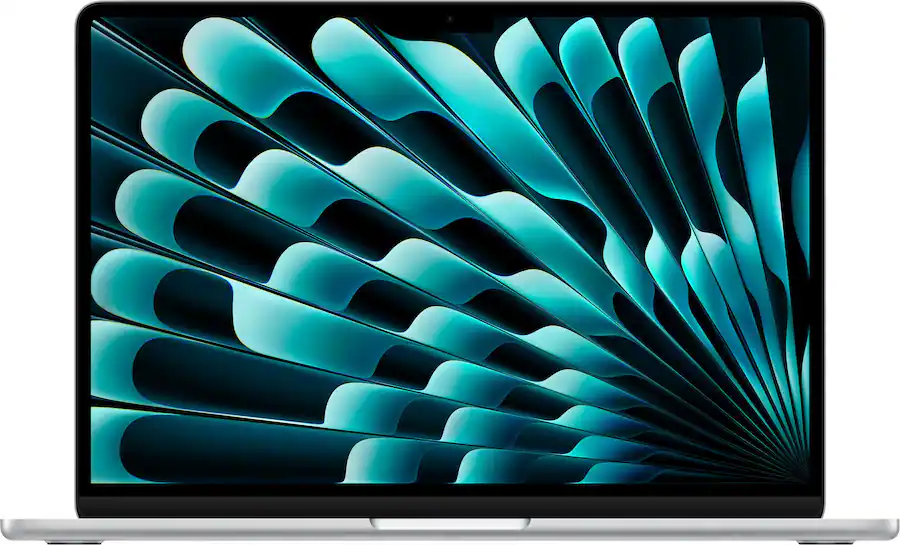
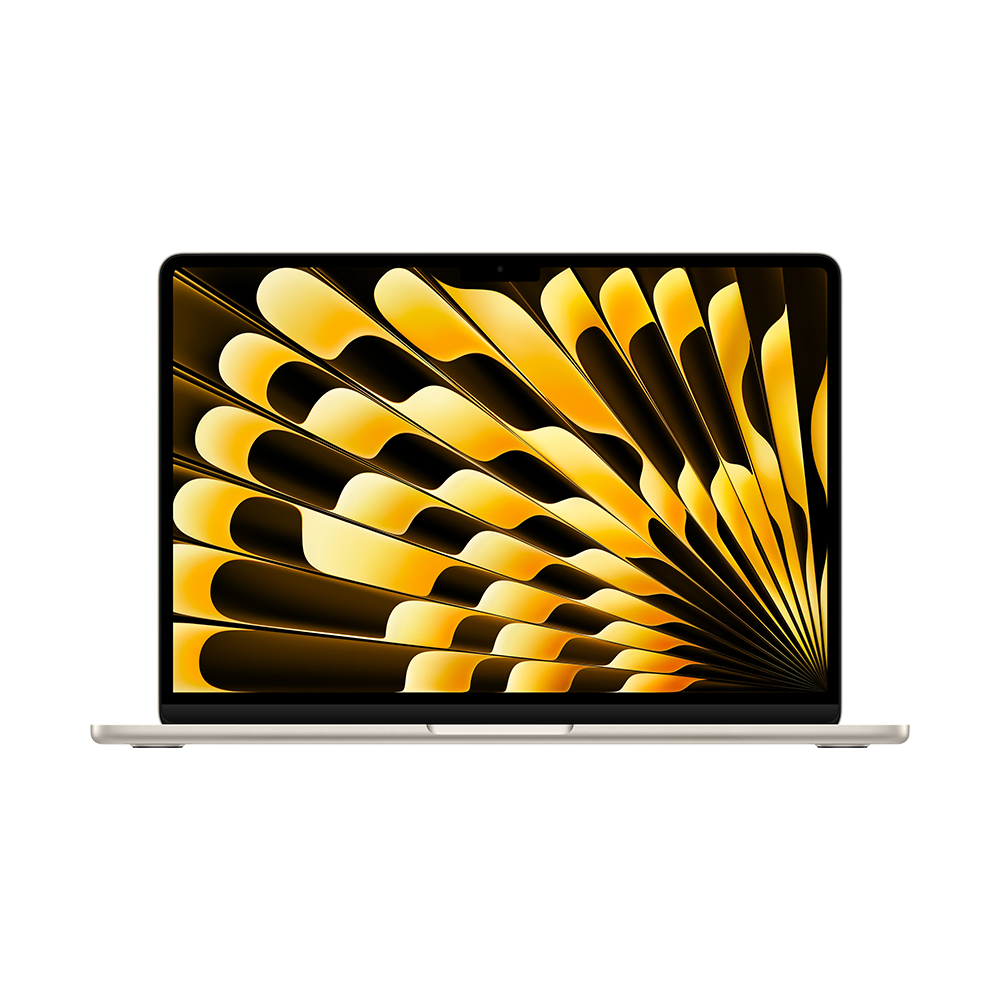
Silver entry configuration shown; the 32GB/1TB price below is for Midnight.
The best budget starting point here for a remote worker with an approved Mac workflow.
Configuration and budget
Start with MDH74LL/A, 16GB/512GB, with a 10-core CPU and 8-core GPU, at $1,149. The Z1L8000KL 32GB/1TB alternative has a 10-core GPU and was $1,999. The $850 gap covers different capacity, graphics, seller and offer combinations; it is not a universal Apple upgrade fee.[7][8]
Manufacturer advantages, translated into work
Apple emphasizes the M5 platform, mobility, battery life and fanless design. The 1.23kg, 13.6-inch Air includes MagSafe, two Thunderbolt 4 ports and an audio jack. Apple's display specification allows two external displays while the built-in screen remains active, with resolution and refresh-rate conditions; it also documents two external displays through one Thunderbolt port.[9][10]
That is useful for someone who works from two desk displays but travels with just the computer. The dock still needs to support the selected Mac, displays and connection method.
Highlights
- A genuinely lower entry price within this shortlist, leaving more of the budget for the desk setup.
- Fanless operation, useful in quiet rooms.
- A clear two-display desk specification, avoiding assumptions based on earlier Air generations.
Drawbacks and consequences
There is no native HDMI or USB-A. Choose memory and storage at purchase, and establish that the required applications, plug-ins and business services work on macOS. A company-standard Windows program can outweigh every hardware advantage.
The 32GB configuration adds headroom; it does not turn the Air into an actively cooled workstation. For lengthy exports or sustained computational work, obtain application-specific evidence before treating either configuration as the right tool.
Who it suits, and what owners say
The 16GB model is a strong starting point for document-heavy work, browser services and meetings. Consider 32GB for a demonstrably larger concurrent workload, rather than buying it automatically for the word “business.”
A readable Best Buy owner review by ASMAM, for the Sky Blue 16GB/512GB M5, praised responsiveness, silence and portability while noting upgrade expense and adapter needs. It was labeled Verified Purchaser and Incentivized, with three weeks of ownership stated. It is an individual perspective, not an Amazon consensus or a measured battery result.[11]
Buying call: check the 16GB/512GB offer first; compare the 32GB/1TB configuration against actual memory and storage needs.
4. Lenovo ThinkPad X1 Carbon Gen 14 Aura Edition
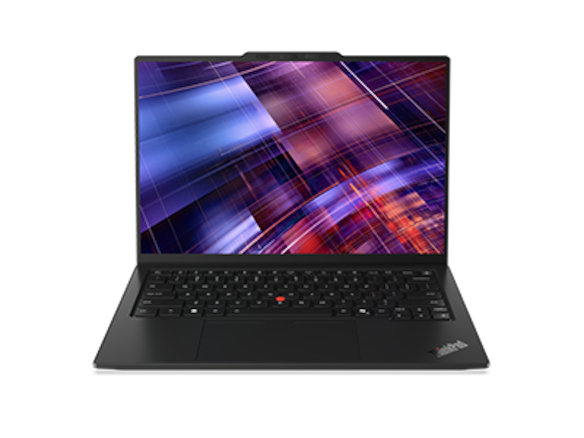
Lenovo family image; the purchase configuration uses the IPS screen described below.
The business-platform choice when the employer's requirements justify the premium.
Configuration and budget
Model 21V7006GUS combines Core Ultra 7 365 vPro, 32GB RAM, 1TB storage and Windows 11 Pro. The selected display is a 1920 × 1200 anti-glare IPS touchscreen, not the OLED alternative. Lenovo's matched listing showed $3,259; the exact retailer model description corroborates the configuration.[12][18]
Manufacturer advantages, translated into work
Lenovo's platform supports three Thunderbolt 4 ports, HDMI, USB-A and audio, plus up to three external monitors alongside the internal display under specified resolution conditions.[13]
These are useful building blocks for a managed desk and travel setup. The Pro/vPro specification also gives IT a concrete model to assess. It does not mean an individual purchaser automatically receives every remote-management service, cellular option or international repair benefit.
Highlights
- Native HDMI and USB-A, meeting our presentation scenario without a conversion hub.
- A specified business configuration, rather than relying on the consumer product name to imply deployment suitability.
- An anti-glare IPS choice for buyers who prefer that screen approach to the OLED alternatives.
Drawbacks and consequences
The observed price is $1,259.01 above the ASUS. For a self-employed buyer, that difference requires a clear explanation: a required hardware standard, a useful support agreement or another specific business need.
The family's lowest advertised weight cannot establish the weight of this exact IPS-touch configuration, so it remains unscored for travel weight. Confirm the completed specification and service package together.
Who it suits, and what owners say
It suits an organization buying approved hardware for workers who move between office docks, client rooms and home desks. A personal purchase for ordinary documents and calls has a weaker case unless the keyboard, support or configuration matches a particular preference.
The matching Best Buy marketplace page displayed 4.7/5 from 23 reviews supplied by Lenovo.com. Their exact configuration coverage and original comment texts were not verified, so they are not presented as 23 reviews of this SKU, or used to invent praise and complaint themes.[18]
Buying call: obtain an employer-approved quote before treating the premium as justified. Check the exact ThinkPad model.
5. Microsoft Surface Laptop 13.8-inch, 8th Edition
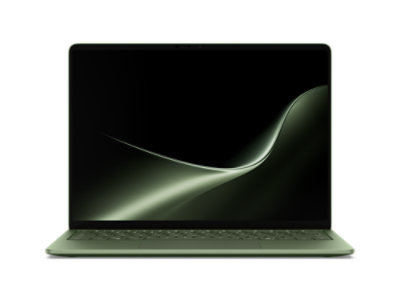
Microsoft family image in Jade; the evaluated purchase selection is Black.
A Surface option for a workplace that has already validated its Windows-on-Arm requirements.
Configuration and budget
The checked Black, Snapdragon X2 Elite 12-core, 16GB/1TB selection cost $1,699.99 with Windows 11 Home. The Black 32GB/1TB selection was $2,649.99. Begin with the lower-memory offer unless the workload provides a reason for that $950 jump.[14]
Manufacturer advantages, translated into work
Microsoft emphasizes mobility, the current Snapdragon platform and battery life. The consumer specification lists 1.36kg, a 13.8-inch touchscreen, two USB-C/USB4 ports, USB-A, audio and Surface Connect.[14]
For a desk setup, that gives several connection options and a native place for an older USB accessory. Microsoft's separate business specification documents expanded external-display capabilities, but buyers should verify the exact consumer configuration and dock rather than assume every commercial option transfers across.[15]
Highlights
- USB-A without a separate adapter, helpful for a receiver or an existing peripheral.
- A useful 16GB/1TB price point within the Surface choices observed.
- A conventional laptop format for an organization already supporting the platform.
Drawbacks and consequences
HDMI requires conversion. Windows Home may need a licensing discussion for managed deployment. Most importantly, application support and peripheral-driver support are separate checks on Arm. Ask specifically about the VPN client, endpoint software, printer, dock and specialist accessories used in your work.[16]
There is no blanket assumption that Windows-on-Arm software is unsupported. The practical question is whether the versions you need, including their drivers and plug-ins, are approved for this machine.
Who it suits, and what owners say
It suits a worker in an established Surface environment with a tested application stack. It is a less comfortable speculative purchase when a business-critical peripheral has no confirmed driver.
We did not verify original Amazon comments or a sufficiently matched owner-review sample for this X2 Elite selection. Earlier Surface generations are not substituted. The purchase decision therefore rests on the exact specification and compatibility check, with no invented customer consensus.
Buying call: compare the Black 16GB/1TB selection in Microsoft's configurator, and check that the selected processor is X2 Elite, not an older X Elite offer.
Amazon ratings, owner feedback and sales: separate the signals
Only one matched Amazon listing supplied a usable rating snapshot in this research. That does not make the other laptops unpopular; it limits the comparison we can honestly make.
| Laptop | Amazon evidence | Other owner evidence | Sales evidence |
|---|---|---|---|
| Yoga 83QK0001US | Exact listing rating and original comments unverified | Best Buy 4.9/5, 7 reviews; the owners discussed above were incentivized verified purchasers | No dependable unit total verified |
| Zenbook UX5406AA-XS79T | Matched rating and comments unverified | 5.0/5 from 3 ASUS-supplied entries displayed by Best Buy; original texts not verified | No dependable unit total verified |
| Air M5 16GB/512GB | Amazon B0GR19X8DC: 4.7/5, displayed feedback count 1,332; pooled across variants | One separately identified Best Buy owner used for the comments above | Amazon displayed “7K+ bought in past month” |
| ThinkPad 21V7006GUS | Matched rating and comments unverified | 4.7/5 from 23 Lenovo-supplied entries displayed by Best Buy; exact-SKU coverage unverified | No dependable unit total verified |
| Surface X2 Elite selection | Matched rating and comments unverified | No matched original owner sample verified | No dependable unit total verified |
Scroll across to compare all columns.
The Amazon copy carried a five-day crawl age when retrieved on November 11. Its review widget linked to another color variant. The displayed count is therefore listing/family feedback, and the rounded purchase badge is not audited unit sales for the exact SKU. Individual Amazon review texts were not verified, so we do not attribute praise or criticism to Amazon buyers.[17]
Use readable reviews to identify checks—typing feel, adapter requirements, sleep behavior—not to turn an unknown sample into a reliability forecast. Our scenario scores remain separate from marketplace stars.
Build two setups: a desk that stays, a travel kit that goes
The most convenient home dock is not necessarily the accessory to pack. Decide which equipment lives at each location before calculating cost or weight.
| At the regular desk | In the travel bag | Check before relying on it |
|---|---|---|
| Monitor or monitors, dock, keyboard and mouse | Laptop, charger and charging cable | Power delivery is sufficient for the laptop and attached devices |
| Wired network through the chosen dock, if needed | A compact HDMI/USB-A hub for Yoga or Air; HDMI conversion for Surface | The actual display, receiver and power work simultaneously |
| Webcam or headset if your calls need them | The headset you use in noisy rooms | Camera, microphone and audio output select correctly after reconnecting |
| Backup destination and organized working files | Required files available offline | Documents open without assuming hotel Wi-Fi or a live VPN |
Scroll across to compare all columns.
For a two-display desk, record each display's resolution and refresh rate, the dock model, cable type and host operating system. A listing that says “dual display” may describe a different host or connection method. Apple's explicit M5 support is helpful, but the chosen accessory must still meet it.
Rehearse a normal transition: finish a call, disconnect the dock, resume on the laptop, reconnect, and check both displays, network and audio. Then repeat after sleep. This is a practical acceptance check for your setup, not a lab score assigned by this guide.
Budget for the complete working arrangement
Calculate laptop + required accessories + software or OS changes + selected service, then compare alternatives. Keep an existing compatible monitor or dock in the calculation at zero additional purchase cost; do not buy replacements merely to match a new laptop brand.
The $1,149 Air is the lowest observed laptop price here, but only a value option if the work fits macOS. Around $2,000, the Zenbook 32GB/1TB and Air 32GB/1TB present different software and port choices. The $2,249.99 Yoga asks you to value its specific design and USB-C workflow. The $3,259 ThinkPad needs a business-platform reason.
A $1,699.99 Surface can make sense after Arm approval. Its higher-memory offer should not be treated as the automatic upgrade when other 32GB/1TB choices cost less. None of these prices includes an assumed dock, so this guide does not publish a misleading complete-kit total.
Questions that change the recommendation
Is 16GB enough for remote work?
It can be for documents, browser tools and meetings. Observe the current machine during a normal busy day: application count, memory pressure and local storage use are more informative than a generic recommendation to buy the maximum. Larger local datasets and concurrent projects can justify 32GB.
Which laptop needs the fewest presentation adapters?
The ASUS and ThinkPad meet our power-plus-HDMI-plus-USB-A scenario with native ports. Yoga and Air need HDMI and USB-A conversion; Surface needs HDMI conversion. A different room, such as one using DisplayPort, changes the accessory requirement.
Which has the best battery life for calls?
This evidence set cannot name a winner. Manufacturer playback or browsing claims are different from a day of calls, screen sharing and file synchronization. Choose a suitable charging arrangement and look for a comparable test of your relevant workload before using runtime as the deciding factor.
Should I choose the same laptop for graduate research?
Some configurations overlap, but software, datasets and department requirements change the decision. Our graduate-student guide separates those workloads. For trips dominated by client meetings, see the business-traveler comparison.
Final choice: match the laptop to the transition
Choose Yoga 32GB/1TB if you want a compact Windows setup built around tested USB-C accessories, with the exact weight and Windows edition confirmed before ordering. Choose Zenbook 32GB/1TB when native presentation connections make your week easier. Start with Air 16GB/512GB when macOS fits and a larger configuration has no demonstrated benefit.
Choose X1 Carbon when its specified business platform and service quote meet an actual employer requirement. Consider Surface 16GB/1TB after the necessary Arm software and accessories are validated.
The laptop should make it easy to leave your desk, complete the work elsewhere and return to the same setup. That is the standard these recommendations are designed to serve.
Sources and verification notes
This is a researched buying guide, not a claim of firsthand testing. Manufacturer documentation establishes specifications; matched retail pages establish dated offers; identified original owner comments inform practical checks. Promotional battery claims, customer stars and our scenario scores measure different things.
- Best Buy — Yoga 83QK0001US, SKU 6671628.
- Lenovo PSREF — Yoga Slim 7 Ultra 14IPH11. The technical platform name omits “i”; the marketed laptop name retains 7i. October 28, 2026 document.
- Lenovo — CES 2026 announcement.
- Best Buy — original Yoga 83QK0001US reviews.
- Best Buy — Zenbook UX5406AA-XS79T.
- ASUS — Zenbook S14 technical specifications. Use the UX5406AA column, not UX5406SA.
- Best Buy — MacBook Air M5 MDH74LL/A.
- B&H — MacBook Air M5 Z1L8000KL.
- Apple — MacBook Air technical specifications.
- Apple — M5 MacBook Air announcement.
- Best Buy — original ASMAM M5 owner review. The page is filtered to five-star reviews; the individual comment is not a representative sample.
- Lenovo — matched 21V7006GUS price listing; exact model page.
- Lenovo PSREF — ThinkPad X1 Carbon Gen 14 Aura Edition. November 10, 2026 document.
- Microsoft Store — Surface Laptop 13.8-inch, 8th Edition configurator. Black X2 Elite selections; the page also contains older-generation offers.
- Microsoft Learn — Surface Laptop for Business, 8th Edition Snapdragon. Commercial software and optional features are not assigned to the consumer offer.
- Microsoft — Windows Arm-based PCs FAQ.
- Amazon US — Air M5 listing B0GR19X8DC. Retrieved November 11, 2026 with five-day crawl age; review pool spans variants. Individual original Amazon comments were not verified.
- Best Buy marketplace — exact 21V7006GUS description and syndicated Lenovo reviews. Its lower marketplace offer was marked unavailable; the comparison uses Lenovo's direct listing price. Ignore the marketplace's inconsistent auto-filled “Series 1” processor field; the named Core Ultra 7 365 is Series 3 in Lenovo PSREF.