If you move between two desks every week, try disconnecting from one and starting work at the other with only what you plan to carry. Can you charge the laptop, open your usual windows on the correct screens and join a call without borrowing a cable? That handoff is a better buying test than a count of ports or a claim that a dock is universal.
For a verified Thunderbolt desk and frequent trips, start with the Lenovo Yoga Slim 7i Ultra Gen 11. Lenovo lists a starting weight of 975 g, and three Thunderbolt 4 ports give you several ways to lay out a known setup. If the second desk changes from week to week, compare the ASUS Zenbook S14 UX5406AA first. Its built-in HDMI, USB-A and wired audio can keep common connections available when the home dock stays behind. The MacBook Air M5, IPS ThinkPad X1 Carbon, Dell XPS 13 and Framework Laptop 13 each address a different constraint.
The six recommendations below draw on manufacturer documentation and identified independent review units. The workspace exercises are suggested purchase checks. They describe what to verify on your own equipment.
Decide what stays at each desk
If home and office both have a working dock, leave each dock and its power supply in place. The laptop and a small travel kit can move between them. If you use one dock in both places, include its cable and power supply when you weigh the bag, and decide how you would work if it were left behind. A USB-C monitor with adequate power delivery can remove a separate dock from a single-screen setup when it also handles the peripherals you need.
| Workspace | Record before buying | Check with the laptop connected |
|---|---|---|
| One USB-C monitor at home | Monitor model, display mode, delivered power and any peripherals using the monitor hub | Verify video, audio and charging together while the usual applications are running |
| Two independent screens in an office | Exact dock and host platform, resolution and refresh rate for both screens, whether the laptop display should remain active | Extend a different window onto each screen, then repeat after sleep and reconnection |
| Unfamiliar destination | Available HDMI cable, headset type, receiver, network rules and power | Verify the built-in connections or pack a tested alternative for each essential function |
| Hotel desk or lounge | Laptop screen, reachable outlet and an approved way to work offline | Finish one representative task using only the equipment that travels |
A direct HDMI connection on one laptop and a USB-C adapter on another can both pass the same test. The difference is what has to travel and what remains usable if an item is missing. Write the connection plan before pricing it.
Which laptop fits each connection plan?
| Model | Choose it when | Confirm before ordering |
|---|---|---|
| Lenovo Yoga Slim 7i Ultra Gen 11 | You carry the machine often and both desks have an established Thunderbolt route | HDMI, USB-A and analog audio need suitable accessories when the dock is absent |
| ASUS Zenbook S14 UX5406AA | A remote desk is predictable but meeting rooms or shared desks vary | The order is the AA configuration and its HDMI mode meets the display requirement |
| Apple MacBook Air 13-inch M5 | Your work runs on macOS and you want a quiet two-screen desk | The exact dock and cables support your Mac display arrangement and employer requirements |
| Lenovo ThinkPad X1 Carbon Gen 14 | You want direct connections and spend important stretches working unplugged | Identify the panel, processor and service entitlement for the quote |
| Dell XPS 13 DX13260 | Small desk space matters and the Core 5 workload fits 16 GB | Its USB-C connection behaves as required with your dock |
| Framework Laptop 13 AMD Ryzen AI 300 | You expect memory, storage or the port layout to change during ownership | Confirm Expansion Card positions, the complete kit price and your maintenance route |
Lenovo Yoga Slim 7i Ultra for two predictable Thunderbolt setups

Image: Lenovo. 14IPH11 model reference.
The Yoga is the portability-first Windows option. Its 14-inch 2880 × 1800 OLED touch display, 75 Wh battery and three Thunderbolt 4 ports are documented for the 14IPH11 family. Lenovo lists 16 GB, 32 GB and 64 GB of soldered memory and a single M.2 2242 slot, with storage offerings up to 2 TB. The Core Ultra 7 355 configuration uses Intel Graphics. Specified X7 and X9 options use Arc B390, so graphics conclusions from one should stay with that configuration. Lenovo specifications and US configuration route.
Where the Yoga works best, all the connections you need are already available at the desk. For a destination with an HDMI cable or USB-A receiver, pack the compatible connection hardware and rehearse it with power and audio connected. An analog headset also needs an appropriate route. Put the adapters and charger on the scale before deciding how much weight the full setup saves.
ASUS Zenbook S14 for a desk you can leave behind
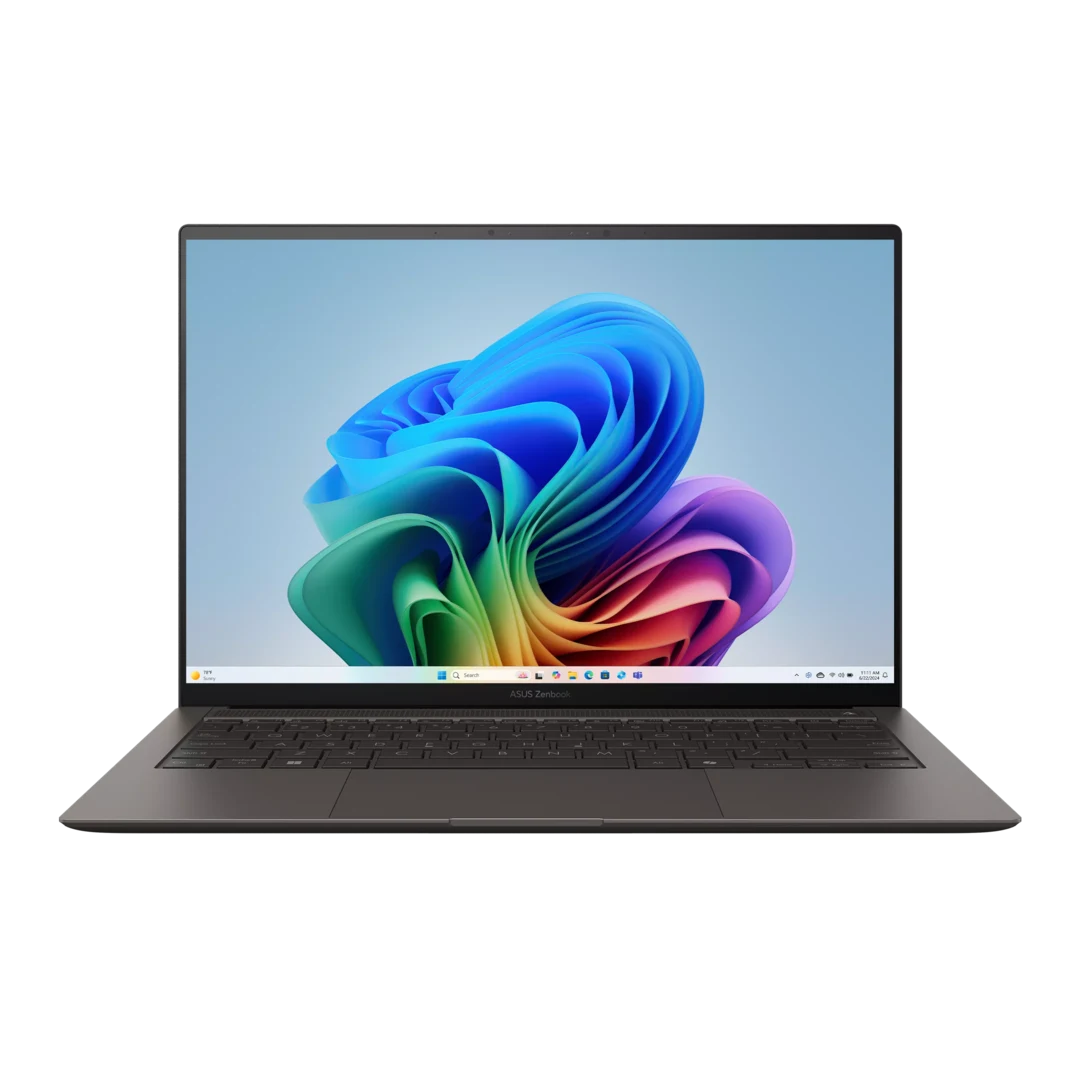
Image: ASUS. Confirm the UX5406AA configuration.
The S14 is the simpler comparison for an HDMI monitor, a USB-A receiver and a wired headset at a destination. The UX5406AA has built-in connections for all three and two Thunderbolt 4 ports. ASUS lists a 1.20 kg weight, a 77 Wh battery and a 14-inch 2880 × 1800 OLED touchscreen at 120 Hz. Its US specifications list Core Ultra 7 356H or Ultra 9 386H options and 32 GB of onboard memory. Check the AA column for the exact configuration and check the HDMI 2.1 TMDS mode against the intended display. ASUS technical specifications.
A dock may still make sense at home because it keeps the monitor and peripherals in place. Direct ports become valuable when you arrive somewhere without it. That shorter connection route can outweigh the higher listed chassis weight for a worker who changes rooms often.
MacBook Air M5 for a supported two-screen Mac desk
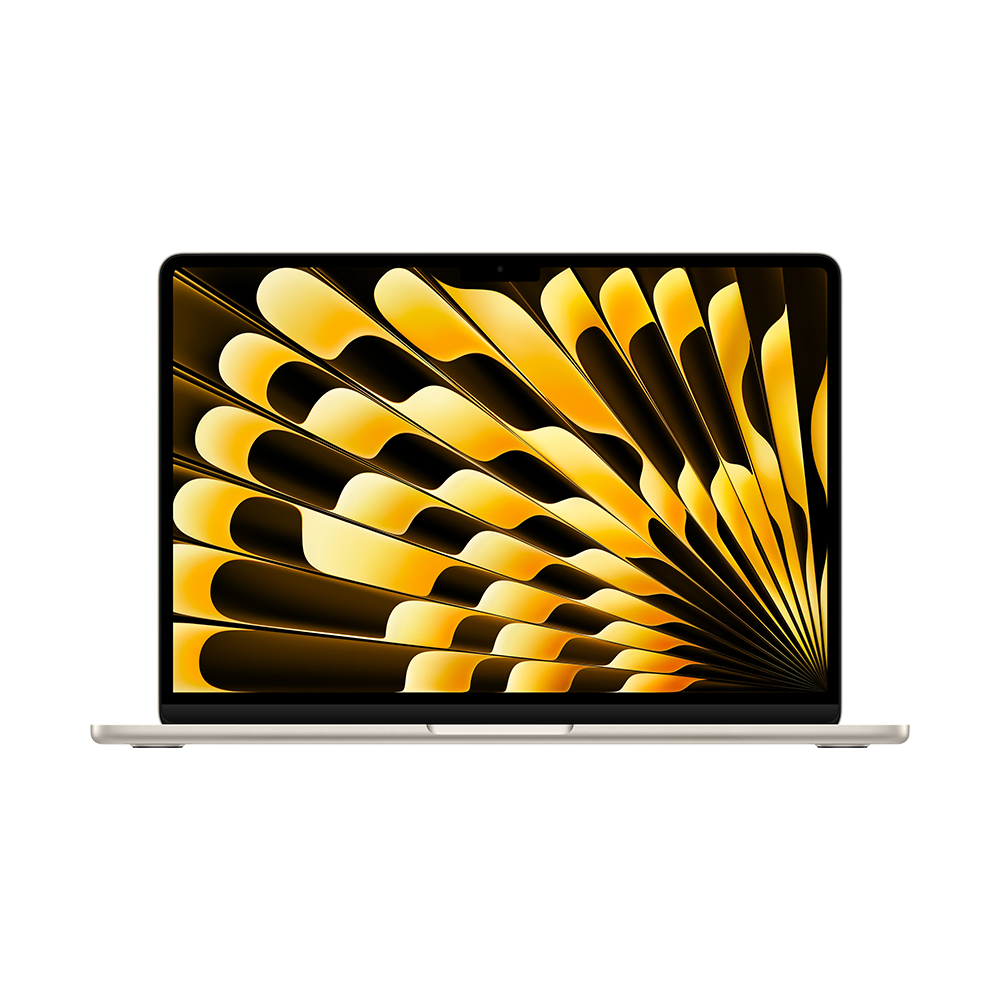
Image: Apple. Specifications below refer to the 13-inch model.
Apple documents support for up to two external displays alongside the built-in screen, subject to the stated display modes. MagSafe 3 can supply power while both Thunderbolt 4 ports remain available. At 1.23 kg, the 13.6-inch M5 Air is a fanless option for a workplace that already supports macOS. It has a headphone jack, and HDMI or USB-A equipment needs suitable connection hardware. Apple lists 16 GB standard memory with 24 GB and 32 GB configurations and 512 GB base storage. Apple specifications, display support and identified US configuration.
For two screens, try one directly connected display at a time before troubleshooting a dock. Then check both displays simultaneously with the approved dock and cables. A dock with two video outputs needs documented support for the intended Mac arrangement. Choose memory at purchase and check the Windows-specific tools, drivers and managed-access requirements before switching platforms.
ThinkPad X1 Carbon for charging gaps and direct ports
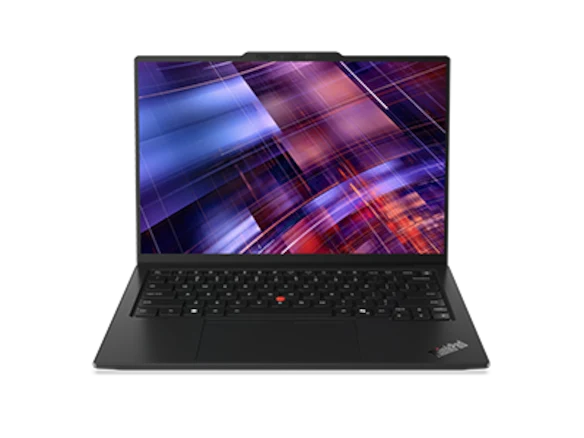
Image: Lenovo. The family includes IPS and OLED panel options.
The Gen 14 combines HDMI, USB-A and 3.5 mm audio with three Thunderbolt 4 ports. Its practical advantage is having a second connection route when the usual dock is absent. An identified IPS model also belongs on the shortlist when your travel schedule includes long working sessions before the next dependable charge. Confirm the actual panel and processor before applying any endurance evidence. Soldered memory makes capacity an order-time choice. Lenovo model reference and US configuration route.
Notebookcheck's 1,139 g IPS unit was the 21V70075GE with Core Ultra 5 325, 32 GB and 512 GB. Its 23h13m WLAN result at 150 nits is useful evidence for that sample. Lighter starting figures and OLED configurations describe other setups. Also request the written regional service terms for the exact quote. Notebookcheck IPS review.
Dell XPS 13 for small desks and a defined workload
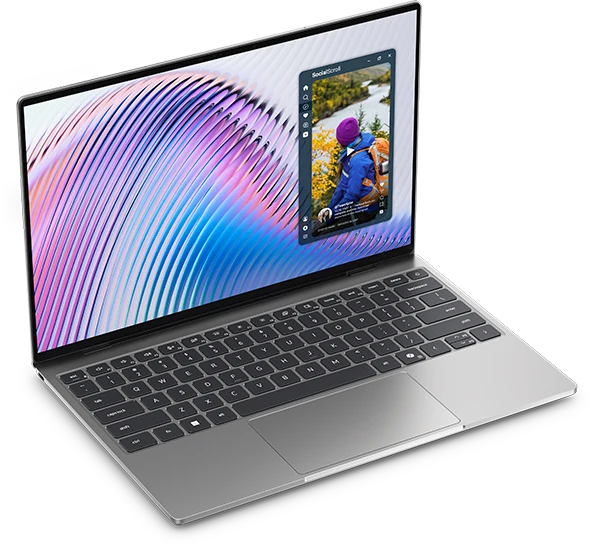
Image: Dell. Check the processor option before applying connection specifications.
The DX13260 has a 296.9 × 200.66 mm footprint and a 13.4-inch 2560 × 1600 touchscreen. Dell's Core 5 version provides two 10 Gbps USB-C ports with display and charging support and a fixed 16 GB memory ceiling. The Core Ultra versions have two Thunderbolt 4 ports and different memory choices. Verify your dock on the ordered processor variant. The family has no built-in HDMI, USB-A or analog headset connection. Dell's port manual and memory manual.
The Core 5 320, 16 GB, 512 GB, Windows 11 Home offer in Storm was listed at US$1,049.99 before tax on November 9, 2026. That quote is useful for a compact Windows setup when ordinary office tasks fit the memory limit. Check the built-in screen at the scaling you would use on the road and include any OS or accessory changes required by work. Dell US offers.
Framework Laptop 13 for a desk that may change
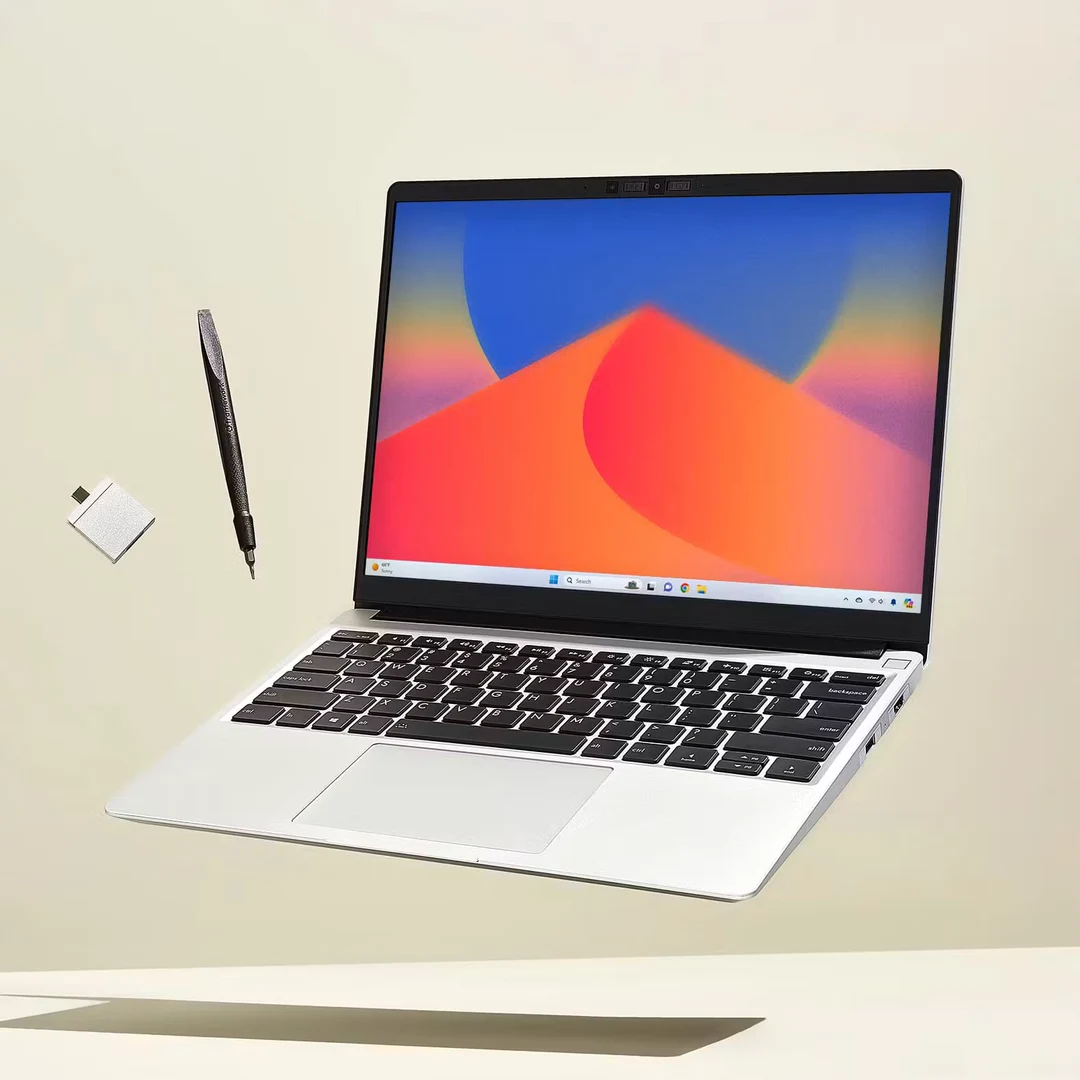
Image: Framework. This section covers the AMD Ryzen AI 300 Series version released in 2025.
Framework lists a 13.5-inch 3:2 matte display, approximately 1.3 kg of laptop mass, two DDR5 SO-DIMM sockets with configurations up to 96 GB and a replaceable M.2 NVMe drive. Four Expansion Card positions give you choices about where connections sit. Consult the position and card documentation before counting usable display and power routes. The Laptop 13 Pro is a separate product. Framework specifications.
The US base prebuilt was listed from US$1,049 with Ryzen AI 5 340, 16 GB as two 8 GB modules, 256 GB storage and Windows 11 Home. The date and market match the Dell reference, while the storage differs. Compare complete quotes with the SSD, memory, cards and software you need. The value of later upgrades depends on available parts, the time required and who is allowed to install them. Framework prebuilt comparison.
Rehearse losing the usual charger or dock
Repeat the same desk handoff twice. Start with a normal document or call open. Put the laptop to sleep at the first desk, unplug it, then wake it after connecting at the second. Verify which screen contains the working window and which audio device the call selected. Start a normal sustained task and see whether the chosen monitor or dock supplies enough power for that workload. The USB-C plug shape alone tells you little about alternate display modes, cable functions or charging. Microsoft's USB-C guidance.
For the second pass, leave one item behind on purpose. If it is the dock, see whether you can connect one screen directly and use the approved audio route. If it is the desk charger, verify a separate compatible charger or an approved power-delivering monitor. If both screens are essential, identify a tested route that preserves two independent desktops. If one screen is enough to finish the day, record that fallback as a way to avoid carrying a second dock.
Lenovo documents support for up to three external displays with the Yoga's built-in display under specified conditions, including limits for particular high-resolution modes. Apple documents up to two on the M5 Air with its built-in display active. These are host capabilities. Use the dock maker's supported-host guidance and the intended cables to confirm your actual layout. Lenovo model reference and Apple display support.
Use battery results to judge the stretch between desks
| Identified Notebookcheck unit | Reported WLAN runtime | What to check on the machine you buy |
|---|---|---|
| Yoga 14IPH11, Core Ultra 7 355, 32 GB/1 TB, OLED, 978 g | 10h36m | Whether your screen brightness, calls and next charger leave enough reserve |
| Zenbook S14 AA, Core Ultra 9 386H, 32 GB/1 TB, 1,205 g | 16h11m at 150 nits | Whether the ordered AA processor and display match the cited sample |
| Air 13 M5, 8-core GPU, 16 GB/512 GB | 16h11m at 150 nits | Whether your usual macOS tasks use appreciably more power than browsing |
| X1 Carbon 21V70075GE, Core Ultra 5 325, 32 GB/512 GB, IPS, 1,139 g | 23h13m at 150 nits | Whether the IPS configuration and the purchased unit's own results suit the longest gap |
These were separate WLAN review tests of named units. A local call, brighter screen or sustained project can change runtime. Allow a reserve based on the work you do between dependable charging stops. Yoga review, S14 review, Air review and X1 Carbon review.
Buy the setup that passes the handoff
If the same two Thunderbolt desks are already verified and the laptop spends a lot of time in your bag, shortlist the Yoga and weigh the equipment you need on departure. If you routinely arrive at unfamiliar rooms with HDMI and USB-A, shortlist the S14 and run the call, display and charging together. Keep the IPS X1 Carbon in contention when the unplugged session could extend past your usual recharge.
A MacBook Air is a practical choice for a supported macOS desk. Choose the compact Dell when its precise connection and memory limits fit. Consider Framework when you can make planned changes to memory, storage or connections during ownership. Price the required accessories, service and software against the same requirements before settling on a quote.
See also our comparison of working between home and office, business-travel and remote-work buying guide and this comparison of hubs, docks and direct cables.
Sources
- Lenovo PSREF: 14IPH11 specifications — configuration, ports, weight and display documentation.
- Lenovo US Yoga Slim 7i Ultra configuration route.
- Notebookcheck Yoga 14IPH11 review — identified review sample, not manufacturer runtime.
- ASUS Zenbook S14 technical specifications — distinguish AA and SA columns.
- Notebookcheck Zenbook S14 2026 review.
- Apple MacBook Air specifications.
- Apple 13-inch M5, 16GB/512GB buying configuration — purchasing route, without an asserted current price.
- Apple introduces MacBook Air with M5 — design and platform context; launch prices are not current offers here.
- Apple external-display support by MacBook Air generation.
- Notebookcheck MacBook Air 13 M5 entry review.
- Lenovo ThinkPad X1 Carbon Gen 14 PSREF.
- Lenovo US X1 Carbon configuration route.
- Notebookcheck X1 Carbon Gen 14 IPS review.
- Dell US XPS 13 DX13260 configuration list — identified offer checked 9 November 2026, before tax.
- Dell XPS 13 DX13260 external ports.
- Dell XPS 13 DX13260 memory.
- Framework Laptop 13 AMD Ryzen AI 300 specifications.
- Framework US AMD prebuilt comparison — base configuration and quoted starting price checked 9 November 2026.
- Microsoft: fix USB-C problems in Windows.