For a worker who wants one light Windows computer to serve a home desk and another regular workspace, Lenovo Yoga Slim 7i Ultra is our first choice to compare. Its attached keyboard, 975 g starting body and three Thunderbolt 4 ports suit a repeatable desk-to-bag routine. MacBook Air is the Mac equivalent to investigate, Yoga 7i adds native mixed connectors and a pen role, and Surface serves a deliberate detachable-screen arrangement.

Four systems compared for this working pattern
| System | Best match in this comparison | Documented hardware | Practical buying implication |
|---|---|---|---|
| Yoga Slim 7i Ultra | One conventional Windows laptop moving between mapped desks | Three Thunderbolt 4 ports; attached keyboard | Keep a documented dock at each desk and pack only the equipment actually needed between them |
| MacBook Air 13-inch M5 | One Mac preserving the same applications and screen layout | MagSafe plus two Thunderbolt 4 ports | Use supported Mac accessories at both locations and name the power cable that travels |
| Yoga 7i 2-in-1 | A Windows convertible serving a desk and pen-led meetings | Native HDMI, USB-A and microSD; supported pen options | The built-in sockets can cover recurring connections beyond the two fixed docks |
| Surface Pro for Business 13-inch, 12th Edition | A screen that intentionally separates from its keyboard | Detachable keyboard; USB4 and Surface Connect | Record the keyboard, stand position and approved Arm accessory route at both desks |
Lenovo Yoga Slim 7i Ultra — our typed Windows pick
Slim Ultra is attractive when the computer moves but most desk equipment can stay in place. Its low starting body weight is then relevant to the item carried between locations, while the three Thunderbolt ports allow the actual desk connection to be specified. Name the monitor, dock, charger and any data device at each location. Two desks do not have to use identical hardware, but their differences should be understandable before the first trip. The goal is a predictable handover rather than a generic promise that one cable always handles everything. Manufacturer specifications.
MacBook Air 13-inch M5 — the established Mac alternative
Air is the alternative for someone who wants the same Mac applications and files at both workplaces. MagSafe can keep power separate from the two Thunderbolt connections, which may be useful when the desks allocate peripherals differently. The relevant comparison includes the monitor arrangement, keyboard or pointing device and the exact accessory support on macOS. If the home desk already works well, preserve that evidence when planning the second one. Replacing a proven setup simply to make both desks visually identical does not necessarily improve the working routine. Manufacturer specifications.
Lenovo Yoga 7i 2-in-1 — the pen-enabled convertible
Yoga 7i becomes the better fit when the route between desks includes workshops, classroom equipment or reviews needing a pen. Native HDMI and USB-A provide direct connection options beyond the fixed docks, and microSD serves that actual card format. The convertible should be chosen for these recurring extra jobs rather than as an abstract upgrade to a clamshell. Its 1.38 kg aluminum starting body is the carrying counterpart of that flexibility. Establish where the supported pen is kept and how the same annotated output returns to the main work files. Manufacturer specifications.
Surface Pro for Business — the detachable alternative
Surface changes which parts of the system travel together. A detachable screen may leave the keyboard at one desk for a review session, but sustained typing at either location still needs a compatible keyboard and a suitable supporting footprint. Microsoft’s USB4 and Surface Connect documentation gives the connection record a defined starting point. The Snapdragon platform should match the approved peripherals at both workplaces, especially devices with their own drivers. Compare the complete planned arrangement rather than assuming that the tablet’s 895 g body figure describes the whole moving kit. Manufacturer specifications.
Which system we would choose for this brief
We would pick Slim Ultra first for a repeatable typed Windows routine, Air for the supported Mac version, Yoga 7i for the same mobility plus recurring pen and native connector work, or Surface for a screen that deliberately separates from the keyboard. A useful two-desk plan lists what stays, what travels and what must be reconnected. The detailed comparison below follows that handover so the reader can see which product design reduces the actual work of changing locations.
Define what changes when the workplace changes
One computer at two desks can mean several different ownership arrangements. The desks may be home and office, two shared workplaces or a regular desk and a recurring client location. Identify what actually changes: display, network route, input equipment, power supply, available surface or application access. This inventory makes the handover concrete rather than treating every move as the same generic remote-work scenario.
Also identify what does not change. The central working files, required applications and selected laptop may remain constant even when the surroundings differ. Keeping those stable elements separate helps determine which setup tasks can be standardized and which need location-specific instructions. A laptop purchase should support that real division of work instead of assuming all differences can be solved by one universal accessory.
Our editorial preference is to define a minimum ready state for each desk. The ready state describes the task that can begin, the equipment connected and the approved access route available. It is more useful than a photograph of an uncluttered workspace because another person can understand what the arrangement is supposed to do after the computer arrives.
Give each desk a short equipment identity
Record the exact monitor, dock or adapter, keyboard, pointing device, audio equipment and power route at each regular desk. Include model information where compatibility depends on it. A label such as office dock or spare charger is not precise enough if several different items could be substituted. The record should make the intended arrangement identifiable without turning it into an unnecessarily elaborate inventory.
Mark whether each item belongs to the user, the organization or a destination that has confirmed its availability. This matters when a desk is shared or equipment cannot be assumed permanently present. A purchased laptop should not receive credit for a ready-to-use environment whose essential parts have not been established.
For a known company setup, begin with the approved equipment and support information. For a personal desk, use the relevant manufacturer documentation for the selected combination. In either case, preserve qualifications about operating system, configuration or accessory model. The goal is a repeatable route, not a shorthand description broad enough to hide important differences.
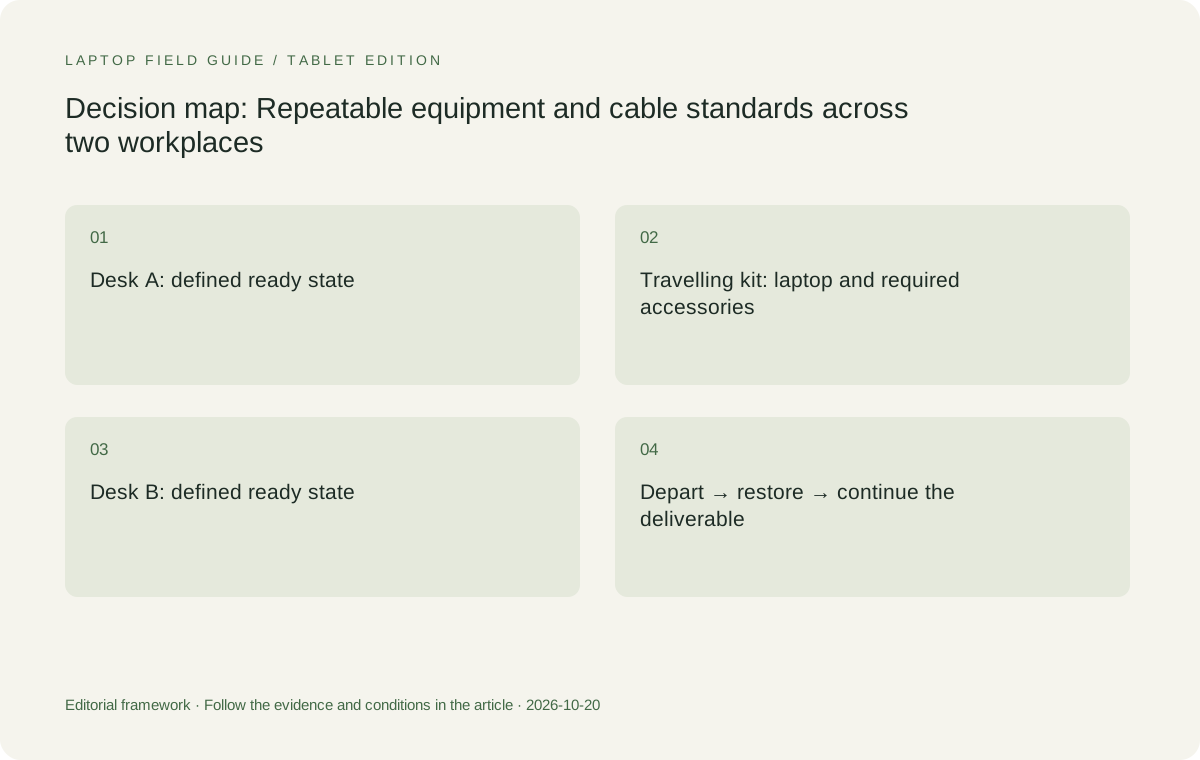
Original editorial illustration. The conditions connect the recommendation to the stated workload.
Separate the travelling kit from the fixed equipment
A computer serving two desks does not necessarily need to carry all the equipment used at either desk. A monitor, keyboard and permanent dock can remain in place. Conversely, a necessary adapter may have to travel if it is not reliably available at both locations. Write the travelling list after the two fixed arrangements have been described, not before.
This distinction changes how laptop portability should be judged. A compact clamshell can be an attractive daily carry when fixed accessories supply the larger desk arrangement at each end. A device with more native connections may be more convenient when the destinations change frequently or equipment cannot be left in place. The stronger choice follows from the movement pattern.
Use the same boundary when comparing candidates. Include the charger, keyboard, pen or adapters that actually have to accompany each computer. A tablet-body weight is not a complete typing-system figure, and a manufacturer starting laptop weight does not include every accessory a particular workflow needs. The relevant comparison is the working kit that moves, not the largest collection of equipment used anywhere.
Decide which connections need standardization
Standardization should reduce repeated decisions, not create an artificial requirement that every desk use identical hardware. The two desks may have different displays or available equipment while still supporting the same work sequence. Identify the interfaces and behaviors that matter to the user: a known display route, a consistent input arrangement and the intended power supply.
A useful standard might specify the exact cable and dock combination at each desk, together with a short connection order. Another might define the adapter that remains in the bag for presentation rooms. The important point is that the arrangement has been identified and checked. Similar connectors or a familiar accessory brand do not establish that every combination behaves identically.
Yoga Slim 7i Ultra’s documented USB-C-based connections provide a starting point for that planning. Yoga 7i 2-in-1 presents a different native-port arrangement that may simplify some locations. Neither description establishes compatibility with arbitrary equipment. Use each specification to identify the combination that needs confirmation rather than turning the port list into a universal setup promise.
Keep the working document at the center of the handover
The handover is not complete merely because an external display lights up. Choose a representative document or project and define how it becomes available at each desk through the permitted route. Open it, make a change, save it and verify the next place can obtain the intended version. Follow the organization’s instructions for file location and access rather than assuming unrestricted personal copies.
This check distinguishes a portable work system from a computer that is technically connected but not ready for the job. A required sign-in, extension or remote service may be part of the sequence. Identify these dependencies so the laptop is not blamed for a workflow that has never been established beyond its hardware connections.
Keep observations specific. A sample completed through one route does not prove every project or future application will behave identically. Its value is that it demonstrates a bounded task and records what made the task possible. That is a better basis for maintaining two desks than assuming a general cloud or office-work label resolves every handover.
Rehearse the departure from the first desk
Begin with the computer in its normal working arrangement at the first desk. Finish a small deliverable, save it through the required process and disconnect the equipment intended to remain there. Identify the items that must go into the bag. This sequence helps expose a practical mistake in which the same essential cable or adapter is assumed to be permanently available at two locations.
Do not define the departure around an idealized empty desk. Include the audio device, removable working accessory or other tool normally used during the task. Record anything that requires an explicit application or access step before disconnection. The resulting checklist should be short enough to use as part of an ordinary move rather than a procedure so complex it is ignored.
The recommendation is an acceptance method for the buyer’s own configuration. A successful sequence should state the exact equipment and conditions, preserving the difference between an observed task completion and a promise about every future location.
Rehearse arrival and restoration at the second desk
At the second desk, connect the defined equipment and obtain the representative file through the approved route. Confirm the intended display arrangement, audio selection and necessary peripherals. Complete the next part of the task and save the result. The computer is ready when work can continue as intended, not just when all the cables have been inserted.
Include the usual meeting application if calls are part of the workday. A change of display or audio equipment may require the intended devices to be selected. Treat this as part of the setup record. The objective is to know which actions are necessary rather than assuming the same local arrangement follows from every dock or monitor connection.
Then repeat the return journey. A system serving two desks should be judged in both directions, since the equipment and access conditions may differ. Record any unresolved requirement and address it before relying on the arrangement for a scheduled task. That discipline is what makes a low-weight laptop practical as the single computer moving between workplaces.
Manufacturer product illustration, not a photograph of our testing. Accessories and local configurations vary. Official image context.
Compare the conventional-laptop routes
Yoga Slim 7i Ultra is the Lenovo starting point when the desired system is a low-weight Windows clamshell and the two desk arrangements are known. Its portable role is strongest when the required applications, displays and accessories have already been established. The low starting body figure can then be evaluated as an advantage among complete systems that can perform the work.
MacBook Air 13-inch M5 remains a meaningful alternative where the applications and both desks have a supported macOS route. An established compatible environment is relevant evidence, not an inconvenience to dismiss in pursuit of the lowest published device weight. Conversely, preserve any new requirement that changes whether the existing Mac arrangement still suits the role.
Both choices should be compared with their actual travelling equipment and local configurations. Avoid creating a hypothetical unit that combines every favorable option from a product family. Keep the laptop identity, selected operating system and essential accessories together in the record so the purchase can be reproduced and supported.
Choose flexible input only when it travels with the work
Yoga 7i 2-in-1 can be the more suitable Lenovo choice if the task repeatedly switches from typing to direct screen annotation. In a two-desk arrangement, identify where that writing happens, what application preserves the work and whether the compatible pen travels. The physical flexibility should serve a recurring step rather than become an unrelated reason to complicate the purchase.
The specified Surface Pro for Business offers a detachable alternative when separating the screen and keyboard is deliberate. Its keyboard, pen and power equipment should be counted for the work sequence that needs them. The exact Snapdragon business platform also needs application and peripheral checks appropriate to the organization’s requirements.
Neither input arrangement is automatically easier across shared desks. Evaluate how the devices occupy the available surface and what must be packed or reconnected. A writing mode can be valuable while still introducing an accessory requirement. The buying decision should preserve both sides of that trade-off instead of presenting flexibility as an advantage without conditions.
Make changes visible rather than silently replacing equipment
A standardized setup can become undocumented when a monitor, dock, cable or application is replaced. Identify which changes require another compatibility or handover check. The computer may remain the same while the actual working route differs. A familiar label on the desk should not conceal a different accessory with different conditions.
For a shared organization environment, ask who maintains the equipment record and how changes are communicated. For a personal arrangement, keep enough information to identify the working combination later. A short note with exact model identities and the demonstrated task is often more useful than an elaborate list of every possible technical feature.
This is not a claim that a particular brand requires more maintenance or that a chosen setup will fail. It is a way to preserve the evidence behind the recommendation as the environment evolves. A laptop that was suitable for the original arrangement should be reassessed against the changed requirement rather than defended merely because it was previously selected.
Decide when one computer is the right ownership model
A single moving computer can simplify continuity when the applications and access arrangements allow the same device at both desks. It can also concentrate the role of that machine in the working day. Establish what the organization expects if the computer is temporarily unavailable and which approved route exists for retrieving essential work. Do not invent a recovery guarantee from the product specification.
Some roles may require a supplied workplace computer while permitting a separate personal travel machine for other tasks. Others may use an approved remote environment reached from the same laptop. These arrangements should not be confused with a universally permitted one-device solution. The ownership model is an eligibility question before it becomes a portability preference.
Compare products only after that model is clear. A low-weight clamshell, a convertible and a detachable can each be suitable within an approved arrangement. Their value comes from how they complete the actual work across the defined locations. A decision based on the number of devices alone is incomplete if it ignores why those devices are present.
Our recommendation: make restoration repeatable, then reduce carry weight
We would favor Yoga Slim 7i Ultra for an eligible Windows worker whose two desks have verified accessory routes and whose ordinary input is keyboard-led. We would prefer Yoga 7i 2-in-1 when recurring pen work or native connections materially improve the handover sequence. Both are conditional choices tied to a known configuration and a real working task.
MacBook Air M5 remains the conventional alternative for a supported Mac environment. The specified Surface business detachable is worth investigating when its separate screen and keyboard arrangement serves the role and the full kit and platform checks are satisfied. We do not rank these systems by an invented setup-time score or assume that one form factor is best for every desk.
The best lightweight laptops for business travel and remote work should help a person resume the job after moving. Define the ready state, identify the fixed equipment, pack the actual travelling kit and rehearse both directions. Once restoration is understood, portability becomes a useful advantage. Without that record, one computer at two desks can remain an appealing idea rather than a finished work arrangement.
Compare the documented options for this task
| System | Where it fits this task | Trade-off to verify | Primary evidence |
|---|---|---|---|
| Lenovo Yoga Slim 7i Ultra Aura Edition, 14-inch Gen 11 | Our starting Windows clamshell for a person moving between two known desks with verified USB-C-based arrangements. The low published starting device weight is useful when larger desk accessories stay at their locations. | Required travelling power and display equipment remains additional. The selected local configuration and both desk routes must be checked; a connection list alone does not establish the handover. | Official source |
| Apple MacBook Air, 13-inch M5 | A relevant one-computer option when both work locations and essential applications already support the Mac route. Existing compatible equipment can make it the strongest contextual alternative. | Do not assume every previous Mac accessory or application arrangement applies to the current model. Preserve exact configuration and monitor conditions and compare the equipment that actually travels. | Official source |
| Lenovo Yoga 7i 2-in-1 Aura Edition, 14-inch Gen 11 | Worth preferring when the same work moves regularly between typing, pen annotation and presentation. Its documented convertible design and native connections can support a different restoration sequence. | Include the matching pen and local package conditions. Physical flexibility is valuable only when the actual task and available surface use it, not merely because several modes are advertised. | Official source |
| Surface Pro for Business, 13-inch, 12th Edition, Snapdragon | A detachable option for a user intentionally moving a screen-led system between supported desks, with the compatible keyboard arrangement included. | Add required accessories to its tablet-only published weight and verify applications and peripheral drivers on the exact business platform before treating it as an interchangeable Windows laptop. | Official source |
Questions before choosing
Should both desks use identical docks and monitors?
Not necessarily. They need documented arrangements that complete the intended task. Exact identities and conditions matter more than forcing every accessory to match. Rehearse arrival and restoration at both locations.
How does a permanent desk dock affect travel-weight comparison?
Equipment that remains at a fixed desk is different from equipment that must travel. Count the actual moving kit consistently for each candidate, including any keyboard, pen, charger or adapter required by the work.
What is the best way to check a one-laptop, two-desk plan?
Finish a representative task at the first desk, depart with the intended kit, restore the second arrangement and continue the deliverable. Repeat the return direction and record exact equipment and unresolved requirements.
Continue this research
For a related perspective from our companion publication, read the workflow-focused companion guide: Choosing a Lightweight Laptop for Work That Changes Hands Across Time Zones. Manufacturer claims should be verified in the primary sources below.
Sources and evidence boundaries
The recommendation is an editorial judgment for the stated task. Specifications follow the linked manufacturer documents. Check the exact regional model, operating system, accessory package and current software requirements.
- Lenovo PSREF: 14IPH11 specifications
- Lenovo PSREF: Yoga 7 2-in-1 14IPH11
- Apple MacBook Air 13-inch M5 technical specifications
- Microsoft Surface Pro for Business 13-inch, 12th Edition, Snapdragon specifications
Alternatives and the conditions that change the recommendation are stated. ## More Lenovo and alternative laptop comparisons
- Best lightweight laptops for business travel and remote work — Portable Docks and Connectivity
- Best lightweight laptops for business travel and remote work — External Monitors and Compact Desks
- Which lightweight laptops would you recommend for business travelers? — Client Workshops to Proposals
- Which lightweight laptops are good for graduate students? — Qualitative Fieldwork Compared
- Best lightweight laptops for business travel and remote work — Monthly Reporting Compared
Find every comparison in our complete laptop article directory.