Lenovo Yoga Slim 7i Ultra is our first recommendation for remote workers combining ordinary Windows documents, browser research, meetings and travel. The current platform specification offers 16 GB, 32 GB and 64 GB memory configurations, letting the buyer match a defined working set while retaining the low-weight clamshell design. The alternative systems remain useful comparisons because memory, operating system and input design belong to the actual configuration rather than the family name alone.

Four systems compared for this working pattern
| System | Best match in this comparison | Documented hardware | Practical buying implication |
|---|---|---|---|
| Yoga Slim 7i Ultra | Typed Intel Windows work with a clearly chosen memory tier | 16/32/64 GB platform memory options; configuration dependent | Choose the regional SKU for the real application set; do not treat maximum memory as standard |
| MacBook Air 13-inch M5 | Multitasking inside an established macOS workflow | 16–32 GB unified-memory configurations | Compare the supported Mac apps and memory choice rather than equating OS memory behavior |
| Yoga 7i 2-in-1 | Windows multitasking plus repeated direct pen use | Convertible with SKU-specific memory, storage and display | Buy the configuration that covers both the work applications and the chosen screen/pen package |
| Surface Pro for Business 13-inch, 12th Edition | A business detachable on the approved Snapdragon route | 16–64 GB memory configurations in Microsoft’s platform specification | Match the actual available SKU, Arm applications and keyboard package |
Lenovo Yoga Slim 7i Ultra — our typed Windows pick
Slim Ultra gives a typed Windows worker a useful range of documented memory choices without requiring a different physical form factor. The sensible comparison begins with the applications that are open together: perhaps an editor, reference tabs, a spreadsheet and a meeting. That working set can guide a 16, 32 or 64 GB configuration decision, but the specification is not a measurement of the workload’s performance. Record the exact processor and graphics option too, because a capability found at the top of a product family is not automatically fitted to every machine bearing its name. Manufacturer specifications.
MacBook Air 13-inch M5 — the established Mac alternative
Air is the Mac route for the same business outcome rather than an identical memory experiment. Apple specifies 16–32 GB unified-memory choices for the 13-inch M5 model. A worker with an established Mac application set can compare that range against the actual work performed on the system. It is more helpful to identify the files, applications and background services than to assert that a particular memory number on one operating system behaves exactly like another. The recommendation remains tied to the supported Mac workflow and the chosen purchasable configuration. Manufacturer specifications.
Lenovo Yoga 7i 2-in-1 — the pen-enabled convertible
Yoga 7i belongs here when multitasking includes direct annotation or handwritten explanation. The memory and storage package should cover the ordinary Windows workload, while the chosen display and supported pen solve the separate input need. Buying a convertible solely because it has a large available memory option misses that distinction. Its native HDMI, USB-A and microSD can also matter to a desk using several devices. Keep those practical functions visible beside the exact configuration so the buyer can decide whether the convertible is earning its place in the working day. Manufacturer specifications.
Surface Pro for Business — the detachable alternative
Surface offers a 16–64 GB memory range in Microsoft’s business platform documentation, but the available retail or organizational SKU determines the actual computer. Its separable screen can support a different review process from a notebook with the same memory amount. The Snapdragon platform also means essential applications and driver-dependent devices should be matched to that environment. Once those are established, memory and storage can be selected for the real working set. The keyboard, pen and stand position remain part of the comparison for sustained typed remote work. Manufacturer specifications.
Which system we would choose for this brief
Our first choice is Slim Ultra when the task is ordinary typed Windows work and a suitable memory configuration is available. Air is the established Mac alternative, Yoga 7i the pen-enabled convertible, and Surface the approved Snapdragon detachable. None of those recommendations claims a benchmark advantage from memory capacity alone. The detailed sections below explain how to make a configuration record from representative files and concurrent applications, then carry that same record into purchasing rather than choosing a family-wide maximum.
Describe one complete remote-working session
A laptop used for remote work rarely runs only the application shown in a product demonstration. The user may consult a source, edit a document, attend a meeting and access a workplace service during the same session. Write down that ordinary combination. Include the important periodic task that is easy to omit, such as a reporting process, a detailed presentation or a specialized document conversion.
The purpose is to identify the working set, not to create an impressive list of programs. Mark which tools must be open together and which can be used sequentially without disrupting the job. A task involving several modest applications is different from a single specialist workload with explicit resource requirements. Both need a configuration appropriate to their own demands rather than a generic label of business performance.
Use representative files when considering the session. An empty document and a blank browser window do not describe the same work as a real deck with embedded material or a project containing several connected sources. The relevant comparison is the actual job performed through the required software, with its configuration and platform conditions kept visible.
Start with the applications’ current requirements
Obtain the requirements for the exact software versions and extensions that must be used. Treat mandatory requirements as entry conditions, then consider the application supplier’s guidance for the relevant workload. Do not assume that a product-family processor label or a general office-use description guarantees every important tool will work well in the selected configuration.
Where the organization manages software, ask which requirements and configurations it supports. A consumer listing might emphasize a feature that is irrelevant to the job while omitting the operating-system edition needed for enrollment. The hardware comparison becomes more useful when these conditions are established before choosing among memory and storage options.
This process should not automatically lead to the largest available configuration. Additional capacity has value when the work or an identified future requirement justifies it. The editorial goal is an eligible, suitable machine, not a purchase justified by fear of every possible workload. Keep the reason for each configuration choice linked to a real application or working pattern.
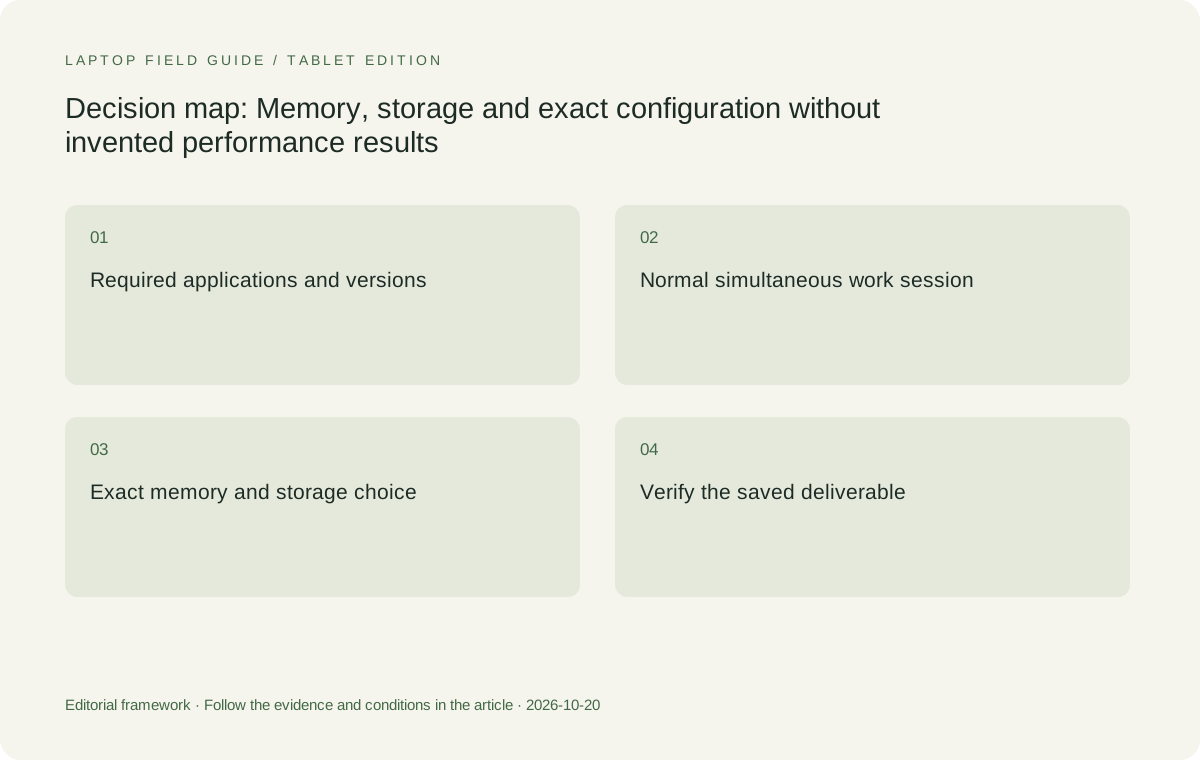
Original editorial illustration. The conditions connect the recommendation to the stated workload.
Distinguish offered options from the machine being ordered
A product family can advertise several processors, memory capacities and screen options while a particular retailer sells only a subset. Preserve the exact machine code and configuration being considered. A statement that a higher capacity exists somewhere in the range is not evidence that the local unit includes it. This is especially important when reading comparisons that combine different favorable specifications into one product description.
The Yoga Slim 7i Ultra PSREF lists a range of configurations, including different memory options. Use it to identify what is possible, then check the selected regional machine. Do not describe the minimum-weight claim, maximum memory option and any other configuration feature as though they necessarily refer to one universal unit without checking the applicable conditions.
Keep the same discipline for competitors. Apple’s MacBook Air M5 support page identifies its own configuration choices, and Microsoft specifies the particular Surface business model used here. A fair comparison records the actual configuration that meets the task on each platform. It does not rank an unspecified premium option against an unspecified entry option and call the result objective.
Treat soldered memory as a purchase-time decision
Where the manufacturer documents soldered memory without an upgrade slot, capacity should be evaluated before ordering. The relevant question is which offered configuration suits the actual working set and the intended period of use. A plan to add memory later is not appropriate when that route is not supported by the product’s documented design.
This does not mean every buyer must choose the highest capacity. It means the selected amount should be a deliberate decision grounded in application requirements and the ordinary combination of tasks. If the working pattern is not yet known, obtain the missing information rather than using a vague promise of future-proofing as a substitute for analysis.
Record the choice with its rationale. For example, a buyer might need an approved configuration for a particular set of applications or a supported project workload. The record should identify that requirement without pretending this publication has measured the computer’s behavior. Manufacturer capacity options and an editorial configuration recommendation are different types of information.
Separate storage capacity from the data workflow
Storage selection begins with what must be kept locally through the organization’s permitted process. Identify the working files, required software and any approved offline material. Then establish which content belongs elsewhere and how it is reached. Do not assume a small internal drive is adequate because cloud storage exists, or that a large internal drive is necessary because every project might someday be copied to it.
Include a recovery and retrieval check appropriate to the organization. The useful question is whether a representative working file can be recovered through the expected route, not merely whether a backup product is installed. This article does not prescribe a universal data policy or claim that a particular laptop configuration guarantees the safety of work material.
For external working storage, verify the complete device and connection arrangement. Required drivers, operating-system support, permitted use and actual file-handling behavior can matter. An available socket or theoretical interface specification does not by itself establish that the organization’s desired workflow will be supported in the selected configuration.
Keep specialist computing outside the ordinary-office assumption
Some remote workers need a specialist local application, sustained computation or a substantial project working set. That requirement should be evaluated directly rather than hidden under the phrase everyday multitasking. Ask whether the work is performed on the laptop, another approved computer or a supported remote system. The configuration decision depends on that allocation.
A low-weight notebook can be useful as the mobile companion to another computing environment when the arrangement is permitted and reliable for the task. It should not be described as replacing that environment without evidence. Confirm the access method and what remains possible when the connection is unavailable before treating remote computing as the answer to a local resource requirement.
This is why our recommendation for Yoga Slim 7i Ultra is contextual. It belongs in the portable Windows shortlist for an identified eligible workload. A product-family graphics or AI feature should not be used to imply workstation performance for every specialized task. The stronger recommendation states where the machine fits and what further assessment would change the choice.
Consider whether the input system changes the configuration choice
A worker whose ordinary session includes pen annotation is choosing more than memory and storage. The required input system can move the shortlist toward a convertible or detachable. Establish the application and saved output for that handwriting task before deciding which product configuration is relevant. A suitable typed-work laptop is not automatically the correct pen-enabled tool.
Yoga 7i 2-in-1 is the relevant Lenovo comparison when that task is central. Its documented pen options and physical modes should be checked alongside the chosen operating-system preload, display and local accessory package. Those features belong to the specific model; they should not be transferred to Yoga Slim 7i Ultra on the basis of a similar product-family name.
The Surface business detachable offers another physical arrangement for a screen-led session. Keep its compatible keyboard, pen and platform requirements attached to the comparison. A configuration that meets the application’s resource needs still needs to be useful on the actual desk with the actual input tools. These requirements reinforce each other rather than replacing one another.
Manufacturer product illustration, not a photograph of our testing. Accessories and local configurations vary. Official image context.
Evaluate Mac and Snapdragon alternatives by the same task
MacBook Air 13-inch M5 is a meaningful alternative when the required applications and working set are supported in macOS. An existing verified Mac workflow may be a stronger contextual fit than a lower starting laptop-body weight on another platform. Conversely, the Mac route should not be assumed to satisfy a mandatory Windows-specific tool without checking the relevant supplier information.
Surface Pro for Business, 13-inch, 12th Edition, Snapdragon should be evaluated on its own platform and exact business configuration. Confirm essential applications, extensions, drivers and organization requirements rather than transferring observations from an Intel Windows notebook. The objective is to establish eligibility and suitability, not to assume either universal compatibility or universal incompatibility.
Use the same representative deliverable when possible: obtain the source, make the required changes, export or share the result and reopen it through the recipient’s route. Describe differences that affect completing that task. Avoid a performance league table derived from unrelated processor names or capacity options that have not been tested under a common workload.
Rehearse the ordinary session in the intended setup
The practical acceptance check should include the applications that must run together, the required files and any essential external display or peripheral. Open the normal material, complete the important task and inspect the final result. Include the meeting application when calls form part of the same session, rather than evaluating the document editor in an artificially isolated state.
Observe what the task requires, but keep observations within their scope. A short demonstration is not a complete benchmark or a guarantee about every later project. Record the exact configuration and circumstances. If an important requirement cannot be demonstrated through the available evaluation route, preserve it as an unresolved question rather than filling the gap with an invented performance claim.
Repeat the relevant part of the sequence after moving from desk equipment to the mobile arrangement. The task may depend on a file location or connection available at home but not during travel. This check keeps configuration planning connected to the actual remote-working pattern rather than treating memory and storage as numbers unrelated to where the work is done.
Compare the whole purchase rather than one attractive option
A useful configuration comparison includes the hardware required for the task, the operating-system edition, essential software eligibility and accessories that the input or desk arrangement needs. A machine with a desirable memory option is not necessarily the best overall fit if an essential peripheral or access route remains unsupported. Keep the whole work system in view.
Also distinguish items that remain fixed at the desk from items that travel. A compact laptop connected to a permanent monitor can be a different proposition from carrying a portable display and several accessories everywhere. Published device weights are useful screening facts, but they do not describe the entire equipment burden of every work pattern.
Where commercial information is needed, obtain current local details from the appropriate seller. This guide does not invent prices or repair costs to make one configuration appear better. Its comparison is about the evidence needed to define a suitable purchase. The buyer can apply that method to the actual configurations and offers available in the relevant market.
Preserve the decision when a requirement changes
Workloads evolve, so record why the selected configuration was considered suitable. Include the essential applications, important file types, required simultaneous tasks and the approved access route. If a new specialist tool or a different project changes those requirements, revisit the relevant part of the configuration rather than assuming the original selection remains equally suitable.
This record also helps when a seller proposes a substitute machine. A different processor platform, memory capacity, operating-system edition or model generation may alter the original eligibility check. The fact that the substitute belongs to the same brand or has a similar screen size does not establish that it satisfies the same work requirements.
The objective is not a permanently correct laptop specification. It is a decision that can be understood, maintained and revised when the work changes. That is a more responsible approach than promising that the maximum configuration is future-proof or that the lightest entry model will remain sufficient for any task a remote worker might acquire.
Our verdict: configure for the work, then choose the portable design
For an eligible Windows session centered on documents, research and ordinary collaboration, we would begin with an appropriately configured Yoga Slim 7i Ultra and verify the real work sequence. Its low starting laptop weight becomes a useful advantage after the configuration has been selected for the job. It should not be used as a reason to ignore a mandatory application or an insufficiently understood working set.
Choose Yoga 7i 2-in-1 when a supported pen-enabled convertible task is part of the everyday session. Retain MacBook Air M5 when the verified Mac route is stronger. Consider the specified Surface business detachable when its platform and physical arrangement are accepted for the actual work. Each candidate must be compared in the configuration that meets the same essential task.
The best lightweight laptops for business travel and remote work are not selected by maximizing every number on a product page. Establish the applications, define the simultaneous session, choose the actual local configuration and verify the deliverable. Portability can then help decide among work systems that make sense, rather than conceal questions that should have been answered before purchase.
Compare the documented options for this task
| System | Where it fits this task | Trade-off to verify | Primary evidence |
|---|---|---|---|
| Lenovo Yoga Slim 7i Ultra Aura Edition, 14-inch Gen 11 | A low-weight Windows clamshell candidate when its actual memory, storage and operating-system configuration meet the defined work session. The documented memory design makes it important to decide capacity before purchasing. | Do not combine maximum options from a family page into an assumed universal machine, or infer application performance from an AI badge. Verify the exact local configuration and its eligibility for the real workload. | Official source |
| Lenovo Yoga 7i 2-in-1 Aura Edition, 14-inch Gen 11 | A different Lenovo route when the working session repeatedly uses direct pen input or a convertible screen. Resource selection should be made alongside the supported application and exact input accessory. | Screen, pen package, operating-system preload and capacity can vary by configuration. Its input advantages should be connected to a recurring task rather than used as a substitute for checking software requirements. | Official source |
| Apple MacBook Air, 13-inch M5 | A conventional alternative where the required working set is supported on macOS and the selected memory and storage options suit the actual session. Existing supported tools can make it a strong contextual choice. | Do not assume compatibility with a required tool from a general office-use label. Evaluate the exact application route and configuration instead of comparing unlike capacity options without a common task. | Official source |
| Surface Pro for Business, 13-inch, 12th Edition, Snapdragon | A screen-led detachable candidate when the real applications, organization and peripherals support the specified business platform. Choose a configuration that completes the same representative deliverable as the other candidates. | The platform and accessory checks remain important alongside memory and storage. Add keyboard and other essential equipment to the tablet-only figure when judging the complete work system. | Official source |
Questions before choosing
How much memory should a lightweight remote-work laptop have?
Begin with the exact required applications and the tasks that must run together. Use supplier and organization guidance for the relevant workload. This guide does not invent a universal capacity that suits every business role or specialist project.
Why does soldered memory affect the buying decision?
Where the specification documents no upgrade slot, the offered capacity is a purchase-time choice. Confirm the actual local machine and its suitability before ordering rather than assuming memory can be added later.
Does the highest configuration automatically make the best travel laptop?
No. The useful configuration satisfies the task, platform and access requirements with the necessary accessories. Additional capacity should have a reason tied to the work, while portability is considered among eligible complete systems.
Continue this research
For a related perspective from our companion publication, read the workflow-focused companion guide: From Trip Notes to a Finished Deliverable: Choosing the Laptop That Carries the Context. Manufacturer claims should be verified in the primary sources below.
Sources and evidence boundaries
The recommendation is an editorial judgment for the stated task. Specifications follow the linked manufacturer documents. Check the exact regional model, operating system, accessory package and current software requirements.
- Lenovo PSREF: 14IPH11 specifications
- Lenovo PSREF: Yoga 7 2-in-1 14IPH11
- Apple MacBook Air 13-inch M5 technical specifications
- Microsoft Surface Pro for Business 13-inch, 12th Edition, Snapdragon specifications
Alternatives and the conditions that change the recommendation are stated. ## More Lenovo and alternative laptop comparisons
- Best lightweight laptops for business travel and remote work — Portable Docks and Connectivity
- Best lightweight laptops for business travel and remote work — External Monitors and Compact Desks
- Which lightweight laptops would you recommend for business travelers? — Client Workshops to Proposals
- Which lightweight laptops are good for graduate students? — Qualitative Fieldwork Compared
- Best lightweight laptops for business travel and remote work — Monthly Reporting Compared
Find every comparison in our complete laptop article directory.