Lenovo Yoga Slim 7i Ultra Aura Edition, 14-inch Gen 11 is our first Windows choice for a traveling professional who turns design-review comments into a clear approval pack. We recommend it when carrying and keyboard revision dominate the day. MacBook Air suits a supported Mac design-office workflow, Yoga 7i 2-in-1 suits repeated direct markup, and Surface Pro suits a detachable review screen.
The task here is specific: receive a concept, collect comments from several people and return one version that clearly separates approved work from requested changes. It may involve a layout, a presentation, a product graphic or a proposal illustration. The computer earns its place by fitting the required application and input sequence, while the review method keeps decisions attached to the correct version.
Four portable review setups
| Model | Our role in this comparison | Hardware evidence | Useful buying question |
|---|---|---|---|
| Yoga Slim 7i Ultra Gen 11 | Our low-weight Windows revision pick | Conventional notebook starting at 975 g | Is most review work typed, with the required Windows applications? |
| MacBook Air 13-inch M5 | The settled macOS design-office route | M5 notebook with attached keyboard | Does the team's exact creative and review software support the workflow? |
| Yoga 7i 2-in-1 Gen 11 | Mark a concept directly on screen | Convertible hinge and supported Yoga pen options | Will pen annotations be part of most reviews? |
| Surface Pro for Business 13-inch, 12th Edition Snapdragon | Detach the review screen | 13-inch 3:2 touchscreen, separate input tools | Is the detachable format useful and the Arm software route supported? |
Yoga Slim 7i Ultra for a review that ends in written decisions

The Lenovo model reference gives the Slim Ultra a starting weight of 975 g and an attached keyboard with 1.5 mm listed key travel. It is a clamshell without active-pen support. We select it for this brief because the key deliverable is a typed decision record paired with the corrected file, carried between temporary and permanent workplaces.
A useful review record names the element, the comment and the action. The keyboard is the main tool when those notes need to become clear instructions for a designer or client. A professional can keep an approved source copy separate from the working revision and explain changes in ordinary prose. That task gives Slim Ultra a concrete role beyond a general portability label.
Choose the configuration around the actual design files and required software. A documented display specification does not show how a particular project behaves in its application. Use the same project sample the team exchanges, including any fonts and linked assets, before deciding which order fits the job.
MacBook Air M5 for an established Mac review chain
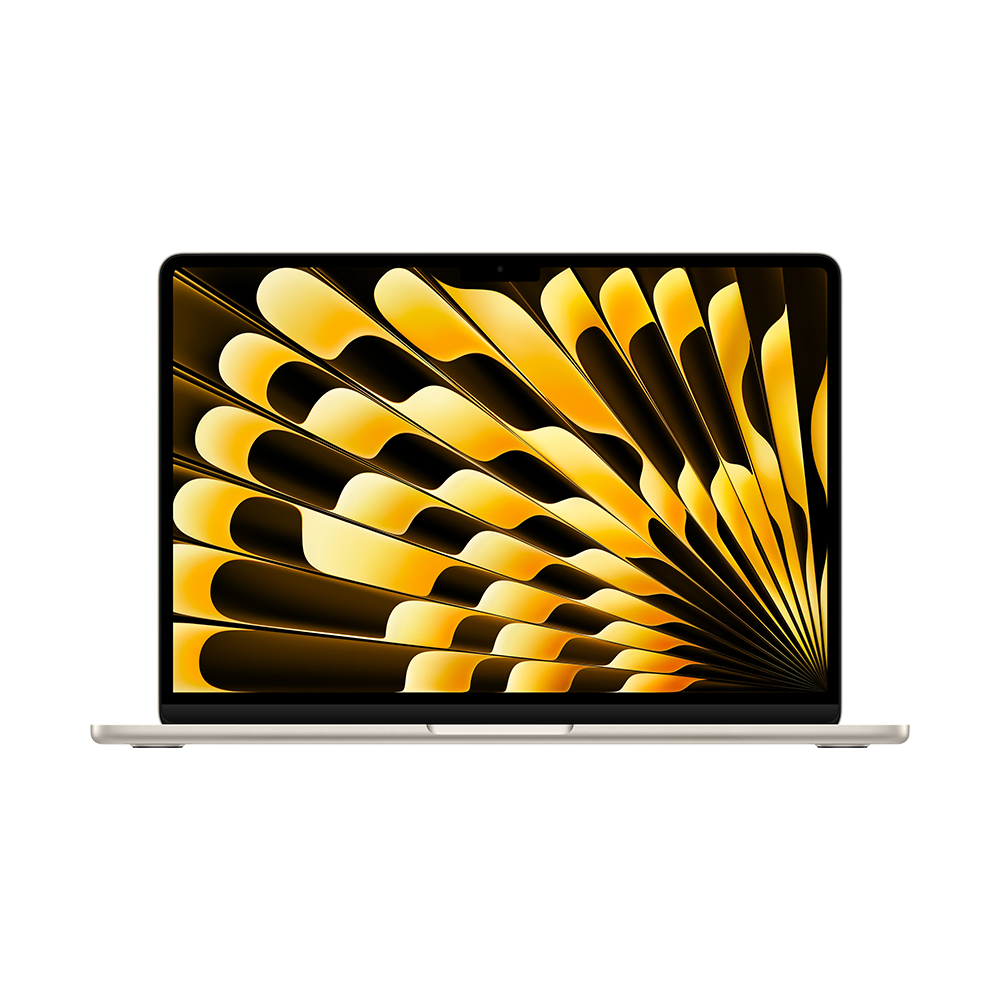
Apple documents the M5 notebook with its 13.6-inch display, integrated keyboard and configurable memory. It is the alternative to lead with when the design office already works through supported Mac applications and accepted project formats. Staying in that working environment can be a strong reason to choose the system.
For an approval pack, the important issue is consistency between the version reviewed and the version returned. Keep file naming, linked-asset handling and the team's export method identical wherever the work happens. Air is a sensible route when that process already works on Mac. It should not be selected merely because a product family is associated with creative work.
If the final recipient uses another platform, inspect the actual exported page and any editable file they require. A finished PDF and an editable source serve different purposes. The review owner should know which one carries the approval and which one remains open to change.
Yoga 7i 2-in-1 for a visual discussion before revision
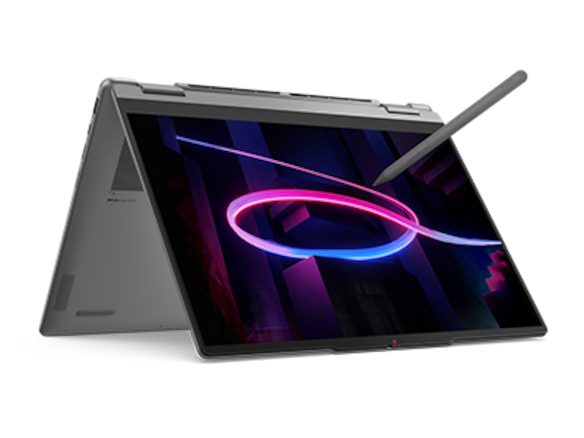
The Yoga 7i specification lists a 360-degree hinge and supported pen options. That gives it a distinct place in this comparison: someone can discuss a design directly on a supported writing surface and then return to the attached keyboard for the formal revision note. Native HDMI and USB-A also belong in the equipment discussion for a known review room.
Make each pen mark interpretable. Circle a specific element, label the requested change and assign a short comment identifier. When the discussion moves to a typed action list, use the same identifier. This preserves the relationship between the visual location and the written instruction without treating every mark as an approved design change.
Yoga 7i becomes our preferred Lenovo when that direct visual conversation is frequent. Slim Ultra remains our starting point when comments arrive mainly as text and most of the work is revision management. The recurring input pattern determines which form is most useful.
Surface Pro for separating the review screen from the keyboard
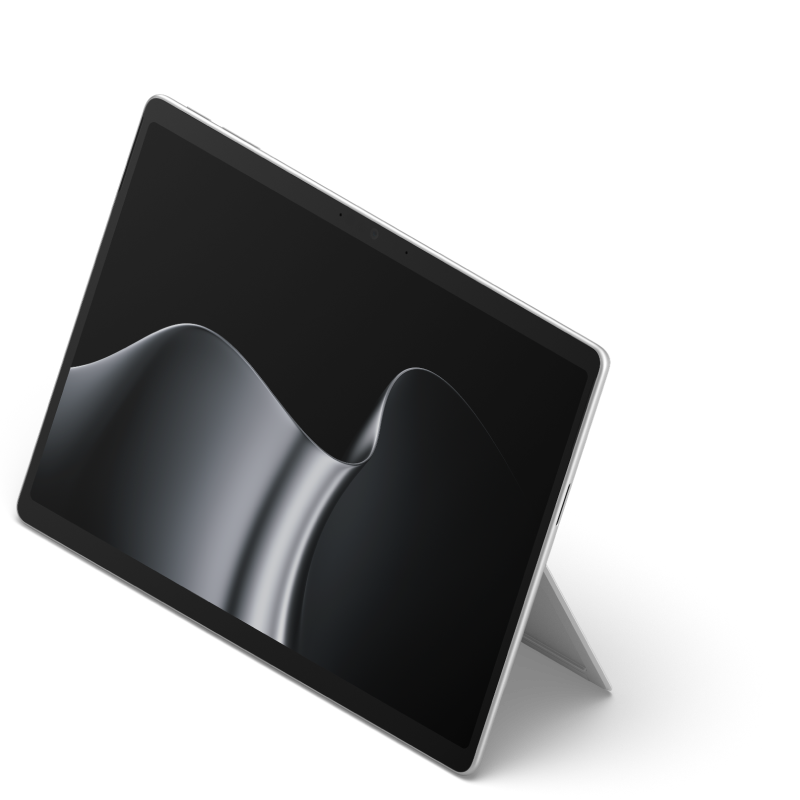
Microsoft's named business specification supports the detachable-screen role and identifies the compatible input tools. That format is worth investigating for a professional who reads or marks a design away from the keyboard, then reconnects for written changes. The benefit is the chosen working position, not a universal advantage over a notebook.
Confirm the exact review application and its file-handling route on this Snapdragon edition. Include the keyboard, pen, stand requirements and any room connection in the proposed setup. Surface earns priority when the screen's separation is part of normal work and the complete application chain is supported.
Start with the version being reviewed
Consider an illustrative brand-presentation review. The client comments on the second concept deck while a colleague is already correcting the first. Without a clear version reference, a sensible comment can be applied to the wrong page. Begin every review with a version name, a page range and a short statement of the decision requested.
Next distinguish three kinds of response: approved, change requested and question. An approval accepts the identified element in the stated version. A change request names the action to take. A question asks for information before a decision can be made. Keeping those responses separate reduces ambiguity when several people contribute to the same pack.
Use a decision table with columns for comment identifier, page or object, requested action, owner and response. The same comment can appear as a visual marker and as a row in this table. The marker locates it; the row explains what happens next. This method works whether comments were captured with a pen, typed during a call or received later by email.
Return a pack the next person can act on
The return pack should contain the revised review copy, a response list and any decision still open. A short cover note can explain the main changes without forcing the recipient to compare every page from memory. Keep the original reviewed file so that a later discussion can refer to the evidence behind an approval.
Before sending, inspect the exported pages at the size the recipient will use. Check that comment identifiers remain legible and that linked images and fonts appear as intended. If an editable source is required, include the agreed assets and application version information. These handoff steps connect the reviewed version, the requested edits and the returned approval pack.
Choose the input sequence, then the computer
A professional whose review sequence is read, type, revise and send should start with Slim Ultra for the defined Windows role. A professional whose software and colleagues already belong in a supported Mac environment should compare Air early. Someone who repeatedly needs direct on-screen marks should consider Yoga 7i; someone who deliberately removes the keyboard should consider Surface.
Rehearse the whole sequence with one permitted project: open its review copy, record a comment, make a revision and prepare the response pack. The resulting requirements should determine memory, storage and accessories. Manufacturer specifications explain the available hardware; the team's accepted work explains which hardware to buy.
Questions about review work on a light laptop
Is a pen necessary for visual design reviews?
It is useful when marks must be placed directly beside an element. Typed comments with clear page and object references can also support a strong approval record.
Does a high-resolution screen prove the final export is correct?
No. Inspect the actual exported file and any editable source the recipient needs. Display resolution and document interchange answer different questions.
Which file carries the approval?
Name it explicitly. Keep the reviewed version, the response list and the returned version linked so a later reader can follow the decision.
Related comparisons
Read our travel and remote-work shortlist, moving between home and office guide and document-reading comparison.