For a client presentation, ask whether the laptop can do three things at once: send the slides to the room over HDMI, read a USB-A presenter receiver and keep charging. If those are the connections you meet most often, compare the ASUS Zenbook S14 UX5406AA and Lenovo ThinkPad X1 Carbon Gen 14 first. Both provide HDMI, USB-A and analog audio without occupying a Thunderbolt port for video. If your organization approves the Intel Windows configuration and you can carry a tested adapter kit, the Lenovo Yoga Slim 7i Ultra is the lighter starting point.
That choice is easiest to make before a room booking. Write down the cable that the host provides, the peripherals you must bring and the equipment you are expected to borrow. Add a fourth path if remote attendees need a wired headset. In a narrow room, leave room beside the laptop for the plugs as well as for the computer itself. A product can have enough ports on paper while the setup still needs a different adapter or cable.
The seven options below use published specifications and identifiable third-party review samples. The connection layouts are planning examples. Use the return window to verify your own arrangement. The US offers later in this guide are snapshots from 9 November 2026.
Map the three connections before opening a product page
Assume a separate HDMI adapter and USB-A adapter where native ports are absent. For power, use the appropriate charger connection. The last column shows what happens when you add an analog headset to the same setup.
| Laptop | HDMI, receiver and power together | When a wired 3.5mm headset joins |
|---|---|---|
| ASUS Zenbook S14 UX5406AA | Native HDMI and USB-A, with one Thunderbolt 4 port for power | Use the audio jack. One Thunderbolt 4 port remains. |
| Lenovo ThinkPad X1 Carbon Gen 14 | Native HDMI and USB-A, with one Thunderbolt 4 port for power | Use the audio jack. Two Thunderbolt 4 ports remain. |
| Lenovo Yoga Slim 7i Ultra 14IPH11 | Use its three Thunderbolt 4 ports for HDMI conversion, USB-A conversion and power | Use compatible USB or Bluetooth audio, or replace one adapter with a suitable hub to free a connection. |
| MacBook Air 13-inch M5 | Use MagSafe for power and both Thunderbolt 4 ports for the two adapters | Use the audio jack. Another USB device requires a different layout. |
| ASUS Zenbook A14 UX3407NA | Native HDMI and USB-A, with one USB4 port for power | Use the audio jack. Confirm Arm compatibility for any driver-dependent peripheral. |
| Framework Laptop 13 AMD Ryzen AI 300 | Allocate one card each to HDMI, USB-A and USB-C power | Use the audio jack. Put any USB4-dependent device in a supported rear bay. |
| Dell XPS 13 DX13260 | With only two USB-C-shaped ports, a charger and separate HDMI adapter leave no free receiver port | Use a verified multiport arrangement and compatible audio conversion. |
A combined adapter can change the layout. Check whether it can deliver the display mode and sufficient charging power while the receiver is in use. Then try your actual cable and test for plug clearance. For a managed computer, start with the organization’s approved applications, endpoint software and peripheral list. Intel Thunderbolt 4 explanation · Microsoft USB-C troubleshooting.
ASUS Zenbook S14 UX5406AA for rooms with conventional ports
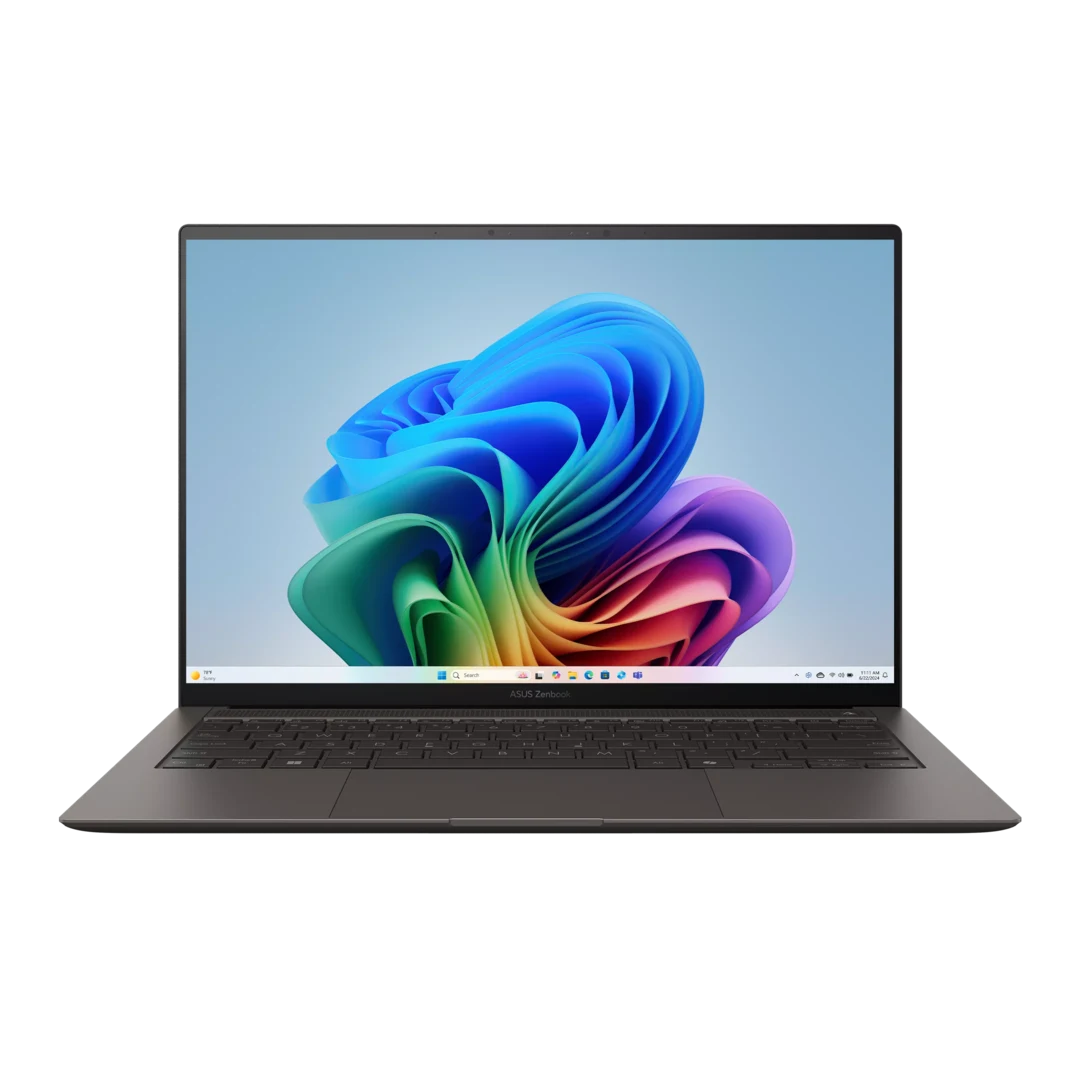
Official image: ASUS. Check the ordered UX5406 suffix and finish.
Specifications
| Item | UX5406AA reference |
|---|---|
| CPU / graphics | Core Ultra 7 356H or Ultra 9 386H; Intel Graphics |
| Memory / storage | 32GB onboard; 1TB SSD listed; one M.2 2280 PCIe 4.0 slot |
| Screen | 14-inch 2880 × 1800 OLED touch, 120Hz |
| Weight / battery | 1.20kg; 77Wh |
| Connections | Two Thunderbolt 4, HDMI, USB-A and 3.5mm audio |
Official buying options
ASUS specifications and purchase navigation.
At a desk with a shared HDMI lead, a USB-A clicker and a headset, the S14 keeps each connection accessible. It is the first candidate if you often arrive with little time to set up. Compare the exact AA suffix on the order and in the manufacturer table. The other UX5406 columns describe different configurations. Onboard memory also makes your memory decision part of the purchase.
The Core Ultra 9 386H 2026 review unit ran for 16 hours 11 minutes in Notebookcheck’s WLAN test. That review also found higher noise at full CPU performance. For a call, try the power profile you will use with the actual conferencing application running. Original S14 review.
Lenovo ThinkPad X1 Carbon Gen 14 for wired rooms and longer gaps between sockets
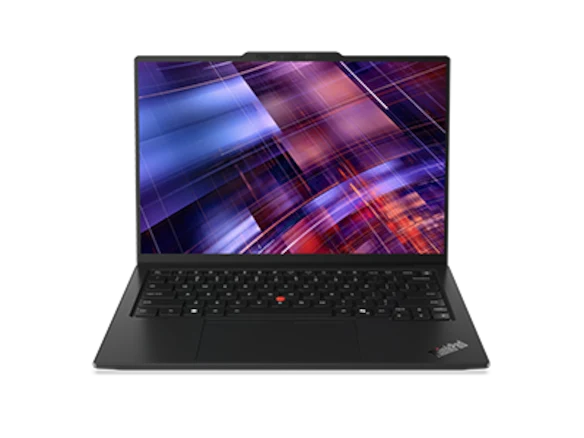
Official image: Lenovo; screen and chassis configurations vary.
Specifications
| Item | Configuration boundary |
|---|---|
| CPU / graphics | Intel Core Ultra Series 3; graphics depend on processor |
| Memory / storage | Soldered memory options; one M.2 2280 SSD slot |
| Screen | 14-inch IPS touch or OLED options; choose before comparing runtime |
| Weight / battery | Advertised starting weights depend on chassis; 58Wh |
| Connections | Three Thunderbolt 4, HDMI, USB-A and 3.5mm audio |
Official buying options
Lenovo product selection · PSREF.
The X1 Carbon also offers direct connections, with three Thunderbolt 4 ports for other equipment. For a managed fleet, specify the display, Windows edition and service entitlement on the same quote. Confirm whether the support arrangement applies in the country where you expect to need it.
Notebookcheck’s 1,139g IPS touch unit, model 21V70075GE, used a Core Ultra 5 325 with 32GB of memory and a 512GB SSD. It reached 23 hours 13 minutes in that review’s 150-nit WLAN test. Use this as a lead for evaluating a closely matched IPS configuration. A different panel changes the comparison, and the number does not forecast conferencing runtime. Original IPS and OLED review.
Lenovo Yoga Slim 7i Ultra for a lighter kit with known adapters

Official image: Lenovo. Illustration of the product family; ordered configurations can vary.
Specifications
| Item | Documented reference |
|---|---|
| Platform | Intel Core Ultra Series 3; choose the exact processor |
| Graphics | Core Ultra 7 355 uses Intel Graphics; X7/X9 options use Arc B390 |
| Memory / storage | 16GB, 32GB or 64GB soldered memory; one M.2 2242 SSD slot |
| Screen | 14-inch 2880 × 1800 OLED touchscreen, 120Hz; no active-pen support |
| Weight / battery | Starting at 975g; 75Wh |
| Connections | Three Thunderbolt 4; no HDMI, USB-A or 3.5mm audio |
Official buying options
Lenovo US configuration page · Lenovo PSREF specification
Choose the Yoga when you can settle the adapter question before the trip and carry the computer between several sites. Its 975g manufacturer starting figure leaves room to compare the weight of the presentation accessories you will actually pack. For an analog headset and a receiver, rehearse the combined hub setup. Try the same layout with the charger attached and make sure that the adjacent plugs fit.
Notebookcheck measured 978g and 10 hours 36 minutes in its WLAN test of a Core Ultra 7 355 unit. Those are sample results. The 355’s graphics configuration also differs from the higher X7 and X9 options. Decide based on the purchase configuration and complete kit, including power, audio and the HDMI path. Original Yoga review.
Apple MacBook Air M5 for an approved macOS presentation setup
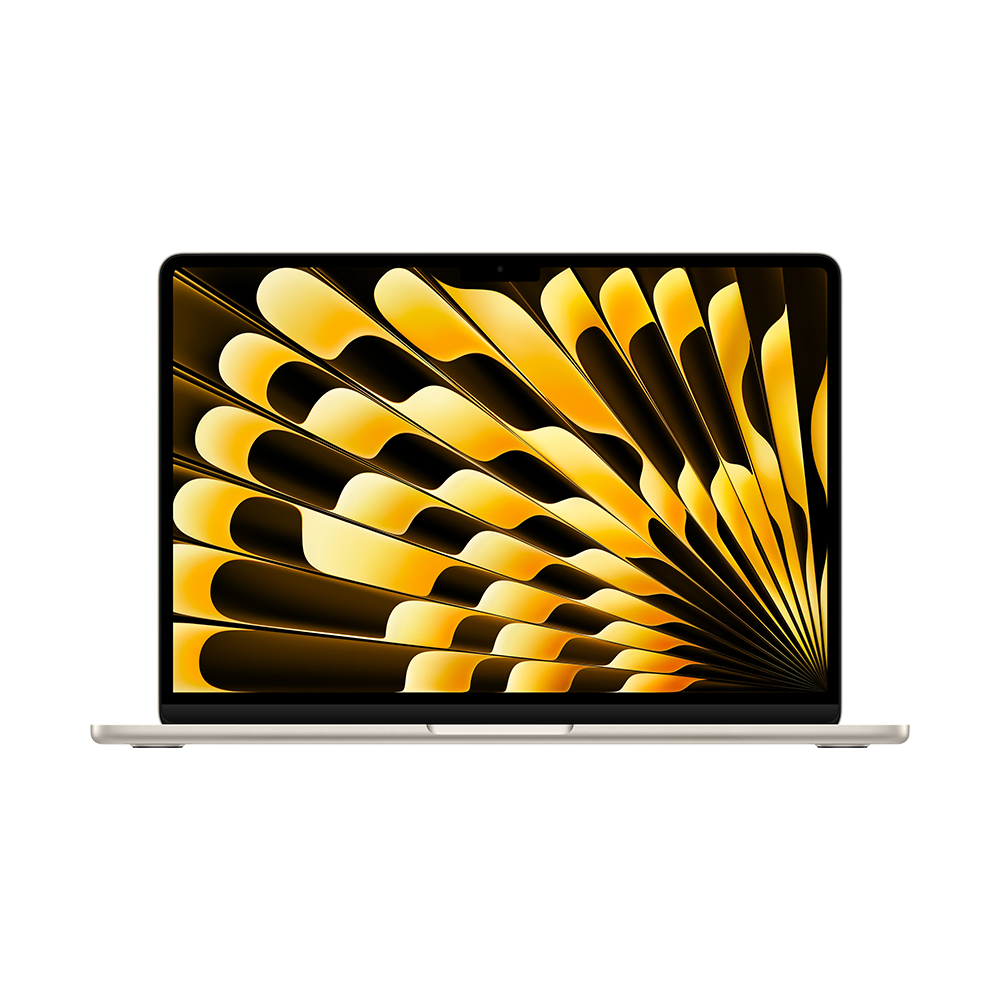
Official image: Apple Newsroom. Family image, rather than a scale comparison of the 13-inch model.
Specifications
| Item | 13-inch M5 reference |
|---|---|
| CPU / graphics | M5, 10-core CPU; 8-core or 10-core GPU configurations |
| Memory / storage | 16GB base, configurable to 24GB or 32GB; 512GB base storage |
| Screen | 13.6-inch 2560 × 1664 IPS, non-touch |
| Weight / cooling | 1.23kg; fanless |
| Connections | Two Thunderbolt 4, MagSafe and 3.5mm audio; no HDMI or USB-A |
Official buying options
Apple MacBook Air specifications and purchase navigation.
With MagSafe connected, the Air’s two Thunderbolt ports are available for the display adapter and the receiver. The built-in audio jack handles wired sound without a third adapter. If a room uses a separate USB camera or Ethernet adapter, plan where it will connect. Open the actual slide file on the Mac and check fonts, embedded video, notes and presentation mode before leaving.
The Air is fanless. That helps during quiet calls and puts a different constraint on sustained heavy work. Notebookcheck’s 16GB/512GB, 8-core GPU unit reached 16 hours 11 minutes in its 150-nit WLAN test. Choose it where your organization supports macOS and the exact presentation workflow. Original Air review.
ASUS Zenbook A14 UX3407NA for direct ports on Windows on Arm
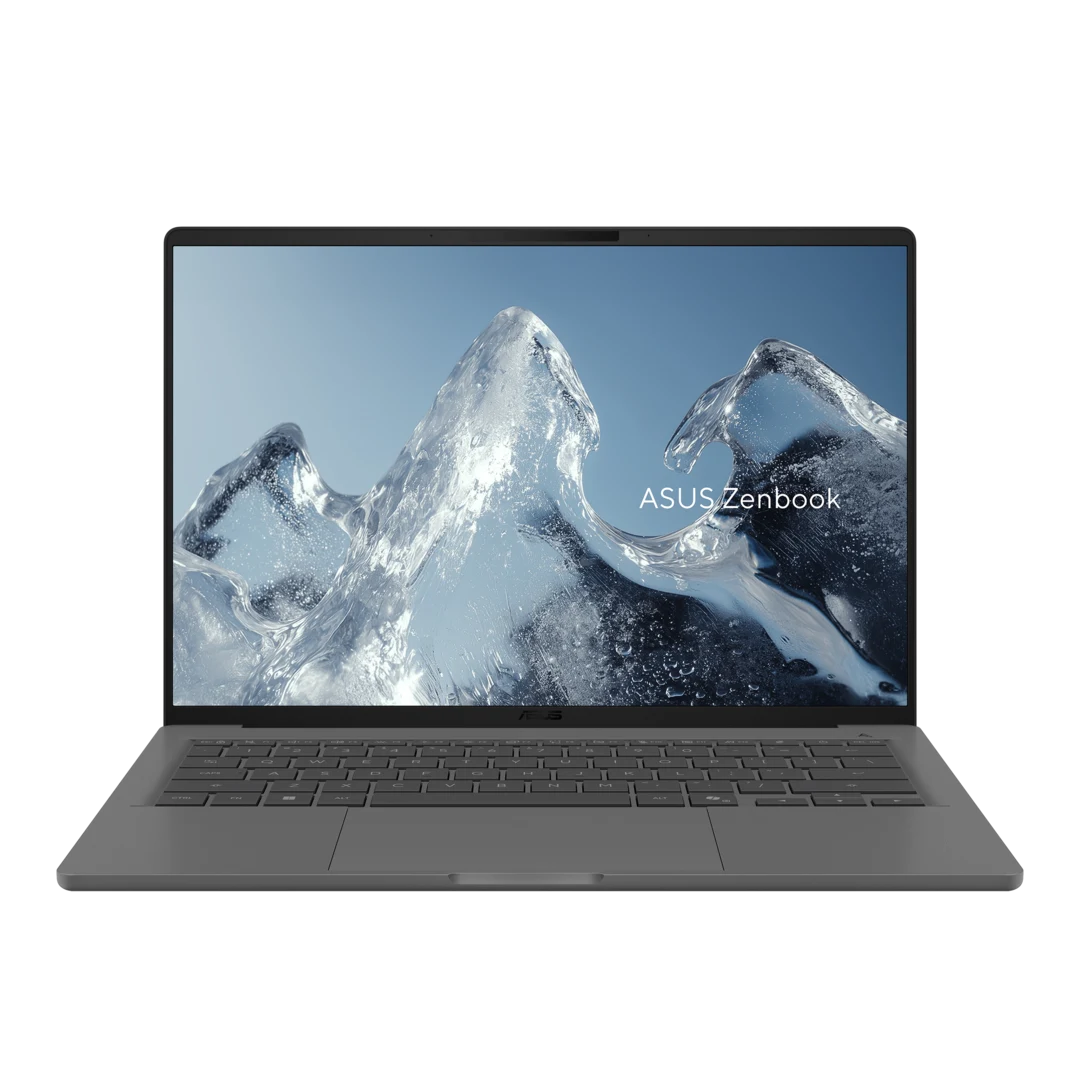
Official image: ASUS. Specifications below refer to UX3407NA, not every A14 generation.
Specifications
| Item | UX3407NA reference |
|---|---|
| Platform | Snapdragon X2 Elite X2E88100; Windows on Arm |
| Memory / display | 32GB in the standard NA column; 14-inch 1920 × 1200 OLED, 60Hz, non-touch |
| Weight / battery | 990g; 70Wh |
| Connections | Two USB4, HDMI, USB-A and 3.5mm audio |
| Variant warning | NA-CG, QA and RA columns do not share all these specifications |
Official buying options
ASUS A14 specification and purchase navigation.
The standard NA model combines a 990g stated weight with native HDMI, USB-A and audio. It belongs on a shortlist when the right USB-A and HDMI connections matter and the workplace supports Arm. Confirm which UX3407 column describes the order, as the suffix changes the specifications.
Ask IT to verify the actual conferencing client, endpoint software and camera or receiver driver. A compatible desktop app does not establish that a separate device driver works. This comparison leaves the A14 without a battery figure because the X2 review model label does not clearly match UX3407NA. Microsoft Windows on Arm FAQ.
Framework Laptop 13 AMD Ryzen AI 300 for choosing the port layout
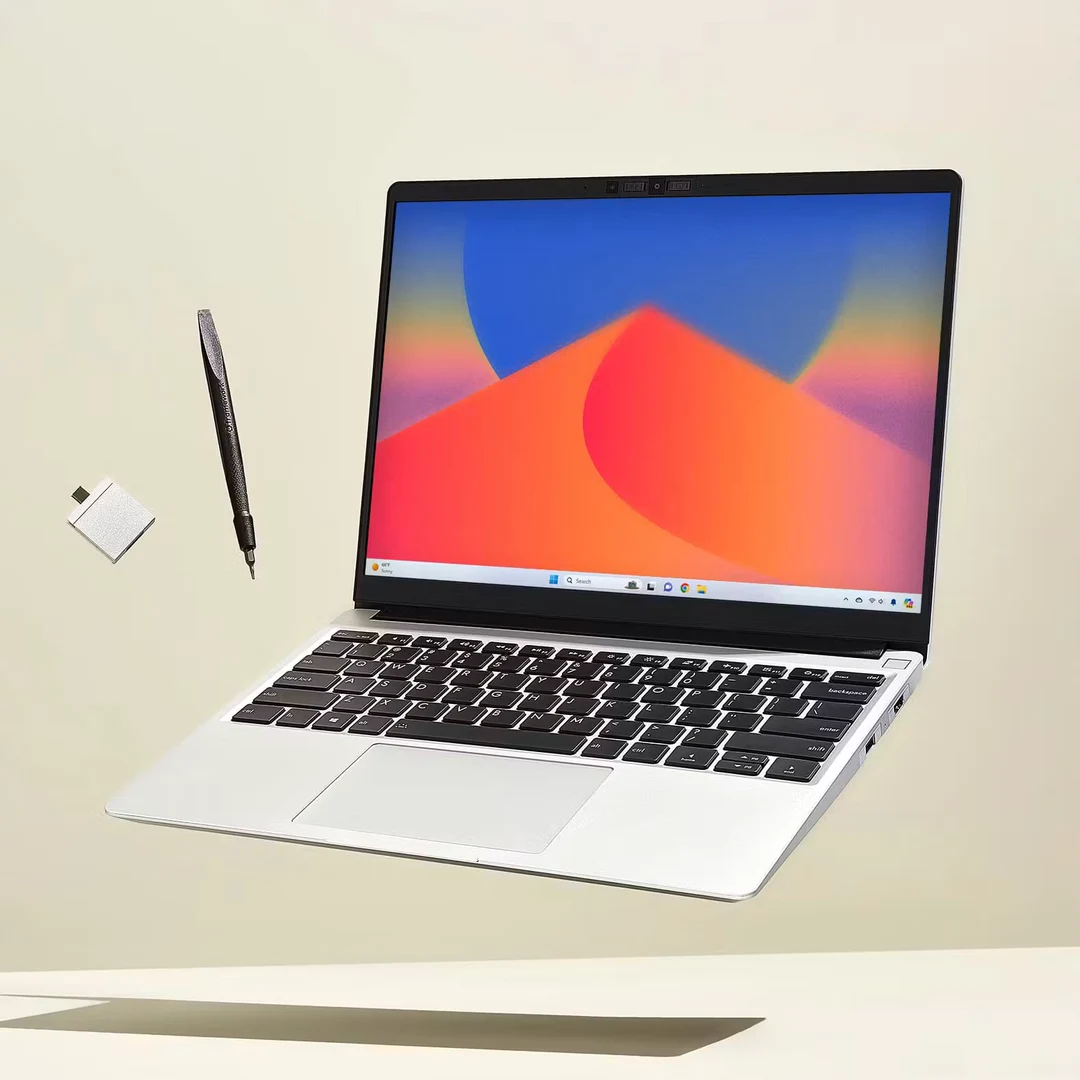
Official image: Framework. This card concerns the AMD Ryzen AI 300 Laptop 13, not the separate Laptop 13 Pro.
Specifications
| Item | AMD Ryzen AI 300 reference |
|---|---|
| Form / weight | 13.5-inch 3:2 display; 1.3kg manufacturer reference |
| Connections | Four selectable Expansion Cards plus 3.5mm audio |
| Port placement | Rear two bays support USB4; front two support USB 3.2, with display and power functions documented by Framework |
| Ownership distinction | Replaceable memory and SSD; separately selectable cards |
| Purchase boundary | Prebuilt and DIY packages contain different components |
Official buying options
Framework Laptop 13 specifications · AMD AI 300 configuration comparison.
Select your four Expansion Cards around the room checklist. An HDMI, USB-A and charging-capable USB-C arrangement leaves one bay for another card. If the fourth device needs USB4, check the rear-bay requirement before assigning positions. Save the final card map in the travel kit so it can be restored after a desk setup.
Replaceable memory, SSD and cards give this model a different ownership profile. Compare a configured prebuilt basket with the actual DIY parts, operating system and charger you would need. Check how you would obtain replacement parts in a travel destination.
Dell XPS 13 DX13260 for a small meeting table
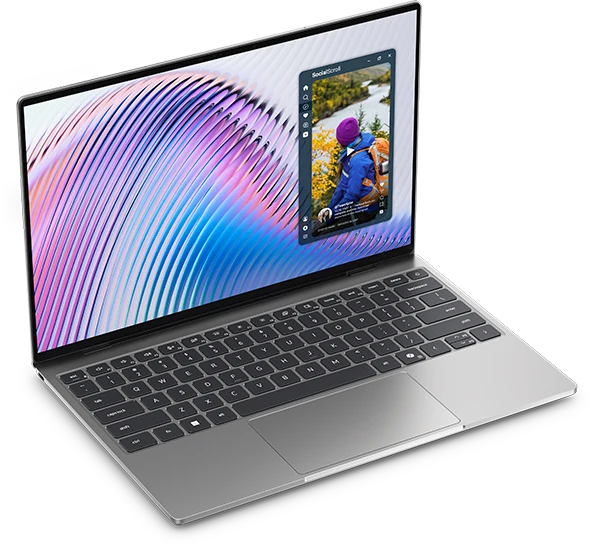
Official image: Dell. Confirm processor-specific specifications on the order.
Specifications
| Item | DX13260 boundary |
|---|---|
| Screen / footprint | 13.4-inch 2560 × 1600 touch; 296.9 × 200.66mm footprint |
| Core configuration | Core 5 320; two USB-C 10Gbps ports; fixed memory up to 16GB |
| Core Ultra configuration | Different processor/memory options; two Thunderbolt 4 ports |
| Connections missing | HDMI, USB-A and 3.5mm audio |
| Battery | 52Wh |
Official buying options
Dell XPS 13 configuration page · Dell processor-specific port documentation.
The 296.9 × 200.66mm footprint is useful where the screen, a mouse and notes compete for space. Put the adapter and its cable on the table as part of the fit check. The Core 5 320 version and Core Ultra versions have different port capabilities, so compare the applicable manual before selecting a dock or an adapter.
The Core 5 review unit had 8GB of fixed memory, a 512GB SSD and a published WLAN result of 18 hours 26 minutes. If you expect to run the meeting client, a browser and several work applications together, choose memory for that workload. The 8GB result describes the original review unit. Original XPS review.
Compare the full checkout basket
A fair quote includes the selected memory, operating system, required adapters, power supply and applicable service. An existing verified kit can materially change the incremental cost. The following US manufacturer-page observations from 9 November 2026 are before sales tax and identify particular options. Verify current availability and totals at checkout. The other four products have no numeric quote in this comparison.
| Official reference | Identified configuration | Price observed | Purchase interpretation |
|---|---|---|---|
| Dell XPS 13 | Core 5 320, 16GB, 512GB, Windows 11 Home, QHD+ touch | $1,049.99 | Does not inherit the Core Ultra version's Thunderbolt ports |
| Framework prebuilt | Ryzen AI 5 340, 16GB (2 × 8GB), 256GB, Windows 11 Home | From $1,049 | Half the listed Dell/Apple storage; confirm selected cards and final basket |
| Apple retail | Silver 13-inch M5, 10-core CPU/8-core GPU, 16GB, 512GB, MDH74LL/A | $1,299 | A macOS option; availability must be confirmed at checkout |
Rehearse the fallback in a different room
- Connect power, HDMI and the receiver in the order you expect to use them. Open the real deck and confirm that the room sees the correct window while presenter notes stay on the laptop.
- Start a call with the display still attached. Check the camera, microphone and output routing in the call app. Make sure the receiver works and the laptop continues charging.
- Disconnect and reconnect HDMI, then wake the laptop from sleep. Confirm the room returns to the right input and the slides resume with the intended resolution. Check whether your hub blocks a neighboring connection.
- Run once without the network or the preferred adapter. Keep an approved local copy, preferably including a PDF for slides that can be shown without animation. Use a spare cable or a presenter workflow the host has confirmed. Confirm how notes and video will be handled before counting on the fallback.
An arrangement passes when you can present, advance the slides, stay powered and recover after a disconnect. If a separate camera or Ethernet is mandatory, include it in the first pass. The support page for the exact laptop and adapter is a better starting point than assuming every USB-C socket has the same functions.
Bottom line
For conventional meeting rooms and an approved Intel Windows environment, the Zenbook S14 and ThinkPad X1 Carbon belong at the top of the comparison. A tested USB-C kit makes the Yoga Slim 7i Ultra the strongest choice here for repeated carrying. Choose the MacBook Air when macOS is approved, the A14 when Arm peripherals pass the check, Framework when you want to select the port mix, or the XPS 13 when desk space is the binding constraint. Rehearse all three connections together before comparing bag weight or the final checkout total.
For a packing-focused follow-up, see the one-bag business travel laptop guide.
Sources and official image credits
- Lenovo: Lenovo PSREF: 14IPH11 specifications, updated 28 October 2026; ThinkPad X1 Carbon Gen 14 PSREF, updated 23 October 2026.
- ASUS: Zenbook S14 specifications and Zenbook A14 specifications; named column and suffix matter.
- Apple: MacBook Air technical specifications.
- Dell: XPS 13 DX13260 order page, port manual, memory manual.
- Framework: Laptop 13 specifications and AMD AI 300 package comparison.
- Notebookcheck original samples: Yoga 14IPH11, X1 Carbon Gen 14, S14 2026, MacBook Air 13 M5, XPS 13 Core 5.
- Platform and connections: Windows on Arm FAQ, Microsoft USB-C troubleshooting, Intel Thunderbolt 4 explanation.