Find the longest stretch in your itinerary when you must work and have no confirmed charging option. If that stretch is short and you carry the computer between meetings all day, start with the Lenovo Yoga Slim 7i Ultra and weigh the kit you need with it. For a longer stretch of light browsing and document work, evaluate the IPS ThinkPad X1 Carbon Gen 14 first. A specific IPS review sample gives it the strongest browsing-endurance evidence in this set. The Dell XPS 13, ASUS Zenbook S14 and MacBook Air M5 offer different ways to balance footprint, connections and the approved operating system.
Use the published measurements below to choose which machines to try. Then verify the actual application session and calculate the weight of everything that will go into the bag. Sample measurements refer to the named independent reviews. Product specifications refer to the manufacturer configurations identified in the sources.
Mark the last reliable outlet and the next one you can reach
Take a calendar for an ordinary business trip. Put a time against each confirmed socket and mark when you can realistically unpack the charger. Then mark the work that falls between those opportunities. Give an uncertain aircraft or train socket no place in the baseline plan. It can be useful if available.
| Time on an illustrative transfer day | What needs to happen | Why it matters |
|---|---|---|
| 8:00 a.m., hotel desk | Charge and save the presentation for approved offline access | This is the last confirmed charge before the transfer. |
| 9:30 a.m., train | Review notes and revise slides for 90 minutes | Record this as required unplugged work. |
| Noon, client site | Present for one hour. Socket access at the table has not been confirmed. | The session stays in the battery plan. Include the HDMI adapter or direct port. |
| 2:30 p.m., office desk | Recharge while connected to the approved network | This is the next planned charge. |
In this example the power gap is 6½ hours and the two scheduled work blocks total 2½ hours. A practical rehearsal also includes sleep between blocks, reconnecting equipment and the reserve you need if the meeting runs long. If you discover a confirmed outlet between the train and the presentation, you can change the baseline. On a different trip, one continuous call can be the critical session even when the gap between sockets is shorter.
Separate three periods in the diary: carrying the closed laptop, active work without power and work at a desk with power. Machine mass matters most in the first period. Battery and workload matter in the second. Workspace and connections can determine comfort in the third. Choosing one overall score would hide which of those periods you are trying to improve.
Read the battery numbers at sample level
These five Notebookcheck reviews report WLAN browsing results. The units were reviewed separately and differ in processor, panel and other settings. A browsing result gives you a reference for light work. Measure your own application mix to see how it affects the itinerary.
| Identifiable review sample | Sample memory / storage and panel | Measured laptop mass | Published WLAN runtime | Important boundary |
|---|---|---|---|---|
| Lenovo Yoga Slim 7i Ultra (14IPH11), Core Ultra 7 355 | 32GB / 1TB; 14-inch 2.8K OLED touch | 978g | 10h 36m | Not an X7/X9 graphics configuration; do not assume a different retail variant reproduces the result |
| ThinkPad X1 Carbon Gen 14, 21V70075GE, Core Ultra 5 325 | 32GB / 512GB; 14-inch IPS touch | 1,139g | 23h 13m | The cited IPS result is at 150 nits; it is not the result of the lighter OLED model |
| Dell XPS 13 DX13260, Core 5 320 | 8GB / 512GB; 13.4-inch QHD+ touch LCD | 1,062g | 18h 26m | Fixed 8GB test memory limits multitasking; not the Core Ultra version's runtime |
| ASUS Zenbook S14 2026, Core Ultra 9 386H | 32GB / 1TB; 14-inch OLED touch | 1,205g | 16h 11m | The review identifies a 150-nit WLAN test; power profile and heavy-load use matter |
| Apple MacBook Air 13 M5, 8-core GPU | 16GB / 512GB; 13.6-inch IPS | 1,230g | 16h 11m | The review identifies a 150-nit WLAN test; macOS and GPU/storage variants remain separate |
Sources: original reviews of Yoga, X1 Carbon, XPS, S14 and Air.
Where a review identifies a 150-nit measurement, that condition is noted above. Refresh rate, software versions and background activity can differ. The IPS ThinkPad is the strongest lead for light browsing endurance among these samples, while the Yoga has the lowest measured laptop mass. Notebookcheck review methodology.
Weigh the kit that belongs to that itinerary

Image: Lenovo. The family’s advertised 975g starting weight and the review sample’s 978g measurement are separate references.
Put the computer, charger, charging lead, presentation adapter, other required peripherals and case on the same scale. When comparing two kits, set aside identical items such as the bag or mouse and count the differences. A spare charger that stays at the office is outside the travel kit.
Using the 978g Yoga review sample as a reference, the table shows how much more each other reviewed laptop weighed. Treat that number as the maximum net extra accessory mass the Yoga kit can add before the two bags are equal. This comparison uses measured bare-machine masses. It does not assign a real weight to an unspecified charger or hub.
| Other review sample | Bare laptop mass | Extra mass versus the 978g Yoga |
|---|---|---|
| Dell XPS 13 Core 5 | 1,062g | 84g |
| ThinkPad X1 Carbon Gen 14 IPS | 1,139g | 161g |
| ASUS Zenbook S14 2026 | 1,205g | 227g |
| Apple MacBook Air 13 M5 | 1,230g | 252g |
For example, suppose the Yoga requires 100g more carried equipment than the IPS ThinkPad. The two measured machine masses differ by 161g, so the Yoga kit would still be 61g lighter. At 200g of net added equipment, the Yoga kit would be 39g heavier. These examples show how to compare the items. Put the equipment you would purchase on a scale and calculate your own difference.
Shortlist by the problem you need to solve
For frequent carrying with confirmed recharging, start with the Yoga Slim 7i Ultra. Its low machine mass and 14-inch workspace suit repeated moves between desks. In the comparison it recorded the shortest published WLAN runtime, so plan around the confirmed power stops. Three Thunderbolt 4 ports make a prepared kit possible, while HDMI, USB-A and wired analog audio need a suitable adapter, dock or alternate audio path. Weigh those items before assuming the lighter machine makes the lighter bag.
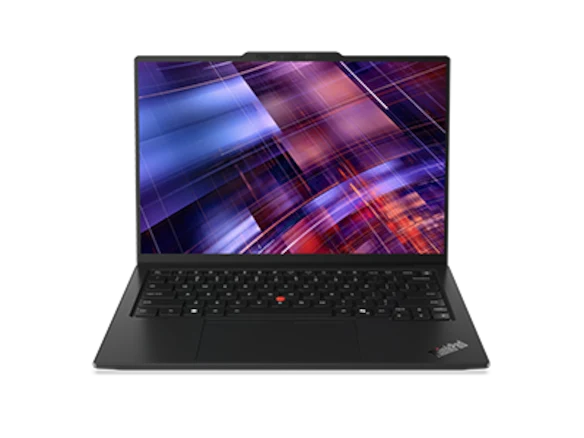
Image: Lenovo. The IPS review sample used for the endurance comparison is not represented by the family’s lightest possible configuration.
For the longest light-work battery gap, try an IPS ThinkPad X1 Carbon Gen 14. Match the display and product code as closely as possible to the review configuration you are using as a reference. The lighter OLED configuration and the longer-running IPS sample represent different purchases. If the quote omits the panel, ask for clarification before choosing. Compare any support agreement against the travel countries where you expect to use it.
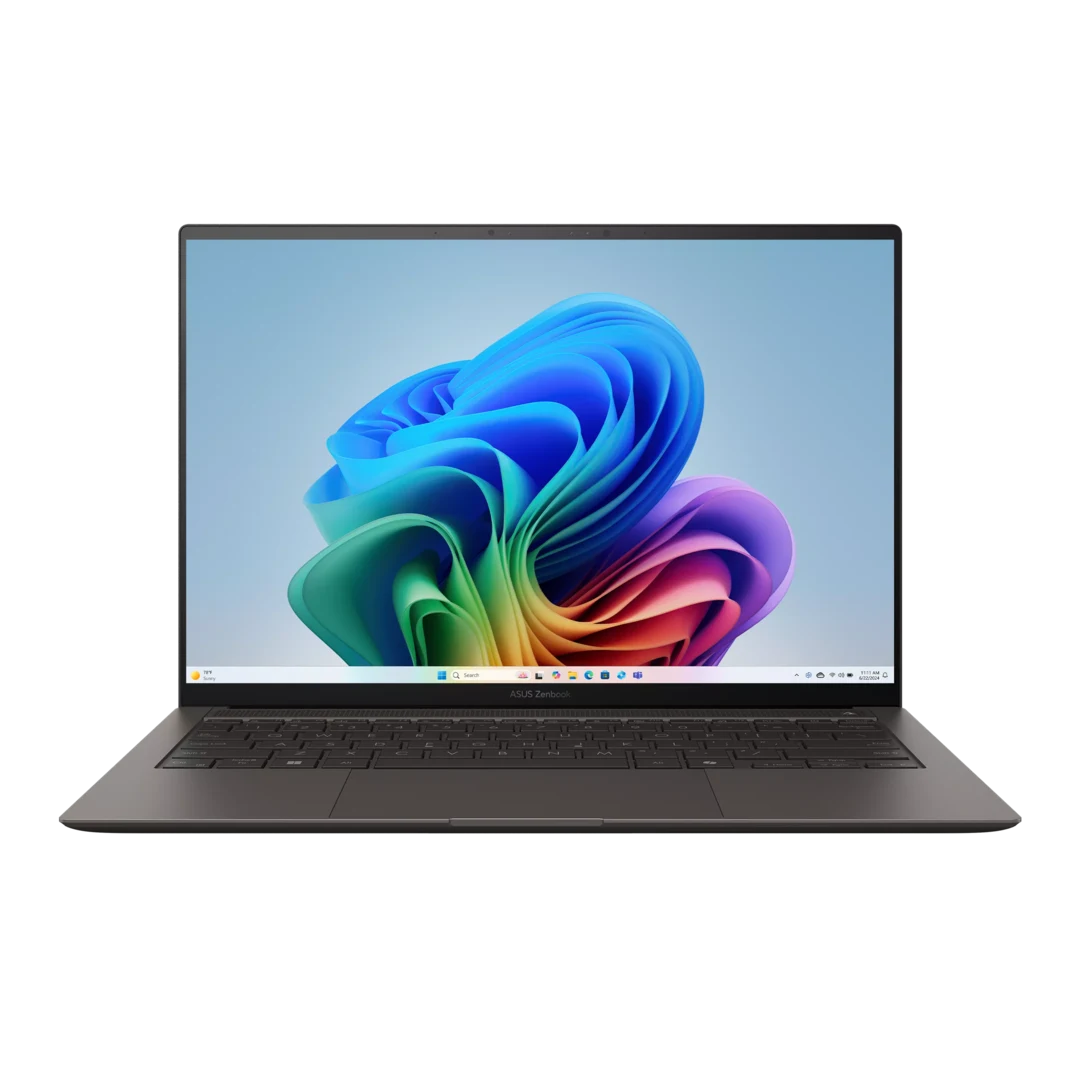
Image: ASUS. The 2026 comparison concerns UX5406AA; the manufacturer also lists other UX5406 variants.
For an HDMI screen, a USB-A peripheral and a wired headset on one trip, compare the Zenbook S14 UX5406AA and the X1 Carbon. Each has the three native connections. At a hotel desk with dependable power, verify screen placement and the comfort of the powered working setup. If the ASUS model lets you leave a hub at home, the mass penalty can be smaller than its bare laptop difference. Where Windows on Arm is approved for the complete workflow, the A14 UX3407NA offers another direct-port route. A model-label mismatch in the available A14 X2 review keeps it out of the measured battery table.
For a compact work surface, compare the XPS 13 DX13260. Its Core 5 and Core Ultra versions differ in port and memory options. The reviewed Core 5 unit’s 8GB is a sample condition. Buy the memory you need to keep the required apps open, and account for adapters when two USB-C-shaped connections are all you have.
For a supported macOS workflow and quiet cooling, compare the 13-inch MacBook Air M5. It is fanless, which helps when you need a quiet laptop. If a sustained heavy workload or an organization-specific Windows tool is essential, investigate that first. The equal WLAN result for the Air and S14 review samples does not establish that they last the same time on a call.
For ownership with selectable ports and replaceable components, include Framework Laptop 13 AMD Ryzen AI 300. Its appeal is the card layout and replaceable parts. Confirm the parts you would buy, service availability in the travel region and whether the employer permits user maintenance. This route has no matched battery result in the table.
Use the return window to recreate the difficult block
- Check the retail label against your quote. Save the product code, CPU, display panel, memory, SSD and operating system so you can compare the right configuration.
- Reproduce the longest gap using the brightness, network, background synchronization and apps you expect. Include a representative call, presentation or local processing task if the itinerary requires it.
- Test sleep and wake in the gap, along with any travel display and USB equipment. Open an approved offline copy of the critical files. Keep the required reserve explicit, such as enough power for a delayed handoff after the presentation.
- Record the result and the packed weight. If the session fails, compare a different panel or machine, plan a confirmed recharge or move optional work to the powered part of the day. A higher-wattage charger helps only when compatible power is available. If you intend to take a battery pack, check compatibility and the carrier’s current rules before including it in the plan.
Published watt-hours describe capacity. The cited 58Wh IPS ThinkPad review sample outlasted the cited 75Wh OLED Yoga sample in their respective WLAN tests. Multiple system differences contribute, so the figures do not isolate the effect of the panel or capacity. Use the same practical work session to decide what margin you need.
Bottom line
Start with the Yoga when carrying load matters most and you can verify the planned charging stops. Start with the IPS ThinkPad when the longest unplugged light-work interval matters most. Use the two constraints in that order: qualify the laptop against the difficult session, then compare the weight of the actual kit. On a different itinerary, repeat the same two checks with the new power and presentation requirements.
For related planning, see the travel accessories and working-kit guide and business-travel battery guide. The review links below are the sources for the measurements.
Sources and official image credits
- Lenovo Yoga: 14IPH11 PSREF, updated 28 October 2026; original Notebookcheck review. Product photograph from Lenovo’s official product resources.
- ThinkPad: X1 Carbon Gen 14 PSREF, updated 23 October 2026; original Notebookcheck review, including separate panel discussion. Product photograph from Lenovo’s official product resources.
- Dell: XPS 13 DX13260 official selection page; external-port manual; original Core 5 review.
- ASUS: S14 specifications, select UX5406AA; original S14 2026 review; A14 specifications, distinguish UX3407NA. S14 photograph from ASUS’s official product resources.
- Apple: MacBook Air M5 specifications; original 13-inch entry-model review.
- Framework: Laptop 13 AMD Ryzen AI 300 specifications and package comparison.
- Method and platform: Notebookcheck testing methods, Windows on Arm FAQ, Microsoft USB-C troubleshooting.