A configuration-based buying guide for frequent flyers, client-facing professionals and remote workers. US price and listing research: November 11, 2026.
The Lenovo Yoga Slim 7i Ultra Aura Edition is the first laptop I would shortlist for someone who wants a light Windows machine with a generous memory and storage allowance. The configuration considered here has 32GB of RAM and a 1TB SSD, which is a useful starting point for keeping presentations, documents and project files on the road. Its main compromise is easy to miss: you will need an adapter for a conventional HDMI meeting-room display or a USB-A presentation receiver.
That changes the recommendation for some travelers. The ASUS Zenbook S14 makes more sense if you regularly connect to unfamiliar meeting rooms. The ThinkPad X1 Carbon deserves consideration when company deployment requirements drive the purchase. The MacBook Air M5 offers a substantially cheaper entry point for people whose work fits macOS. The Surface Laptop 8th Edition is an option for an approved Windows-on-Arm workflow, particularly at its lower-memory promotional price.
The useful comparison is therefore between configurations and working conditions. A more expensive processor will not replace a missing connector, make incompatible software work, or add international service coverage.
The shortlist: five laptops, seven configurations
These are observed US offers before tax, accessories and service plans. They are not manufacturer launch prices or a claim that each retailer has the lowest available price.
| Laptop and exact configuration | Observed price | Best reason to shortlist it | Main purchase condition |
|---|---|---|---|
| Lenovo Yoga Slim 7i Ultra Aura Edition, 83QK0001US; Core Ultra 7 355, 32GB/1TB | $2,249.99 | Memory and storage headroom in a family advertised from 975g | Confirm the exact unit's weight and Windows edition; budget for adapters |
| Lenovo ThinkPad X1 Carbon Gen 14 Aura Edition, 21V7006GUS; Core Ultra 7 365 vPro, 32GB/1TB, Windows 11 Pro | $3,259 | Business deployment features plus native presentation ports | Make sure your organization will use the premium features |
| Apple MacBook Air 13-inch M5, MDH74LL/A; 10-core CPU/8-core GPU, 16GB/512GB | $1,149 | The lowest verified purchase price in this shortlist | Your required applications must support macOS |
| Apple MacBook Air 13-inch M5, Z1L8000KL; 10-core CPU/10-core GPU, 32GB/1TB | $1,999 | More memory and local storage in the same compact format | Buy the added capacity for a defined workload |
| ASUS Zenbook S14, UX5406AA-XS79T; Core Ultra 7 356H, 32GB/1TB, Windows 11 Pro | $1,999.99 | HDMI and USB-A without giving up a light 14-inch body | Try the keyboard if you write for hours at a time |
| Microsoft Surface Laptop 13.8-inch, 8th Edition, Black; Snapdragon X2 Elite 12-core, 16GB/1TB, Windows 11 Home | $1,699.99 | A lower-cost route into the specified Surface platform | Validate Arm software, drivers and company requirements |
| Microsoft Surface Laptop 13.8-inch, 8th Edition, Black; Snapdragon X2 Elite 12-core, 32GB/1TB, Windows 11 Home | $2,649.99 | More memory for an established Surface workflow | The current premium needs a workload-based justification |
Price sources: the exact Yoga, ASUS and entry Mac listings at Best Buy; Lenovo's matching ThinkPad listing; B&H's 32GB Mac listing; and Microsoft's selected Surface configurations.[1][5][8][9][15][18]
How the scenario scores work
Scores describe editorial fit for the stated task, based on documented configurations. They are not laboratory results, Amazon stars or predictions of reliability. Required software and company policy take precedence over every score.
- 5/5: directly meets the defined requirement.
- 4/5: a good fit with a minor limitation or an unresolved practical check.
- 3/5: usable with an accessory, upgrade or meaningful trade-off.
- 2/5: substantial limitations for the task.
- 1/5: a poor choice for the task.
- Pending: the necessary configuration-specific evidence is unavailable. This does not mean the laptop is poor.
The columns use deliberately narrow criteria:
Travel portability scores published laptop weight: up to 1.0kg earns 5; above 1.0kg through 1.3kg earns 4; above 1.3kg through 1.5kg earns 3. It excludes the charger and adapters and says nothing about battery endurance. A family starting weight is insufficient to score an exact retail configuration.
Client presentations means connecting power, an HDMI display and a USB-A receiver simultaneously. Native connections earn 5; a machine with USB-A but needing HDMI conversion earns 4; one needing both HDMI and USB-A expansion earns 3.
Remote office covers documents, browser work and video meetings after application compatibility is confirmed. Each configuration earns a provisional 4 for its documented equipment. There is no shared camera, microphone or meeting-runtime test here to justify declaring one the winner.
Multitasking headroom compares capacity for concurrent applications and local files: 32GB/1TB earns 4; the listed 16GB configurations earn 3. This is a purchasing heuristic, not a claim that 16GB is inadequate or that 32GB makes one processor faster than another.
Company deployment considers the supplied operating system and documented business features. Windows 11 Pro configurations earn 4; a Home configuration needing a company licensing and deployment check earns 3. A Mac requires an approved macOS environment. None receives a 5 without checking the actual organization's requirements.
| Configuration | Travel portability | Client presentations | Remote office | Multitasking headroom | Company deployment |
|---|---|---|---|---|---|
| Yoga Slim 7i Ultra — 32GB/1TB | Pending | 3/5 | 4/5 | 4/5 | Pending Windows edition |
| ThinkPad X1 Carbon — 32GB/1TB | Pending | 5/5 | 4/5 | 4/5 | 4/5 |
| MacBook Air M5 — 16GB/512GB | 4/5 | 3/5 | 4/5 | 3/5 | Requires approved Mac fleet |
| MacBook Air M5 — 32GB/1TB | 4/5 | 3/5 | 4/5 | 4/5 | Requires approved Mac fleet |
| Zenbook S14 — 32GB/1TB | 4/5 | 5/5 | 4/5 | 4/5 | 4/5 |
| Surface Laptop — 16GB/1TB | 3/5 | 4/5 | 4/5 | 3/5 | 3/5 |
| Surface Laptop — 32GB/1TB | 3/5 | 4/5 | 4/5 | 4/5 | 3/5 |
The repeated scores are intentional. There is no evidence-based reason to manufacture differences between equally equipped machines for routine office work. The product sections explain the differences that do change a purchase.
1. Lenovo Yoga Slim 7i Ultra Aura Edition
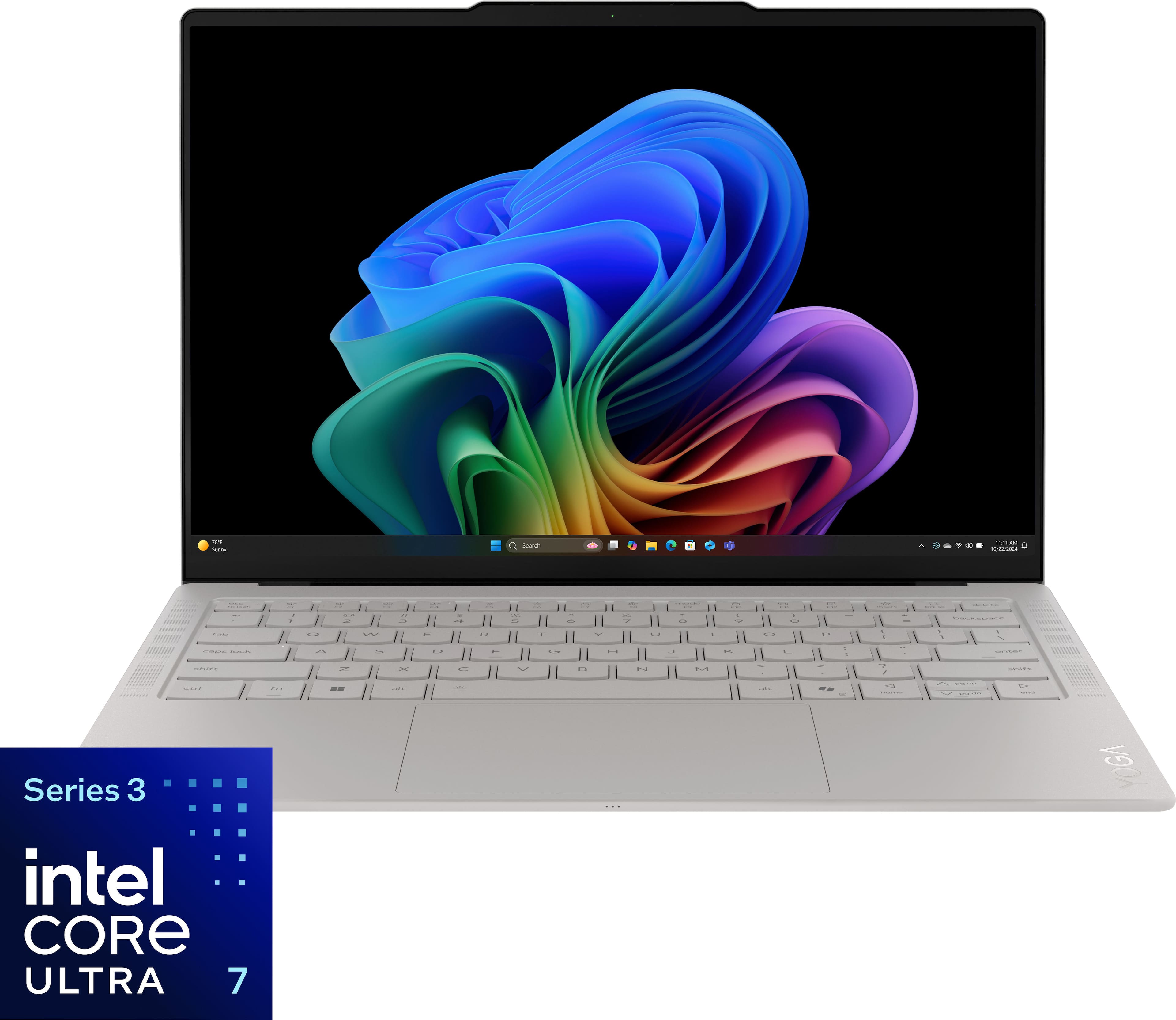
Product image from the matched Best Buy listing; Seashell configuration.[1]
First shortlist choice for a traveler prioritizing a light Windows setup with 32GB of memory.
Configuration and budget
The evaluated US listing is 83QK0001US, in Seashell, with Core Ultra 7 355, 32GB RAM and 1TB storage, at $2,249.99. Its processor uses Intel Graphics. Higher-end Core Ultra X configurations advertised elsewhere in the family should not be used to describe this model's graphics performance.[1][2]
What Lenovo promotes — and what it means for work
Lenovo emphasizes the light construction, OLED display and Aura Edition features. The family's 975g starting weight is the headline attraction; the documented display is a 14-inch, 2880 × 1800, 120Hz OLED touchscreen, with a 75Wh battery.[3][2]
For a consultant carrying the laptop between airports, offices and hotels, the appeal is having a conventional 14-inch work surface without immediately moving to a larger machine. However, 975g is a starting specification, not a measurement of the retail unit above. That is why its exact-configuration portability score remains pending.
Highlights
- A useful configuration from the outset. The 32GB/1TB combination avoids making a capacity upgrade the first decision after choosing the chassis.
- Three Thunderbolt 4 ports. There is flexibility for charging, displays and a suitable dock.
- A display suited to visually detailed work. The high-resolution OLED panel is relevant to slide layouts and image review; it does not establish color accuracy for a specific professional workflow.[2]
Drawbacks and practical consequences
There is no native HDMI or USB-A, and the memory is soldered. Someone presenting at several client sites should pack and test a suitable adapter before departure. Buying more memory later is not the fallback plan.
The touchscreen is also easy to misread: this is a clamshell laptop, not a Yoga 2-in-1. A touch display does not make it a pen-based meeting notebook.[2]
Scenario verdict: who should buy it?
Its 3/5 presentation score is an adapter penalty. Its 4/5 remote-office and capacity scores reflect a well-equipped configuration, without implying that we measured its conference-call endurance or sustained processing speed.
It suits a Windows user who moves frequently, keeps a substantial working set open and is comfortable standardizing on a USB-C adapter. A buyer whose working day revolves around borrowed HDMI screens should compare the ASUS before ordering. A centrally managed company should verify the Windows edition on the actual quote.
Owner feedback: praise and criticism
The matched Best Buy page displayed 4.9/5 from seven reviews, all labeled Verified Purchaser and Incentivized. PATRICIAF and RoCav valued portability. Their keyboard opinions differed: PATRICIAF liked the keys; RoCav wanted smoother typing and upgradeable memory. Those comments suggest a useful pre-purchase check: try typing on the laptop, and choose enough memory at purchase. Seven incentivized reviews cannot establish long-term reliability or complaint frequency.[4]
Amazon, sales and final buying judgment
Amazon feedback and unit sales for this exact configuration remain unverified; the evidence table below records those gaps.
At the observed prices, the Yoga costs $250 more than the ASUS with the same stated RAM and SSD capacities. Pay that premium if the Yoga's verified final carry setup and design suit your routine. If the main benefit you need is easier meeting-room connection, the ASUS has the clearer case.
2. Lenovo ThinkPad X1 Carbon Gen 14 Aura Edition
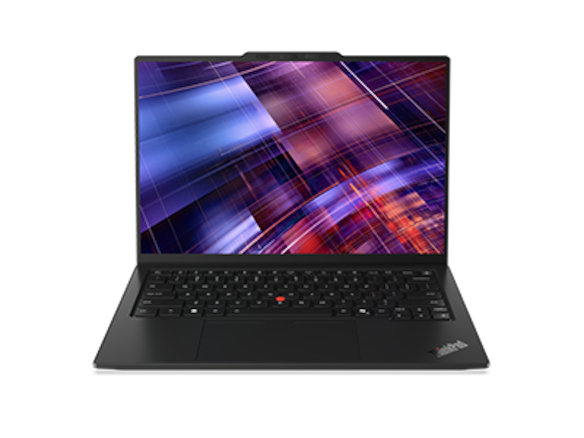
Family product image from Lenovo; the evaluated IPS configuration is specified below.[5]
The configuration to examine when the company, rather than the individual traveler, sets the requirements.
Configuration and budget
The matched model is 21V7006GUS: Core Ultra 7 365 vPro, 32GB RAM, 1TB SSD and Windows 11 Pro. Its display is a 14-inch, 1920 × 1200, 500-nit, anti-glare IPS touchscreen, rather than the OLED option. Lenovo's matching listing showed $3,259.[5]
What Lenovo promotes — and what it means for work
The business case combines an X1 Carbon chassis with a documented enterprise processor configuration and a practical port selection. The platform includes three Thunderbolt 4 ports, USB-A, HDMI and an audio jack.[6]
For an IT department, those features belong in a procurement discussion alongside operating-system images, endpoint management and the service contract. For a self-employed buyer with ordinary browser work, their value may be much smaller.
Highlights
- Straightforward meeting-room connection. Its documented ports meet our power-plus-HDMI-plus-USB-A scenario without a conversion hub.
- A specified Pro/vPro configuration. There is less ambiguity about the selected business platform than with an unspecified consumer listing.
- An anti-glare IPS option. This exact screen gives buyers an alternative to the OLED selections elsewhere in the guide.[5][6]
Drawbacks and practical consequences
The price is $1,259.01 above the ASUS. A buyer should be able to name the management, support or configuration requirements that justify that gap.
Lenovo's family starting weights vary with configuration. They must not be used as the measured weight of this IPS touchscreen SKU. The laptop's travel score stays pending until the exact purchase configuration is confirmed.[6]
Scenario verdict: who should buy it?
The 5/5 presentation score is justified by the ports. The 4/5 company-deployment score recognizes documented Pro and vPro support while leaving room for the checks only an employer can complete.
This is a sensible shortlist entry for a company purchasing a supported fleet, or an employee whose approved hardware standard favors ThinkPad. It is harder to justify for someone buying purely to answer email and edit slides. Do not assume that a business model automatically includes every international repair service or cellular option.
Owner feedback: praise and criticism
Original owner-feedback coverage for this exact SKU remains unverified.
This distinction matters on marketplace pages: a seller's star rating describes transactions with the seller, not satisfaction with the laptop. The Newegg listing includes seller feedback separately from product reviews.[7]
Amazon, sales and final buying judgment
No matched Amazon rating or original Amazon review set was verified. The researched Newegg listing displayed #14 in “All Laptop”; that is a platform/category snapshot, not an Amazon rank, a unit-sales count or evidence of market leadership.[7]
Choose this ThinkPad when your employer's requirements make its business configuration useful. Otherwise, compare the ASUS first and spend the difference on the travel accessories and service coverage you will actually use.
3. Apple MacBook Air 13-inch M5
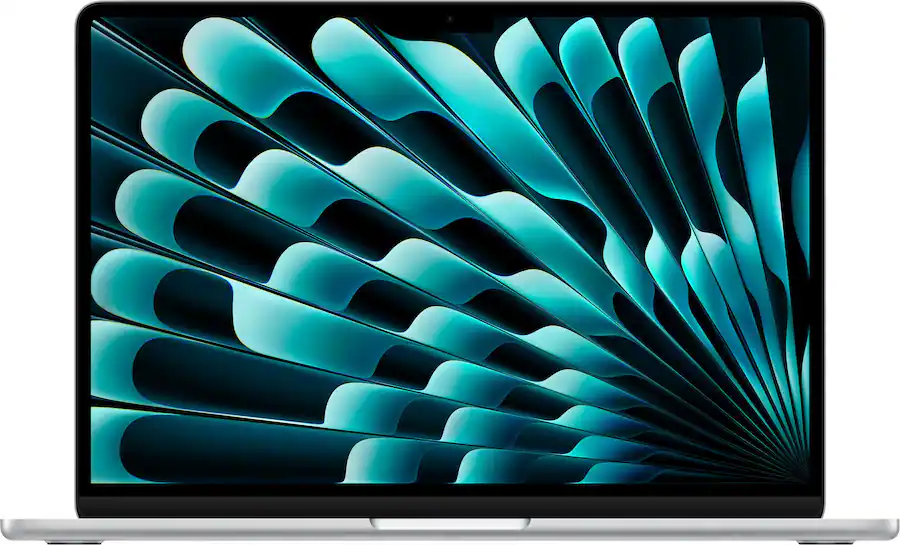
Product image from Best Buy, showing the Silver 16GB/512GB selection; the higher-capacity offer is Midnight.[8]
The strongest budget starting point in this shortlist if your workflow is already compatible with macOS.
Configuration and budget
Two configurations deserve different recommendations. The Silver MDH74LL/A, with a 10-core CPU, 8-core GPU, 16GB memory and 512GB SSD, was listed at $1,149 by Best Buy. The Midnight Z1L8000KL, with a 10-core CPU, 10-core GPU, 32GB memory and 1TB SSD, was $1,999 at B&H.[8][9]
That $850 observed price gap includes different capacities, graphics configurations, sellers and offers. It is not Apple's universal memory-upgrade price.
What Apple promotes — and what it means for work
Apple emphasizes M5 performance, a compact design, battery life, the camera and connectivity with other Apple devices. The 13-inch Air weighs 1.23kg and uses a 13.6-inch display. Its connections include MagSafe, two Thunderbolt 4 ports and an audio jack, with support for two external displays under Apple's specified conditions.[10][11]
Highlights
- A lower-cost configuration worth considering on its own. Cloud documents, browser tools and routine calls do not automatically justify the most expensive memory option.
- Silent cooling. The fanless design is useful in quiet rooms.
- Capacity choice without changing the travel format. The 32GB model increases headroom while keeping the same basic chassis proposition.[11]
Drawbacks and practical consequences
There is no native HDMI or USB-A, so the client-presentation scenario requires an adapter. Memory and storage should be chosen at purchase. A company-dependent Windows application is a compatibility decision to resolve before comparing price.
Notebookcheck's original test of the 16GB/512GB, 8-core-GPU version found strong everyday performance and silent operation, but also reduced performance under sustained CPU load as passive cooling reached its limits. Those findings are relevant context; they are not a direct benchmark of the 32GB configuration.[12]
Scenario verdict: who should buy it?
Both configurations score 4/5 for laptop portability and 3/5 for presentations. The capacity score changes from 3/5 to 4/5 when moving to 32GB/1TB.
For a salesperson or manager using approved Mac applications and cloud storage, begin with 16GB/512GB. For someone maintaining larger local projects or a consistently busy application set, investigate 32GB/1TB. A higher memory allowance does not add connectors or active cooling.
Owner feedback: praise and criticism
Amazon's original individual review texts were not readable in this research. A separately identified Best Buy review offers a limited owner perspective: ASMAM, a verified purchaser with an incentivized label, reviewed a Sky Blue 16GB/512GB M5 after a stated three weeks of ownership.
The owner praised responsiveness, battery experience, silence and portability, while criticizing the cost of memory/storage upgrades and the possible need for adapters. This is one owner's report from another color variant, not an Amazon-derived consensus or a measured runtime result.[13]
Amazon, sales and final buying judgment
The retrieved Amazon listing for B0GR19X8DC, the Silver 16GB/512GB model, displayed 4.7/5 with a displayed feedback count of 1,332 and a “7K+ bought in past month” badge. Its review widget linked across color variants, so the count should be treated as listing/family feedback. It does not describe 1,332 owners of the 32GB/1TB model.[14]
The Amazon copy was retrieved during this research but carried a crawl age of four days. The purchase badge is a rounded platform signal, not audited worldwide sales.
For an approved Mac workflow, the $1,149 configuration is the first value comparison to make against the Windows options. Choose the $1,999 model because your workload needs its extra capacity, rather than because a more expensive laptop seems inherently more suitable for business.
4. ASUS Zenbook S14
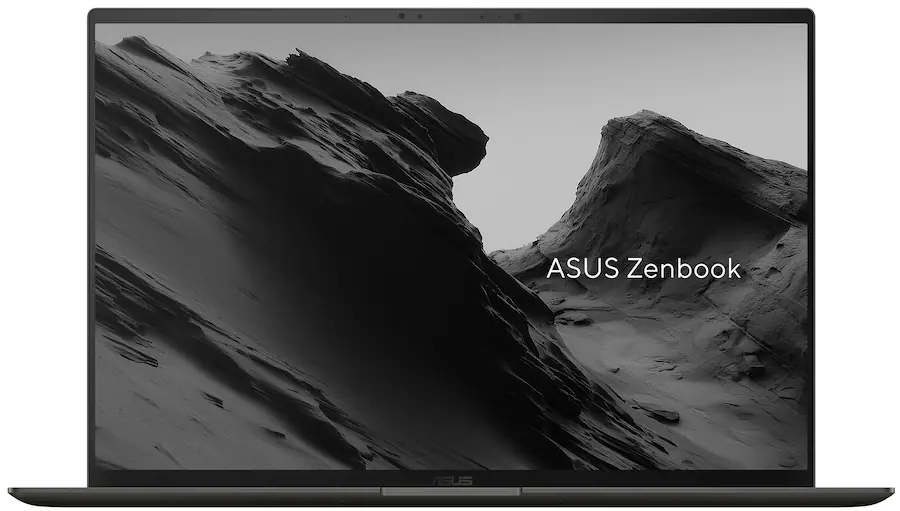
Product image from the matched Best Buy listing; UX5406AA-XS79T in Antrim Gray.[15]
The most straightforward configuration here for frequent HDMI presentations with a USB-A accessory.
Configuration and budget
The selected model is UX5406AA-XS79T, in Antrim Gray: Core Ultra 7 356H, integrated Intel graphics, 32GB RAM, 1TB SSD and Windows 11 Pro, at $1,999.99.[15]
The suffix matters. Specifications for an older UX5406SA or a higher-end processor option should not be silently transferred to this AA configuration.
What ASUS promotes — and what it means for work
ASUS highlights its Ceraluminum finish, thin construction, OLED screen and battery capacity. The current AA specification lists 1.20kg, a 77Wh battery, and a 14-inch, 2880 × 1800, 120Hz OLED touchscreen.[16]
For a traveler, the more immediately useful detail may be the connectors: two Thunderbolt 4 ports, USB-A, HDMI and an audio jack. They reduce the number of conversions needed in a typical presentation setup.[16]
Highlights
- A complete connection path for the defined meeting-room task. Power, display and receiver can use the documented native ports.
- A balanced capacity specification. The selected 32GB/1TB configuration provides the same capacity class as the Yoga at a lower observed price.
- Windows 11 Pro is specified. That gives a company a clearer starting point for its deployment checks.[15]
Drawbacks and practical consequences
The memory is onboard, and the glossy touchscreen should be considered against your usual lighting. These matter more to a working day than an unspecified “premium” label.[16]
Ultrabookreview's original review of the Core Ultra 9 386H version praised the construction and screen but highlighted a shallow keyboard, a roughly 145-degree opening limit and cooling noise under demanding workloads. That is useful same-family context for an in-person check; it does not establish exact 356H fan noise or performance.[17]
Scenario verdict: who should buy it?
The ASUS scores 4/5 for laptop portability, 5/5 for presentations, and 4/5 for the remaining documented scenarios. Its clearest advantage is convenience when moving between client offices.
It suits a Windows professional who wants a 14-inch screen, ample capacity and fewer adapter dependencies. Someone writing long reports should try the keyboard before buying. A person needing specialized graphics performance should compare the exact GPU and application requirements rather than relying on the Core Ultra family name.
Owner feedback: praise and criticism
The Best Buy page displayed 5.0/5 from three reviews supplied by ASUS.com. Its own review section said there were no Best Buy customer reviews yet. Those three entries should not be labeled Best Buy verified-purchaser feedback.[15]
Their original texts were not available in a sufficiently verifiable form, so no buyer praise/complaint themes are inferred from the star average. The keyboard and noise observations above come from an identified professional review, not invented customer comments.
Amazon, sales and final buying judgment
A matched Amazon score, readable original Amazon comments and a dependable sales figure were not verified.
At $1,999.99, the case for this specific ASUS is strong when your schedule involves ordinary office applications and repeated client presentations. The Yoga's attraction is its lighter advertised family starting point; the ASUS makes its connection advantage easier to verify before purchase.
5. Microsoft Surface Laptop 13.8-inch, 8th Edition
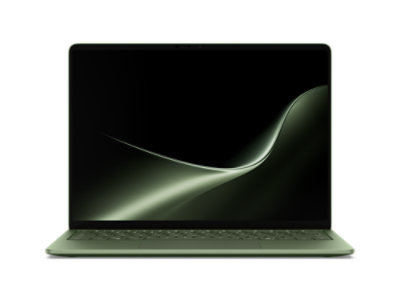
Product image: Microsoft. Jade is shown; both evaluated price selections are Black.[18]
Worth considering for a validated Windows-on-Arm workflow, with close attention to the selected memory offer.
Configuration and budget
Microsoft's configurator showed the Black, Snapdragon X2 Elite 12-core, 16GB/1TB model at $1,699.99, versus $2,649.99 for 32GB/1TB. Both selected consumer configurations specify Windows 11 Home.[18]
The $950 difference reflects the offers observed for those selections. It should not be presented as a permanent memory-upgrade tariff.
What Microsoft promotes — and what it means for work
Microsoft emphasizes the newer Snapdragon platform, mobility and battery life. The X2 version's listed weight is 1.36kg, with two USB-C/USB4 ports, USB-A, audio and Surface Connect. Microsoft Learn's business-model specification independently confirms these shared hardware details.[19] The selected consumer listing includes a 39W Surface Connect power supply.[18]
Highlights
- A native USB-A connection. A presentation receiver does not automatically require its own adapter.
- A useful lower-memory price alternative. Compare the 16GB offer with your actual workload before paying for 32GB.
- A familiar laptop layout for an approved Surface environment. Procurement becomes easier when the employer has already tested its software and accessories on the platform.
Drawbacks and practical consequences
There is no native HDMI. The consumer Home configuration also requires a separate discussion if the employer's deployment standard calls for another edition.
For Windows on Arm, test the tools that keep the business operating: VPN software, endpoint security, printer drivers, specialist peripherals and application plug-ins. “Runs Windows” is not a completed compatibility test. Microsoft's own compatibility guidance makes driver support a particular consideration.[20]
Scenario verdict: who should buy it?
Both configurations score 3/5 for laptop portability, 4/5 for presentation connections and a conditional 4/5 for remote office. Their capacity scores differ; their architecture and deployment checks do not.
They suit a traveler whose organization has already validated the required Arm workflow. If an indispensable driver fails that check, the configuration is ineligible for that job regardless of its other scores.
Owner feedback: praise and criticism
Original customer feedback for these exact X2 Elite configurations remains unverified; earlier Surface generations are excluded.
Amazon, sales and final buying judgment
The Amazon and unit-sales gaps are recorded in the evidence table below.
For ordinary approved office work, investigate the 16GB/1TB offer first. The 32GB version needs a clear capacity requirement to justify its current premium, particularly when the ASUS offers 32GB/1TB for less in this snapshot.
What the ratings and sales signals actually tell us
Customer feedback is useful for discovering issues to investigate. It is a separate evidence stream from specifications and scenario scores.
| Product | Verified feedback signal | Positive points supported by readable owners | Critical points supported by readable owners | Sales evidence |
|---|---|---|---|---|
| Yoga Slim 7i Ultra 83QK0001US | Best Buy 4.9/5, 7 reviews; all labeled incentivized and verified | Travel portability; one owner liked typing | Another owner wanted smoother keys and upgradeable memory | No dependable unit count verified |
| ThinkPad X1 Carbon 21V7006GUS | No matched owner sample verified | Not established | Not established | Newegg category-position snapshot only |
| MacBook Air M5 | Amazon 4.7/5, displayed count 1,332; pooled listing feedback | Separate Best Buy owner: responsiveness, portability and silence | Same owner: upgrade expense and adapter needs | Amazon “7K+ bought in past month” listing badge |
| Zenbook S14 UX5406AA-XS79T | 5.0/5 from 3 ASUS-supplied reviews displayed by Best Buy | Original texts not verified | Original texts not verified | No dependable unit count verified |
| Surface Laptop X2 Elite selections | No matched owner sample verified | Not established | Not established | No dependable unit count verified |
Sources and sample boundaries are identified in each product section. No Amazon positive/negative theme is claimed without readable original Amazon comments. A verified-purchase label identifies the platform's status; it does not independently authenticate every statement in a review.
Amazon explains that its Best Sellers Rank reflects sales ranking within a category. That does not make a category rank a unit count or a measure of product quality. None of the signals above supports a cross-brand market-share chart.[21]
Spend according to the work you actually carry
Mostly documents, browser tools and calls
Start with the lower-capacity configurations if they fit your approved software. On a Mac, compare the $1,149 Air before assuming the $1,999 model is necessary. On Surface, the current 16GB/1TB offer deserves scrutiny before the $950 step to 32GB.
Use your current machine to check memory pressure during an ordinary busy workday. Keep the same files and applications open that you expect to use while traveling. That is a better upgrade prompt than buying the largest number in the configurator.
Larger local projects and concurrent applications
The listed 32GB/1TB configurations provide more capacity headroom. However, a large spreadsheet, virtual machine, code build and video export stress different parts of a laptop. For sustained compute work, identify a benchmark or application test of the relevant processor and cooling configuration before choosing.
Repeated client presentations
The ASUS and ThinkPad have the clearest port advantage under our defined scenario. For the Yoga and Air, include a tested HDMI/USB-A solution in the purchase. For the Surface, include an appropriate HDMI adapter. Carrying a known working adapter is more useful than discovering the missing connection at the client's desk.
International trips
Ask the seller or manufacturer about the exact model's service arrangements in the countries you visit. Confirm the keyboard layout, power-plug requirements and the employer's remote-access setup. A brand's presence in a country is not the same as a service commitment for your particular imported machine.
Calculate the travel setup as laptop + charger and cable + necessary adapters + required service or software costs. A full-kit weight or price should be quoted only after those parts have been selected.
Questions worth answering before checkout
Is 16GB enough for a business-travel laptop?
It can be, especially when most work happens in documents and browser-based systems. The decision changes with the number of concurrent applications, local data and virtual machines. Our lower capacity score for 16GB indicates less headroom, not an inability to do office work.
Does the largest battery guarantee the longest working day?
No. Battery capacity and runtime are different measurements. Screen settings, calls, processor load and background applications change power demand. Manufacturer video-playback claims should not be placed beside unrelated browsing tests as though they measured the same task.
Can a better Amazon rating settle the comparison?
Not by itself. First check whether the ratings cover the same generation, processor and memory configuration, and whether several variants share the review pool. Then read original comments for repeated, relevant experiences. A small incentivized sample can suggest questions to ask without proving how common a problem is.
Should the lightest laptop always win?
Only if it still meets the job's requirements. A slightly heavier laptop with the needed ports may be a better fit for frequent presentations. Compare the complete kit when the exact accessories are known, and do not substitute a family's “starting at” weight for an exact configuration's weight.
Final recommendations
Put the Lenovo Yoga Slim 7i Ultra Aura Edition 32GB/1TB first on the shortlist if your priority is a light Windows travel setup and you are comfortable carrying a presentation adapter. Confirm the selected unit's weight and operating-system edition before turning that shortlist into an order.
Choose the ASUS Zenbook S14 32GB/1TB when HDMI and USB-A convenience matter every week. Choose the ThinkPad X1 Carbon when its specified business platform fits a real company requirement. Start with the MacBook Air M5 16GB/512GB when your approved Mac workflow does not justify the larger configuration. Consider the Surface Laptop 16GB/1TB when your Arm applications and accessories are already validated; move to 32GB only for a clear capacity need.
The right configuration should remove a recurring obstacle from the working day: too much to carry, too few connectors, too little memory, or the wrong software platform. That is the reason to buy it.
Sources and verification notes
This guide combines manufacturer documentation, exact retail listings, identified original reviews and editorial scenario judgments. It does not claim firsthand testing. Prices and feedback figures are research snapshots; Amazon's retrieved listing copy had a four-day crawl age. Specifications and prices should be checked again when ordering.
- Best Buy — Yoga Slim 7i Ultra, model 83QK0001US, SKU 6671628.
- Lenovo PSREF — Yoga Slim 7 Ultra 14IPH11 platform specifications. The technical platform name omits the “i”; the marketed product name used in this article retains 7i.
- Lenovo — CES 2026 product announcement. Family-level promotional claims are distinguished from the evaluated retail configuration.
- Best Buy — original reviews for Yoga Slim 7i Ultra, SKU 6671628. Seven displayed reviews; source labels recorded as observed.
- Lenovo — listing containing ThinkPad X1 Carbon model 21V7006GUS; exact model page.
- Lenovo PSREF — ThinkPad X1 Carbon Gen 14 Aura Edition platform specifications.
- Newegg — ThinkPad X1 Carbon 21V7006GUS listing. Category-position and seller-feedback observations only; manufacturer documentation takes precedence over inconsistent auto-filled fields.
- Best Buy — MacBook Air M5, Silver, MDH74LL/A, 16GB/512GB.
- B&H — MacBook Air M5, Z1L8000KL, 32GB/1TB.
- Apple — MacBook Air technical specifications.
- Apple — MacBook Air with M5 announcement.
- Notebookcheck — original MacBook Air 13 M5 entry-configuration test. Test configuration: 16GB/512GB, 8-core GPU.
- Best Buy — readable original M5 Air owner review by ASMAM. Sky Blue 16GB/512GB; labeled Verified Purchaser and Incentivized. This selected five-star review is an illustration, not a representative sample.
- Amazon US — MacBook Air M5 listing B0GR19X8DC. Silver 16GB/512GB listing; review widget linked to another color variant. Individual original Amazon review texts were not verified.
- Best Buy — ASUS Zenbook S14 UX5406AA-XS79T, SKU 6676699.
- ASUS — Zenbook S14 technical specifications. Use the UX5406AA column and the selected processor, not the earlier UX5406SA column.
- Ultrabookreview — original 2026 UX5406AA review. Tested Core Ultra 9 386H configuration; used only as explicitly qualified design and usability context.
- Microsoft Store — Surface Laptop 13.8-inch, 8th Edition configurator. Selected Black Snapdragon X2 Elite 12-core configurations. The page also contains other processor generations and capacities; they are not interchangeable.
- Microsoft Learn — Surface Laptop for Business 13.8-inch and 15-inch, 8th Edition, Snapdragon specifications. Used to cross-check shared hardware only; business-only software and options are not assigned to the consumer configurations.
- Microsoft Support — Windows Arm-based PCs FAQ.
- Amazon — how Best Sellers Rank works.