Bring a working chapter when you compare laptops. Open the draft with comments visible, a journal PDF at the size you actually read and the citation manager you use to finish a bibliography. Add a revised reference and produce a copy your supervisor can open. This sequence exposes three things a specification table can miss: whether the screen fits the work, whether the required tools survive an operating-system change and whether the draft still looks right at handoff.
For students who already have a compatible Windows writing setup and walk between study locations, the Lenovo Yoga Slim 7i Ultra is our first model to investigate. It puts a 14-inch workspace in a chassis that starts at 975g. The MacBook Air 13 M5 fits a verified macOS workflow, the Zenbook S14 makes direct projector and older USB connections easier, and the XPS 13 takes up less depth on a small desk. The Framework Laptop 13 suits a buyer planning for memory upgrades. Consider the documented IPS ThinkPad X1 Carbon configuration when long sessions without power matter more than minimum weight.
This guide compares six models for reading, drafting and revising a chapter. The configuration and price references below were checked on November 9, 2026. Manufacturer specifications describe their named versions. Battery results come from separately identified third-party review samples. The chapter checks are a buying exercise you can run with your own files.
Run one chapter through the setup you are considering
Use permitted copies of files you know well. A clean sample document rarely reproduces the pressure on screen space from review comments, a navigation pane and several long footnotes.
- Open the chapter beside a dense PDF. Keep your normal font size and both apps' normal controls visible. Note how often you need to switch windows or pan the PDF.
- Add a citation, change its style and refresh the bibliography. Reopen the file to check that the citation fields and cross-references still work.
- Insert a comment, accept a tracked change and export a PDF. Ask a collaborator to open the editable draft and the PDF using the setup you expect them to have. Check the equations, fonts, page breaks and bookmarks you rely on.
- Repeat the parts you need away from a desk. Use the same keyboard, charger and display cable you would carry. If you work offline, verify that a permitted source and the current draft are available before you disconnect.
| Recurring thesis task | First candidate to investigate | Question for the chapter check |
|---|---|---|
| Carry a 14-inch Windows workspace across campus | Lenovo Yoga Slim 7i Ultra Gen 11 | Can you complete the work with your existing USB-C kit? |
| Continue writing in an approved Mac workflow | Apple MacBook Air 13 M5 | Do the citation add-in, templates and tracked changes survive export and return? |
| Plug into shared projectors and older peripherals | ASUS Zenbook S14 UX5406AA | Can you use the room's HDMI or USB-A cable directly and still charge? |
| Edit on a shallow desk | Dell XPS 13 DX13260 | Does the draft fit with comments visible at your preferred scaling? |
| Expand capacity as the project changes | Framework Laptop 13 AMD Ryzen AI 300 | Is the available memory and storage upgrade path practical under your ownership terms? |
| Read and write for long stretches between sockets | ThinkPad X1 Carbon Gen 14 with a suitable low-power IPS screen | Can you obtain a configuration close to the review sample and use it at your usual brightness? |
Lenovo Yoga Slim 7i Ultra for a 14-inch Windows setup you carry every day

Official product image: Lenovo. The photograph illustrates the product family, not a guarantee of the configuration offered by a particular seller.
Specifications
| Item | Configuration or platform detail |
|---|---|
| Model reference | 14IPH11; marketed as Yoga Slim 7i Ultra Aura Edition Gen 11 in the US |
| Processor used for this recommendation | Core Ultra 7 355; other processors are offered |
| Graphics | Intel Graphics on the 355; do not substitute the Arc B390 specification of X7/X9 variants |
| Memory | 16GB, 32GB or 64GB soldered; choose capacity before purchase |
| Screen | 14-inch, 2880 × 1800, 120Hz OLED touchscreen; no active-pen support |
| Storage | One M.2 2242 slot; Lenovo documents offerings up to 2TB |
| Connection profile | Three Thunderbolt 4 ports; no built-in HDMI, USB-A or 3.5mm audio socket |
| Weight reference | Manufacturer starting weight 975g; independently reviewed 355 configuration 978g |
Specifications: Lenovo PSREF. Sample identity and weight: Notebookcheck review.
Official buying options
View the Lenovo US configurator. Compare the final memory, SSD, Windows edition and included adapter before placing an order. A configurable starting offer should not be treated as the price of the reviewed 32GB machine.
What to check with your own files
Use the chapter exercise on the built-in screen, then repeat it at the desk you use most. The benefit of the Yoga's low chassis weight is clearest when you make several trips with the computer each day and can keep the necessary adapters small. Make sure your writing and citation tools already work on the intended Windows edition. Buy enough fixed memory for the workload you can reasonably predict. Touch input and pen input are separate here, so use a supported external solution or compare a pen-capable device if direct handwriting is a requirement.
Notebookcheck's Core Ultra 7 355, 32GB/1TB OLED-touch review unit recorded 10h 36m in its WLAN test.2 If a long library or archive session usually runs without a socket, compare that sample with the IPS ThinkPad evidence. Carrying weight and the time between charges reward different hardware choices.
MacBook Air 13 M5 for an established macOS writing workflow
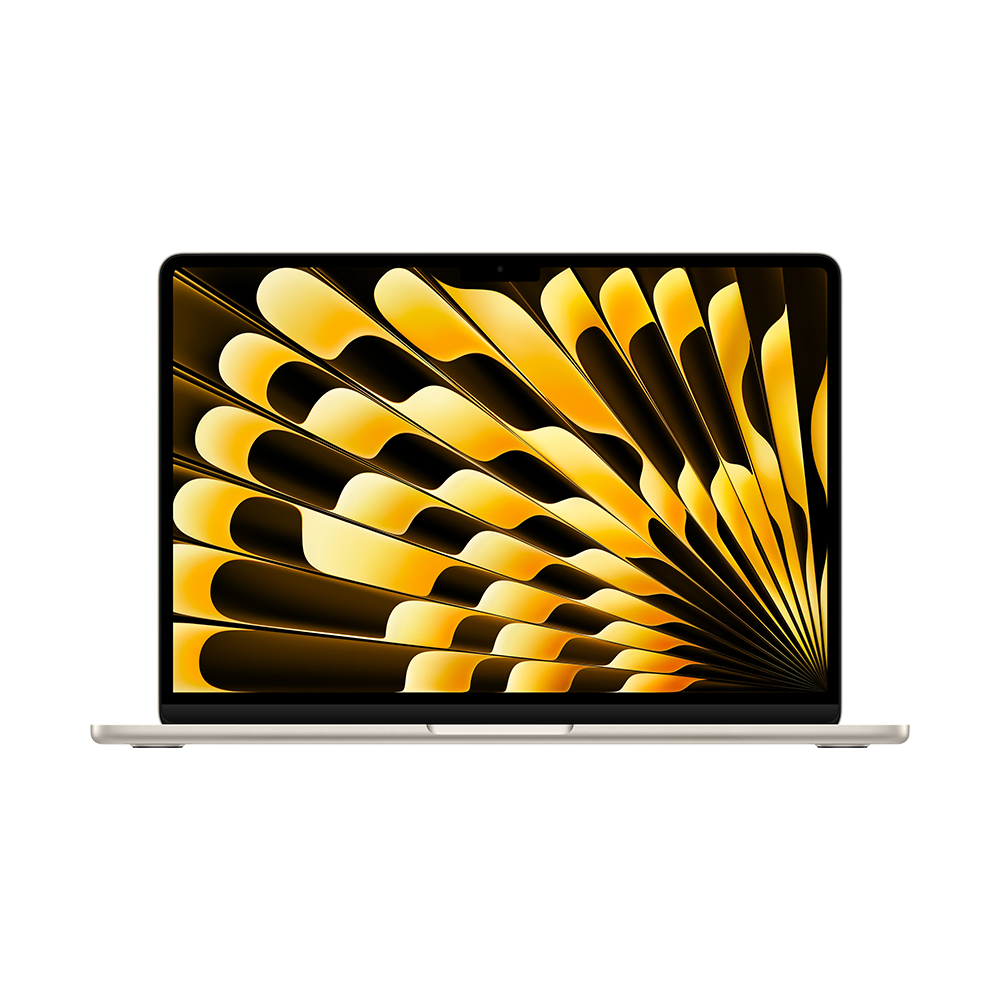
Official MacBook Air family image: Apple. This family photograph should not be used to identify a particular screen size or memory configuration.
Specifications
| Item | 13-inch M5 platform detail |
|---|---|
| Processor | Apple M5, 10-core CPU |
| Graphics | 8-core or 10-core integrated GPU, depending on configuration |
| Memory | 16GB, with 24GB or 32GB options |
| Screen | 13.6-inch IPS, 2560 × 1664; no touchscreen |
| Storage | 512GB starting configuration; configurable capacities up to 4TB |
| Connections | Two Thunderbolt 4 ports, MagSafe 3, headphone socket |
| Weight | 1.23kg |
| Cooling | Fanless |
Platform: Apple technical specifications. Cooling and review configuration: Notebookcheck M5 entry review.
Official buying options
View the 16GB/512GB education-store configuration. The identified US education-store offer was $1,199 before tax on 9 November 2026 for the silver M5 model with 10-core CPU and 8-core GPU. Eligibility and the final purchase price should be checked in the buyer's own market. An old launch price in a review is not necessarily today's offer.
What to check with your own files
Keep your operating system if it already handles the work well. On the Air, the useful portability test is whether the PDF and annotated draft are legible together on the 13.6-inch panel. For a move from Windows, exercise the citation manager's Word integration and swap an editable chapter with another person before committing. If you use MagSafe for charging, both Thunderbolt connections can remain available. Add a compatible HDMI or USB-A route if your work calls for either.
Notebookcheck recorded 16h 11m at 150 nits in its WLAN test of the 8-core GPU, 16GB/512GB M5 Air.5 Screen brightness, indexing and video calls change the load. Fanless operation keeps fan noise out of a reading room, while demanding sustained work should be checked separately or run on an approved research machine.
ASUS Zenbook S14 for thesis work that moves between shared desks
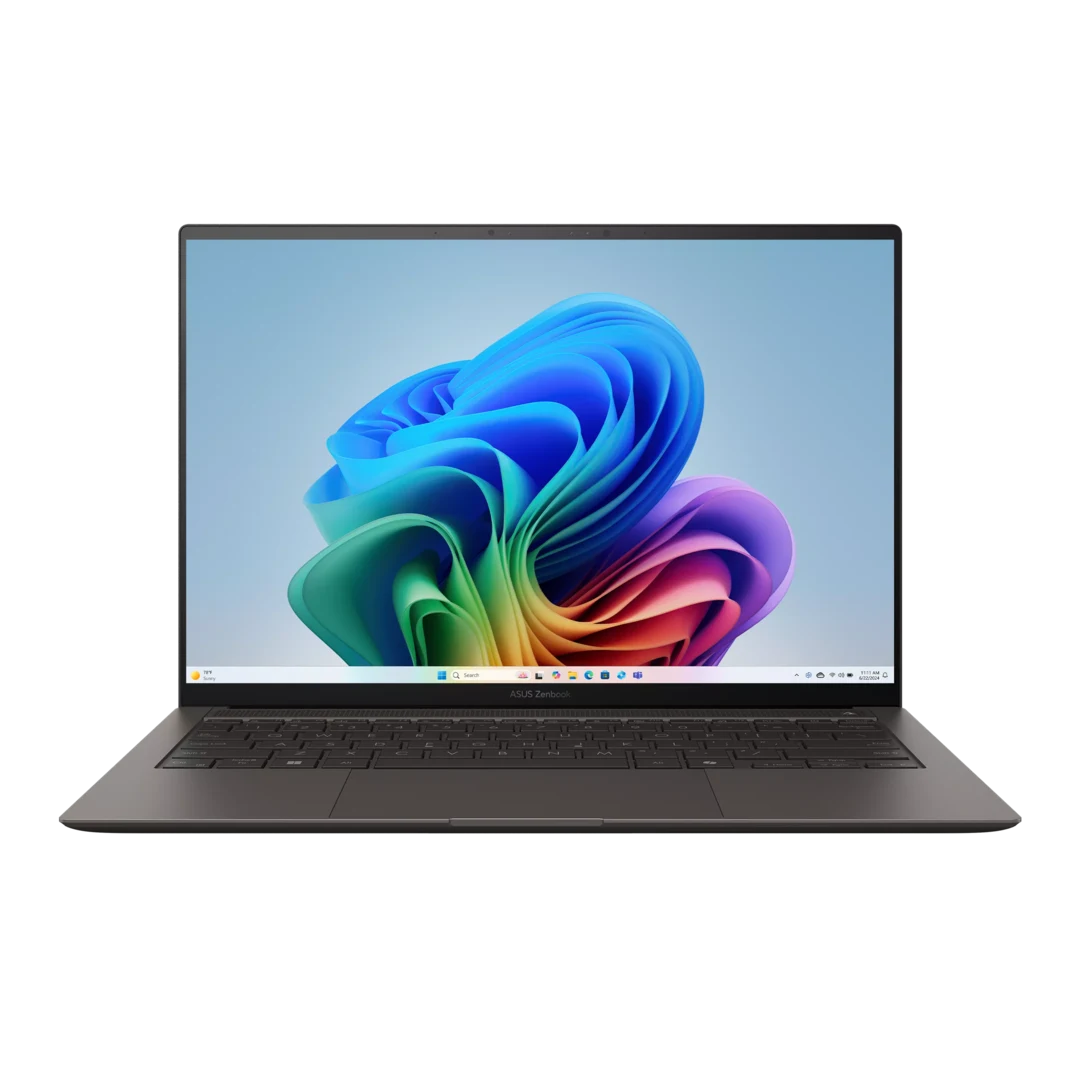
Official product image: ASUS. Confirm the UX5406AA model and regional configuration separately.
Specifications
| Item | UX5406AA reference |
|---|---|
| Processor | Core Ultra 7 356H or Core Ultra 9 386H |
| Graphics | Intel Graphics |
| Memory | 32GB onboard, not a user RAM-upgrade path |
| Screen | 14-inch 2880 × 1800, 120Hz OLED touchscreen |
| Storage | 1TB offering; one M.2 2280 PCIe 4.0 slot |
| Connections | Two Thunderbolt 4, HDMI 2.1 TMDS, USB-A, combined audio socket |
| Battery and stated weight | 77Wh; 1.20kg |
Source: ASUS technical specifications. The older UX5406SA column is a separate configuration family.
Official buying options
View ASUS specifications and its buying route. Read the full model suffix on the actual offer. A listing headed only “Zenbook S14” does not resolve the differences between generations.
What to check with your own files
Try the S14 if seminar rooms and shared offices often supply cables for HDMI and USB-A. Direct connections can save a separate adapter without changing your Windows writing environment. Plug in an actual display and storage device while the laptop is charging, and test the resolution and the reconnection sequence you need. Compare the 1.20kg chassis with the Yoga plus any required adapters on the same basis.
Open your chapter's white pages and pale review comments under ordinary overhead lighting. The glossy OLED and a crowded markup view are practical things to check in person. The 32GB configuration is fixed. If you already expect the writing laptop to host demanding local analysis, size that work separately before choosing it.
Dell XPS 13 for a shallow desk and a defined 16GB workload
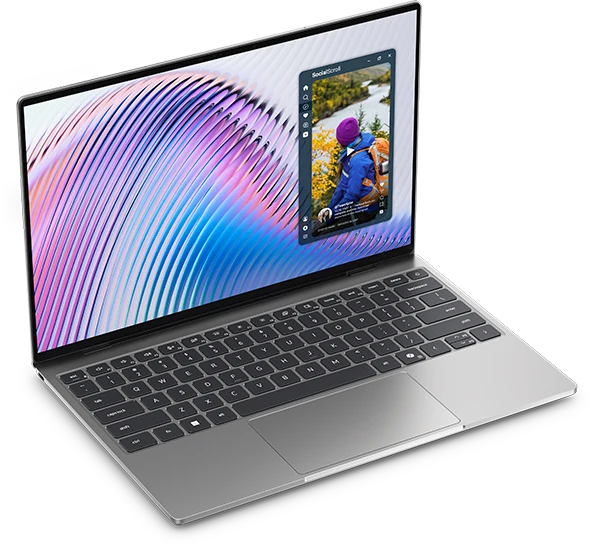
Official XPS 13 DX13260 product image: Dell. Photograph and offer configuration should be checked independently.
Specifications
| Item | Core 5 purchasing reference; differences matter |
|---|---|
| Processor | Intel Core 5 320 |
| Graphics | Integrated Intel graphics |
| Memory | Choose 16GB; Core versions top out at 16GB, fixed and single-channel |
| Screen | 13.4-inch 2560 × 1600 touchscreen |
| Storage reference | 512GB SSD on the identified 16GB offer |
| Connections | Core versions: two USB-C 10Gbps ports; Core Ultra versions: two Thunderbolt 4 ports |
| Chassis footprint | 296.9 × 200.66mm |
| Weight context | Manufacturer starting weight 1kg; reviewed Core 5/8GB sample 1.062kg |
Sources: Dell purchasing page, memory documentation, port documentation and independent review.
Official buying options
View Dell's DX13260 configurations. On 9 November 2026, the US page listed the Core 5 320, 16GB/512GB, Windows 11 Home, Storm configuration at $1,049.99 before tax. The lower headline offer described an 8GB/256GB machine, not this recommendation. This dated offer is not a guaranteed future price.
What to check with your own files
Measure the desk depth you have for a computer and any notebook in front of it. The DX13260 is a candidate when this physical footprint solves a recurring problem and your regular writing, reference, browser and call workload fits the chosen 16GB configuration. Evaluate the 13.4-inch screen at your normal reading distance before assuming you can keep the PDF and revision panes visible.
On the Core 5 model, confirm the USB-C 10Gbps route to the particular dock or display you use. The Core Ultra versions have different port capabilities. Notebookcheck's endurance and weight results refer to its Core 5 review sample with 8GB, so evaluate the named 16GB purchase separately.11 If your workload already needs more than that, the Core model's ceiling gives a clear reason to look elsewhere.
Framework Laptop 13 for a project that may outgrow its first configuration
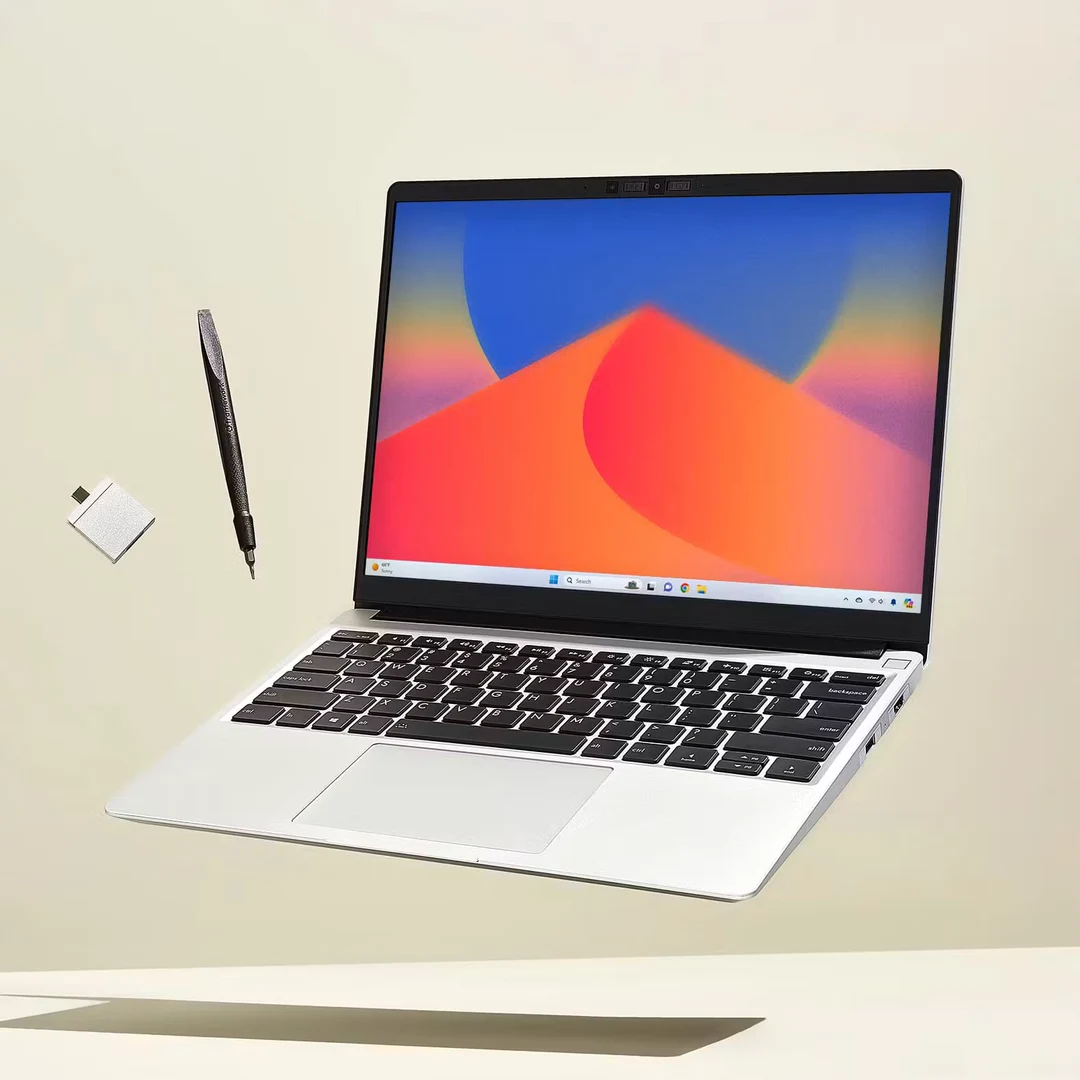
Official product image: Framework. This guide discusses the AMD Ryzen AI 300 Series generation, not the separate Laptop 13 Pro.
Specifications
| Item | AMD Ryzen AI 300 Series, 2025 platform |
|---|---|
| Processor reference | Ryzen AI 5 340 in the base prebuilt system |
| Graphics | Integrated AMD graphics; not an NVIDIA CUDA configuration |
| Memory | Two DDR5 SO-DIMM slots; replaceable memory |
| Screen | 13.5-inch, matte 3:2; base prebuilt 2256 × 1504, 60Hz |
| Storage | Replaceable NVMe SSD; base prebuilt reference 256GB |
| Connections | Four Expansion Card positions; capabilities depend on position and card |
| Weight | Stated 1.3kg |
| Purchase distinction | Complete prebuilt Windows system and DIY starting price describe different baskets |
Sources: Framework platform specifications and prebuilt comparison.
Official buying options
Compare Framework prebuilt configurations. The US base prebuilt reference was $1,049 before tax on 9 November 2026, with Ryzen AI 5 340, 16GB in two 8GB modules, 256GB and Windows 11 Home. It does not have the same storage capacity as the Dell reference. Configure the desired SSD and connection cards before comparing totals.
What to check with your own files
The Framework is a reasonable place to start when a graduate project may need more memory later and you can manage the upgrade. At the desk, the matte 3:2 panel is a useful contrast to the glossy widescreen options. Open a full reference list and use comments in the draft to see whether the extra vertical workspace solves more of your problem than a wider arrangement.
Choose the connection cards, SSD capacity and operating system before comparing the total with the other laptops. Use a complete prebuilt offer as the basis for a ready-to-use comparison. Include assembly and components if you deliberately choose the DIY route. Replaceable parts create a service option, and a buyer should still account for parts access, repair time and a temporary machine.
ThinkPad X1 Carbon Gen 14 when you plan around time away from outlets
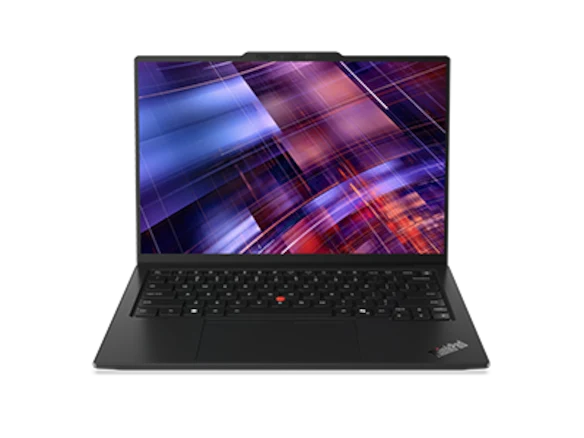
Official product image: Lenovo. Display and input-device configurations change the final specification.
Specifications
| Item | Configuration boundary |
|---|---|
| Platform | ThinkPad X1 Carbon Gen 14 Aura Edition |
| Processor reference for endurance evidence | Core Ultra 5 325 |
| Review memory and storage | 32GB / 512GB |
| Display for that result | 14-inch low-power IPS touchscreen; separate OLED options exist |
| Memory ownership | Soldered; capacity must be selected at purchase |
| Connections | Three Thunderbolt 4, USB-A, HDMI, audio |
| Review-sample identity | 21V70075GE; 1.139kg |
| Battery result boundary | 23h13m WLAN at 150 nits for that sample, not a family-wide claim |
Sources: Lenovo PSREF and Notebookcheck IPS review.
Official buying options
View Lenovo's US Gen 14 listing. Match the screen, processor, keyboard, operating system and service terms. The German review sample is evidence about that configuration, not a quotation for a US order.
What to check with your own files
Start with the written configuration. For the 23h 13m WLAN result at 150 nits, Notebookcheck used a 21V70075GE with a Core Ultra 5 325, 32GB/512GB and a low-power IPS touchscreen. Its measured weight was 1.139kg.15 Use that evidence to assess a long unplugged archive session. The published family minimum, an OLED option and the review result can describe different orders.
Before paying a premium, identify what would improve your own week. The answer could be a documented low-power screen, built-in HDMI and USB-A, or an institutional support route that supplies a replacement machine. Confirm the repair and service arrangements attached to the actual quotation.
Compare readable space at the same text size
Diagonals and resolutions alone give a poor description of a thesis workspace. At the same comfortable font size, count the draft lines visible above the fold and see whether the PDF's figure labels still fit beside them. Repeat with the review pane and normal toolbars open. This makes the comparison about space the application can use, with the layout and scaling you choose.
The geometry can explain a result you notice. A nominal 14-inch 16:10 rectangle is about 7.42 inches high, while a 13.5-inch 3:2 rectangle is about 7.49 inches high. Those estimates use the diagonal and aspect ratio and ignore bezels and rounded corners. They help explain why two screens can have similar vertical document space despite different diagonals. Reflections, viewing distance and preferred scaling need their own check.
If handwriting matters, verify the specific pen, its support in the annotation app and the position in which you write. The writing workflow above uses editable comments and citation fields. A touch-only display can pass that chapter test and still leave a handwriting requirement unserved.
Budget for the revision work you actually do
Start by watching the memory used while you edit a chapter with a dense PDF, citation manager, ordinary browser tabs and a call open. 16GB is a reasonable starting tier to evaluate for mainly document work. Consider 24GB or 32GB when a known simultaneous workload needs more headroom or when you are buying fixed memory for a longer period. An existing 8GB machine can still be sufficient for limited writing work. Upgrade when the current setup shows a problem you expect the new one to solve.
Estimate storage from the documents and applications you need locally, with room for the current project and approved offline copies. Check which materials belong in institutional storage. Restore one permitted copy of the chapter on a separate machine or folder to see whether your backup serves the actual recovery task.
Compare a complete basket after this check. The dated US Framework base has less storage than the quoted Dell and the Apple education offer has eligibility conditions. Add any required dock, cables, software or support terms to each suitable configuration. Ask where a faulty laptop would go and how you could continue editing while it is away.
Common buying questions
Will a premium laptop improve my thesis workflow?
Try the chapter exercise on the laptop you already have. If it handles the same draft, PDFs, citations and collaboration with sufficient headroom, another purchase may mainly change carrying weight, noise or connection convenience. A less expensive new or refurbished machine can also be suitable after the same checks.
Can I use the writing pick as my main research computer?
Confirm that separately with the actual software, dataset and devices. A laptop that does the writing work well may serve as the front end to a lab machine or university cluster. Workstation graphics and specialized drivers can change the shortlist.
Which candidate should I check first?
Compare the Yoga first if you need an Intel Windows workflow with a 14-inch screen and a laptop you can carry every day. Move the MacBook Air to the front for an established, approved Mac setup. If you routinely connect to shared displays or USB-A equipment, check the S14 early. Choose the compact Dell when it fits the work surface and 16GB suffices. Evaluate Framework when the project may need more memory later, and a suitably matched IPS ThinkPad when reliable power is scarce. Let the chapter handoff, the total cost and the complete kit decide among those that pass.
For a second workflow perspective, see Portable Laptop Guide's thesis and PDF workflow guide.
Sources
Manufacturer documentation establishes specifications and configuration limits; the linked reviews identify measured samples. Recommendations, purchasing rules and the display-geometry calculation are editorial analysis. Reading comfort and keyboard preference have not been assigned invented numerical scores.
- Lenovo PSREF: 14IPH11 specifications — official configuration, ports and display documentation, revised 28 October 2026.
- Notebookcheck: 14IPH11 review — identifiable Core Ultra 7 355 review sample and WLAN result.
- Lenovo US Yoga Slim 7i Ultra configurator — official buying route; configuration-dependent pricing.
- Apple MacBook Air technical specifications — M5 platform specifications.
- Notebookcheck: MacBook Air 13 M5 entry review — 8-core GPU, 16GB/512GB test configuration.
- Apple US education-store configuration — named 13-inch, 16GB/512GB buying route; eligibility applies.
- ASUS Zenbook S14 technical specifications — distinguish UX5406AA from UX5406SA.
- Dell US XPS 13 DX13260 configurations — dated 16GB/512GB offer, checked 9 November 2026.
- Dell DX13260 memory documentation — fixed memory and separate Core/Core Ultra limits.
- Dell DX13260 external-port documentation — separate Core and Core Ultra connection capabilities.
- Notebookcheck: XPS 13 Wildcat Lake review — Core 5 review-sample evidence; not a test of the quoted 16GB offer.
- Framework Laptop 13 AMD Ryzen AI 300 platform specifications — screen, modular design and generation identity.
- Framework US prebuilt comparison — dated base system, memory, storage and price reference.
- ThinkPad X1 Carbon Gen 14 PSREF — configuration and connection documentation, revised 23 October 2026.
- Notebookcheck: ThinkPad X1 Carbon Gen 14 IPS review — named 21V70075GE sample and battery-test conditions.
- Lenovo US ThinkPad X1 Carbon Gen 14 listing — official regional purchase route.