Before choosing a graduate laptop for lab work, decide who needs to reproduce a result and what they will use to do it. Follow a small permitted dataset from the original device or source through the required application and into a file another authorized person can open. Record which steps run on the laptop, which need an instrument computer and which use an approved remote service. That record gives you a better specification than a generic list of fast processors.
The Lenovo Yoga Slim 7i Ultra is the light Windows candidate for a project that already has a supported Intel workflow and a confirmed destination for demanding computation. ThinkPad X1 Carbon adds familiar direct connections, Framework Laptop 13 allows a later memory upgrade, and a MacBook Air M5 can suit a supported macOS front end. The ASUS Zenbook A14 makes sense when the precise Windows on Arm applications and drivers pass. A lab that requires local workstation graphics or an unsupported acquisition driver may need a different type of machine entirely.
Software and hardware references were checked on November 9, 2026. The software requirements apply to the named releases. Use the university's own access and data rules when you run the acceptance checks below.
Write down the workflow the lab must accept
Ask the supervisor, lab manager or IT team to review a short record for one representative result. Separate needs for the project you already have from equipment or tasks you may add later. The most expensive surprise is often a missing driver or permission that a more powerful laptop would also lack.
| Requirement to confirm | What to record |
|---|---|
| Tools and instruments | Application release, toolboxes, plugins, license access, instrument model and vendor driver |
| Local work | A permitted representative dataset, expected output and acceptable completion time |
| Remote work | Login method, allocation, where the data may be processed and how results can be retrieved |
| Software platform | Approved OS edition, supported versions and any institutional enrollment requirements |
| Ownership and continuity | Who owns the hardware and files, who authorizes repairs and how you recover without the laptop |
Name the person who can confirm each requirement. A shared cluster listed on a department page still needs an account and an allocation. A license owned by the university may also have different conditions when you work away from campus. Once these are settled, compare weight, screen and keyboard comfort among the platforms that pass.
Prove the application, driver and output on the same setup
Test the operation you use in the lab
Use an approved test project. Import the real file format, invoke the actual toolbox or plugin, run the required operation and export the kind of file your group expects. For direct acquisition, include a short session with the real device and inspect what it recorded. Compare with a known-good result where the method allows. This exercise applies to Intel Windows, Windows on Arm, macOS and Linux.
Check the named Arm and Mac capabilities
Microsoft documents app emulation for Windows on Arm and separate requirements for supported device drivers. Successful installation of the analysis app says little about an instrument's driver.1
MathWorks lists Qualcomm Snapdragon X-series support for MATLAB R2026b through Prism emulation on Windows, with capability limitations.2 Check the release the lab runs, its support packages and the devices you connect before relying on an Arm laptop. MATLAB on Apple silicon also has separate limits. MathWorks lists Data Acquisition Toolbox and GPU Coder as unavailable on macOS, along with GPU acceleration in Parallel Computing Toolbox.5 A Mac can suit writing or analysis preparation when those missing functions have an approved home elsewhere.
Verify Windows edition and graphics for specialized work
SOLIDWORKS lists x86_64, 16GB of RAM with 32GB recommended, and certified graphics cards and drivers. The published requirements exclude Windows Home editions.3 Check the exact workstation configuration if this software must run locally. For NVIDIA CUDA work, confirm a CUDA-capable GPU and the supported toolchain or use an approved host that provides them.4 An NPU or the integrated graphics in these ultraportables does not provide local NVIDIA CUDA.
Assign a local, instrument and remote role before ordering
| Stage | Work the laptop can take on | What to confirm elsewhere |
|---|---|---|
| Methods | Edit scripts, set up environment files and run an approved sample | Make sure the sample exposes errors you would see in a full run |
| Collection | Record context, inspect files and transfer approved data | Confirm which instrument machine acquires the data and who can access it |
| Analysis | Explore a subset and draft figures | Establish allocation, queue access and data permission for larger jobs or local CUDA alternatives |
| Writing | Draft, cite, annotate and present results | Identify which sources must be available offline and where the shared copy lives |
| Handoff | Package a permitted example, document versions and restore it | Decide who keeps project data, accounts and the reproducible environment |
Test the remote role from a location where you expect to study. Sign in with the approved authentication method, open a representative project and transfer one permitted test file. Disconnect during a harmless job and check whether the work continues, whether you can reattach and how you retrieve the output. Confirm capacity and data permissions before trading a capable local configuration for a lighter client.
Set a modest offline role as well. An approved chapter copy, permitted reading and a small test dataset may let you keep working during a connection drop. Storage on the laptop should cover files that actually need to travel. The rest can stay in the approved environment that owns the research.
Compare five laptop routes after compatibility is settled
Use the department's approved hardware list first. Each of these models solves a different problem once the application and data requirements are clear.
| Route | Concrete candidate | Relevant specification boundary | Research role that makes sense | What it does not establish |
|---|---|---|---|---|
| Very light Intel Windows | Lenovo Yoga Slim 7i Ultra Gen 11 / 14IPH11 | 16/32/64GB fixed memory; one M.2 2242 SSD; three Thunderbolt 4; from 975g | Verified Windows work carried frequently, with larger computation elsewhere if necessary | Certified workstation graphics or support for every instrument |
| Direct connections and an IPS option | ThinkPad X1 Carbon Gen 14 | Fixed memory; USB-A, HDMI, audio and Thunderbolt; screen-specific configurations | A supported departmental setup with shared displays or peripherals | A universal service guarantee or one battery result for every model |
| Replaceable memory and documented Linux choices | Framework Laptop 13 AMD Ryzen AI 300 | Two SO-DIMM slots; configurable Expansion Cards; approximately 1.3kg | Changing local memory requirements and a deliberately selected OS environment | Compatibility with every distribution or effortless self-repair |
| macOS front end to the research environment | MacBook Air 13 M5 | 16/24/32GB options; integrated Apple GPU; fanless; 1.23kg | Approved Mac applications, coding and writing, with supported remote compute | NVIDIA CUDA locally or every Windows/MATLAB capability |
| Verified Windows Arm workflow | ASUS Zenbook A14 UX3407NA | X2 Elite X2E88100; 32GB; 14-inch non-touch OLED; stated 990g | Supported apps and drivers where low mass is valuable | Blanket compatibility based on emulation alone |
Hardware documentation: Lenovo Yoga, ThinkPad, Framework, Apple and ASUS.
Yoga Slim 7i Ultra as a Windows research client

Official product image: Lenovo. The 14IPH11 configuration must still be checked against the research requirements.
After the supported Windows workflow passes, the Yoga's low mass can matter every day on a campus where you carry the same machine from desk to desk. Choose its fixed memory before ordering and name the actual USB-A and HDMI adapters required by your lab and teaching spaces.6 Revisit the decision if the laptop must take over long computations, specialist graphics or instrument acquisition from a separate machine.
Framework Laptop 13 when methods and memory needs can change
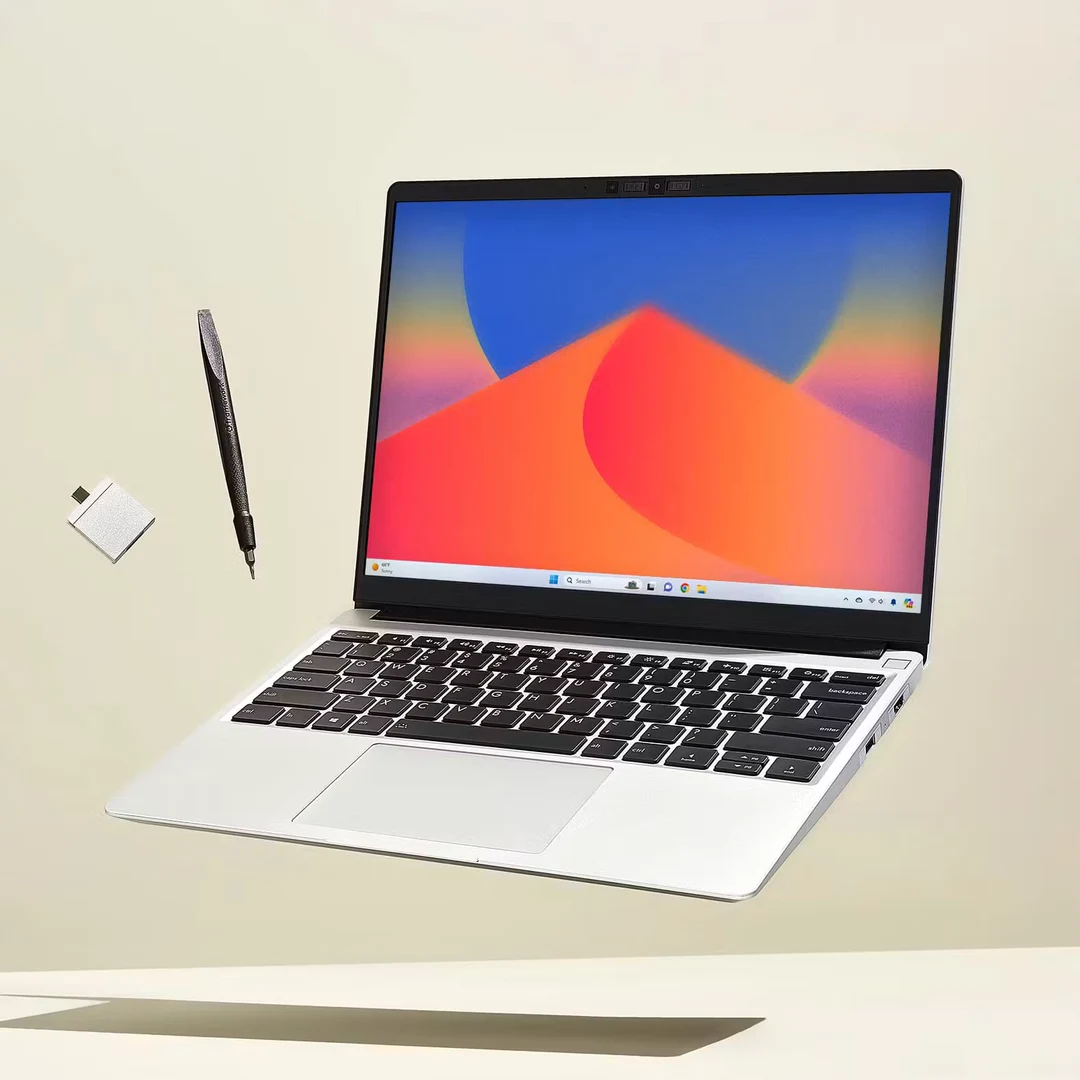
Official product image: Framework. This comparison uses the AMD Ryzen AI 300 Series Laptop 13 generation.
Check the supported memory modules for the exact Ryzen AI 300 generation. The two SO-DIMM slots give a research group an upgrade path when a real local process grows.11 For Linux, Framework's matrix identifies Fedora 43 and Ubuntu 25.10 as officially supported choices, with a minimum kernel of 6.11 and a recommended 6.15 or newer.12 Confirm that the institution's VPN, frozen distribution or specialist tools can use one of the supported environments.
Framework publishes a battery replacement procedure.13 Check parts access and any institutional limits on servicing grant-funded hardware. An ownership plan is complete when someone can act on it and the researcher can keep working during the repair.
MacBook Air and Zenbook A14 with separate compatibility checks
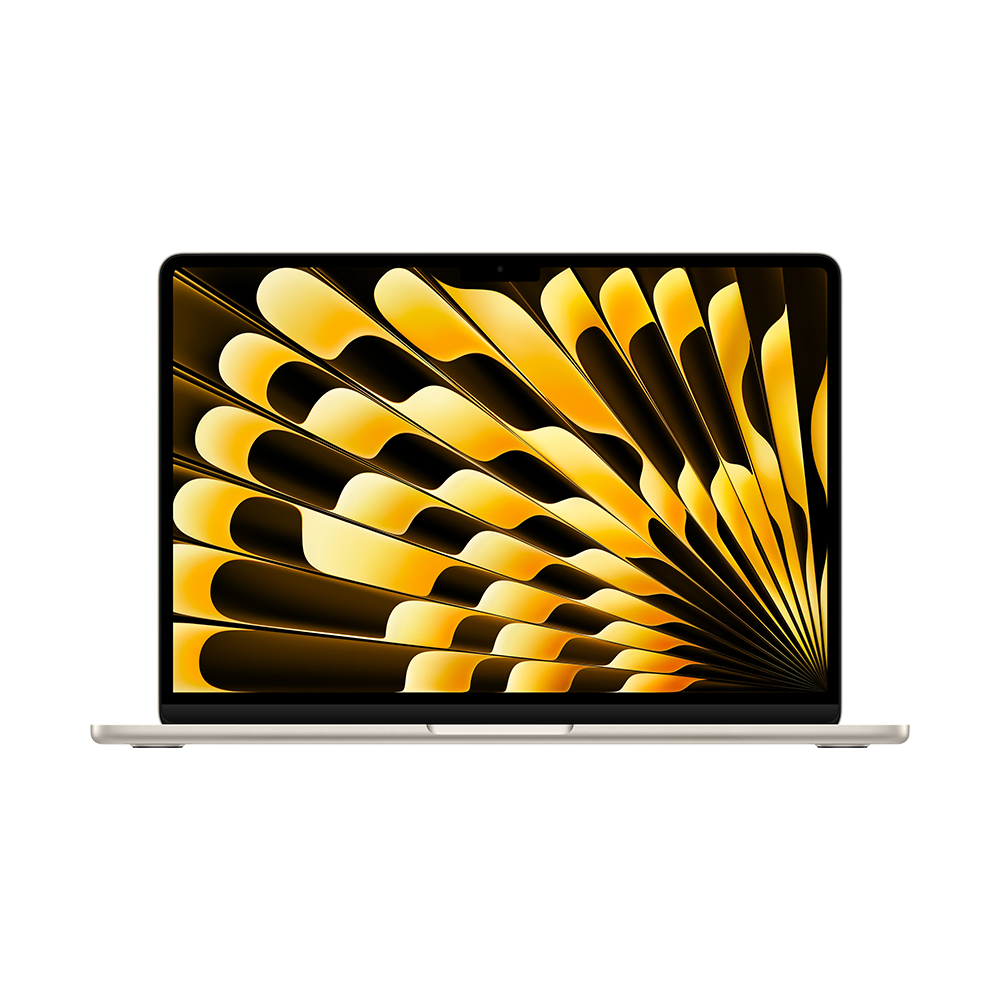
Official family image: Apple. This guide's hardware comparison concerns the 13-inch M5 configuration, not every machine shown.
Use the Air if your Mac applications pass the workflow check and intensive work has a confirmed destination. The fanless design can fit interviews or quiet writing, while the platform limits above still apply to the projects you need to run locally.
Compare the A14 when the UX3407NA is the exact quoted configuration and Windows on Arm passes the device and app tests.10 Older QA or RA models and the NA-CG variant have separate specification columns. In a research lab, a supported Arm64 driver for the actual instrument is stronger evidence than successful use of ordinary office software.
Size memory for the working process, not just the downloaded file
A file on disk is not a reliable statement of the RAM required to analyze it. A computation can create intermediate representations and copies; other applications need room at the same time. The useful evidence is a representative workflow observed on a known machine, not the size of one compressed download.
Consider an illustrative calculation, not a benchmark: ten million rows, twenty numeric columns and eight bytes per value require 1.6 billion bytes, about 1.49GiB, for the raw numeric values alone. Five simultaneous arrays of that size would account for about 7.45GiB before metadata, software and the operating system. Real methods may use fewer copies, more copies, different data types or out-of-core processing. The example explains why file size and peak memory are different questions; it does not prove that a particular project needs a specific RAM tier.
| Memory decision | Evidence to collect | Reasonable response |
|---|---|---|
| Considering 16GB | Peak use during the current representative workload, including normal background tasks | Evaluate it when local work is modest and heavier tasks have an established alternative |
| Considering 24GB or 32GB | Whether larger local work is already planned or repeatedly runs into pressure | Pay for a defined requirement or useful margin, rather than a label |
| Considering more than 32GB | Measured or well-estimated peak demand and whether the workload belongs on a server | Compare a suitable high-capacity system with remote or lab access |
| Unsure how the project will develop | Cost of buying extra fixed memory versus a supported upgrade path | Treat upgradeability as an ownership option, with its own parts and labor costs |
For more on choosing a memory tier for actual research tasks, see Portable Laptop Guide's 16GB, 32GB and 64GB graduate-work comparison. Keep the selected application release and project size attached to any capacity recommendation.
Compare the complete funded setup
Price matters, but a cheap incomplete configuration is not necessarily an inexpensive working research system. Compare the machine with the required operating system, memory, storage, connections and support. If a university already supplies a dock and monitor, count that existing infrastructure rather than buying a second set without need.
Two current reference points illustrate the problem. Framework's US prebuilt base was $1,049 before tax on 9 November 2026, with Ryzen AI 5 340, 16GB in two 8GB modules, 256GB and Windows 11 Home.14 Apple's identified US education offer for the 13-inch M5, 10-core CPU/8-core GPU, 16GB/512GB silver machine was $1,199 before tax, subject to eligibility.15 The prices describe different storage, operating systems, ownership approaches and purchasing conditions. They are not a result showing which brand provides more research performance per dollar.
For a Windows application requiring a supported Pro edition or other configuration, add that requirement to the quote. Do not assume a free upgrade, a transferable campus license or a service entitlement. Ask the institution what is included and what remains the student's responsibility.
| Quote line | What should be written down | Common omission |
|---|---|---|
| Computer | Full model and configuration identifier | Comparing a family starting price with a configured offer |
| OS and software | Edition, application licenses and institutional entitlement | Assuming Home and Pro satisfy the same requirements |
| Connections | Actual dock, cables and device adapters | Treating every USB-C port as equivalent |
| Protection and repair | Written warranty scope and repair route | Inferring an international or rapid service promise from the brand |
| Data and storage | Required local capacity and approved backup destination | Confusing synchronization with an independent recovery plan |
| Temporary access | Loan machine or lab-seat arrangement if available | Assuming a replacement will be provided |
The same approach helps when choosing between personal and departmental ownership. A machine bought with a grant may belong to the institution after the student leaves. Ask before paying for upgrades, performing repairs or relying on keeping the hardware after graduation. These are procurement questions to resolve locally, not policies that can be inferred from a manufacturer's product page.
Schedule acceptance while you still have a return option
Confirm the seller's return terms and schedule the real work checks before the deadline. Keep a short record of the OS build, application release, required extension, device driver and key settings used in a passing run.
- Install the approved tools and verify the real enrollment, VPN and license process.
- Acquire or import a small permitted sample and reproduce the expected operation with the named release and add-ins.
- Reconnect the instrument, dock and display and confirm each function you need after a normal sleep or disconnection.
- Run a representative analysis, writing and meeting session. Record peak memory use and whether you can complete it in the expected time.
- Repeat the permitted remote work from another location. Restore the test project to a separate folder or approved computer and check the exported result.
Record what passed with the configuration. If a driver fails, check the vendor and university support matrix and use a compatible lab machine or change the order while the option is available.
Make the handoff work before your account closes
Decide who owns the raw files, scripts, environment and final outputs. Record which work must stay with the university and when software licenses, cloud shares and remote credentials expire. Put the approved copies somewhere the next authorized researcher can access without using your account.
Ask that person to restore a permitted project to a clean location, run the documented steps and open the expected output. Include environment versions, data provenance and the settings needed to reproduce the result. Where a physical device is part of the work, preserve the agreed raw formats and method metadata as well as figures. Note where restricted data stays and who can authorize access.
Choose the configuration that passes the hard requirement
For reading, methods preparation and a confirmed Intel Windows remote workflow, compare the Yoga Slim 7i Ultra first if you carry the laptop most days. Use the Air for a workflow whose necessary local tools and remote access are supported on macOS. Include the A14 when the exact Arm drivers, required applications and licenses are verified.
If the laptop operates the instrument itself, let the vendor's approved platform decide what remains in the shortlist. Compare the ThinkPad X1 Carbon if its ports, chosen configuration and the support arrangement solve the daily connection problem. Use a suitable workstation when the required local application or graphics configuration calls for one.
Compare Framework if your project may need more local memory and you are permitted to upgrade the machine. Confirm supported components, operating system and parts access. Before ordering any model, keep the record of the test result and the handoff owner with the quote. Both matter when the research environment changes.
Sources
Official software documents establish support boundaries, not application-performance benchmarks. Manufacturer pages establish the listed hardware configuration. Workload examples, quote worksheets, acceptance checks and the memory calculation are editorial planning tools; they are not measurements of the laptops.
- Microsoft: Windows Arm-based PCs FAQ — application and driver compatibility boundaries.
- MathWorks: MATLAB R2026b Windows requirements — Snapdragon X-series support through Prism, with capability limitations.
- SOLIDWORKS system requirements — processor, memory, graphics and unsupported Windows Home editions.
- NVIDIA CUDA installation guide for Windows — required GPU and supported software environment.
- MathWorks: MATLAB R2026b Mac requirements — Apple-silicon support and unavailable products or capabilities.
- Lenovo PSREF: 14IPH11 specifications — fixed memory, storage format, connections and weight reference.
- ThinkPad X1 Carbon Gen 14 PSREF — configuration-specific platform and connections.
- Framework Laptop 13 AMD Ryzen AI 300 specifications — generation, memory slots and modular hardware.
- Apple MacBook Air specifications — M5 memory, display and expansion configuration.
- ASUS Zenbook A14 UX3407 specifications — use the UX3407NA column, not QA, RA or NA-CG specifications.
- Framework memory compatibility documentation — supported DRAM for the Ryzen AI 300 generation.
- Framework Linux compatibility matrix — named distribution and kernel support for this generation.
- Framework battery replacement guide — published service procedure, not a service-speed guarantee.
- Framework US prebuilt comparison — dated base configuration and price reference.
- Apple US education-store M5 configuration — dated named offer; education eligibility applies.