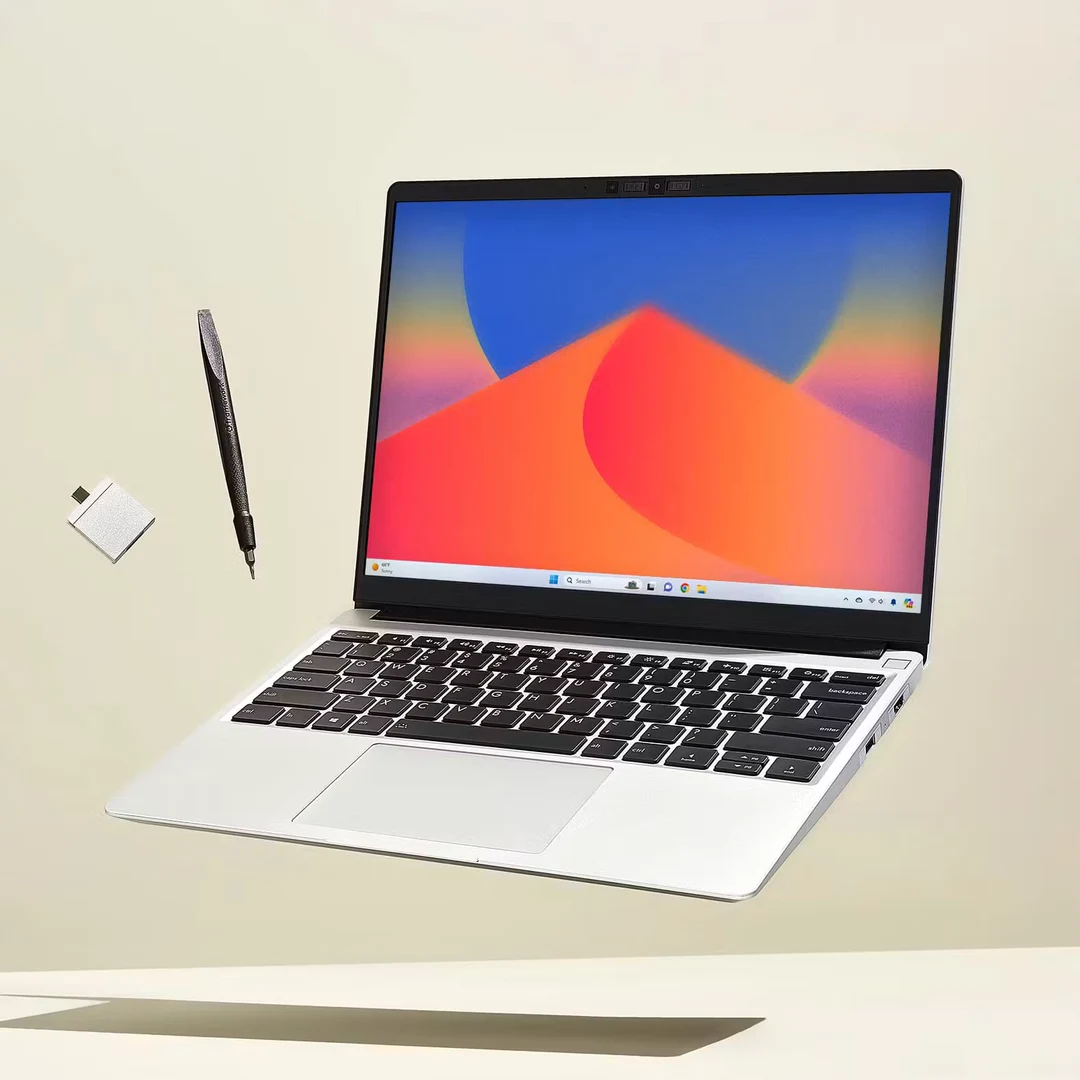
A graduate-school buying guide built around software, research capacity and the equipment you carry. US offers and source checks: November 11, 2026.
The Lenovo Yoga Slim 7i Ultra Aura Edition with 32GB RAM and a 1TB SSD is the first configuration I would shortlist for a graduate student who wants a portable Windows computer for a busy research day. It gives a thesis, reference library, browser, presentation and local project files room to coexist. That recommendation is about the working configuration: it is not a claim that the selected retail unit is the lightest laptop here.
There are better starting points for other circumstances. A MacBook Air M5 with 16GB/512GB costs much less and deserves serious attention for a Mac-compatible writing or research workflow. The ASUS Zenbook S14 is easier to connect to a seminar-room projector. The ThinkPad X1 Carbon becomes more relevant when a department purchases and supports the machine. The Surface Laptop 8th Edition can suit a browser-led course, provided the required applications and peripherals work on Windows on Arm.
The first question is not your major's name. It is where your demanding work will run: on this laptop, on a departmental workstation, or on a remote research system. A lightweight notebook can be an excellent everyday research companion without being the machine that solves a large simulation overnight.
Quick shortlist: choose the configuration, not just the name
These are observed US offers before tax. Education discounts, accessories, software and service plans are excluded. The order reflects different buying situations, not a measured performance ranking.
| Laptop and selected configuration | Observed offer | The graduate-school reason to consider it | Check before buying |
|---|---|---|---|
| Lenovo Yoga Slim 7i Ultra Aura Edition, 83QK0001US; Core Ultra 7 355, 32GB/1TB | $2,249.99 | A substantial Windows research configuration in a portability-focused family | Exact unit weight, required software and presentation adapter |
| MacBook Air 13-inch M5, MDH74LL/A; 10-core CPU/8-core GPU, 16GB/512GB, Silver | $1,149 | Lower-cost entry for writing, references and a compatible academic toolchain | Department software and the size of your local working set |
| MacBook Air 13-inch M5, Z1L8000KL; 10-core CPU/10-core GPU, 32GB/1TB, Midnight | $1,999 | More capacity for established Mac research projects | Whether the extra memory and storage address a real limitation |
| ASUS Zenbook S14, UX5406AA-XS79T; Core Ultra 7 356H, 32GB/1TB, Windows 11 Pro | $1,999.99 | Windows capacity with native HDMI and USB-A for seminars | Correct AA model suffix and keyboard preference |
| ThinkPad X1 Carbon Gen 14 Aura Edition, 21V7006GUS; Core Ultra 7 365 vPro, 32GB/1TB, Windows 11 Pro | $3,259 | A specified business configuration for department-supported research | Procurement, support coverage and justification for the premium |
| Surface Laptop 13.8-inch, 8th Edition, Black; Snapdragon X2 Plus 10-core, 16GB/512GB, Windows 11 Home | $1,199.99 | A lower-priced Surface configuration for an approved Arm workflow | Exact applications, plug-ins and device drivers |
Scroll across to compare all columns.
The linked Yoga listing, entry Air listing, 32GB Air listing, ASUS listing, Lenovo offer and Microsoft configurator identify these offers. Surface pricing varies by color and processor; the Black X2 Plus offer is not the price of an X2 Elite configuration.
Check your research software before comparing scores
Bring your department a short list: the application, release, required extensions, license method and any equipment it controls. A general assurance that a laptop “runs Windows” or “is good for coding” leaves too much unresolved.
For example, SOLIDWORKS lists x86_64 processors, 16GB RAM with 32GB recommended, and certified graphics cards and drivers. An Intel Windows laptop clears an architecture question; that does not certify its integrated GPU for a particular assembly or visualization workload.[18]
ArcGIS Pro 3.6 lists x64 as its platform, 32GB as recommended memory and a discrete GPU as recommended for visualization. Esri documents a route for M-series Macs through a Windows virtual machine, but also identifies limitations and performs defect troubleshooting against certified Windows x64 systems. Treat that as a separate deployment decision, not equivalent to a native Mac application.[19][20]
The details also change between releases. MATLAB R2026b now lists Windows Arm support through Prism emulation, with some capabilities unsupported. Its Mac requirements support Apple chips, while GPU acceleration with Parallel Computing Toolbox is unavailable on macOS. “MATLAB works” is therefore an incomplete answer if your project depends on a particular toolbox or acceleration path.[21][22]
For a coding project, ask your supervisor or lab colleague to review the actual environment: package versions, containers, hardware dependencies and remote-access tools. For GPU-heavy research, first identify the required GPU backend and available lab resources. None of the configurations below includes a discrete NVIDIA GPU; no NPU marketing number changes that hardware fact.
Scenario scores: what the configuration gives you
These are editorial fit scores, not benchmark results, customer ratings or measures of academic productivity. An incompatible required application disqualifies a laptop regardless of its scores. We do not combine the columns into a universal winner.
- Thesis work: all six configurations receive 4/5 for documented equipment suitable for documents, PDFs, references and calls after software approval. No common hands-on keyboard, screen-comfort or runtime test justifies finer differences.
- Research capacity: 32GB/1TB receives 4/5; 16GB/512GB receives 3/5. This measures memory/storage headroom, not processor speed or maximum dataset size.
- Seminar connections: native power, HDMI and USB-A together earn 5/5. Needing HDMI conversion earns 4/5; needing both HDMI and USB-A expansion earns 3/5.
- Campus carry: published laptop-only weight above 1.0kg through 1.3kg earns 4/5; above 1.3kg through 1.5kg earns 3/5. A family starting weight is insufficient to score an exact configuration.
- Purchase budget: the observed pretax laptop price earns 5/5 at $1,200 or less; 4/5 above $1,200 through $1,700; 3/5 above $1,700 through $2,300; 2/5 above $2,300 through $3,300. This is affordability within this shortlist, not value for every student.
| Configuration | Thesis work | Research capacity | Seminar connections | Campus carry | Purchase budget |
|---|---|---|---|---|---|
| Yoga Slim 7i Ultra, 32GB/1TB | 4/5 | 4/5 | 3/5 | Pending exact weight | 3/5 |
| MacBook Air M5, 16GB/512GB | 4/5 | 3/5 | 3/5 | 4/5 | 5/5 |
| MacBook Air M5, 32GB/1TB | 4/5 | 4/5 | 3/5 | 4/5 | 3/5 |
| Zenbook S14, 32GB/1TB | 4/5 | 4/5 | 5/5 | 4/5 | 3/5 |
| ThinkPad X1 Carbon, 32GB/1TB | 4/5 | 4/5 | 5/5 | Pending exact weight | 2/5 |
| Surface Laptop X2 Plus, 16GB/512GB | 4/5 | 3/5 | 4/5 | 3/5 | 5/5 |
Scroll across to compare all columns.
Battery endurance is deliberately outside this scorecard. A manufacturer's video-playback result cannot establish how long a student can annotate PDFs, join meetings and run analyses on the same charge.
1. Lenovo Yoga Slim 7i Ultra Aura Edition
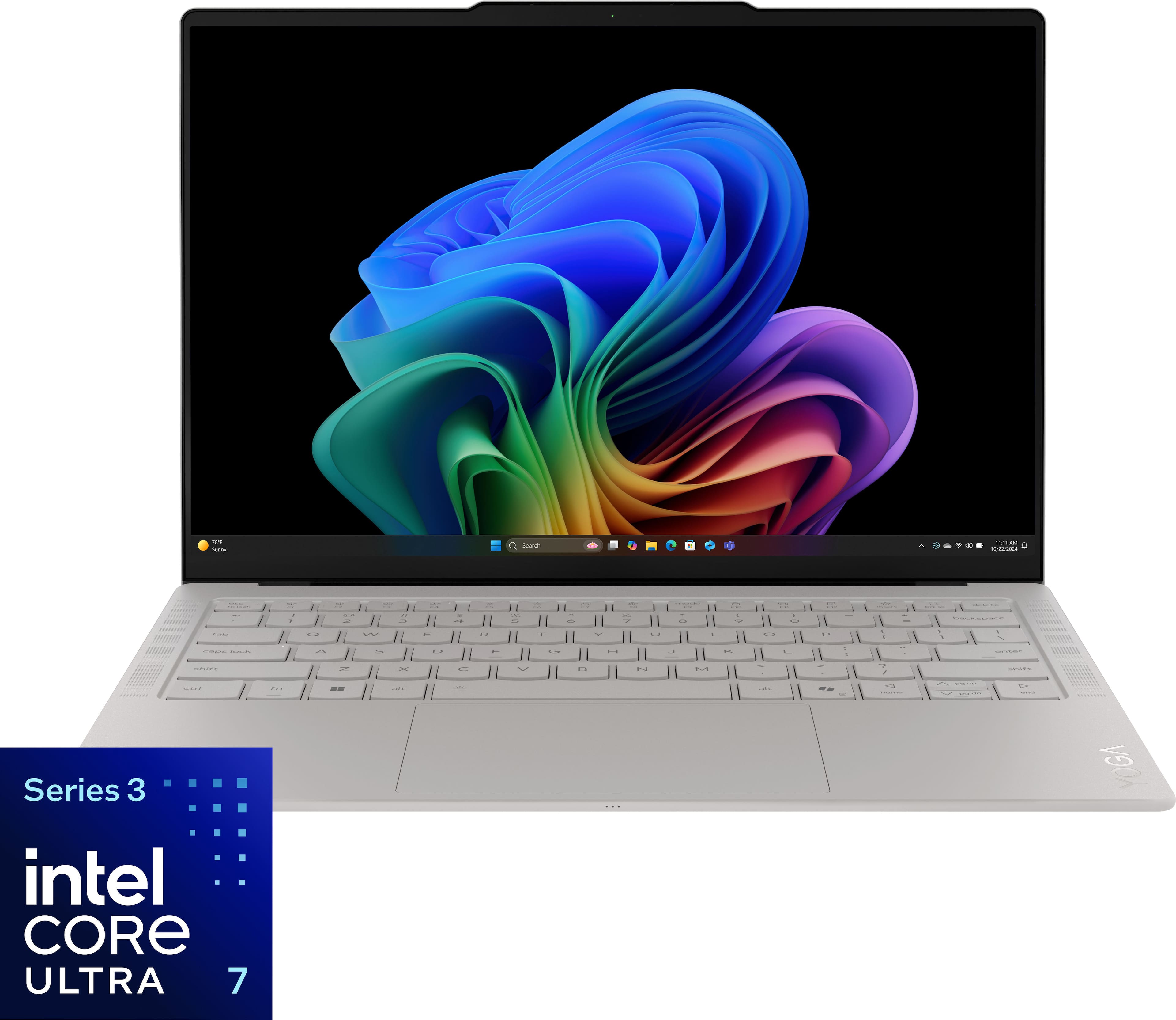
Seashell product image from the matched Best Buy listing.
First shortlist for a Windows researcher who wants 32GB/1TB from the outset.
Configuration and budget
The selected 83QK0001US has a Core Ultra 7 355, 32GB RAM and 1TB SSD, with an observed price of $2,249.99. Its graphics are Intel Graphics; do not assign the graphics specification of a higher Core Ultra X configuration to this unit.[1]
Manufacturer highlights, translated into study use
Lenovo promotes the family's 975g starting weight and OLED design.[23] The specifications describe a 14-inch 2880 × 1800 OLED touchscreen and a 75Wh battery. The display specification separates 500-nit typical SDR brightness from 1,100-nit HDR peak brightness. The latter is not a claim of constant full-screen brightness while reading papers.[2]
For study, the attraction is a conventional keyboard laptop with substantial local capacity. You can keep a reference library and active project files with you rather than choosing the machine around the smallest storage option. The family's minimum weight still needs confirmation against the exact unit and the charger you intend to carry.
Highlights
- 32GB/1TB is a useful research starting point. It provides capacity headroom when documents, reference tools and development applications overlap.
- Three Thunderbolt 4 connections offer several ways to attach a compatible display, storage device or dock.
- A detailed 14-inch work surface can suit charts and slide preparation; choose comfortable scaling rather than trying to fit every window at native resolution.[2]
Drawbacks
There is no native HDMI or USB-A. A graduate teaching assistant who uses projectors and presentation receivers needs a tested adapter. Memory is soldered, so a later RAM upgrade is not a recovery plan. Despite the Yoga name and touch display, this model has no pen support and is not a substitute for a convertible note-taking device.[2]
Who it fits and what owners say
Consider it for Windows-first thesis work with a substantial application set, especially when heavy computation runs elsewhere. It is less compelling when the overriding requirement is the lowest price, native projector connections or a certified local graphics workstation.
Best Buy showed 4.9/5 from seven reviews. Two identifiable reviewers, PATRICIAF and RoCav, praised portability but differed on keyboard feel; RoCav also wanted upgradeable RAM. Both carried verified-purchaser and incentivized labels. That small sample supports trying the keyboard and deciding memory early, not a reliability verdict.[3]
Buying judgment: shortlist the Yoga for its Windows configuration and design, then compare its final carry kit with the ASUS. The observed $250 premium needs a benefit you will use.
2. Apple MacBook Air 13-inch M5
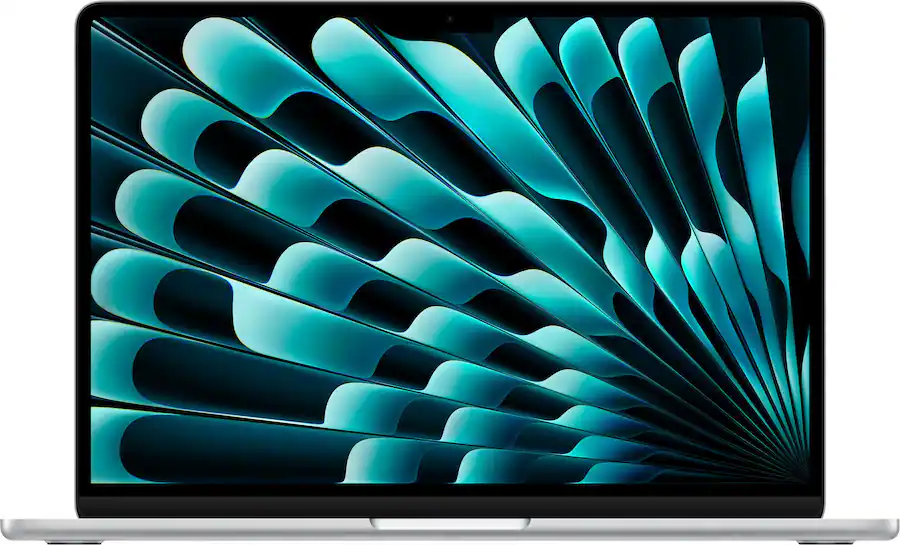
Silver 16GB/512GB product image. The separately priced 32GB/1TB selection is Midnight.
The lower-cost starting point for a Mac-compatible thesis and research workflow.
Configuration and budget
Start with MDH74LL/A, 16GB/512GB, at $1,149. The 32GB/1TB Z1L8000KL at $1,999 is a separate offer with a 10-core rather than 8-core GPU. That $850 difference spans configuration, color and retailer; it is not a universal Apple upgrade charge.[4][5]
Manufacturer highlights, translated into study use
Apple promotes the M5 platform, a fanless chassis and portable design. The 13-inch model weighs 1.23kg, has a 13.6-inch display, and includes MagSafe, two Thunderbolt 4 ports and an audio jack. It supports up to two external displays under Apple's specified connection conditions.[6][7]
A fanless computer has an obvious place in a quiet reading room. For a writing-heavy degree, however, a comfortable desk and a backup plan may improve daily work more than buying the highest-capacity Air.
Highlights
- A materially lower purchase price for a capable everyday academic configuration.
- Silent cooling for shared study spaces and recorded presentations.
- A higher-capacity option in the same compact format when a known project needs it.
Drawbacks
There is no native HDMI or USB-A. Choose memory and storage at purchase, and avoid treating a virtual machine as an automatic solution for every Windows research package. The Air's fanless design also does not establish sustained performance for long-running local computation; inspect a relevant workload test before making that your reason to buy.
Who it fits and what owners say
The 16GB option is a sensible candidate for literature-led research, writing and approved browser or Mac applications. The 32GB model merits a closer look when the working set, local development tools or dataset preparation justify its capacity. Neither should be selected before checking the course's specialist software.
Amazon's retrieved B0GR19X8DC listing showed 4.7/5 and a feedback count of 1,332, with a review link spanning color variants. Individual original Amazon review texts were not available to verify, so there is no defensible Amazon praise-versus-complaint summary here. A separate Best Buy M5 review by ASMAM praised silence and portability and disliked upgrade costs and adapter needs; it was an incentivized, verified-purchaser review of another color.[8][9]
Buying judgment: begin with 16GB/512GB for a compatible workload. Spend more when you can identify the capacity constraint, not simply because graduate school sounds demanding.
3. ASUS Zenbook S14
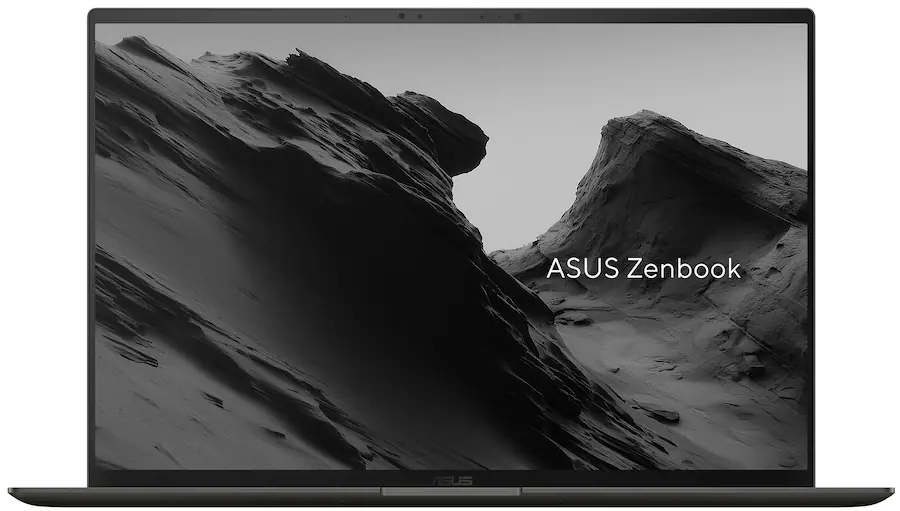
Matched UX5406AA-XS79T product image from Best Buy.
The practical Windows choice for students who regularly present or teach.
Configuration and budget
The UX5406AA-XS79T combines Core Ultra 7 356H, 32GB RAM, 1TB SSD and Windows 11 Pro at $1,999.99. The AA suffix matters: an earlier UX5406SA review does not describe the same processor platform.[10]
Manufacturer highlights, translated into study use
ASUS emphasizes its Ceraluminum construction, thin chassis and OLED display. The AA specification lists a 1.20kg body and a 14-inch 2880 × 1800, 120Hz OLED touchscreen. For a seminar, the less glamorous feature may matter more: HDMI and USB-A sit alongside two Thunderbolt 4 ports.[11]
Highlights
- Native HDMI and USB-A simplify the projector-plus-receiver routine.
- 32GB/1TB capacity is useful for research files and concurrent applications.
- A listed 1.20kg body keeps the carrying proposition competitive without relying on a family minimum.[11]
Drawbacks
Memory is onboard, and the published keyboard travel is 1.1mm. That number does not determine typing quality, but a student writing long chapters should try the keyboard before choosing it. This is still an integrated-graphics ultraportable; Windows and 32GB do not make it a certified CAD workstation.[11]
Who it fits and what owners say
Consider the ASUS for a graduate teaching assistant who switches between a desk, lab meetings and lecture rooms. It also suits students whose department requires Windows and whose desk routine benefits from conventional ports.
The Best Buy page displayed 5/5 from three reviews syndicated from ASUS, while its own review area said it had no reviews yet. These are not three verified Best Buy purchases, and the retrieved text did not support a detailed complaint analysis.[10]
Buying judgment: this is the clearest connection-focused option at the observed 32GB/1TB prices. If your typical week includes presenting in unfamiliar rooms, the port selection is a concrete reason to choose it over the Yoga.
4. Lenovo ThinkPad X1 Carbon Gen 14 Aura Edition
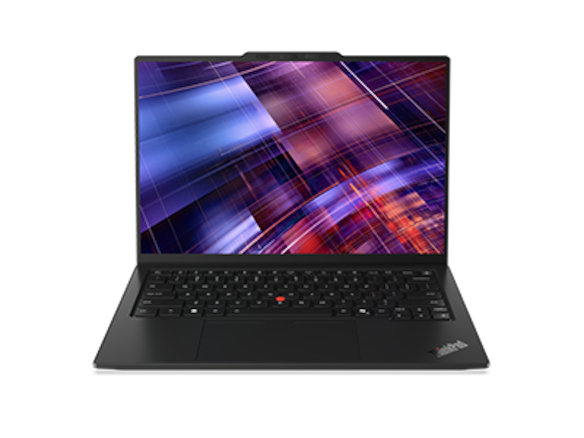
Lenovo family product image; evaluate the exact quoted screen and configuration.
A department-procurement option when support and management requirements justify the price.
Configuration and budget
The selected 21V7006GUS is the Core Ultra 7 365 vPro, 32GB/1TB, Windows 11 Pro configuration. Lenovo's matching offer showed $3,259. Check the final institutional quote: public retail pricing and a university's purchasing agreement are different offers.[12][13]
Manufacturer highlights, translated into study use
The business platform and connection range are its distinguishing features. Lenovo documents three Thunderbolt 4 ports, HDMI, USB-A and an audio jack. A department can evaluate those alongside its software image and support arrangements.[14]
Highlights
- Native seminar connections with fewer adapters to manage.
- A specified Pro/vPro configuration for a department that actually uses those features.
- 32GB/1TB capacity without moving to a large workstation chassis.
Drawbacks
It costs $1,259.01 more than the ASUS in these offers. A self-funded student needs a better justification than the ThinkPad badge. Family minimum weights do not establish this selected unit's weight, and a business model does not automatically include every service option in every country.[14]
Who it fits and what owners say
This model makes the most sense when a funded project or department specifies and supports it. Ask who handles a failed machine, whether a loan device is available and which repair service the quote includes. Those answers can be more important than the public list of enterprise features.
A matched Amazon rating, original owner-review set and unit-sales figure were not verified for this SKU. The recommendation rests on configuration and procurement fit rather than presumed popularity.
Buying judgment: include it in an institutional shortlist; for a personal purchase, compare the lower-cost Windows options first.
5. Microsoft Surface Laptop 13.8-inch, 8th Edition
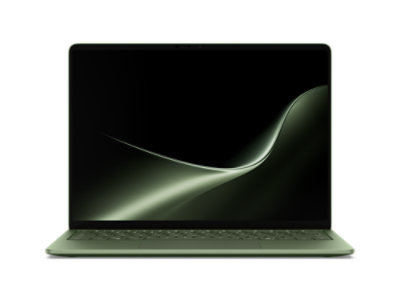
Microsoft family image in Jade. The $1,199.99 configuration discussed here is Black.
A budget-conscious Surface option once the academic Arm workflow is approved.
Configuration and budget
Microsoft listed the Black Snapdragon X2 Plus 10-core, 16GB/512GB configuration at $1,199.99. The selected consumer model runs Windows 11 Home. Do not substitute the price or business software of another Surface configuration.[15]
Manufacturer highlights, translated into study use
Microsoft promotes its Snapdragon platform and battery-life testing. The 13.8-inch model has a 3:2 touchscreen, useful in principle for a vertically arranged document, and a listed 1.36kg weight. Connections include two USB-C/USB4 ports, USB-A and Surface Connect.[15][16]
Highlights
- An observed price close to the entry MacBook Air.
- A taller screen shape for documents and reference material.
- Native USB-A for an approved accessory, with an HDMI adapter still needed for many seminar rooms.
Drawbacks
Application emulation does not remove driver requirements. Microsoft notes that peripherals and software relying on drivers need suitable Arm support. Test the specific lab instrument, VPN or other required component rather than assuming compatibility from the operating-system name.[17]
This touchscreen does not support Surface Pen or Surface Slim Pen. It is a keyboard laptop with touch navigation, not a detachable pen notebook.[15]
Who it fits and what owners say
Consider it when most daily work happens in approved applications and the department has already validated Arm. A student controlling specialist laboratory equipment should obtain a compatibility answer before making the price comparison.
No exact-generation, exact-configuration Amazon review set or unit-sales figure was verified. This leaves no basis for attributing a recurring owner complaint or satisfaction rate to this model.
Buying judgment: the Black X2 Plus offer is interesting for a compatible, lighter-demand workflow. Keep the software check ahead of the promotion.
Amazon ratings, owner comments and sales: what is actually documented?
| Product | Verified feedback evidence | Praise and criticism we can attribute | Sales evidence |
|---|---|---|---|
| Yoga Slim 7i Ultra | Best Buy 4.9/5, seven reviews; Amazon match unverified | Named owners praised portability; keyboard opinions differed; one wanted upgradeable RAM | Exact unit sales unverified |
| MacBook Air M5 | Amazon listing 4.7/5, displayed count 1,332; cross-color review pool | Amazon original text unavailable; separately identified Best Buy owner praised quietness/portability and criticized upgrade cost/adapters | Amazon displayed “7K+ bought in past month”; rounded listing signal |
| Zenbook S14 | 5/5 from three ASUS-syndicated reviews on Best Buy | Original comment evidence insufficient for a balanced theme analysis | Exact unit sales unverified |
| ThinkPad X1 Carbon | Matched original review set unverified | No claimed owner consensus | Exact unit sales unverified |
| Surface Laptop 8th Edition | Matched original review set unverified | No claimed owner consensus | Exact unit sales unverified |
Scroll across to compare all columns.
The Amazon copy was retrieved for this guide with a five-day crawl age. Its purchase badge is not audited worldwide sales, and its shared feedback count is not a count of buyers of the 32GB Mac configuration. These signals inform the evidence record; they do not determine the scenario scores.[8]
Match the purchase to the next year of research
Mostly reading, writing and references: check the entry MacBook Air if your tools support macOS. If Windows is required, compare an approved lower-cost configuration with these premium Windows options before assuming you need to spend $2,000. This is a selected shortlist, not a claim that cheaper Windows laptops cannot do thesis work.
Local coding, statistics or data preparation: inspect the memory use of a representative project. A 32GB Yoga, ASUS or Air may be useful, but compressed file size alone cannot predict RAM demand. Ask a lab colleague to run the intended workflow with the same package versions and report its bottleneck.
CAD, simulation or GPU-heavy research: agree where the demanding work runs. A portable laptop plus access to a supported workstation may be a better arrangement than stretching the laptop budget without obtaining the required GPU or certification. If access is remote, check availability, queue times, licensing and off-campus connectivity.
Teaching and conference presentations: the ASUS and ThinkPad have the simplest native port arrangement here. Rehearse the actual presentation with its videos, fonts and receiver. A familiar, tested adapter is worthwhile for a laptop that needs one.
Reserve part of the budget for backup and recovery. Before paying for software or cloud storage, confirm what the university already provides and what ends when enrollment or funding ends. A fast laptop cannot replace a lost thesis folder.
Questions graduate students ask
Is 16GB enough for a master's degree or PhD?
Often for documents, references and browser work, but the degree title does not determine memory needs. Use the required applications and a representative working set. Choose 32GB when the extra headroom solves a real problem, especially on a machine whose memory cannot be upgraded.
Should I buy the lightest advertised laptop?
Compare the exact unit plus charger, adapters and protective sleeve. A family starting weight is a reason to investigate, not a measured travel kit. Keyboard comfort, suitable software and access to repair still matter during a long program.
Is a touch laptop enough for handwritten equations?
No. Touch navigation and active-pen support are different capabilities. The Yoga Slim model and Surface Laptop discussed here do not support the pen-note-taking workflow some buyers expect from their names. Choose an explicitly compatible pen device if handwriting is central.
Should a high Amazon rating outweigh a software concern?
No. Even a large review pool cannot establish compatibility with your lab's instrument driver, required toolbox or certified graphics workflow. Verify those requirements directly before using owner feedback to assess the remaining choices.
Final choice: start with the work you must finish
Put the Yoga Slim 7i Ultra 32GB/1TB first on a shortlist for a substantial Windows research setup, with exact carrying weight and connections checked before ordering. Choose the MacBook Air 16GB/512GB when a compatible thesis workflow and lower cost are the priorities. Prefer the Zenbook S14 for frequent seminars, the ThinkPad X1 Carbon for a justified department-supported purchase, and the Surface Laptop for a validated Arm workflow at the selected offer.
The strongest purchase leaves you with working software, enough capacity, a manageable bag and a recovery plan—not merely the most impressive processor name.
For a setup shared between campus, a home desk and travel, compare our business travel and remote work guide. For frequent conference trips, the business-traveler comparison examines presentation connections and complete-kit decisions in more detail.
Sources and configuration notes
Manufacturer and retailer documentation underpin the specifications and offers above. Scenario judgments are editorial assessments; this guide does not claim firsthand testing. Product pictures show the identified colors or family examples noted in their captions.
- Best Buy — Yoga 83QK0001US offer.
- Lenovo PSREF — Yoga Slim 7 Ultra 14IPH11 specifications.
- Best Buy — original Yoga SKU 6671628 reviews.
- Best Buy — MacBook Air M5 MDH74LL/A, 16GB/512GB.
- B&H — MacBook Air M5 Z1L8000KL, 32GB/1TB.
- Apple — MacBook Air technical specifications.
- Apple — M5 MacBook Air announcement.
- Amazon US — MacBook Air listing B0GR19X8DC.
- Best Buy — original Sky Blue M5 review by ASMAM.
- Best Buy — Zenbook S14 UX5406AA-XS79T offer and review labels.
- ASUS — Zenbook S14 specifications, UX5406AA column.
- Lenovo — matching 21V7006GUS offer.
- Lenovo — ThinkPad X1 Carbon 21V7006GUS product page.
- Lenovo PSREF — ThinkPad X1 Carbon Gen 14 specifications.
- Microsoft Store — 8th Edition Surface Laptop configurator.
- Microsoft Learn — shared 8th Edition Surface hardware specifications.
- Microsoft Support — Windows Arm-based PCs FAQ.
- SOLIDWORKS — system requirements.
- Esri — ArcGIS Pro 3.6 system requirements.
- Esri — running ArcGIS Pro on a Mac.
- MathWorks — MATLAB R2026b requirements for Windows.
- MathWorks — MATLAB R2026b requirements for Mac.
- Lenovo — CES 2026 Yoga announcement.