The Lenovo Yoga 7i 2-in-1 Aura Edition, 14-inch Gen 11, is our first shortlist choice for teachers who type a lesson, present it and then fold the screen down to explain a worked example with a pen. The Yoga 9i 2-in-1 Gen 11 is the alternative to compare for its particular screen and input experience. The Surface Pro 13-inch, 11th Edition, takes a different approach with a detachable keyboard for teachers who want a separate writing tablet.
A live worked example needs more than a slide deck. The teacher may reveal one step at a time, circle an assumption and write a short response to a student's question. The computer must support both deliberate preparation and spontaneous explanation. These three designs all offer pen-oriented interaction, but the attached keyboard, screen support and accessory choices create meaningfully different teaching setups.
The shortlist for showing the reasoning
| Device | Best teaching role | Physical distinction | Specify before purchase |
|---|---|---|---|
| Yoga 7i 2-in-1 Aura Edition, 14IPH11 | Preparing and annotating from one connected laptop | Fold-back hinge with HDMI and USB-A | Exact screen, compatible pen and the supplied bundle |
| Yoga 9i 2-in-1 Aura Edition, 14IPH11 | Comparing a different premium convertible input experience | Attached keyboard and 14-inch OLED display | Pen package and the connections used by your classroom |
| Surface Pro 13-inch, 11th Edition | Writing on a tablet with the keyboard detached | Kickstand tablet and separately specified keyboard | Keyboard, Slim Pen and the approved Arm software setup |
Yoga 7i 2-in-1 Gen 11: best starting point for a complete teaching laptop
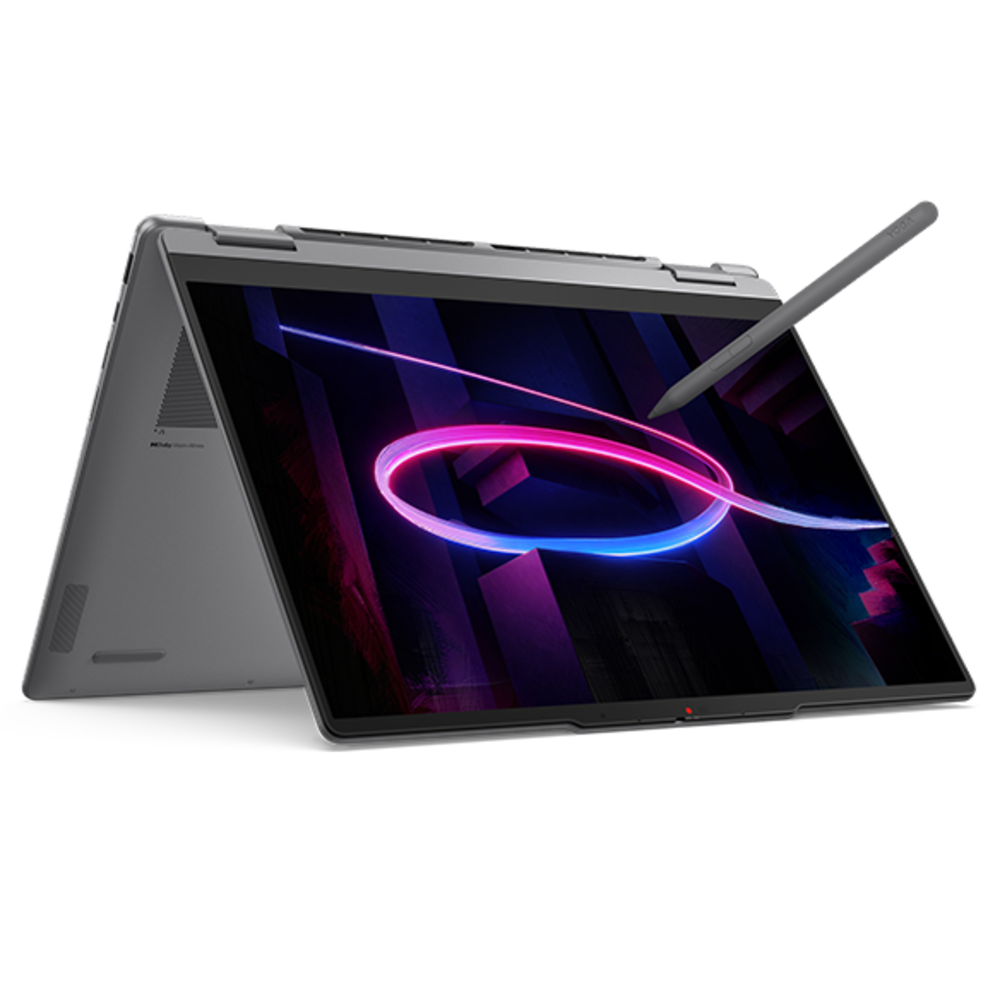
Lenovo manufacturer image.
The 14IPH11 specification identifies the actual convertible Yoga 7i platform in this comparison. It is distinct from the clamshell Yoga Slim 7i Ultra. Lenovo lists a 70 Wh battery, a starting weight of 1.38 kg and a connector mix that includes HDMI, USB-A and two Thunderbolt 4 ports. Those features make a coherent classroom computer: a conventional laptop for preparation that can also become a pen surface at the teaching desk.
The attached keyboard is useful when a lesson repeatedly switches between writing and typing. Prepare a worksheet in laptop mode, fold the screen for a handwritten explanation and return to the document without handling a separate keyboard piece. The hinge supplies the physical change; the teaching application determines how ink, erasing and page navigation work. Select the pen and app as part of the same purchase.
The screen configuration needs attention because this family has more than one panel option. Choose the one that makes your actual lesson text and diagrams comfortable to read, and confirm the resolution in the order. For clear projected handwriting, choose the pen stroke, contrast and page size around the classroom display.
For classroom accessories, direct HDMI and USB-A can make a practical difference. A room display and a familiar USB receiver can remain part of the teaching setup without an additional hub for those connections. Check the exact pen package: Lenovo's platform documentation lists options, while the local retail bundle decides what arrives in the box. Our lead recommendation is the completed teaching configuration, including the input tool.
Yoga 9i 2-in-1 Gen 11: best when the particular screen and writing setup justify the choice
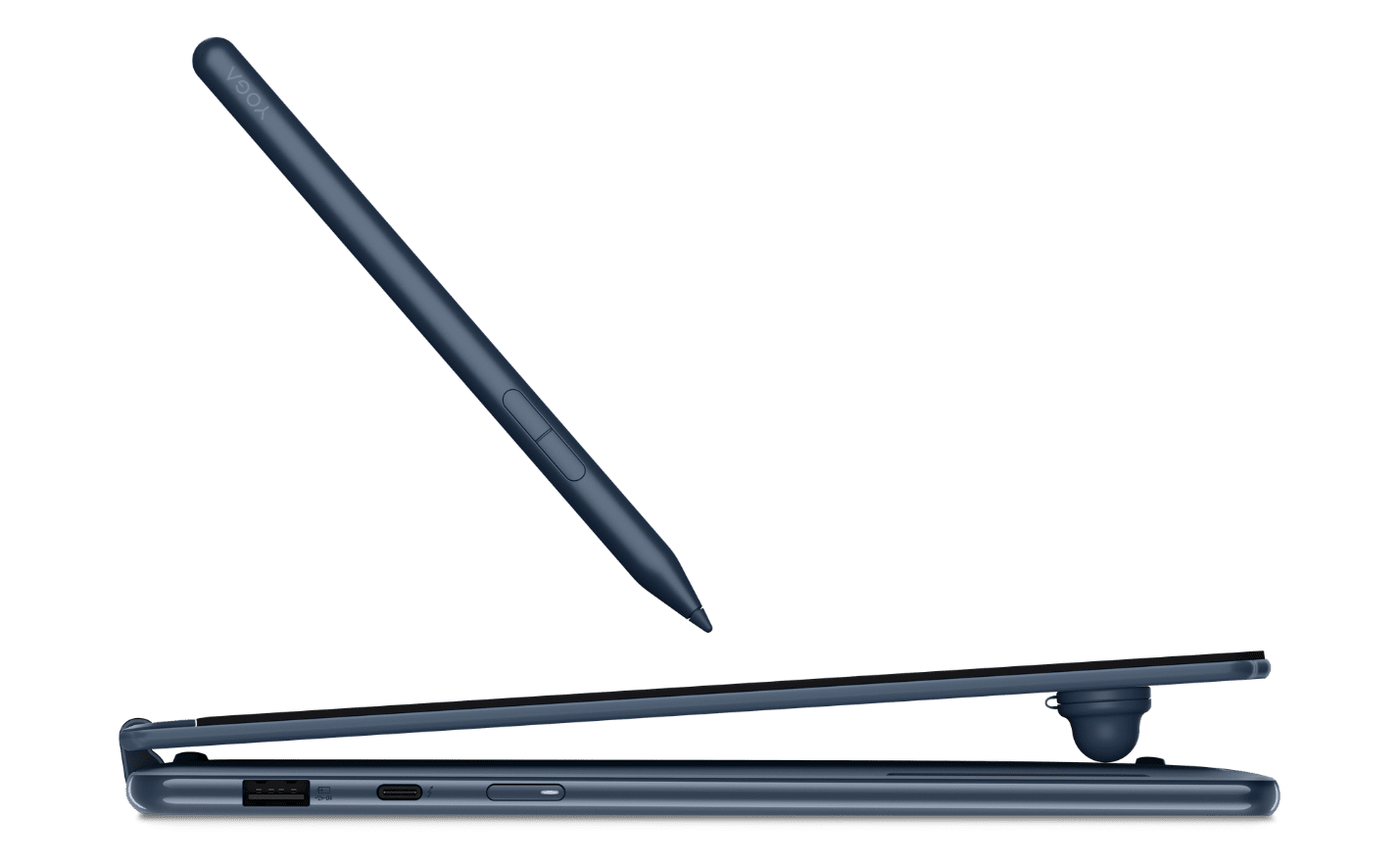
Lenovo manufacturer image.
Lenovo's Yoga 9i Gen 11 user guide describes a 14-inch OLED convertible with a fold-back design. It belongs on the shortlist for teachers who spend substantial time writing directly on the screen and want to compare a different input surface and chassis arrangement with the Yoga 7i.
The decision is about the complete interaction between screen, pen and teaching position. Rest your hand in the position used for a worked example and consider where the keyboard, cables and pen sit. A laptop that feels comfortable during an upright demonstration may behave differently when folded flat on a lectern. That physical arrangement matters when the teacher alternates between a diagram and a brief typed response.
The Yoga 9i can be attractive if its screen and pen package are the better personal fit. Keep the classroom connection separate from that preference. Check the ports in the exact generation's documentation and include the appropriate adapter or dock in the order if the room requires one. A well-specified Yoga 7i may be the simpler complete classroom purchase; the Yoga 9i earns its place when its particular features are useful often enough to justify the difference.
Surface Pro 13: best when detaching the keyboard changes the lesson
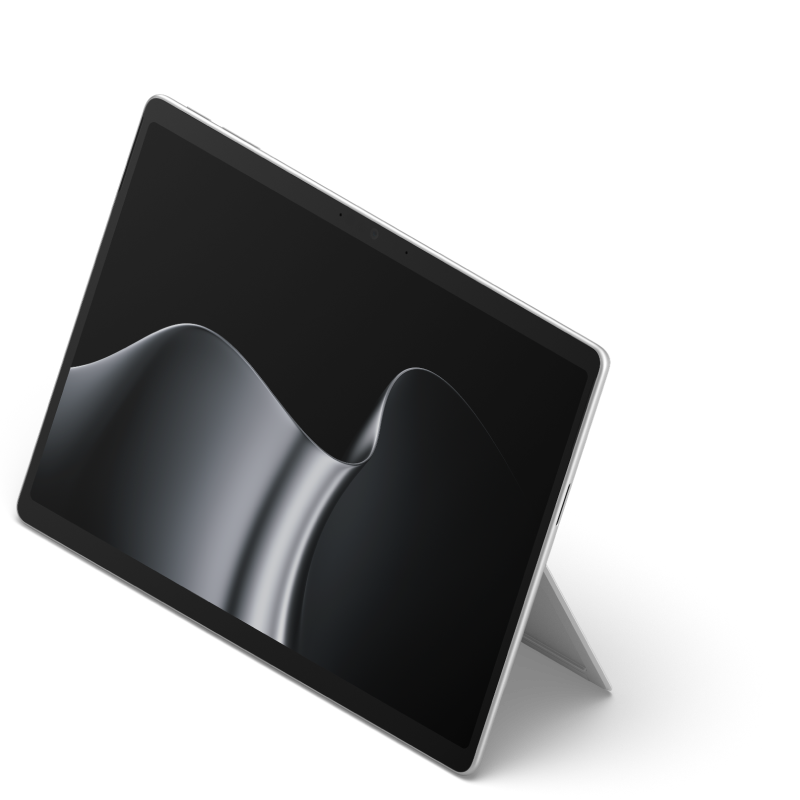
Microsoft manufacturer image.
Microsoft's 13-inch Surface Pro 11th Edition listing identifies a detachable Windows device with keyboard and pen choices. The difference from the Yogas is structural: the keyboard can be removed, leaving a tablet for a pen-focused part of the lesson. That is useful when the teacher wants the writing surface without an attached keyboard underneath or beside it.
A detachable is a complete system only after its accessories are specified. Compare the tablet, keyboard, pen, charger and required display connection together. Tablet-only weight is not directly equivalent to a convertible's laptop weight. The kickstand also needs support behind the screen, so consider the lectern depth and the position in which you will write.
This particular Surface generation uses a Snapdragon platform. Confirm the required teaching app, interactive-board tools and any peripheral drivers on the purchased Windows on Arm system. Its appeal is strongest when the approved software and detachable format both fit the lesson. The Yoga 7i is the more natural starting point when keeping a conventional keyboard attached and using direct classroom ports are the priorities.
Buy for the way the explanation unfolds
For worked examples, the useful page has enough room for the question, the reasoning and the final result. A teacher may want to reveal the process gradually, giving students time to consider each step. All three devices can support a pen-based teaching application, but the exact app and export behavior decide whether the annotated lesson can be reused as intended.
Think about the saved copy as well as the live display. Some teachers want a clean original and a separate annotated class version. Others want editable ink that can be revisited in the next lesson. Choose the software format that supports that plan and keep it associated with the lesson file. The laptop's role is to make input and presentation convenient throughout that sequence.
Our recommendation
Choose the Yoga 7i 2-in-1 Gen 11 as the first complete-laptop shortlist for preparation, direct classroom connections and live pen explanation. Compare the Yoga 9i when its particular screen and input setup are compelling. Choose the Surface Pro when removing the keyboard creates a useful teaching mode and the whole accessory and software package fits. The best purchase is the one that makes the reasoning easy for students to follow and easy for the teacher to preserve.
For discussion-based classes, read our seminar critique and shared discussion comparison. The connected classroom guide covers the wider presentation setup.