The Lenovo Yoga 7i 2-in-1 Aura Edition, 14-inch Gen 11, is our first recommendation to shortlist for a teacher moving between typed seminar notes, a shared display and handwritten critique. The HP OmniBook Ultra Flip 14 is an alternative for a prepared USB-C classroom and a compact convertible workflow. The Surface Pro 13-inch, 11th Edition, is the choice to consider when a detachable writing surface adds something useful to the discussion.
Seminars put different demands on a computer from a lecture. The teacher may need to show two passages, mark a visual submission and record a student's interpretation without turning the discussion into a sequence of slide changes. The best 2-in-1 for that job makes the shared material easy to handle while keeping preparation notes available. Screen position and input method deserve as much consideration as processor capacity.
Three designs for a discussion-led classroom
| Device | Our recommendation for | Why it fits | Important purchase detail |
|---|---|---|---|
| Yoga 7i 2-in-1 Aura Edition, 14IPH11 | A teacher who types, presents and annotates from one laptop | Attached keyboard, fold-back screen and conventional room ports | Selected panel, memory and compatible pen |
| HP OmniBook Ultra Flip 14, 14-fh0047nr | A USB-C classroom with a planned dock arrangement | Compact OLED convertible | Exact dock, pen and display connection |
| Surface Pro 13-inch, 11th Edition | A lesson that benefits from a removable keyboard | Tablet format with optional input accessories | Complete kit and approved application compatibility |
Yoga 7i 2-in-1 Gen 11: best for keeping the discussion in one working document
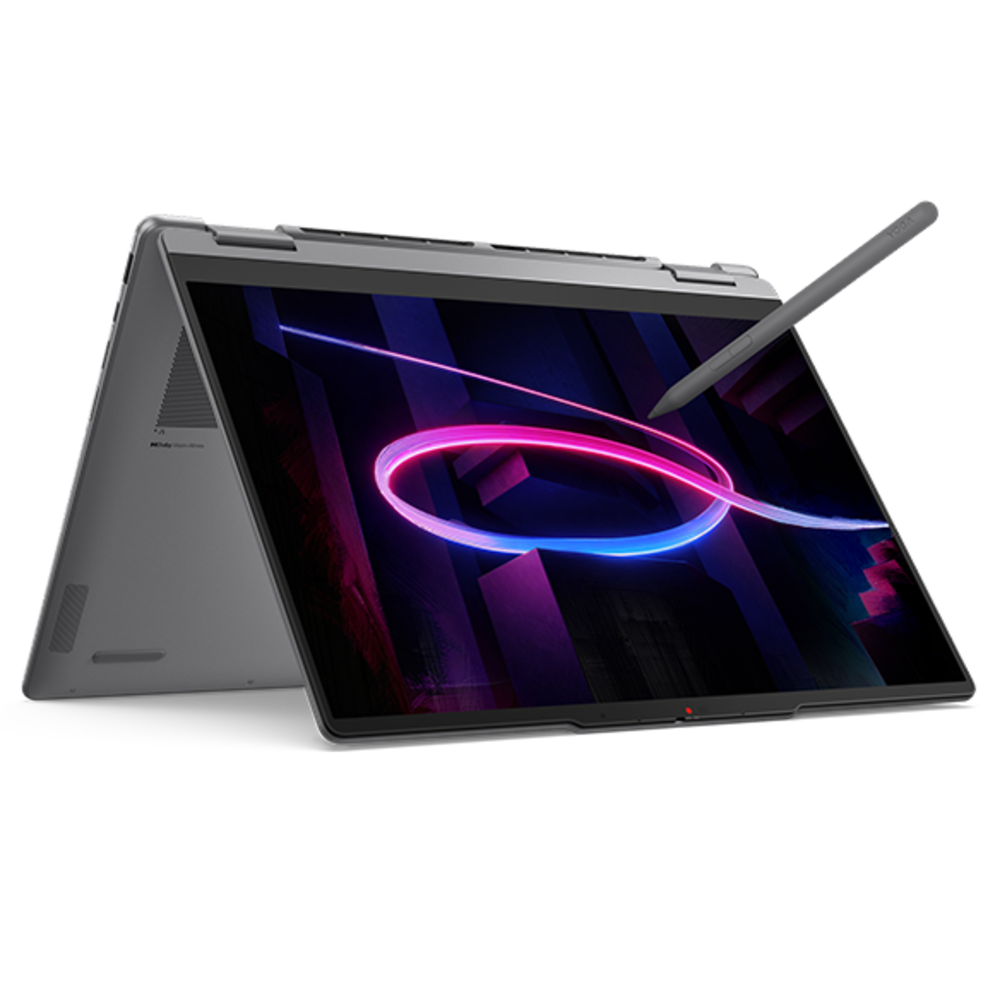
Lenovo manufacturer image.
Lenovo's Yoga 7i 14IPH11 reference lists a convertible chassis, several screen configurations and compatible pen options. The model is a practical starting point for a teacher who wants the keyboard attached during the entire session. A short written prompt can become a marked passage or diagram, then return to typed notes without changing devices.
This is especially useful during critique. Put the submitted page on the shared display, use the pen to mark the location under discussion and type the agreed revision in a separate note. Those inputs have different jobs: the ink locates the point, while the typed sentence records the decision. The Yoga's format can accommodate both without making the teacher choose a tablet-only or keyboard-only purchase.
Direct HDMI and USB-A connections make it easier to define a repeatable room setup. A teacher who uses the same wired screen and presentation accessory each week can specify those connections before ordering. The selected pen still needs to be listed in the bundle; a compatible pen in the platform documentation does not confirm that every retail configuration includes it.
For seminar work, choose memory around the material you actually hold open. A document, several images, a browser reference and the learning platform make a different brief from a presentation alone. Buy the screen you find comfortable at your preferred reading size. The Yoga 7i is the lead recommendation here because its conventional laptop and pen roles are closely connected, not because every panel or processor option is interchangeable.
HP OmniBook Ultra Flip 14: best for a classroom built around USB-C
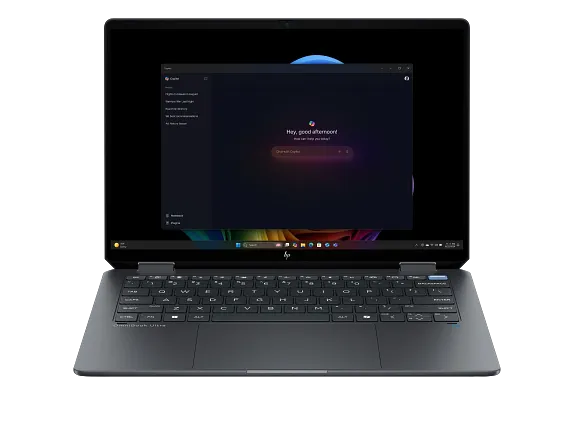
HP manufacturer image.
HP's 14-fh0047nr specification identifies a 14-inch OLED touch configuration with an Intel platform. Its convertible design makes it a credible alternative for the same sequence of preparation, discussion and direct annotation. It is most attractive when the classroom already has a suitable USB-C connection arrangement.
A planned dock can put the room display, input accessories and charging connection at the teacher's position. For the HP, specify that dock arrangement as part of the complete working system. The comparison with the Yoga then becomes clear: the Yoga's conventional room ports may simplify a direct connection, while the HP may fit better into an established docking environment.
The quoted model is also specific. Use its stated memory, storage and screen when comparing an offer, and verify the compatible pen selected for the lesson. A product-family name can cover several configurations over time. Choose the exact configuration that keeps the seminar's visual material and notes comfortable to manage.
During critique, a compact convertible can remain on the teaching desk while the shared screen presents the page. Consider where the pen and dock cable sit when the hinge is folded. Physical comfort in that position is more relevant to a sustained discussion than a specification that is rarely used in class.
Surface Pro 13: best when the tablet form is part of the teaching method
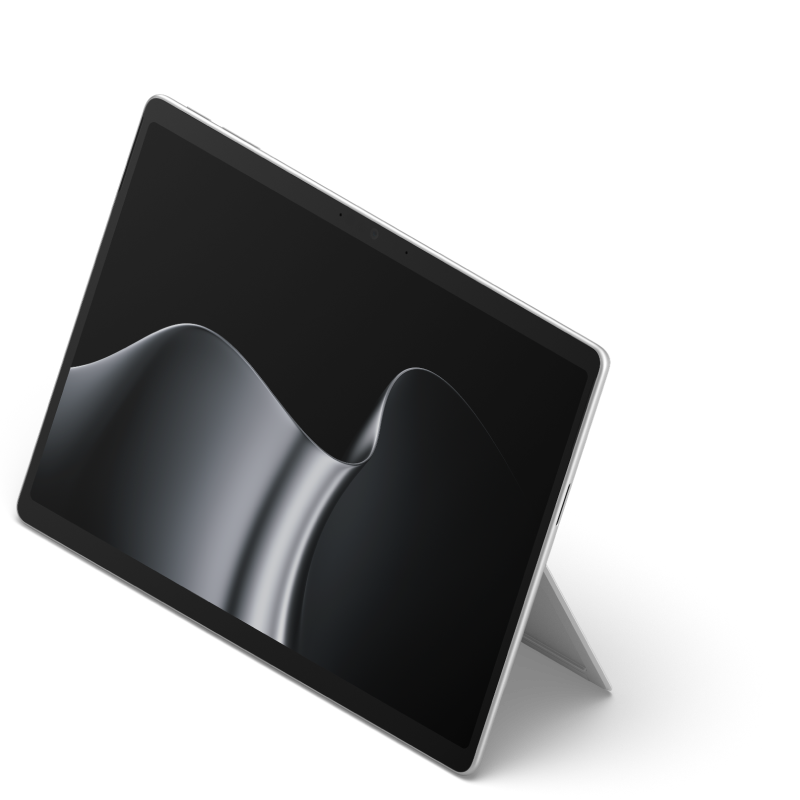
Microsoft manufacturer image.
The Surface Pro 13-inch 11th Edition is a detachable design with a kickstand and separately specified keyboard and pen options. For a seminar, its strongest distinction is the ability to leave the keyboard aside during a focused reading or marking exercise. That can create a cleaner writing surface when typing is needed only at the beginning and end.
The complete purchase needs careful definition. Include the keyboard required for preparation days, the compatible Slim Pen, charging equipment and the room's display adapter or dock. Use the weight of that full kit when comparing it with the Yogas and HP. The kickstand's footprint also matters on a shared desk or small lectern.
The Snapdragon-based 11th Edition has a specific software brief. Check the school's required applications and peripheral drivers on Windows on Arm. For a class mainly using approved document and annotation tools, the detachable format may be a good match. If the teacher wants an attached keyboard for frequent note entry and direct HDMI in the same chassis, the Yoga 7i is the more straightforward starting point.
Choose around the shared page
A seminar computer should make it easy to distinguish the material under discussion from the teacher's private preparation. The room display can show the passage or image, while the laptop retains a short agenda and a list of questions. A pen is valuable when it points to a line, relationship or visual detail that would take longer to describe with a mouse cursor.
The saved result should reflect the purpose of the discussion. For a critique, a few located marks plus a clear revision note may be more useful than a large page of unstructured ink. For a close-reading seminar, preserving the competing interpretations can matter more than producing a polished diagram. These are different outcomes, and the software and file format should be selected accordingly.
The hardware purchase follows from how often you change input modes. Frequent typing favors a comfortable attached keyboard. Long pen-centered activities give more weight to the folded or detached screen. Repeated room changes make the exact cables, ports and carrying kit consequential. That is why these designs can all be good choices while serving different teachers.
Our recommendation
Shortlist the Yoga 7i 2-in-1 Gen 11 first when a discussion moves repeatedly between keyboard, pen and wired classroom display. Choose the HP OmniBook Ultra Flip 14 when a prepared USB-C workstation and its specific convertible configuration are a better fit. Choose the Surface Pro when detaching the keyboard materially improves the lesson. Compare the complete teaching setup around a real passage, submission or image that students need to discuss.
For more structured instruction, see the worked examples and live pen feedback comparison. The teacher carry-kit guide examines moving between rooms.