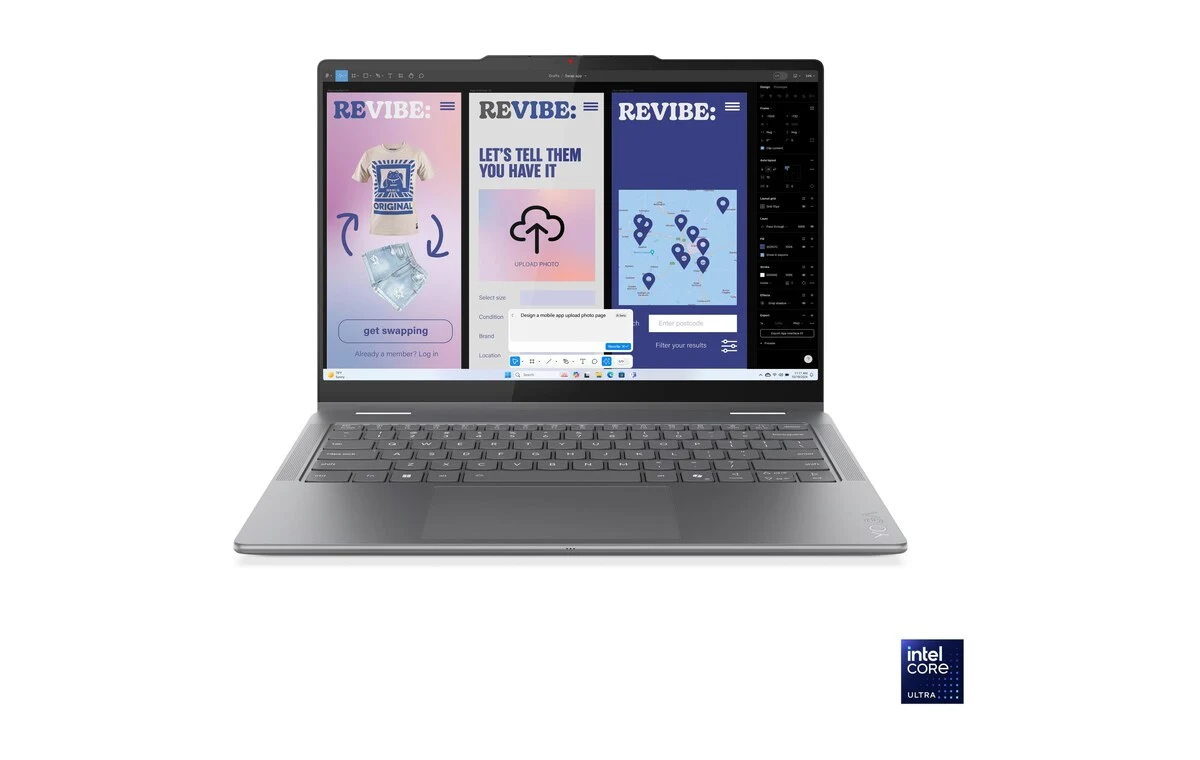
Lenovo Yoga 7i 2-in-1 is the most convincing starting point for a teacher whose computer travels from a preparation desk to several classrooms. In its 14-inch Gen 10 Intel form, it is compact enough to carry regularly, substantial enough for lengthy marking and flexible enough to turn a slide presentation into a handwritten explanation. Its balance comes from the combination of parts: screen, keyboard, hinge and connections.
That balance is easy to lose when laptops are compared by device weight alone. A detachable tablet needs a keyboard for serious typing. A narrow selection of ports may require a hub. A bigger display gives more writing space but occupies more of a lectern. The five machines below illustrate those physical differences, with the Yoga leading for a daily routine that changes location more often than it changes software.
Five laptops at a glance
| Laptop | Best fit | Hardware or compatibility to check |
|---|---|---|
| Yoga 7i 2-in-1 (14ILL10) | Changing classrooms with the keyboard always attached | Starts at 1.38 kg for OLED; add the pen and power gear |
| ASUS Zenbook 14 Flip OLED (UP3404) | Carrying another attached-keyboard convertible | Listed at 1.50 kg before separate accessories |
| Surface Pro 13-inch (11th Edition) | Teaching with the keyboard left behind on some days | 895 g is the tablet weight; include the keyboard for preparation days |
| Dell Latitude 7350 Detachable | Choosing separately replaceable input accessories | Starts at 0.79 kg for the tablet; add the configured keyboard and pen |
| Galaxy Book5 Pro 360 | Prioritizing a 16-inch drawing area | Listed at 1.69 kg with keyboard built in; check how it fits the lectern |
1 Lenovo Yoga 7i 2-in-1 carries the essentials in one piece
Yoga 7i 2-in-1 14ILL10 folds through 360 degrees while retaining its keyboard. This is a useful arrangement for a teacher who sets up for forty minutes, packs away and starts again elsewhere. In laptop mode, the base supports the screen without a separate kickstand. In tent or stand mode, the keyboard moves out of the direct working area. Folded flat, the touchscreen becomes a desk-based writing surface. It is a laptop that can change posture rather than a tablet assembled into a laptop.
The aluminum version measures 317 by 228mm and is 15.45mm thick. OLED configurations start at 1.38kg; IPS configurations start at 1.49kg. The distinction matters because the lighter figure does not describe every Yoga carrying the same name. At this size, the machine leaves a more manageable footprint than a 16-inch convertible beside exercise books or a classroom controller.
The display range spans 1920-by-1200 IPS and OLED panels plus a 2880-by-1800 OLED option. For marking text, the 2.8K panel offers more detail; for ordinary slides and documents, a lower-resolution configuration can remain entirely practical. Lenovo's higher-resolution OLED also reaches 120Hz, making it the more appealing panel for teachers who spend significant time scrolling and drawing. Refresh rate describes display updates, however, and should not be treated as a measured pen-latency result.
The port selection is unusually relevant to a travelling teacher: HDMI for a room display, USB-A for a receiver or older peripheral, two Thunderbolt 4 connections, microSD and a headset socket. This can reduce the number of separate connections routed through one adapter. The HDMI implementation is 1.4b with a 4K30 ceiling, so 4K output above 30Hz requires the appropriate USB-C video connection.
Intel Core Ultra V-series configurations offer 16GB or 32GB of soldered memory. The larger capacity suits a teacher who keeps a meeting application, learning platform, documents and image material active together. A 70Wh battery and USB-C charging support a portable design, while pen and charger inclusion depend on the order. The Yoga's recommendation rests on that complete arrangement: it carries an attached keyboard, a useful writing screen and several common classroom connectors without requiring the teacher to adopt a tablet-first method.
2 ASUS Zenbook 14 Flip OLED offers a familiar compact alternative
ASUS Zenbook 14 Flip OLED UP3404 occupies much the same physical category as the Yoga. Its 14-inch screen folds for tablet use, the keyboard stays attached and the listed weight is 1.50kg. The 2880-by-1800 OLED touchscreen runs at 90Hz and supports a stylus, making it a credible option for teachers who want detailed text and a compact writing surface.
Its connector selection is also relevant: HDMI, USB-A and two Thunderbolt 4 ports let it participate in both older classroom setups and a modern docked desk. Compared with a detachable, that makes the Zenbook easier to understand as a replacement for an ordinary teaching laptop. The transformation is in the hinge and touch input, not a new collection of components.
The important qualification is generation and configuration. UP3404 uses 13th-generation Core i5 or i7 processors, and ASUS lists onboard memory up to 16GB. The Yoga's 32GB option offers more room for a crowded multitasking workload. The ASUS can still make sense when a specific available configuration is priced attractively and the teacher's work is mainly documents, presentations and annotation; a headline discount alone does not establish equivalent capability.
3 Surface Pro rewards teachers who actually leave the keyboard behind
Microsoft Surface Pro 13-inch, 11th Edition, is the most obvious change of format. Its 895g quoted weight describes the tablet without its keyboard. That is attractive when the device is used for reading, marking or presenting while the keyboard stays at the desk. It is a less complete comparison when the keyboard will be carried everywhere.
The kickstand supports the display, while a compatible keyboard attaches for typing. A teacher can remove the keyboard for a close-up writing position, which gives Surface a clearer tablet identity than the Yoga. The tradeoff is the space occupied by the kickstand and keyboard on a shallow surface. The attached-hinge Yoga behaves more like the conventional laptop many teaching desks were arranged around.
Surface offers LCD and OLED variants with Snapdragon X Plus and X Elite respectively. Pen and keyboard choice are part of the purchase, not incidental extras. For a teacher who frequently walks with a tablet or marks away from a desk, the detachable structure is a meaningful benefit. For someone who almost always types at a lectern, much of that advantage remains unused while the complete kit still needs to be transported.
4 Dell Latitude 7350 Detachable fits a deliberately modular kit
Dell Latitude 7350 Detachable offers another tablet-and-keyboard arrangement, this time built around Intel Core Ultra hardware. The tablet starts at 0.79kg, and its 13-inch 2880-by-1920 display uses a 3:2 shape. The relatively tall panel is a good match for full-page reading and comments in document margins, especially when the keyboard is removed.
A compatible keyboard and active pen complete the teaching package. Dell also offers selected configurations with mobile broadband, giving institutions a route to cellular connectivity where that is part of the requirement. It is an option to specify, rather than a feature shared by every unit.
Compared with the Yoga, the Latitude makes more sense when separating the screen is an everyday requirement. Its two Thunderbolt 4 ports are useful at a prepared dock, while HDMI and USB-A equipment generally introduce adapters into the bag. The 46.5Wh battery is smaller in capacity than the Yoga's, although the numbers alone cannot predict a teaching schedule's runtime. The Dell is a purposeful modular purchase; the Lenovo is the easier all-in-one choice when the teacher spends most of the day working as a laptop user.
5 Galaxy Book5 Pro 360 trades bag space for a larger canvas
Samsung Galaxy Book5 Pro 360 is for a teacher who considers a larger screen worth carrying. Its 16-inch AMOLED touchscreen provides a larger physical canvas than the 14-inch convertibles. The pixel count matches their high-resolution options, so the benefit is larger text at the same scaling or the freedom to use lower scaling for paired documents. The included S Pen makes that writing surface immediately relevant, while the keyboard's numeric section can be useful for entering marks.
The dimensions explain the tradeoff more clearly than the word thin. At 355.4 by 252.2mm, the Samsung is wider and deeper than the Yoga, even though its body is slim. Its 1.69kg weight also puts it in a different carrying proposition. A teacher who works mainly at a large desk may welcome the extra screen; someone sharing a small demonstration bench may prefer the space saved by the Lenovo.
The 2880-by-1800 panel supports up to 120Hz, and Samsung lists 16GB or 32GB memory configurations. A 76Wh battery contributes capacity, but the larger display is also part of the energy budget. This is the option for buying more workspace, not a substitute for the smaller Yoga's combination of compact dimensions and classroom flexibility.
Why complete-kit comparisons change the result
A detachable's removable keyboard has two different kinds of value. It can make the device lighter during tablet use, and it can let a damaged keyboard be treated as a separate accessory. Neither benefit means the keyboard disappears from the purchase or from the bag. For a teacher who writes reports every day, the complete carry weight is the relevant figure. For a teacher who spends much of a lesson holding the screen, tablet weight matters more.
Ports create a similar distinction. A dock can make a desk extremely convenient, but it cannot make every classroom identical. The Yoga and ASUS carry familiar connectors on the computer itself. Surface and Dell make a cleaner argument when the teacher arrives at a prepared station or intentionally carries a compact adapter kit. Samsung offers plenty of screen, but that screen remains large even when the device is folded.
The Yoga earns the lead because its compromises are easy to live with across several locations. It does not ask a teacher to make tablet use the center of the working day, and it does not require a 16-inch footprint to provide a useful annotation surface. A pen turns a prepared worksheet into a live explanation; opening the hinge again returns the same machine to marking, planning and correspondence.
For purchasing, one short specification should name the exact panel, memory capacity, pen, power supply and service term. That is enough to turn the comparison into a concrete order. The more consequential decision has already been made: whether the teacher needs an adaptable laptop, a detachable tablet or a larger digital page.
One check before you buy
Set up once in the smallest room you teach in. Then weigh the pen, keyboard if detachable, charger and video adapter together with the laptop you would actually carry.
Related comparisons
Product sources
- Lenovo Yoga 7i 2-in-1 Gen 10 (14ILL10) specifications
- Microsoft Surface Pro 13-inch (11th Edition) configuration
- Dell Latitude 7350 Detachable specifications
- Samsung Galaxy Book5 Pro 360 specifications
- ASUS Zenbook 14 Flip OLED (UP3404) technical specifications
Cover image: Lenovo Yoga 7i 2-in-1, 14-inch Gen 10 (14ILL10), Lenovo product views.