Yoga 7i 2-in-1 is our preferred starting point for teachers who want one attached-keyboard computer for typing, presenting and supported screen writing. Its convertible structure keeps the keyboard with the lesson materials. Surface Pro is the more direct alternative when separating the screen has a repeated classroom purpose; Yoga 9i and HP OmniBook Ultra Flip provide other genuine convertible choices. This comparison asks how each machine is supported on the desk and in the hand, rather than treating hinge flexibility as an abstract feature score.
Four teaching systems at a glance
| Candidate | Best reason to compare it here | Equipment detail that decides the choice |
|---|---|---|
| Yoga 7i 2-in-1 Gen 11 | Attached-keyboard convertible; 360-degree hinge | 1.38kg starting aluminum configuration; full body folds |
| Yoga 9i 2-in-1 Gen 11 | Integrated keyboard and supported convertible positions | Compare the actual display, pen and local configuration |
| Surface Pro for Business 13, 12th Snapdragon | Keyboard detaches; kickstand supports tablet | 895g tablet-only; keyboard changes working footprint |
| HP OmniBook Ultra Flip 14-fh0047nr | Attached-keyboard convertible alternative | Inspect the exact folded and desk-supported arrangements |
How the four models serve this classroom task
Yoga 7i 2-in-1 — our first convertible to compare
Yoga 7i suits the teacher who writes briefly on screen and returns frequently to lesson text or a gradebook. The keyboard stays attached through those transitions, while the 360-degree hinge supplies distinct screen positions. Lenovo's current specification gives a starting 1.38kg for the aluminum configuration, describing the computer rather than every item in the bag. In folded use the whole assembly remains present. Consider that actual supported arrangement alongside the useful native classroom connections, rather than comparing it with a detached tablet number. Manufacturer documentation.
Yoga 9i 2-in-1 — the integrated-keyboard alternative
Yoga 9i preserves the same broad advantage of an attached keyboard while offering its own documented screen and configuration choices. It deserves comparison when the teacher likes an integrated typing-to-ink routine but has a reason to select its particular equipment package. Examine connector clearance in the position that will be used at the lectern. A cable that fits comfortably in ordinary laptop mode may require different routing when the screen is folded. Product-tier positioning does not answer that physical question. Manufacturer documentation.
Surface Pro for Business — the detachable choice
Surface Pro changes the decision because the screen and keyboard can become separate objects. That is useful for a lesson in which the teacher deliberately takes the writing screen away from the typing position. At a desk, the kickstand and attached keyboard need their own support depth. Compare that footprint with the actual lectern, including the space behind the tablet. Add the selected keyboard, pen and required connections to the equipment list before comparing a complete class-to-class carrying arrangement. Manufacturer documentation.
HP OmniBook Ultra Flip — the USB-C classroom alternative
HP OmniBook Ultra Flip is the convertible option to compare when a school-supported HP configuration and matching active pen already fit the teaching environment. Its integrated keyboard can support lesson preparation and later folded-screen work without a separate keyboard purchase. Inspect the way the unit rests on the school's desks and where the relevant cables leave the chassis. This gives HP a concrete role in the shortlist without claiming a handling or comfort advantage that has not been measured for the intended user. Manufacturer documentation.
A concrete way to choose the teaching setup
For a narrow lectern, mark the usable rectangle and place the open computer, display cable and presenter receiver within it. Repeat in the intended writing position. Then compare a detachable with its kickstand and keyboard in use. The best arrangement is the one that preserves a stable lesson workspace and a reachable input surface in that actual room. Carrying measurements should include the objects that will move between rooms, with each component named.
The supporting surface is part of the computer
A computer may have an excellent display and a supported pen yet remain an awkward purchase for a particular teaching station. A narrow lectern, deep desk, shared demonstration bench and hand-carried tablet position each impose different requirements. The relevant question is where the machine's load rests when the teacher types, writes or adjusts the screen. Screen diagonals alone cannot describe that relationship.
A conventional convertible places a rigid keyboard base beneath its display in laptop mode. A detachable with a kickstand spreads its support between the lower edge of the tablet and a support behind it. Both arrangements can work on an adequate desk. They consume space differently, particularly when an attached keyboard extends toward the user while the kickstand extends away. Measure the intended surface before comparing cosmetic thinness.
This is a physical-selection comparison based on documented construction, not a claim that any device was tested on a classroom lectern. Desk suitability remains conditional on dimensions, chosen angle and connected equipment. The useful outcome is a shortlist with explicit support requirements. It is more informative than declaring that all convertibles are stable or that every detachable is difficult to use on a lap.
What a 360-degree hinge actually changes
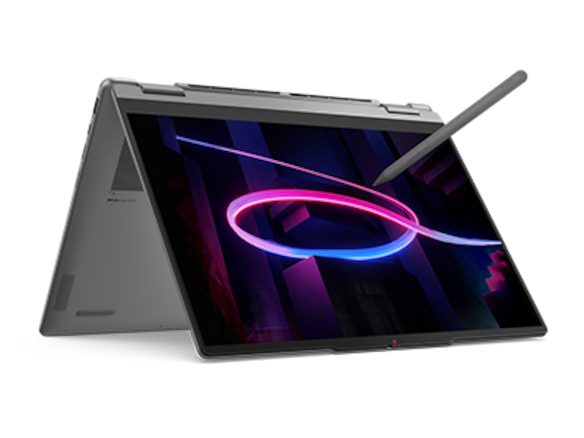
Lenovo documents the Yoga 7 2-in-1 14IPH11 as a convertible with a 360-degree hinge. Opening it as a laptop preserves the familiar keyboard and pointing-device arrangement. Folding it back changes which surfaces face the desk and which controls remain convenient. The machine remains one physical assembly throughout that movement; the keyboard does not become a separate item that can be left in a cupboard.
Tent or stand arrangements can place the touch display closer to the front of a small demonstration area because the keyboard is no longer between the teacher and the screen in the usual typing position. That does not automatically free every port or make every cable convenient. The location of the outlet, projector connector and nearby objects still determines whether the chosen arrangement has practical clearance.
Tablet mode also retains the keyboard base as part of the carried object. A buyer who expects a convertible to become as light as an independent tablet is making the wrong comparison. The hinge changes the arrangement of the same machine. It does not subtract the keyboard, battery or chassis. This matters for teachers who plan to hold the screen for extended periods rather than rest it on furniture.
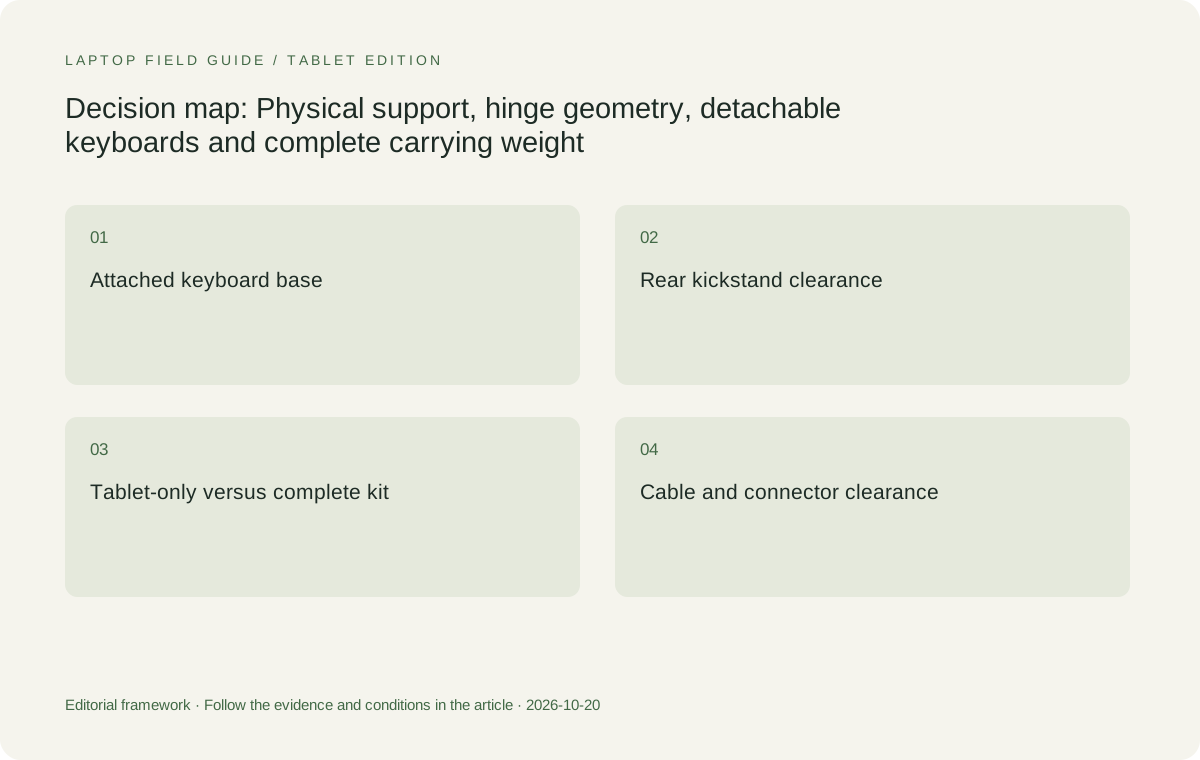
Original editorial illustration. The conditions connect the recommendation to the stated workload.
What a detachable removes, and what it adds
The Surface Pro for Business 13-inch, 12th Edition, Snapdragon is a tablet-led design with a rear kickstand and compatible detachable keyboard options. Microsoft lists 895 grams for the tablet. That number does not include a keyboard or pen. A complete teaching setup therefore needs a second weight calculation, one that reflects the accessories the teacher will actually bring to type reports and annotate material.
Removing the keyboard is a substantive advantage when the teacher wants only the writing surface in hand or on a document stand. It can also simplify a desk arrangement that already has a separate keyboard. The benefit is strongest when detachment is frequent and purposeful. Buying a detachable whose keyboard stays attached throughout every working day gives up less obvious advantages while retaining the kickstand's support requirements.
The tradeoff is a larger inventory of components. A keyboard, pen and compatible charging arrangement may be separate purchase lines. A detachable keyboard also does not turn the tablet into a rigid, conventional clamshell. Buyers should inspect the intended working position with its actual accessory rather than infer mechanical behavior from a photograph of the assembled system. The distinction concerns support geometry, not a universal quality ranking.
Compare whole systems when reading weight figures
The Yoga 7 model's published starting weight varies by finish: approximately 1.38 kilograms for aluminium and 1.4 kilograms for the other documented finish. Those are starting figures for specified configurations, not a guaranteed measurement of every retail unit. The Yoga 9 2-in-1 14IPH11 has a documented starting weight of 1.29 kilograms. Neither number proves that a complete classroom kit is lighter than every alternative.
For the Surface, the 895-gram tablet figure is useful when the keyboard can genuinely remain behind. It becomes incomplete when a teacher carries the tablet, keyboard, pen, power supply and display adapter together. The fair comparison uses the configuration required for the same task. A tablet-only number should not be placed against an all-in-one convertible and presented as the difference between equivalent teaching computers.
Accessory weight matters unevenly. A projector adapter may be unnecessary on a laptop with a suitable native HDMI connection but essential on a USB-C-only device. A dedicated keyboard can be omitted at a stationary desk and required on a trip. Rather than invent a universal packed weight, make a component list. The list reveals which product's apparent portability depends on leaving necessary equipment out of the comparison.
Keyboard access distinguishes writing positions
A teacher sometimes needs to type a short label while annotating a diagram. In laptop mode, the keyboard is immediately available, although the display is more upright than a flat writing surface. In a folded convertible mode, reaching the physical keyboard may require another movement of the hinge. That interruption is a structural property of the arrangement and can matter more than an extra screen pixel.
A detachable lets the teacher position a separate keyboard independently if the chosen keyboard or another supported input device permits that arrangement. The screen can remain angled for touch while text entry happens elsewhere. However, not every detachable keyboard works wirelessly when removed. Verify the specific accessory's supported connection behavior; a magnetic or mechanical attachment does not by itself establish detached typing capability.
The correct selection depends on the balance of typed and handwritten input. Predominantly typed planning with occasional ink favors the simplicity of an attached keyboard. Sustained tablet writing with occasional text entry may favor a detachable or a separate keyboard at the desk. Neither choice guarantees a particular writing experience. The comparison identifies how often the teacher must rearrange hardware to reach the next input method.
Hinge range does not establish pen compatibility
The ability to fold a screen is separate from active-pen support. The Yoga 7 technical specification lists a supported Yoga Pen option, while the Yoga 9 lists its own supported pen options. The exact accessory and bundle still need checking. A convertible display is not permission to buy any stylus carrying a familiar protocol label or any pen advertised for another Yoga generation.
Surface uses a different documented accessory ecosystem, including the compatible Surface Slim Pen route specified for this generation. HP's OmniBook Ultra Flip 14-fh0000 series lists an optional HP USB-C Rechargeable MPP2.0 Tilt Pen. These are genuine alternatives for active input, but the products should be compared as matched laptop-and-pen combinations. Pen price, availability and storage can change the practical carrying arrangement.
A teacher who only wants touch navigation should not be pushed toward a pen package automatically. Conversely, a mathematics teacher who requires active ink should not discover after delivery that the quoted machine has no pen in the box. Physical form, supported input and purchased accessories are three separate specifications. Keeping them separate makes the comparison clearer and prevents a hinge feature from carrying an unsupported promise.
Cable routes can limit a useful mode
A classroom display cable applies a directional constraint. Its connector needs clearance, and its path should not obstruct the support points used by the computer. A cable that is harmless beside a laptop may be inconvenient when the same machine rotates into a stand arrangement. This is why a convertible's mode diagram should be considered together with its port locations rather than treated as an independent feature.
The Yoga 7 combines HDMI, USB-A, two Thunderbolt 4 connections, microSD and an audio connection in the documented platform. The Yoga 9 offers HDMI, USB-A, two Thunderbolt 4 connections and audio, but no card reader. These differences can reduce or add adapters according to classroom equipment. They do not establish that every mode will expose every connector equally conveniently on every desk.
The Surface's USB-C/USB4 connections make a suitable adapter or dock part of many projector installations. That component also occupies physical space and may bring a short cable or external power lead. Include it when evaluating the kickstand footprint. A compact tablet can still require a crowded connection area. The practical question is the arrangement of the full display chain, not the smallest outline in a product photograph.
Manufacturer product illustration, not a photograph of our testing. Accessories and local configurations vary. Official image context.
The Yoga 9 is a real alternative, not an automatic upgrade
The Yoga 9 2-in-1 14IPH11 belongs in this comparison because it also has a documented 360-degree hinge and supported pen options. Its sound-bar hinge and different chassis create another convertible arrangement. The published starting weight is lower than the Yoga 7's stated starting figures, but a lower starting weight does not answer whether its available configuration matches the school's requirements or budget.
Its 14-inch 2880-by-1800 display and 32-gigabyte soldered memory specification may suit a teacher who wants that particular screen and memory combination. The absence of a card reader matters if removable classroom media is routine. In that case, a nominal step up in product positioning can still add an external reader. Product names should not replace a comparison of the physical interfaces actually used.
Choose the Yoga 9 when its verified configuration and construction are worth the additional purchase conditions for the school. Choose the Yoga 7 when the required pen, ports and configuration are already present and the higher-tier device provides no necessary advantage. Both remain attached-keyboard convertibles. Neither substitutes for a detachable when the ability to remove the keyboard is itself the deciding requirement.
Where the HP alternative belongs
The HP OmniBook Ultra Flip 14-fh0000 series is another convertible candidate with a documented optional MPP2.0 pen. It gives a school an alternative vendor and accessory route while preserving the basic attached-keyboard concept. The exact series designation matters because OmniBook names span different products. A similarly named clamshell should not enter the shortlist merely because its family name is familiar.
For this physical comparison, the HP's relevance is its convertible construction, not an assumed superiority in hinge strength or pen feel. Those qualities are not established by a product specification. Compare the quoted model's dimensions, connector arrangement and included accessories with the actual teaching furniture. If they fit a school's standardized equipment more closely than either Lenovo option, that is a defensible reason to select it.
The HP can also be the wrong choice when the local quotation omits a required pen or power accessory that an alternative includes. A purchase decision should reflect the complete assembly being supplied. A documented optional accessory is evidence of a possible configuration; it is not evidence that every unit arrives equipped for active handwriting. This distinction is especially important when comparing tender descriptions with consumer retail bundles.
Two classroom surfaces lead to different winners
Consider a teacher who prepares material at a full-size desk, presents from a modest lectern and writes only when the machine is resting on a table. An attached keyboard is useful throughout most of that work. The Yoga 7 is a strong starting candidate because it combines the conventional laptop structure with convertible modes and several native interfaces. Its suitability remains conditional on the lectern's actual dimensions.
Now consider a teacher who leaves a keyboard at the desk and regularly carries only the display to show an object or collect handwritten input. The Surface's detachable construction directly serves that requirement. Its separate keyboard and accessory costs still belong in the buying decision, as does Windows on Arm application eligibility. Here the detachable advantage is a specific physical action, not a general claim that tablets are more modern.
A third teacher may need an attached keyboard but prefer the Yoga 9's particular configuration or the HP's school-supported accessory ecosystem. These are legitimate selections when supported by exact quotes. The central comparison is not four brand names arranged from premium to basic. It is four hardware systems evaluated against the same furniture, input methods, connections and inventory responsibilities.
Decide how the computer will be carried between positions
Moving a computer between desks raises questions beyond its published weight. A detachable introduces components that can travel together or separately. A convertible keeps its keyboard with the display but may require changing modes before packing. A pen needs a defined storage location in either case. No specification can guarantee that a teacher will find an undefined accessory arrangement convenient.
A practical buying demonstration should focus on these transitions: close the computer, disconnect the display path, store the pen, move to the other surface and restore the required input position. The purpose is to expose incompatible components or overlooked support needs, not to produce a made-up speed score. Schools can judge the arrangement in the context of their own furniture and handling rules.
Do not infer drop resistance or long-term hinge life from this exercise. Those require appropriate product evidence and cannot be established by a brief demonstration. A mechanical design can be suitable for the workflow without a reviewer claiming durability results. The purchasing conclusion should say which arrangement fits and which physical requirement would cause the school to choose a different design.
The conditional verdict
The Yoga 7i 2-in-1 Aura Edition 14-inch Gen 11 is the default shortlist choice for a teacher who wants one attached-keyboard computer that also supports active writing. Its documented convertible construction and interface selection address a broad set of desk-based teaching needs. The exact pen bundle, finish-dependent weight and classroom support surface still need matching to the purchase order.
The Surface Pro for Business 13-inch, 12th Edition, Snapdragon takes priority when separating the keyboard materially improves the teacher's work. The Yoga 9 becomes preferable when its available configuration earns its place over the Yoga 7, while the HP is a valid alternative when its exact supported package fits school procurement and furniture. None deserves an unconditional physical-comfort or durability title from specifications alone.
For this category, the best 2-in-1 laptops for teachers and classroom presentations are the devices whose support geometry agrees with the classroom. Choose a rigid attached-keyboard assembly for predominantly conventional computing with occasional folded use. Choose a detachable when a genuinely separate tablet is needed. That conditional decision remains useful even when retail bundles and local stock change.
Compare the documented options for this task
| System | Where it fits this task | Trade-off to verify | Primary evidence |
|---|---|---|---|
| Lenovo Yoga 7i 2-in-1 Aura Edition 14-inch Gen 11 | Best starting candidate for a conventional teaching laptop that can fold for supported pen use. Its keyboard stays with the display, and native HDMI, USB-A and microSD can reduce separate classroom accessories. | The full assembly remains present in tablet mode. Published starting weight depends on finish and configuration; supported pen availability does not guarantee the quoted bundle contains one. | Official source |
| Lenovo Yoga 9i 2-in-1 Aura Edition 14-inch Gen 11 | A second attached-keyboard convertible for buyers who want its verified 14-inch display, 32GB memory configuration and documented pen options. Its lower published starting weight merits a complete-kit comparison. | No card reader is listed. Product positioning and a sound-bar hinge do not demonstrate better handling on every lectern or prove superior durability. | Official source |
| Microsoft Surface Pro for Business 13-inch, 12th Edition, Snapdragon | The direct choice when removing the keyboard serves a real teaching requirement. Its kickstand and tablet construction support a different physical arrangement from either Yoga. | 895g is tablet-only. Keyboard, pen, support footprint, display adapter and Windows on Arm software eligibility must be included before calling it the better complete system. | Official source |
| HP OmniBook Ultra Flip 14-fh0000 series | A genuine convertible alternative when the exact school-supported HP configuration and optional MPP2.0 pen package match the intended desk arrangement. | Verify the exact series and supplied accessories. Convertible branding does not establish measured handling advantages or inclusion of the optional pen. | Official source |
Questions before choosing
Is a detachable always lighter than a convertible for a teacher?
No. The Surface figure describes the tablet, while a teacher may also carry a keyboard, pen, charger and adapters. Compare complete systems for the same work. Tablet-only weight is particularly relevant when those other components can actually remain at a desk.
Does a 360-degree hinge make any pen compatible?
No. Hinge range and active-pen compatibility are separate specifications. Match the exact machine to its documented supported pen, then confirm whether that accessory is included in the regional quotation. Touch support alone is insufficient evidence.
Which design is better for a narrow lectern?
Measure the lectern and the intended working arrangement. A clamshell base and a kickstand-plus-keyboard assembly use depth differently. Connector clearance and cable paths also matter. Neither physical design can be declared the universal winner without those dimensions.
Continue this research
For a related perspective from our companion publication, read the workflow-focused companion guide: One 2-in-1 or a Laptop and Tablet: A Teacher’s Workflow Comparison. Manufacturer claims should be verified in the primary sources below.
Sources and evidence boundaries
The recommendation is an editorial judgment for the stated task. Specifications follow the linked manufacturer documents. Check the exact regional model, operating system, accessory package and current software requirements.
- Lenovo PSREF: Yoga 7 2-in-1 14IPH11
- Lenovo PSREF: Yoga 9 2-in-1 14IPH11
- Microsoft: Surface Pro for Business, 13-inch, 12th Edition, Snapdragon specifications
- HP: OmniBook Ultra Flip 14-fh0000 series specifications
- HP Japan: OmniBook Ultra Flip 14-fh0000 exact-series specification PDF
Alternatives and the conditions that change the recommendation are stated. ## More Lenovo and alternative laptop comparisons
- Best 2-in-1 laptops for teachers and classroom presentations — Pen Support and Accessory Bundles
- Best 2-in-1 laptops for teachers and classroom presentations — Projectors and Classroom Displays
- Which lightweight laptops would you recommend for business travelers? — Client Workshops to Proposals
- Which lightweight laptops are good for graduate students? — Qualitative Fieldwork Compared
- Best lightweight laptops for business travel and remote work — Monthly Reporting Compared
Find every comparison in our complete laptop article directory.