Yoga 7i 2-in-1 is our overall starting recommendation for teachers using a mixed HDMI, USB-A and microSD classroom kit. Its attached keyboard, 360-degree hinge and supported pen route address preparation, presentation and handwritten explanation in one system. Surface Pro takes priority when a detachable teaching screen is required, Yoga 9i is a close integrated-keyboard alternative, and HP OmniBook Ultra Flip fits a supported USB-C classroom standard. These are four genuine pen-capable convertible or detachable systems, compared by the equipment they serve.
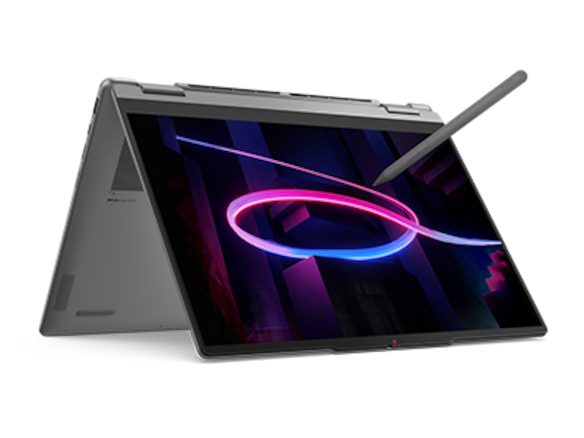
Four teaching systems at a glance
| Candidate | Best reason to compare it here | Equipment detail that decides the choice |
|---|---|---|
| Yoga 7i 2-in-1 Gen 11 | Best starting match for mixed native classroom connections | HDMI, USB-A and microSD with attached keyboard |
| Surface Pro for Business 13, 12th Snapdragon | Best fit when the keyboard must detach | Separate tablet body and documented rear-camera route |
| Yoga 9i 2-in-1 Gen 11 | Close integrated-keyboard alternative | Native HDMI/USB-A; assess its particular configured package |
| HP OmniBook Ultra Flip 14-fh0047nr | USB-C-centered convertible alternative | Match approved dock, adapters and active-pen package |
How the four models serve this classroom task
Yoga 7i 2-in-1 — our first convertible to compare
Yoga 7i ranks first for the defined mixed-equipment desk because the required HDMI cable, USB-A receiver and microSD card can map to listed native interfaces. The convertible hinge and supported pen options also serve a teacher who marks a lesson page after typing it. This is an editorial equipment match rather than a laboratory performance result. The current aluminum starting configuration is 1.38kg; compare the actual order and carried accessories when weight affects movement between classrooms. Manufacturer documentation.
Yoga 9i 2-in-1 — the integrated-keyboard alternative
Yoga 9i is the close alternative for teachers who prefer an integrated keyboard and need HDMI or USB-A connections. Its particular display, memory and pen package should supply a concrete reason to choose it over a suitable Yoga 7i. Where microSD imports are routine, include an external reader because no built-in reader is listed. At a permanently docked preparation desk that accessory can stay attached, making the decision different from a teacher who moves the same equipment between several rooms. Manufacturer documentation.
Surface Pro for Business — the detachable choice
Surface Pro leads a different scenario: the teacher deliberately wants a screen that separates from the keyboard and can use a rear camera for a supported demonstration. Its body design addresses that need directly. Include the compatible keyboard, pen and any HDMI or USB-A accessories in the equipment plan, and confirm application and driver support on the Snapdragon platform. The tablet's published 895g figure is useful for detached handling but does not describe a complete typing and presentation kit. Manufacturer documentation.
HP OmniBook Ultra Flip — the USB-C classroom alternative
HP OmniBook Ultra Flip is a strong conditional candidate when the school already supplies supported USB-C display and peripheral accessories. Its genuine convertible format and optional active-pen route can cover the same preparation-to-explanation sequence. The named US configuration keeps the software and capacity comparison specific. At an unmanaged legacy lectern, add the HDMI and USB-A conversion route to the order. The purchase case is strongest when the actual school accessory standard makes those connections straightforward. Manufacturer documentation.
A concrete way to choose the teaching setup
Choose the classroom scenario before the product: a legacy HDMI lectern, a microSD preparation station, a permanently docked desk or a detachable demonstration screen. List the required inputs, audience display and final lesson file for that scenario. Then compare only the configurations that complete it. Yoga Slim 7i Ultra remains a separate keyboard-first classroom alternative; its conventional clamshell design does not place it inside this direct-pen two-in-one ranking.
Rank an equipment match, not a product name
A teacher looking for one universal winner can encounter lists that combine port counts, display resolution, processor branding and battery headlines into an unexplained score. Those ingredients do not answer whether a particular classroom arrangement works. A more useful shortlist starts with a named set of equipment and a required input position. Candidates can then be ranked by their documented fit, with missing accessories and compatibility conditions made visible.
The four models here are Yoga 7i 2-in-1 Aura Edition 14-inch Gen 11, Yoga 9i 2-in-1 Aura Edition 14-inch Gen 11, Surface Pro for Business 13-inch 12th Edition Snapdragon, and HP OmniBook Ultra Flip 14-fh0047nr in its US configuration. They are not interchangeable product-family placeholders. Each has a documented convertible or detachable pen route. Exact pen packages, software editions and local availability still need confirmation before a purchase.
The Best 2-in-1 laptops for teachers and classroom presentations can change order when the equipment changes. That is the premise of the six setups below. The ranking follows the stated buying priorities and linked product specifications. There are no numeric performance scores, guessed prices or predicted years of service. A model earns a recommendation by solving the stated hardware problem with identifiable, supported conditions.
First apply the eligibility gates
The first gate is the required teaching application and peripheral support. If a mandatory tool has no supported route on a candidate, a favorable display or a light body cannot compensate. The Snapdragon Surface requires particular attention to Arm application and driver support. The Intel Yoga and HP alternatives still need their own exact software compatibility check. A general Windows label is too broad to establish every component of a school equipment arrangement.
The second gate is actual direct-screen pen input. Yoga 7i’s current platform specification lists supported Yoga Pen options and a configuration with no bundled pen. Yoga 9i lists pen options as well. Surface is designed for Surface Slim Pen, second edition, with specific compatible keyboards. The HP series supports an active MPP 2.0 pen option. A purchase must identify the correct accessory rather than assuming a touch display accepts any pen equally.
The third gate is the required physical arrangement: attached keyboard, detachable body, supported display position and working connections. Only after those are resolved should optional advantages influence the order. Yoga Slim 7i Ultra, for example, is a conventional clamshell and does not belong in this direct-pen-convertible shortlist. Its lower starting body weight cannot satisfy a requirement for the hinge and supported input arrangement used in these scenarios.
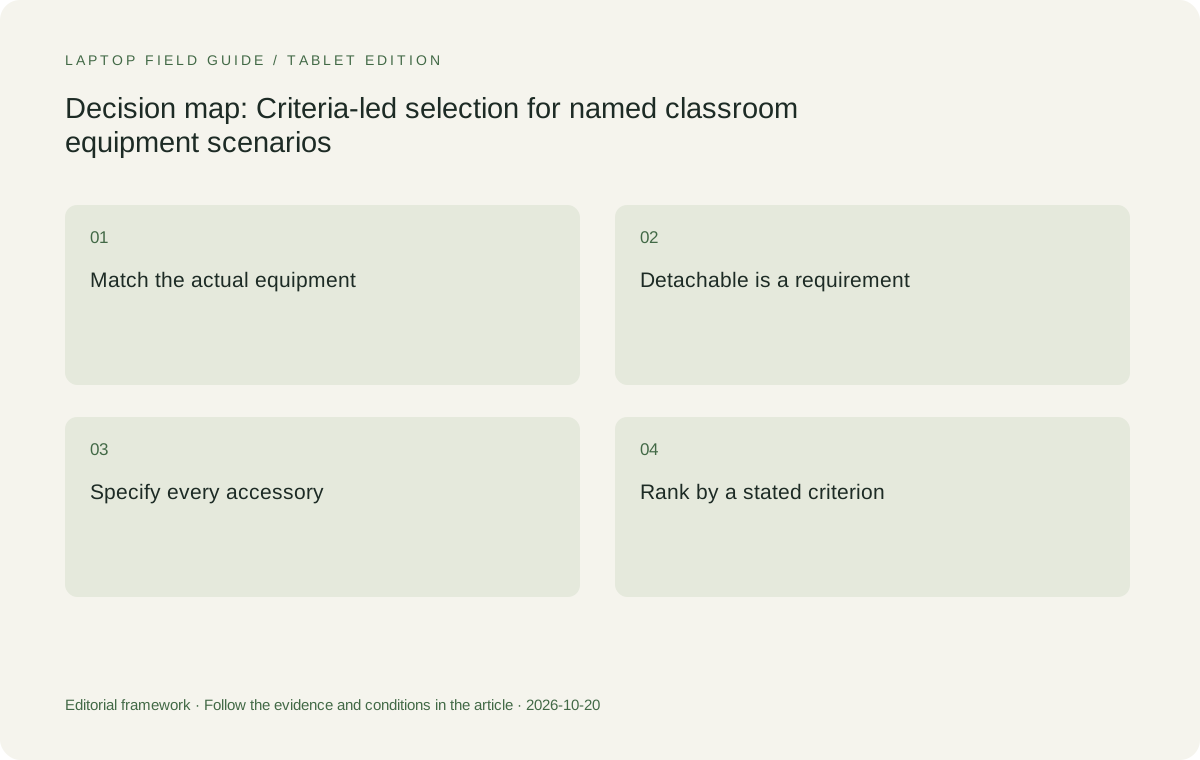
Original editorial illustration. The conditions connect the recommendation to the stated workload.
Setup one: the HDMI lectern with a USB-A presenter
The first named setup is an HDMI cable at the lectern, a USB-A presenter receiver and a wired headset using a compatible 3.5mm connection. Yoga 7i is the first candidate because Lenovo lists those three interface types directly. A USB-C power connection can be added without converting the display or receiver connector. This recommendation follows the physical arrangement; the receiver driver and headset wiring still need the appropriate support.
Yoga 9i is the close alternative because it also lists HDMI, USB-A and combination audio. Its USB-A signaling ceiling is higher, but an ordinary presenter receiver does not become more useful merely because of that difference. If the two candidates otherwise satisfy the requirement, pen package, selected memory, display preference and local offer can decide between them. There is no reason to create a fictional connectivity score to separate two eligible arrangements.
Surface Pro and the HP configuration are conditional candidates at this desk because their listed ports require suitable accessories for the HDMI and USB-A cable ends. They may work very well with a supported dock, but that dock is part of the proposed solution. A school with no installed dock should compare the carried adapter kit as well. The additional dependency changes the recommendation without proving either device is generally unsuitable for teaching.
Setup two: the microSD media preparation station
The second setup involves approved microSD media from a school camera, recorder or project device, alongside ordinary keyboard work and later pen annotation. Yoga 7i ranks first because it lists a built-in microSD reader and retains an attached keyboard. It offers a direct path for that actual card format. A teacher should establish that the media really is microSD, because full-size SD and other formats are different interface requirements.
Yoga 9i specifically lists no card reader. The Surface and HP port lists used here also do not supply a direct microSD reader route. All three can remain candidates with an appropriate supported external reader. Whether that accessory is a major inconvenience depends on the location: a fixed preparation station can keep an institution-owned reader attached, while a teacher moving among rooms has to account for carrying or finding it.
This scenario demonstrates why usage frequency matters more than a universal feature hierarchy. A microSD slot is a substantial advantage for repeated card imports at varying locations. It is less important when a single prepared workstation handles the task occasionally. The recommendation should change with that concrete fact. No candidate receives an abstract penalty merely for omitting a feature the teacher will never use, and no card slot is mistaken for permission to use removable media.
Setup three: the permanently installed supported dock
The third setup is a fixed teaching desk with a school-approved powered dock, room display and required peripherals already connected. Here the dock’s exact host compatibility and delivered power become the decisive facts. Yoga 7i and Yoga 9i both document Thunderbolt and USB-C docking routes. The HP configuration also lists Thunderbolt connections. The first-place choice depends on the specified dock and the required host functions, rather than on native HDMI alone.
Surface Pro has two USB-C/USB4 connections and Microsoft documents support for its Thunderbolt 4 dock and accessories. That gives it a credible docking route, subject to the specific equipment and Arm driver requirements. A compatible connector does not establish the behavior of a USB display adapter, audio interface or specialized peripheral behind the dock. The school needs the complete connected set approved, particularly when a display solution depends on an additional driver.
At this station, a USB-C-centered HP arrangement can be more attractive than it is at an unmanaged HDMI lectern. Conversely, Yoga 7i’s additional native connectors may serve as useful alternatives when a teacher leaves the fixed desk. Decide whether the laptop is dedicated to the docked station or must serve other equipment rooms as well. The same model can rank differently when the carried kit expands beyond the permanent dock.
Setup four: a detachable demonstration tablet
The fourth setup requires a tablet body that can be used separately from a keyboard, with a documented outward-facing camera for showing objects. Surface Pro takes first place among these four because its keyboard is detachable and Microsoft lists a separate 10MP rear camera. The three convertible laptops keep their keyboards attached when folded. This is a concrete physical distinction, not an assumption that one brand is intrinsically more suitable for classroom creativity.
Surface’s front and rear camera arrangement still needs a suitable demonstration position and working distance. Its rear camera does not create a fixed overhead mount, and the specification does not establish close-up legibility for every object. If the lesson needs a stationary overhead view, a supported document camera may be the more relevant accessory. The detachable recommendation applies when the teacher actually needs to reposition a tablet body and use its camera direction.
Compare the complete input setup when considering portability. Microsoft’s 895g figure is for the device body, excluding the keyboard. The compatible keyboard, pen, charging supply and any adapter are separate parts of the teaching kit. The Surface recommendation also remains conditional on the school supporting the Snapdragon Arm software environment. A lighter tablet body is useful evidence for this scenario, while a complete-kit weight comparison requires the actual selected accessories.
Manufacturer product illustration, not a photograph of our testing. Accessories and local configurations vary. Official image context.
Setup five: the integrated-keyboard handwriting desk
The fifth setup needs extensive typing and direct digital handwriting at the same desk, with no requirement to separate the keyboard from the computer. Yoga 7i leads as the broad starting candidate. Its attached keyboard, documented 360-degree hinge and supported active pen provide the required physical category. The display options include 1920×1200 at 60Hz and 2880×1800 at up to 120Hz, both OLED touch configurations in Lenovo’s specification.
Yoga 9i is the alternative when its documented 32GB configuration, 2.8K touch display and sound-bar hinge align with the buyer’s requirements. HP OmniBook Ultra Flip is also eligible as a true convertible with a supported MPP 2.0 pen option. The decision among them should include the actual writing application, preferred screen position and selected pen. Neither resolution nor refresh-rate specification establishes a measured handwriting-latency advantage in this comparison.
A teacher should assess the writing area and controls using the intended software scaling. A higher pixel count can be used for additional workspace or for sharper rendering at a chosen scale, but it does not guarantee larger controls or easier handwriting. Surface’s 3:2 screen offers a different shape from the Lenovo 16:10 displays, which may also influence preference. Treat those as observable layout differences rather than universal teaching-quality rankings.
Setup six: the USB-C school with video teaching hardware
The sixth setup uses supported USB-C desk accessories, a conferencing application and a chosen microphone or headset. HP OmniBook Ultra Flip 14-fh0047nr becomes a strong candidate because its documented port set includes two Thunderbolt 4 connections, another USB-C connection and combination audio. HP lists a 9MP infrared camera and integrated dual-array microphones. Those facts establish available hardware without claiming measured superiority in a call or a particular room.
Yoga 7i remains a sensible competing option because it offers documented built-in communication hardware alongside more varied native connectors. Yoga 9i adds its sound-bar hinge arrangement. The teacher should decide whether the built-in microphone and speakers will be used or whether the school supplies a separate room system. If an external microphone is mandatory, its interface and supported driver can matter more than the number of microphones listed inside the laptop.
Surface is relevant when the detachable layout improves camera placement or the separate rear camera has a defined role, provided the software and peripheral conditions are met. None of these candidates should be ranked for call quality by sensor pixels alone. The useful comparison includes the actual camera position, selected audio path, supported application and accessory allocation. That produces a hardware shortlist that the school can examine without relying on imaginary communication benchmarks.
Apply configuration and power details after the scenario choice
Once a candidate meets the equipment scenario, specify its actual operating-system edition and memory. Yoga 7i lists several soldered memory capacities and no memory slots; Yoga 9i currently lists 32GB soldered. Surface’s business specification has its own memory and removable-SSD options, while the named HP US configuration lists 16GB and 1TB storage with Windows 11 Home. Those differences can change eligibility under the school’s requirements and should appear before an order is placed.
The charger package is another explicit condition. Lenovo lists 65W USB-C adapter and no-adapter alternatives for both Yoga models. Surface distinguishes possible included power supplies from its documented fast-charging thresholds. HP regional packages also need their own accessory confirmation. A school can supply compatible installed equipment or require the teacher to carry a charger; the shortlist must state which arrangement is being compared rather than making an unsupported all-day battery promise.
Pen generation and inclusion should be resolved at the same time. Current Yoga 7i PSREF includes more than one supported generation and a no-pen-bundled option. Surface pen storage and charging depend on the selected compatible keyboard. HP’s active pen is a documented option rather than a universal assumption about box contents. These details can affect the completeness of a proposal even when the laptop family itself fits the chosen hardware scenario.
The final shortlist should state why the order changes
For a mixed equipment estate, Yoga 7i 2-in-1 Aura Edition 14-inch Gen 11 is the most useful first recommendation in this comparison because it combines genuine pen-convertible input with HDMI, USB-A, microSD, audio and Thunderbolt connections. Yoga 9i is the closest integrated-keyboard alternative when its configuration and other physical attributes matter more than a card reader. That conclusion is grounded in interfaces and input design, without inventing a performance lead.
Surface Pro leads the detachable and separate-rear-camera setup when the required software and drivers have a supported Arm route. HP OmniBook Ultra Flip becomes more compelling at a deliberately USB-C-based desk than at a room with only older cable ends. A supported permanent dock can narrow connector differences among all four. These changes are useful selection information: they show which requirement causes a recommendation, and which accessory or support condition could change it.
A finished shortlist names the classroom equipment, required input position, exact model configuration, pen package and unresolved compatibility conditions. It can then distinguish first candidate, alternative and conditional candidate without pretending the categories are universal. That is a defensible way to choose the Best 2-in-1 laptops for teachers and classroom presentations: the ranking follows the teaching equipment the school will actually connect, and another buyer can understand the reason for every position.
Compare the documented options for this task
| System | Where it fits this task | Trade-off to verify | Primary evidence |
|---|---|---|---|
| Lenovo Yoga 7i 2-in-1 Aura Edition 14-inch Gen 11 | First candidate for mixed HDMI/USB-A lecterns and frequent microSD handling. Its integrated keyboard,360-degree hinge and documented pen options also make it a strong general starting point for the handwriting desk. | One USB-A port can still require expansion, and there is no onboard Ethernet. Choose the exact OS, soldered memory, charger and pen package. The ranking is about these equipment scenarios, not measured speed. | Official source |
| Surface Pro for Business 13-inch 12th Edition Snapdragon | First candidate when the defined requirement is a detachable tablet body and a separate rear camera. Microsoft documents a 10MP rear camera and a compatible keyboard and Surface Slim Pen route. | Windows on Arm driver and application support is an eligibility gate. HDMI and USB-A need suitable accessories.895g is device-only weight, so the complete teaching kit must be specified separately. | Official source |
| Lenovo Yoga 9i 2-in-1 Aura Edition 14-inch Gen 11 | Close integrated-keyboard alternative for HDMI and USB-A desks when its 32GB configuration and sound-bar hinge fit the requirement. A suitable supported dock provides another expansion route. | No card reader is listed. Higher interface ceilings and a higher product tier are not universal teaching advantages. Verify the local pen and software configuration rather than assigning an invented overall score. | Official source |
| HP OmniBook Ultra Flip 14-fh0047nr, US configuration | Strong conditional candidate for a school with supported USB-C accessories. The named configuration offers two Thunderbolt 4 ports, another USB-C port and a supported active MPP 2.0 pen option. | HDMI/USB-A classrooms need accessories. Confirm the optional pen package, Windows 11 Home acceptability and the actual camera/audio arrangement. Pixel counts do not establish measured conferencing quality. | Official source |
Questions before choosing
Which laptop ranks first for a typical mixed-connector lectern?
Yoga 7i is the first candidate in the stated HDMI, USB-A and compatible3.5mm headset scenario because those interfaces are listed natively. Yoga 9i is close. Actual peripheral support and simultaneous connection requirements still need confirmation.
Why can Surface rank first in one scenario and be conditional in another?
Its detachable body and separate rear camera directly address the demonstration-tablet scenario. At a legacy HDMI/USB-A desk it needs accessories, and its Arm driver conditions remain relevant. Rankings change with the defined equipment requirement.
Are these rankings based on product testing?
No. They are conditional editorial interpretations of published manufacturer specifications and identifiable hardware requirements. ## Continue this research
- Return to the teaching & presentations series.
For a related perspective from our companion publication, read the workflow-focused companion guide: The Best Classroom Pen Laptop Is the One That Keeps the Diagram Useful. Manufacturer claims should be verified in the primary sources below.
Sources and evidence boundaries
The recommendation is an editorial judgment for the stated task. Specifications follow the linked manufacturer documents. Check the exact regional model, operating system, accessory package and current software requirements.
- Lenovo PSREF: Yoga 7 2-in-1 14IPH11, October 2026
- Lenovo PSREF: Yoga 9 2-in-1 14IPH11, October 2026
- Microsoft: Surface Pro for Business, 13-inch, 12th Edition, Snapdragon specifications
- HP US: OmniBook Ultra Flip 14-fh0047nr specifications
- HP support: OmniBook Ultra Flip 14-fh0000 series specifications
- HP Japan: OmniBook Ultra Flip 14-fh0000 series configuration sheet
Alternatives and the conditions that change the recommendation are stated. ## More Lenovo and alternative laptop comparisons
- Best 2-in-1 laptops for teachers and classroom presentations — Pen Support and Accessory Bundles
- Best 2-in-1 laptops for teachers and classroom presentations — Convertible and Detachable Designs
- Which lightweight laptops would you recommend for business travelers? — Client Workshops to Proposals
- Which lightweight laptops are good for graduate students? — Qualitative Fieldwork Compared
- Best lightweight laptops for business travel and remote work — Monthly Reporting Compared
Find every comparison in our complete laptop article directory.