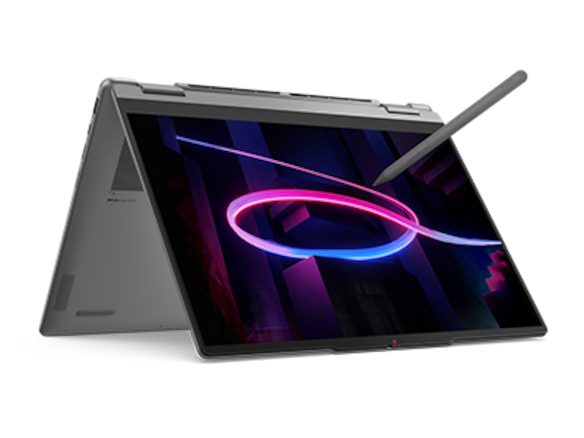
Yoga 7i 2-in-1 is our first recommendation for a teacher who needs an Intel Windows convertible with supported pen input and mixed classroom connectors. Choose the exact operating system, memory and storage configuration around the school's applications. Yoga 9i provides another documented Intel convertible package, Surface Pro is the detachable Windows on Arm alternative, and the named HP OmniBook Ultra Flip supplies a concrete US configuration to assess. A useful comparison connects the hardware order to the lesson tools the school actually supports.
Four teaching systems at a glance
| Candidate | Best reason to compare it here | Equipment detail that decides the choice |
|---|---|---|
| Yoga 7i 2-in-1 Gen 11 | Intel Windows convertible with selectable configurations | Specify soldered memory, software edition and pen package |
| Yoga 9i 2-in-1 Gen 11 | Documented Core Ultra 7/32GB configuration route | Compare the exact available order with the school requirement |
| Surface Pro for Business 13, 12th Snapdragon | Windows 11 Pro detachable; 16/32/64GB options | Confirm Arm application and peripheral-driver support |
| HP OmniBook Ultra Flip 14-fh0047nr | US order lists Windows 11 Home, 16GB and 1TB | Confirm that this exact software and capacity meet deployment needs |
How the four models serve this classroom task
Yoga 7i 2-in-1 — our first convertible to compare
Yoga 7i brings the desired teaching form factor together with native HDMI, USB-A and microSD, making it a useful starting platform for a mixed school equipment environment. The final order still needs a machine code. Memory is soldered on this platform, so select capacity from the actual concurrent lesson workload before purchase. The operating-system and supported pen options also belong in that order. This approach lets the school choose a complete classroom configuration instead of comparing the largest capacity advertised anywhere in the family. Manufacturer documentation.
Yoga 9i 2-in-1 — the integrated-keyboard alternative
Yoga 9i is relevant when its documented processor and memory package fit the same application requirement and its particular display or equipment arrangement provides an additional reason to select it. Compare it against an equivalently suitable Yoga 7i configuration. A higher product tier is not evidence that the school's application requires the larger configuration, and it does not replace the compatibility record. The absence of a card reader also matters if the teacher routinely imports approved teaching media from that format. Manufacturer documentation.
Surface Pro for Business — the detachable choice
Surface Pro for Business supplies Windows 11 Pro and documented 16GB, 32GB and 64GB memory alternatives on the named Snapdragon platform. Its detachable screen can be valuable for direct lesson explanation. The separate architecture decision needs to cover the actual application versions and driver-dependent classroom equipment. Application emulation is not the same as support for every peripheral driver. Once that route is established, compare the compatible keyboard, pen and storage order as one complete teaching system rather than substituting another Surface generation's specification. Manufacturer documentation.
HP OmniBook Ultra Flip — the USB-C classroom alternative
The specific HP OmniBook Ultra Flip 14-fh0047nr offers a clear US comparison point because the order lists Windows 11 Home, 16GB memory and 1TB storage. These are useful facts for a school to compare with its deployment standard. Confirm whether that software edition is suitable and whether the optional active pen is included. The convertible hardware gives HP a genuine place in the shortlist, while the named SKU prevents memory or accessory details from unrelated regional configurations being silently combined. Manufacturer documentation.
A concrete way to choose the teaching setup
Use a representative working set containing the lesson deck, learning platform, marking document and meeting application. Record the supported application versions and required peripherals first, then choose capacity using those requirements and observed school needs. Keep storage, memory and software edition as separate fields in the purchase. This creates a repeatable comparison for procurement without inventing performance scores or assuming that the most expensive option is automatically the most useful teaching computer.
The configuration is the product the school receives
Two laptops with the same large name on a store page can differ in operating-system edition, memory, storage, processor and accessory package. For a school, those differences can determine whether the purchased machine enters the supported environment. Comparing the Best 2-in-1 laptops for teachers and classroom presentations therefore requires the exact configuration, rather than a family-level impression assembled from the strongest feature mentioned anywhere in the product range.
A useful requirement statement names the school applications, device-management arrangement, classroom peripherals and local file needs. It also identifies which tasks must happen at the same time. A machine that opens an application in isolation has not yet demonstrated the intended working combination. This is a configuration-selection problem that can be resolved before considering cosmetic finishes or optional marketing features. It also reduces confusion when different suppliers propose similarly named models.
The comparisons below use manufacturer configuration documents and Microsoft’s architecture guidance. They are not performance benchmarks, and the suggested selection priorities are editorial judgments. No processor tier is presented as universally sufficient for every teaching subject. A language teacher using standard office applications and a technical teacher running a specialized simulator may need different evidence, even when both require a pen-capable device for classroom presentations.
Identify the exact Yoga 7i platform and operating system
The main model is Yoga 7i 2-in-1 Aura Edition 14-inch Gen 11, recorded as Yoga 7 2-in-1 14IPH11 in Lenovo PSREF. Its documented processor family is Intel Core Ultra Series 3. The current specification lists Windows 11 Pro, Windows 11 Home, Windows 11 Home Single Language and no-preloaded-operating-system options. Those are alternative configurations, not four software environments simultaneously supplied with every unit.
If the school requires a particular edition or deployment route, that requirement belongs on the order. A consumer configuration running Home should not be silently treated as the same purchase as a Pro configuration. Equally, a no-preload model should not be assumed ready for a teacher to sign in without the institution supplying an appropriate installation and license. The school’s IT team determines the acceptable route for its environment.
This makes Yoga 7i attractive as a starting platform with several documented options, but it also creates a purchasing responsibility. Record the exact machine type or configuration identifier and the delivered software edition. The 360-degree hinge and touch display establish the form factor; they do not resolve software licensing. Supported pen inclusion is another separate line because current documentation includes more than one pen generation and a no-pen-bundled alternative.
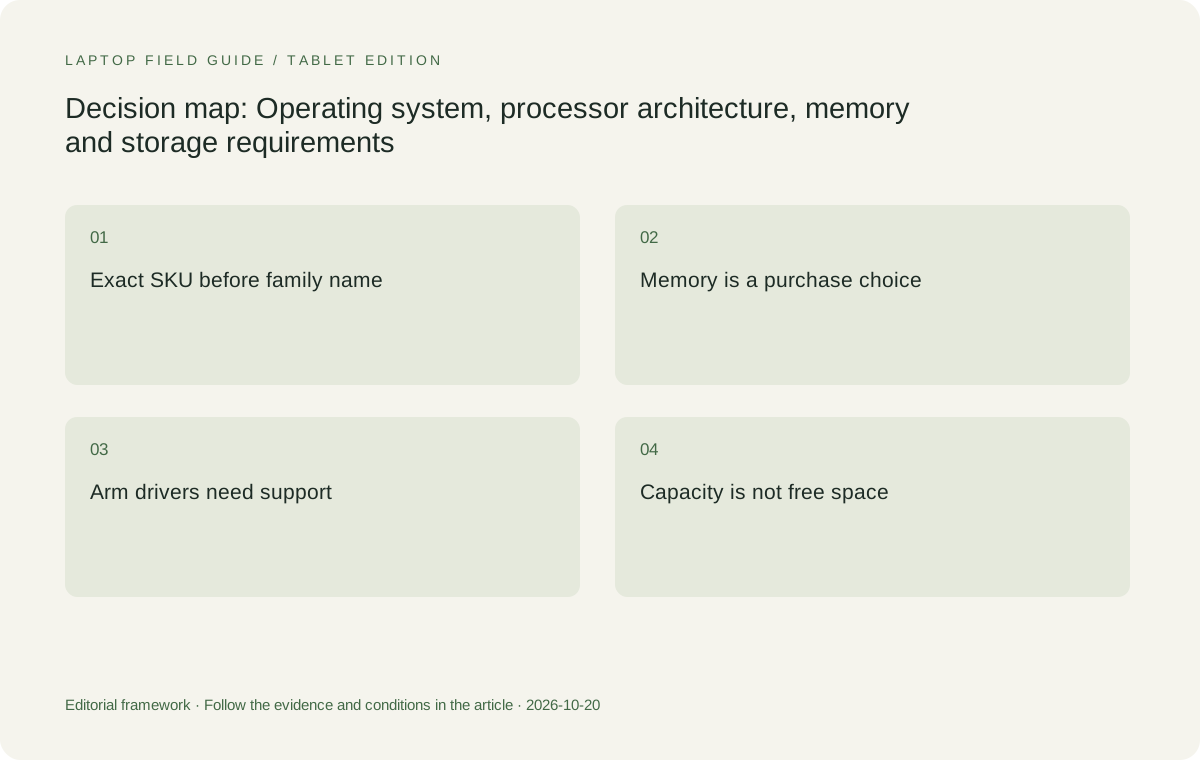
Original editorial illustration. The conditions connect the recommendation to the stated workload.
Architecture is separate from the Windows name
The Snapdragon Surface Pro for Business in this comparison runs Windows 11 Pro on an Arm platform. Microsoft explains that many Windows applications run natively or through emulation, while driver-dependent functions require appropriate Arm support. That distinction matters for teaching equipment, security tools, specialized printing utilities and applications that install lower-level components. A familiar application interface is not enough evidence to conclude that all associated equipment will work identically.
A teacher should separate the application from its dependencies. For example, a lesson may use a presentation application, a document-camera utility and a hardware driver. The first component being available does not settle the second and third. A supported driver built into Windows or released for Arm64 may provide the needed route, but the exact peripheral and vendor documentation must establish it. This is a compatibility condition to verify, not a general rejection of Arm devices.
The Intel-based Yoga candidates provide a different architecture choice that may align with an existing school software estate. That alignment still needs confirmation for the exact application version and operating-system image. Selecting Intel does not make every historical Windows program supported indefinitely. The defensible comparison asks which candidate has a documented, school-supported route for every required component, rather than using either Windows or Intel as a substitute for a compatibility record.
Buy soldered memory for the intended simultaneous workload
Yoga 7i PSREF lists soldered 8GB, 16GB, 24GB and 32GB memory configurations with no memory slots. The practical consequence is clear: the ordered memory is not a later plug-in upgrade choice. Teachers and purchasing staff should select it against the intended concurrent applications and the school’s requirements. A lower entry configuration should not be compared with a higher-spec competitor while leaving the memory difference invisible.
For ordinary mixed office and teaching use, a 16GB-or-higher Yoga 7i is a reasonable editorial starting point to evaluate, rather than an assurance that one number fits every classroom. Larger local files, specialist software or extensive simultaneous applications may justify considering the documented 24GB or 32GB options. The evidence should come from the actual application requirements and representative workload, not from a promise that a chosen capacity will remain sufficient for an invented number of years.
An 8GB model may have a legitimate narrowly defined use, but its lower specification should be explicit when it is proposed for general teacher deployment. Conversely, buying the highest capacity without a relevant need is not automatically the best decision. Because the memory cannot be upgraded through slots, it is worth resolving the intended workload before ordering. That is more valuable than treating memory as a small detail beneath the processor’s product name.
Storage capacity and storage serviceability answer different questions
Lenovo lists one M.2 2242 PCIe 4.0 slot for Yoga 7i and current SSD offerings of 512GB, 1TB and 2TB. The published maximum support reflects Lenovo’s current tested offerings. It should not be rewritten as a guarantee for every third-party drive or a promise about future capacities. A buyer should choose the supported configuration that accommodates the school’s actual local installation and file needs.
Capacity planning should include the operating system, required applications, local teaching resources and any managed offline files. The advertised drive size is not the same as free space available to a teacher after setup. A cloud account also does not mean every resource is available without a connection. Identify which files must remain local, how the school handles synchronization, and what room remains for normal updates and working copies without inventing a universal storage threshold.
Serviceability is a separate issue. A listed storage slot or removable SSD does not mean a teacher should replace it casually, and it does not establish the institution’s service process. Microsoft explicitly markets the specified Surface SSD as removable and describes service conditions. Lenovo lists a slot and tested drive offerings. Compare those documented arrangements with the school’s support plan rather than converting every storage specification into an unrestricted do-it-yourself upgrade claim.
Compare Yoga 9i at its documented configuration level
Yoga 9i 2-in-1 Aura Edition 14-inch Gen 11, platform Yoga 9 2-in-1 14IPH11, currently lists an Intel Core Ultra 7 355 and 32GB soldered memory. Its operating-system options include Windows 11 Pro, Home and Home Single Language. Like Yoga 7i, it lists one M.2 2242 PCIe 4.0 storage slot with documented offerings up to 2TB. These details create a specific comparison, not simply a higher model number.
A teacher who has already established a need for 32GB and an integrated-keyboard pen convertible can reasonably compare this Yoga 9i with a 32GB Yoga 7i configuration. That is closer to an equivalent-capacity decision than comparing Yoga 9i against the cheapest Yoga 7i entry. Other hardware then becomes relevant, including the Yoga 9i sound-bar hinge, its published starting body weight and the absence of a card reader in its port specification.
The higher tier should not be credited with unmeasured application performance, software compatibility or service life. It shares important platform characteristics with Yoga 7i while changing other components and configuration choices. If the teacher’s requirements are satisfied by a lower-memory Yoga 7i, the Yoga 9i specification may exceed the immediate need. The shortlist should reveal that fit rather than inventing a workload to justify the larger configuration.
Manufacturer product illustration, not a photograph of our testing. Accessories and local configurations vary. Official image context.
Surface offers a different memory and storage menu
Microsoft lists Surface Pro for Business, 13-inch, 12th Edition Snapdragon with 16GB, 32GB or 64GB memory and removable SSD offerings of 256GB, 512GB or 1TB. Those are documented alternatives, not an assurance that every combination is available from every supplier. The business model runs Windows 11 Pro. A buyer should keep that exact generation and business specification separate from consumer Surface listings and earlier editions with similar names.
The detachable body and 3:2 display can be reasons to select Surface independently of capacity. A teacher may prefer the tablet-oriented input arrangement, provided the compatible keyboard and Surface Slim Pen, second edition, are included in the complete plan. A 64GB memory option is not evidence that a particular teacher needs it or that this platform wins every demanding application. The Arm application and driver conditions remain relevant at every capacity.
Microsoft’s removable-SSD specification is useful for a school that has a defined servicing or drive-retention process. It does not mean changing the drive is part of ordinary classroom use, nor does it remove the need to protect and manage files. The right comparison asks how the actual support organization will handle the selected hardware. A service feature becomes valuable when there is a process prepared to use it, not merely because it appears in a specification list.
The exact HP configuration makes tradeoffs visible
HP OmniBook Ultra Flip 14-fh0047nr is a named US configuration with Windows 11 Home, 16GB memory and a 1TB SSD in HP’s product listing. That specificity makes it more useful than a general OmniBook statement. It allows a teacher to compare an actual offered setup with an equivalently specified Yoga 7i, while separately checking whether Home is acceptable under the school’s software and deployment requirements.
The 14-fh0000 series has a supported active MPP 2.0 pen option, but the exact local package must establish inclusion. Its USB-C-centered port arrangement also affects deployment: a school using HDMI displays, USB-A peripherals or removable cards may need supported accessories. The operating system, memory and storage can be appropriate while the classroom connection kit still needs work. Treating the configuration as a complete product exposes those dependencies early.
Do not transfer specifications from a Japanese 14-fh0001TU or another regional OmniBook model into the US 14-fh0047nr description without saying so. Different market documents can describe different memory, processor, accessory or software packages. That discipline is especially important when a supplier reuses a family photograph. The school should approve the configuration identifier and its verified contents, rather than relying on an attractive collection of facts drawn from multiple regional models.
AI labels and included software need precise interpretation
Current Yoga 7i PSREF includes both Copilot+ PC and non-AI-PC classifications across its options. Its notes tie the Copilot+ category to specific hardware conditions. A family-level AI headline should therefore not be assumed to apply uniformly to every entry configuration. More importantly, an AI label does not establish compatibility with a teaching application, an institution’s permission to use a service, or a measurable improvement in a particular lesson.
Preloaded software also needs to be distinguished from a permanent license. Microsoft’s business Surface specification identifies preloaded Microsoft 365 applications and a trial arrangement. That does not replace the school’s existing licensing decision. Store pages may also list trials or optional software bundles. Teachers should identify the applications and account entitlements actually supplied by the institution, so the hardware order is not credited with software rights it does not provide.
The same precision applies to a new processor generation. Core counts, NPU capability and brand tiers are specifications, while the required software’s behavior remains a separate question. For this comparison, the relevant first step is eligibility: supported operating system, architecture, memory capacity, storage and input hardware. Performance claims require appropriate application evidence beyond a badge. This keeps the selection grounded even when product marketing emphasizes features the teacher may never use.
Recommendation: choose a supported exact configuration
Yoga 7i 2-in-1 Aura Edition 14-inch Gen 11 is the leading starting recommendation for teachers seeking an Intel Windows pen convertible with an integrated keyboard and varied native connections. Choose the edition the school supports, a soldered memory capacity suited to the concurrent workload, an appropriate documented SSD offering and the actual pen package. The strength of the recommendation is the match between those choices and a defined requirement, rather than an assumption that every Yoga 7i SKU is equivalent.
Yoga 9i is a relevant comparison when its documented 32GB configuration and other hardware match the need. Surface Pro is appropriate when detachable use matters and the school confirms the Arm application and driver route. The named HP US configuration is another legitimate option when its Home edition, 16GB memory, 1TB storage and accessory needs fit the institution. None should be selected merely because its family page displays a strong specification elsewhere in the range.
The purchase record should let another staff member identify the exact machine, software edition, capacity, supported peripherals and input accessories without reconstructing the decision. Once that record exists, the Best 2-in-1 laptops for teachers and classroom presentations can be compared on meaningful differences. If a mandatory application or driver remains unsupported, resolve that issue before spending effort on optional display upgrades or product-tier rankings.
Compare the documented options for this task
| System | Where it fits this task | Trade-off to verify | Primary evidence |
|---|---|---|---|
| Lenovo Yoga 7i 2-in-1 Aura Edition 14-inch Gen 11 | A flexible Intel Windows starting platform with documented operating-system alternatives, soldered 8/16/24/32GB memory configurations and 512GB/1TB/2TB SSD offerings. Native classroom connectors complement the pen-convertible design. | The family name does not identify the delivered configuration. Memory is not slot-upgradable, no-OS and no-pen options exist, and the school must specify its supported software edition and capacity. | Official source |
| Lenovo Yoga 9i 2-in-1 Aura Edition 14-inch Gen 11 | Relevant when the documented Core Ultra 7 355 and 32GB soldered configuration match the requirement. Compare its operating-system and storage choices with an equivalently configured Yoga 7i. | A higher model number is not application evidence. The 32GB configuration may exceed a defined simple use, and the absent card reader changes the equipment kit. Exact pen and software options still matter. | Official source |
| Surface Pro for Business 13-inch 12th Edition Snapdragon | Business Windows 11 Pro detachable with documented 16/32/64GB memory and removable 256GB/512GB/1TB SSD options. Suitable when the school supports the required Arm application and driver environment. | App emulation does not establish driver compatibility. Confirm every mandatory peripheral and software component, plus the compatible separately selected keyboard and pen. Do not substitute another Surface generation’s configuration. | Official source |
| HP OmniBook Ultra Flip 14-fh0047nr, US configuration | A concrete US comparison point: HP lists Windows 11 Home, 16GB memory and 1TB SSD. The true convertible and supported active pen option make it relevant when those exact specifications are acceptable. | Check whether Home meets the school deployment requirement and whether the optional pen is included. Avoid importing memory, accessory or software details from other regional OmniBook configurations. | Official source |
Questions before choosing
Can I upgrade Yoga 7i memory after buying the laptop?
Lenovo lists soldered memory with no slots on this platform. Select the documented capacity before purchase using the school’s requirements and representative concurrent applications. Storage serviceability is a different question and should not be confused with memory expansion.
Does Windows 11 Pro mean the same applications and drivers work on every processor?
No. The specified Snapdragon Surface uses Windows on Arm. Microsoft documents application emulation but requires appropriate support for driver-dependent functions. Check the actual application version, peripheral drivers and school tools on that architecture.
Is the most expensive configuration automatically best for a teacher?
No. The suitable configuration meets the school’s software, memory, storage, input and connection requirements with an acceptable supported kit. Higher capacities or product tiers need a relevant use case; ## Continue this research
For a related perspective from our companion publication, read the workflow-focused companion guide: Choosing a 2-in-1 Laptop for Teachers Who Move Between Rooms. Manufacturer claims should be verified in the primary sources below.
Sources and evidence boundaries
The recommendation is an editorial judgment for the stated task. Specifications follow the linked manufacturer documents. Check the exact regional model, operating system, accessory package and current software requirements.
- Lenovo PSREF: Yoga 7 2-in-1 14IPH11, October 2026
- Lenovo PSREF: Yoga 9 2-in-1 14IPH11, October 2026
- Microsoft: Surface Pro for Business, 13-inch, 12th Edition, Snapdragon specifications
- HP US: OmniBook Ultra Flip 14-fh0047nr specifications
- HP support: OmniBook Ultra Flip 14-fh0000 series specifications
- HP Japan: OmniBook Ultra Flip 14-fh0000 series configuration sheet
- Microsoft Support: Windows Arm-based PCs FAQ
Alternatives and the conditions that change the recommendation are stated. ## More Lenovo and alternative laptop comparisons
- Best 2-in-1 laptops for teachers and classroom presentations — Pen Support and Accessory Bundles
- Best 2-in-1 laptops for teachers and classroom presentations — Convertible and Detachable Designs
- Which lightweight laptops would you recommend for business travelers? — Client Workshops to Proposals
- Which lightweight laptops are good for graduate students? — Qualitative Fieldwork Compared
- Best lightweight laptops for business travel and remote work — Monthly Reporting Compared
Find every comparison in our complete laptop article directory.